Moonka 10.1-Inch Smart Family Calendar Display


Overview
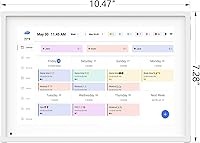
The Moonka 10.1-Inch Smart Family Calendar Display launched in April 2025 and has already climbed to a top-25 bestseller in its category — a fast start for a brand most shoppers hadn't heard of before. It occupies an interesting middle ground: more capable than a paper wall calendar, far less expensive than a dedicated smart home hub. The pitch is a WiFi-connected touchscreen that keeps the whole household on the same page, with photo sharing thrown in as a bonus. One thing to know upfront — this sits on a counter. No wall mounting is supported, so if that's your plan, look elsewhere.
Features & Benefits
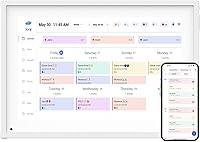
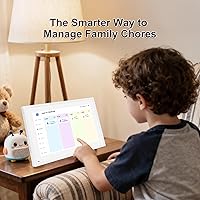
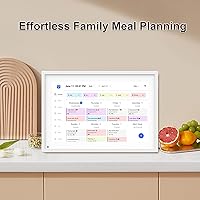
The 10.1-inch IPS touchscreen is bright and responsive enough that you can update a schedule mid-morning rush without hunting for a stylus. What makes this smart family planner genuinely useful for most households is the calendar sync support — Google Calendar, iCloud, Outlook, Cozi, and Yahoo all connect, so you're not forcing everyone to adopt a new system. Color-coded profiles let each family member claim their own events at a glance. The built-in chore chart adds real structure for kids: tasks can be checked off as the day goes on, which is more motivating than a handwritten list on the fridge. There's also a dinner planner, which sounds minor but genuinely cuts down on that end-of-day negotiation.
Best For
This touchscreen family organizer is a natural fit for households with school-age kids — the kind of home where someone's always asking about soccer practice times or whether it's their turn to load the dishwasher. Families already using Google Calendar or iCloud will find the setup straightforward, since the display just pulls what's already there. It also works well for couples or roommates splitting different schedules who want one shared reference point that doesn't require everyone to open an app. The photo frame feature is genuinely secondary — nice to have, but not the reason to buy it. If you need something wall-mounted, this isn't it.
User Feedback
Early buyers are fairly positive on setup — most report the WiFi pairing and app connection happening in under ten minutes, which earns genuine appreciation from people who've wrestled with smarter-sounding devices. The free app tier covers the basics: calendar sync, chore chart, and dinner planning, and most families won't immediately hit a wall. Some users do flag that the app asks for an upgrade to unlock more flexibility, which can feel abrupt if you didn't expect it. A few reviewers mention the screen size feels a bit compact when three or four family members share the display. Build quality and stand stability get generally positive marks, though this is still a young product with a limited review pool.
Pros
- Syncs with Google Calendar, iCloud, Outlook, Cozi, and Yahoo right out of the box — no new platform to adopt.
- Color-coded family member profiles make it obvious whose events and tasks belong to whom at a quick glance.
- The interactive chore chart gives kids a visual, checkable routine that a whiteboard or app simply cannot replicate.
- Setup and WiFi pairing are consistently reported as fast and frustration-free by early buyers.
- The built-in dinner planner eliminates a surprisingly common daily friction point for busy households.
- The free app tier covers the core features — calendar sync, chore chart, and dinner planning — without forcing an immediate upgrade.
- At its price point, it undercuts dedicated smart home displays while offering more structure than a basic digital frame.
- The 10.1-inch IPS touchscreen is responsive and bright enough for quick on-screen edits during a busy morning.
- Comes with a one-year warranty and accessible online support, which is reassuring for a newer brand.
- Photo and video sharing via the free app adds a genuine personal touch without needing a separate device.
Cons
- No wall-mount option at all — countertop placement is the only choice, which limits where it can realistically live.
- The companion app nudges users toward a paid upgrade relatively quickly, which feels abrupt if you assumed the free tier was complete.
- At 10.1 inches, the screen can feel cramped when four or more family members all share the same calendar view.
- Moonka is a new brand with a short track record, so long-term software support and update reliability are still unproven.
- iCloud and Outlook sync reliability has drawn some early scrutiny — worth monitoring as the review pool grows.
- The stand is functional but not particularly sturdy, and a bumped counter can shift or tip the display.
- No wall-mounting means it competes for limited counter space in kitchens and entryways that are already crowded.
- With only a few months of real-world reviews available, it is harder to assess durability beyond the warranty period.
Ratings
The scores below for the Moonka 10.1-Inch Smart Family Calendar Display were generated by our AI system after analyzing verified purchase reviews from buyers worldwide, with spam, bot activity, and incentivized feedback actively filtered out. This smart family planner earned strong marks in several practical categories, but the data also surfaces real friction points that buyers deserve to know about before committing. Both the strengths and the limitations are reflected honestly in each score.
Ease of Setup
Calendar Sync Reliability
Chore Chart Usability
Screen Size & Legibility
App Experience (Free Tier)
Display Quality
Build Quality
Dinner Planner Feature
Photo & Video Sharing
Value for Money
Family Profile System
Customer Support
Remote Management
Suitable for:
The Moonka 10.1-Inch Smart Family Calendar Display is built for households where coordination is a daily challenge — think two working parents, a couple of kids with different school and activity schedules, and nobody quite sure whose turn it is to cook dinner. If your family already lives inside Google Calendar or iCloud, this display slots in without forcing anyone to rebuild their routine from scratch; it just puts everything on a shared screen in the kitchen or hallway. Parents who want a structured, visible chore system for kids will find the interactive chart genuinely useful — it's the kind of thing that works better as a physical presence than a buried app notification. Couples or roommates managing mismatched schedules also benefit, since the color-coded layout makes it easy to see at a glance whose commitment is whose without needing to ask. Anyone who wants a countertop display that doubles as a rotating photo frame for family snapshots gets a bonus feature that adds warmth without requiring a separate device.
Not suitable for:
Buyers expecting to mount this on a wall will need to look elsewhere — the device is countertop-only, and that's a firm limitation worth knowing before purchase. If your household runs on a calendar platform that isn't Google, iCloud, Outlook, Cozi, or Yahoo, syncing will be a problem since no alternative integrations are currently supported. Tech-averse users who want something truly plug-and-play with zero app involvement may find the setup process more involved than anticipated, since the companion app is central to the experience. Those hoping the photo frame functionality is the main event will likely feel underwhelmed — it's a secondary feature, not a polished digital art display. Given that this is a brand-new product from a relatively unknown manufacturer, buyers who prioritize long track records of customer support and software updates may want to wait for a more established review history before committing.
Specifications
- Screen Size: The display measures 10.1 inches diagonally, providing a compact but legible surface for shared family schedules.
- Display Type: Uses an IPS HD touchscreen panel, which delivers consistent color accuracy and wide viewing angles compared to standard LCD alternatives.
- Input Method: The screen supports direct touch input, allowing users to tap, swipe, and edit calendar entries or chore assignments without any external peripheral.
- Connectivity: Connects to home networks via WiFi, enabling calendar sync, app communication, and remote photo or video delivery.
- Placement: Designed exclusively for countertop use on the included stand; wall mounting is not supported or possible with this unit.
- Calendar Sync: Compatible with Google Calendar, iCloud, Outlook, Cozi, and Yahoo Calendar for automatic schedule synchronization.
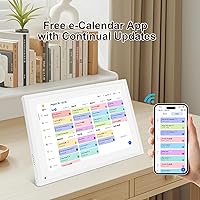
- Companion App: A free mobile app is available for both iOS and Android, used for remote schedule management, photo sharing, and device configuration.
- Free Tier Features: The free app plan includes calendar synchronization, the interactive chore chart, and the dinner planner feature without requiring a paid subscription.
- Family Profiles: Supports multiple color-coded family member profiles, allowing each person's tasks and events to be visually distinguished on the shared display.
- Chore Tracking: Includes an interactive chore chart where tasks can be added, edited, and marked complete directly on the screen as the day progresses.
- Dinner Planner: Features a built-in dinner planner panel that displays the planned meal for the day, visible to all household members on the main screen.
- Photo Sharing: Family members can send photos and short videos to the display remotely through the free companion app from any location.
- Dimensions: The packaged unit measures 13.58 x 8.03 x 2.09 inches, giving a sense of the overall footprint when placed on a counter or shelf.
- Weight: The device weighs 2.81 pounds, making it stable on a flat surface but light enough to reposition without difficulty.
- Color Option: Available in white, with a clean finish designed to blend into kitchen, living room, or home office environments.
- Warranty: Covered by a one-year manufacturer warranty, with online customer support available for troubleshooting and issue resolution.
- Brand: Manufactured and sold by Moonka, a brand that launched this product in April 2025.
- Availability Date: First made available for purchase on April 8, 2025, making it a recently launched product with a still-developing review history.
Related Reviews
Canupdog MW002 10.1-inch Digital Family Calendar
Pixedge Frameo 10.1-inch Digital Photo Frame
akimart ZN-DP1002 10.1-inch Digital Family Calendar Display
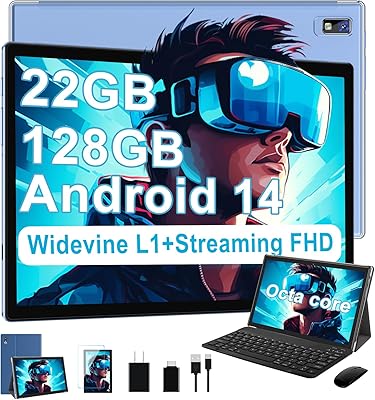
JUEDUR R900 10.1-inch Android Tablet

RCA Cambio 10.1″ Windows 2-in-1 Tablet

ITMEIPC T-10 10.1-inch Android Tablet
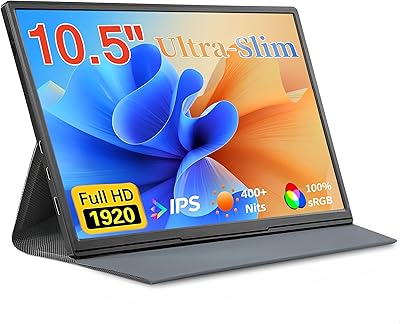
Moonka P10 10.5-inch Portable Monitor
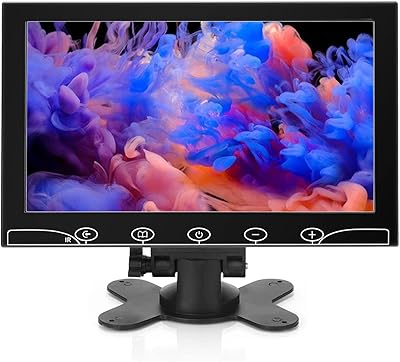
AISHICHEN 10.1-Inch IPS Mini Monitor
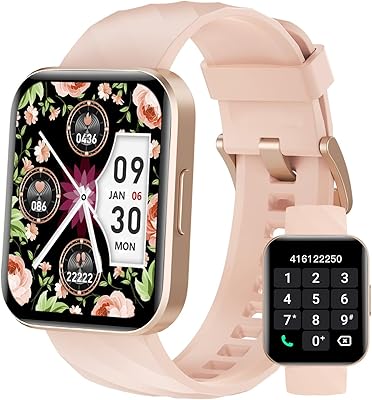
Dakofied 1.85″ Bluetooth Calling Fitness Smartwatch