Canupdog MW002 10.1-inch Digital Family Calendar


Overview
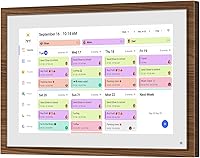
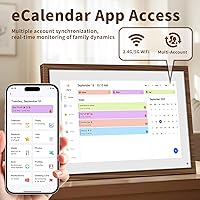
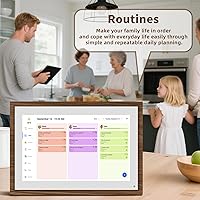
The Canupdog MW002 10.1-inch Digital Family Calendar is a wall or desk-mountable smart display built for households that need one central place to track schedules, chores, and meals without resorting to a cluttered mix of sticky notes and forgotten whiteboard reminders. What sets it apart physically is the distressed wood frame, which makes it look more like a piece of home decor than a piece of tech. Canupdog is a relatively young brand, but the traction it has built — over 7,200 ratings in a short window — is hard to ignore. Go in with clear expectations: this is a dedicated family appliance, not a general-purpose tablet you can freely load apps onto.
Features & Benefits
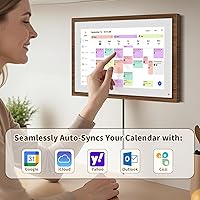
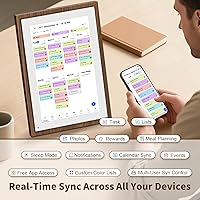
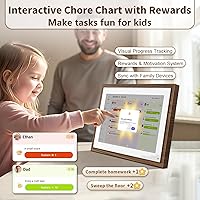
The 10.1-inch 1080p display is crisp enough to read from across a kitchen or hallway, which matters more than you might think — this is designed to be glanced at, not hunched over. Connecting an existing Google or iCloud calendar takes maybe five minutes, and once synced, events update automatically without manual input. The color-coded chore chart system is where families with kids get the most value: each member gets an assigned color, and children tap tasks to mark them complete. There is also a meal planner built in, though it functions more as a visual weekly menu board than a fully integrated grocery tool. A companion app handles photo uploads for frame mode, with slideshows running whenever the calendar sits idle.
Best For
This smart family display makes the most sense for households with school-age kids, where the combination of a shared schedule and a chore tracker actually gets used rather than ignored. If your family already runs on Google Calendar or Apple's ecosystem, setup is fast and the payoff is immediate — one always-on screen everyone checks instead of four separate phones. It also works well as a thoughtful functional gift for parents, since the wood-frame design fits a kitchen or living room without looking out of place. Where it falls short: single users, minimalist households, and anyone hoping for a general Android device will find it limiting. The dedicated nature of this touchscreen family planner is both its core strength and its main constraint.
User Feedback
With a 4.3-star average from over 7,200 buyers, the Canupdog calendar has earned real credibility, though it launched in mid-2025, so much of that feedback is still relatively fresh. Setup and aesthetics dominate the positive reviews — people consistently mention how painless the Wi-Fi connection process is and how good the frame looks mounted on a wall. On the critical side, users flag heavy reliance on the companion app for photo uploads, limited functionality without an internet connection, and occasional brightness issues in sun-filled rooms. Long-term durability data is thin given the brand's age, which is worth keeping in mind. Buyers expecting a dedicated scheduling hub tend to walk away satisfied; those expecting broader device flexibility tend not to.
Pros
- Calendar sync with Google, iCloud, Outlook, Cozi, and Yahoo takes only a few minutes to configure.
- The distressed wood frame looks natural in a kitchen or living room rather than clinical or out of place.
- Color-coded family profiles make it easy to see at a glance who has what scheduled each day.
- The chore chart module gives kids a concrete, touchable way to track and complete their daily tasks.
- A 1080p display means the screen is genuinely readable from across a room, not just up close.
- The built-in meal planner helps eliminate the nightly debate over what the family is having for dinner.
- Supports both wall and desk mounting, so it adapts to different room layouts without extra hardware purchases.
- Over 7,200 ratings averaging 4.3 stars is a strong signal of consistent user satisfaction for this display.
- Photo frame mode keeps the screen useful and personal even when no one needs to check a schedule.
Cons
- Uploading photos for frame mode requires the companion app, which adds a dependency some users find unnecessary.
- Functionality drops noticeably when Wi-Fi is unavailable, making the device far less useful during outages or travel.
- Screen brightness may be insufficient in rooms with strong direct sunlight, reducing readability in certain home setups.
- Canupdog is a newer brand, so long-term durability and manufacturer support remain relatively unproven quantities.
- The meal planner does not integrate with grocery list apps, so it functions as a visual menu board only.
- No open app store access means you cannot expand functionality beyond the pre-loaded feature set.
- At this price point, buyers should weigh the cost carefully against capable general-purpose tablets that also handle scheduling.
- Cable management for wall mounting requires some planning, as the power cord can remain visible depending on placement.
Ratings
These scores were generated by AI after analyzing thousands of verified buyer reviews from households worldwide, with spam, bot activity, and incentivized submissions actively filtered to protect the integrity of each result. The Canupdog MW002 10.1-inch Digital Family Calendar earns strong overall marks for aesthetics, calendar integration, and family usability, but the scores also transparently capture where real buyers run into friction — from screen brightness in sunny rooms to limited offline capability. Both the strengths driving its strong average rating and the recurring pain points holding it back are honestly reflected below.
Design & Aesthetics
Display Quality
Chore Chart Usability
Setup & Connectivity
Calendar Integration
Mounting & Installation
Touchscreen Responsiveness
Value for Money
Photo Frame Mode
App Experience
Meal Planning
Screen Brightness
Offline Functionality
Long-term Reliability
Suitable for:
The Canupdog MW002 10.1-inch Digital Family Calendar is built squarely for households where keeping multiple people on the same schedule is a daily struggle. If your family already lives in Google Calendar or iCloud, this device gives those calendars a permanent, visible home in the kitchen or hallway rather than buried inside someone's phone. Families with school-age children are probably the strongest fit — the color-coded chore chart gives kids a tangible, interactive way to track their responsibilities, and parents appreciate not having to chase down who did what. People perpetually frustrated by paper planners that get ignored or refrigerator whiteboards that never get updated will find the always-on digital display a genuine step up from those systems. It also works well as a gift: the distressed wood frame is attractive enough that recipients are unlikely to shelve it, and the practical utility makes it more memorable than a purely decorative item.
Not suitable for:
The Canupdog MW002 10.1-inch Digital Family Calendar will disappoint anyone approaching it as a general-purpose Android tablet with open app access — it is a dedicated appliance with a fixed feature set, and that boundary is firm. Single users or couples without kids will likely find the chore chart and multi-member color coding irrelevant, reducing the device to an expensive calendar display that a phone or smart speaker could replicate at a fraction of the cost. Anyone living in a consistently bright, sun-drenched space should be cautious, as screen brightness has drawn complaints from buyers in rooms with heavy natural light. If you rely on offline functionality or travel frequently and want a portable scheduler, this touchscreen family planner was not designed for those scenarios. Finally, buyers who dislike app dependencies — particularly for features like photo uploads — may find the companion app requirement more friction than it is worth.
Specifications
- Screen Size: The display measures 10.1 inches diagonally, providing a viewing area large enough to read calendar entries and chore assignments from across a typical kitchen or hallway.
- Resolution: The panel renders at 1080p Full HD, delivering sharp, clearly legible text and images without pixelation under normal viewing distances.
- Touchscreen: The screen uses capacitive touch technology, supporting standard tap and swipe gestures for navigating calendar views, chore assignments, and settings.
- Frame Style: The outer frame features a distressed wood finish designed to blend with home decor rather than present a purely utilitarian tech appearance.
- Mounting Options: The device ships with hardware for both wall mounting and desk or surface placement, with no additional accessories required for either installation method.
- Calendar Sync: Supported calendar platforms include Google Calendar, Apple iCloud, Microsoft Outlook, Cozi, and Yahoo Calendar, all connected via the companion app over Wi-Fi.
- Chore Chart: The built-in chore chart system supports multiple family members, each assigned a distinct color for easy visual differentiation of tasks and responsibilities.
- Meal Planner: A standalone meal planning module is included, functioning as a visual weekly menu board displayed on the screen without integration to third-party grocery list applications.
- Photo Frame: A digital photo frame mode is available, with images uploaded to the device through the companion smartphone app and displayed as a slideshow during idle periods.
- Connectivity: The device connects to home networks via Wi-Fi and requires an active internet connection for calendar syncing, photo uploads, and cross-device event updates.
- Dimensions: The packaged unit measures 13.5 x 7.99 x 1.34 inches, reflecting the slim profile of the display and its compact physical footprint whether mounted or placed on a surface.
- Weight: The unit weighs 2.29 pounds, light enough for straightforward wall installation using standard hardware without reinforced mounting.
- Model Number: The official manufacturer model designation is MW002, which can be used to confirm compatibility with accessories, firmware updates, or support requests.
- Brand: The device is manufactured and sold by Canupdog, a brand that entered the smart home display market recently and has accumulated substantial early buyer feedback.
- Sales Rank: The product holds a top-15 ranking in the Digital Picture Frames category on Amazon, indicating strong and sustained sales volume relative to competing devices in that segment.
Related Reviews
Moonka 10.1-Inch Smart Family Calendar Display
akimart ZN-DP1002 10.1-inch Digital Family Calendar Display
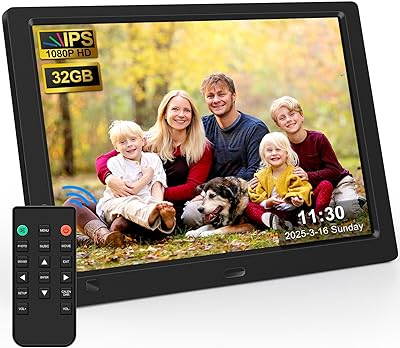
KECAG 10.1-inch 1080p Digital Picture Frame
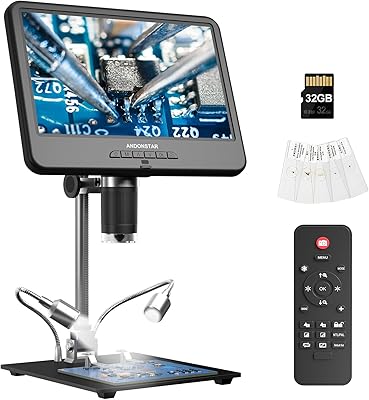
Andonstar AD210 10.1-inch Digital Microscope
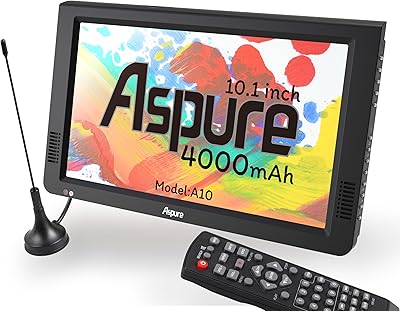
LEADSTAR 10-Inch Portable Digital TV
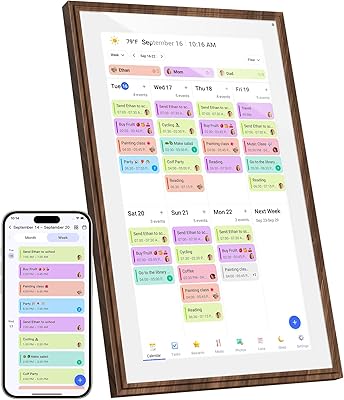
Canupdog 15.6-Inch Smart Family Calendar Display

Anna Bella 10.1 Inch Digital Picture Frame
Cozyla 10.1-inch WiFi Digital Photo Frame
NOBKLEN 10.1-Inch WiFi Digital Photo Frame