Dragon Touch 21.5″ Smart Family Calendar Display



Overview
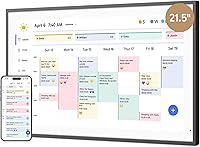
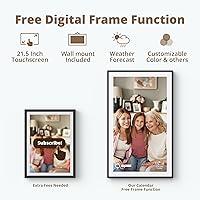
The Dragon Touch 21.5″ Smart Family Calendar Display is Dragon Touch's answer to the cluttered paper calendar and dry-erase whiteboard that seem to multiply on kitchen walls everywhere. This touchscreen home planner sits squarely in the growing category of always-on home management screens — the kind designed to be mounted in a hallway or propped on a kitchen counter where the whole family walks past it daily. It targets households juggling overlapping school pickups, activity schedules, chores, and meal planning across multiple family members. When nobody's actively using it, it quietly doubles as a digital photo frame. That said, the premium price point deserves careful thought — simpler, cheaper solutions exist, and this one earns its place only if your household commits to using it.
Features & Benefits
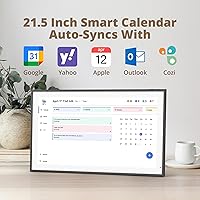
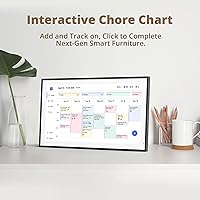
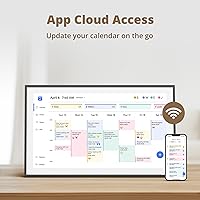
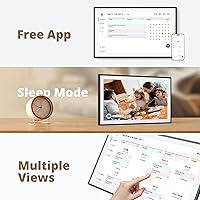
The 21.5-inch 1080p panel is genuinely sharp — text and color-coded calendar blocks are easy to read from across a kitchen without squinting, though up close the touchscreen response feels crisp and accurate. Setup involves downloading the eCalendar app, connecting to Wi-Fi, and linking your existing Google or Apple Calendar accounts; most households report the initial sync takes under ten minutes. From there, each family member gets an assigned color, and the interactive chore chart lets parents assign tasks while kids check them off directly on the screen — which, frankly, works better than shouting reminders. A built-in dinner planner and grocery list round things out, and the mobile app means a parent can update tonight's dinner plan while still at the office.
Best For
This smart family display makes the most sense in households with school-age kids who respond well to visual accountability — seeing their chore list on a big screen is a different experience than a sticky note on the fridge. It's also a natural fit for families already deep in the Google or Apple Calendar ecosystem who want a dedicated home display rather than relying on everyone checking their phones. Physically, you need the right spot for it — a kitchen counter, mudroom wall, or main hallway where foot traffic makes it genuinely useful. Worth noting: the app has a freemium structure, so buyers who want advanced features should expect to evaluate the optional paid tier after the initial purchase.
User Feedback
Across more than 300 ratings averaging 4.5 stars, the Dragon Touch calendar screen earns consistent praise for two things: how painless the initial setup is, and how good the screen actually looks hanging on a wall. Parents specifically call out the chore chart as something their kids genuinely engage with week after week — not just the first few days. The recurring frustration is the app's paywall on advanced tools; several buyers felt this wasn't made clear enough before purchase, which stings at this price. Physical stability gets mixed notes — the wall mount feels solid, but the desk stand draws some wobble complaints. Wi-Fi sync reliability is mostly fine, though a handful of users mention occasional calendar refresh delays. Overall, long-term owners seem satisfied once they've accepted the app's limitations.
Pros
- The 21.5-inch 1080p screen is sharp and readable from across a room, making it genuinely useful as a shared family display.
- Initial setup is fast — most families are up and running with Wi-Fi and calendar sync in under fifteen minutes.
- Color-coded profiles make it easy for every family member to see their own schedule and tasks at a glance.
- The interactive chore chart motivates kids to check off tasks themselves, which reduces the need for repeated parental reminders.
- Remote calendar updates via the mobile app mean a parent can adjust plans from work without touching the screen.
- Syncing with Google Calendar and Apple Calendar means families do not have to rebuild their schedules from scratch.
- The dinner planner and grocery list features consolidate household logistics that would otherwise live across multiple apps or paper notes.
- At 4.5 stars across more than 300 ratings, long-term owner satisfaction is notably strong once the setup phase is complete.
- Wall-mount installation feels sturdy and gives the Dragon Touch calendar screen a permanent, intentional presence in the home.
Cons
- Several advanced features are locked behind a paid subscription tier that is not clearly communicated before purchase.
- The desk stand receives recurring complaints about wobble and instability, making wall mounting a near-requirement for heavy daily use.
- At 10.3 pounds, this touchscreen home planner is heavier than it looks, which complicates solo wall installation.
- Wi-Fi sync reliability is not rock-solid — some users report calendar refresh delays that require manual intervention.
- Households not already using Google Calendar or Apple Calendar face extra friction setting up a useful calendar structure from scratch.
- The companion app experience on older smartphones can feel sluggish, which slows down remote updates.
- The photo frame mode, while pleasant, is a passive afterthought and does not justify the price on its own merit.
- No offline functionality — if the Wi-Fi goes down, the display loses much of its core usefulness.
- The freemium model creates a risk of creeping costs over time as Dragon Touch potentially expands what sits behind the paywall.
Ratings
The Dragon Touch 21.5″ Smart Family Calendar Display has been scored below by our AI engine after processing hundreds of verified global buyer reviews, with spam, bot-submitted, and incentivized feedback actively filtered out before analysis. The scores reflect a balanced picture — genuine strengths are recognized, but real frustrations around the app ecosystem and physical setup are weighted honestly. Buyers considering this touchscreen home planner will find both the highlights and the sticking points represented fairly across each category.
Display Quality
Ease of Setup
App Experience
Chore Chart Effectiveness
Calendar Sync Reliability
Build Quality
Wall Mount Installation
Remote Management
Dinner Planner & Grocery List
Photo Frame Mode
Value for Money
Multi-User Support
Long-Term Reliability
Suitable for:
The Dragon Touch 21.5″ Smart Family Calendar Display is built for households where scheduling chaos is a genuine daily problem — think two working parents, two or three kids with different school and activity schedules, and a fridge covered in sticky notes that nobody actually reads. Families already using Google Calendar or Apple Calendar will get the most out of it, since the screen essentially turns their existing digital schedules into a shared, always-visible home display. Parents who have tried and failed to enforce chore routines will find the color-coded, interactive chore chart surprisingly effective with school-age kids — there is something about a large touchscreen that makes accountability feel more real than a handwritten list. It also suits homes with a natural high-traffic spot to mount or place a large screen, like a kitchen wall, mudroom, or main hallway, where every family member passes it multiple times a day. Buyers who are comfortable managing a companion app and do not mind evaluating optional paid upgrades after setup will feel right at home with this touchscreen home planner.
Not suitable for:
The Dragon Touch 21.5″ Smart Family Calendar Display is a harder sell for buyers expecting a fully self-contained device with no ongoing app dependency — the eCalendar app is central to how this screen functions, and some of the more useful advanced tools sit behind a paid tier that is not prominently disclosed at purchase. Single-person households or couples without kids will likely find the feature set excessive for their needs; a shared phone calendar or a simple wall calendar covers the same ground at a fraction of the cost. Renters or anyone without a suitable permanent wall or counter space may also struggle, as the desk stand receives mixed feedback on stability and the large footprint does not suit every room. Anyone sensitive to the idea of paying extra post-purchase for a device already priced at the premium end of the category should weigh that carefully before committing. Finally, buyers expecting plug-and-play reliability without any app troubleshooting should temper expectations — occasional sync hiccups and calendar refresh delays are part of the ownership experience.
Specifications
- Screen Size: The display measures 21.5 inches diagonally, providing a large, room-readable panel suitable for shared family viewing.
- Resolution: The panel runs at 1080p Full HD, delivering sharp text and vivid color-coded calendar blocks at standard viewing distances.
- Touchscreen: The screen is fully interactive, supporting direct touch input for navigating calendars, checking off chores, and updating planner entries.
- Dimensions: The unit measures 10.3 × 7.1 × 0.99 inches, keeping the profile slim enough for both wall and desk placement.
- Weight: The device weighs 10.3 pounds, which is substantial enough to require two people for safe wall mounting.
- Mounting Options: The Dragon Touch TM21 supports both wall mounting via an included bracket and desk or counter placement via a stand.
- Connectivity: The display connects to home networks exclusively over Wi-Fi; no Ethernet port is included.
- Companion App: The eCalendar app, available for both iOS and Android, is required for full device setup, remote management, and feature access.
- Calendar Sync: The device integrates with Google Calendar and Apple Calendar, consolidating multiple personal calendars into one unified on-screen view.
- Chore Chart: The built-in chore chart supports color-coded task assignment per family member, with on-screen checkoff functionality for completed tasks.
- Dinner Planner: A dedicated dinner planner panel allows families to display upcoming meal plans visible to all household members throughout the day.
- Grocery List: A grocery list feature is included at no extra cost via the eCalendar app, allowing shared list management across devices.
- Photo Frame Mode: When the calendar is idle, the screen can display a rotating slideshow of family photos uploaded through the companion app.
- Model Number: The official model identifier for this device is TM21, manufactured by Dragon Touch.
- Color: The device is available in Black, with a clean bezel finish designed to complement modern home interiors.
- App Pricing: Core features including the chore chart, dinner planner, and grocery list are free; certain advanced tools such as Magic Import require a paid upgrade.
- Availability: The product was first made available for purchase in September 2024.
- Market Rank: The TM21 holds a top-50 ranking in the Digital Picture Frames category on Amazon, based on sales performance data.
Related Reviews
Dragon Touch 32″ Smart Family Calendar Display
Dragon Touch TM10 10.1-inch Digital Family Calendar

Acer UT222Q 21.5″ Touch Monitor
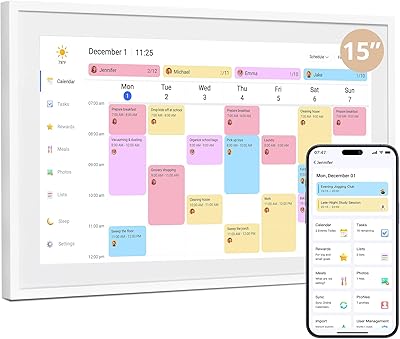
Dragon Touch TM15 15.6″ Smart Family Calendar Display
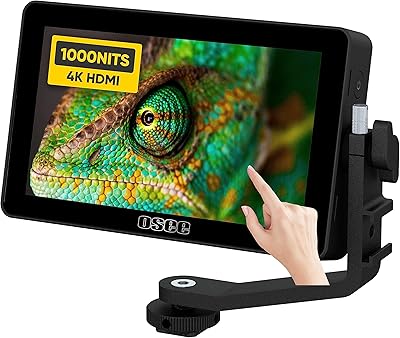
osee Lilmon 5 5.5″
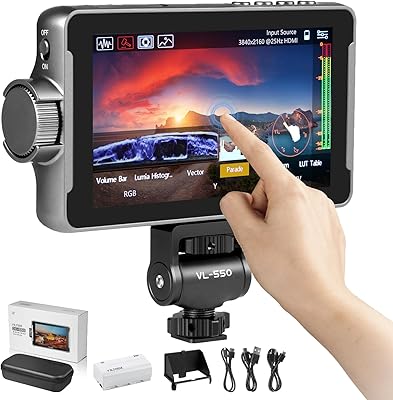
VILTROX DC-550 Pro 5.5-inch Field Monitor

TickTalk 5 Smart Watch for Kids
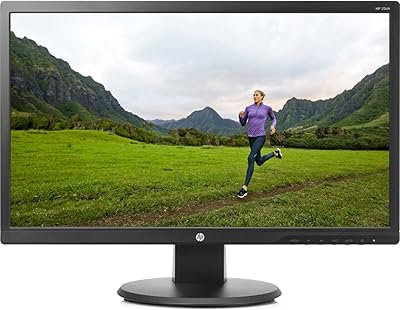
HP 22uh 21.5-inch Monitor
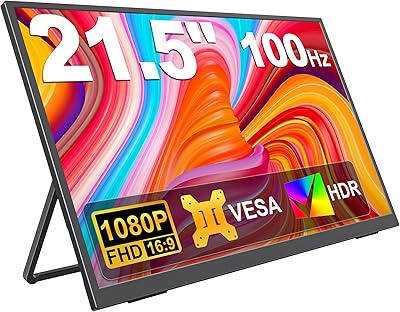
KEEPTIME 21.5″ Portable Monitor