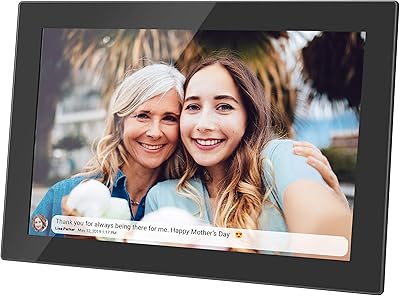







Overview
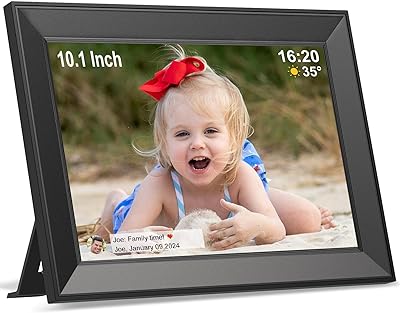
The Cozyla 10.1-inch WiFi Digital Photo Frame arrived on the scene in late 2023 as a mid-range option for families who want a living, constantly updated display of shared memories. It sits at a practical size — not too large to feel imposing on a shelf, not too small to miss from across the room. Worth noting early: it runs on AC power only, so you'll need an outlet nearby whether you're mounting it on a wall or setting it on a counter. With over 390 ratings averaging 4.6 stars and a rank of #131 in its category, it has clearly found an audience. The pitch is simple: unlimited free cloud storage and multiple ways to get photos onto the screen.
Features & Benefits
The 10.1-inch WXGA screen handles everyday photos well — colors look natural rather than oversaturated, and the 16:10 ratio suits landscape shots nicely. What genuinely sets this WiFi picture frame apart is the approach to storage: photos and videos live in the cloud, with no local memory cap to worry about. The talking photo feature is a nice touch — you can attach a short voice memo to a picture, which adds real emotional weight to a birthday surprise or a message to a grandparent. Auto-rotation handles orientation changes automatically, and the ambient brightness sensor dims the screen at night without any manual fiddling. AI photo enhancement quietly improves shots before they appear on screen.
Best For
This digital photo frame makes the most sense as a gift for someone who isn't particularly tech-savvy on the receiving end. A grandparent or older relative doesn't need to touch an app — family members handle everything remotely, and new photos just appear. Gift-givers will appreciate that you can preload the frame with meaningful photos before it's even unwrapped. It's also a natural fit for anyone deep in the Google Photos ecosystem, since syncing is built in. The included wall mount adds flexibility for people who'd rather hang it than prop it. If you need battery-powered portability, though, look elsewhere — this one stays plugged in.
User Feedback
Buyers consistently praise how straightforward the initial setup is, and many mention the companion app is responsive enough to make sharing photos feel effortless. Screen brightness and color rendition get positive marks from most reviewers, with the display performing well in normally lit rooms. That said, a handful of users have flagged occasional app connectivity hiccups and noted that video playback can be inconsistent at times. The unlimited storage promise holds up for the majority, though a few buyers recommend monitoring it long-term since it depends entirely on the platform staying active. Build quality draws mixed opinions — the frame feels reasonably solid, but some expected a more premium finish at this price point. Customer service responses, where mentioned, seem prompt.
Pros
- Setup is straightforward enough that non-technical family members can receive photos without touching the app themselves.
- Unlimited cloud storage means you never have to delete old memories to make room for new ones.
- Multiple sharing methods — app, Google Photos, email, Instagram, and browser — cover nearly every workflow a family might use.
- The talking photo feature adds a genuinely personal touch that static frames simply cannot offer.
- Auto-rotation and an ambient brightness sensor handle display adjustments without any manual input.
- AI photo enhancement quietly improves image quality before photos appear, which helps older or lower-resolution shots look better.
- Wall mount is included, giving buyers real flexibility in how and where they display the frame.
- A one-year warranty and responsive customer service provide reasonable peace of mind for a mid-range purchase.
- With a 4.6-star average across hundreds of ratings, real buyers are largely satisfied with day-to-day performance.
Cons
- AC-only power limits placement options significantly — no outlet nearby means no frame.
- App connectivity can be inconsistent, with some users reporting occasional sync failures or dropouts.
- Video playback receives mixed feedback and is not as reliable as photo display.
- The physical build quality feels average for the price tier, with some buyers expecting a more solid or premium finish.
- Long-term storage reliability depends entirely on the brand keeping its cloud platform active, which carries inherent risk.
- No offline or local storage fallback means the frame is essentially non-functional without a working internet connection.
- The 16:10 aspect ratio can create awkward cropping for portrait-oriented photos if auto-rotation does not compensate well.
- Newer brand with a shorter track record compared to established competitors, which may concern buyers thinking years ahead.
Ratings
The scores below for the Cozyla 10.1-inch WiFi Digital Photo Frame were generated by our AI system after analyzing verified global buyer reviews, with spam, bot activity, and incentivized feedback actively filtered out. The ratings reflect an honest synthesis of real ownership experiences — strengths and frustrations alike — so you can make a genuinely informed decision before buying.
Ease of Setup
App Reliability
Display Quality
Video Playback
Cloud Storage
Sharing Options
Build Quality
Talking Photo Feature
Auto-Rotation
Brightness & Sleep Management
AI Photo Enhancement
Value for Money
Customer Support
Wall Mounting
Suitable for:
The Cozyla 10.1-inch WiFi Digital Photo Frame is best suited for families who want to stay visually connected across distances without requiring tech effort from the person on the receiving end. If you have a parent, grandparent, or older relative who would light up seeing new family photos appear automatically on their shelf — without ever touching a smartphone — this frame was essentially built for that scenario. It also works well as a thoughtful, ready-to-unwrap gift; you can preload it with meaningful photos before giving it, making the first impression genuinely warm. Households already using Google Photos will find the sync experience natural and low-maintenance. Anyone who wants a wall-mounted display rather than just a tabletop ornament will appreciate that the hardware and mounting support are both included out of the box.
Not suitable for:
The Cozyla 10.1-inch WiFi Digital Photo Frame is not the right pick for buyers who need portability or flexibility in where they place it, since it runs exclusively on AC power with no battery option whatsoever. If you were hoping to move it room to room freely or use it somewhere without a nearby outlet, that plan won't work here. Tech-forward buyers who want precise manual control over image settings or expect premium build materials may find the overall hardware finish underwhelming relative to higher-end competitors. Those who are cautious about cloud dependency should also think carefully — the unlimited storage promise is tied entirely to the brand's platform remaining operational long-term, which is a real consideration for a newer company. If reliable, consistent video playback is a priority rather than an occasional bonus, user feedback suggests this frame is not the strongest performer in that area.
Specifications
- Screen Size: The display measures 10.1 inches diagonally, offering enough surface area to appreciate photo detail without dominating a shelf or desk.
- Resolution: The screen runs at WXGA resolution, which delivers reasonably sharp images for everyday family photos and videos.
- Aspect Ratio: The 16:10 aspect ratio suits landscape-oriented photos well, though portrait shots may require cropping or padding to fill the frame.
- Dimensions: The physical frame measures 10.5 x 7.3 x 0.99 inches, making it compact enough for a nightstand, mantle, or kitchen counter.
- Weight: At 2.14 pounds, the frame is light enough to wall-mount securely without requiring heavy-duty hardware.
- Power Source: The frame operates on AC power only; no battery or USB-C power delivery option is available, so a nearby outlet is required.
- Connectivity: WiFi is the sole connectivity method, used for both initial setup and all ongoing photo and video transfers.
- Photo Storage: Photo storage is unlimited and entirely cloud-based, dependent on the Cozyla platform remaining active and the frame staying connected to WiFi.
- Video Storage: Video storage is also unlimited via the cloud, though playback consistency may vary depending on connection quality and file format.
- Sharing Methods: Photos and videos can be sent to the frame through the Cozyla app, Google Photos sync, email, Instagram, or a web browser.
- Voice Memo: The talking photo feature allows senders to attach a short voice recording to individual photos, which plays back on the frame.
- Auto-Rotation: A built-in orientation sensor automatically rotates displayed images to match whether the frame is positioned horizontally or vertically.
- Brightness Control: An ambient light sensor adjusts screen brightness based on room lighting conditions and triggers an automatic sleep mode in low-light environments.
- AI Enhancement: An onboard AI photo enhancement feature processes incoming images to improve exposure and clarity before they are displayed on screen.
- Wall Mount: A wall mounting kit is included in the box, allowing the frame to be hung directly without purchasing additional accessories.
- Color: The frame is available in black, with a border finish designed to blend with standard home decor.
- Warranty: Cozyla provides a one-year manufacturer warranty along with 24-hour customer support for defects or hardware issues.
- ASIN: The Amazon Standard Identification Number for this product is B0CQ4DB8W4.
Related Reviews

Pixedge Frameo 10.1-inch Digital Photo Frame

Kimire 10-inch WiFi Digital Photo Frame
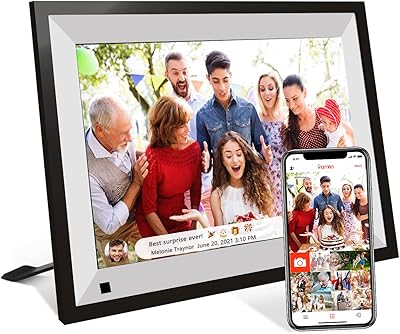
NOBKLEN 10.1-Inch WiFi Digital Photo Frame

MELCAM P105 10-Inch Digital Photo Frame

Akimart 10.5-inch 64GB WiFi Digital Photo Frame
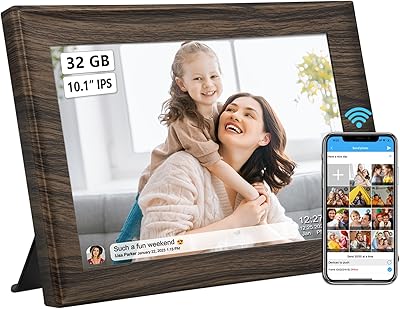
akimart 32GB 10.1-inch WiFi Digital Picture Frame

Nethgrow 10.1-inch 32GB WiFi Photo Frame
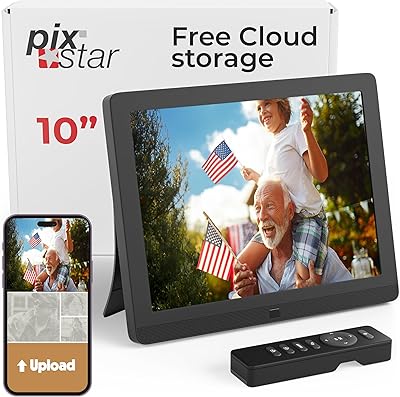
Pix-Star 10-inch WiFi Digital Photo Frame
Annalivkg Frameo 10.1″ Digital Photo Frame