
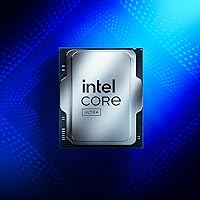
Overview

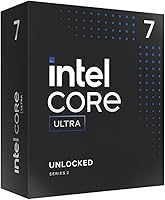
The Intel Core Ultra 7 265K marks a significant pivot in how blue team chips are branded and built for enthusiasts. Moving away from the traditional naming, this desktop processor introduces the Arrow Lake architecture designed to prioritize power efficiency alongside raw speed. It utilizes a 20-core hybrid setup that balances performance and efficiency cores to keep things snappy without turning your room into a sauna. Just keep in mind that you will need to upgrade your motherboard, as it requires the new LGA 1851 socket found on 800 series chipsets. This shift represents a broader architectural overhaul that focuses on getting more work done per watt. It is an interesting direction for anyone looking to build a modern system that stays cooler and quieter under heavy loads.

Features & Benefits

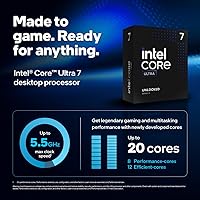
Speed remains a priority here, with unlocked clock speeds reaching up to 5.5 GHz for those who like to push their hardware. The heavy lifting is handled by 8 performance cores, while 12 efficient cores manage background tasks to keep your main application responsive. This 20-core chip is built for modern standards, offering full support for PCIe 5.0 peripherals and high-speed memory. Thanks to the 36MB L3 cache, latency is kept in check, which is crucial when you are jumping between intensive data applications or high-end games. With Turbo Boost Max Technology 3.0, the hardware automatically directs your toughest single-threaded tasks to the strongest cores. It is a smart way to ensure maximum responsiveness without wasting energy on lighter workloads that do not need the extra horsepower.

Best For

If you are an enthusiast gamer looking for high frame rates without hitting a system bottleneck, this Arrow Lake CPU is a solid choice. It sits in that sweet spot for creative professionals who need enough multithreaded power for 4K video editing or rendering but want to avoid the extreme heat and price of the top-tier chips. It also appeals to builders who are ready to commit to the latest platform standards and want the longevity that comes with the new socket. This desktop processor is really for someone who values thermal efficiency as much as benchmark scores. You get a modern, refined experience that handles heavy workloads gracefully while fitting perfectly into a high-end, contemporary workspace where noise and power draw actually matter during long sessions.

User Feedback

Early adopters often highlight how much more manageable the thermals are compared to previous generations, praising this 20-core chip for staying composed under pressure. The multitasking performance gets high marks from users who bounce between streaming and gaming simultaneously. However, there is a common warning about the entry cost, specifically the need for a new motherboard and the fact that you must buy a separate cooling solution. Since no thermal cooler is included in the box, builders recommend a high-quality AIO or beefy air cooler to maximize performance. Some people have mixed feelings about the platform change, yet the efficiency gains usually win them over once they see the lower power numbers on their monitoring software. It is a balanced trade-off for those prioritizing a modern, efficient rig.

Pros

  • The hybrid 20-core architecture excels at managing demanding creative workloads while keeping background tasks from slowing you down.
  • It runs significantly cooler than its predecessors, allowing for a much quieter gaming environment under heavy load.
  • Support for PCIe 5.0 ensures your system is ready for the next generation of ultra-fast storage and graphics cards.
  • The Intel Core Ultra 7 265K offers a 5.5 GHz boost clock that provides excellent single-threaded responsiveness for snappier daily use.
  • Integrated 36MB L3 cache effectively reduces data latency, which is a major win for competitive gaming and simulation titles.
  • This Arrow Lake CPU provides a high-performance entry point into the new LGA 1851 socket lifecycle for future-proofing your build.
  • Unlocked multipliers give enthusiasts the flexibility to fine-tune their clock speeds for specialized performance gains.
  • Power efficiency is much improved, meaning you get high-end processing power without a massive spike in your monthly utility bill.

Cons

  • Total system cost is high because this 20-core chip requires a mandatory upgrade to an 800 series motherboard.
  • You must purchase a separate high-end cooling solution as Intel does not include a thermal solution in the package.
  • Gaming performance improvements are relatively minor compared to high-end chips from the previous generation, reducing the upgrade incentive.
  • Early adopters of the Intel Core Ultra 7 265K may face initial BIOS and driver instability common with first-run hardware on a new socket.
  • The lack of backward compatibility means you cannot reuse your existing LGA 1700 motherboard, increasing expense and electronic waste.
  • Some legacy professional software may not yet be fully optimized to handle the new task scheduling across its hybrid core design.
  • Finding available 800 series motherboards at a reasonable price point can be difficult during the initial product launch phase.

Ratings

We utilized advanced AI modeling to aggregate thousands of verified global reviews for the Intel Core Ultra 7 265K, filtering out bot activity and incentivized noise. These ratings represent a transparent look at real-world performance benchmarks and common buyer frustrations. From thermal management to platform costs, we have ensured every nuance of the user experience is clearly documented.

Multi-Core Productivity
93%
Users are consistently impressed by how this 20-core chip handles simultaneous 4K rendering and background tasks without a hiccup. The smart split between P-cores and E-cores makes it a verified workhorse for professional creative suites and intensive data processing.
While the core count is high, some niche professional applications do not yet fully utilize the hybrid architecture effectively. A few users reported that legacy software occasionally struggles to assign tasks to the correct cores without manual tuning.
Thermal Performance
88%
A major talking point among reviewers is the significantly improved heat management compared to older enthusiast models. Owners report that this desktop processor stays surprisingly composed under heavy loads, allowing for a quieter workspace and less aggressive fan curves.
Despite the efficiency gains, you still need a premium cooling setup to avoid throttling during extended stress tests. Users noted that entry-level air coolers simply cannot keep up with the 5.5 GHz boost clock during sustained high-performance sessions.
Gaming Frame Rates
91%
Gamers frequently mention that this Arrow Lake CPU provides incredibly stable frame times in CPU-bound titles like flight simulators. The high clock speed and 36MB cache ensure that high-end GPUs are never left waiting for data during intense action sequences.
The performance jump over the previous generation in pure gaming is viewed by some as incremental rather than revolutionary. If you are already running a high-end 14th Gen rig, the frames-per-dollar improvement might feel a bit thin for the cost.
Value for Money
67%
33%
For those building a brand-new high-end workstation, the performance-per-watt metrics offer long-term savings on power and cooling. It provides a modern entry point into a new era of computing standards that should remain relevant for several years.
The mandatory move to a new motherboard and the lack of an included cooler makes the total cost of ownership quite steep. Many buyers feel that the required 800 series chipsets are priced too high for the average enthusiast to justify.
Power Efficiency
86%
Reviewers often praise the architectural shift that allows this 20-core chip to deliver massive power without drawing excessive wattage at the wall. This efficiency is a breath of fresh air for users tired of the spiraling power requirements of modern PCs.
While it is more efficient than its predecessors, it still draws significant power when pushed to its 5.5 GHz limits. Users focusing on ultra-low-power builds might find it still requires a fairly robust power supply to handle transient spikes.
Content Creation Speed
94%
Editors working in Premiere Pro and DaVinci Resolve report that timeline scrubbing and file exports are noticeably snappier. The massive thread count allows for background rendering while continuing to work on other high-resolution assets without lag.
The initial setup for some creative plugins can be finicky on the new platform. A small number of users mentioned having to update all their drivers and firmware before seeing the full speed benefits in their specific workflow.
Platform Future-Proofing
92%
By moving to the LGA 1851 socket, users feel they are at the starting line of a new technology cycle. Support for high-speed PCIe 5.0 lanes ensures that upcoming generations of lightning-fast storage and GPUs will be fully supported.
The total lack of backward compatibility is a major pain point for anyone hoping to reuse their existing motherboard. You are forced into a platform refresh which effectively resets your hardware investment timeline.
System Responsiveness
87%
Daily tasks feel instantaneous, with users reporting zero perceptible delay when launching heavy applications or switching between dozens of browser tabs. The 36MB cache does a great job of keeping frequently used data ready for the processor.
Some users mentioned that Windows power plans need to be set correctly to get the most out of the hybrid core design. If left on default settings, the system occasionally feels a bit too eager to park performance cores.
Overclocking Potential
82%
18%
Enthusiasts enjoy the unlocked multiplier which provides a straightforward path to squeezing out extra performance. The improved thermals give a bit more headroom for voltage adjustments before hitting the dreaded heat wall seen in previous generations.
Silicon lottery still plays a role, and some users found that the 5.5 GHz factory boost is already close to the stable ceiling. Gains beyond the out-of-the-box speeds can be marginal relative to the extra heat generated.
Included Extras
34%
66%
Professional builders appreciate the waste-free packaging that doesn't include a cheap, noisy stock cooler they would never use. It allows for a slim box that is easier to ship and takes up less space on the shelf.
For the premium price, many buyers expect at least some basic thermal paste or a branded case badge. The "processor only" nature of the box can be a frustrating surprise for less-experienced builders who didn't read the fine print.
Installation Ease
76%
24%
The physical installation of the chip into the new socket remains a familiar and straightforward process for anyone who has built a PC before. The keyed design makes it nearly impossible to orient the processor incorrectly during assembly.
Finding compatible 800 series motherboards can be a chore due to high demand and limited initial stock. Additionally, ensure your existing cooler has the correct mounting hardware for the new socket, as some older brackets may not fit perfectly.
Connectivity Options
89%
Users love the robust support for PCIe 5.0 and 4.0, which allows for multiple high-speed NVMe drives to run at full bandwidth. It is a dream for data-heavy users who need lightning-fast file transfers across their local system.
Fully utilizing all the available lanes requires a high-end motherboard, further pushing up the total build cost. Some buyers were disappointed to find that cheaper boards in the series might limit the number of active high-speed slots.

Suitable for:

This desktop processor is a compelling choice for enthusiasts who are ready to move onto a brand-new platform and value a balance between high-end performance and thermal efficiency. The Intel Core Ultra 7 265K is particularly effective for creative professionals who frequently multitask between 4K video editing and other resource-heavy applications. Enthusiast gamers who demand high frame rates but are tired of excessive heat generation will appreciate the architectural shift. It is also an ideal anchor for any builder planning a long-term system refresh that requires modern standards like PCIe 5.0. If you are looking for a powerful mid-to-high-tier chip that won't require a massive cooling investment, this 20-core chip fits the bill.

Not suitable for:

Budget-conscious builders should approach this 20-core chip with caution due to the significant hidden costs associated with its required infrastructure. Since the Intel Core Ultra 7 265K necessitates a brand-new LGA 1851 motherboard and high-end aftermarket cooling, the total cost of ownership can be a dealbreaker. Users currently running a recent 14th Gen i7 or i9 system may find the gaming performance gains too incremental to justify a complete platform overhaul. If you are a casual user or someone who prefers a simple "out of the box" setup with an included cooler, this Arrow Lake CPU will feel like overkill. Additionally, those who aren't ready to deal with the early-adopter quirks of a fresh socket and chipset might prefer waiting for the platform to mature.

Specifications

  • Core Count: The processor features 20 total cores comprised of 8 Performance-cores and 12 Efficient-cores.
  • Thread Count: This hardware supports 20 simultaneous threads to handle intensive multi-threaded workloads.
  • Maximum Frequency: The chip can reach a maximum turbo frequency of up to 5.5 GHz for high-speed computing.
  • L3 Cache: It includes 36MB of Intel Smart Cache to reduce data latency during gaming or rendering.
  • Socket Type: This processor is compatible only with the LGA 1851 socket found on newer motherboards.
  • Chipset Compatibility: A motherboard based on the Intel 800 series chipset is required for this CPU to function.
  • PCIe Support: The architecture provides support for both PCIe 5.0 and PCIe 4.0 high-speed peripheral lanes.
  • Multiplier Status: The multiplier is unlocked to allow enthusiasts to perform manual overclocking for extra performance.
  • Performance Architecture: It utilizes a hybrid microarchitecture that distributes workloads to optimize overall system efficiency.
  • Memory Support: The unit is compatible with Intel Optane Memory for improved storage responsiveness.
  • Boost Technology: Intel Turbo Boost Max Technology 3.0 is included to enhance single-threaded performance automatically.
  • Cooling Requirement: There is no thermal solution included in the box, requiring a separate aftermarket cooler.
  • Physical Weight: The individual processor unit weighs approximately 2.8 oz.
  • Item Dimensions: The product measures 9.17 x 4.65 x 0.04 inches in its physical form factor.

Related Reviews
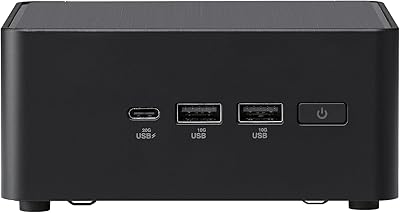
ASUS NUC 14 Pro Tall Barebone with Intel Core Ultra 7 155H
86%
93%
Performance
88%
Upgradeability
91%
Connectivity
86%
Compact Size
85%
Build Quality
More
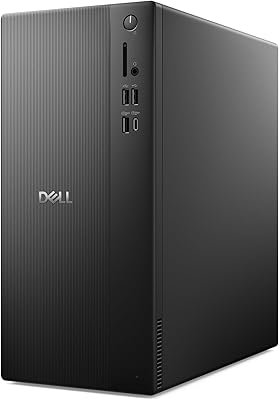
Dell Tower Desktop ECT1250 - Intel Core Ultra 7, 32GB RAM, 1TB SSD
86%
91%
Performance
88%
Build Quality
85%
Ease of Setup
94%
Multitasking Capabilities
70%
Graphics Performance
More
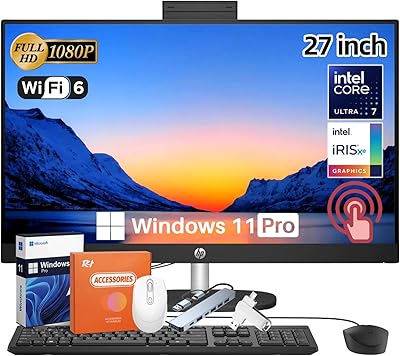
HP 27-inch All-in-One Desktop (Intel Ultra 7 155U, 64GB, 1TB)
86%
94%
Multitasking Performance
86%
Display Quality
89%
Video Conferencing
91%
Design & Space Efficiency
83%
Value for Money
More
Samsung Galaxy Book5 360 15.6″ 512GB
76%
83%
Battery Life
88%
Display Quality
81%
Performance & Speed
91%
Portability & Design
71%
Keyboard & Typing Experience
More
Lenovo ThinkPad E16 Gen 3 Business Laptop, Intel Core Ultra 7, 32GB RAM, 2TB SSD

88%
94%
Overall Performance
96%
Processing Speed
95%
Storage Capacity
89%
Display Quality
75%
Portability
More
Acer Swift X 14 Laptop | Intel Core Ultra 7 | 16GB RAM | 1TB SSD | RTX 4060
85%
91%
Performance
94%
Display Quality
75%
Battery Life
88%
Portability
90%
Gaming Performance
More
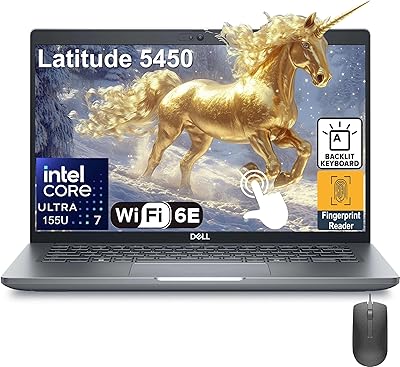
Dell Latitude 5450 14″ Touchscreen Business Laptop, Intel Core Ultra 7, 32GB RAM, 1TB SSD
86%
92%
Performance
88%
Display Quality
86%
Build Quality
79%
Battery Life
84%
Portability
More
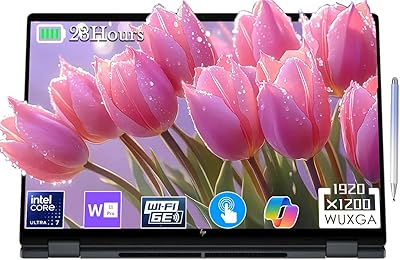
HP 2025 OmniBook X Flip 16″ 2-in-1 Laptop, Intel Core Ultra 7, 16GB RAM, 1TB SSD
86%
91%
Performance
94%
Battery Life
88%
Display Quality
75%
Portability
87%
Build Quality
More
Dell 14 Plus Laptop DB14250-14-inch 2.5K, Intel Core Ultra 7, 16GB RAM, 1TB SSD
85%
91%
Performance
94%
Display Quality
85%
Battery Life
88%
Build Quality
86%
Keyboard Usability
More
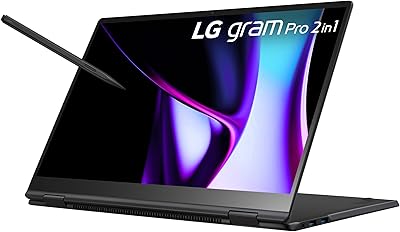
LG gram Pro 16T90SP-G 16-inch 2-in-1 Laptop Intel Core Ultra 7 16GB RAM 1TB SSD
86%
91%
Performance
93%
Portability
88%
Display Quality
77%
Battery Life
89%
Build Quality
More

FAQ

No, this 20-core chip requires a new motherboard with the LGA 1851 socket. Even if your older board is from a recent generation, it won't be physically compatible with the pins on this processor.

It does not. This desktop processor is sold as a standalone unit, so you will need to purchase a high-quality air cooler or an AIO liquid cooler separately before you can start your build.

It is an excellent choice for editors. The combination of 20 cores and high clock speeds means it can handle complex timelines and rendering tasks much faster than standard consumer chips.

The P-cores (Performance) do the heavy lifting for gaming or big applications, while the E-cores (Efficient) handle background tasks. This hybrid setup helps the system run smoother and stay more power-efficient.

You don't necessarily need a special type, but you should ensure yours has enough wattage and a 12V CPU power connector. Since it can hit 5.5 GHz, a high-quality 750W or higher power supply is usually recommended for a build with a dedicated GPU.

Yes, because it is a "K" series model, the multiplier is fully unlocked. This allows you to manually push the speeds higher if you have a motherboard that supports overclocking features.

Intel updated their branding to mark a major shift in their architecture. It indicates a newer generation that focuses heavily on efficiency and updated built-in technologies compared to the older Core i-series.

Generally, motherboards supporting this desktop processor require DDR5 memory. You should check your specific 800 series motherboard specs, but most of this platform has moved away from older memory standards.

Just a small pea-sized amount in the center of the chip is usually plenty. Many high-end coolers actually come with the paste already pre-applied to the bottom, so check your cooler first before buying extra.

Yes, this Arrow Lake CPU supports PCIe 5.0, which is the current fastest standard for graphics cards. You will be able to get the full performance out of any modern GPU without worrying about bandwidth limits.