Overview

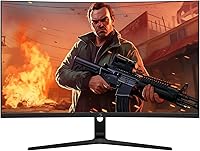
The GAMEPOWER T50 27-Inch Curved Gaming Monitor enters a crowded budget segment with a clear pitch: a 1500R curved VA panel at a price point most entry-level gamers can actually justify. GAMEPOWER isn't a household name — you won't find them alongside LG or Samsung on major retailer shelves — and that matters when weighing long-term reliability. What this budget gaming display offers is an accessible starting point for anyone tired of flat screens and sluggish refresh rates. Manage your expectations going in, and this curved gaming monitor can genuinely surprise you for what it costs.
Features & Benefits

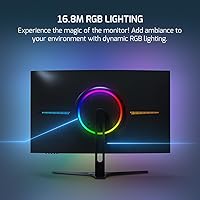
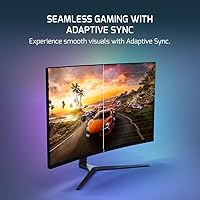
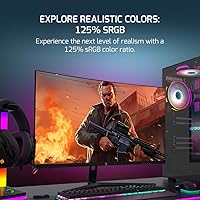
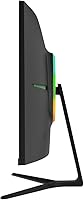
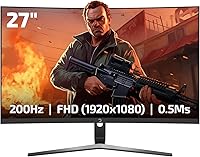
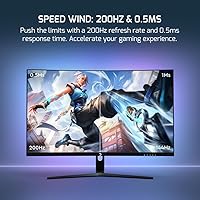
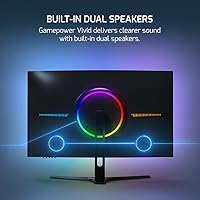
At 200Hz with a 0.5ms response time, the T50 handles fast-paced gaming noticeably better than you might expect at this price. Motion feels crisp scrolling through a shooter or racing title — though VA panels can exhibit some ghosting in dark scenes under close scrutiny. The 125% sRGB color coverage produces punchy, saturated visuals, and the deep blacks typical of VA technology make nighttime environments look genuinely dramatic. Adaptive Sync support, compatible with both FreeSync and G-Sync setups, keeps tearing in check for mid-range GPUs. The rear RGB lighting is purely cosmetic, and the built-in 2x2W speakers are functional at best — headphones are strongly recommended.

Best For

The T50 makes the most sense for budget-conscious gamers who play FPS, racing, or sports titles where high refresh rates actually translate to a real competitive edge. Coming from a standard 60Hz panel, the jump to 200Hz is immediately noticeable — and honestly, one of the most impactful upgrades a new gamer can make. This curved gaming monitor also works well in dorm rooms or as a secondary display where premium color accuracy isn't a priority. It's less suited for photo editing, color grading, or professional creative work where panel precision matters considerably more than raw speed.

User Feedback

Buyers who've spent time with this budget gaming display commonly praise the smooth, responsive feel during gameplay and the vibrant colors VA panels are known for. Setup is reportedly quick and hassle-free, and most buyers feel the value holds up well for the cost. On the critical side, out-of-box color accuracy often needs manual calibration, the stand provides limited height or tilt adjustment, and the built-in speakers are barely adequate. GAMEPOWER's limited market track record raises reasonable questions about durability over a few years. Some users also flag that 1080p at 27 inches can look noticeably softer than the same resolution on a smaller screen.

Pros

  • 200Hz refresh rate delivers noticeably smooth motion in fast-paced games, even at this budget price point.
  • The 1500R curve adds real immersion at 27 inches without requiring a large desk footprint.
  • VA panel produces deep blacks and punchy colors that flatly outperform IPS panels at the same price.
  • 125% sRGB color coverage makes games look vibrant and visually engaging right out of the box.
  • FreeSync and G-Sync compatibility reduces screen tearing effectively with a wide range of mid-range GPUs.
  • Zero-frame design keeps the look clean and works well in tight dual-monitor configurations.
  • Rear RGB lighting adds setup personality without driving up the cost.
  • Broad voltage compatibility makes it travel-friendly and usable internationally without an adapter.
  • Setup is reportedly quick and painless — most buyers have it running within minutes of unboxing.
  • At this price tier, the combination of refresh rate, curve, and panel type is genuinely difficult to match.

Cons

  • Color accuracy out of the box is inconsistent and usually requires manual calibration to look its best.
  • 1080p resolution at 27 inches produces a noticeably lower pixel density that can look soft on desktop.
  • The built-in 2x2W speakers are barely functional — expect thin, low-volume audio with no real bass.
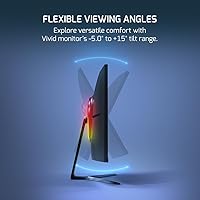
  • Stand adjustability is limited, with no meaningful height or swivel options reported by users.
  • GAMEPOWER has a thin track record in Western markets, making long-term reliability hard to predict.
  • HDR support appears to be nominal rather than meaningful at this brightness and panel specification level.
  • Some users report VA ghosting in dark, fast-moving scenes that can be distracting in certain game genres.
  • Customer support and warranty service may be harder to access compared to major established display brands.

Ratings

The scores below reflect an AI-driven analysis of verified global user reviews for the GAMEPOWER T50 27-Inch Curved Gaming Monitor, with spam, bot-generated, and incentivized feedback actively filtered out before scoring. Each category captures what real buyers experienced day-to-day — not just what the spec sheet promises. Both the standout strengths and the genuine frustrations are represented transparently so you can make a fully informed decision.

Value for Money
83%
At this price tier, getting a 200Hz curved VA panel with adaptive sync is legitimately hard to beat, and most buyers feel they came out ahead compared to similarly priced flat monitors. For a first gaming monitor or a secondary display, the feature-to-cost ratio consistently earns praise in user feedback worldwide.
Some buyers who stretch slightly beyond this budget to established brands like AOC or MSI find noticeably better build quality and after-sales support, which makes the value proposition feel less clear-cut when those options are on the table.
Gaming Performance
79%
21%
The 200Hz refresh rate makes a tangible difference during fast-paced FPS and racing sessions — users upgrading from 60Hz or 144Hz panels frequently describe the motion smoothness as the single biggest improvement to their gaming experience. Adaptive sync keeps tearing well under control with mid-range GPUs from both AMD and NVIDIA.
VA panel ghosting in dark, fast-moving scenes is a recurring issue noted by more competitive players, and the real-world response time benefits are harder to perceive than the 0.5ms spec implies. Buyers playing highly competitive titles at high frame rates may notice these limitations more acutely.
Display Quality
74%
26%
The VA panel delivers deep, punchy blacks and vibrant colors with 125% sRGB coverage that makes open-world games and cinematic titles look genuinely impressive for the price. Contrast performance is a clear step above IPS panels in the same budget bracket, especially in darker gaming environments.
Out-of-box color accuracy is inconsistent and almost always requires manual calibration through the OSD menu before colors look natural rather than oversaturated or cool. The 300 cd/m² brightness ceiling also limits the HDR experience to nominal at best, with little perceivable difference from standard mode.
Pixel Density & Sharpness
61%
39%
For gaming at typical desk distances, most users find 1080p at 27 inches acceptable and quickly stop noticing the lower pixel density once they are actually playing. The matte coating helps reduce glare and softens any sharpness concerns in brightly lit rooms.
Text rendering, desktop icons, and browser content look noticeably softer than the same resolution on a 24-inch panel, which is a daily frustration for users who also use the monitor for productivity or reading. Users with sharp eyes or who sit close to their screens are more likely to find this a persistent annoyance.
Build Quality
62%
38%
The chassis feels reasonably solid for a budget-tier display, and the zero-frame design gives it a cleaner, more modern look than the price might suggest. Most buyers report no cosmetic defects or panel uniformity issues straight from the box.
The plastics feel noticeably lightweight and the overall construction lacks the reassuring rigidity of monitors from more established brands at a slightly higher price. Long-term durability is a genuine question mark given GAMEPOWER's limited presence in global markets and sparse multi-year user data.
Stand & Ergonomics
48%
52%
The stand is stable enough for typical desk use and keeps the monitor firmly in place without wobble during normal typing or gaming sessions. Assembly is reportedly simple and takes only a few minutes without tools.
Ergonomic flexibility is very limited — most users get tilt only, with no meaningful height adjustment or swivel range, which is a real problem for anyone who needs to dial in an exact viewing angle. Buyers who care about posture or share a desk setup with others of different heights will likely need to budget for a separate monitor arm.
Curvature & Immersion
78%
22%
The 1500R curve adds a convincing sense of depth and wrap-around immersion at 27 inches that flat-panel alternatives at the same price simply cannot replicate. Players of open-world, racing, and simulation games specifically praise how the curve draws them into the action.
At 27 inches, the 1500R curve is less dramatic than it becomes on ultrawide panels, and occasional users or those who primarily multitask may find the curve slightly disorienting rather than beneficial. It is also less ideal for productivity work where straight lines and flat documents look more natural on a flat screen.
Setup & Ease of Use
86%
Most users report a genuinely painless out-of-box experience — the physical assembly is quick, the cable connections are straightforward, and the monitor is recognized immediately by Windows and consoles without driver installation. For first-time monitor buyers, the low setup friction is a real plus.
Getting the refresh rate to actually run at 200Hz requires a manual step in display settings that is not obvious to new users, and some buyers spend time troubleshooting before realizing the cable or settings configuration was limiting them to 60Hz.
OSD & Controls
57%
43%
The on-screen display covers all the essential adjustments — brightness, contrast, color temperature, and refresh rate settings are accessible and reasonably organized. Most users find what they need without consulting a manual.
The physical button layout for navigating the OSD is unintuitive and fiddly, and multiple users describe accidentally triggering the wrong menu option during adjustments. The OSD design feels like an area where cost-cutting is most apparent compared to monitors with joystick-style navigation controls.
Audio Quality
34%
66%
The built-in 2x2W speakers are present and functional, which is convenient for quick video calls or system notification sounds when no headset is connected. Having any audio output built in is a minor but genuine convenience for basic desk setups.
Audio quality is genuinely poor — thin, brittle, and lacking any bass response, the speakers become fatiguing quickly at higher volumes. No serious user should plan to rely on them for gaming or media consumption, and the inclusion of speakers should not factor into purchase decisions for audio-conscious buyers.
Connectivity
71%
29%
Having both HDMI and DisplayPort covered means this curved gaming monitor works comfortably with a wide range of PCs, laptops, and consoles without needing an adapter. DisplayPort is the preferred connection for achieving the full 200Hz refresh rate reliably.
The port selection is minimal — two inputs total — which limits flexibility for users who want to switch quickly between multiple devices. The HDMI version may also cap console users below the full refresh rate potential if it does not support HDMI 2.1 speeds.
Aesthetic & RGB
76%
24%
The rear RGB lighting strip adds genuine visual character to gaming setups and pairs well with other RGB peripherals on a desk. The zero-frame front design looks cleaner and more premium than the price typically delivers at this budget level.
The RGB implementation is basic compared to monitors with full-featured lighting software, and customization options are limited to what the OSD menu allows. Users who want deep RGB synchronization with their keyboard, mouse, or PC case lighting may find the integration frustratingly limited.
Brand Reliability
53%
47%
Short-term user feedback is broadly positive, and buyers who purchased the T50 in its first year on market have not widely reported early failures or major defects. For a low-stakes secondary display, the brand risk feels manageable.
GAMEPOWER has a thin support infrastructure in Western markets, which means warranty claims, replacement parts, and responsive customer service are harder to access than with major display brands. The scarcity of multi-year ownership data makes long-term reliability genuinely difficult to assess with confidence.

Suitable for:

The GAMEPOWER T50 27-Inch Curved Gaming Monitor is a natural fit for entry-level PC and console gamers who want a meaningful upgrade without committing serious money to the hobby. If you're coming from a basic 60Hz flat screen, the jump to 200Hz on a curved display is a genuine revelation — particularly for fast-paced genres like first-person shooters, racing sims, and sports titles where fluid motion actually changes how the game feels to play. Younger gamers building their first dedicated setup, college students furnishing a dorm room, or parents shopping for a teenager's gaming space will find the price-to-feature ratio genuinely hard to argue with at this tier. It also works well as a secondary display for a more powerful main rig, or as a dedicated console monitor in a bedroom setup where color precision matters less than immersion and speed.
Not suitable for:

Buyers who demand precise, accurate color reproduction out of the box should look elsewhere — the GAMEPOWER T50 27-Inch Curved Gaming Monitor is not built for photographers, video editors, or anyone doing professional creative work where panel calibration is non-negotiable. The 1080p resolution at 27 inches is also a real consideration: pixel density at this size is noticeably lower than on a smaller panel, and users with sharp eyes or a preference for crisp text will likely feel the limitation during day-to-day desktop use and browsing. Those who prefer a sturdy, fully adjustable monitor stand with height, swivel, and pivot options will be disappointed by the limited ergonomic flexibility here. Buyers who have had positive long-term experiences with established display brands like LG, ASUS, or AOC may find it difficult to trust a lesser-known manufacturer for a primary, daily-use monitor. Finally, audiophiles or anyone expecting usable built-in sound should factor in the cost of external speakers or a headset from the start.
Specifications

  • Screen Size: The panel measures 27 inches diagonally, offering a wide viewing area suited to immersive gaming at typical desk distances.
  • Panel Type: Uses a VA (Vertical Alignment) panel, which provides higher contrast ratios and deeper blacks compared to IPS panels at a similar price.
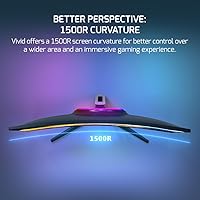
  • Curvature: The screen features a 1500R curvature radius, meaning the panel curves to match the natural field of view at roughly 1.5 meters.
  • Resolution: Native resolution is 1920x1080 (Full HD), delivering standard 1080p output across the full 27-inch panel.
  • Refresh Rate: Supports a maximum refresh rate of 200Hz, allowing up to 200 frames per second to be displayed for noticeably smoother motion.
  • Response Time: Rated at 0.5ms response time (MPRT), which helps reduce motion blur during fast-moving scenes in games.
  • Color Gamut: Covers 125% of the sRGB color space, producing saturated, vivid colors that exceed standard sRGB coverage targets.
  • Brightness: Peak brightness is rated at 300 cd/m² (candelas per square meter), adequate for indoor use in moderately lit environments.
  • Adaptive Sync: Compatible with both AMD FreeSync and NVIDIA G-Sync, synchronizing the GPU output and display refresh to reduce screen tearing.
  • HDR Support: Listed as HDR-compatible, though at 300 cd/m² brightness the HDR effect will be limited compared to certified HDR monitors.
  • Connectivity: Includes one HDMI port and one DisplayPort input, covering the two most common connection types for modern PCs and consoles.
  • Built-in Audio: Houses two integrated 2W speakers, providing basic audio output without requiring external speakers for casual use.
  • RGB Lighting: Features an RGB backlight strip on the rear of the monitor, configurable for aesthetic customization of gaming setups.
  • Aspect Ratio: Standard 16:9 widescreen aspect ratio, compatible with virtually all modern games, media, and operating system interfaces.
  • Surface Finish: Matte anti-glare screen coating reduces reflections from ambient light sources in typical indoor gaming environments.
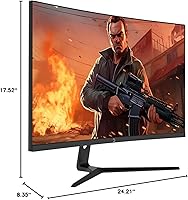
  • Dimensions: The monitor measures 17.52 x 8.35 x 24.21 inches with stand attached, fitting comfortably on standard gaming desks.
  • Weight: Total unit weight with stand is 10.12 pounds, making it manageable for solo setup or repositioning.
  • Voltage Range: Operates on a global voltage range of 100V to 240V, making it compatible with power systems across different countries.

Related Reviews

GAMEPOWER F20 27-inch Curved Gaming Monitor
61%
83%
Value for Money
74%
Image Quality
69%
Gaming Performance
78%
Curve & Immersion
58%
Build Quality
More
Skytech Gaming Moonshadow 27-inch Curved Gaming Monitor
83%
88%
Image Quality
91%
Refresh Rate Performance
86%
Adaptive-Sync
83%
VA Panel Contrast
84%
Stand & Ergonomics
More
Sealan 27-inch Curved Gaming Monitor
82%
85%
Display Quality
90%
Ease of Setup
91%
Value for Money
87%
Performance in Gaming
83%
Color Accuracy
More
CRUA CR270C 27″ Curved Gaming Monitor
71%
83%
Value for Money
78%
Image Quality
81%
Refresh Rate Performance
86%
Panel Contrast & Blacks
67%
Build Quality
More
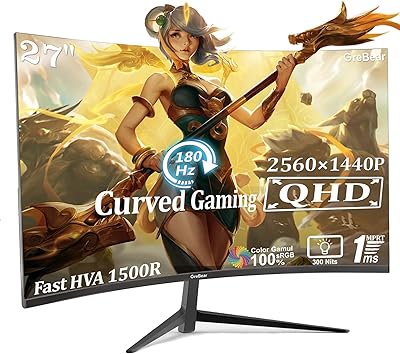
GreBear 27-Inch 180Hz Curved Gaming Monitor
86%
91%
Performance in Fast-Paced Games
95%
Refresh Rate and Smoothness
86%
Build Quality and Durability
67%
Color Accuracy
89%
Ease of Setup
More
FYHXele 27-inch Curved Gaming Monitor 165Hz
85%
91%
Gaming Performance
94%
Display Quality
88%
Value for Money
76%
Build Quality
89%
Ease of Setup
More
Gawfolk GF270C 27-Inch Curved Gaming Monitor
86%
91%
Performance
88%
Display Quality
92%
Value for Money
90%
Response Time
89%
Color Accuracy
More
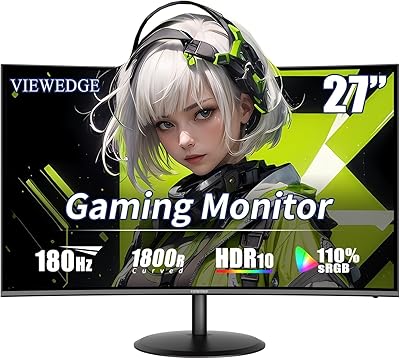
Viewedge 27-inch Curved Gaming Monitor CS27FHUS
84%
92%
Gaming Performance
89%
Display Quality
82%
Build Quality
91%
Ease of Setup
88%
Immersion & Comfort
More
Samsung S39C 27-Inch Curved Gaming Monitor
75%
83%
Picture Quality & Color Accuracy
88%
Curvature & Immersion
61%
Refresh Rate & Gaming Performance
86%
Eye Comfort & Long-Session Usability
79%
Build Quality & Aesthetics
More
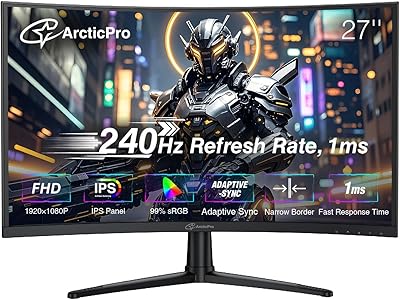
ArcticPro 27-inch 240Hz Curved Gaming Monitor
87%
94%
Performance in Gaming
90%
Display Quality
85%
Setup and Installation
88%
Visual Comfort (Low Blue Light)
91%
Design and Aesthetics
More

FAQ

This is one of the most common concerns with the T50, and it is worth being honest: pixel density at 1080p on a 27-inch panel is noticeably lower than on a 24-inch screen. For gaming, especially from a standard sitting distance, most people adjust quickly and do not find it distracting. For desktop work, reading, or anything text-heavy, some users with sharper eyes will notice the softness. It is not a dealbreaker for gaming-focused use, but it is a real trade-off compared to picking a 24-inch 1080p display instead.

The GAMEPOWER T50 27-Inch Curved Gaming Monitor supports both FreeSync and G-Sync compatibility, so it will work with NVIDIA GPUs as well as AMD cards. To get adaptive sync working with NVIDIA, you will need to enable it manually through the NVIDIA Control Panel. Most mid-range and current-gen NVIDIA GPUs support this without any issues.
This is a common setup step that trips people up. After connecting the monitor, go into your operating system display settings, find the monitor, and manually change the refresh rate from 60Hz to 200Hz. You also need to use a DisplayPort cable or a high-speed HDMI cable — older or cheaper HDMI cables may cap you at 60Hz regardless of the monitor's capability.

Yes, both consoles connect via HDMI and will work with this curved gaming monitor. Keep in mind that the PS5 and Xbox Series X output at up to 120Hz over HDMI 2.1, but this monitor's HDMI port may be limited to HDMI 1.4 or 2.0 speeds, which could cap you at 60Hz for 1080p from a console. For 120Hz console gaming, check the specific HDMI version supported before assuming full compatibility.

Nothing is wrong — VA panels at this price tier often ship with factory color settings that are not optimized. You will likely want to spend a few minutes adjusting brightness, contrast, and color temperature in the on-screen display menu. Dropping the color temperature slightly warmer and reducing contrast from its default maximum usually produces a much more natural result.

They work, but only barely. The 2x2W output is thin, low on bass, and not loud enough for an immersive experience. They are fine for background audio, system sounds, or occasional video calls. For anything gaming-related or music, a decent headset or a pair of desktop speakers will make a significant difference. Think of the built-in speakers as a last resort rather than a selling point.

The stand on this budget gaming display offers limited adjustability — most users report basic tilt only, with no height adjustment or swivel range to speak of. If ergonomics are important to you, picking up a third-party monitor arm is a worthwhile investment that will also free up desk space.

The box typically includes a power cable and at least one video cable, though the exact contents can vary by shipment region. It is a good idea to have a spare HDMI or DisplayPort cable on hand just in case, particularly if you want to take advantage of the full 200Hz refresh rate via DisplayPort.

GAMEPOWER is a Turkish electronics brand with a growing product lineup, but it has limited visibility in Western markets and fewer long-term user reviews than established names like LG or ASUS. Short-term user feedback is generally positive, but multi-year reliability data is harder to find. If you are planning to use this as a primary monitor for years, that uncertainty is worth factoring into your decision. As a secondary display or a first gaming monitor, the risk feels more acceptable given the price.

VESA compatibility depends on whether the back panel includes a standard mounting pattern, which is common at this product category but should be confirmed in the manual or product listing before purchasing a separate arm. If VESA mounting is confirmed, most standard 75x75mm or 100x100mm monitor arms will fit. Removing the stock stand and mounting on an arm is actually a great way to compensate for the limited stand adjustability.

Where to Buy