

Overview

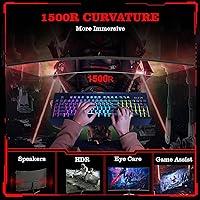
The GreBear BM27QA 27-inch Curved Gaming Monitor is an honest attempt by a newcomer brand to carve out space in a crowded mid-range market. GreBear isn’t a household name, and that’s worth acknowledging upfront — you’re buying into a relatively young product with limited long-term reliability data. What you get is a VA panel with a 1500R curved screen that wraps your field of view without demanding a premium price. The glossy finish looks sharp on a clean desk, but the V-shaped stand offers only basic tilt adjustment, so ergonomic flexibility is genuinely limited compared to more established options at similar price points.

Features & Benefits

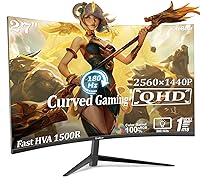
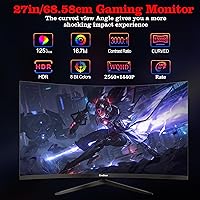
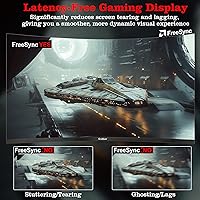
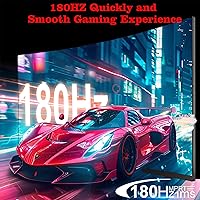
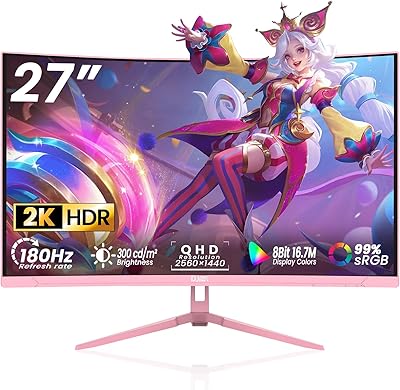
The headline spec here is the 180Hz refresh rate, but there’s an important caveat: you only reach that ceiling over DisplayPort 1.4. Running HDMI drops you to 120Hz, so PC gamers connecting via DP get the full benefit while console users won’t. The QHD 2560x1440 resolution is genuinely well-suited to a 27-inch panel — pixel density feels noticeably crisper than 1080p without crushing budget GPUs. Color performance is solid for this tier, with 125% sRGB coverage giving images a punchy, vivid quality. The built-in Adaptive Sync reduces tearing, though it carries no official certification, so real-world results can vary depending on your GPU and driver combination.

Best For

This curved gaming monitor punches above its weight for first-time 1440p upgraders who are tired of 1080p but not ready to spend big on a premium brand. It works well in a dual-purpose desk setup — productive during work hours, capable for casual gaming at night. Console players should be aware the 120Hz HDMI ceiling is a real limitation if hitting 180Hz is a priority. The 1500R curve is a genuine plus for shallower desk depths, pulling the screen edges closer to your peripheral vision. Just go in with realistic expectations about stand adjustability and long-term brand support.

User Feedback

Buyers generally come away impressed by the out-of-box color quality, noting that images look vivid and bright with minimal calibration needed right from the start. PC gamers connecting via DisplayPort frequently comment that the 180Hz smoothness is immediately noticeable in fast-paced titles. On the downside, some users flag the stand as feeling less rigid than expected, and the OSD button placement draws consistent criticism for being fiddly to navigate mid-session. The built-in speakers are repeatedly described as thin but functional — fine for background audio, not for anything more demanding. A recurring concern also involves the glossy panel turning reflective in brightly lit rooms.

Pros

  • QHD 2560x1440 resolution on a 27-inch screen delivers noticeably sharper images than typical 1080p displays.
  • 180Hz refresh rate over DisplayPort makes fast-paced gameplay feel genuinely fluid for the price.
  • The 1500R curve adds real immersion on smaller desks without requiring a huge screen size.
  • 125% sRGB color coverage produces vivid, punchy visuals that hold up well for light photo and video work.
  • A 3000:1 contrast ratio typical of VA panels gives deeper blacks than IPS alternatives at this price.
  • Dual HDMI and dual DisplayPort inputs make switching between a PC and a second device straightforward.
  • Built-in speakers remove the need for a separate audio solution in casual or space-limited setups.
  • 100x100mm VESA support gives you the option to mount it on an arm without buying a new monitor.
  • Anti-flicker and low blue light features are a practical bonus for anyone logging long hours at the desk.
  • Assembly is reportedly quick and straightforward, which matters when you just want to get up and running.

Cons

  • No official FreeSync Premium or G-Sync certification means adaptive sync results vary and cannot be guaranteed.
  • HDMI ports are version 1.4 only, capping console and secondary device connections at 120Hz.
  • The glossy panel surface picks up reflections aggressively in any room with natural light or overhead lighting.
  • Stand ergonomics are limited to basic tilt only — no height adjustment, swivel, or pivot available.
  • GreBear is a new brand with minimal long-term reliability data or established customer support reputation.
  • Built-in speaker audio quality is thin and lacks the depth needed for anything beyond basic notification sounds.
  • OSD button placement and menu navigation have drawn recurring complaints for being awkward during active use.
  • The stand feels less solid than expected at this weight class, with some users noting wobble under light movement.
  • No height-adjustable stand means users who aren’t at the right eye level will need to buy a monitor arm separately.

Ratings

The scores below for the GreBear BM27QA 27-inch Curved Gaming Monitor were generated by our AI system after analyzing verified purchase reviews from buyers worldwide, with spam, bot-submitted, and incentivized feedback actively filtered out. Each category reflects the honest balance of praise and frustration real users reported, so the numbers you see here capture both where this display punches above its weight and where it genuinely falls short.

Image Quality
83%
Most buyers are genuinely impressed by how vibrant and rich the colors look straight out of the box, particularly on the VA panel which renders dark scenes with noticeably deeper contrast than IPS alternatives at this price. The QHD resolution at 27 inches hits a sweet spot where text looks crisp and game environments feel detailed without demanding a high-end GPU.
A subset of users notes that the glossy surface can make colors appear oversaturated in some lighting conditions, and out-of-box calibration is not always consistent across units. Brightness uniformity at the edges is a recurring minor complaint, particularly in darker scenes.
Gaming Performance
78%
22%
PC gamers connecting via DisplayPort report that 180Hz gameplay feels noticeably fluid compared to their previous 60Hz or 144Hz displays, and fast-paced titles like shooters benefit meaningfully from the motion blur reduction. Adaptive Sync does reduce screen tearing in most setups, making the overall in-game experience smooth for the price.
Without official FreeSync Premium or G-Sync certification, sync performance is not consistent across all GPU and driver configurations, and some users report occasional tearing at frame rates outside the sync range. The lack of true pixel response time transparency also means competitive players cannot fully rely on the 1ms claim in demanding scenarios.
Refresh Rate Value
74%
26%
Getting 180Hz at this price tier is a genuine achievement for casual and mid-tier gamers, and users upgrading from 60Hz panels describe the difference as immediately and dramatically noticeable in everyday use. For PC users on DisplayPort, the full refresh rate is accessible without additional purchases.
The 180Hz ceiling is strictly a DisplayPort-only feature, and buyers who assumed HDMI would match that rate have expressed frustration after discovering the 120Hz cap post-purchase. Console gamers in particular feel the headline spec is somewhat misleading for their use case.
Build Quality
61%
39%
The monitor’s front panel and chassis have a clean, modern appearance that looks more expensive than the price suggests, and the glossy black finish with the V-shaped stand gives it a confident desk presence. Assembly is consistently praised for being fast and tool-free.
Several buyers describe the stand as feeling flimsier than expected, with noticeable wobble when nudging the desk or adjusting cables. Plastic panel construction feels thin in hand, and a few users have flagged inconsistencies in finish quality between units, suggesting some variability in manufacturing tolerances.
Ergonomics & Adjustability
44%
56%
The tilt range of -5° to +15° covers the most common viewing angle adjustments for a fixed desk setup, and for users already at the right eye level it works without issue. VESA compatibility at 100x100mm does offer an escape route for buyers willing to invest in a monitor arm.
The absence of height adjustment, swivel, or pivot is a real limitation that frustrates users who work long hours or share the monitor between people of different heights. Users who need ergonomic flexibility will find themselves spending extra on a third-party arm just to achieve what most competing monitors include at this price.
Color Accuracy
71%
29%
The 125% sRGB coverage produces vivid, punchy output that casual creatives and content consumers appreciate, and for home office tasks like editing documents or working with web graphics the color reproduction is well above what budget IPS panels typically offer. Many buyers report not needing any manual calibration for general use.
The display is not factory calibrated for professional color work, and the 8-bit depth without hardware profiling means delta-E accuracy can vary significantly. Buyers expecting print-accurate or video production-grade color performance will find this display falls short of that bar.
Connectivity
79%
21%
Having two HDMI and two DisplayPort inputs simultaneously available is genuinely practical for users running a PC alongside a console or a second laptop, and the audio output jack adds a useful path for headphone or speaker connections without a separate audio interface. Port placement and cable management are generally clean and accessible.
Both HDMI ports being version 1.4 is a meaningful limitation in 2025, where HDMI 2.0 or 2.1 is increasingly standard even on budget monitors. Users connecting newer consoles or expecting higher bandwidth over HDMI will run into a ceiling that feels like a cost-cutting decision.
Built-in Speakers
38%
62%
The speakers are appreciated for their convenience in minimalist desk setups where no external audio solution is in use, and they handle video calls and background music well enough to be functional for low-demand scenarios. Having audio built in at all adds genuine value at this price point.
Almost universally, buyers describe the speaker output as thin, low-volume, and lacking bass, making them unsuitable for games, movies, or any listening where sound quality matters. The wattage and driver quality are clearly an afterthought, and most users with any investment in audio will immediately route sound to headphones or external speakers.
Eye Comfort
72%
28%
Anti-flicker and low blue light features are genuinely appreciated by users who spend multiple hours in front of the screen daily, with several reporting less eye fatigue compared to older monitors in the same time frame. The 1500R curve also reduces the need for excessive head movement, which helps during long productivity sessions.
The glossy surface remains a consistent source of eye strain complaints in bright environments, as reflections can force users to squint or reposition constantly. Low blue light mode noticeably shifts the color temperature toward yellow-warm tones, which some users find unpleasant for color-sensitive work.
OSD & Controls
53%
47%
The OSD menu covers all expected adjustment categories including brightness, contrast, color temperature, and input selection, giving users enough control to tune the image to their preference. Initial setup navigation is manageable for first-time users.
Button placement along the rear-lower edge of the panel is a recurring complaint, with users frequently pressing the wrong button in the dark or during active gaming sessions. Menu navigation is described as slow and unresponsive by multiple buyers, and the absence of a joystick-style controller is felt as a step behind competitors.
Value for Money
81%
19%
For buyers who prioritize screen real estate, resolution, and refresh rate above ergonomics and brand prestige, this curved gaming monitor delivers a genuinely compelling package at its price point. The combination of QHD, 180Hz, and a curved VA panel is hard to match from established brands without spending significantly more.
The value calculation shifts for buyers who later discover they need a monitor arm for ergonomics or who are disappointed by the HDMI 1.4 limitation, adding hidden costs that narrow the price advantage. GreBear’s uncertain after-sales support also means any defect or warranty claim carries more risk than it would with a well-established brand.
Setup & Installation
86%
Nearly all buyers report a fast and straightforward out-of-box setup experience, with the stand attaching securely in minutes and no tools required. Cable routing is intuitive and the monitor powers on and displays correctly on first connection without driver installation in most cases.
A small number of buyers report receiving units with minor cosmetic damage or alignment imperfections, which points to packaging or quality control inconsistencies. Documentation and bundled accessories are basic, so users unfamiliar with monitor connectivity may need to source cables separately.
Brand Reliability
47%
53%
Some buyers report positive early experiences with no dead pixels or panel defects, suggesting that at least a portion of units leaving the factory meet acceptable quality standards. The product listing is detailed and responsive seller communication has been noted by a few users.
GreBear’s limited market history means there is no meaningful long-term reliability data available, and warranty support processes are largely untested at scale. Buyers who have encountered defects describe difficulty reaching responsive after-sales support, which is a real risk given the brand’s relative obscurity.
Glare & Reflection Handling
42%
58%
In a controlled, dimly lit gaming environment or a room with blinds drawn, the glossy surface produces rich, punchy visuals that many users find more immersive than matte alternatives. For dedicated nighttime gaming setups, the surface can be a genuine asset rather than a liability.
In any room with a window, overhead fluorescent lights, or ambient lamps, the glossy panel reflects its surroundings aggressively enough to disrupt the viewing experience. This is one of the most frequently cited real-world frustrations among buyers who use the monitor in a typical home office environment during daytime hours.

Suitable for:

The GreBear BM27QA 27-inch Curved Gaming Monitor is a solid pick for budget-conscious PC gamers who are ready to leave 1080p behind but aren’t willing to spend flagship money to do it. If your setup involves a mid-range GPU and a desk where you sit fairly close to the screen, the 1500R curve and QHD resolution genuinely pay off in day-to-day use. It also makes a lot of sense for people running a dual-purpose workspace — spreadsheets and video calls by day, casual gaming by night — where a single capable display handles both without compromise. First-time monitor upgraders coming from older flat 1080p panels will notice an immediate and meaningful difference in image sharpness and perceived depth. The VESA compatibility and audio output also make it easy to customize your setup over time without being locked into the included stand or speakers.

Not suitable for:

Competitive gamers who depend on certified variable refresh rate technology should look elsewhere, as this mid-range monitor carries no official FreeSync Premium or G-Sync badge, which means sync performance can be inconsistent depending on your GPU and driver stack. Console players hoping to hit 180Hz will be disappointed to find that both HDMI ports are version 1.4 and cap out at 120Hz, so the headline refresh rate is only achievable over DisplayPort on a PC. The glossy screen surface is a genuine problem in bright rooms or near windows — reflections can be distracting enough to affect usability during daylight hours. Anyone who needs height adjustment, pivot, or swivel from their stand will find the tilt-only design frustrating over long sessions. And if brand reputation, warranty support, or long-term reliability are high priorities for you, GreBear’s limited market history means there simply isn’t enough track record yet to buy with full confidence.

Specifications

  • Screen Size: The display measures 27 inches diagonally, offering a comfortable viewing area suited to both desk gaming and productivity work.
  • Resolution: Native QHD resolution of 2560x1440 pixels delivers noticeably sharper detail than standard 1080p at this screen size.
  • Panel Type: Uses a VA (Vertical Alignment) panel, which provides deeper blacks and higher contrast compared to IPS panels at a similar price point.
  • Refresh Rate: Supports up to 180Hz over DisplayPort 1.4, with HDMI connections limited to a maximum of 120Hz.
  • Response Time: Rated at 1ms motion blur reduction, which minimizes trailing artifacts during fast on-screen movement rather than representing a true pixel response time.
  • Curvature: Features a 1500R screen curvature, meaning the panel follows the arc of a circle with a 1500mm radius for a moderate wraparound effect.
  • Brightness: Typical brightness is rated at 300 cd/m², adequate for indoor use in controlled lighting conditions.
  • Contrast Ratio: Static contrast ratio is specified at 3000:1, a figure consistent with VA panel technology and above what most IPS monitors offer.
  • Color Coverage: Covers 125% of the sRGB color space with 8-bit color depth, reproducing approximately 16.7 million colors.
  • Sync Technology: Supports Adaptive Sync to reduce screen tearing, but does not carry official AMD FreeSync Premium or NVIDIA G-Sync certification.
  • Connectivity: Includes two HDMI 1.4 ports, two DisplayPort 1.4 ports, and a 3.5mm audio output jack for headphones or external speakers.
  • Built-in Audio: Integrates a pair of built-in speakers suitable for casual audio playback, though output quality and wattage are not specified by the manufacturer.
  • VESA Mount: Compatible with standard 100x100mm VESA wall or arm mounts, allowing the included stand to be replaced with a third-party arm.
  • Tilt Range: The stand supports tilt adjustment between -5° and +15°; no height, swivel, or pivot adjustment is available.
  • Screen Surface: The panel surface is glossy, which can improve perceived color vibrancy but increases reflectivity in bright or naturally lit rooms.
  • Aspect Ratio: Standard 16:9 widescreen aspect ratio, compatible with virtually all modern content, games, and operating systems.
  • Dimensions: The monitor measures approximately 27.51 x 18.12 x 1.7 inches with the stand attached.
  • Weight: Total unit weight including the stand is 10.63 pounds, which is typical for a monitor of this size and build.
  • Power Input: Operates on 12V AC input; a power adapter is included in the box.
  • Brand & Model: Manufactured by GreBear under model number BM27QA, first listed for sale in January 2025.

Related Reviews

Skytech Gaming Moonshadow 27-inch Curved Gaming Monitor

83%
88%
Image Quality
91%
Refresh Rate Performance
86%
Adaptive-Sync
83%
VA Panel Contrast
84%
Stand & Ergonomics
More
Sealan 27-inch Curved Gaming Monitor
82%
85%
Display Quality
90%
Ease of Setup
91%
Value for Money
87%
Performance in Gaming
83%
Color Accuracy
More
Viewedge 27-inch Curved Gaming Monitor CS27FHUS
84%
92%
Gaming Performance
89%
Display Quality
82%
Build Quality
91%
Ease of Setup
88%
Immersion & Comfort
More
DJiEX Q27P28 27-inch Curved Gaming Monitor
72%
88%
Value for Money
81%
Image Quality
86%
Gaming Performance
91%
Aesthetic Design
47%
Stand & Ergonomics
More
CRUA CR270C 27″ Curved Gaming Monitor
71%
83%
Value for Money
78%
Image Quality
81%
Refresh Rate Performance
86%
Panel Contrast & Blacks
67%
Build Quality
More
ArcticPro AD27EF4C 27-inch Curved Gaming Monitor
74%
88%
Value for Money
91%
Refresh Rate Performance
79%
Panel & Image Quality
76%
Motion Clarity
53%
Ergonomics & Adjustability
More
GAMEPOWER T50 27-Inch Curved Gaming Monitor

66%
83%
Value for Money
79%
Gaming Performance
74%
Display Quality
61%
Pixel Density & Sharpness
62%
Build Quality
More
FYHXele 27-inch Curved Gaming Monitor
73%
84%
Gaming Performance
71%
Image Quality
88%
Value for Money
83%
Design & Aesthetics
62%
Build Quality
More
GAMEPOWER F20 27-inch Curved Gaming Monitor
61%
83%
Value for Money
74%
Image Quality
69%
Gaming Performance
78%
Curve & Immersion
58%
Build Quality
More
Gawfolk GF270C 27-Inch Curved Gaming Monitor
72%
83%
Value for Money
78%
Image Quality
81%
Refresh Rate Performance
74%
Response Time & Motion Clarity
62%
Build Quality
More

FAQ

You can reach 180Hz, but only when connected via DisplayPort 1.4 to a PC. If you’re using either of the HDMI ports, you’re capped at 120Hz regardless of your hardware. Make sure your GPU has a DisplayPort output and you’re using a quality DP cable before expecting the full refresh rate.

Yes, both consoles connect via HDMI and will work fine, but keep in mind the HDMI ports are version 1.4, which limits you to 120Hz. If your console is outputting at 4K, you’ll also need to drop the resolution to 1440p or 1080p since HDMI 1.4 can’t carry 4K at high frame rates.

The GreBear BM27QA 27-inch Curved Gaming Monitor supports generic Adaptive Sync, which means it should work with both AMD and NVIDIA cards that support variable refresh rate over DisplayPort. However, it lacks official FreeSync Premium or G-Sync certification, so compatibility isn’t guaranteed across all GPU and driver combinations. Results can vary, and some users may see limited or inconsistent sync behavior depending on their setup.

Honestly, the glossy surface is one of the bigger practical trade-offs on this display. In a bright room or near a window, reflections can be noticeably distracting. If your desk gets a lot of natural light, you may want to consider a monitor with a matte anti-glare coating instead, or plan to manage your room lighting carefully.

Yes, the back of the display has a standard 100x100mm VESA mounting pattern, so it’s compatible with most aftermarket monitor arms and wall mounts. This is actually a good option if you want more ergonomic flexibility, since the included stand only tilts and doesn’t offer height or swivel adjustment.

It holds up reasonably well for general productivity. The QHD resolution makes text noticeably crisp, and the 125% sRGB color coverage gives spreadsheets, documents, and web browsing a clean, vibrant look. The VA panel’s deeper contrast also makes reading on dark-themed apps more comfortable. It’s not a professional color-grading display, but for everyday office use it’s more than adequate.

They’re functional but nothing more. If you need background sound for a video call or casual YouTube viewing and don’t want a speaker on your desk, they’ll get the job done. For music, games with rich audio, or anything where sound quality matters, a pair of headphones or external speakers will be a significant improvement.

The stand only supports tilt adjustment, ranging from -5° to +15°. There is no height adjustment, pivot, or swivel. If you need to raise the screen to eye level, you’ll either need to place the monitor on a riser or swap the stand out for a VESA-compatible monitor arm.

At 27 inches and typical desk distances of around 24 to 30 inches, the 1500R curve is noticeable but not aggressive. It adds a sense of wrap around the edges of the screen that many users find comfortable for both gaming and browsing. It’s less extreme than a 1000R curve, so it tends to suit a wider range of use cases without feeling overwhelming.

That’s a fair concern and worth taking seriously. GreBear is a relatively new entrant to the monitor market with limited long-term reliability data available. The product launched in early 2025, so there isn’t much history to draw on yet. If brand support, a dependable warranty process, and proven durability are priorities for you, more established brands will give you more peace of mind. If you’re comfortable taking some risk in exchange for the value on offer, just make sure you purchase through a platform with a solid return policy.