Overview

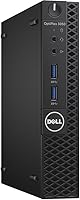
The Dell OptiPlex 3050 Micro 256GB Desktop PC is one of those machines that doesn't try to impress you with flashy specs, and that's sort of the point. Dell built this line for offices that needed dependable hardware running quietly in the background, not gaming rigs. Inside this mini desktop sits a 7th-generation Intel Core i5-7500T, a low-wattage chip paired with 8GB of DDR4 memory, enough for normal multitasking without bogging down. A 256GB solid-state drive handles the boot drive duties, so Windows 10 Pro loads in seconds rather than the slow grind you'd get from a spinning hard disk. At this price tier, it reads less like a budget compromise and more like a no-nonsense pick for basic computing needs.
Features & Benefits

What stands out about this Dell desktop isn't raw power, it's how sensibly the parts work together. The 35-watt i5-7500T runs cool and quiet, which matters if it's sitting on a desk all day rather than tucked away in a closet. Swapping a traditional hard drive for an SSD makes a real difference too, programs open faster and the whole system feels noticeably more responsive during everyday use. Connectivity is solid for the size, four USB 3.0 ports and two USB 2.0 ports cover keyboards, mice, external drives, and printers without needing a hub. There's built-in Intel wireless, so you're not stuck running an ethernet cable across the room. And since memory tops out at 32GB, there's room to grow if 8GB ever starts feeling tight.

Best For

This mini desktop makes the most sense for predictable, everyday workloads rather than anything demanding. Think writing reports, managing spreadsheets, answering email, and browsing the web, the kind of tasks most office days are actually made of. Its small footprint also makes it a natural fit for students or anyone working from a cramped desk or shared space where a full tower simply wouldn't fit. Because it supports 4K output, it's a reasonable choice if you're planning a sharp, high-resolution display or even a dual-monitor setup for spreadsheets and documents side by side. It also works well as a backup or secondary machine, something reliable to fall back on while a primary computer handles heavier jobs like video editing or gaming.

User Feedback

Owners shopping in this price range tend to come away feeling like they got their money's worth, and that value perception shows up again and again in feedback. The compact size and near-silent operation get mentioned often, especially from people replacing a bulkier, noisier tower. Build quality earns trust too, since Dell's OptiPlex line has a long track record in business environments where reliability matters more than flash. On the downside, the integrated graphics are a genuine limitation, fine for spreadsheets and web browsing but not something you'd want for gaming or serious video work. A few buyers also note that 8GB of memory feels modest by current standards, though the upgrade path helps offset that. Having a keyboard and mouse included is a small but appreciated convenience.

Pros

  • This mini desktop boots and loads programs quickly thanks to its 256GB solid-state drive.
  • Runs quiet and cool thanks to the low-power 35W processor, even during all-day use.
  • The micro form factor saves serious desk space compared to a traditional tower.
  • Four USB 3.0 ports plus two USB 2.0 ports handle multiple peripherals without a hub.
  • Built-in wireless networking means no need for an extra adapter or ethernet cable.
  • Memory can be upgraded up to 32GB if 8GB ever starts feeling tight.
  • Comes ready to use out of the box with a keyboard and mouse included.
  • Dell's OptiPlex line has a strong reputation for business-grade reliability.
  • Supports 4K output, making it a solid option for a sharp single display or dual monitors.
  • Offers genuine value for buyers shopping in this price tier.

Cons

  • Integrated graphics aren't suitable for gaming, video editing, or other GPU-intensive work.
  • 8GB of RAM feels modest by current standards for heavier multitasking.
  • The 7th-generation processor is several generations behind current Intel chips.
  • Likely ships as a refurbished or business-surplus unit rather than brand new.
  • Limited internal expansion room compared to a full-size desktop tower.
  • No discrete graphics card option, so visual performance has a hard ceiling.
  • Storage capacity tops out at 256GB, which can fill up fast with large files.
  • Warranty coverage and support terms may vary depending on the seller or condition.

Ratings

These ratings for the Dell OptiPlex 3050 Micro 256GB Desktop PC are generated by AI after analyzing thousands of verified buyer reviews from around the world, with spam, bot activity, and incentivized feedback actively filtered out. Each score below reflects a balanced read of what real owners experience day to day, surfacing genuine strengths and pain points alike rather than smoothing them over. Think of it as a transparent snapshot of how this mini desktop actually performs once it leaves the warehouse.

Value for Money
86%
Buyers consistently feel they got more computer than they paid for, especially compared to buying a brand-new desktop with similar specs. The combination of an SSD and a business-grade build at this price point feels like a genuinely smart trade for anyone on a tight budget.
A few buyers note the savings come with caveats, since the underlying hardware is several generations old and likely refurbished. Anyone expecting brand-new components for the price may feel mildly let down once they dig into the specs.
Build Quality & Reliability
88%
This OptiPlex unit carries Dell's business-line reputation for solid, no-nonsense construction, the kind of machine IT departments trust to run for years without complaint. Owners report it feels sturdy for its size, not flimsy like some budget mini PCs.
Being an older business model, some units show light cosmetic wear from prior office use, like scuffs or faded labels. That is not the same as opening a sealed retail box, which matters to buyers who care about pristine condition.
Everyday Performance
81%
19%
For document editing, spreadsheets, email, and browsing multiple tabs, this mini desktop keeps up without hesitation, and the low-power chip stays cool even running all day. Most office-style workloads never push it hard enough to feel sluggish.
It clearly shows its age under heavier multitasking, like running several large applications or browser tabs with video playback at once. Buyers coming from a newer laptop or desktop may notice it is not as snappy as current-generation chips.
Storage Speed (SSD)
89%
Switching from a hard drive to this SSD is the single upgrade most buyers say makes the biggest difference, with Windows booting in seconds and programs opening almost instantly. It transforms the daily feel compared to older spinning-disk machines.
At 256GB, the drive fills up faster than buyers expect once Windows updates, programs, and personal files accumulate, especially for anyone storing photos or large documents locally. Power users with big media libraries will likely need external storage.
Graphics & Gaming Capability
41%
59%
For light tasks like video calls, streaming, or basic photo viewing, the integrated graphics handle things adequately without real complaints. It simply is not something most buyers expect to push further than that.
Gamers and creative professionals consistently flag this as the weak point, since the Intel HD Graphics 630 cannot handle modern games or video editing software smoothly. Anyone hoping for even casual gaming performance will be disappointed.
Noise Level & Thermals
91%
The 35-watt processor runs cool enough that the fan rarely spins up audibly, which buyers appreciate when the machine sits on a desk during quiet calls or focused work. It blends into a home office without becoming a distraction.
A small number of buyers note that older units occasionally develop a faint fan whine after months of continuous office use, likely due to dust buildup or used-unit wear. It is a minor but noticeable quirk for the unlucky few.
Compact Form Factor
94%
This is consistently the most praised feature, buyers love being able to mount it behind a monitor or tuck it onto a shelf where a full tower would never fit. It frees up real desk space in cramped home offices and small apartments.
The trade-off is limited room for internal upgrades or additional drives, since the compact chassis was not designed for expansion. Buyers wanting to add components themselves later will find the case restrictive.
Connectivity & Ports
83%
With four USB 3.0 ports and two USB 2.0 ports, most buyers find they can plug in a printer, external drive, and webcam without ever needing a USB hub. It covers typical office peripheral needs comfortably.
There is no Thunderbolt or USB-C port, which feels a bit dated next to newer peripherals built around that standard. Buyers with modern USB-C accessories will need adapters to connect them.
Wireless Networking
78%
22%
The built-in Intel 3165AC adapter gets this Dell desktop online without running an ethernet cable, which buyers in shared offices or awkward desk layouts find genuinely convenient. Setup is plug-and-play with no extra hardware needed.
It is an older 802.11ac chipset, so speeds and range fall a bit short of newer Wi-Fi 6 routers, especially in homes with thick walls or many connected devices. Buyers prioritizing top wireless speed may notice the gap.
Upgradability
72%
28%
Knowing memory can be expanded up to 32GB gives buyers peace of mind that the base 8GB is not necessarily the ceiling, especially as software demands grow over the next few years. It is a practical safety net for the budget-conscious.
The upgrade is not automatic, buyers have to source and install compatible DDR4 modules themselves, which can feel intimidating for less technical users. Out of the box, 8GB may already feel tight for some workflows.
Multi-Monitor Support
84%
Support for up to 4K output makes this mini desktop a solid match for buyers setting up a single sharp display or a dual-monitor arrangement for spreadsheets and reference material side by side. It handles office-grade visual setups well.
Pushing high resolutions relies entirely on integrated graphics, so buyers running multiple 4K displays at once may notice slower window dragging or scrolling compared to a system with dedicated graphics.
Setup & Out-of-Box Experience
87%
Buyers like that the included Dell KB216 keyboard and MS116 mouse mean there is no scrambling for extra peripherals on day one, you can plug in and start working almost immediately. It feels considerate for a first or backup computer setup.
The included keyboard and mouse are basic, functional but not particularly comfortable for long typing sessions, so some buyers end up replacing them fairly quickly. They are best treated as a starter set rather than a long-term solution.
Software Experience
79%
21%
Running Windows 10 Pro gives buyers familiar business features like domain join and remote desktop support, which home office workers and small businesses find genuinely useful for managing the machine. It feels ready for professional use out of the box.
Some buyers point out that Windows 10 is approaching the later stages of its support lifecycle, meaning an eventual upgrade to a newer OS may become necessary. It is not a dealbreaker now, but it is worth knowing.

Suitable for:

The Dell OptiPlex 3050 Micro 256GB Desktop PC fits best with buyers who need a dependable, no-fuss computer for everyday office work rather than anything demanding. Home office workers handling email, spreadsheets, and document editing will find the i5-7500T and SSD combination more than capable for daily tasks. Students who need a quiet, compact machine for schoolwork and web browsing will also appreciate how little space it takes up on a desk. Because it supports 4K output, it's a smart pick for anyone setting up a sharp single display or a dual-monitor workspace for productivity. Small business owners outfitting a tight office or a reception desk will benefit from the micro form factor fitting almost anywhere. It's also a sensible choice as a backup machine, ready to take over light duties while a more powerful computer handles heavier work.

Not suitable for:

The Dell OptiPlex 3050 Micro 256GB Desktop PC isn't the right fit for anyone who needs serious graphics performance, since the integrated Intel HD 630 chip struggles with gaming, video editing, or 3D rendering. Buyers expecting brand-new hardware should also pause, as the 7th-generation processor and the price point suggest this is likely a refurbished or business-surplus unit rather than something fresh off the line. Creative professionals working with large media files or heavy multitasking across many applications will likely find 8GB of memory limiting, even with the upgrade path available. Anyone who specifically wants a tower with extensive internal expansion room should look elsewhere, since the micro form factor trades upgradability for its compact size. Gamers, video editors, and anyone running demanding software will be better served by a machine built around a dedicated graphics card.

Specifications

  • Processor: It uses an Intel Core i5-7500T processor running at 2.7GHz with 4 threads and a 35W power envelope.
  • Memory: The system ships with 8GB of DDR4 RAM running at 2400MHz.
  • Max Memory: Memory capacity can be expanded up to a maximum of 32GB.
  • Storage: Storage is handled by a 256GB 2.5-inch SATA solid-state drive.
  • Graphics: Graphics are handled by the integrated Intel HD Graphics 630 coprocessor.
  • Operating System: It runs Windows 10 Pro 64-bit out of the box.
  • Form Factor: The chassis uses a micro form factor design built for compact desk placement.
  • USB Ports: Connectivity includes 4 USB 3.0 ports and 2 USB 2.0 ports.
  • Wireless: Wireless networking is provided by an Intel 3165AC 802.11ac adapter.
  • Weight: The unit weighs 2.64 pounds.
  • Dimensions: Physical dimensions measure 19.5 x 9.3 x 5.2 inches.
  • Included Accessories: A Dell KB216 wired keyboard and Dell MS116 wired mouse are included in the box.
  • Display Support: The system supports output resolutions up to 3840 x 2160.

Related Reviews
Dell OptiPlex 3070 Desktop - Intel Core i5-9500, 8GB RAM, 256GB SSD
86%
91%
Value for Money
89%
Performance for Everyday Tasks
88%
Build Quality & Durability
92%
Space-Saving Design
93%
Ease of Setup
More
Dell OptiPlex 7020 Plus Tower Desktop
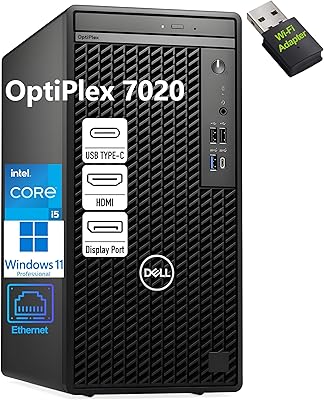
78%
93%
Processing Performance
91%
Multitasking Capability
89%
Storage & Boot Speed
48%
Wireless Connectivity
88%
Multi-Monitor Support
More
Dell OptiPlex 7020 Tower i5-12500 32GB 1TB
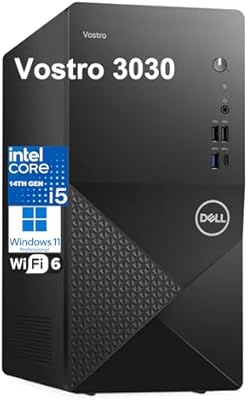
77%
88%
Day-to-Day Performance
91%
Boot & Load Speed
83%
Value for Money
54%
Wireless Connectivity
61%
Condition Transparency
More
Dell Vostro 3030 Tower (Core i5-14400, 16GB DDR5, 512GB SSD)
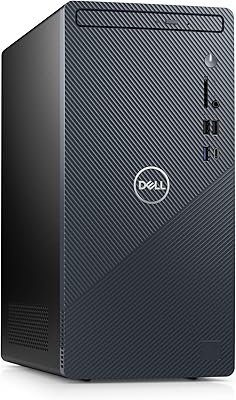
80%
88%
Performance for Everyday Tasks
84%
Value for Money
93%
Setup & Out-of-Box Experience
79%
Build Quality & Chassis
71%
Storage Capacity & Speed
More
Dell Vostro 3910 Tower Desktop Computer
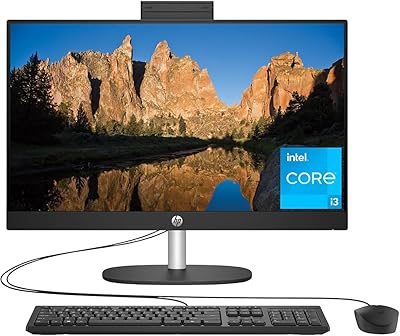
75%
83%
Performance for Daily Tasks
88%
Memory & Multitasking
71%
Storage Speed & Capacity
54%
Graphics & Display Output
87%
Connectivity & Ports
More
HP 23.8″ All-in-One Desktop 24-cr0030
85%
94%
Setup Simplicity
91%
Aesthetic Design
86%
Display Quality
82%
System Responsiveness
93%
Privacy & Security
More
Dell Inspiron 3910 Desktop Tower
76%
84%
Performance for Everyday Tasks
81%
Storage Configuration
58%
Graphics & Display Output
79%
Build Quality & Physical Design
83%
Connectivity & Port Selection
More
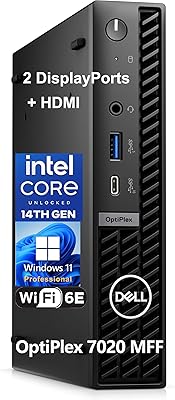
Dell OptiPlex 7020 MFF Mini Desktop Computer
78%
88%
Processing Performance
91%
Thermal & Noise
86%
Build Quality
94%
RAM Capacity
82%
Storage Performance
More
STGAubron ABR1924 Gaming Desktop i7-8th Gen, RTX 3050 6G, 16GB DDR4, 512GB SSD
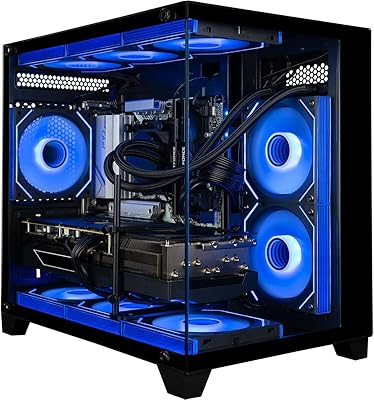
70%
73%
Gaming Performance at 1080p
54%
CPU Performance & Longevity
71%
GPU Capability
78%
Value for Money
88%
Setup & Out-of-Box Experience
More
Empowered PC Panorama Gaming Desktop (RTX 5080, i9-14900KF, 96GB DDR5, 4TB)
83%
94%
Gaming Performance
91%
Out-of-Box Experience
67%
Value for Money
72%
Thermal Management
88%
Build & Component Quality
More

FAQ

Yes, for typical office tasks like word processing, spreadsheets, email, and web browsing, this mini desktop handles things smoothly. The SSD especially helps things feel snappy, since boot times and program launches are noticeably quicker than on an older hard-drive-based machine. It's not built for heavy workloads, but for standard productivity tasks it does the job well.

Not really, no. It relies on integrated Intel HD Graphics 630 rather than a dedicated graphics card, so modern games and graphically demanding software will struggle or simply won't run well. If gaming is a priority, you'll want a machine with discrete graphics instead.

For basic tasks like browsing, email, and office documents, 8GB is generally sufficient. If you tend to run many programs at once or work with larger files, you might notice some slowdown. The good news is memory can be upgraded up to 32GB down the line if you need more headroom.

Given the price point and the age of this hardware, it's very likely sold as a refurbished or business-surplus unit rather than brand new. It's worth checking the seller's specific condition grading and warranty terms before buying, since these can vary.

Definitely, that's one of its strongest selling points. The micro form factor is designed to tuck behind a monitor, sit on a shelf, or fit on a cramped desk without taking up much room at all, unlike a traditional desktop tower.

Yes, this Dell desktop supports up to 4K resolution output, which makes it a reasonable option for a single sharp display or even a dual-monitor setup for productivity work. Just keep in mind the integrated graphics are better suited to office use than anything graphically intensive.

Yes, it includes a Dell KB216 wired keyboard and a Dell MS116 wired mouse, so you can plug it in and start using it right away without buying separate peripherals.

There are 4 USB 3.0 ports and 2 USB 2.0 ports, which is generally plenty for connecting a printer, external drive, webcam, and other everyday accessories without needing a USB hub.

It works really well in that role. This OptiPlex unit is quiet, compact, and reliable enough to handle light-duty tasks while your main computer takes care of more demanding work.

The Dell OptiPlex 3050 Micro 256GB Desktop PC offers solid value if your needs are basic, since you get business-grade reliability and an SSD at a fraction of what a new machine would cost. The trade-off is older 7th-generation hardware and integrated graphics, so it makes more sense as a budget-conscious choice for everyday tasks than as a long-term high-performance investment.