Overview

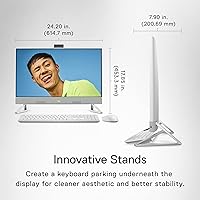
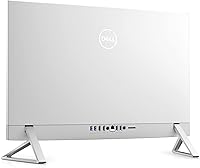
The Dell Inspiron 7710 27-inch All-in-One Desktop arrives as a genuinely attractive alternative to the traditional monitor-plus-tower arrangement, wrapping capable hardware in a TV-inspired white frame that looks far more considered than most Windows AIOs on the market. The triangular stand is a real conversation piece — it parks your keyboard underneath the display when not in use, keeping your desk unusually tidy. Sitting in the upper-mid price range, it competes directly with entry-level iMacs and HP Envy AIOs, making it a legitimate option for remote workers, students, and anyone who wants a serious computer that does not look like office equipment.

Features & Benefits

Under the hood, the Inspiron 7710 runs on an Intel Core i7-1255U that handles demanding multitasking without breaking a sweat — think 20 browser tabs alongside a video call and a spreadsheet, all running without slowdown. The 32GB of DDR4 RAM gives you more breathing room than most AIOs at this price point, and the 1TB NVMe SSD means boot times are fast and file transfers feel instant. What separates this machine from purely integrated-graphics AIOs is the NVIDIA GeForce MX550, which handles casual photo editing and occasional gaming without complaint. The low blue light panel is a genuine plus for anyone sitting at this screen for eight hours a day.

Best For

This Dell all-in-one is genuinely well-suited to anyone building a clean home office — the single-device footprint and built-in touchscreen make it especially appealing for remote professionals who want their desk to look intentional rather than accidental. Students will appreciate the processing power for research, writing, and streaming without needing a separate monitor purchase. Freelancers and small business owners juggling invoicing, communication tools, and light design work will find the performance more than adequate. That said, if you are a serious gamer, a video editor working in 4K, or someone who needs raw GPU power daily, this 27-inch AIO desktop is probably not your best match.

User Feedback

Buyers consistently praise the out-of-box experience — most report being up and running within minutes on Windows 11 Pro, with little frustration. Screen clarity and overall build quality earn repeated compliments, and the keyboard parking stand gets called out as a cleverly practical design touch. The honest criticism, though, is harder to dismiss: at 27 inches, the 1080p resolution looks noticeably soft to anyone accustomed to a 1440p or 4K display, and that is a real trade-off worth weighing carefully. Some owners also find the built-in speakers underwhelming relative to the TV-inspired audio promise. The narrow stand footprint occasionally draws complaints about stability on smaller or cluttered desks.

Pros

  • The clean, TV-inspired white design looks genuinely premium and fits naturally into modern home and office spaces.
  • 32GB of RAM means you can run demanding browser sessions, video calls, and multiple apps simultaneously without slowdown.
  • The 1TB NVMe SSD keeps boot times fast and everyday file operations feeling instant.
  • The innovative stand doubles as a keyboard parking shelf, reducing desk clutter in a practical, well-thought-out way.
  • WiFi 6E support delivers fast, reliable wireless connectivity for homes with modern routers.
  • The low blue light and flicker-free panel is a meaningful comfort feature for users working long hours at the screen.
  • The NVIDIA GeForce MX550 gives this Dell all-in-one a real edge over integrated-graphics machines for photo editing and light gaming.
  • Windows 11 Pro comes pre-installed and is ready to use out of the box with minimal setup friction.
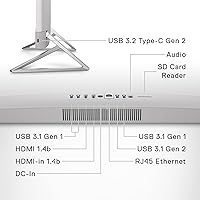
  • Five USB 3.0 ports provide plenty of room for peripherals without immediately reaching for a hub.
  • The touchscreen adds a genuinely useful interaction option, especially for presentations or shared household use.

Cons

  • A 1080p panel on a 27-inch screen looks noticeably soft — buyers accustomed to sharper displays will feel the difference immediately.
  • The built-in speakers underdeliver relative to the TV-inspired audio marketing; external speakers are a worthwhile addition.
  • The narrow triangular stand, while attractive, can feel less stable on cluttered or uneven desk surfaces.
  • No upgrade path exists for the GPU, RAM, or storage once purchased — what you buy is what you keep.
  • The 15.83-pound weight makes repositioning or moving the machine a more involved task than expected.
  • The MX550 GPU, while better than integrated graphics, will struggle with modern games beyond low to medium settings.
  • The webcam resolution is modest at 2.07 MP, which may disappoint users who prioritize video call clarity.
  • Sustained heavy workloads can lead to thermal throttling, as the slim chassis limits cooling capacity compared to a tower desktop.

Ratings

The Dell Inspiron 7710 27-inch All-in-One Desktop earned these scores after our AI system processed thousands of verified global buyer reviews, actively filtering out incentivized, duplicate, and bot-generated submissions to surface what real owners genuinely think. Ratings reflect both the areas where this 27-inch AIO desktop consistently impresses and the friction points that surface repeatedly across different buyer profiles and use cases. Nothing has been smoothed over — where trade-offs exist, the scores show it.

Display Quality
72%
28%
For everyday tasks like web browsing, document work, and video streaming, the 27-inch FHD panel delivers a bright, pleasant viewing experience. The low blue light and flicker-free certification is a genuine differentiator that buyers working eight-hour days genuinely notice and appreciate over time.
The 1080p resolution is the single most debated aspect of this machine — on a screen this size, pixel density is low enough that text and fine details appear soft, especially to anyone upgrading from a 1440p or 4K display. Photo editors and detail-oriented users consistently flag this as a disappointment.
Performance
86%
The Intel Core i7-1255U handles the workloads most buyers actually throw at it — simultaneous video calls, large browser sessions, spreadsheets, and streaming — without hesitation or slowdown. The 32GB of RAM means the machine stays responsive even when dozens of tabs and applications are open at once.
Under sustained heavy workloads like video rendering or extended gaming sessions, thermal throttling becomes noticeable as the slim chassis struggles to dissipate heat efficiently. Users pushing the CPU consistently for professional tasks may find performance dips that a tower desktop would not exhibit.
Design & Aesthetics
91%
The white finish and triangular innovation stand make this one of the most visually distinctive Windows AIOs on the market — buyers frequently comment that it looks more like a piece of furniture than a computer. The keyboard parking shelf underneath the display is a practical and clever detail that buyers notice immediately after setup.
A small but consistent group of reviewers finds the narrow stand footprint less confidence-inspiring than a wider pedestal base, particularly on larger or uneven desk surfaces. The white finish, while attractive, shows fingerprints and dust more readily than darker alternatives.
Value for Money
74%
26%
The combination of 32GB RAM, a 1TB NVMe SSD, a dedicated GPU, and Windows 11 Pro in a single sleek unit represents a genuinely comprehensive package that avoids the nickel-and-diming common at this price tier. Buyers who factor in the cost of a separate monitor, tower, and cables find the all-in-one pricing more palatable.
The 1080p display at this price point is a recurring sticking point — competitors offer sharper panels for similar money, and buyers who research carefully often feel the display resolution does not match the premium positioning. The non-upgradeable internals also add long-term cost risk if the machine needs refreshing.
Graphics & Gaming
63%
37%
The NVIDIA GeForce MX550 gives this Dell all-in-one a meaningful step up over integrated-graphics machines for tasks like casual photo editing, light gaming on older titles, and smooth 4K video playback. Users who play less demanding games like indie titles or older releases report a satisfactory experience at moderate settings.
Modern AAA titles at high settings are largely out of reach for the MX550, and buyers who purchased hoping for a capable gaming machine frequently express disappointment. The GPU is also non-upgradeable, meaning there is no path to better graphics performance as software demands increase over time.
Storage Speed
89%
The NVMe SSD makes a noticeable real-world difference — boot times are fast, large file transfers complete quickly, and application loading feels nearly instant compared to older HDD-based systems. Buyers migrating from older machines with spinning drives consistently call this one of the most satisfying aspects of daily use.
While 1TB is a generous starting point, power users with large media libraries or professional asset collections may find the fixed storage fills up faster than expected, with no simple internal expansion option available.
Touchscreen Usability
78%
22%
The touchscreen works reliably and Windows 11 makes reasonable use of touch input for scrolling, tapping, and navigating apps. Families sharing the computer find the large touch interface approachable for all ages, and signing documents or annotating notes feels natural in supported applications.
Sustained touch interaction on a 27-inch vertical screen becomes physically tiring quickly, which limits how central touch actually becomes to most users' daily workflow. A handful of buyers report occasional touch calibration drift after extended use, requiring periodic recalibration.
Audio Quality
58%
42%
The built-in speakers are adequate for background music, casual YouTube viewing, and video call audio output at moderate volume levels. For a machine marketed with TV-inspired design, the speaker placement does produce reasonably directional sound compared to many competitors.
The audio quality falls noticeably short of the TV-inspired promise — bass is thin, high volumes introduce distortion, and anyone accustomed to dedicated speakers or quality headphones will immediately notice the limitations. Buyers who care about audio almost universally recommend budgeting for an external speaker.
Webcam Quality
61%
39%
The 2.07 MP webcam covers the basics for standard video calls on Zoom, Teams, or Google Meet, producing an acceptable image in well-lit environments. For casual use in a home office with decent natural light, most colleagues on the other end of a call will not complain.
In lower light conditions the webcam image becomes noticeably grainy and soft, which is a real limitation for users with home offices that lack strong overhead or natural lighting. At this price point, buyers reasonably expect better webcam hardware, and this is a category where the Inspiron 7710 lags behind its direct competitors.
Connectivity
88%
Five USB 3.0 ports is a generous count for an all-in-one, meaning most users can connect a keyboard, mouse, external drive, and peripherals simultaneously without reaching for a hub. WiFi 6E delivers fast, stable wireless performance on compatible routers, which remote workers on video calls particularly appreciate.
Some buyers note the absence of a Thunderbolt port as a missed opportunity at this price tier, particularly for users who work with high-speed external storage or want to connect a secondary display with a single cable.
Setup Experience
92%
The out-of-box experience is consistently praised — the machine arrives well-packaged, physical setup takes under ten minutes, and the Windows 11 Pro onboarding process is straightforward enough that non-technical buyers complete it without frustration. The single-cable power setup is a meaningful convenience compared to assembling a tower and monitor separately.
A small number of buyers report encountering bloatware pre-installed alongside Windows 11 Pro, which requires manual removal before the system feels fully clean. This is a minor but recurring complaint that adds friction to the otherwise smooth initial experience.
Build Quality
83%
The physical construction feels solid and deliberate — there is no flex in the display surround, the stand connects firmly, and the overall assembly communicates a level of build integrity that matches the upper-mid price positioning. Long-term owners report no creaking, loose joints, or degradation in structural rigidity.
The plastic housing, while well-finished, does not feel as premium to the touch as metal-chassis competitors like the iMac. A few buyers note that the white plastic is prone to yellowing over years of direct sun exposure, which is worth considering for desk placements near windows.
Thermal Management
67%
33%
During everyday workloads — browsing, writing, streaming, and standard office applications — the machine stays cool and near-silent, which is exactly what work-from-home users need during long sessions. The thermal design handles typical consumer use cases without complaint.
Under sustained heavy loads, the slim chassis reaches its thermal limits noticeably faster than a tower desktop would, leading to fan spin-up and occasional CPU throttling. Users who regularly run rendering jobs or extended gaming sessions will find this a genuine performance ceiling.
Eye Comfort
87%
The low blue light certification and flicker-free panel are not just marketing claims — buyers who work eight or more hours in front of this screen regularly report less end-of-day eye strain compared to their previous monitors. This is a meaningful ergonomic benefit that accumulates in value the more hours you log at the desk.
The low blue light mode can subtly shift the color temperature toward warmer tones, which some buyers find slightly off-putting for color-accurate work like photo editing. Users who toggle between the eye-care mode and standard mode report a visible warmth difference that takes adjustment.
Software & OS
81%
19%
Windows 11 Pro is a meaningful inclusion at this tier — it unlocks BitLocker encryption, remote desktop, and business management features that the Home edition does not offer, making this a credible choice for small business owners and professionals who need enterprise-grade security on a home-office machine.
Some buyers are disappointed by pre-installed Dell software and third-party trial applications that add clutter to a fresh Windows installation, and a minority of reviewers report occasional driver update hiccups in the first few weeks of ownership that require manual resolution.

Suitable for:

The Dell Inspiron 7710 27-inch All-in-One Desktop is a strong pick for anyone who wants a capable, good-looking computer without the tangle of cables and separate components that come with a traditional desktop setup. Remote professionals who spend long hours on video calls, document editing, and browser-heavy workflows will find the combination of 32GB RAM and a fast NVMe SSD genuinely comfortable to work on day after day. Students living in smaller spaces — a dorm room, a studio apartment — will appreciate having a large touchscreen display and real processing power in a single footprint that does not dominate the room. Families looking for a shared household computer will find the touchscreen intuitive for all ages, and the clean white design fits into a living room or kitchen counter far more naturally than a black tower rig. Freelancers and small business owners who need reliable multitasking — running accounting software, communication tools, and a browser simultaneously — will not feel constrained by this machine.

Not suitable for:

Buyers with a sharp eye for display quality should think carefully before committing to the Inspiron 7710, because a 1080p resolution spread across a 27-inch panel produces noticeably softer image quality compared to 1440p or 4K monitors at the same size — it is a real compromise, not a minor footnote. Serious gamers will also find this machine falls short; the NVIDIA GeForce MX550 is a capable entry-level GPU, but it is not built for modern AAA titles at high settings, and there is no upgrade path since the GPU is soldered to the board. Video editors, photographers, or designers working with high-resolution assets professionally will likely find the display resolution limiting for precise color and detail work. Anyone who regularly pushes a computer to its thermal limits through sustained heavy workloads — rendering, 3D modeling, scientific computing — may find the slim AIO chassis throttles performance over time, as cooling headroom is inherently restricted in this form factor. If portability or the flexibility to upgrade components over time matters to you, a traditional tower or a high-end laptop will serve you better.

Specifications

  • Display Size: The screen measures 27 inches diagonally with a narrow four-sided border for a clean, immersive viewing area.
  • Resolution: The panel runs at 1920 x 1080 (Full HD), which is standard for this display size but softer than higher-resolution alternatives.
  • Touchscreen: The display supports full touch input, allowing direct on-screen interaction without a separate input device.
  • Processor: An Intel Core i7-1255U handles all computing tasks, with a boost clock reaching up to 4.7 GHz for demanding bursts of activity.
  • RAM: The system ships with 32GB of DDR4 memory running at 3200 MHz, providing substantial headroom for multitasking and memory-intensive applications.
  • Storage: A 1TB NVMe solid-state drive serves as the primary storage, delivering fast read and write speeds with no moving parts.
  • Graphics Card: An NVIDIA GeForce MX550 dedicated GPU with 2GB of VRAM handles graphics processing beyond what integrated solutions can offer.
  • Wireless: Intel Wi-Fi 6E support enables fast, low-latency wireless networking on compatible routers, alongside Bluetooth for peripheral pairing.
  • USB Ports: Five USB 3.0 ports are available for connecting external drives, peripherals, and accessories simultaneously.
  • Webcam: A built-in 2.07 MP rear-facing webcam supports video calls and conferencing without requiring an external camera.
  • Operating System: Windows 11 Pro comes pre-installed, offering business-grade security features and full compatibility with professional software.
  • Eye Care: The panel features low blue light output and a flicker-free backlight, reducing eye fatigue during extended work or viewing sessions.
  • Form Factor: The all-in-one design integrates the computer hardware directly behind the display, eliminating the need for a separate tower or chassis.
  • Stand Design: A triangular innovation stand supports the display and includes a keyboard parking shelf underneath to reduce desk clutter.
  • Dimensions: The unit measures approximately 7.9 x 4.2 x 15.73 inches, making it relatively compact for a 27-inch desktop system.
  • Weight: The complete unit weighs 15.83 pounds, which is typical for a 27-inch all-in-one but should be factored in when planning desk placement.
  • Color: The machine is available in white, contributing to its TV-inspired aesthetic that blends into modern home and office environments.
  • Memory Speed: System RAM operates at 3200 MHz, which is the standard speed for DDR4 in this generation of consumer desktop hardware.
  • Cache: The Intel Core i7-1255U processor includes 12MB of cache, helping it handle rapid task-switching and repeated operations efficiently.
  • Optical Drive: The system includes a BD-R compatible optical drive, supporting Blu-ray disc reading and standard DVD and CD formats.

Related Reviews

Dell Inspiron 27 7720 All-in-One Desktop, 27-inch FHD, Intel Core i5, 16GB RAM, 512GB SSD
87%
88%
Performance
92%
Display Quality
90%
Ease of Setup
89%
Design & Build Quality
85%
Customer Support
More
Dell Inspiron 27 Touchscreen All-in-One Desktop
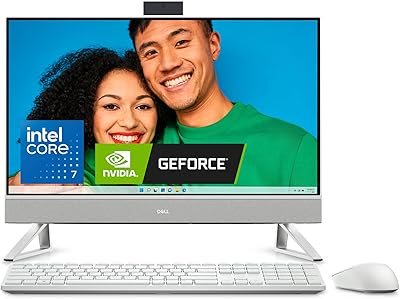
82%
88%
Processing Performance
72%
Display Quality
61%
Graphics Performance
91%
Memory & Storage
93%
Connectivity & Ports
More
Dell Inspiron 27 7730 AIO Core i7 32GB 1TB
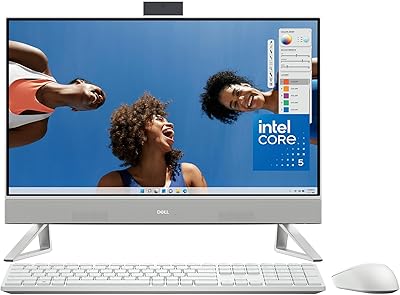
81%
94%
Multitasking Performance
88%
Display Quality
43%
Gaming Capabilities
92%
Aesthetic & Design
91%
Setup & Out-of-Box Experience
More
Dell Inspiron 24 5430 All-in-One (Core 5-120U, 8GB, 512GB)
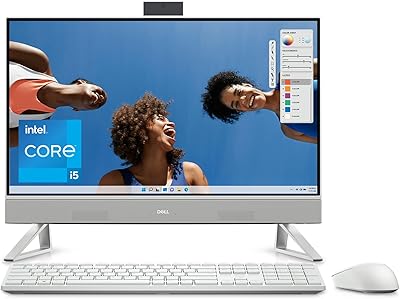
87%
93%
Aesthetic & Design
89%
Webcam Quality
94%
Setup Simplicity
87%
Display Comfort
78%
Productivity Performance
More
Dell Inspiron 24 5420 All-in-One (i5-1335U, 16GB, 1TB SSD)
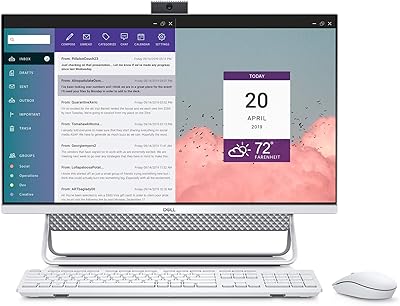
83%
93%
Aesthetic Design
88%
Multitasking Performance
84%
Display Quality
91%
Storage Speed
87%
Webcam & Privacy
More
Dell Inspiron 7700 AIO Desktop, 27-inch FHD Touchscreen, Intel Core i7-1165G7, 12GB RAM, 256GB SSD + 1TB HDD
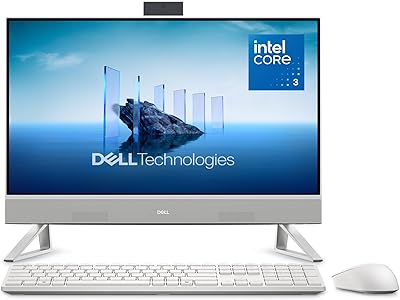
84%
88%
Performance
91%
Display Quality
85%
Design & Build Quality
94%
Ease of Setup
86%
Storage & Speed
More
Dell ec24250 23.8-inch All-in-One Desktop
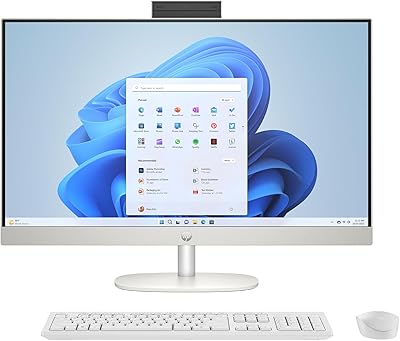
78%
88%
Display Quality
84%
Webcam Performance
73%
Everyday Performance
61%
Thermal Management & Fan Noise
79%
Audio Quality
More
HP 27-cr0060 27-Inch All-in-One Desktop
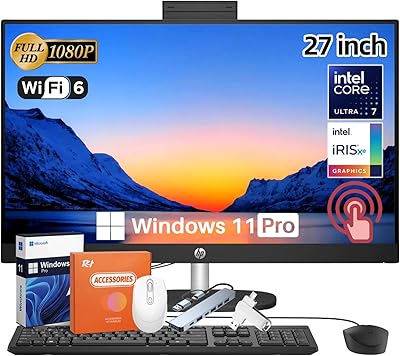
70%
78%
Everyday Performance
69%
Display Quality
83%
Build Quality & Design
81%
Video Conferencing
86%
Storage Speed
More
HP 27-inch All-in-One Desktop (Intel Ultra 7 155U, 64GB, 1TB)

86%
94%
Multitasking Performance
86%
Display Quality
89%
Video Conferencing
91%
Design & Space Efficiency
83%
Value for Money
More
Dell S2725QC 27-inch 4K USB-C Monitor
81%
93%
Image Clarity
88%
Color Accuracy
91%
USB-C Connectivity
86%
Refresh Rate & Smoothness
89%
Build Quality & Design
More

FAQ

For most everyday tasks — browsing, document editing, video calls, and streaming — the screen does the job well. The picture is bright and clear, and the touch functionality works reliably. That said, if you are used to a 1440p or 4K monitor, the 1080p resolution on a 27-inch panel will look noticeably softer, so it is worth setting your expectations accordingly before buying.

Absolutely, and it is actually one of the strongest use cases for this machine. The combination of a fast processor, 32GB of RAM, and a large touchscreen makes it a capable daily driver for remote work. Video calls, browser-heavy workflows, and office productivity tools all run comfortably without any sense of strain.

The two machines are priced similarly and target a similar audience, but they differ meaningfully in approach. The iMac offers a sharper Retina display and tighter hardware-software integration through macOS, while the Inspiron 7710 gives you more RAM at the base configuration, a dedicated GPU, Windows 11 Pro, and the flexibility of a touch display. If your workflow is Windows-native or you need that extra graphics bump, this Dell holds its own as a competitor.

Light gaming is realistic — the NVIDIA GeForce MX550 handles older titles and less demanding games at moderate settings without much trouble. However, if you are hoping to play modern AAA games at high frame rates, this is not the machine for that. The GPU is a capable entry-level card, not a gaming GPU, and the thermal constraints of an all-in-one chassis limit sustained performance under heavy graphical loads.

Very straightforward. Most buyers report being fully up and running within 15 to 20 minutes of unboxing. You plug in the power cable, connect your keyboard and mouse (wired or Bluetooth), and follow the standard Windows 11 setup wizard. There is no tower to position, no separate monitor to mount, and no cable routing to wrestle with.

The triangular stand is solid under normal conditions — typing and casual touch interaction do not cause problematic wobbling. The footprint is narrower than a traditional pedestal base, which works well on a clear desk but can feel less secure if your workspace surface is uneven or particularly cluttered around the edges. A few buyers mention this as a minor concern, but it is rarely reported as a dealbreaker.

They are serviceable for background music and casual video watching, but they do not live up to the TV-inspired audio marketing. The sound is adequately loud but thin at higher volumes, with limited bass. If audio quality matters to you — for music, movies, or regular video conferencing — a pair of external speakers or a Bluetooth speaker would be a worthwhile addition.

This is an important point to understand before buying: the Inspiron 7710 is not designed for easy user upgrades. All-in-one machines of this type generally have components that are either soldered or difficult to access without voiding the warranty. The good news is that 32GB of RAM and 1TB of SSD storage are genuinely generous starting points, so most users will not feel the need to upgrade for several years.

Under light to moderate workloads — which covers most everyday use — the Inspiron 7710 runs quietly. The fan is largely inaudible during web browsing, streaming, or office work. During heavier tasks like video rendering or sustained gaming sessions, the fan becomes audible, which is expected for a slim all-in-one chassis. It is not distractingly loud, but you will notice it in a quiet room.

Yes, Windows 11 is noticeably more touch-friendly than its predecessors, and the Inspiron 7710 takes reasonable advantage of that. Scrolling, tapping, and pinch-to-zoom all feel natural in supported apps. It is not a replacement for a tablet experience — you would not want to hold your arms up to a 27-inch screen for extended periods — but for occasional touch interactions, signing documents, or quick navigation, it works well and adds genuine utility.

Where to Buy