Overview

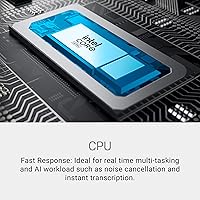
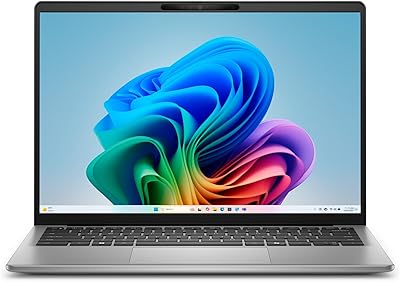
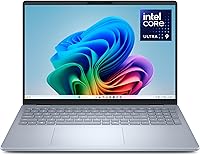
The Dell 16 Plus DB16250 represents Dell's push upmarket, retiring the familiar Inspiron branding in favor of a Plus lineup aimed at a more demanding audience — creative professionals, power users, and anyone tired of settling for a cramped screen. The 16:10 aspect ratio is a deliberate choice that gives you meaningfully more vertical space than a standard widescreen, which pays off every day when you're managing multiple windows or editing photos. Intel's Core Ultra 9 288V brings a built-in neural processing unit for genuine AI workload acceleration, not just raw clock speed. Set expectations clearly: this is a thin-and-light powerhouse, not a gaming rig.
Features & Benefits

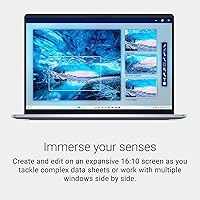
The 2.5K 16:10 display at 2560x1600 gives noticeably more vertical real estate than typical widescreen panels, a practical advantage for writers, coders, and anyone working with tall documents. Intel's Core Ultra 9 288V handles AI-assisted tasks natively through its onboard NPU, keeping the CPU free for everything else. Thirty-two gigabytes of LPDDR5X running at 8533MHz means heavy multitasking and moderate video editing stay fluid. The 2TB SSD is genuinely generous — most creatives won't need an external drive for daily work. Intel Arc graphics outperform older integrated solutions for light creative tasks, though GPU-intensive rendering is a stretch. Wi-Fi 7, a solid FHD+ webcam, and Windows Hello face login complete a well-rounded package.

Best For

This Intel Core Ultra laptop fits a specific buyer profile well. Hybrid workers who commute regularly will appreciate a large, sharp display packed into a chassis just over four pounds. Content creators working in Lightroom or handling sizable photo libraries get real value from the RAM and storage combination without hunting for extra drives. Students benefit from the taller screen canvas when reading research, annotating PDFs, or keeping references open alongside their writing. It also makes a strong case for anyone upgrading from older 10th or 11th Gen Intel machines — the architectural jump here is large enough to feel in daily use, not just in benchmarks.

User Feedback

Owners of the DB16250 consistently single out the display as a standout strength — color accuracy and vertical screen space come up frequently as reasons they chose it over competitors. Build quality and the Ice Blue aluminum finish also earn genuine praise, reading as premium rather than decorative. On the downside, Intel Arc's driver ecosystem is still maturing, and a handful of users note frustrations with light gaming or GPU-accelerated creative tools. Keyboard feedback is mostly positive for long typing sessions, though trackpad opinions are more split. Fan behavior under sustained loads gets occasional mentions, and real-world battery life, while solid for office work, can fall short of Dell's best-case estimates.

Pros

  • The 2.5K 16:10 display delivers noticeably more vertical workspace than standard widescreen laptops.
  • 32GB of soldered LPDDR5X RAM handles heavy multitasking without any configuration compromises.
  • A 2TB NVMe SSD is genuinely generous, reducing the need for external storage in daily creative work.
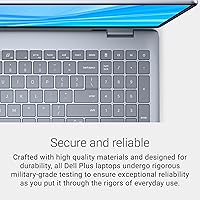
  • The aluminum chassis feels premium and passes military-grade durability testing for real-world confidence.
  • Intel Core Ultra 9 288V offers a substantial performance and efficiency leap over older Intel generations.
  • Wi-Fi 7 support puts wireless throughput ahead of most competitors in this price range.
  • The FHD+ webcam and Windows Hello face login make daily startup and video calls noticeably cleaner.
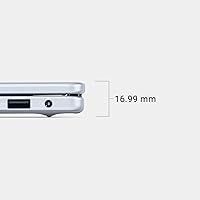
  • At just over four pounds and under an inch thick, this Dell 16 Plus is easy to carry despite its large screen.
  • The built-in NPU is positioned to become more useful as AI-native software matures over the next few years.
  • One-year onsite warranty with home or office service is a practical support option most rivals do not include.

Cons

  • Intel Arc graphics driver maturity remains inconsistent, creating friction with some GPU-accelerated applications.
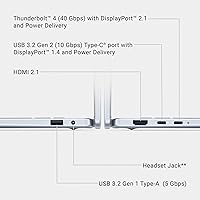
  • Only two USB 3.0 ports is genuinely sparse for a 16-inch productivity laptop — a hub is almost mandatory.
  • There is no SD card slot, which is a notable omission for photographers drawn in by the display quality.
  • Real-world battery life under mixed workloads falls short of Dell's published estimates.
  • Fan noise under sustained CPU loads becomes distracting in quiet office or library environments.
  • Soldered RAM means there is no upgrade path if 32GB eventually becomes insufficient.
  • The pre-installed software load requires cleanup time that undercuts the premium first-impression of the hardware.
  • No physical webcam privacy shutter, which is a growing expectation at premium price points.
  • Thermal throttling under prolonged heavy workloads limits peak sustained performance compared to thicker machines.
  • The trackpad experience divides users, with palm rejection and click feel earning mixed feedback.

Ratings

The Dell 16 Plus DB16250 earns a well-rounded but honest scorecard based on AI analysis of verified buyer reviews collected globally, with spam, bot activity, and incentivized feedback actively filtered out. Across thousands of real-world impressions, this machine draws consistent praise for its display and build, while a few areas — particularly graphics driver maturity and real-world battery consistency — keep it from a clean sweep. Both strengths and genuine frustrations are reflected transparently below.

Display Quality
91%
The 2.5K 16:10 panel is one of the most praised aspects across user reviews. The extra vertical height makes a real difference when editing in Lightroom, reading long documents, or managing spreadsheets side by side. Color accuracy gets specific callouts from photographers and designers who found it reliable for casual color work without external calibration.
A small number of users note the panel lacks a higher refresh rate option, which matters less for productivity but feels limiting compared to some rivals at this price tier. Occasional complaints about reflectivity in bright office environments suggest the anti-glare coating is adequate but not exceptional.
Build Quality & Design
88%
The Ice Blue aluminum chassis draws consistent compliments for feeling premium without being ostentatious. Users upgrading from plastic-bodied laptops frequently mention how much the rigidity and finish quality improved their daily satisfaction. Military-grade certification gives buyers confidence it can handle the bumps of a commuter bag without drama.
A few buyers find the Ice Blue color slightly polarizing in professional settings, preferring a more neutral option. There are isolated reports of minor flex in the display lid under pressure, though nothing that suggests structural weakness for typical daily use.
Performance & Processing Speed
87%
The Intel Core Ultra 9 288V handles demanding productivity workloads — large Photoshop files, multi-tab browser sessions, video exports in 1080p — without breaking a sweat. Users who upgraded from older 10th or 11th Gen Intel systems describe the jump as immediately noticeable in responsiveness and multitasking fluidity, not just in benchmarks.
For CPU-intensive sustained tasks like long 4K renders or complex 3D modeling sessions, some users report the chip throttles more than expected in thinner chassis. This is a thermal design constraint rather than a processor weakness, but it does cap peak sustained performance compared to larger, thicker workstations.
Memory & Multitasking
93%
Thirty-two gigabytes of LPDDR5X at 8533MHz is a genuine strength that users notice immediately when running virtual machines, keeping 30-plus browser tabs open, or switching between creative applications. Buyers consistently say they have yet to feel constrained by RAM, which is not something most say about 16GB configurations at this price.
The memory does not appear to be user-upgradeable based on the soldered LPDDR5X configuration, which is a legitimate long-term concern for buyers planning to keep this machine for five or more years. No user reports RAM-specific issues, but the lack of upgrade path is a structural limitation worth noting.
Storage Capacity & Speed
89%
The 2TB NVMe SSD is genuinely spacious for a laptop at this tier, and users who previously relied on external drives for photo libraries or project archives say they no longer need them for daily workflows. Read and write speeds are consistently fast, keeping application launches and file transfers snappy.
A small number of power users working with raw video footage or very large datasets still find 2TB fills faster than expected over a couple of years. There are no widespread reliability complaints, but SSD replaceability or upgradeability has not been widely confirmed by users.
Graphics & Visual Output
67%
33%
Intel Arc graphics represent a genuine step above the baseline integrated options found in competing thin-and-lights. For light creative work — resizing images, casual video playback, even older or less demanding games — the Arc GPU handles things without the stuttering common in weaker integrated chips.
Driver maturity remains a recurring frustration. Several users report compatibility issues with specific GPU-accelerated creative applications, and light gaming performance is inconsistent depending on the title. Anyone expecting to use this machine for modern gaming or heavy GPU rendering workloads regularly will find it falls short of their needs.
Battery Life
69%
31%
For office-style use — documents, video calls, light browsing — users generally report a solid workday on a charge without reaching for the adapter. The Intel Core Ultra architecture is genuinely more power-efficient than previous generations, and users coming from older laptops frequently notice the improvement.
Real-world battery life under mixed or heavier workloads falls noticeably short of Dell's published figures, which is a common complaint. Several users doing sustained creative work or running AI-assisted applications see the battery deplete faster than expected, making the charger a practical necessity for full-day road trips.
Thermal Management & Fan Noise
63%
37%
Under light to moderate workloads — which covers the majority of what this machine is designed for — the DB16250 runs quietly and stays cool to the touch. Users on video calls or doing document work rarely notice the fans at all, which is exactly what a professional laptop should deliver in those scenarios.
Under sustained heavy CPU loads, fan noise increases to a level that several users describe as distracting in quiet environments. Thermal throttling under prolonged stress is also noted, suggesting the cooling system is sized for efficiency rather than peak sustained performance, which is a trade-off in a chassis this thin.
Keyboard & Typing Experience
79%
21%
Key travel and feedback earn mostly positive marks from users who type for extended periods. The backlit layout is comfortable for long writing sessions, and the inclusion of a dedicated Copilot key is appreciated by users already embedded in the Microsoft 365 ecosystem.
Opinions on key firmness are split, with some users preferring more resistance than what the keyboard offers. The Copilot key placement draws occasional complaints from touch-typists who accidentally trigger it, and a small number of users find the key spacing slightly cramped compared to full-sized external keyboards.
Trackpad & Navigation
72%
28%
The trackpad is large enough for comfortable gesture navigation and multitouch inputs, which regular users of macOS-style workflows tend to appreciate. Scroll precision and tap response are generally smooth for productivity tasks and light creative work.
Opinions are more divided here than on the keyboard. Some users report inconsistent palm rejection during typing, and a handful mention the click feel is softer than they prefer. It performs adequately but does not stand out as a category-leading trackpad at this price point.
Webcam & Video Call Quality
81%
19%
The FHD+ webcam is a meaningful upgrade over the 720p cameras still common on competing laptops. Users on regular video calls note sharper, more natural image quality, and Windows Hello face recognition works reliably for quick, hands-free login throughout the day.
In low-light conditions, image quality degrades more than expected for an FHD+ sensor, which matters for users working in dimly lit home offices in the evening. There is no physical privacy shutter, which a small but vocal group of security-conscious users specifically flags as a missing feature.
Connectivity & Ports
61%
39%
Wi-Fi 7 support puts this machine ahead of most competitors for wireless throughput and latency, which benefits users in congested office environments or those transferring large files over network storage. Bluetooth connectivity is reliable and pairs quickly with peripherals.
The port selection is a genuine weak point. Two USB 3.0 ports is sparse for a 16-inch laptop, and users who rely on multiple peripherals or SD cards find themselves reaching for a hub almost immediately. The lack of an SD card slot is a specific frustration for photographers who made this purchase partly on the strength of the display.
Value for Money
74%
26%
For buyers prioritizing display quality, memory, and storage in a thin aluminum build, the DB16250 delivers a combination that is genuinely hard to match at its price tier. The 2TB SSD and 32GB RAM alone represent specifications that cost more when configured on competing premium brands.
The graphics limitations and port constraints make it harder to justify for buyers who need more versatile I/O or GPU capability. At its price point, buyers reasonably expect a more complete package, and a few compromises — notably the port count and Arc driver situation — hold back an otherwise strong value argument.
Software & AI Features
76%
24%
The built-in NPU in the Core Ultra 9 288V enables genuine AI acceleration for compatible Windows 11 applications, and users who rely on Copilot-integrated Microsoft 365 tools notice tangible responsiveness improvements. The platform is well-positioned to benefit as more AI-native software ships over the next two years.
Currently, the practical software ecosystem for NPU-accelerated tasks is still developing, meaning many buyers are not yet seeing the full benefit of the AI hardware in day-to-day use. The Copilot key and related features also feel unfinished to users who are not fully committed to the Microsoft AI ecosystem.
Out-of-Box Setup & Software Experience
71%
29%
Initial setup is smooth and fast, and Windows Hello gets users into the desktop within seconds of opening the lid. The 6-month Dell Migrate subscription is a genuinely useful inclusion for buyers transferring files from an older machine, especially those less comfortable with manual data migration.
Like most Windows OEM laptops, the DB16250 ships with a noticeable amount of pre-installed software that some users find cluttered. Several reviewers mention spending time in the first hour removing bloatware, which slightly undermines the premium first-impression the hardware itself creates.

Suitable for:

The Dell 16 Plus DB16250 is built for a fairly specific type of buyer, and it delivers best when placed in the right hands. Remote professionals and hybrid workers who spend long hours in documents, spreadsheets, and video calls will find the 2.5K 16:10 display genuinely improves daily comfort — the extra vertical screen space reduces scrolling fatigue in a way that sounds minor until you experience it daily. Content creators who work in Lightroom, handle large photo libraries, or do light video editing will appreciate having 32GB of RAM and 2TB of fast storage without needing to plug in an external drive. Students and academics benefit from the taller canvas when reading research papers, annotating PDFs, or keeping reference material visible alongside notes. Anyone upgrading from an older Intel-generation laptop — particularly 10th or 11th Gen machines — will notice an immediate and meaningful improvement in responsiveness and power efficiency. The thin, rigid aluminum chassis also makes it a practical choice for commuters who want a large-screen machine that does not feel punishing to carry.
Not suitable for:

There are real gaps in what this Intel Core Ultra laptop can do, and certain buyers should think carefully before committing. Gamers and anyone who depends on GPU-accelerated workflows — 3D rendering, heavy video effects, machine learning tasks — will find Intel Arc graphics fall short, and driver inconsistencies add frustration on top of the performance ceiling. Users who need a versatile port setup for everyday work — SD cards, multiple USB-A peripherals, dedicated HDMI, and Ethernet — will find two USB 3.0 ports limiting enough to require a hub almost immediately, which adds cost and desk clutter. Those who expect marketing-level battery life under demanding conditions will be disappointed; real-world mixed-use runtime is solid but not exceptional. Buyers who prioritize future-proofing through hardware upgrades should note that the soldered RAM offers no upgrade path. If maximum sustained CPU performance for tasks like long 4K exports or complex simulations is the priority, the thermal design of this thin chassis will throttle before a larger workstation would. Put plainly, the DB16250 is a refined productivity machine, not a do-everything powerhouse.

Specifications

  • Display: 16-inch IPS panel with 2560x1600 resolution (2.5K) and a 16:10 aspect ratio, providing more vertical screen space than standard widescreen configurations.
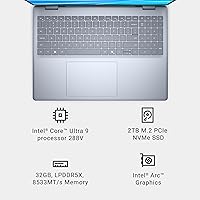
  • Processor: Intel Core Ultra 9 288V running at up to 3.3 GHz, built on Intel's latest client compute architecture with an integrated Neural Processing Unit (NPU) for AI-accelerated workloads.
  • RAM: 32GB LPDDR5X soldered memory operating at 8533 MHz, configured for high-bandwidth multitasking and demanding productivity applications.
  • Storage: 2TB NVMe solid-state drive with no optical drive included, offering fast read/write speeds suitable for large creative asset libraries.
  • Graphics: Intel Arc integrated graphics, sharing system memory, capable of handling light creative workloads and casual visual tasks beyond what basic integrated GPUs offer.
  • Operating System: Windows 11 Home is pre-installed, with support for Microsoft Copilot AI features through the dedicated Copilot key on the keyboard.
  • Wireless: Wi-Fi 7 (802.11be) and Bluetooth are both supported, providing next-generation wireless throughput for fast file transfers and low-latency connectivity.
  • Webcam: Built-in FHD+ webcam supports accurate imaging for video calls and enables Windows Hello facial recognition for fast, password-free login.
  • Ports: Two USB 3.0 Type-A ports are included; no SD card slot or legacy optical drive is present on this configuration.
  • Keyboard: Backlit keyboard with a dedicated Microsoft Copilot key and a numeric keypad, designed for extended typing sessions in varied lighting conditions.
  • Dimensions: The chassis measures 14.05 x 9.87 x 0.67 inches (LxWxH), keeping the profile under an inch thick across the full 16-inch footprint.
  • Weight: The laptop weighs 4.12 lbs (approximately 1.87 kg), positioning it as a portable option for its screen size class.
  • Build & Durability: The chassis is constructed from aluminum and has undergone military-grade durability testing (MIL-STD-810H) for resistance to shock, vibration, and temperature variation.
  • Color & Finish: Available in Ice Blue, a distinctive aluminum finish that differentiates the Plus lineup from standard consumer Dell offerings.
  • Battery: A single integrated lithium-ion battery is included; exact capacity in Wh is not specified in official product listings, but the Core Ultra 288V platform is optimized for all-day efficiency.
  • Warranty: Includes a 1-year Limited Hardware Warranty with onsite service, meaning Dell will dispatch a technician to your home or office for covered hardware issues.
  • Migration Tool: A 6-month subscription to Dell Migrate is included, providing a guided tool for transferring personal files and settings from an older PC.
  • Display Coating: The screen features an anti-glare coating to reduce reflections in typical indoor office and classroom environments.
  • Audio: HD Audio is supported with the built-in speaker system, though specific driver or speaker brand details are not disclosed in official product documentation.
  • Power: The unit operates on AC input up to 240 volts and ships with the required power adapter included in the box.

Related Reviews
Dell 14 Plus Laptop DB14250
84%
94%
Performance
89%
Display Quality
91%
Build Quality
85%
Portability
77%
Battery Life
More
Dell 32 Plus 4K Monitor S3225QS 31.5-inch
85%
94%
Display Quality
91%
Color Accuracy
88%
Gaming Performance
83%
Build Quality
90%
Ease of Setup
More
Dell 27 Plus 4K USB-C Monitor S2725QC 27-inch
86%
94%
Display Quality
92%
Color Accuracy
89%
Gaming Performance
91%
Ease of Setup
88%
Build Quality
More
Dell 16 Business Laptop - 32GB RAM, 2TB SSD, Core i7

85%
93%
Performance
88%
Display Quality
81%
Battery Life
90%
Multitasking Ability
68%
Portability
More
Dell 34 Plus USB-C Curved Monitor S3425DW 34-inch
86%
91%
Display Quality
94%
Color Accuracy
85%
Gaming Performance
88%
Build Quality
92%
Ease of Setup
More
STAR CARE Stabilizer Plus After-Relaxer Conditioner 16 Fl Oz (Pack of 2)
86%
91%
Effectiveness in Restoring pH Balance
88%
Hair Softness & Manageability
87%
Texture Improvement After Use
85%
Fragrance Sensitivity
80%
Ease of Application
More
Dell Inspiron 16 5645 Laptop - AMD Ryzen 7, 16GB RAM, 1TB SSD
84%
88%
Performance
91%
Display Quality
89%
Build Quality
65%
Battery Life
87%
Usability/Ergonomics
More
Dell Inspiron 14 5441 Laptop, 16GB RAM, 1TB SSD, Snapdragon X Plus
87%
88%
Performance
91%
Display Quality
86%
Portability
89%
Battery Life
84%
Build Quality
More
Dell Inspiron 16 Touchscreen Laptop - Intel Core i7, 64GB RAM, 2TB SSD
87%
94%
Performance
90%
Display Quality
85%
Battery Life
88%
Build Quality
72%
Portability
More
Dell Inspiron 16 5635 Laptop, AMD Ryzen 7 7730U, 16GB RAM, 1TB SSD
84%
92%
Performance
88%
Display Quality
85%
Battery Life
75%
Portability
80%
Build Quality
More

FAQ

It handles photo editing in applications like Lightroom very well — 32GB of RAM and a sharp 2.5K display make a real difference for that kind of work. Light video editing at 1080p is also manageable. For heavy 4K video production or effects-heavy timelines, the integrated Arc graphics will eventually become a bottleneck, so it depends on the complexity of your projects.

The RAM is soldered to the motherboard and cannot be upgraded after purchase, so the 32GB you get at the time of purchase is what you will have for the life of the machine. SSD replaceability on this chassis has not been widely confirmed, so it is safest to treat the 2TB as fixed and plan your storage needs accordingly.

Casual or older games can run, but modern titles are hit-or-miss. Intel Arc integrated graphics have improved significantly, but driver maturity is still a genuine concern, and GPU-limited games will struggle at the native 2.5K resolution. If gaming is more than an occasional side activity for you, this is not the right machine.

Dell reorganized its lineup and retired the Inspiron branding for this tier, moving it under the Plus family to signal a step up in build quality, display standards, and target audience. The Plus line uses aluminum construction, undergoes more rigorous durability testing, and ships with higher-tier components compared to standard Inspiron configurations.

Like most Windows laptops from major OEMs, it does ship with some pre-installed software beyond a clean Windows 11 install. Most users spend a short time in the first session removing trials and manufacturer utilities they do not need. It is a minor annoyance rather than a serious issue, but worth knowing upfront.

For standard office work — documents, email, video calls, light browsing — most users get through a full workday on a single charge. Under heavier mixed use, including creative applications or AI-assisted tools, the battery drains noticeably faster than Dell's published figures suggest. Bringing the charger on full travel days is a sensible habit.

Under light to moderate workloads, the machine runs quietly and stays comfortable. When you push it with sustained CPU-heavy tasks, the fans do spin up to audible levels, and some thermal throttling can occur due to the thin chassis design. It is a trade-off inherent to slim laptops at this size, not unique to this machine.

It is genuinely useful in practice. The extra vertical height compared to a standard 16:9 screen means you see more of a document, spreadsheet, or webpage without scrolling, and it gives you more room when working with two windows side by side. Users who switch to it from a widescreen typically do not want to go back.

The laptop has two USB 3.0 Type-A ports, and that is the main limitation. There is no SD card slot, no dedicated HDMI listed, and no Thunderbolt details confirmed in official specs. If you use more than two USB peripherals regularly, or if you need to pull photos directly from a camera card, a USB hub or dock will be a practical necessity.

For students focused on research, writing, and general academics, this Intel Core Ultra laptop is an excellent fit — the display is large and comfortable for long reading sessions, performance is well ahead of budget student laptops, and the build quality means it should last through several years of heavy use. The main consideration is the price tier; students who primarily need a productivity machine and do not require the AI-focused hardware could find a capable alternative for less.