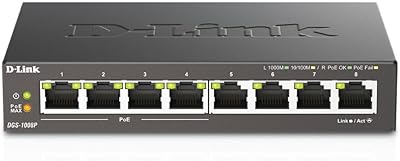
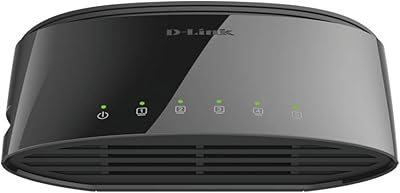
Overview

The D-Link DGS-1100-08V2 8-Port Gigabit Smart Switch is the updated V2 revision of D-Link’s entry-level managed switch line, and it makes a solid case for small businesses or home lab builders who want real traffic control without spending serious money. The changes from the original are largely under the hood — refined firmware and improved browser compatibility. Unlike a basic unmanaged switch, this D-Link smart switch gives you a web-based management interface for configuring VLANs, monitoring ports, and setting QoS policies — all things that matter once your network grows beyond a handful of devices. Going in with realistic expectations helps: this is a capable budget managed switch, not enterprise-grade hardware.
Features & Benefits

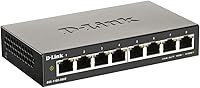
All eight ports on the DGS-1100-08V2 run at full gigabit speeds — no bottlenecks from a mix of fast and slow ports. The fanless metal chassis is one of the more practical design choices here; there are no moving parts to fail, and the switch runs completely silently, which matters in tight spaces or shared work areas. On the management side, you get 802.1Q VLAN support, QoS prioritization, IGMP Snooping for multicast traffic, Storm Control, and per-port bandwidth controls, all configurable through a browser-based GUI with no extra software required. The switch also complies with IEEE 802.3az, cutting power on idle links. Both wall-mount and desktop placement are supported depending on your setup.

Best For

This managed gigabit switch is a particularly good fit for small office networks where someone needs to segment traffic into VLANs without buying enterprise gear. Home lab users who want hands-on experience with spanning tree, IGMP, or QoS configurations will find it approachable without a steep learning curve. Because it runs completely silent, it works well tucked into a bedroom rack, a media cabinet, or any space where fan noise would be noticeable. Budget-conscious IT admins making the jump from an unmanaged to managed infrastructure will appreciate the middle ground it occupies. It also suits streaming setups where IGMP Snooping reduces unwanted multicast traffic on ports that don’t need it.

User Feedback

Across over 450 ratings, this D-Link smart switch holds a 4.3-star average, and the overall sentiment is genuinely positive with a few honest caveats. Most buyers highlight painless initial setup and reliable day-to-day performance as standout qualities. The metal build quality also earns consistent praise — people are pleasantly surprised by how solid the chassis feels at this price tier. The main friction point is the web interface, which reviewers frequently describe as functional but visually dated, and a few have run into inconsistencies when using it outside of Chrome. There is a moderate learning curve if you have never touched a managed switch before. Long-term owners report solid reliability, and the lifetime warranty has clearly given buyers real reassurance.

Pros

  • All eight ports run at full gigabit speed, so no port is a second-class citizen on your network.
  • The fanless metal chassis runs completely silently and should hold up well over years of continuous use.
  • VLAN, QoS, IGMP Snooping, and Storm Control are all included at a price point where most switches offer none of them.
  • Web-based management works without installing any proprietary software on your machine.
  • The compact footprint fits easily on a desk, shelf, or wall without dominating the space.
  • IEEE 802.3az compliance means the switch actively reduces power draw on inactive links, keeping energy costs low.
  • Setup is straightforward enough that non-specialists can get VLANs running in a reasonable amount of time.
  • The metal build quality genuinely surprises buyers who expect plasticky construction at this price.
  • A lifetime warranty provides meaningful long-term reassurance for a device that tends to run 24 hours a day.
  • Both desktop and wall-mount options are supported out of the box, including the necessary hardware in the box.

Cons

  • No PoE support means you cannot power access points, cameras, or VoIP phones directly from this switch.
  • The web interface looks dated and has known compatibility inconsistencies with browsers other than Chrome.
  • Eight ports is a hard ceiling — there is no expansion path if your device count grows beyond that.
  • Advanced users accustomed to CLI management will find the GUI limiting for complex or scripted configurations.
  • No console port or out-of-band management option makes recovery from a misconfiguration more cumbersome.
  • Layer 3 routing is not supported, so inter-VLAN routing requires an external router.
  • The management interface lacks modern usability refinements like bulk port configuration or a dashboard overview.
  • No SFP uplink port means you cannot connect fiber or aggregate uplinks to a core switch.

Ratings

The scores below reflect AI-assisted analysis of verified buyer reviews for the D-Link DGS-1100-08V2 8-Port Gigabit Smart Switch, drawn from thousands of real-world user experiences globally, with spam, bot-submitted, and incentivized feedback actively filtered out. Each category is scored independently to give you an honest picture of where this managed gigabit switch genuinely excels and where it falls short. Both the recurring praise and the persistent frustrations are represented transparently so you can make a clear-headed buying decision.

Value for Money
91%
Buyers consistently cite this as one of the best-value managed switches available, pointing out that VLAN support, QoS, and IGMP Snooping at this price point would have cost significantly more just a few years ago. For a small office or home lab on a real budget, the feature-to-cost ratio is hard to argue with.
A handful of buyers feel the value equation shifts if you factor in the time spent working around browser compatibility issues in the web interface. If your time has a real cost, those occasional management frustrations slightly erode the overall savings.
Build Quality
88%
The all-metal chassis consistently surprises buyers who expect flimsy plastic construction at this price tier. Several long-term owners specifically mention that the switch still looks and feels solid after years of continuous 24-hour operation, which speaks well to the quality of the enclosure.
While the chassis itself is well-regarded, a few users note that the port labeling can wear over time, and the overall aesthetic is utilitarian rather than refined. It is built to last functionally, not to impress visually.
Setup & Installation
84%
Most buyers, including first-time managed switch users, report getting the basic configuration running within an hour. The inclusion of wall-mount hardware and rubber feet in the box means the physical installation is also genuinely plug-and-play, with no extra trips to a hardware store.
Users with zero managed networking experience occasionally hit a wall when configuring VLANs for the first time, as the web interface does not guide you through the process step by step. A proper quick-start guide specifically for common use cases would meaningfully reduce that friction.
Network Performance
93%
Full gigabit throughput on every port is the standout practical strength here. Buyers running NAS drives, video editing workstations, and media servers report clean, consistent transfer speeds with no noticeable packet loss or port-related bottlenecks under sustained load.
Performance complaints are rare, but a small number of users in larger, more complex network environments note that the switching capacity can show its limits when many ports are simultaneously saturated. This is expected at the product’s tier, not a defect.
Management Interface
62%
38%
The web GUI does cover all the features you would realistically use on a switch at this level, including VLAN configuration, port mirroring, and QoS settings. Users who stick to Chrome and treat it as a functional tool rather than a polished dashboard generally report getting the job done without major issues.
The interface is widely described as dated, and compatibility outside Chrome is unreliable enough that multiple users have flagged it as a genuine daily annoyance. There is no mobile-friendly view, no real-time traffic dashboard, and bulk configuration options are notably absent.
Silent Operation
97%
The fanless design delivers on its promise completely. Buyers who specifically sought a quiet switch for bedrooms, home offices, and AV cabinets report that the unit produces zero audible noise under all workloads, which is exactly what you want from a device running constantly in a living space.
The passive cooling design means the chassis does get warm to the touch under sustained load. This is entirely normal and safe, but buyers who are not expecting it occasionally mistake warmth for a malfunction, which has generated a small number of unnecessary support contacts.
VLAN & Traffic Management
83%
The 802.1Q VLAN implementation works reliably for typical small office segmentation tasks — separating guest Wi-Fi, IoT devices, and primary workstations is achievable without needing advanced networking knowledge. IGMP Snooping has been specifically praised by users with media streaming setups for visibly reducing unwanted multicast chatter.
The maximum of 32 active VLANs is sufficient for most buyers but can feel restrictive for more ambitious home lab projects. There is also no inter-VLAN routing capability, meaning a separate router is required to handle traffic between segments, which adds complexity.
Energy Efficiency
81%
19%
IEEE 802.3az compliance genuinely reduces power draw when ports are idle or link speed drops, which matters for a device that runs continuously. Several cost-conscious buyers have noted the switch runs measurably cooler and draws less power than older non-EEE switches it replaced.
The real-world energy savings are modest and most buyers will not notice them on their electricity bill directly. This is more of a background benefit than a headline feature, and buyers should not buy the switch primarily for power savings.
Port Density
74%
26%
Eight gigabit ports is a practical count for small office and home lab deployments where a single switch serves a handful of wired devices. For buyers replacing a four- or five-port consumer router, the step up in port availability is immediately appreciated.
Eight ports is a hard ceiling with no expansion path, and buyers whose device count is already at six or seven will likely outgrow it faster than expected. Several reviewers have mentioned needing to daisy-chain a second switch within a year, which undercuts the long-term value.
Mounting Flexibility
79%
21%
The fact that wall-mount hardware ships in the box, rather than being sold separately, is a practical touch that buyers genuinely appreciate. IT admins doing installs in small server rooms or under desks find it easy to get the unit out of the way cleanly without extra hardware costs.
The wall-mount design relies on standard drywall anchors, which is fine for most installations but not suitable for concrete or cinderblock walls without additional hardware. The mounting footprint is also quite specific, so repositioning later requires re-drilling.
Long-term Reliability
86%
Across the reviewer base, long-term ownership reports are notably positive, with several buyers mentioning multiple years of trouble-free continuous operation. The limited lifetime warranty provides meaningful reassurance, and D-Link’s support track record for this product line is generally regarded as responsive.
A small but statistically consistent minority of users have reported units failing within the first eighteen months, typically citing power-related issues. While this is not a dominant pattern, it is worth noting that the lifetime warranty process does involve some back-and-forth to initiate a replacement.
Compatibility
78%
22%
The switch plays well with the majority of consumer and prosumer networking gear, supporting standard spanning tree protocols and working without issues alongside routers from Asus, Ubiquiti, pfSense, and similar platforms. Most buyers report zero interoperability problems in mixed-vendor environments.
The web management interface’s browser compatibility issues are the primary friction point here. Users managing the switch from Linux systems or non-Chromium browsers report inconsistent behavior when saving configurations, which can be frustrating in a professional or multi-admin environment.
Firmware & Updates
61%
39%
The V2 revision shipped with noticeably improved firmware stability compared to its predecessor, and buyers upgrading from the original model specifically mention fewer interface crashes and better session persistence. D-Link does maintain firmware updates for this product line.
The update process requires manual firmware downloads from D-Link’s support site and a manual upload through the GUI, which is cumbersome compared to switches that support one-click or automated updates. Firmware release cadence is also slow, with long gaps between published updates.
Documentation & Support
67%
33%
The quick installation guide that ships with the unit is clear enough for basic physical setup. D-Link’s online knowledge base covers the most common configuration scenarios, and the broader networking community has produced a solid body of tutorials specifically for this switch model.
The official documentation does not go deep on edge cases, and buyers trying to configure more advanced features like port mirroring or bandwidth control profiles often find themselves relying on third-party forum posts rather than official resources. Phone support wait times have been reported as long by some buyers.

Suitable for:

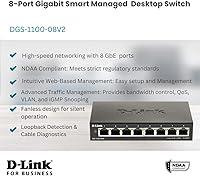
The D-Link DGS-1100-08V2 8-Port Gigabit Smart Switch is a strong fit for anyone who has outgrown a basic unmanaged switch but does not need — or want to pay for — enterprise-grade hardware. Small office and home office setups benefit most, particularly where traffic segmentation through VLANs is needed to separate, say, guest devices from work machines or IP cameras from the main LAN. Home lab enthusiasts will appreciate the access to real managed features like Spanning Tree, QoS, and IGMP Snooping, all without needing a CLI or dedicated management software. The fanless design also makes it genuinely practical for noise-sensitive environments: a bedroom media server rack, a living room AV cabinet, or a quiet shared workspace where a spinning fan would be an annoyance. IT admins managing a small site on a tight budget will find it a reliable, low-maintenance workhorse backed by a lifetime warranty that removes some of the usual risk from buying at this price tier.
Not suitable for:

The D-Link DGS-1100-08V2 8-Port Gigabit Smart Switch is not the right tool for buyers who need PoE ports to power access points, IP cameras, or VoIP phones — this model carries no PoE capability at all, so that use case requires a different switch entirely. Organizations that need advanced Layer 3 routing, dynamic routing protocols, or robust CLI-based management will quickly feel the ceiling here; the web GUI covers the basics competently but is not built for complex enterprise configurations. Teams standardizing on a specific browser stack should also check compatibility first, as the management interface has documented quirks outside of Chrome. If your network is already pushing beyond eight devices and you anticipate growth, buying an eight-port switch now could mean replacing it sooner than expected. Finally, buyers who prioritize a modern, polished management experience should temper expectations — the interface is functional and gets the job done, but it has not aged as gracefully as the hardware itself.
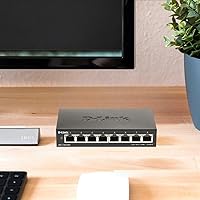
Specifications

  • Port Count: The switch provides 8 x 10/100/1000BASE-T RJ45 ports, each capable of full gigabit throughput.
  • Data Rate: Every port supports a maximum data transfer rate of 1000 Mbps under standard network conditions.
  • Form Factor: The unit is designed as a compact desktop switch, measuring 5.75″ long by 3.25″ wide by 1.1″ tall.
  • Weight: The switch weighs 11.2 ounces, making it light enough to mount on a wall without heavy-duty fixings.
  • Chassis Material: The outer enclosure is constructed from metal, providing passive heat dissipation and a more durable build than typical plastic-bodied switches at this tier.
  • Cooling System: The switch uses entirely passive, fanless cooling with no moving parts, resulting in completely silent operation.
  • Mounting Options: Supports both flat desktop placement and wall mounting; two drywall anchors and screws are included in the box.
  • VLAN Support: 802.1Q VLAN tagging is supported, allowing network administrators to segment traffic across logical groups.
  • QoS: Quality of Service prioritization is built in, enabling administrators to manage bandwidth allocation across different traffic types.
  • IGMP Snooping: IGMP Snooping is supported, which allows the switch to intelligently forward multicast traffic only to ports that have requested it.
  • Storm Control: Storm Control is included to protect the network from broadcast, multicast, and unknown unicast traffic surges.
  • Spanning Tree: The switch supports IEEE 802.1D, 802.1w (Rapid STP), and 802.1s (Multiple STP) spanning tree protocols to prevent network loops.
  • Energy Standard: Complies with IEEE 802.3az Energy Efficient Ethernet, reducing power consumption on ports with low or no traffic activity.
  • Management: A browser-based web GUI provides full switch configuration locally or remotely, with no proprietary desktop software required.
  • Interface Type: All ports use the RJ45 standard connector format, compatible with standard Cat5e, Cat6, and Cat6a Ethernet cabling.
  • Power Input: The switch operates at up to 240V AC and ships with a dedicated power adapter included in the box.
  • Model Revision: This is the V2 revision of the DGS-1100-08 line, incorporating firmware refinements and improved browser compatibility over the original.
  • Warranty: D-Link backs this switch with a Limited Lifetime Warranty, covering manufacturing defects for the life of the product under normal use.
  • Manufacturer: Designed and supported by D-Link Systems Inc., a networking hardware brand with products distributed globally.
  • In the Box: Package includes the switch unit, a quick installation guide, a power adapter, two drywall anchors with screws, and four rubber feet.

Related Reviews
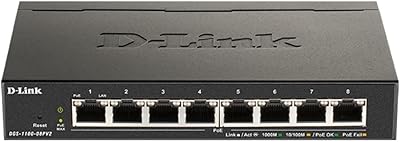
D-Link DGS-1100-08PV2 PoE+ Switch
81%
72%
PoE Power Delivery
86%
Ease of Setup
67%
Management Interface
83%
Build Quality
97%
Noise Level
More
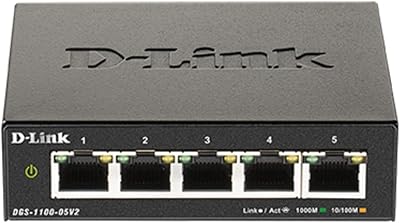
D-Link DGS-1100-05V2 5-Port Gigabit Smart Managed Switch
85%
91%
Value for Money
92%
Ease of Setup
88%
Performance & Reliability
89%
Energy Efficiency
93%
Quiet Operation
More
D-Link DGS-1100-16V2 16-Port Gigabit Ethernet Switch
80%
83%
Ease of Setup
67%
VLAN Configuration
84%
Build Quality
91%
Fanless Performance
76%
QoS Effectiveness
More
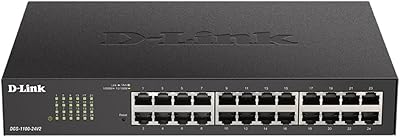
D-Link DGS-1100-24V2 24-Port Gigabit Smart Managed Switch
86%
88%
Performance
90%
Reliability
92%
Ease of Setup
89%
Energy Efficiency
91%
Quiet Operation
More
D-Link DGS-1008P 8-Port Gigabit PoE Switch
83%
96%
Ease of Setup
83%
PoE Reliability
88%
Build Quality
97%
Noise Level
67%
Thermal Management
More
D-Link DGS-108 8-Port Gigabit Ethernet Switch
86%
93%
Build Quality
96%
Noise Level
97%
Ease of Setup
91%
Network Performance
82%
Port Count & Flexibility
More
D-Link DGS-1100-05PDV2 5-Port Gigabit PoE Managed Switch
82%
92%
Value for Money
88%
Ease of Setup
90%
Quiet Operation
85%
PoE Functionality
87%
Energy Efficiency
More
D-Link DGS-1210-10 10-Port Gigabit Smart Managed Switch
88%
88%
Performance & Speed
91%
Build Quality
85%
Ease of Setup
94%
Fanless Design (Noise Level)
90%
Security Features
More
D-Link DGS-1005G 5-Port Gigabit Ethernet Switch
77%
94%
Ease of Setup
58%
Reliability & Longevity
87%
Network Performance
97%
Noise Level
76%
Value for Money
More
D-Link DGS-1016S 16-Port Gigabit Ethernet Switch
82%
88%
Build Quality
96%
Ease of Setup
91%
Port Count & Connectivity
97%
Noise Level
89%
Network Performance & Throughput
More

FAQ

No, everything is handled through a standard web browser. You just type the switch’s IP address into your browser’s address bar and log in through the built-in GUI. Chrome tends to work most reliably, though the interface does function in other browsers for basic tasks.

No, the DGS-1100-08V2 does not include PoE on any port. If you need to power access points, VoIP phones, or cameras directly from the switch, you would need to look at D-Link’s PoE-capable models in the same series, such as the DGS-1100-08PV2.

It is genuinely silent. There is no fan at all — the switch uses the metal chassis itself to dissipate heat passively. You could place it in a bedroom or a media cabinet and never know it was running based on sound alone.

It’s more involved than plugging in an unmanaged switch, but it’s not intimidating. The web interface walks you through configuration in a fairly logical way, and for basic tasks like setting up VLANs or enabling QoS, most users get up and running within an hour. There are plenty of community guides and D-Link documentation available if you get stuck.

The V2 revision brings firmware improvements and better compatibility with modern browsers, which was a known friction point with the original model. The physical hardware is nearly identical, but the management experience is noticeably smoother on the V2.

Yes, remote management is supported through the web GUI, but you would need to configure appropriate network access, such as a VPN or port forwarding on your router. For security reasons, it’s strongly advisable to use a VPN rather than exposing the management interface directly to the internet.

Most users are genuinely surprised by how solid it feels. The metal enclosure is a meaningful step above the plastic-bodied switches common at this price level, and it doubles as a passive heat sink, so it serves a functional purpose beyond just aesthetics.

Yes, all eight ports use standard RJ45 connectors and are fully compatible with Cat5e, Cat6, and Cat6a cabling. You do not need to replace any existing cabling to use it at gigabit speeds, provided your cables and connected devices also support gigabit.

The DGS-1100-08V2 supports up to 32 active 802.1Q VLANs simultaneously, which is more than enough for small office or home lab use cases. VLAN IDs can be assigned in the range of 1 to 4094.

D-Link’s Limited Lifetime Warranty covers defects in materials and workmanship under normal operating conditions for the life of the product. It does not cover physical damage, misuse, or failures caused by power surges. For a device that typically runs around the clock, having that coverage in place is a legitimate comfort factor when evaluating the long-term value.

Where to Buy