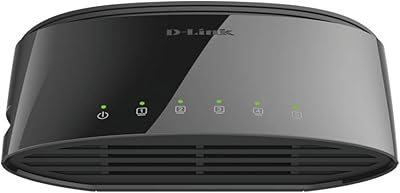
Overview

The D-Link DES-1016D 16-Port Fast Ethernet Switch is D-Link's straightforward answer to a common small-office problem: you need more wired ports without spending a lot or learning a lot. D-Link has been a dependable name in affordable networking for decades, and this model sits squarely at the practical end of their lineup. Released in December 2024, it's a current product — not clearance stock. The metal chassis and fanless passive cooling are worth noting early because they signal real build intent. One thing to be clear on before anything else: this is Fast Ethernet, not Gigabit. Every port tops out at 100 Mbps. If you need Gigabit speeds, look at a different switch entirely.

Features & Benefits

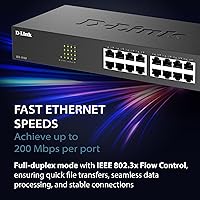
All sixteen ports on the DES-1016D auto-negotiate between 10 and 100 Mbps, which matters in mixed environments where older devices sit alongside newer ones. In full-duplex mode with IEEE 802.3x flow control, each port handles up to 200 Mbps of combined throughput, keeping file transfers moving and reducing packet loss during busy periods. The IEEE 802.3az Energy Efficient Ethernet standard quietly reduces power on idle ports — a small but real operational saving over time. No fans means no fan failures and no background hum in quiet rooms. Setup is genuinely instant: plug in power, connect your devices, and the switch handles the rest. No login, no software, no configuration file to manage.

Best For

This unmanaged switch is a strong fit for small offices, home labs, and anyone who needs to wire up a cluster of devices quickly without administering anything. Environments where background noise matters — medical waiting areas, recording studios, quiet reception desks — benefit from the fanless, silent operation. It's also a practical choice when connected devices, such as older network printers, IP cameras, or point-of-sale terminals, cap out at 100 Mbps anyway — paying for Gigabit you'll never use makes no sense. With the included rack-mount hardware, budget-conscious IT setups can slot this 16-port desktop switch into a standard rack as a dependable access-layer option without overspending.

User Feedback

Across roughly 170 ratings, this 16-port desktop switch holds a 4.2 out of 5 — a solid result for a networking device in this price range. The most consistent praise centers on easy out-of-box setup, the solid feel of the metal housing, and quiet operation, with office buyers specifically mentioning the silence. The recurring criticism is worth flagging plainly: a meaningful number of reviewers did not realize they were purchasing a Fast Ethernet switch rather than a Gigabit one and felt let down afterward. That is a spec-reading issue, not a product flaw, but worth double-checking before you order. Feedback on long-term reliability skews positive, with few reports of heat problems or early failures.

Pros

  • Plug-and-play setup requires zero configuration — ideal for non-technical users who just need more ports.
  • Fanless design means no moving parts to fail and no background noise in quiet environments.
  • Metal housing feels substantially more durable than the plastic shells common at this price point.
  • Sixteen ports handle a full small office or home lab without needing a second switch.
  • Auto-negotiation across all ports handles mixed 10 and 100 Mbps devices without manual adjustment.
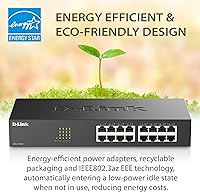
  • IEEE 802.3az EEE cuts power on idle ports, reducing energy draw over time.
  • Desktop and rack-mount flexibility means it fits most workspace setups out of the box.
  • Lifetime warranty provides long-term coverage rarely found on entry-level networking hardware.
  • Internal power supply keeps the setup clean with no external power brick to manage.
  • At this price tier, the build quality and port count represent strong value for basic wired networking.

Cons

  • 100 Mbps per port is a hard ceiling — transferring large files between modern devices will feel slow.
  • No management interface means zero visibility into traffic, errors, or connected device status.
  • VLANs and network segmentation are completely unsupported, limiting use in any structured network.
  • QoS is absent, so voice and video traffic competes equally with bulk data transfers.
  • The included rack-mount kit is basic — do not expect a tool-less or polished rack installation experience.
  • No uplink or SFP port means no fiber connectivity or easy backbone integration.
  • Some buyers have mistakenly purchased expecting Gigabit speeds — the spec requires careful reading before ordering.
  • Passive cooling works well in ventilated spaces but may be a concern in sealed, high-temperature enclosures.
  • No link aggregation support limits bandwidth options for servers or NAS devices needing higher throughput.
  • A 16-port Fast Ethernet switch will likely need replacement sooner than a Gigabit alternative as network demands grow.

Ratings

The scores below reflect AI-synthesized analysis of verified buyer reviews for the D-Link DES-1016D 16-Port Fast Ethernet Switch, drawn from global user feedback with spam, bot-generated, and incentivized reviews actively filtered out. Every category score is calibrated to reflect honest consensus — where users were consistently satisfied, scores reflect that, and where recurring pain points emerged, those are represented just as transparently.

Ease of Setup
96%
Buyers across skill levels — from IT professionals to complete beginners — consistently report that getting this unmanaged switch running takes under five minutes. There is nothing to configure, no app to pair, and no login to manage; you simply plug in cables and it works.
A small number of buyers who expected some form of status dashboard or configuration portal were caught off guard by the total absence of any interface. For those users, the simplicity felt more like a missing feature than a benefit.
Build Quality
88%
The metal housing earns consistent praise from buyers who have owned plastic-bodied switches at similar price points and noticed the difference immediately. The chassis feels solid, ports show no wobble, and the overall construction gives buyers confidence it will last in a busy office or rack environment.
A few buyers noted that the port labeling could be clearer, and the finish on some units showed minor cosmetic inconsistencies out of the box. These are surface-level concerns that do not affect function, but they are worth noting for buyers who care about appearance in a visible installation.
Noise Level
97%
With no fan and no moving parts whatsoever, this 16-port desktop switch produces zero audible noise in operation. Buyers in recording studios, medical offices, and open-plan workspaces specifically called this out as a deciding factor, and none reported any noise complaints after extended use.
There is genuinely very little to criticize here — the only theoretical concern is that passive cooling means heat management depends entirely on ambient airflow, so placing the unit in a sealed, unventilated enclosure is not advisable for long-term reliability.
Port Count & Layout
84%
Sixteen ports in a compact form factor gives small offices and home labs meaningful room to grow without chaining switches together. Buyers connecting a mix of computers, printers, cameras, and VoIP phones reported having ports to spare, which is exactly the headroom this kind of setup needs.
The ports are laid out in a single unbroken row, which some buyers found makes cable management trickier in dense installations. There is also no dedicated uplink or SFP port, which limits how cleanly this switch can connect into a larger network topology.
Network Speed
61%
39%
For the scenarios this switch is designed for — shared printers, IP cameras, VoIP handsets, basic internet access, and older workstations — 100 Mbps per port is entirely sufficient, and buyers using it in those contexts report no complaints about throughput in day-to-day use.
This is the most polarizing aspect in the review pool. A meaningful share of buyers expected Gigabit speeds and did not read the Fast Ethernet spec carefully before purchasing, resulting in disappointment that has nothing to do with product failure. For any modern workstation-to-NAS file transfer workflow, 100 Mbps will feel like a bottleneck.
Value for Money
83%
Buyers consistently frame this unmanaged switch as a fair trade — you get a metal-housed, fanless, 16-port switch with a lifetime warranty for a price that undercuts many plastic competitors with shorter coverage. For offices that do not need Gigabit or management features, the price-to-port ratio is hard to argue with.
Buyers who later discovered they needed Gigabit speeds or any managed feature felt the purchase was wasted money rather than a bargain. The value proposition is genuine, but only for buyers whose actual use case matches the spec — the low price should not be a reason to overlook the 100 Mbps limitation.
Energy Efficiency
79%
21%
The IEEE 802.3az EEE implementation genuinely reduces power draw when ports are idle, which adds up meaningfully in offices where devices are not active around the clock. Buyers running the switch in always-on environments appreciated that it does not run at full draw continuously.
Most buyers cannot directly measure the energy savings without power monitoring equipment, so this feature tends to go unnoticed rather than unappreciated. It is a real benefit, but one that is difficult to validate without additional hardware.
Thermal Management
74%
26%
In open-air deployments — on a desk, on a vented rack shelf, or in a cabinet with airflow — the metal chassis handles heat dissipation without any issue reported across the review pool. The unit runs warm but not hot under normal loads.
Buyers who installed the switch in fully enclosed or poorly ventilated spaces reported that it ran warmer than expected over extended periods. Passive cooling is inherently dependent on the surrounding environment, and a sealed cabinet with multiple heat-generating devices is not the right home for this switch.
Rack Mounting
71%
29%
The included mounting kit does what it needs to do — the switch fits into a standard 19-inch rack and stays secure once installed. For budget rack setups where appearance is secondary to function, buyers found it perfectly adequate.
The rack-mount experience is basic at best; there are no tool-less options, no cable management guides, and the bracket alignment requires some patience. Buyers expecting the kind of clean rack integration found on purpose-built rackmount switches were generally underwhelmed by the process.
Long-Term Reliability
81%
19%
For a product that launched in December 2024, the review pool skews toward early adopters, and most report consistent uptime with no port failures or connectivity drops over months of continuous use. The absence of a fan removes one of the most common points of failure in networking hardware.
The relatively short time this model has been on the market means long-term durability data is still limited. Buyers looking for years of proven reliability history will find the evidence base thinner than for older, more established models.
Compatibility
89%
Auto-negotiation across all 16 ports means the switch handles mixed environments without any manual intervention — older 10 Mbps devices, standard 100 Mbps hardware, and anything in between all connect cleanly. Buyers running heterogeneous device setups reported no compatibility issues.
The absence of any management layer means there is no way to force port speeds, override auto-negotiation behavior, or troubleshoot a misbehaving device at the switch level. For most buyers this never becomes a problem, but it is a real limitation when something goes wrong.
Management Features
31%
69%
For buyers who explicitly want an unmanaged switch — and many do — the complete absence of management features is precisely the point. There is nothing to misconfigure, no firmware to update manually, and no interface to secure against unauthorized access.
There are no VLANs, no QoS, no port mirroring, no link aggregation, and no SNMP monitoring of any kind. Any buyer with even basic network segmentation needs will hit this wall immediately, and no firmware update will change that — it is a hardware-level limitation by design.
Warranty & Support
86%
A lifetime warranty on a switch at this price is genuinely unusual and gives buyers meaningful long-term confidence. D-Link's warranty process is reasonably straightforward for a product with a clear model number and purchase record.
Some buyers have found D-Link's customer support response times inconsistent depending on region and time of year. The lifetime warranty is a strong promise, but the practical experience of claiming it varies.

Suitable for:

The D-Link DES-1016D 16-Port Fast Ethernet Switch is a practical buy for anyone who needs to wire up a cluster of devices quickly and has no interest in managing a switch. Small office teams connecting desktop computers, shared printers, VoIP phones, and IP cameras will find sixteen ports more than adequate, especially when those devices don't demand Gigabit throughput. Home lab enthusiasts on a budget who want a reliable, low-maintenance access layer for test equipment or older hardware will appreciate both the port count and the lifetime warranty backing it. The fanless metal chassis makes it a genuinely good fit for noise-sensitive spaces — medical reception areas, recording studio control rooms, or any enclosed cabinet where a fan would add unwanted heat or sound over time. Its rack-mountable form factor also gives small IT closets a clean, stackable option without requiring a dedicated managed switch budget.
Not suitable for:

The D-Link DES-1016D 16-Port Fast Ethernet Switch is the wrong tool if your network depends on Gigabit speeds — every port hard-caps at 100 Mbps, so high-volume file transfers between modern workstations or NAS devices will feel like a bottleneck immediately. Anyone running a network that requires VLANs, port-based access control, QoS prioritization for voice or video traffic, or any form of remote monitoring will find this switch entirely unequipped for those tasks, since it offers no management interface whatsoever. Growing businesses that anticipate needing to segment traffic, enforce security policies, or troubleshoot connectivity at the port level should budget for a managed Gigabit switch instead. This 16-port desktop switch is also not the right pick for backbone or uplink roles in larger network topologies where throughput and redundancy matter.

Specifications

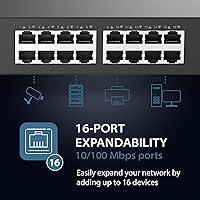
  • Port Count: The switch provides 16 RJ45 ports, each supporting 10/100 Mbps auto-negotiation for compatibility with both older and current Fast Ethernet devices.
  • Switching Capacity: Total switching capacity is 3.2 Gbps, shared across all 16 ports simultaneously.
  • Throughput: Each port supports up to 200 Mbps of combined throughput when operating in full-duplex mode.
  • Flow Control: IEEE 802.3x flow control is supported, helping to manage congestion and reduce packet loss during periods of heavy traffic.
  • Energy Efficiency: IEEE 802.3az Energy Efficient Ethernet (EEE) automatically reduces power consumption on ports that are idle or carrying low traffic.
  • Management: This is a fully unmanaged switch with no configuration interface, web UI, or software required — it operates entirely plug-and-play.
  • QoS Support: Quality of Service (IEEE 802.1p) is not supported, meaning all traffic types are treated with equal priority regardless of content.
  • Cooling: Passive fanless cooling is used throughout, with no internal moving parts, resulting in completely silent operation.
  • Housing: The outer chassis is constructed from metal, providing durability and effective passive heat dissipation without active airflow.
  • Form Factor: The unit supports both desktop placement and standard rack mounting, with the necessary mounting hardware included in the box.
  • Dimensions: Physical dimensions are 11″ (length) x 4.96″ (width) x 1.73″ (height), suitable for a 1U rack shelf or flat desk surface.
  • Weight: The switch weighs 1.96 lbs, making it lightweight enough for easy repositioning or rack installation by a single person.
  • Power Supply: Power is supplied internally via an integrated power input, eliminating the need for an external power brick or adapter.
  • Interface Type: All 16 ports use the standard RJ45 connector, compatible with Cat5, Cat5e, Cat6, and Cat6a Ethernet cables.
  • Warranty: D-Link backs this switch with lifetime protection coverage, which is notably generous for a product at this price tier.
  • In-Box Contents: The package includes the switch, a power cord, a rack-mounting kit, screws, rubber feet for desktop use, and a quick installation guide.
  • Model Number: The official D-Link model designation is DES-1016D, used for support, warranty registration, and parts identification.
  • Release Date: This model was first made available in December 2024, making it a current production unit rather than aging stock.

Related Reviews

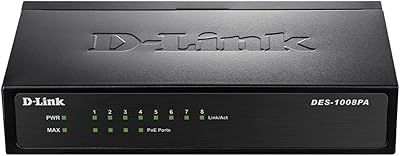
D-Link DES-1008PA 8-Port PoE Fast Ethernet Switch
82%
94%
Ease of Setup
88%
PoE Port Reliability
91%
Build Quality & Durability
58%
Network Speed & Throughput
97%
Noise Level
More
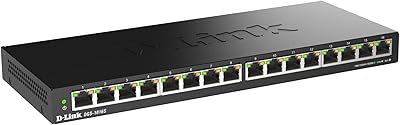
D-Link DGS-1016S 16-Port Gigabit Ethernet Switch
82%
88%
Build Quality
96%
Ease of Setup
91%
Port Count & Connectivity
97%
Noise Level
89%
Network Performance & Throughput
More
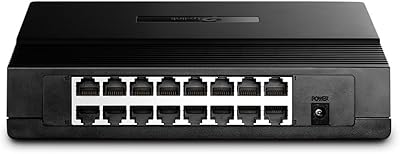
TP-Link TL-SF1016D 16-Port Fast Ethernet Switch

80%
97%
Ease of Setup
96%
Noise Level
88%
Reliability & Uptime
54%
Speed Performance
74%
Value for Money
More
D-Link DGS-1005G 5-Port Gigabit Ethernet Switch
77%
94%
Ease of Setup
58%
Reliability & Longevity
87%
Network Performance
97%
Noise Level
76%
Value for Money
More
TP-Link TL-SG116 16-Port Gigabit Switch
84%
91%
Build Quality
94%
Ease of Setup
88%
Port Count & Density
89%
Network Performance
97%
Noise Level
More
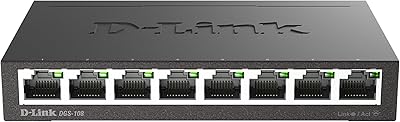
D-Link DGS-108 8-Port Gigabit Ethernet Switch
86%
93%
Build Quality
96%
Noise Level
97%
Ease of Setup
91%
Network Performance
82%
Port Count & Flexibility
More
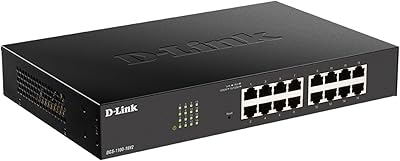
D-Link DGS-1100-16V2 16-Port Gigabit Ethernet Switch
80%
83%
Ease of Setup
67%
VLAN Configuration
84%
Build Quality
91%
Fanless Performance
76%
QoS Effectiveness
More
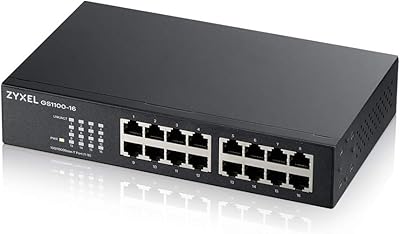
Zyxel GS1100-16 16-Port Gigabit Ethernet Switch
85%
88%
Performance
94%
Ease of Setup
91%
Energy Efficiency
85%
Build Quality
92%
Noise Levels
More
Goalake 16-Port Gigabit Managed Switch
79%
93%
Value for Money
88%
Build Quality
96%
Noise Level
79%
Ease of Initial Setup
66%
Management App Quality
More
STEAMEMO 16-Port Managed Gigabit Ethernet Switch
78%
91%
Value for Money
88%
Ease of Setup
84%
Build Quality
86%
Network Performance
74%
VLAN Functionality
More

FAQ

No, it does not. Every port on this unmanaged switch tops out at 100 Mbps — that is Fast Ethernet, not Gigabit. If you are transferring large files regularly between modern computers or a NAS device, you will likely notice the speed ceiling. For Gigabit connectivity, you would need a different switch in D-Link's lineup, such as the DGS series.

Not at all. You plug in power, connect your devices with standard Ethernet cables, and the switch handles everything automatically. There is no setup wizard, no web interface, and no app to download. It is genuinely one of the easier pieces of networking hardware to get running.

Yes, the included mounting kit lets you install it in a standard 19-inch rack. The hardware comes in the box — screws and brackets are included. That said, the rack-mount experience is basic rather than polished; it works fine but do not expect a tool-less quick-release system.

In normal, ventilated conditions it runs warm to the touch but not hot. The metal housing helps distribute heat passively. Where you want to be careful is placing it in a fully sealed enclosure with no airflow at all — that is not ideal for any fanless device. In open air or a vented rack, thermal performance has generally not been a concern based on real-world feedback.

No. This is a fully unmanaged switch, which means it has no traffic management features whatsoever. VLANs, port isolation, link aggregation, and QoS are all absent. If you need any of those capabilities, you need a managed switch, which is a different product category entirely.

It depends on what you are connecting. If your home office devices — printers, a desktop, a VoIP adapter, a NAS — all run fine at 100 Mbps, it is a solid, quiet, and reliable choice. If you are doing large file transfers between modern machines regularly, the 100 Mbps port speed will feel limiting and a Gigabit switch would serve you better.

Any standard Ethernet cable with an RJ45 connector will work — Cat5, Cat5e, Cat6, and Cat6a are all compatible. Since the ports max out at 100 Mbps, Cat5e is more than sufficient, though using whatever cables you already have on hand is perfectly fine.

D-Link covers this switch with a lifetime warranty, which is a meaningful advantage over competitors that offer only one or two years. For claims, you would go through D-Link's support directly. Having the model number (DES-1016D) and proof of purchase on hand makes the process straightforward.

It produces zero noise — there is no fan and no moving parts of any kind. It is as quiet as a piece of furniture. That is one of the more practical reasons to choose this switch for reception areas, studios, or any space where a humming fan would be noticeable.

Yes, and this is actually one of the better use cases for this 16-port desktop switch. Most IP cameras and VoIP phones operate comfortably within the 100 Mbps ceiling, so you are not leaving any real performance on the table. Just keep in mind there is no PoE (Power over Ethernet) support, so your cameras and phones will need their own power sources or a separate PoE injector.

Where to Buy