Overview

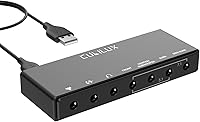
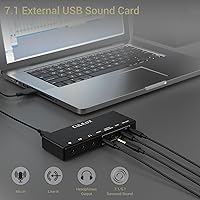
The Cubilux 7.1 USB External Sound Card is a compact USB-A adapter built for anyone whose laptop or PC delivers disappointing onboard audio. It punches above its price tier, offering headphone output specs you would normally expect from more expensive units. The full aluminum alloy housing immediately distinguishes it from the sea of flimsy plastic dongles that dominate this category — it feels solid in hand and resists the electromagnetic interference that causes that familiar low-level hiss. Setup is entirely plug-and-play: no driver downloads, no external power brick. One early caveat worth noting: it does not support Windows XP or Windows 7, so users on those older systems will need to look elsewhere.
Features & Benefits

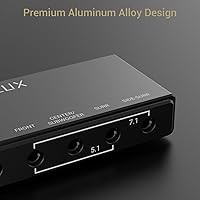
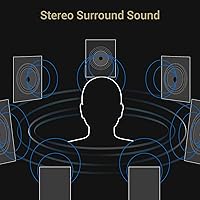
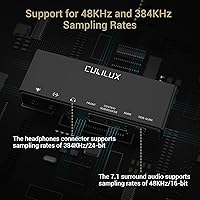
The 7.1 virtual surround output is the headline feature, though it is worth being clear: this is software-processed positional audio routed through four 3.5mm outputs, not eight discrete speaker channels. For gaming and movies, it still delivers noticeably wider soundstaging than plain stereo. The headphone output is where the hardware genuinely shines, supporting sampling rates up to 384KHz at 24-bit — that ceiling applies only to headphone output, not the mic or surround channels, which top out at 48KHz. Across every input and output, THD+N stays at or below 0.01%, translating to clean, quiet audio. Being bus-powered at 5V keeps the whole setup tidy with no extra cables.

Best For

This USB sound card covers a surprisingly broad range of users. Gamers who want spatial audio cues without investing in a dedicated DAC and amplifier stack will find it a practical middle ground. Remote workers and podcasters gain a stable, low-noise mic input on machines that have no dedicated audio port. MacBook owners dealing with ground hum will notice an immediate improvement. Hi-res music streamers on Spotify or Apple Music get a headphone output that won't bottleneck their subscription tier. Really, anyone who finds their onboard audio is letting them down — static, hiss, a missing jack — has a legitimate reason to consider the Cubilux adapter.

User Feedback

Most buyers gravitate to this external audio card because of its build quality relative to the asking price — the metal shell is the first thing people mention, often contrasting it favorably against flimsy plastic alternatives they have tried before. Easy setup is a consistent second highlight. On the downside, a handful of users have flagged occasional compatibility hiccups on certain macOS versions, requiring a manual input-device selection rather than automatic switching. A few recording users noted minor latency during monitoring, though this appears to affect a minority of setups. Overall satisfaction sits solidly positive, and the general consensus is that it outperforms comparably priced plastic adapters in both durability and background noise levels.

Pros

  • Full aluminum alloy build feels genuinely premium and resists the wear that kills cheaper plastic adapters quickly.
  • Completely plug-and-play on both Windows and macOS — no driver hunting, no software installs, no frustration.
  • Headphone output supports sampling rates up to 384KHz at 24-bit, well above what most onboard audio chips offer.
  • The aluminum housing acts as an effective EMI shield, eliminating the background hiss common in cheap USB audio dongles.
  • Bus-powered via USB, so there are zero extra cables or power adapters cluttering your desk.
  • Virtual 7.1 and 5.1 surround output gives casual gamers and movie watchers a meaningful improvement over plain stereo.
  • Dedicated line-in alongside mic input makes this external audio card more versatile than most single-purpose adapters.
  • Compact enough to slip into a laptop bag pocket without adding noticeable bulk to a travel setup.
  • THD+N at or below 0.01% across all channels delivers clean, low-distortion audio at this price tier.

Cons

  • Mic and line-in inputs are capped at 48KHz, which limits usefulness for anyone doing serious audio recording.
  • High-impedance headphones may not reach satisfying volume levels due to the lack of a dedicated amplifier stage.
  • No proprietary software means zero built-in EQ, surround tuning, or input gain control — you rely entirely on OS-level settings.
  • Some macOS users report the device does not auto-switch as default audio output and requires a manual selection in settings.
  • The USB-A connector lacks reinforced strain relief, making it less ideal for setups where it is plugged and unplugged daily.
  • Virtual surround processing will not satisfy competitive gamers who need precise, reliable positional audio cues.
  • Running the full surround setup means four cables attached to one small unit, which creates desk clutter quickly.
  • Long-term connector durability data is still limited, given the product only launched in late 2023.

Ratings

The Cubilux 7.1 USB External Sound Card has been scored by our AI system after analyzing verified buyer reviews from multiple global marketplaces, with spam, incentivized posts, and bot activity actively filtered out. The scores below reflect honest aggregate sentiment — strengths and recurring frustrations included — so you can make a genuinely informed purchase decision rather than relying on inflated star counts.
Build Quality
91%
The aluminum alloy housing is the single most-praised aspect across buyer reviews. Users consistently describe it as feeling noticeably more premium than any plastic dongle at a comparable price, and several noted it survived being tossed in a bag daily without picking up scratches or developing connector wobble.
A small number of users found the metal body runs slightly warm after extended use, which is not harmful but can feel unexpected. The USB-A connector, while solid, lacks a reinforced strain relief, so aggressive cable bending near the plug could be a concern over a long time.
Audio Clarity & Noise Floor
88%
The aluminum enclosure does real work here — reviewers coming from cheap plastic adapters frequently call out how much quieter the background is, with the persistent low-level hiss or ground hum they were used to simply gone. For everyday listening and voice calls, the clean output is immediately noticeable.
At very high headphone volumes, a small subset of users detected a faint interference artifact, likely dependent on the specific laptop's USB power quality. It is not a widespread complaint, but users with particularly sensitive in-ear monitors may catch it under quiet listening conditions.
Headphone Output Quality
86%
The wide sampling rate ceiling — up to 384KHz at 24-bit — gives hi-res streaming listeners real headroom, and users on Apple Music Lossless or Tidal HiFi tiers report a tangible improvement over onboard audio. For a bus-powered adapter at this price, the output stage holds up well with both low- and mid-impedance headphones.
Higher-impedance headphones, such as 150-ohm or 250-ohm studio models, may not reach satisfying loudness levels since the adapter lacks a dedicated amplification stage. This is a class limitation, not a defect, but it means the Cubilux adapter is better matched to consumer headphones than to demanding studio cans.
7.1 Surround Sound Performance
74%
26%
For gaming and movie watching, the virtual surround processing adds a genuine sense of width and positional depth compared to flat stereo output. Users playing shooters or open-world games report improved directional awareness, which is the practical goal most buyers are after.
It is virtual surround, not discrete channels, and experienced listeners will notice the difference. Some gamers found the positional cues convincing enough for casual play but less reliable in competitive scenarios where precise directional audio really matters. Managing expectations here is important.
Plug-and-Play Setup
93%
Almost universally praised. The overwhelming majority of reviewers describe a completely frictionless setup — plug in, audio switches over, done. Both Windows and macOS users report that no driver installation was needed, making it a practical choice for anyone who dislikes fiddling with software.
A minority of macOS users, particularly on newer OS versions, found that the system did not always auto-select the adapter as the default audio device and required a manual switch in System Settings. It is a one-time fix, but it breaks the truly seamless experience the product promises.
Microphone Input Quality
72%
28%
For remote work calls, video conferencing, and casual voice recording, the mic input performs reliably. Users replacing a dead laptop mic jack find it more than adequate for Teams or Zoom sessions, and background noise pickup is controlled at typical office distances.
The mic input tops out at 48KHz, which is fine for voice but not for anyone hoping to do semi-professional audio recording. Podcasters wanting lower noise floor and more dynamic range will hit the ceiling of this input fairly quickly and may need a dedicated audio interface instead.
Line-In Functionality
69%
31%
Having a dedicated line-in at this price point is a feature many competing adapters simply skip, and users who wanted to feed an instrument or external audio source into their laptop appreciated having it available. It works cleanly for basic recording tasks without audible coloration.
Like the mic input, the 48KHz cap on line-in limits its appeal for anyone doing serious music production. Users expecting to record at higher fidelity will find the spec ceiling frustrating, and the input gain range is modest, which can be an issue with lower-output sources.
Compatibility
77%
23%
Works across Windows 8 and later, as well as macOS, covering the vast majority of current users. Chromebook compatibility has also been reported positively by several reviewers, extending its appeal to education and lightweight laptop users.
The lack of Windows 7 support will not affect most buyers today, but it is a hard cutoff for anyone still running legacy systems. Linux compatibility is inconsistently reported — some users had no issues, while others needed manual configuration, so it is not a guaranteed experience on that platform.
Value for Money
89%
Buyers repeatedly describe this as one of the better-value purchases they have made in the peripherals category. The combination of metal construction, clean audio output, and hi-res headphone support at this price tier makes the cost feel justified, particularly for users replacing a much cheaper plastic adapter that failed.
At its price point it competes closely with several well-known alternatives, and some buyers feel the virtual surround processing specifically could be stronger given the cost. Those who primarily need headphone output will get better value than those buying it mainly for the 7.1 surround feature.
Portability & Form Factor
84%
At under 4 inches long and 3.5 ounces, this external audio card fits easily in a laptop bag pocket or even a jacket pocket. The compact footprint means it adds no meaningful bulk to a travel setup, and the metal case means it does not feel like it will crack under light pressure in a bag.
The four 3.5mm output ports on one unit mean there are several cables potentially attached when the full surround setup is in use, which gets messy on a desk. For users who only need headphone output, the multi-port design adds bulk to what could be a simpler, smaller device.
Durability & Longevity
81%
19%
Early durability indicators from buyers who have used the adapter for six months or more are positive, with no reports of audio degradation, connector loosening, or housing damage under normal use. The aluminum body appears to age gracefully compared to plastic alternatives that crack or discolor.
Long-term data is still relatively limited given the product launched in late 2023. A small number of users reported connector-side failures after frequent plug-and-unplug cycles, suggesting the adapter is better suited as a semi-permanent desk fixture than a device that is disconnected and reconnected multiple times daily.
EMI & Interference Rejection
83%
Users who switched from plastic USB audio adapters specifically because of electrical interference noise report meaningful improvement. The aluminum shell does a credible job isolating the internal circuitry from USB bus noise and nearby wireless devices, which is a common source of hiss in cheaper units.
It is not a fully shielded professional-grade device, and users with particularly noisy electrical environments — old desktops with poor grounding, or USB hubs with multiple high-draw devices — may still encounter occasional interference. Most home and office setups will be fine, but edge cases exist.
Driver-Free Operation
92%
The zero-driver requirement is a genuine everyday convenience, especially for users who switch between machines or work in managed IT environments where installing third-party software is restricted. Plug into a new laptop and it just works, without hunting for downloads or waiting for installs.
The flip side of having no dedicated software is that there are no EQ controls, surround tuning options, or input gain adjustments available through any proprietary app. Users who want fine-grained control over their audio profile will need to rely entirely on third-party software or OS-level settings.

Suitable for:

The Cubilux 7.1 USB External Sound Card is a strong match for anyone whose laptop or desktop simply does not deliver acceptable audio on its own. Slim ultrabook owners and MacBook users who deal with missing headphone jacks or persistent ground hum will notice an immediate practical improvement the moment they plug it in. Casual to mid-level gamers who want some sense of positional audio without committing to a full DAC and amplifier stack will find the virtual surround output a worthwhile step up from flat stereo. Remote workers and podcasters who need a reliable, low-noise mic input on a machine that lacks a dedicated port will also get solid everyday value from this USB sound card. And for anyone streaming hi-res music on Apple Music Lossless, Tidal HiFi, or similar services, the headphone output — capable of handling up to 384KHz at 24-bit — gives the signal a cleaner path to your ears than most onboard audio chips ever could.
Not suitable for:

The Cubilux 7.1 USB External Sound Card is not the right tool for professional or semi-professional audio work, and buyers with those needs should be clear-eyed about that before purchasing. The mic and line-in inputs both cap at 48KHz, which is perfectly adequate for voice calls and casual recording but will feel limiting to anyone serious about music production, voiceover work, or podcast recording at studio quality. Users running high-impedance headphones — 150 ohms and above — may find the headphone output lacks the driving power to reach satisfying volume levels, since there is no dedicated amplification stage on board. The 7.1 surround mode is virtual processing, not discrete physical channels, so competitive gamers who rely on pinpoint directional accuracy may find it falls short of what a dedicated gaming DAC or headphone amplifier with proper HRTF processing can deliver. Anyone still running Windows 7 will need to look elsewhere entirely, as that operating system is simply not supported. Finally, users who frequently disconnect and reconnect the adapter throughout the day should note that the connector area is not reinforced for heavy daily cycling.
Specifications

  • Interface: Connects via USB-A, drawing power directly from the host device with no external adapter required.
  • Dimensions: The unit measures 3.86 x 1.46 x 0.59 inches, making it compact enough to fit in a jacket pocket or small laptop bag pouch.
  • Weight: Weighs 3.52 ounces, light enough to carry daily without adding meaningful bulk to a travel setup.
  • Housing Material: The full enclosure is machined from aluminum alloy, which provides structural rigidity and acts as a passive EMI shield.
  • Power Supply: Bus-powered at 5V and 250mA directly through the USB connection, requiring no wall adapter or secondary cable.
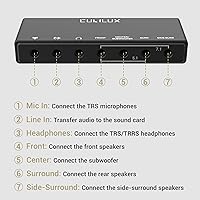
  • Headphone Output: The headphone output supports sampling rates from 44.1KHz up to 384KHz at 16 or 24-bit depth via a TRRS 3.5mm jack.
  • Surround Output: Four 3.5mm audio output jacks support virtual 5.1 and 7.1 surround sound configurations at up to 48KHz, 16 or 24-bit.
  • Mic Input: The TRS microphone input operates at 44.1 or 48KHz, 16 or 24-bit, with a maximum input level of 5.3Vpp.
  • Line-In Input: The dedicated line-in input supports 44.1 or 48KHz at 16 or 24-bit resolution, with a maximum input level of 3.9Vpp.
  • THD+N: Total harmonic distortion plus noise measures at or below 0.01% across all inputs and outputs, indicating low signal coloration.
  • Output Ports: Includes one TRRS headphone output and four 3.5mm audio output jacks for surround channel routing.
  • Input Ports: Features one TRS microphone input and one dedicated line-in input, both on 3.5mm connectors.
  • OS Compatibility: Supports Windows 8 and all later Windows versions, as well as macOS; Windows XP and Windows 7 are not supported.
  • Driver Requirement: No driver installation is needed on any supported operating system — the device is recognized automatically upon connection.
  • Audio Channels: Supports stereo headphone output in addition to virtual 5.1 and 7.1 multi-channel surround configurations.

Related Reviews

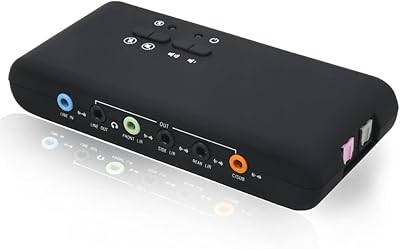
YEY 7.1 External USB Sound Card
80%
93%
Value for Money
84%
Surround Sound Performance
89%
Connectivity & Ports
76%
Windows Compatibility
81%
Recording & Loop-back
More
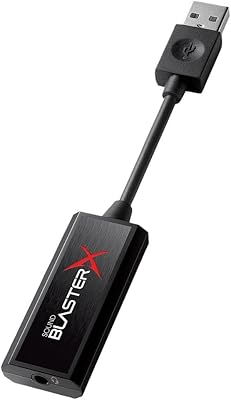
Creative Sound BlasterX G1
84%
88%
Overall Audio Improvement
79%
Virtual Surround Sound
84%
Competitive Gaming Performance (X-Plus Mode)
71%
Software & Customization
92%
Form Factor & Portability
More
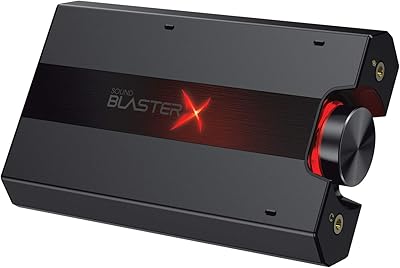
Creative Sound BlasterX G5
83%
92%
Audio Clarity & Detail
88%
Gaming Spatial Awareness
91%
Amplification Power
86%
Console Compatibility
58%
Software User Experience
More
Andrea Electronics USB-SA-1
87%
93%
Microphone Noise Reduction
96%
Portability & Form Factor
89%
Plug-and-Play Reliability
82%
Build Durability
86%
Audio Output Clarity
More
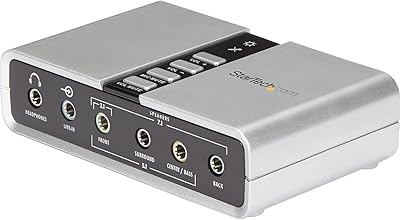
StarTech ICUSBAUDIO7D
78%
93%
Plug-and-Play Setup
81%
Audio Quality Improvement
68%
7.1 Surround Performance
74%
SPDIF Digital Output
84%
Build Quality & Durability
More
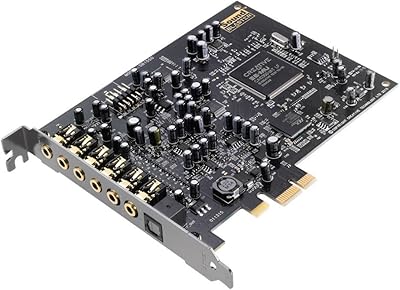
Creative Sound Blaster Audigy PCIe RX 7.1 Sound Card
84%
88%
Sound Quality
83%
Setup and Installation
76%
Driver Compatibility
85%
Build Quality
92%
Value for Money
More
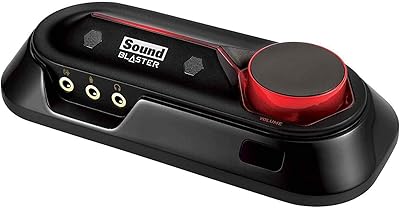
Creative Sound Blaster Omni Surround 5.1
81%
89%
Audio Quality Improvement
76%
Ease of Installation
82%
Microphone Performance
91%
Physical Controls & Design
84%
Surround Sound Capability
More
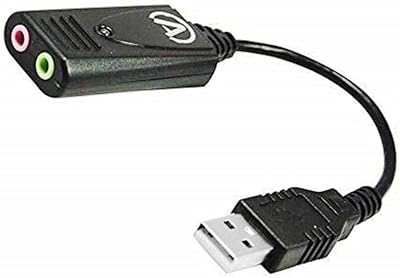
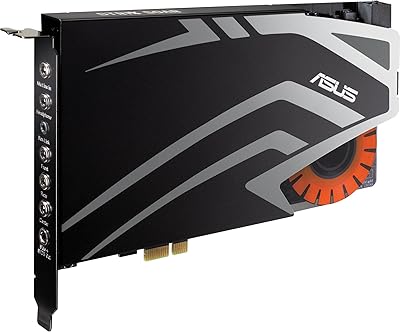
ASUS Strix SOAR 7.1
ASUS Strix SOAR 7.1
65%
83%
Audio Clarity Improvement
79%
Headphone Amplifier Performance
67%
Virtual 7.1 Surround Sound
44%
Driver Stability
52%
Software (Sonic Studio Suite)
More
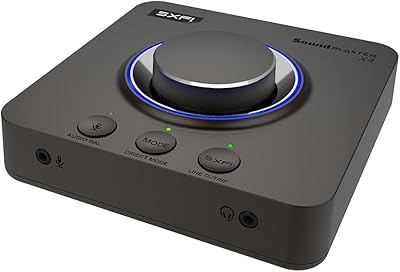
Creative Sound Blaster X4
80%
88%
Audio Quality
91%
Headphone Amplifier Performance
74%
Surround Sound & Virtualization
86%
Build Quality & Physical Controls
92%
Connectivity & I/O Options
More
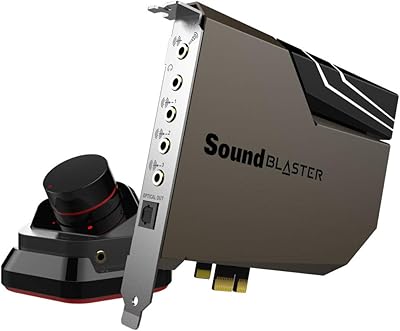
Creative Sound Blaster AE-7
80%
93%
Audio Fidelity
91%
Headphone Amplifier Performance
71%
Value for Money
58%
Software Quality
67%
Installation & Compatibility
More

FAQ

No, nothing needs to be installed. The Cubilux 7.1 USB External Sound Card is fully plug-and-play on both Windows 8 and later and macOS. Just plug it into a free USB-A port and your system should recognize it within a few seconds as a new audio device.
It works fine on macOS, yes. Since this USB sound card uses a USB-A connector, MacBook users with only USB-C or Thunderbolt ports will need a USB-A to USB-C adapter or hub. That is a simple, inexpensive addition, and once connected it functions without any extra configuration on modern macOS versions.

It is virtual surround, not discrete physical channels. The adapter uses signal processing to simulate positional audio across the four 3.5mm output jacks. For gaming, movies, and immersive listening it works well, but it is not the same as a true eight-channel discrete audio system, so managing that expectation upfront is worthwhile.

No, that high sampling rate ceiling applies only to the headphone output. The microphone input and line-in both cap at 48KHz, and the surround outputs also top out at 48KHz. The 384KHz figure is specifically for the dedicated headphone output jack, which is still genuinely useful for hi-res music listeners.

Probably not to satisfying volume levels. The Cubilux adapter is a bus-powered USB device without a dedicated headphone amplifier stage, so high-impedance headphones like 150-ohm or 250-ohm models may sound quiet even at maximum volume. It is much better suited to standard consumer headphones and earphones in the 16 to 64-ohm range.

Unfortunately, no. The device explicitly does not support Windows XP or Windows 7. It requires Windows 8 or a more recent version of Windows. If your machine is still running one of those older systems, this external audio card will not function correctly, and you would need to look for an alternative that lists legacy OS support.

Very likely yes, and this is one of the most common reasons buyers switch to this particular adapter. The full aluminum housing acts as an EMI shield that blocks the electrical interference from the USB bus and nearby components that causes that characteristic hiss. Most users coming from plastic dongles report the background noise disappears immediately after switching.

Yes, that is a fully supported use case. The mic input and headphone output operate simultaneously, so you can have a headset mic plugged into the TRS mic jack while your headphones run off the TRRS headphone output. This makes the Cubilux adapter a practical all-in-one audio solution for gaming and video calls on a single USB device.

You will need a USB-A to USB-C adapter or a USB hub that includes a USB-A port — neither of which is included in the box. These are widely available and inexpensive. Once you have that bridge in place, macOS recognizes the device automatically with no additional steps required.

It is a reasonable starting point for casual or beginner podcasting, particularly for voice-only recording over a standard dynamic or condenser microphone. The mic input is clean and quiet for its class. That said, the 48KHz input ceiling and modest gain range will eventually feel limiting if your recording ambitions grow, and at that point a dedicated audio interface would serve you better.