
Overview

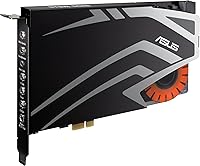
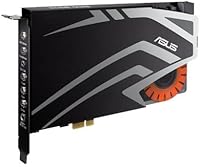
The ASUS Strix SOAR 7.1 is a dedicated PCIe sound card built to replace the generic audio circuitry found on most motherboards, and at its price point, that swap can make a real difference. Launched in 2015, it fits any available PCIe expansion slot on a desktop — worth clarifying upfront that despite confusing listing language, this is strictly a desktop component and will not work in a laptop. It targets gamers and headphone enthusiasts who want cleaner, more defined audio without going the external DAC route. It is a dated product, but the core hardware still competes reasonably well against modern onboard solutions.

Features & Benefits

The headline feature is 7.1 virtual surround sound, which processes audio to simulate positional cues through headphones — useful in games where hearing footsteps or distant gunfire from a specific direction matters. It is virtual surround, not true multichannel, so manage expectations accordingly. The built-in headphone amplifier is one of the more practical advantages here; it handles high-impedance cans that most motherboard outputs struggle to drive properly. Installation is straightforward — the card drops into any spare PCIe slot and occupies a single expansion bay. The Sonic Studio software covers EQ tuning and surround configuration, though it can feel clunky. A front-panel audio header pass-through is also included, keeping your case jacks fully functional after install.

Best For

This PCIe gaming audio card suits a fairly specific kind of buyer. If you are a competitive gamer who relies on directional audio cues to track movement in shooters or open-world titles, the virtual surround processing can provide a genuine edge. It also works well for anyone running high-impedance headphones — think 150 ohm and above — that a standard motherboard jack simply cannot power adequately. Home theater PC users looking for cleaner output without a standalone external unit will find it a practical fit too. That said, casual listeners and laptop users should look elsewhere entirely. This is a desktop-only upgrade that rewards buyers who know exactly what they need from their audio chain.

User Feedback

Across 261 ratings landing at a 3.7 average, user experiences with the Strix SOAR are genuinely mixed. The most consistent praise points to a clear audio improvement over onboard sound, particularly for headphone users who notice the amplifier doing real work. Where things get rocky is driver and software support. Multiple buyers report compatibility problems with Windows 10 and 11, with some needing workarounds to get the card functioning correctly on modern systems. The Sonic Studio software draws complaints for being unintuitive and occasionally buggy. Long-term support is also a concern — this is a decade-old card, and updated driver releases have not been a priority. If you can get it working smoothly, most users end up satisfied. Getting there is where your patience may be tested.

Pros

  • Delivers a clear, immediately noticeable audio improvement over typical integrated motherboard sound.
  • The built-in headphone amp handles high-impedance cans that standard jacks struggle to power properly.
  • Virtual surround processing adds useful directional awareness in competitive and atmospheric games.
  • Slots into any available PCIe x1, x4, x8, or x16 slot — hardware installation is genuinely straightforward.
  • Front-panel audio header pass-through keeps case jacks fully functional after install.
  • Reduces the hiss and electromagnetic interference that plague onboard audio during GPU-heavy tasks.
  • Sonic Studio EQ customization lets patient users dial in a sound signature suited to their specific headphones.
  • Eliminates the need for a separate external DAC and amp unit, saving desk space and cable clutter.
  • A single-slot form factor means it fits tightly built systems without sacrificing additional expansion bays.
  • Users on stable Windows 10 setups report consistent, reliable performance over multi-year ownership.

Cons

  • Driver compatibility with Windows 11 is unreliable, and ASUS has shown no sign of addressing this.
  • Getting the card running on modern systems often requires community workarounds, not official support.
  • The Sonic Studio software feels dated, with reported bugs including settings failing to save between reboots.
  • Sensitive in-ear monitors may reveal a faint background noise floor through the headphone output.
  • Virtual surround can sound over-processed with certain closed-back headsets, occasionally harming positional accuracy.
  • Long-term manufacturer support is effectively finished — this is a 2015 product with no active update roadmap.
  • Users on high-end modern motherboards with premium onboard audio may find the audible upgrade marginal.
  • The price point is harder to justify confidently when newer alternatives with better OS support exist today.
  • Linux users receive no meaningful official support and are reliant on third-party driver solutions.
  • Non-technical buyers can face a steep and frustrating setup curve before achieving stable day-to-day operation.

Ratings

The ASUS Strix SOAR 7.1 has been put through its paces by hundreds of real-world buyers, and our AI-driven scoring system has analyzed verified global reviews — actively filtering out incentivized and bot-generated feedback — to give you an honest picture of where this PCIe audio card genuinely delivers and where it falls short. The scores below reflect both the strengths enthusiasts regularly praise and the recurring frustrations that have kept a meaningful chunk of buyers from recommending it outright. Nothing has been softened.

Audio Clarity Improvement
83%
Buyers coming from motherboard onboard audio consistently notice a real, immediate difference — background hiss drops, instrument separation improves, and dialogue in games and movies feels more defined. For users who had been tolerating noisy integrated audio for years, the jump is hard to miss even without fine-tuned settings.
The improvement, while genuine, is more noticeable at the mid and high frequencies than at the low end. A handful of users with already-decent motherboards — particularly higher-end AM5 and Z790 boards — found the audible difference smaller than expected at the price.
Headphone Amplifier Performance
79%
21%
The built-in headphone amp is one of the stronger selling points of the Strix SOAR. Users running 150-ohm and 250-ohm headphones — the kind that most motherboard outputs struggle to drive properly — report noticeably better volume headroom and dynamic range without distortion at higher listening levels.
It is not in the same league as a standalone desktop amp, and very demanding cans above 300 ohms may still feel underpowered. A small number of users also reported a faint background noise floor through sensitive in-ear monitors, which is disappointing at this tier.
Virtual 7.1 Surround Sound
67%
33%
In competitive shooters and open-world games, the virtual surround processing does help with directional awareness — footsteps from the left or right register more distinctly than with stereo output, which some players find genuinely useful during extended gaming sessions.
Virtual surround is still a digital simulation, and the Strix SOAR is not immune to its limitations. Several users found the effect overly processed or artificial-sounding with certain headphone models, and music listeners almost universally preferred switching back to stereo for anything outside gaming.
Driver Stability
44%
56%
When drivers install cleanly — particularly on Windows 8.1 and Windows 10 setups from a few years back — the card operates without interference and remains stable over long sessions. Users on older, well-configured systems rarely report crashes or audio dropouts once everything is set up correctly.
This is the card's most consistently flagged problem. Windows 11 compatibility is shaky at best, and even Windows 10 users report needing manual driver rollbacks, registry edits, or workarounds sourced from community forums to get the card functioning at all. For a product at this price, the driver situation is hard to overlook.
Software (Sonic Studio Suite)
52%
48%
Sonic Studio gives users hands-on access to EQ presets, surround tuning parameters, and microphone settings in one place. Buyers who are patient enough to learn the interface generally find the EQ customization useful for dialing in a preferred sound signature for their specific headphones.
The software feels dated and unintuitive, and it shows its age. Multiple users cite bugs ranging from settings not saving between reboots to the interface freezing on launch. It is functional when it works, but it lacks the polish expected of a mid-to-premium tier product and has not received meaningful updates in years.
Installation & Hardware Setup
81%
19%
Physically installing the Strix SOAR is straightforward for anyone comfortable working inside a desktop case. It slots into any available PCIe x1, x4, x8, or x16 slot, takes up a single expansion bay, and the front-panel header pass-through means case audio jacks keep working without any extra configuration.
The hardware side is fine; the headache starts after boot. While the card itself seats cleanly, getting drivers installed and recognized correctly on modern systems is where many users lose time. The physical installation process gets high marks, but it cannot be evaluated in isolation from what follows.
Build Quality
74%
26%
The card feels solid and well-constructed, with a PCB layout that looks purposeful rather than rushed. Users who have handled multiple sound cards note that the component quality appears consistent with the price tier, and there are no reports of physical hardware failures beyond software-related issues.
There is nothing particularly premium about the physical finish. It is a functional single-slot card without the shielding or aesthetic touches found on higher-end competitors, and a few users noted slightly loose capacitors on arrival — though these appear to be isolated incidents rather than a systematic quality issue.
Signal-to-Noise Ratio
78%
22%
The SNR improvement over typical onboard audio is tangible, especially for users whose previous motherboard produced audible interference during GPU-intensive tasks. The dedicated card isolates audio processing away from the noisy electrical environment of the motherboard, which reduces the hum that plagues many integrated solutions.
A measurable SNR rating does not always translate to a perfectly silent noise floor in practice. Some users with sensitive monitoring headphones detected a faint hiss at idle, suggesting the onboard components are not fully shielded from all internal electromagnetic interference within the PC case.
Value for Money
58%
42%
For buyers who get it working without driver trouble, the audio quality per dollar is reasonable — particularly the headphone amp, which would cost more if purchased as a standalone unit. Users in older, stable Windows environments tend to feel satisfied that the hardware performs as advertised.
Given the age of the product, its current price is difficult to justify confidently when newer alternatives exist. Factor in the real possibility of spending hours troubleshooting drivers on a current OS and the value calculation shifts considerably. Several buyers explicitly stated they would not repurchase at full price.
Compatibility (OS & Platform)
41%
59%
On Windows 10 with the right driver version, the card runs without major issues for many users. Those who took time to research the correct driver release before installing — rather than relying on auto-detection — tended to have much smoother experiences than those who went in blind.
Windows 11 support is effectively unofficial at this point, and Linux users are largely on their own. For a product still being actively sold in 2025, the lack of updated driver releases for current operating systems is a serious drawback that ASUS has not addressed, and it is the single most common reason for negative reviews.
Gaming Audio Experience
72%
28%
In practice, first-person shooters and atmospheric RPGs benefit the most from the card's processing. Players using mid-tier gaming headsets — particularly open-back models — report better spatial awareness during extended sessions compared to standard onboard audio, which does translate to real in-game utility.
The benefits are headphone and game dependent. Users with closed-back headsets or those playing fast-paced battle royale titles found the virtual surround occasionally muddied positional accuracy rather than improving it. The experience is inconsistent enough that it is not a guaranteed upgrade for all gaming use cases.
Ease of Use (Day-to-Day)
61%
39%
Once configured and stable, day-to-day operation is mostly hands-off. The card handles audio routing automatically, and switching between output modes through the Sonic Studio tray icon is accessible enough for users who do not want to dig into settings regularly.
The initial setup curve is steep for non-technical users. Between driver troubleshooting, software quirks, and figuring out which audio output is active at any given time, several buyers described the early experience as frustrating — particularly those expecting a plug-and-play solution.
Longevity & Long-Term Support
38%
62%
The hardware itself is durable. Users who have run the card continuously for several years without OS changes report no degradation in audio output quality, and there are no widespread reports of component failure over time under normal operating conditions.
ASUS has clearly moved on from active support for this product. Driver updates have stalled, the Sonic Studio version bundled with it is outdated, and there is no indication this will change. Buying it today means accepting that any compatibility issue with a future Windows update will likely go unaddressed by the manufacturer.
Front-Panel Audio Pass-Through
76%
24%
The inclusion of a front-panel header connector is a practical touch that many competing cards at this level omit. Users who regularly plug headphones into the front of their case appreciated being able to keep that convenience without sacrificing the card's processing — it just works once the header cable is connected.
A few users noted that front-panel audio quality is slightly inferior to the rear outputs, which is common across most cards using this design but still worth noting for buyers who rely exclusively on front jacks. It is a minor complaint, but relevant for those who never use rear panel outputs.

Suitable for:

The ASUS Strix SOAR 7.1 is a strong fit for desktop PC gamers who are genuinely frustrated with the noise floor and limited output of their motherboard's onboard audio and want a hardware fix that does not require an external box on their desk. It particularly shines for users running high-impedance headphones — anything in the 150 to 300 ohm range — that a standard motherboard jack simply cannot drive to a satisfying volume without distortion. If you spend long sessions in immersive first-person titles where picking up directional audio cues matters, the virtual surround processing adds a layer of spatial awareness that stereo onboard solutions rarely match. Home theater PC builders who want cleaner output routed through a proper dedicated chip — without the cost and desk clutter of a standalone DAC and amp combo — will also find this card a practical, space-efficient solution. Buyers running a stable Windows 10 environment on an older or mid-range system are most likely to get the smooth experience this card is capable of delivering.

Not suitable for:

The ASUS Strix SOAR 7.1 is a risky purchase for anyone running Windows 11 as their primary OS — driver support has not kept pace with newer operating systems, and the troubleshooting required to get the card working correctly on a current platform can be significant. Laptop users should not consider this at all; despite misleading product listing language, it requires a physical PCIe slot inside a desktop tower. Audiophiles and music producers expecting studio-grade fidelity will find the hardware underwhelming compared to purpose-built audio interfaces in a similar price range. Buyers who are not comfortable navigating driver rollbacks, registry edits, or forum-sourced workarounds should approach with real caution — the out-of-box experience on modern systems is not reliably plug-and-play. And if your motherboard already features a premium onboard audio chipset, the audible difference may not justify the cost or the installation effort.

Specifications

  • Interface: The card connects via a PCIe x1 interface and is physically compatible with any PCIe x1, x4, x8, or x16 slot on a standard desktop motherboard.
  • Audio Channels: Supports stereo, 5.1, and 7.1 virtual surround output modes, selectable through the Sonic Studio software.
  • Headphone Amp: Features a built-in dedicated headphone amplifier designed to drive high-impedance headphones, with support for loads typically up to 300 ohms.
  • Form Factor: Standard single-slot PCIe card occupying one expansion bay inside a desktop tower chassis.
  • Dimensions: The card measures 5.12 x 7.48 x 0.87 inches (approximately 130 x 190 x 22 mm).
  • Weight: The card weighs 1.1 pounds (approximately 499 grams) as a standalone unit without packaging.
  • Platform: Designed primarily for Windows, with best compatibility on Windows 8.1 and Windows 10; Windows 11 and Linux support is limited and largely unsupported by official drivers.
  • Software: Bundled with the ASUS Sonic Studio suite, which provides EQ presets, surround sound configuration, and basic microphone tuning controls.
  • Front Panel Header: Includes a front-panel audio header pass-through connector, allowing standard case audio jacks to remain active after the card is installed.
  • Audio Output Mode: Outputs surround sound in virtual 7.1 configuration through stereo headphone jacks using digital signal processing rather than discrete physical channels.
  • Model Number: The official ASUS model number for this card is 90YB00J0-M1UA00, also referenced under the series identifier FBA_SOAR_WOWGAMEBUNDLE.
  • Manufacturer: Designed and manufactured by ASUS, a Taiwanese multinational electronics company headquartered in Taipei.
  • Launch Year: The card was first made available in September 2015 and has not been succeeded by a direct hardware revision from ASUS.
  • Compatibility: Compatible with standard ATX, Micro-ATX, and Mini-ITX desktop motherboards that have at least one available PCIe slot; not compatible with laptops or all-in-one PCs.
  • Audio Outputs: Provides rear-panel 3.5mm audio jacks for headphone and speaker connections, alongside the front-panel pass-through header connection.
  • Signal Processing: Uses onboard digital signal processing hardware to handle surround virtualization, EQ adjustments, and audio enhancement independently of the host CPU.
  • Avg. Rating: Holds an average user rating of 3.7 out of 5 based on 261 verified ratings as of available data, indicating a polarized range of buyer experiences.
  • Market Rank: Ranked number 58 in the Computer Internal Sound Cards category on Amazon, reflecting ongoing but limited market relevance despite its age.

Related Reviews
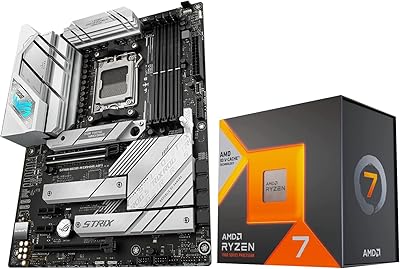
Micro Center AMD Ryzen 7 7800X3D CPU + ASUS ROG Strix B650-A Gaming Motherboard
86%
94%
Performance
88%
Ease of Installation
70%
Thermals
91%
Future-proofing
89%
Connectivity Options
More
ASUS ROG Strix G17 Gaming Laptop, Ryzen 7 4800H, RTX 3060, 32GB RAM, 2TB SSD
83%
93%
Performance
89%
Display Quality
85%
Build Quality
65%
Portability
62%
Battery Life
More
ASUS ROG Strix G15 (2022) Gaming Laptop, Ryzen 7 6800H, GeForce RTX 3050, 16GB RAM, 512GB SSD
83%
89%
Performance
91%
Display Quality
92%
Cooling System
62%
Battery Life
70%
Portability/Weight
More
ASUS ROG Strix GA15DK Gaming Desktop PC, AMD Ryzen 7 5800X, GeForce RTX 3070, 16GB RAM, 1TB SSD
88%
94%
Gaming Performance
91%
Graphics Quality
88%
Multitasking & Productivity
92%
Value for Money
89%
Build Quality
More
Olay Super Serum 5-in-1 Skin Care, 1.7 Oz
87%
90%
Effectiveness for Hydration
86%
Anti-Aging Benefits
88%
Texture and Feel
91%
Absorption Speed
82%
Brightening Results
More
RoC Multi Correxion 5 in 1 Chest, Neck & Face Moisturizer SPF 30, 1.7 oz
85%
85%
Effectiveness on Wrinkles and Fine Lines
90%
SPF Protection and Sun Defense
88%
Moisturizing and Hydration
92%
Skin Compatibility (Sensitive Skin)
87%
Texture and Feel (Non-Greasy)
More
Olay Total Effects 7 in One Anti-Aging Daily Moisturizer with SPF 30, 1.7 Fl Oz

88%
89%
Effectiveness in Reducing Fine Lines
92%
Hydration & Moisture
80%
Sun Protection (SPF 30)
94%
Non-Greasy Texture
93%
Absorption Speed
More
HP OmniBook X Flip 14″ 2K Touch-Screen 2-in-1 Laptop, AMD Ryzen AI 7 3500U, 24GB RAM, 1.5TB Storage
86%
92%
Performance
90%
Display Quality
88%
Multitasking & RAM
94%
Storage Capacity
84%
Portability & Weight
More
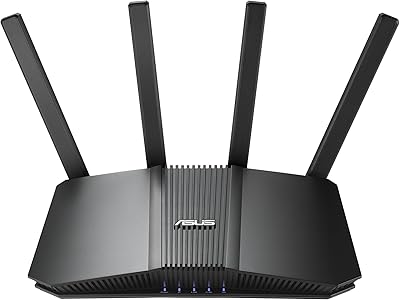
ASUS RT-BE86U WiFi 7 Router
85%
92%
WiFi Performance
89%
Speed & Throughput
91%
Security Features
85%
Ease of Setup
68%
Firmware Stability
More
Olay Regenerist Whip 1.7 oz
90%
96%
Hydration Effectiveness
88%
Fine Line Reduction
94%
Absorption Speed
91%
Texture & Feel
87%
Skin Compatibility
More

FAQ

Officially, no — ASUS has not released updated drivers for Windows 11, and many users report issues ranging from the card not being recognized to audio dropouts. Some buyers have found workarounds through community forums, such as using older driver versions in compatibility mode, but there is no guarantee these will work on your specific system. If you are running Windows 11 as your daily OS, this is a significant risk worth factoring in before buying.

No. Despite some confusing language in the product listing, the Strix SOAR requires a physical PCIe slot inside a desktop PC tower. Laptops do not have accessible PCIe expansion slots, so this card will not work with any laptop regardless of brand or model.

It depends heavily on the game and your headphones. In first-person shooters and open-world titles with positional audio design, the virtual surround can help you identify the direction of footsteps or environmental sounds more reliably than plain stereo. That said, it is a digital simulation, not true multichannel audio, and with certain closed-back headsets it can sound processed or artificial. Most users find it useful specifically for gaming but switch back to stereo for music and movies.

The onboard amplifier is designed to handle high-impedance headphones, comfortably driving cans in the 150 to 300 ohm range that would sound quiet or thin through a standard motherboard output. Very demanding headphones above 300 ohms may still not reach their full potential, and extremely sensitive in-ear monitors at the low-impedance end have occasionally revealed a faint noise floor. For most gaming and audiophile headsets in the mid-impedance range, the amp performs well.

The physical installation is genuinely straightforward — you power down your PC, open the case, seat the card in any available PCIe slot, and connect the front-panel audio header cable if you want your case jacks to keep working. The hardware side takes about ten minutes for most people comfortable working inside a desktop. The harder part is getting the drivers and software set up correctly afterward, particularly on Windows 10 or newer.

It is a trickier call than it used to be. The hardware itself is still capable of outperforming integrated motherboard audio, especially the headphone amplifier. But the driver situation on current operating systems, the stalled software updates, and the fact that newer alternatives have entered the market at similar prices all weigh against it. If you find it at a discounted price and are running a stable Windows 10 setup, it can still deliver good value. At full price in 2025, you should at least compare it against more recently supported options before committing.

Once installed, you can set the Strix SOAR as your default audio device in Windows, which effectively routes all system audio through the card instead of the motherboard. The onboard audio does not get physically disabled, but Windows will use whichever device you designate as default. Most users simply set the card as the primary output and leave the motherboard audio dormant without any issues.

It is functional but not polished. The EQ presets and surround configuration tools work well enough once you get familiar with the interface, and users who take the time to customize settings to their specific headphones generally find value in it. The complaints come from bugs — settings occasionally failing to save, the interface freezing on launch, and a general feeling that the software has not been updated in years. Using it in a minimal, set-it-and-forget-it way tends to cause fewer headaches than trying to tweak it frequently.

For the most part, yes. Connecting the front-panel header cable from your case to the card keeps your case audio jacks active, which is convenient if you regularly plug headphones into the front of your PC rather than reaching around to the back. Audio quality through the front panel is slightly below the rear outputs, as is typical of this design, but the difference is minor for everyday use.

For most users, a quality modern motherboard with a premium onboard audio codec — such as those using the Realtek ALC4082 or similar high-end chips — will come close to or match what this PCIe card offers for general listening and gaming. Where the card still holds an edge is in the dedicated headphone amplifier, which a motherboard rarely replicates at the same output quality for high-impedance headphones. If your primary goal is driving demanding headphones rather than just improving overall audio clarity, the dedicated card still has a clear advantage.