Overview
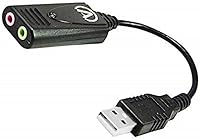
The Andrea Electronics USB-SA-1 serves as a straightforward fix for anyone struggling with the inconsistent audio quality often found on standard computer motherboards. Instead of opening up a desktop or settling for a laptop's weak internal processing, this USB audio adapter moves the sound processing outside the machine. It is roughly the size of a thumb drive, making it small enough to toss into a laptop bag without a second thought. Because it uses a standard USB 2.0 interface, you do not have to worry about complex drivers or hardware compatibility issues on most systems. It effectively replaces a failing or mediocre onboard jack with a dedicated audio path. This results in an immediate, noticeable jump in clarity for both recording and listening tasks right from the first plug-and-play connection.
Features & Benefits
The primary draw of the external sound card is its ability to filter out the background static that plagues many built-in ports. By moving the digital-to-analog conversion away from the electrical noise of the processor and fans, it delivers CD-quality sample rates without that annoying underlying hiss. It features two clearly marked 3.5mm ports for a stereo microphone and speakers, providing a stable foundation for your existing analog gear. The integrated LED indicator is a small but useful touch, giving you a quick visual cue that data is actually moving. The PureAudio technology baked into this digital interface works behind the scenes to actively scrub low-frequency buzz from your microphone input. This ensures that your voice remains the focus, rather than the hum of your computer hardware.
Best For
Remote workers who spend their days in virtual meetings will find this USB audio adapter particularly helpful for cleaning up their vocal presence. If you own a favorite high-quality analog headset but your new laptop lacks a proper input, this device bridges that gap perfectly. It also appeals to entry-level podcasters or gamers who need a low-noise input solution but are not quite ready to invest in a bulky, professional-grade mixer. Laptop owners dealing with a broken physical jack can use this digital interface to restore their audio functionality without an expensive repair bill. It is a practical tool for anyone who needs reliable audio performance while traveling, as its small footprint does not clutter a workstation. It provides a consistent experience across different machines.
User Feedback
Long-term users frequently highlight how well the external sound card handles microphone static and buzz, often solving problems that software filters alone could not touch. While the plastic casing is lightweight, it feels surprisingly durable and holds up well to being tossed around in a bag. Most people report that installation on Windows and Mac systems is nearly instantaneous, though some mention that the optional software suite provides much-needed granular control over levels. On the downside, some find the physical size can occasionally block adjacent USB ports on very slim laptops, which might require a short extension cable. However, the trade-off for such a portable and effective noise-reduction tool is usually worth that minor inconvenience. It remains a reliable staple for those who need a no-fuss way to bypass mediocre integrated audio chips.
Pros
- Bypasses electrical noise and motherboard hiss for a much cleaner microphone input signal.
- The compact, thumb-drive design fits easily into any travel bag or pocket for mobile use.
- Installs instantly on most operating systems without the need for manual driver searching or complex setup.
- Provides a reliable hardware solution for laptops with broken or low-quality internal 3.5mm audio jacks.
- The dedicated LED light offers helpful visual confirmation that the device is receiving power and active.
- Andrea Electronics USB-SA-1 effectively restores functionality to legacy PC systems running older Windows versions.
- Includes a software suite that offers extra control over equalization and specific noise reduction levels.
- Standard stereo ports allow you to use your favorite analog headsets on modern USB-only machines.
Cons
- The wide plastic casing can physically block adjacent USB ports on many slim laptop models.
- Lacks physical volume or mute buttons, requiring you to use software sliders for all audio adjustments.
- The maximum output volume may be insufficient for driving power-hungry, high-impedance professional studio headphones.
- Included software suite has an outdated interface that can feel clunky on modern, high-resolution displays.
- Andrea Electronics USB-SA-1 utilizes a legacy USB-A connector which requires an adapter for modern USB-C only devices.
- Aggressive noise-canceling software settings can sometimes lead to slight clipping at the beginning of spoken sentences.
- The green status light is quite bright and cannot be dimmed or turned off during night use.
- The 3.5mm jacks can feel overly tight initially, requiring significant force to fully seat some audio plugs.
Ratings
Our evaluation of the Andrea Electronics USB-SA-1 is based on a rigorous AI-driven analysis of verified user reviews from around the globe, intentionally filtering out incentivized feedback or promotional spam. This score reflects a transparent synthesis of real-world performance, highlighting both the technical reliability and the specific functional limitations reported by actual buyers in diverse recording environments.
Microphone Noise Reduction
Portability & Form Factor
Plug-and-Play Reliability
Build Durability
Audio Output Clarity
Legacy System Support
Signal Interference Shielding
Value for Money
LED Indicator Utility
Software Functionality
Suitable for:
The Andrea Electronics USB-SA-1 is an ideal fix for remote professionals who find their voice calls marred by persistent background hiss or electrical interference from a laptop. If you own a high-quality legacy headset with 3.5mm plugs and your current computer lacks the appropriate jacks, this adapter bridges that gap effortlessly. It also serves as a reliable workaround for anyone dealing with a broken internal sound card who needs a quick, external replacement. Podcasters or casual gamers on the move will appreciate how this compact digital interface provides a cleaner signal than most standard onboard audio chips. Its small footprint makes it a perfect addition to a mobile workstation kit.
Not suitable for:
While effective for general use, the Andrea Electronics USB-SA-1 is not the right choice for audiophiles using high-impedance professional headphones that require a high-output amplifier. Musicians looking for XLR inputs or physical gain control knobs will find the feature set here too basic for a studio environment. If your modern setup strictly uses USB-C ports, you should look for a newer model or prepare to use an additional dongle. Users who frequently swap between multiple audio sources might find the lack of a dedicated physical mute switch inconvenient. Furthermore, those who demand the absolute latest in high-resolution audio processing might prefer a more modern, higher-priced DAC.
Specifications
- Hardware Interface: The device connects via a standard USB 2.0 Full Speed Type-A port.
- Audio Input: It features a single 3.5mm stereo jack specifically for microphone connections.
- Audio Output: It includes a single 3.5mm stereo jack for connecting headphones or speakers.
- Dimensions: The adapter measures approximately 5 x 4 x 1 inches including its packaging.
- Weight: The total item weight is approximately 0.704 oz, making it highly portable.
- Sampling Rates: The card supports CD-quality digital sample rates for high-fidelity audio reproduction.
- Compliance: This hardware is fully compliant with USB Device Class Specification V1.0.
- Indicator Light: A built-in LED provides visual confirmation for power status and data transmission.
- Compatibility: It supports legacy Windows versions from 98 SE to Vista and Mac OS9/10.
- Form Factor: The external housing is designed to be about the size of a standard thumb drive.
- Noise Reduction: The hardware is optimized to support PureAudio digital noise reduction technology.
- Power Source: This device is bus-powered directly through the USB port and requires no external batteries.
Related Reviews
Nikleb Power Strip 23 in 1 with 20 Outlets, 2 USB, 1 USB-C, 6ft Extension Cord
UtechSmart D3903-1 USB-C Docking Station
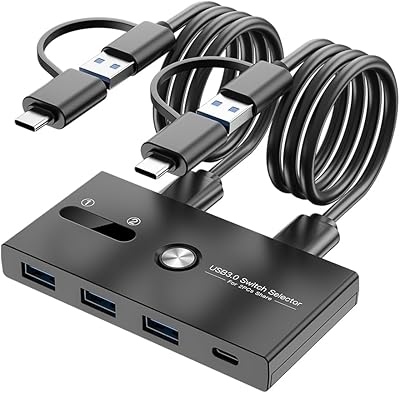
ZIYUETEK USB A&C 4-Port KVM Switch
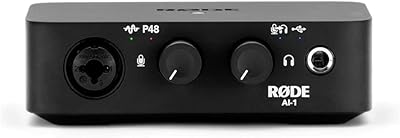
Rode AI-1
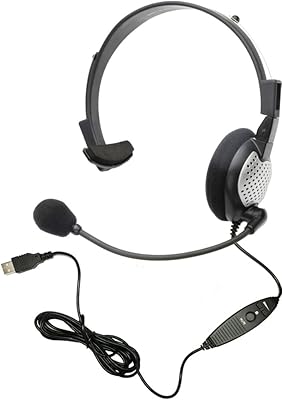
Andrea NC-181VM USB
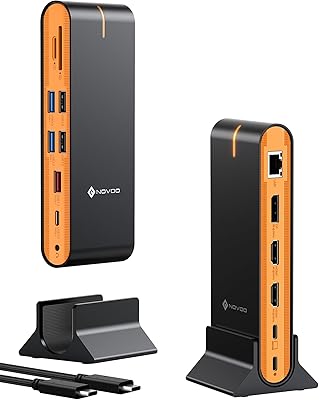
NOVOO 15-in-1 USB C Docking Station
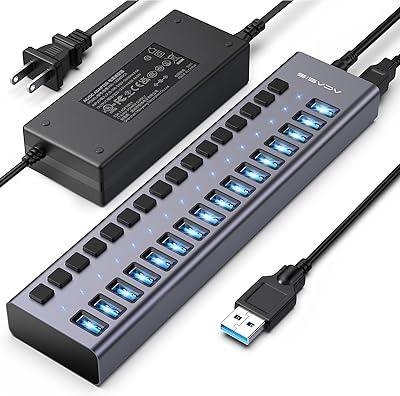
ACASIS HS082 16-Port USB 3.1 Hub
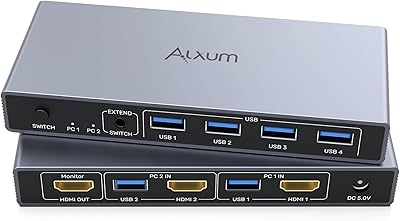
Alxum SJW-KM201B 2-Port HDMI KVM Switch