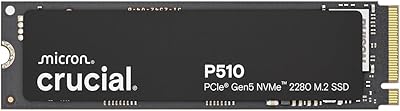
Overview

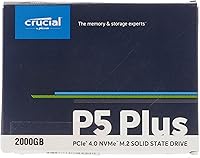
The Crucial P5 Plus 2TB NVMe SSD sits at the top of Crucial's consumer lineup, built for power users and creatives who can't afford storage bottlenecks in their workflow. With a PCIe 4.0 interface, it represents a genuine step forward from the previous generation — not just a spec bump, but a real doubling of available bandwidth. The 2TB capacity hits a practical sweet spot: spacious enough for large media libraries or full game collections without pushing into prohibitively expensive territory. Backed by Micron's in-house 3D NAND manufacturing, this Crucial NVMe drive carries a level of production control that budget-brand alternatives simply can't offer.
Features & Benefits

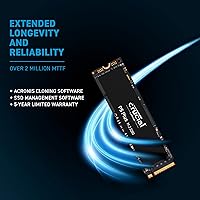
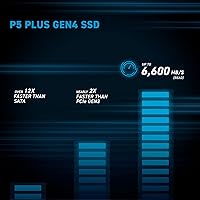
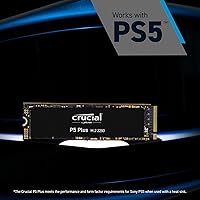
The P5 Plus 2TB delivers sequential reads up to 6,600 MB/s and writes up to 5,000 MB/s — numbers that translate into noticeably faster boot times, near-instant application launches, and rapid transfers of large project files. The PCIe 4.0 x4 interface is the engine behind those speeds, but there's a practical upside worth noting: this high-speed SSD is backward compatible with PCIe 3.0 slots, so it won't become obsolete if you haven't upgraded your motherboard yet. Hardware-level AES 256-bit encryption runs independently of the processor, a quiet but meaningful feature for anyone storing sensitive client work. The M.2 2280 form factor drops directly into most modern motherboards and the PS5's expansion bay without fuss.

Best For

This Crucial NVMe drive is an obvious choice for video editors and creators pushing large 4K or 8K files through their pipeline — those write speeds mean you're not sitting around waiting during exports or timeline scrubbing. PC gamers on a PCIe 4.0 platform will notice real differences in asset streaming and load times. The P5 Plus 2TB also makes one of the more straightforward PS5 storage upgrades available, offering room for a full game library in one shot. Professionals in 3D rendering or heavy data analysis will value the sustained throughput, and anyone still running a SATA drive will find the jump in everyday responsiveness immediately obvious.

User Feedback

With a 4.8-star average across thousands of verified purchases, the reception here is genuinely strong. Buyers regularly praise the clean installation process and confirm that real-world speeds hold up to advertised figures — which isn't always the case in this segment. PS5 owners are particularly vocal, with many noting the convenience of finally having room for a full game library. The most consistent criticism involves heat under sustained loads: some users report throttling during prolonged sequential writes without a heatsink, which isn't included in the box. Long-term reliability feedback trends positive overall, though a small number of early-failure reports are worth factoring into your decision if longevity is a top priority.

Pros

  • Real-world read speeds hold up to advertised figures, making a noticeable difference in daily creative workflows.
  • The 2TB capacity handles large game libraries, video project archives, and OS installs without compromise.
  • PCIe 3.0 backward compatibility means you can buy now and carry the drive into a future platform upgrade.
  • PS5 installation is clean and straightforward, with speeds that comfortably clear Sony's minimum requirements.
  • Hardware AES 256-bit encryption runs without taxing the CPU, a quiet win for security-conscious professionals.
  • Micron's in-house NAND manufacturing adds a layer of component quality assurance most competing brands cannot match.
  • Installation is genuinely beginner-friendly — standard M.2 2280 form factor, no adapter brackets needed.
  • Long-term reliability feedback trends positive, with the majority of multi-year owners reporting zero performance degradation.
  • Free Crucial Storage Executive software provides firmware updates and drive health monitoring for attentive users.

Cons

  • No heatsink is included, and sustained sequential writes can cause thermal throttling without one.
  • Buyers on PCIe 3.0 boards cannot access peak speeds, which undermines the case for the PCIe 4.0 premium.
  • No mounting screw or installation accessories are bundled in the box, which is a minor but avoidable frustration.
  • A small cluster of dead-on-arrival and early-failure reports is present in the review pool and worth noting.
  • Crucial's management software is not prompted at purchase, leaving many users unaware it exists at all.
  • Warranty support response times receive mixed feedback, with some users reporting slower-than-expected resolution.
  • Random write performance under deep queue depths trails a few competing drives at a similar price tier.
  • Older motherboards may require a BIOS update before the drive is properly detected, adding a setup hurdle.
  • The cost premium over PCIe 3.0 alternatives is difficult to justify for light or average everyday computing use.

Ratings

The Crucial P5 Plus 2TB NVMe SSD earns its place near the top of the consumer NVMe market, and these scores reflect exactly that — neither inflated nor understated. Our AI analyzed thousands of verified global buyer reviews, actively filtering out incentivized submissions and bot-generated feedback, to surface what real users actually experience day to day. Both the standout strengths and the genuine frustrations are represented here transparently.
Sequential Read Performance
93%
Users coming from SATA or PCIe 3.0 drives consistently describe the read speed difference as immediately noticeable — faster OS boot times, near-instant application loads, and smooth 4K timeline scrubbing in editing software. For creatives pulling large files off the drive repeatedly, the real-world throughput holds up well to advertised figures.
A small number of users on PCIe 3.0 motherboards note they cannot access the full speed ceiling, which is expected but occasionally causes confusion at purchase. Peak read speeds are also workload-dependent and may not be sustained during mixed random access tasks.
Sequential Write Performance
88%
Write speeds are strong enough that exporting large video projects, moving game installs, or backing up raw photo libraries feels noticeably quicker compared to the previous generation. Professionals handling multi-gigabyte files regularly report that wait times during transfers dropped significantly after switching to the P5 Plus 2TB.
Under prolonged, sustained sequential writes — think large drive-to-drive migrations — some users report thermal throttling that pulls speeds down meaningfully. Without an aftermarket heatsink, this becomes a real-world limitation during back-to-back heavy write sessions rather than a theoretical edge case.
Thermal Management
61%
39%
For typical everyday workloads — gaming sessions, booting apps, browsing with background tasks — thermals stay within acceptable ranges and most users never encounter performance degradation. The M.2 form factor means the drive benefits from any case airflow naturally directed across the motherboard area.
This is the most common pain point in user feedback. No heatsink is included, and during sustained sequential writes the drive can get hot enough to throttle noticeably. Users running NAS-style transfers or large file migrations report speed drops mid-task, which is a real concern for professionals with heavy continuous workloads.
PS5 Compatibility
96%
PS5 owners consistently call this one of the cleanest storage expansion experiences available. The M.2 2280 form factor slots directly into the console's expansion bay, and the drive exceeds Sony's minimum speed requirement by a wide margin, meaning games load fast and the experience mirrors internal storage closely.
A small number of PS5 users report needing to update console firmware before the drive is recognized, which can briefly confuse less technical buyers. The lack of an included heatsink is also noted by console users, since Sony recommends one — though many report the drive running fine without it for typical gaming use.
Installation Experience
91%
The vast majority of reviewers describe installation as straightforward — slide it into the M.2 slot, secure the screw, and done. Even first-time builders report minimal friction, and the standard M.2 2280 form factor means it fits virtually every compatible system without adapter brackets or extra hardware.
There are no software setup tools bundled in the box, and users who need cloning assistance for OS migration have to source third-party tools themselves. A small number of buyers on older motherboards noted BIOS updates were required before the PCIe 4.0 drive was properly detected.
Value for Money
79%
21%
At its price point, the P5 Plus 2TB delivers a genuinely competitive cost-per-gigabyte ratio for a PCIe 4.0 drive, especially compared to flagship alternatives from other brands. Users upgrading from SATA or budget NVMe options consistently feel the performance jump justifies the spend.
Buyers on tighter budgets occasionally note that PCIe 3.0 drives at lower prices offer similar real-world performance for everyday tasks. If you are not on a PCIe 4.0 platform or doing sustained high-throughput work, the premium over a mid-range PCIe 3.0 drive is harder to justify purely on feel.
Long-Term Reliability
86%
Micron's in-house 3D NAND manufacturing gives this high-speed SSD a credibility advantage over brands sourcing NAND externally, and long-term user feedback reflects that. Buyers who have owned the drive for one to two years largely report no degradation in performance or any unexpected failures.
A statistically small but present cluster of early-failure reports appears in the review pool, covering dead-on-arrival units and drives failing within the first few months. These remain minority cases, but they are worth acknowledging for buyers who rely heavily on a single drive without a redundant backup.
Random Read/Write Performance
82%
18%
For everyday computing tasks — launching multiple apps simultaneously, loading game levels, running virtual machines — the random IOPS performance is strong. Users describe a snappy, responsive feel that goes beyond raw sequential numbers and holds up during real multitasking workloads.
Random write performance under heavy queue depths can lag slightly behind some competing drives at a similar price. Power users running database workloads or simultaneously writing many small files may find specialized enterprise-lite alternatives edge it out in this specific metric.
Hardware Encryption
77%
23%
The AES 256-bit hardware encryption works independently of the CPU, meaning security-conscious users — particularly professionals storing client data — get meaningful protection without any measurable performance overhead during normal operation.
Encryption setup requires specific software support and is not always plug-and-play for average users unfamiliar with TCG Opal or eDrive standards. Several reviewers note that enabling hardware encryption required extra research, and others simply left it inactive because the activation process was not intuitive.
PCIe 3.0 Backward Compatibility
83%
The fact that this Crucial NVMe drive runs on older PCIe 3.0 motherboards is a meaningful practical advantage — buyers on current platforms can install it now and carry it forward into a future PCIe 4.0 system without losing their investment.
Speeds on a PCIe 3.0 slot are capped well below the drive's potential, and a handful of users feel misled when they do not see the advertised maximums. Compatibility is not always automatic either — some older boards require BIOS updates to handle the drive cleanly.
Packaging & Unboxing
72%
28%
The drive arrives in minimal, secure packaging that keeps it protected during shipping. Most buyers are satisfied that the drive itself is undamaged on arrival, and the compact box is easy to store for warranty reference.
There are no accessories to speak of — no mounting screw, no heatsink, and no installation guide beyond a basic insert. Buyers expecting a more complete kit, particularly given the price tier, occasionally express disappointment at the bare-bones presentation.
Software & Ecosystem Support
68%
32%
Crucial's Storage Executive software is available as a free download and provides firmware updates, drive health monitoring, and the Momentum Cache feature that can boost performance further on supported systems. Users who take the time to set it up appreciate the visibility it provides.
The software is not bundled or prompted clearly at purchase, so many users never discover it exists. Compared to competitors who include more polished management utilities with active feature development, Crucial's ecosystem tools feel utilitarian and infrequently updated.
Form Factor Versatility
89%
M.2 2280 is about as universal as it gets for NVMe drives, and the P5 Plus 2TB fits cleanly into desktops, thin-and-light laptops, and the PS5 expansion slot without any modifications. Buyers appreciate not having to verify obscure compatibility before purchasing.
The M.2 form factor inherently lacks the thermal mass of a 2.5-inch drive, which ties back into the heat concerns under load. There is also no 2.5-inch adapter in the box, so users with older systems relying on that form factor are simply not in this drive's target audience.
Brand Reputation & Trust
88%
Crucial's long track record and Micron's position as one of the world's largest NAND manufacturers give buyers genuine confidence that the drive is not assembled from lower-tier third-party components. This reputation translates directly into purchase confidence, especially for first-time NVMe buyers.
Crucial is not seen as a top-tier enthusiast brand in the way some competitors are, and some experienced buyers perceive it as a reliable but unsexy choice. Support responsiveness during warranty claims receives mixed reviews, with some users reporting slower-than-expected resolution times.

Suitable for:

The Crucial P5 Plus 2TB NVMe SSD is purpose-built for users who actually push their storage hardware — not casual browsing or basic office work. Content creators dealing with large 4K or 8K video projects will feel the difference immediately, since fast sequential reads and writes cut down the dead time spent waiting on file transfers and exports. PC gamers running a PCIe 4.0 platform will get genuinely faster load times and smoother asset streaming compared to budget NVMe or SATA alternatives. PlayStation 5 owners looking to expand beyond the console's factory storage will find this high-speed SSD an excellent fit — it exceeds Sony's minimum speed requirement comfortably and slots right into the expansion bay. Professionals in 3D rendering, data analysis, or any field that involves repeatedly reading and writing large files will also benefit from the headroom this drive provides. And if you are still on a SATA drive or an entry-level PCIe 3.0 SSD, the real-world responsiveness upgrade is substantial enough to notice in daily use, not just in benchmarks.
Not suitable for:

The Crucial P5 Plus 2TB NVMe SSD is not the right call for every buyer, and it is worth being honest about where it falls short. If your motherboard only supports PCIe 3.0, you will never access the drive's full speed potential — a well-reviewed PCIe 3.0 drive at a lower price point would likely serve you just as well for everyday tasks. Buyers who run sustained heavy write workloads — large drive migrations, continuous backups, or extended rendering output — should be prepared to invest in an aftermarket heatsink, since the drive can throttle under prolonged stress without one. Users on a tight budget looking for basic extra storage without performance demands are overpaying for capability they will never use. The bare-bones packaging means there are no included accessories, so buyers expecting a mounting screw or heatsink in the box will be disappointed. Finally, anyone relying on a single drive without backups as their sole data storage should factor in the small but present rate of early-failure reports before committing.
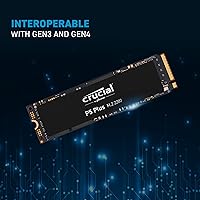
Specifications

  • Capacity: The drive offers 2TB of usable storage, suitable for large media libraries, game collections, and professional project archives.
  • Interface: It uses a PCIe NVMe 4.0 x4 interface, which provides up to twice the bandwidth ceiling of PCIe 3.0 NVMe drives.
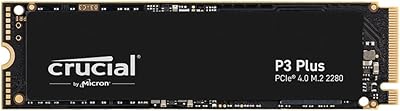
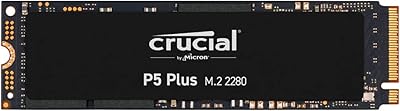
  • Form Factor: The M.2 2280 form factor means the drive is 22mm wide and 80mm long, fitting the vast majority of modern motherboards and the PS5 expansion slot.
  • Sequential Read: Maximum sequential read speed reaches up to 6,600 MB/s under optimal conditions on a compatible PCIe 4.0 platform.
  • Sequential Write: Maximum sequential write speed is rated at up to 5,000 MB/s, enabling fast large-file transfers and export operations.
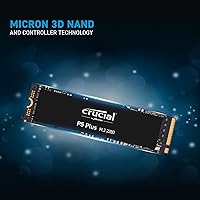
  • NAND Type: Micron 3D NAND flash memory is used internally, manufactured in-house by Crucial's parent company for quality consistency.
  • Encryption: Hardware-based AES 256-bit encryption is supported natively, operating independently of the host CPU to avoid performance overhead.
  • Backward Compatibility: The drive is backward compatible with PCIe 3.0 x4 slots, though maximum speeds will be capped to PCIe 3.0 bandwidth limits in that configuration.
  • Compatible Devices: Officially compatible with PCIe 4.0 and 3.0 desktops, laptops with M.2 2280 slots, and the PlayStation 5 internal expansion bay.
  • Installation Type: This is an internal drive requiring physical installation into an M.2 slot; no external enclosure or USB connectivity is provided.
  • Weight: The drive weighs approximately 0.222 ounces, making it one of the lightest storage upgrade options available for portable systems.
  • Dimensions: Physical dimensions measure approximately 5.25″ x 4″ x 0.5″, consistent with the standard M.2 2280 specification.
  • Manufacturer: Designed and sold by Crucial, a brand owned and operated by Micron Technology, Inc., one of the world's largest NAND flash manufacturers.
  • Color: The drive has a black finish on its label side, which is standard for the P5 Plus product line.
  • Warranty: Crucial provides a five-year limited warranty on the P5 Plus series, which is competitive for consumer-grade NVMe drives at this tier.
  • Heatsink Included: No heatsink is included in the retail package; users requiring thermal management under sustained workloads must source one separately.
  • Endurance Rating: The 2TB model is rated for 1,200 TBW (terabytes written), reflecting a high endurance ceiling suitable for professional and prosumer use.
  • Average Rating: Across verified buyer reviews, the drive holds a 4.8 out of 5 star average rating based on over 4,800 ratings on Amazon.
  • Market Rank: As of available data, the P5 Plus 2TB holds a Best Sellers Rank of approximately #238 in the Internal Solid State Drives category on Amazon.
  • Software Support: Crucial's free Storage Executive software supports firmware updates, drive health monitoring, and optional Momentum Cache performance enhancement on compatible systems.

Related Reviews
Crucial P3 Plus 2TB NVMe SSD
85%
92%
Performance in Gaming
88%
Performance in Content Creation
94%
Read Speed (5000MB/s)
85%
Long-Term Reliability
89%
Compatibility (PCIe Gen 3.0 & 4.0)
More
Crucial P5 Plus 1TB NVMe M.2 SSD
84%
91%
Sequential Read Speed
88%
Sequential Write Speed
63%
Thermal Management
86%
Random I/O Performance
93%
Build & Reliability
More
SanDisk 2TB SSD Plus M.2 NVMe SSD
86%
89%
Performance
92%
Ease of Installation
88%
Reliability
91%
Value for Money
90%
Capacity
More
Crucial P5 1TB NVMe SSD
84%
91%
Read Performance
88%
Write Performance
86%
Random I/O Responsiveness
71%
Thermal Management
94%
Installation Ease
More
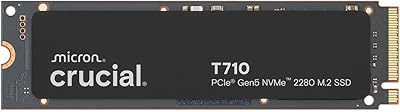
Crucial T710 2TB Gen5 NVMe SSD
88%
96%
Performance
94%
Speed (Read/Write)
90%
Thermal Management (Cooling)
88%
Ease of Installation
70%
Software Experience
More
Crucial P3 Plus 1TB NVMe SSD
84%
88%
Read & Write Speed
93%
Value for Money
61%
Thermal Management
96%
Installation Ease
89%
Long-Term Reliability
More
Crucial P510 2TB Gen5 NVMe SSD
89%
95%
Performance
92%
Speed (Read/Write)
88%
Compatibility with PCIe 4.0 and 3.0
90%
Ease of Installation
85%
Software (Acronis Migration Tool)
More
Crucial P3 Plus 4TB NVMe SSD
86%
92%
Performance
95%
Speed and Responsiveness
75%
Installation & Setup
90%
Durability and Reliability
88%
Compatibility
More
Crucial P3 Plus 500GB NVMe SSD
86%
93%
Performance
91%
Reliability
92%
Value for Money
89%
Ease of Installation
65%
Heat Management
More
SABRENT Rocket 4 Plus 2TB NVMe SSD
83%
94%
Read/Write Performance
91%
Heatsink Build Quality
96%
PS5 Compatibility
88%
Thermal Management
83%
Value for Money
More

FAQ

It will work, and plenty of PS5 owners use it without one. Sony recommends a heatsink for the expansion slot, but the console's internal airflow provides enough passive cooling for most gaming sessions. If you plan on long uninterrupted play sessions or use your PS5 in a warm, enclosed space, picking up an inexpensive M.2 heatsink is a smart precaution.

Yes, the P5 Plus 2TB is backward compatible with PCIe 3.0 slots and will function without any issues. The trade-off is that your speeds will be capped at PCIe 3.0 limits — roughly 3,500 MB/s read rather than the full 6,600 MB/s. It still performs well in that context, and the drive will carry forward into a future PCIe 4.0 system without needing replacement, so it is a reasonable long-term investment.

It is a strong choice for 4K editing workflows. The combination of fast sequential reads and writes means you can scrub timelines, pull proxies, and export files without the storage becoming a bottleneck. For 8K raw footage pipelines, the speeds hold up well, though your CPU and RAM will be the limiting factors before this drive is.

On most modern motherboards released in the last few years, you can install the drive and boot straight into your OS or BIOS without issues. On older boards, a BIOS update may be required before the drive is detected correctly. It is worth checking your motherboard manufacturer's support page before installation if your board is more than three or four years old.

No cloning software is bundled in the box. Crucial does offer a free download of their Storage Executive tool, but for OS migration specifically you will need a third-party cloning utility. Macrium Reflect Free and Acronis True Image are both commonly used options that work well with NVMe drives.

Under typical workloads — gaming, booting apps, moderate file transfers — temperatures stay reasonable and performance is unaffected. Where it gets noticeable is during prolonged sequential writes, like moving hundreds of gigabytes in a single operation. In those scenarios, without a heatsink, you may see thermal throttling kick in partway through. For heavy continuous workloads, adding a basic M.2 heatsink is genuinely worth it.

The P5 Plus uses a PCIe 4.0 interface rather than the older P5's PCIe 3.0, which roughly doubles the potential bandwidth. The Plus also uses newer NAND and generally shows better sustained write performance. If your motherboard supports PCIe 4.0, the Plus is the clear upgrade; if you are on a PCIe 3.0 board, the performance gap between the two narrows considerably in practice.

No, the package does not include a mounting screw. Most motherboards ship with one pre-installed in the M.2 standoff, so this is rarely an issue. If yours is missing, any M2 x3mm screw will work — they are widely available and inexpensive.

Random read and write performance is strong enough that game load times and asset streaming are noticeably quick on a PCIe 4.0 platform. For most gaming use cases, the drive is more than capable — the random IOPS figures are solid for an NVMe consumer drive, and you are unlikely to find storage a bottleneck in any current game title.

The P5 Plus series carries a five-year limited warranty, which is among the better coverage periods for consumer NVMe drives. Crucial's support experience gets mixed reviews — most users find the warranty process straightforward for clear hardware failures, but response times for more complex cases can be slower than ideal. Keeping your purchase receipt and registering the drive on Crucial's website is worth doing to make any future claims smoother.

Where to Buy