Overview

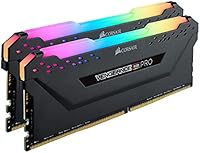
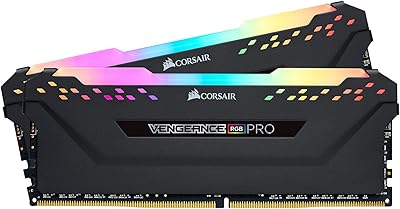
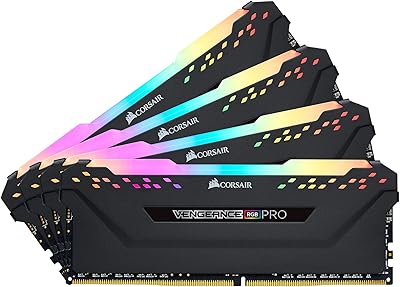
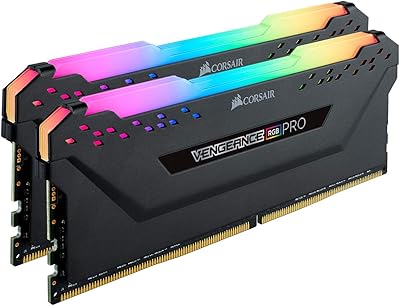
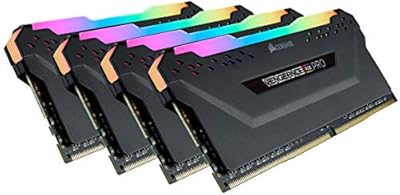
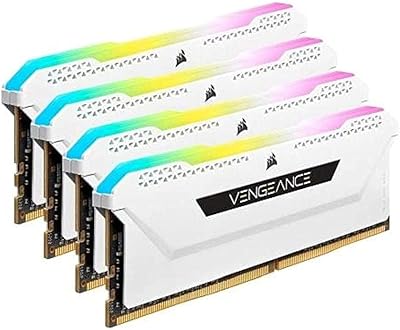
The Corsair Vengeance RGB Pro 32GB DDR4 RAM sits in the mid-to-high-end tier of the DDR4 market, built for enthusiasts who want real performance without jumping to DDR5 just yet. At 3600MHz with CL18 timings, it hits a sweet spot that translates to snappier load times in games and faster response in productivity workloads. The dual-channel 2x16GB configuration gives the CPU’s memory controller clean, balanced bandwidth access — something single-stick setups simply can’t match. It works across both Intel and AMD DDR4 motherboards, making it a flexible option for a wide range of builds. This Corsair RGB kit is proven technology, not cutting-edge, but that’s exactly the point.
Features & Benefits

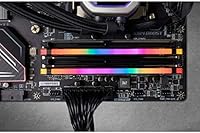
Each stick carries individually addressable RGB LEDs that produce genuinely smooth lighting effects — not the chunky, segmented look you get from cheaper kits. If you’re already running Corsair fans, a cooler, or a compatible keyboard, iCUE software ties everything together with synchronized profiles across your entire setup. The custom-designed PCB keeps signal quality stable under load, and the ICs are carefully binned, meaning there’s real overclocking headroom beyond the rated 3600MHz if your motherboard supports it. Operating at just 1.35 volts, thermal output stays conservative. Installation requires no extra cables or adapters — just slot the sticks in and enable XMP in your BIOS.

Best For

This Corsair RGB kit makes the most sense for builders already invested in the iCUE ecosystem — the lighting sync pays off noticeably when your whole system runs under one software roof. It’s also a natural pick for gamers and content creators who’ve outgrown 16GB and want a reliable dual-channel upgrade without overcomplicating their build. The 32GB capacity handles modern AAA titles, browser-heavy workflows, and light video editing simultaneously without strain. For anyone on an Intel or AMD DDR4 platform looking to experiment beyond stock speeds, the Vengeance RGB Pro sticks offer solid XMP support out of the box, plus room for careful manual tuning if you want to go further.

User Feedback

With over 11,000 ratings averaging near the top of the scale, buyer reception for this DDR4 memory kit has been broadly positive. Most frequently praised: how reliably the XMP profile activates on first boot and how stable the kit remains after months of continuous use. The RGB lighting gets consistent compliments, though most long-term owners frame it as a welcome bonus rather than a core reason to buy. On the downside, a notable portion of users finds iCUE heavy on system resources, and a smaller group hit compatibility snags with specific motherboards — most of which were sorted through BIOS updates. Checking your board’s QVL list ahead of purchase is a smart move.

Pros

  • 3600MHz speed with CL18 timings delivers a strong real-world performance balance for gaming and multitasking.
  • The dual-channel 2x16GB setup gives the CPU clean, balanced bandwidth that single-stick configurations cannot replicate.
  • XMP profile activates reliably on first boot across a wide range of Intel and AMD DDR4 motherboards.
  • Ten individually addressable RGB LEDs per stick produce smooth, vivid lighting that holds up visually in any windowed case.
  • For builders already in the Corsair iCUE ecosystem, lighting sync across peripherals works consistently without much manual setup.
  • Low 1.35V operating voltage keeps power draw and heat output conservative over long sessions.
  • The Vengeance RGB Pro sticks carry well-screened ICs with genuine overclocking headroom for enthusiasts who want to push beyond XMP.
  • Installation is clean and straightforward — no adapter cables, no external connectors, just slot in and configure BIOS.
  • Long-term owners consistently report stable operation over months and years of daily use.
  • At this price tier, the combination of speed, capacity, and build quality is hard to argue with for a DDR4 build.

Cons

  • iCUE software is resource-heavy and can feel like overkill if you only want basic lighting control.
  • Occasional compatibility issues have been reported with specific motherboard models, making QVL verification a necessary step before buying.
  • CL18 timings are not the tightest available at 3600MHz — competing kits offer CL16 or lower for latency-sensitive workloads.
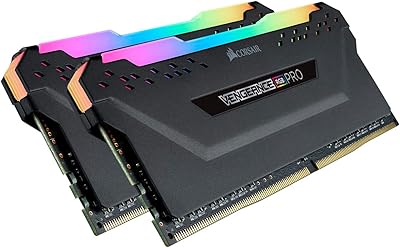
  • The RGB heat spreader adds significant height, which can conflict with large tower CPU coolers in tighter cases.
  • iCUE requires ongoing software updates, and some users have experienced lighting behavior breaking temporarily after updates.
  • This DDR4 memory kit offers no upgrade path to DDR5 — buyers on the fence about platform longevity should factor that in.
  • Users who never intend to use iCUE are effectively paying a premium for lighting features they will not fully utilize.
  • A small number of buyers needed BIOS updates to resolve initial boot or speed detection issues, which can frustrate less experienced builders.

Ratings

The Corsair Vengeance RGB Pro 32GB DDR4 RAM has been scored by our AI system after analyzing thousands of verified global buyer reviews, with spam, bot-generated, and incentivized submissions actively filtered out before any scoring was applied. The results reflect a genuinely strong performer in the DDR4 space, with a few recurring friction points that prospective buyers deserve to know about upfront. Both the highlights and the frustrations are represented honestly across each category below.
Performance at Rated Speed
91%
The vast majority of buyers report that enabling XMP and hitting 3600MHz is a reliable, first-boot experience across both Intel and AMD platforms. Gamers running CPU-intensive titles and streamers juggling multiple applications simultaneously consistently describe the kit as snappy and stable under sustained load.
CL18 timings, while perfectly competent, leave a small gap compared to tighter alternatives at the same frequency. Users chasing the absolute lowest latency in competitive gaming benchmarks occasionally note that CL16 kits at the same price point can edge this one out in synthetic tests.
Installation Experience
94%
Buyers across experience levels — from first-time builders to seasoned enthusiasts — consistently highlight how clean and uncomplicated the physical install is. No adapters, no cables, no proprietary connectors; the sticks slot in and the system posts without drama in the overwhelming majority of cases.
A small but notable group of users encountered systems that booted at default JEDEC speeds rather than XMP automatically, requiring a manual BIOS visit. This is a motherboard behavior issue more than a kit flaw, but it catches less experienced builders off guard.
RGB Lighting Quality
89%
The ten individually addressable LEDs per stick produce smooth, well-diffused color transitions that hold up visually in any windowed case. Buyers who upgraded from entry-level RGB kits frequently comment on the noticeable jump in lighting quality and consistency across both sticks.
Without iCUE installed, the default rainbow cycle is attractive but not customizable. Users who want static colors or specific patterns without keeping third-party software running in the background find their options limited compared to some competing implementations.
iCUE Software Experience
67%
33%
For builders already deep in the Corsair ecosystem, iCUE delivers on its promise — synchronizing memory lighting with fans, coolers, and keyboards into cohesive profiles that genuinely look polished in a finished build. The breadth of customization available is hard to match from a single software hub.
iCUE is a persistent point of frustration for a meaningful portion of buyers. It carries a heavier CPU and RAM footprint than most users expect from peripheral software, and update-related lighting glitches are common enough to be a recurring thread in user discussions. Those who just want set-and-forget lighting often find it more trouble than it is worth.
Compatibility Range
83%
Broad Intel and AMD DDR4 platform support means this Corsair RGB kit fits into the widest possible range of mid-range to high-end desktop builds without requiring special consideration. Ryzen 5000 users in particular benefit from the 3600MHz sweet spot aligning with the Infinity Fabric clock.
Occasional compatibility snags with specific motherboard models — particularly older or budget-tier boards — appear consistently in low-rating reviews. Corsair’s own QVL listing does not cover every board, and users who skip that verification step are more likely to run into boot or stability issues.
Overclocking Headroom
78%
22%
Enthusiasts who push beyond XMP report that the screened ICs give a real, if modest, margin for manual tuning. Getting stable timings tighter than the rated CL18 is achievable on a capable motherboard, which adds longevity to the kit as users refine their BIOS profiles over time.
This is not a premium binned kit, and results above XMP vary noticeably depending on the specific IC batch. Buyers expecting consistent headroom to, say, 3800MHz or beyond are sometimes disappointed — the overclocking ceiling is real but not always as high as enthusiast-tier alternatives.
Long-Term Stability
92%
Long-term owners are among the most satisfied buyers in the review pool, with many reporting months and years of daily use without crashes, blue screens, or degradation in performance. The custom PCB and conservative voltage spec appear to contribute to a kit that ages reliably.
The rare stability complaints that do surface tend to correlate with specific motherboard or cooling configurations rather than the kit itself. Still, a small cohort of users reports intermittent issues that persisted even after BIOS updates, suggesting some unit-level variance exists.
Value for Money
81%
19%
At its price tier, the combination of 3600MHz speed, 32GB dual-channel capacity, and quality RGB lighting is genuinely competitive. Buyers upgrading from older 16GB or lower-speed kits consistently describe the purchase as worthwhile, particularly given the brand’s warranty backing.
The RGB heat spreader and iCUE branding carry a small aesthetic premium that pure performance buyers end up paying for regardless of whether they use those features. Comparable non-RGB alternatives occasionally undercut this DDR4 memory kit while offering tighter timings.
Heat Management
88%
Operating at 1.35V keeps the modules running cool even during long gaming or render sessions, and buyers in warm cases report no thermal throttling or heat-related instability. The heat spreader does its job without requiring any active cooling support.
The tall heat spreader profile, while functional, creates clearance conflicts with large tower coolers in some builds. Users with high-end air coolers should measure the gap between their cooler base and the first DIMM slot before assuming the kit will fit without repositioning.
Build & Physical Quality
90%
The aluminium heat spreader feels substantial in hand, and the overall construction quality matches what buyers expect from a mid-to-high-end kit. The consistent finish across both sticks in a kit is something buyers upgrading from budget alternatives notice immediately.
The heat spreader is purely cosmetic in function and adds height that can cause fitment issues, as noted above. There is no functional differentiation in build quality between this and cheaper Corsair non-RGB lines — buyers are partially paying for aesthetics.
Out-of-Box Setup Speed
93%
Most buyers describe the entire process from unboxing to running at full XMP speed as taking under ten minutes, including the BIOS step. The absence of any auxiliary cables or software requirements just to get the memory running removes a lot of the friction associated with RGB memory kits.
The one consistent catch is that first-time builders sometimes do not know to enable XMP, leaving the kit running at a fraction of its rated speed. The kit includes no in-box reminder or instruction card prompting this step, which is a minor but avoidable oversight.
Software Ecosystem Depth
74%
26%
For Corsair-heavy builds, iCUE is one of the more capable unified lighting platforms available — the depth of per-LED customization and cross-device profile management is genuinely impressive once configured. Buyers who invest time in the software often become loyal to it across multiple builds.
The value of the software is almost entirely conditional on owning other Corsair products. For builds mixing brands, iCUE controls only the Corsair components, making the ecosystem argument weaker and the software footprint harder to justify relative to its resource cost.
Packaging & Unboxing
85%
The retail packaging is sturdy and well-designed, presenting the sticks in a way that feels appropriate for the price tier. Buyers purchasing as a gift or who value presentation note that the unboxing experience is noticeably above budget-kit standards.
The packaging is not particularly eco-conscious, featuring more plastic than necessary for a two-stick kit. This is a minor point for most buyers but surfaces occasionally in reviews from environmentally conscious purchasers.
Brand Support & Warranty
87%
Corsair’s limited lifetime warranty and responsive RMA process are cited positively in reviews where buyers encountered defective units. The brand’s reputation for standing behind their memory products adds a meaningful layer of purchase confidence, especially for first-time Corsair buyers.
A portion of warranty claimants report longer-than-expected turnaround times during high-demand periods. The support experience is generally positive but not uniformly fast, and international buyers occasionally note regional service inconsistencies.

Suitable for:

The Corsair Vengeance RGB Pro 32GB DDR4 RAM is an excellent pick for PC builders running current-gen Intel or AMD DDR4 platforms who want a well-rounded dual-channel kit without chasing the DDR5 premium. If you already have Corsair fans, a Corsair cooler, or a compatible keyboard in your build, the iCUE ecosystem integration adds genuine value — your lighting setup becomes cohesive rather than a patchwork of competing software. Gamers who play modern AAA titles, stream simultaneously, or keep a browser loaded with tabs will find 32GB hits a comfortable ceiling that 16GB increasingly cannot. Content creators doing light-to-moderate video editing or audio production also get enough headroom to work without constant page-file intervention. Anyone curious about memory overclocking but not ready to invest in a top-binned enthusiast kit will appreciate that the Vengeance RGB Pro sticks come with screened ICs and a reliable XMP profile as a safe starting point.
Not suitable for:

Buyers building on a DDR5 platform — such as Intel Core Ultra or AMD Ryzen 9000 series boards — should stop here immediately, as the Corsair Vengeance RGB Pro 32GB DDR4 RAM is not compatible with those systems by design. If RGB lighting holds zero appeal and you simply want the lowest-latency DDR4 kit at this speed tier, there are tighter-timed alternatives that may edge it out for pure performance-per-dollar without the lighting premium baked into the price. Users who run lean systems and want to avoid additional background software will find iCUE a friction point, since getting the most out of the lighting requires keeping it installed. Workstation users running memory-intensive applications like 3D rendering, large dataset analysis, or virtual machines might also find that 32GB becomes a ceiling sooner than expected and should consider kits that scale to 64GB. Laptop buyers and small-form-factor builders using SO-DIMM slots will find this kit entirely incompatible, as it is strictly a full-size desktop DIMM.

Specifications

  • Capacity: This kit provides 32GB of total memory split across two 16GB DDR4 DIMM modules configured for dual-channel operation.
  • Memory Type: DDR4 SDRAM, compatible exclusively with DDR4 motherboard slots on Intel and AMD desktop platforms.
  • Speed: Rated at 3600MHz, achievable via XMP profile activation in the motherboard BIOS.
  • Latency: CL18-22-22-42 primary timings at the rated 3600MHz speed and 1.35V operating voltage.
  • Voltage: Operates at 1.35V under XMP, which is within safe DDR4 specifications and keeps thermals conservative.
  • RGB Lighting: Each module features 10 individually addressable RGB LEDs housed beneath a semi-translucent diffuser for smooth color blending.
  • Software: Full Corsair iCUE software support enables lighting customization, profile creation, and sync with other compatible Corsair devices.
  • Form Factor: Standard full-size DIMM form factor designed for desktop motherboards; not compatible with laptop SO-DIMM slots.
  • PCB Design: Corsair uses a custom-engineered PCB on these modules to maintain signal integrity and stability under sustained workloads.
  • IC Quality: Memory ICs are individually screened and selected for extended overclocking potential beyond the rated XMP speed.
  • Dimensions: Each stick measures 5.44 x 0.3 x 2 inches, with the tall heat spreader requiring clearance from large CPU coolers.
  • Weight: The complete two-stick kit weighs 5.3 ounces total, consistent with standard aluminum heat spreader construction.
  • Cable Requirement: No auxiliary wiring or external connectors are needed for RGB operation; lighting power is drawn directly through the DIMM slot.
  • Model Number: The exact model identifier for this kit is CMW32GX4M2Z3600C18, useful for verifying motherboard QVL compatibility.
  • Platform Support: Verified compatible with Intel and AMD DDR4 desktop motherboards; DDR5 platforms are not supported.
  • Warranty: Corsair covers this kit with a limited lifetime warranty, which is standard for their Vengeance memory product line.

Related Reviews

Corsair Vengeance RGB Pro DDR4 32GB 3200MHz
84%
93%
Installation & Setup
86%
Performance at Rated Speed
71%
Overclocking Headroom
91%
RGB Lighting Quality
76%
iCUE Software Integration
More
Corsair Vengeance RGB Pro 32GB (4x8GB) DDR4 3600 MHz
89%
91%
Performance
95%
RGB Lighting Customization
92%
Ease of Installation
89%
Overclocking Potential
93%
Compatibility (Intel & AMD)
More
Corsair Vengeance RGB Pro 32GB (2x16GB) DDR4 3000 MHz Memory
87%
89%
Performance
94%
RGB Lighting Customization
88%
Ease of Installation
87%
Overclocking Potential
90%
Compatibility with Intel and AMD Systems
More
Corsair Vengeance RGB RT 32GB (2x16GB) DDR4 3200MHz
86%
91%
Performance
88%
RGB Lighting Customization
93%
Ease of Installation
85%
Heat Management
75%
Compatibility with Non-AMD Systems
More
Corsair Vengeance RGB Pro 16GB (2x8GB) DDR4 3600MHz
89%
92%
Performance for Gaming
89%
RGB Customization
87%
Overclocking Stability
90%
Compatibility with Intel Systems
88%
Compatibility with AMD Systems
More
Corsair Vengeance RGB Pro 64GB (4x16GB) DDR4 3200MHz
87%
92%
Performance
85%
RGB Customization
93%
Installation Ease
89%
Compatibility
88%
Overclocking Potential
More
Corsair Vengeance RGB Pro 16GB DDR4 RAM
85%
93%
Performance Stability
91%
RGB Lighting Quality
88%
Ease of Installation
67%
iCUE Software Experience
74%
Value for Money
More
Corsair Vengeance RGB Pro 16GB (2x8GB) DDR4 4000MHz C18 Memory
89%
94%
Performance in Gaming
92%
Ease of Installation
89%
RGB Lighting Customization
80%
Overclocking Stability
93%
Compatibility with Intel Systems
More
Corsair Vengeance RGB Pro 128GB (4x32GB) DDR4 3600MHz C18 Desktop Memory
89%
94%
Performance for Gaming
92%
Performance for Content Creation
88%
RGB Customization
91%
Ease of Installation
89%
Compatibility with Intel Systems
More
Corsair Vengeance RGB PRO SL 64GB RAM
83%
92%
RGB Lighting Quality
78%
iCUE Software Integration
93%
Cooler Clearance
88%
XMP Stability
74%
Memory Performance
More

FAQ

Yes, by default most motherboards will boot the memory at a lower JEDEC speed like 2133MHz or 2400MHz. To hit 3600MHz, go into your BIOS and enable the XMP profile — it takes about 30 seconds and the kit handles the rest automatically. Most users report this works on the first try without any manual timing adjustments.

It depends on your cooler. The Vengeance RGB Pro sticks stand 2 inches tall with the heat spreader, which is taller than low-profile alternatives. Large tower coolers with wide bases can overhang the first DIMM slot on some boards. Check your cooler’s clearance spec against the 2-inch stick height before buying, especially if you’re using something like a Noctua NH-D15 or similar.

For the vast majority of gaming setups, 32GB is comfortably above what you need right now. Even memory-hungry open-world titles with mods, combined with a browser and Discord running in the background, rarely push past 24GB. You’d only need to think about 64GB if you’re doing serious video editing, 3D rendering, or running virtual machines alongside your games.

It’s technically possible, but mixing kits is always a gamble. Different ICs, PCB designs, and timings can cause instability even if the specs look the same on paper. If you need more than 32GB, the cleaner option is to buy two identical kits of the same model number. Mixing brands is a troubleshooting headache that most builders prefer to avoid.

Not at all. The Corsair Vengeance RGB Pro 32GB DDR4 RAM functions perfectly as memory without iCUE installed — you just won’t have software-level control over the lighting. Without iCUE, the sticks typically cycle through a default rainbow pattern. If you don’t care about customizing the lighting, you can skip iCUE entirely.
Head to your motherboard manufacturer’s website and look for the QVL (Qualified Vendor List) for your specific board model. Search for the model number CMW32GX4M2Z3600C18. If it’s listed, you’re good. If it’s not listed, that doesn’t necessarily mean it won’t work, but you’d be taking a small risk — it’s more common with older or budget-tier boards.

No, and that’s one of the more practical things about this kit. The LEDs draw power directly through the DIMM slot, so there are no headers to connect, no wires to route, and no risk of a cable blocking airflow. It keeps the inside of your build clean.

Yes, this DDR4 memory kit works on AMD DDR4 platforms. That said, AMD’s memory controller can sometimes be pickier about hitting XMP speeds, especially on first-gen Ryzen boards. On Ryzen 5000 and most Ryzen 3000 platforms, 3600MHz is actually considered the sweet spot for the Infinity Fabric, so this kit pairs particularly well with those processors.

In theory yes, but in practice you want matching sticks for dual-channel stability. If one module fails under warranty, contact Corsair support — they cover these with a limited lifetime warranty and have a solid reputation for handling replacements. Trying to source a single matching stick independently later on can be tricky as kits age out of production.

In most gaming scenarios, the difference is real but modest — we’re talking single-digit percentage improvements in frame rates, mostly in CPU-bound situations. Where 3600MHz tends to show a clearer edge is on AMD Ryzen systems, where the memory speed ties directly into the chip’s internal fabric clock. For pure productivity workloads like compiling code or editing, the gap between 3200MHz and 3600MHz is similarly small but consistent.

Where to Buy