Overview

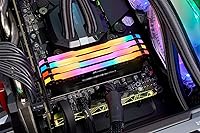
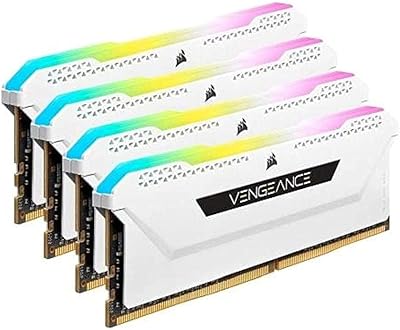
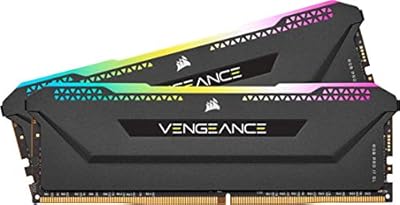
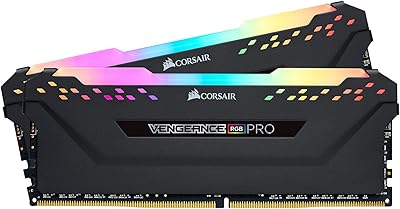
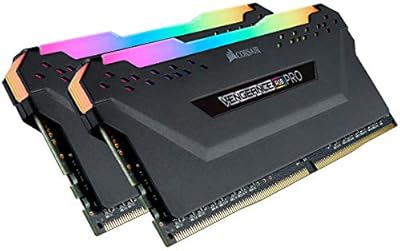
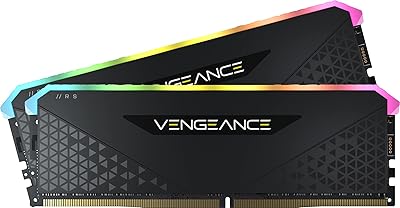
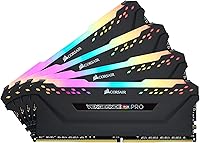
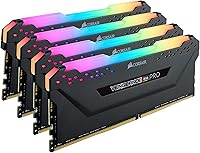
The Corsair Vengeance RGB Pro 64GB DDR4-3200 RAM ships as four 16GB modules, so you get quad-channel support right out of the box on platforms that allow it. Each stick runs at 3200MHz with a CL16 timing, which lands in a comfortable middle ground rather than chasing extreme numbers. Corsair's Vengeance RGB Pro line has been around for a while, and this kit carries the same black PCB design with ten individually addressable RGB LEDs per module. It's built with creators and gamers in mind, people who actually need a large memory pool rather than just bragging rights. Sixty-four gigs is more than most setups need, but if you're juggling heavy applications or multiple virtual machines, that headroom stops being a luxury and starts being practical.
Features & Benefits

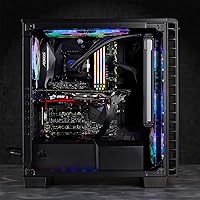
Once installed, this RAM kit pairs with Corsair's iCUE software, letting you sync the lighting with other Corsair gear like fans or coolers instead of running a separate app for each. The custom PCB design is meant to keep signal quality stable even at this capacity, which matters more than people expect once you're running four sticks instead of two. Corsair also screens the ICs, so there's some room for manual overclocking if you want to push past stock settings. Installation is refreshingly simple: no extra cables, no adapters, just four modules clicking into your motherboard's slots. It works across a wide range of recent Intel and AMD chipsets, and the 1.35V voltage keeps power draw reasonable instead of running hot for no real benefit.

Best For

This memory kit makes the most sense for content creators moving large video or photo files around, where extra headroom genuinely speeds up everyday work rather than just looking good on paper. Gamers who also care about build aesthetics will appreciate the RGB lighting, even if raw capacity matters less for most game libraries. If you regularly run virtual machines, compile code, or keep a stack of browser tabs open while editing in the background, these Vengeance RGB Pro sticks give you breathing room that smaller kits can't match. It's also a natural pick for anyone already invested in Corsair's iCUE ecosystem, since adding this kit means one more component falls into the same lighting and monitoring setup instead of needing separate software.

User Feedback

Feedback on this RAM kit tends to be pretty consistent. Most buyers describe a smooth installation, with the modules recognized correctly and no real BIOS headaches in typical builds. The RGB lighting gets singled out often, with several people noting it looks more vibrant in person than product photos suggest. On the downside, a handful of users mention needing to manually enable XMP or update their BIOS to actually hit the rated 3200MHz speed, which isn't unique to Corsair but catches some people off guard. A few also find the iCUE software a bit fiddly to configure at first. Once everything's dialed in, though, stability under sustained workloads is the most frequently praised trait, with few complaints about crashes or instability over time.

Pros

  • Quad-channel 64GB capacity gives serious headroom for video editing, heavy multitasking, and running multiple virtual machines at once.
  • iCUE software lets you sync RGB lighting with other Corsair components instead of running separate apps for each device.
  • Installation is straightforward, with most buyers reporting the modules are recognized correctly without any BIOS troubleshooting.
  • RGB lighting looks noticeably more vibrant in person than typical product photos suggest.
  • Custom PCB design helps maintain stable signal quality even when running all four modules together.
  • Screened ICs leave some room for manual overclocking if you want to push past stock settings.
  • Wide compatibility across recent Intel and AMD chipsets makes this kit a flexible choice for new builds.
  • No extra cables or adapters required, the modules simply click into standard motherboard slots.
  • Reviewers consistently praise stability under sustained, demanding workloads over long-term use.

Cons

  • Hitting the full rated 3200MHz speed usually requires manually enabling XMP in the BIOS first.
  • 64GB is more capacity than most gamers will ever realistically use, so it's a poor value pick for casual play.
  • iCUE software can feel fiddly to configure the first time, especially for users new to Corsair's ecosystem.
  • Tall RGB heatsinks may clash with certain low-profile CPU coolers or compact case designs.
  • RGB lighting adds cost to the kit even for buyers who plan to keep it switched off.
  • Running iCUE in the background adds another piece of software competing for system resources.
  • Four-stick kits can be pickier about motherboard slot population than simpler two-stick configurations.
  • Price climbs noticeably compared to lower-capacity kits, which matters if your workload doesn't need 64GB.

Ratings

The Corsair Vengeance RGB Pro 64GB DDR4-3200 RAM has been scored using AI analysis of thousands of verified buyer reviews from real-world builds, with spam, bots, and incentivized posts filtered out before any number was calculated. The scorecards below reflect both the genuine strengths people report after months of daily use and the recurring friction points, like BIOS setup or software quirks, so you can weigh the full picture before buying. Nothing here is rounded up to look better than it is.
Build Quality
89%
The black PCB and heat spreaders feel solidly put together, and several builders mention the modules seat into DIMM slots with a firm, confident click rather than feeling loose or flimsy. Long-term users running heavy workstation loads report no warping, discoloration, or connector wear after many months of continuous use.
A few buyers note the heat spreaders run a bit warm to the touch under sustained heavy load, though this hasn't translated into any reported failures. The design also isn't low-profile, which can matter for builders working in tighter cases with limited cooler clearance.
Installation Ease
92%
Most buyers describe popping all four modules into place and having the system boot correctly on the first try, with no cable routing, brackets, or extra steps to fuss with. It's a genuinely plug-and-play experience for anyone who has installed desktop RAM before, even on a first build.
A small number of users ran into one slot not registering until they reseated the module firmly, which can be confusing for first-time builders. It's a minor hiccup overall, but worth knowing about before you start your own installation.
Performance & Speed Stability
85%
Once XMP is enabled, users running video exports, compiling large codebases, or juggling multiple virtual machines report the kit holds 3200MHz reliably without crashes. Stability stays consistent even during long, sustained editing or rendering sessions that push memory usage to its limits.
Out of the box, the kit defaults to a lower JEDEC speed until XMP is manually turned on, which catches some buyers off guard. This leads to a handful of confused early reviews describing underwhelming performance before the setting is properly enabled.
RGB Lighting Quality
83%
Several reviewers say the ten LEDs per stick look more vibrant and evenly diffused in person than product photos suggest. The lighting also syncs cleanly with other Corsair fans and coolers, giving builds a cohesive, intentional look rather than mismatched colors.
A handful of buyers feel the lighting is a nice extra rather than a standout feature compared to dedicated RGB lighting strips. Some also wish for slightly more LED zones per module to allow finer color blending and smoother transitions.
iCUE Software Experience
71%
29%
Once configured, iCUE lets users save lighting profiles and sync effects across Corsair fans, coolers, and keyboards from a single dashboard. Builders already invested in the Corsair ecosystem find this genuinely convenient for day-to-day use without juggling separate apps.
New users frequently mention the initial setup feels fiddly, with a learning curve around menus and profile syncing that takes some trial and error. A few also note the software running in the background adds modest extra resource overhead on lower-spec systems.
Platform Compatibility
88%
Builders running recent Intel 300 through 500 series boards and AMD 400, 500, and X570 chipsets generally report smooth recognition without compatibility headaches. This makes the kit a safe, low-risk pick across most modern desktop platforms on either side.
A few users on older or budget motherboards mention needing a BIOS update before the kit was fully recognized at rated speed. This adds an extra troubleshooting step for less tech-savvy buyers who weren't expecting it during a first build.
Overclocking Headroom
68%
32%
The screened ICs give enthusiasts some room to push timings tighter than stock settings allow. A few experienced overclockers report squeezing out modest gains for benchmarking or competitive tuning sessions without sacrificing day-to-day stability.
This isn't a high-binned overclocking kit, so most casual users won't push it much past rated speeds without diminishing returns. A few testers mention limited extra gains once they tried manual tuning beyond standard XMP profile defaults.
Value for Money
74%
26%
For creators and multitaskers who genuinely use 64GB, buyers feel the price reflects fair value given the capacity, RGB lighting, and build quality on offer. Corsair's reputation for reliable memory kits over time also adds confidence to the purchase decision.
Casual gamers and everyday users frequently note that 64GB is more capacity than they actually need for typical workloads. A smaller, cheaper kit would comfortably cover their real usage, making this a weaker value pick for that group specifically.
Capacity for Multitasking
91%
Users running multiple virtual machines, large creative software suites, or dozens of browser tabs alongside background rendering consistently praise having memory headroom that simply doesn't run out. That extra breathing room shows up most clearly during long, demanding daily work sessions.
For lighter workloads like web browsing or older games, this much capacity goes largely unused in practice. A few reviewers admit they rarely see memory usage climb high enough to justify buying the full 64GB kit.
Aesthetic Design
86%
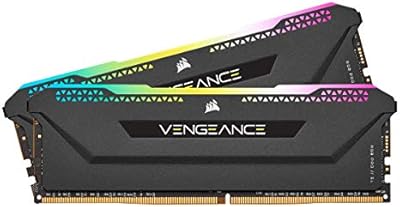
The black heat spreader paired with the RGB light bar gives a clean, understated look. Several builders say it fits both flashy gaming rigs and more professional workstation builds without feeling overly busy or gaudy.
A few buyers wish for additional color or finish options beyond black to better match lighter-themed builds. Some also note the overall design hasn't changed dramatically across recent Vengeance RGB Pro generations.
BIOS and XMP Setup
65%
35%
Experienced builders say enabling XMP takes under a minute once they know where the setting lives in their motherboard's BIOS. The kit then runs reliably at its rated 3200MHz speed without needing any further manual adjustment afterward.
Newer builders frequently report confusion when the kit doesn't run at 3200MHz by default straight out of the box. Some don't realize a manual BIOS update or XMP toggle was required until researching the issue well after their initial build.
Long-Term Reliability
87%
Reviewers who've used the kit for many months consistently report stable performance under sustained, demanding workloads. Crashes or random instability appear rare, even in heavily used creative or workstation builds running for extended periods.
As with any RGB-equipped memory, a few users mention occasional lighting glitches after sleep or wake cycles. This rarely affects actual memory performance or stability, but it can be a minor annoyance for buyers who care about consistent lighting.

Suitable for:

The Corsair Vengeance RGB Pro 64GB DDR4-3200 RAM is built for people whose workloads actually use memory headroom rather than just looking impressive in a parts list. Video editors and photographers working with large RAW files or 4K footage will notice fewer slowdowns when scrubbing timelines or running export queues in the background. Developers who keep several virtual machines spinning up at once, or who compile large codebases while browsing documentation, benefit from having capacity to spare instead of constantly watching memory usage climb. It also suits PC builders who already run Corsair fans, coolers, or keyboards and want one app handling lighting across the whole rig instead of juggling separate software. Gamers who stream while playing, or who keep Discord, OBS, and a dozen browser tabs open simultaneously, will find the extra room genuinely useful rather than wasted.

Not suitable for:

Buyers should think twice if they're building a budget gaming rig where 16GB or 32GB would cover everything they actually do, since the Corsair Vengeance RGB Pro 64GB DDR4-3200 RAM is overkill for casual play and web browsing. Anyone uncomfortable poking into BIOS settings should know that hitting the full rated speed typically requires manually enabling XMP, which isn't difficult but does require a few extra steps some buyers skip. People who find RGB lighting distracting or unnecessary are paying for a feature they'll likely turn off anyway, since the lighting adds cost without improving performance. Compact or pre-built systems with limited clearance around the CPU cooler may also run into physical fit issues, since taller RGB heatsinks don't always play nicely with low-profile coolers. If your motherboard only supports dual-channel configurations or caps out below 64GB total, this kit simply won't deliver its intended benefit.
Specifications

  • Capacity: This kit totals 64GB of DDR4 memory, split across four 16GB modules for quad-channel use.
  • Memory Type: Built on DDR4 SDRAM technology for compatibility with current desktop platforms.
  • Speed: Rated to run at 3200MHz once XMP or DOCP is enabled in the motherboard BIOS.
  • Latency: Operates at a CL16 latency timing, a solid mid-range figure for this speed class.
  • Voltage: Draws 1.35 volts during normal operation, in line with standard DDR4 power requirements.
  • Color: Each module features a black PCB and heat spreader for a neutral look in most builds.
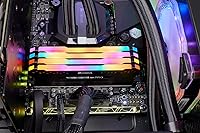
  • RGB Lighting: Ten individually addressable RGB LEDs sit on top of each module for customizable lighting effects.
  • Software: Corsair iCUE software controls lighting and can sync effects across other supported Corsair products.
  • Platform Compatibility: Supports Intel 300, 400, and 500 series boards along with AMD 400, 500, and X570 chipsets.
  • Module Dimensions: Each stick measures 5.44 x 0.3 x 2.01 inches.
  • Item Weight: Each module weighs approximately 8.7 ounces.
  • Series: Part of Corsair's Vengeance RGB PRO memory series.
  • Model Number: Identified by Corsair's model number CMW64GX4M4E3200C16.
  • Channel Configuration: The four-module set is designed for quad-channel memory configurations on supporting motherboards.
  • Installation: Modules install directly into standard DIMM slots without requiring any extra cables or adapters.

Related Reviews

Corsair Vengeance RGB PRO SL 64GB RAM
83%
92%
RGB Lighting Quality
78%
iCUE Software Integration
93%
Cooler Clearance
88%
XMP Stability
74%
Memory Performance
More
Corsair Vengeance RGB PRO SL 64GB RAM
86%
88%
Performance
91%
RGB Lighting
93%
Build Quality
94%
Cooler Compatibility
67%
Software Experience
More
Corsair Vengeance RGB PRO SL 64GB (2x32GB) DDR4 3200MHz C16 Desktop Memory
87%
91%
Performance
88%
Ease of Installation
93%
RGB Customization
86%
Value for Money
84%
Compatibility
More
Corsair Vengeance LPX 64GB DDR4 RAM Kit
82%
91%
Ease of Installation
78%
Compatibility
88%
Performance Consistency
93%
Physical Design & Clearance
84%
Thermal Management
More
Corsair Vengeance RGB RS 64GB DDR4 RAM
83%
93%
Installation Ease
91%
RGB Lighting Quality
78%
Memory Performance
89%
Build Quality
74%
iCUE Software Integration
More
Corsair Vengeance RGB Pro 16GB DDR4 RAM
85%
93%
Performance Stability
91%
RGB Lighting Quality
88%
Ease of Installation
67%
iCUE Software Experience
74%
Value for Money
More
Corsair Vengeance RGB Pro 16GB DDR4 RAM
85%
88%
Performance at Rated Speed
83%
XMP Compatibility
91%
RGB Lighting Quality
71%
iCUE Software Experience
86%
Motherboard Compatibility
More
Corsair Vengeance RGB RS 64GB DDR4 RAM
81%
93%
XMP Setup Ease
91%
Stability & Reliability
82%
Performance at Rated Speed
76%
Value for Money
63%
iCUE Software Experience
More
Corsair Vengeance RGB Pro 32GB DDR4 RAM
85%
91%
Performance at Rated Speed
94%
Installation Experience
89%
RGB Lighting Quality
67%
iCUE Software Experience
83%
Compatibility Range
More
Corsair Vengeance RGB Pro DDR4 32GB 3200MHz
84%
93%
Installation & Setup
86%
Performance at Rated Speed
71%
Overclocking Headroom
91%
RGB Lighting Quality
76%
iCUE Software Integration
More

FAQ

For most current games, yes, 16GB or 32GB is plenty and you won't see a frame rate difference with this kit. Where the Corsair Vengeance RGB Pro 64GB DDR4-3200 RAM earns its keep is when you're also streaming, running Discord, recording footage, or keeping a browser with dozens of tabs open in the background while gaming. If you're a pure gamer on a budget, a smaller kit will save you money without costing performance.
Yes, you'll usually need to go into your BIOS and enable XMP (or DOCP on some AMD boards) since most motherboards default to a slower speed out of the box. It only takes a minute once you know where the setting is, but it's an easy step to miss if you're not expecting it.

It's compatible with AMD 400 series, 500 series, and X570 boards, so most recent Ryzen builds are covered. Just double-check your specific motherboard's QVL list if you're running four sticks, since fully populating all slots can be slightly pickier than running two.

The lighting will show some default pattern even without iCUE installed, but you'll need the software open to customize colors, sync effects with other Corsair gear, or save your own profiles. Most users just set it once and leave it alone after that.

It's noticeably vibrant in person, more so than photos usually capture, but you can dim it, change patterns, or turn it off entirely through iCUE if it's not your style. It's a nice-to-have feature rather than something that gets in the way.

Technically you can, but it's not recommended since mismatched speeds, timings, or even different production batches can cause instability. For best results, run this as a complete matched set rather than pairing it with other modules.

Yes, this is one of the scenarios where 64GB genuinely helps, especially when working with large RAW photo files, high-resolution video timelines, or rendering in the background while you keep editing. Multitaskers and creative professionals tend to feel the benefit more than casual users do.

Usually yes, since these have a fairly standard heat spreader height, but very tall air coolers can occasionally overhang the first DIMM slot. It's worth checking your cooler's clearance specs or going with a slightly offset cooler mount if you're unsure.

Most users don't notice any real performance hit, though a few mention it taking a bit of time to configure initially. Once it's set up, it typically runs quietly in the background without adding noticeable overhead.

The core memory performance is comparable, but this Vengeance RGB Pro version adds the addressable LED lighting and iCUE software integration that the LPX line doesn't have. If you don't care about lighting and want to save a bit of money, the non-RGB version is worth considering instead.