Overview

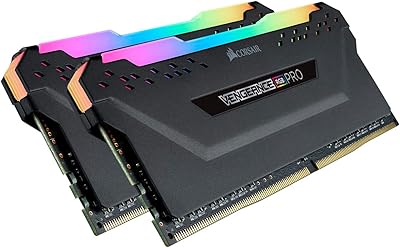
The Corsair Vengeance RGB Pro DDR4 32GB 3200MHz has earned its place as one of the more reliable mid-to-premium memory kits in Corsair's Vengeance lineup. Running in a dual-channel 2x16GB configuration at 3200MHz, it hits a sweet spot that handles both gaming and general productivity without breaking a sweat. Compatibility is broad — Intel Z390 and AMD 400, 500, and X570 chipsets are all supported, making it a practical pick for most mainstream desktop builds. With over 17,000 ratings and a top-100 ranking in computer memory, its reputation is built on volume and consistency. It won't push the limits of extreme overclocking, but that's not what this kit is designed for.
Features & Benefits

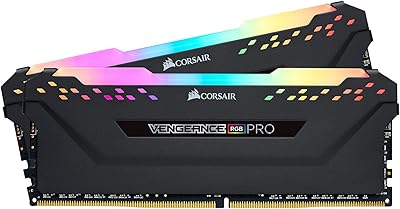
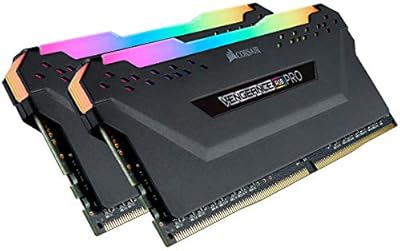
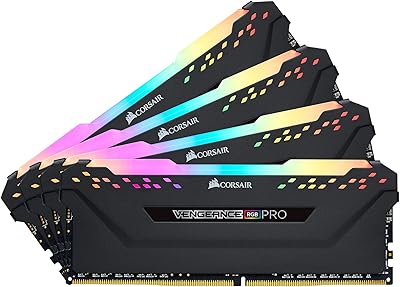
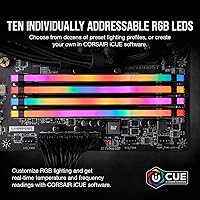
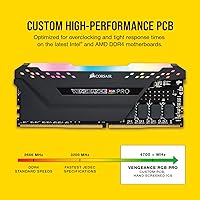
Each stick carries 10 addressable RGB LEDs that plug directly into Corsair's iCUE ecosystem, letting you sync lighting across coolers, fans, and keyboards without much fuss. On the performance side, CL16-20-20-38 timings at 3200MHz are competitive for the vast majority of gaming and creative workloads — not the tightest timings money can buy, but thoroughly capable. The 1.35V operating voltage sits comfortably in safe territory, which matters for long-term stability in systems that run for hours. A custom-designed PCB contributes to cleaner signal integrity compared to entry-level alternatives, and the aluminum heatspreader helps manage heat during sustained loads. XMP profiles are present, so most users will get rated speeds with a single BIOS toggle.

Best For

The Vengeance RGB Pro is a natural fit for gamers putting together or refreshing a mid-to-high-end desktop on Intel or AMD. It's also well-suited to content creators — video editors and 3D artists in particular will appreciate having 32GB of headroom for heavier project files and multitasking. If you're deep in the Corsair iCUE ecosystem and care about cohesive RGB aesthetics across your build, this kit integrates without any extra configuration. For anyone upgrading from a 16GB setup, this is about as close to a drop-in upgrade as DDR4 gets — slot it in, enable XMP in the BIOS, and you're done. It's designed for DDR4-native platforms, so if you're on a newer board that only supports DDR5, it's simply not compatible.

User Feedback

The reception for this DDR4 RAM kit has been consistently strong — a 4.8-star average across more than 17,000 reviews is hard to argue with. Buyers regularly highlight how painless the installation is, with XMP profiles being recognized automatically on most Z490, B550, and X570 boards. The RGB output gets genuine praise, especially from those running a full iCUE setup. On the flip side, a subset of users on older or budget B450 motherboards report that hitting the full 3200MHz requires some BIOS tweaking, and a few couldn't stabilize it at rated speeds at all. The most frequent criticism isn't reliability — it's value relative to price, particularly as cheaper DDR4 alternatives from competing brands have improved. For most buyers though, the hardware performs exactly as advertised.

Pros

  • XMP setup on compatible boards typically takes a single BIOS toggle — no manual tuning needed.
  • The 32GB dual-channel configuration handles gaming and creative workloads without running into memory limits.
  • A 4.8-star average across more than 17,000 real purchases is one of the stronger reliability signals in the DDR4 category.
  • 10 addressable RGB LEDs per stick deliver bright, even lighting — a standout in its class aesthetically.
  • iCUE integration works well for users who want consistent lighting sync across their entire Corsair setup.
  • The aluminum heatspreader keeps temperatures stable during sustained, memory-intensive workloads.
  • Corsair's warranty support has a solid reputation for resolving DOA or failure cases without much friction.
  • Broad chipset support covers the majority of DDR4-native Intel and AMD platforms still in active use.
  • The screened ICs offer enough overhead for moderate overclocking on capable motherboards.
  • Build quality feels noticeably more solid than budget-tier alternatives in the same speed category.

Cons

  • Competing DDR4 kits offer comparable speeds and timings at meaningfully lower prices, making the premium harder to justify on specs alone.
  • iCUE software can be resource-heavy and occasionally unstable after updates, which affects the overall RGB experience.
  • Some budget B450 motherboards struggle to hit 3200MHz stably without manual BIOS intervention.
  • The heatspreader height can conflict with large air coolers in tighter cases or mATX builds.
  • Cold boot memory training loops have been reported on certain AMD platforms when XMP is enabled.
  • The design language is dated compared to newer DDR5 kits, which may matter to aesthetics-focused builders.
  • This DDR4 RAM kit is entirely incompatible with any platform requiring DDR5, limiting its forward relevance.
  • Per-batch overclocking results vary — consistent performance beyond 3600MHz is not reliably achievable.
  • Users without other Corsair hardware get little practical value from the iCUE dependency.
  • Physical documentation in the box is minimal, which can leave less experienced builders hunting for setup guidance online.

Ratings

The Corsair Vengeance RGB Pro DDR4 32GB 3200MHz has been put through its paces by an enormous pool of real-world buyers, and our AI-driven scoring system analyzed thousands of verified global reviews — actively filtering out incentivized, bot-generated, and low-signal feedback — to surface what genuine users actually experience. Scores reflect both the consistent strengths and the recurring frustrations that show up across diverse builds and use cases. Nothing is glossed over: where the Vengeance RGB Pro earns its reputation, the numbers reflect it, and where it falls short for certain buyers, that's reflected too.

Installation & Setup
93%
Across thousands of reviews, the single most repeated compliment is how painlessly this kit drops into a build. On Z490, B550, and X570 boards especially, enabling XMP in the BIOS and booting straight to 3200MHz is genuinely a one-step process for most users — a real confidence boost for first-time builders.
A consistent minority of users on budget B450 motherboards report that hitting rated speeds requires extra BIOS tuning or isn't achievable at all without instability. It's not a dealbreaker, but buyers on older or entry-level AMD boards should go in with adjusted expectations.
Performance at Rated Speed
86%
Running at 3200MHz with CL16 timings, this DDR4 RAM kit handles gaming, video editing, and heavy multitasking without any noticeable bottleneck. Users compiling large projects or keeping 30-plus browser tabs open alongside creative software consistently report smooth, responsive behavior.
For users chasing the absolute tightest latency or pushing past 3600MHz manually, the Vengeance RGB Pro shows its limits — it's tuned for reliability at rated specs, not elite overclocking headroom. Competing kits at similar price points occasionally offer tighter sub-timings out of the box.
Overclocking Headroom
71%
29%
The screened ICs give a reasonable baseline for moderate overclocking — many users have pushed the kit to 3400 or 3600MHz with manual voltage and timing adjustments on compatible boards. For the average enthusiast who wants a modest OC without going chip-by-chip, there's enough margin to work with.
This isn't a binned or specialist OC kit, and the ceiling reflects that. Users who tried to push beyond 3600MHz frequently hit stability walls, and results vary noticeably between individual sticks from the same batch. Serious overclockers will want to look at purpose-built alternatives.
RGB Lighting Quality
91%
The 10 addressable LEDs per stick produce genuinely bright, even illumination — no dead zones or washed-out patches that plague cheaper kits. Inside a windowed case, the effect is clean and punchy, and users running a full Corsair setup consistently praise how well the sticks sync with other iCUE-connected components.
The RGB diffuser is purely aesthetic and adds a bit of height, which can cause fitment issues with very tall third-party CPU coolers. A small number of users also reported that one stick's lighting drifted slightly out of sync after a firmware update, though this was typically resolved through iCUE.
iCUE Software Integration
76%
24%
For users already invested in the Corsair ecosystem, iCUE works well for syncing lighting profiles across RAM, cooler, and peripherals in one place. The per-LED customization is genuinely deep, and static, breathing, and dynamic effects all render accurately on the Vengeance RGB Pro sticks.
iCUE itself carries a reputation for being resource-heavy and occasionally buggy after updates — complaints that predate this specific kit but affect the overall experience. Users who just want set-it-and-forget-it RGB without software overhead find the mandatory iCUE dependency more of a hassle than a benefit.
Thermal Management
83%
The aluminum heatspreader does real work during sustained loads like long rendering sessions or large file transfers. Users running memory-intensive workloads for hours report that the sticks stay comfortably cool to the touch, which correlates with the solid long-term stability feedback across the review pool.
In tightly packed mATX builds with limited airflow, a handful of users noted the sticks running warmer than expected, occasionally requiring a case fan repositioned toward the RAM slots. This is an edge case rather than a widespread issue, but worth flagging for small-form-factor builds.
Compatibility
79%
21%
Support across Intel Z390 and AMD 400, 500, and X570 chipsets covers the vast majority of DDR4-native desktop platforms in active use. Users on mainstream mid-range builds — B550 and Z490 being the most common — report near-universal plug-and-play success at rated speeds.
Compatibility gets shakier at the edges: budget B450 boards, some older X470 configurations, and a few niche ITX boards have produced stability complaints. The kit is also strictly DDR4, so it's simply incompatible with any platform requiring DDR5, which is an increasingly relevant consideration for new builds.
Build Quality & Aesthetics
88%
The heatspreader finish is consistent and solid-feeling — noticeably more premium than generic budget sticks. The black colorway is versatile and pairs cleanly with most mid-to-high-end build color schemes, and users rarely mention any physical defects out of the box across a very large review pool.
The overall design hasn't changed much in years, and some buyers feel it looks a little dated next to newer DDR5 kits with more aggressive styling. The heatspreader height, while manageable on most builds, does occasionally conflict with larger air coolers in tight configurations.
Value for Money
67%
33%
For buyers who prioritize a known brand, solid warranty support, and iCUE integration in a single purchase, the price makes reasonable sense. The kit has also held its value well on the used market, which reflects genuine demand and confidence in its longevity.
This is the category where the most critical reviews congregate — not because the hardware fails, but because competing DDR4 kits from G.Skill, Kingston, and Crucial now offer comparable speeds and timings at meaningfully lower prices. Without the RGB and Corsair branding, the premium is harder to justify on specs alone.
Reliability & Longevity
94%
A 4.8-star average held across more than 17,000 reviews is one of the strongest reliability signals in its category. Users running this DDR4 RAM kit through years of daily use — gaming rigs, editing workstations, home servers — report almost no hardware failures, which is the most meaningful long-term endorsement possible.
The rare failure cases that do appear in reviews tend to involve single-stick DOA units rather than widespread batch issues — a problem that Corsair's warranty support has generally resolved without friction, according to user-reported experiences. True systematic failures are not a documented pattern.
XMP Profile Accuracy
89%
When XMP is enabled on a compatible board, the Vengeance RGB Pro almost universally boots to its advertised 3200MHz with correct timings on the first try. This kind of predictability is genuinely valued by users who don't want to spend time in BIOS tuning what should work out of the box.
A small but recurring subset of users found that XMP-enabled boots triggered memory training loops on certain AMD platforms, adding 30 to 60 seconds to cold boot times. It resolves on its own after a few cycles, but it catches some users off guard and generates unnecessary support tickets.
Packaging & Presentation
81%
19%
The retail packaging is sturdy and purpose-built — sticks arrive well-protected and seated in a secure foam tray. Users ordering for gifting or building a showcase PC appreciate that it looks the part, which matters more than it might seem at this price tier.
There's nothing functionally wrong with the packaging, but a few buyers noted it feels slightly over-engineered for what amounts to two sticks of RAM — not a real complaint, just an observation that comes up in the more detailed user reviews.
Documentation & Support
74%
26%
Corsair's support infrastructure is well-regarded for a hardware brand — warranty claims are handled reasonably quickly, and the online knowledge base covers most common setup questions for the Vengeance RGB Pro specifically. Users who hit compatibility issues generally found resolution paths without much friction.
The included physical documentation is minimal — essentially a fold-out quick-start guide — which isn't ideal for less experienced builders who might benefit from more detailed troubleshooting steps. Most of the useful guidance lives online, which requires knowing where to look.
Noise & Vibration
97%
RAM is inherently silent, and the Vengeance RGB Pro is no exception. There's nothing here to generate vibration or coil whine, and the passive aluminum heatspreader operates without any moving parts — making it completely irrelevant as a noise source in even the quietest builds.
Not applicable in any meaningful sense — this category exists for completeness but has no real negative dimension. The only tangential note is that iCUE running in the background can occasionally cause minor CPU micro-stutters on very low-end systems, which some users misattribute to the RAM itself.

Suitable for:

The Corsair Vengeance RGB Pro DDR4 32GB 3200MHz is the kind of kit that makes the most sense for builders who want reliable, well-supported memory without spending hours troubleshooting BIOS settings. Gamers on mid-to-high-end Intel or AMD platforms — particularly those running Z490, B550, or X570 boards — will find it slots in cleanly and hits rated speeds with minimal friction. Content creators who juggle video editing, 3D rendering, or large Photoshop files will appreciate having a true 32GB dual-channel setup, since 16GB genuinely starts to feel tight once you're working with heavier assets or running multiple applications simultaneously. It's also a natural fit for anyone already using Corsair peripherals or cooling hardware, since the iCUE lighting integration is one of the more polished ecosystem sync experiences available in DDR4. And for first-time builders who want a reputable, well-documented kit with a strong warranty behind it, the track record here — built across tens of thousands of verified purchases — offers real peace of mind.
Not suitable for:

If your priority is squeezing the best possible performance-per-dollar out of a DDR4 build, the Corsair Vengeance RGB Pro DDR4 32GB 3200MHz is probably not your smartest move — competing kits from G.Skill Ripjaws or Kingston Fury now offer very similar speeds and timings at a noticeably lower cost, without the RGB premium baked into the price. Serious overclockers chasing sub-CL14 timings or stable operation above 3600MHz should also look elsewhere, since this kit is engineered for reliability at rated specs rather than headroom-chasing. Users building on budget B450 motherboards may run into compatibility friction that requires manual tuning, which undermines one of the kit's main selling points. Anyone investing in a brand-new platform that only supports DDR5 should obviously skip this entirely — DDR4 and DDR5 are not interchangeable, and this is strictly a DDR4 product. Finally, if RGB lighting holds zero appeal and you have no plans to use iCUE, you're essentially paying a premium for a feature you'll never use, which makes the value case harder to defend.
Specifications

  • Capacity: This kit provides 32GB of total memory across two 16GB DDR4 DIMM sticks configured for dual-channel operation.
  • Memory Type: Uses DDR4 SDRAM technology, compatible with DDR4-native Intel and AMD desktop platforms.
  • Speed: Rated at 3200MHz, delivering strong bandwidth for gaming, multitasking, and content creation workloads.
  • Latency Timings: Operates at CL16-20-20-38 primary timings, which are competitive for mainstream DDR4 performance at this speed grade.
  • Voltage: Runs at 1.35V under XMP profile, sitting within safe operating range for sustained daily use on supported platforms.
  • Form Factor: Standard full-size DIMM form factor designed exclusively for desktop motherboards — not compatible with laptop SO-DIMM slots.
  • RGB Lighting: Each module features 10 individually addressable RGB LEDs running the full length of the heatspreader for uniform illumination.
  • Software: Fully compatible with Corsair iCUE software, enabling per-LED lighting customization and cross-device sync within the Corsair ecosystem.
  • Chipset Support: Officially validated for Intel Z390, and AMD 400, 500, and X570 series chipsets; broader DDR4 platform compatibility is common but not guaranteed.
  • PCB Design: Built on a Custom Performance PCB engineered to reduce signal noise and improve electrical stability versus generic PCB alternatives.
  • Heatspreader: Aluminum heatspreader dissipates heat passively during extended memory-intensive sessions without requiring active cooling.
  • Dimensions: Each stick measures 5.44 x 0.3 x 2.01 inches, which may conflict with very tall aftermarket CPU air coolers on densely packed boards.
  • Weight: The complete kit weighs 4.4 oz total, consistent with standard full-size DIMM hardware.
  • Color: Available in Black, with the aluminum heatspreader finish providing a clean, versatile look compatible with most build color schemes.
  • Model Number: The official model identifier for this 32GB kit is CMW32GX4M2E3200C16, useful when verifying compatibility or registering for warranty support.
  • XMP Support: Ships with an Intel XMP 2.0 profile that allows one-click activation of rated 3200MHz speeds directly from the BIOS on compatible motherboards.
  • Warranty: Corsair covers this kit with a limited lifetime warranty, providing long-term coverage against manufacturing defects under normal use conditions.
  • Module Count: Sold as a matched pair of two 16GB sticks, pre-validated together to ensure timing and voltage consistency between modules.

Related Reviews
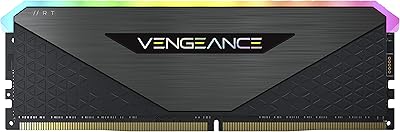
Corsair Vengeance RGB RT 32GB (2x16GB) DDR4 3200MHz
86%
91%
Performance
88%
RGB Lighting Customization
93%
Ease of Installation
85%
Heat Management
75%
Compatibility with Non-AMD Systems
More
Corsair Vengeance RGB Pro DDR4 16GB (2x8GB) 3200MHz
86%
90%
Performance for Gaming
92%
RGB Lighting Customization
87%
Ease of Installation
89%
Platform Compatibility (Intel/AMD)
85%
Overclocking Potential
More
Corsair Vengeance RGB Pro DDR4 32GB (2x16GB) 3600MHz
87%
92%
Performance
89%
RGB Lighting Customization
90%
Overclocking Potential
85%
Ease of Installation
95%
System Compatibility
More
Corsair Vengeance RGB Pro 64GB (4x16GB) DDR4 3200MHz
87%
92%
Performance
85%
RGB Customization
93%
Installation Ease
89%
Compatibility
88%
Overclocking Potential
More
Corsair Vengeance RGB Pro 32GB (4x8GB) DDR4 3600 MHz
89%
91%
Performance
95%
RGB Lighting Customization
92%
Ease of Installation
89%
Overclocking Potential
93%
Compatibility (Intel & AMD)
More
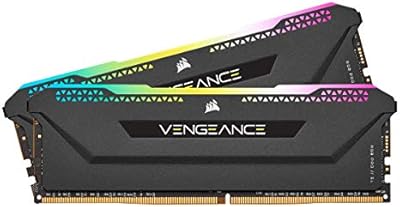
Corsair Vengeance RGB Pro 32GB (2x16GB) DDR4 3000 MHz Memory
87%
89%
Performance
94%
RGB Lighting Customization
88%
Ease of Installation
87%
Overclocking Potential
90%
Compatibility with Intel and AMD Systems
More
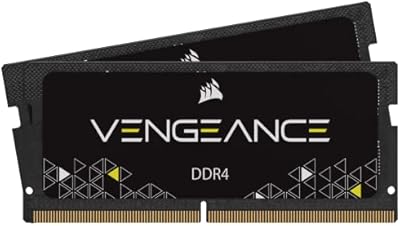
Corsair Vengeance RGB PRO SL 64GB (2x32GB) DDR4 3200MHz C16 Desktop Memory
87%
91%
Performance
88%
Ease of Installation
93%
RGB Customization
86%
Value for Money
84%
Compatibility
More
Corsair Vengeance RGB RS 16GB DDR4 3200MHz
87%
92%
Performance
89%
RGB Lighting Customization
91%
Overclocking Stability
84%
Energy Efficiency
85%
Software Usability (iCUE)
More
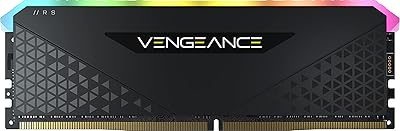
Corsair Vengeance SODIMM DDR4 32GB (2x16GB) 3200MHz
83%
93%
Installation Ease
78%
Compatibility Range
81%
Real-World Performance Gain
84%
Auto-Overclocking Reliability
88%
Thermal Performance
More
Corsair Vengeance RGB Pro 16GB (2x8GB) DDR4 3600MHz
89%
92%
Performance for Gaming
89%
RGB Customization
87%
Overclocking Stability
90%
Compatibility with Intel Systems
88%
Compatibility with AMD Systems
More

FAQ

Yes — one small step is required. After installing the sticks, enter your BIOS and enable the XMP profile, which is usually found under memory or overclocking settings. On most modern Intel and AMD boards this takes about 30 seconds, and the system will reboot and run at the full 3200MHz from that point forward. Without enabling XMP, the kit will default to the JEDEC standard speed, which is typically 2133MHz or 2400MHz.

In most cases, yes. The Vengeance RGB Pro is validated for AMD 400, 500, and X570 series chipsets, which covers the majority of Ryzen 3000, 5000, and related platforms. Budget B450 boards can occasionally need some manual BIOS tweaking to maintain stability at full rated speed, so if you're on a lower-end AM4 board, check Corsair's online compatibility tool before buying.

Technically possible, but generally not recommended. Mixing RAM kits from different manufacturers, speeds, or generations often causes instability or forces both sticks to run at the slower speed. If you need more than 32GB, it's better to buy a second matched kit or replace both with a higher-capacity option.

Each stick is just over 2 inches tall, which is taller than low-profile RAM kits due to the heatspreader and RGB housing. If you're using a large tower-style air cooler, check whether the cooler overhangs the first DIMM slot — some large coolers like the Noctua NH-D15 can be very close. Most mid-tower builds with 240mm or 280mm AIO liquid coolers won't have any issues.

Yes — the sticks will light up right out of the box with a default rainbow cycle effect that runs without any software installed. iCUE is only needed if you want to customize the lighting pattern, sync it with other Corsair components, or set a static color profile. If you never install iCUE, the LEDs will still function normally.

No — DDR4 and DDR5 are physically and electrically incompatible. If your motherboard only supports DDR5 (such as Intel 12th, 13th, or 14th gen boards with Z690 or Z790 paired with DDR5 slots), this kit will not work. Always check your motherboard's supported memory type before purchasing.

For pure gaming on current titles, 16GB is still technically sufficient in most cases — but the gap is closing fast. Games like Microsoft Flight Simulator and recent open-world titles routinely push past 12GB, and if you run a browser, Discord, and streaming software simultaneously while gaming, 16GB can get tight. For gaming plus any creative work, video editing, or streaming, 32GB is a much more comfortable baseline and likely to stay relevant longer.

Corsair offers a limited lifetime warranty on this DDR4 RAM kit, so a defective stick can be replaced through their support process. If you're outside warranty or need a quick fix, you can technically run a single 16GB stick in single-channel mode temporarily, though performance will drop. For a permanent fix, replacing with an identical matched pair is always the safer route.

iCUE is a background service that uses a modest amount of CPU and RAM — on most modern systems you won't notice it. That said, it has a reputation in the enthusiast community for occasional bugs after software updates, and a small number of users on lower-spec systems have reported micro-stutters when iCUE is running. If you ever experience issues, you can disable it from startup without affecting the RAM's performance at all.

Honestly, the core performance difference at the same speed and timings is minimal — DDR4 at 3200MHz CL16 is DDR4 at 3200MHz CL16 regardless of brand. What you're paying extra for with the Vengeance RGB Pro is the Corsair brand assurance, the iCUE integration, the build quality, and the warranty support infrastructure. If RGB and ecosystem sync don't matter to you, G.Skill Ripjaws V or Kingston Fury Beast will get you the same speeds for less money. If you're deep in a Corsair build or value the support track record, the premium is easier to justify.