
Overview

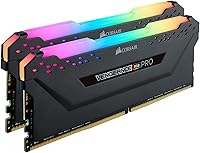
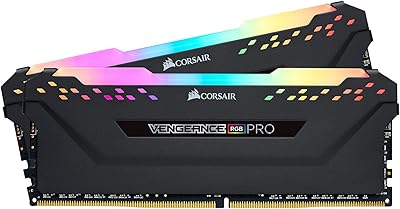
The Corsair Vengeance RGB Pro 16GB DDR4 RAM is a high-speed dual-channel kit built for AMD Ryzen builders who refuse to compromise on either performance or aesthetics. Running at 4000MHz, it sits near the top of what consumer DDR4 can realistically achieve, which puts it in a different conversation than the 3200MHz or 3600MHz kits that dominate most builds. The 2x8GB configuration covers gaming and light creative work comfortably, though power users doing heavy video editing may eventually want more capacity. The AMD-optimized designation means there is a DOCP profile baked in, but that is a starting point — actual results depend on your specific board and BIOS revision.

Features & Benefits

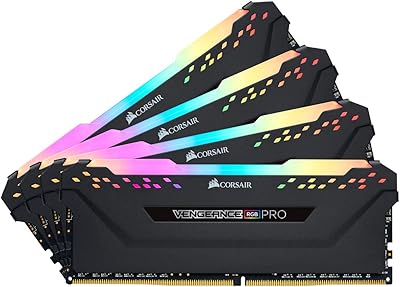
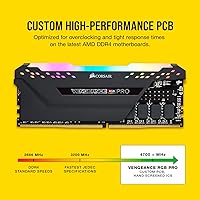
Each module carries ten individually addressable RGB LEDs, and the diffusion across the light bar is genuinely even — no hot spots or dull patches that you sometimes see on cheaper sticks. Corsair's iCUE software lets you sync lighting across fans, coolers, and keyboards from a single interface, which is useful if you are running a full Corsair ecosystem. The custom PCB keeps signal integrity tight at these frequencies, and the ICs are hand-screened for overclocking potential, so there is real headroom if you want to push further manually. Installation is clean — no adapter cables, just slot them in. The 1.35V operating voltage is also notably efficient for this speed tier.

Best For

This Corsair kit makes the most sense for AMD Ryzen users on X570 or B550 boards who are chasing maximum memory bandwidth and want their build to look the part at the same time. If you are already invested in the Corsair iCUE ecosystem — fans, AIO cooler, keyboard — the RGB synchronization alone justifies picking this over a non-Corsair alternative at the same frequency. Manual overclockers will appreciate the headroom the screened ICs provide. That said, if you are on a tighter budget or running a platform where DDR4 speeds above 3600MHz offer diminishing returns, a lower-frequency kit may serve you just as well for less.

User Feedback

Buyers rate the Vengeance RGB Pro highly overall, with most praise landing on the RGB quality and first-boot reliability of the 4000MHz profile — especially on Asus and MSI X570 boards. The iCUE software gets mixed marks: enthusiasts deep in the Corsair ecosystem find it powerful, while casual users sometimes flag it as heavy on resources. A handful of reviews mention compatibility hiccups on certain budget B550 boards, a fair reminder that high-speed profiles are not universally plug-and-play. Long-term owners report no significant stability or degradation issues. Buyers switching from rival brands often call out the light diffusion on this DDR4 memory kit as a step up.

Pros

  • The 4000MHz speed tier puts this Corsair kit at the upper end of consumer DDR4 capability, useful for bandwidth-hungry Ryzen workloads.
  • RGB diffusion across the light bar is even and genuinely clean-looking, noticeably better than cheaper alternatives.
  • The AMD DOCP profile activates reliably on most X570 and B550 boards with a single BIOS toggle.
  • Screened ICs give manual overclockers real headroom beyond the rated speed without binning luck involved.
  • iCUE synchronization ties RGB across the entire Corsair ecosystem from one interface, which is convenient for full-ecosystem builds.
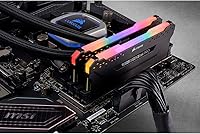
  • Installation is clean and cable-free, keeping the inside of a windowed case tidy.
  • Operating voltage is efficient for this frequency tier, helping keep thermals in check under sustained loads.
  • Long-term owners consistently report stable operation with no degradation complaints after extended use.
  • The kit carries a strong community rating, backed by a meaningful volume of verified buyer reviews.

Cons

  • Compatibility with the 4000MHz profile is not universal — some B550 and budget boards require manual tuning or a fallback speed.
  • iCUE runs as a background process and can feel resource-heavy on systems where overhead matters.
  • The price premium over 3600MHz kits is hard to justify if your games or apps are not noticeably memory-bandwidth limited.
  • 16GB may feel limiting sooner than expected for users whose workloads are growing toward heavier multitasking or content creation.
  • The tall heatspreader design can crowd clearance on systems with large air coolers installed over the first DIMM slots.
  • Users outside the Corsair ecosystem get little practical benefit from the RGB feature set if they use a different lighting platform.
  • The CL18 latency at 4000MHz is not class-leading — tighter-timed kits at lower frequencies can trade blows in latency-sensitive benchmarks.
  • iCUE software updates have occasionally introduced lighting glitches that require a reinstall to resolve, based on user reports.

Ratings

The scores below reflect an AI-driven analysis of verified global buyer reviews for the Corsair Vengeance RGB Pro 16GB DDR4 RAM, with spam, incentivized posts, and bot activity actively filtered out before scoring. Each category captures both what users genuinely praised and where real frustrations surfaced, so nothing is glossed over. The result is a transparent, balanced picture of how this high-speed kit performs across the full range of real-world use cases.

Memory Performance
88%
Buyers running Ryzen-based systems consistently report tangible bandwidth gains in CPU-limited gaming scenarios and multi-threaded workloads once the high-frequency profile is active. The kit delivers what it promises at the top end of consumer DDR4, and users switching from mid-range speed bins notice the difference in responsively loading large game worlds and asset-heavy applications.
The performance advantage over a well-tuned 3600MHz kit is narrower than the price gap suggests for most gaming workloads. Users who primarily run mainstream titles rather than bandwidth-sensitive applications report that the real-world uplift is modest and hard to feel in daily use.
Compatibility
71%
29%
On flagship X570 boards from Asus and MSI, the DOCP profile activates cleanly and the kit posts at the rated frequency without additional intervention. Buyers with newer BIOS versions on premium boards generally report a straightforward first-boot experience that requires little more than a single BIOS toggle.
Compatibility becomes inconsistent on mid-range and budget B550 boards, where some users report needing multiple BIOS updates or manual subtiming adjustments to stabilize the kit at full speed. A minority of buyers on certain Gigabyte and ASRock boards found they had to settle for a lower frequency to maintain system stability.
RGB Lighting Quality
91%
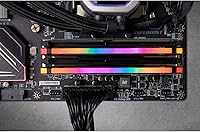
The light bar diffusion is noticeably more polished than what you find on budget RGB kits — even illumination across the entire module with no visible LED hot spots, which makes it look purposeful inside a windowed case. Users frequently cite the brightness holding up in moderately lit rooms, not just in a dark studio environment.
The RGB header requires iCUE software for any real customization, so buyers on non-Corsair ecosystems find the lighting locked to a default cycling effect unless they install additional software. A small number of users report that iCUE updates occasionally reset custom lighting profiles, requiring them to be rebuilt from scratch.
iCUE Software Experience
67%
33%
For builders running a full Corsair ecosystem — fans, AIO cooler, keyboard — iCUE delivers genuine convenience by centralizing lighting and basic monitoring into one interface. Users who invest time in learning the software report it is capable and flexible, with a wide range of lighting effects and the ability to sync across many component types simultaneously.
iCUE runs as a persistent background service and draws more CPU and RAM overhead than many users expect from a lighting utility. Complaints about software-triggered lighting glitches after updates are recurring enough in reviews to be a real consideration, and the learning curve for new users is steeper than it should be for what is essentially an accessory tool.
Installation Ease
93%
The cable-free installation is one of the most consistently praised aspects — modules slot in like any standard DIMM, with no proprietary connectors or additional wiring cluttering the build. Buyers new to high-frequency kits appreciate that the physical setup is no different from installing budget RAM, removing a potential barrier for less experienced builders.
The one friction point is the BIOS step required to activate the speed profile, which trips up first-time builders who assume the kit runs at full frequency automatically. This is a DDR4 platform limitation rather than a product flaw, but it catches enough buyers off guard to be worth flagging.
Value for Money
62%
38%
For Ryzen enthusiasts who specifically need top-tier DDR4 bandwidth and are building around iCUE ecosystem aesthetics, the kit justifies its premium positioning by delivering both in one package. Buyers who want a visually unified build without sourcing RGB RAM and ecosystem software separately see clear value in what this Corsair kit bundles together.
For the majority of gaming-focused buyers, the price differential over a quality 3600MHz kit is hard to defend when benchmark deltas are single-digit frame rates in most titles. Several reviewers explicitly note they would choose this DDR4 memory kit differently if they were building again with a stricter budget in mind.
Overclocking Headroom
84%
The factory IC screening pays off for users who want to push beyond the rated profile — multiple buyers report successfully dialing in tighter timings or achieving higher stable frequencies through manual tuning. This is not a guaranteed outcome, but the hit rate for finding headroom is better than with non-binned kits at comparable prices.
Overclocking results vary enough between individual kit samples that buyers cannot count on a specific ceiling going in. Users on boards with less mature memory overclocking support in the BIOS find the headroom harder to access, and the CL18 base timings leave less room for aggressive manual subtiming compared to lower-frequency alternatives.
Build & Heatspreader Quality
86%
The aluminum heatspreader feels solid and sits flush with the PCB without any flex or rattle, which builds confidence in long-term structural integrity. Buyers note the finish looks premium under case lighting and holds up without visible wear or discoloration even after extended thermal cycling.
The heatspreader height can create clearance conflicts with wide tower air coolers that extend over the first DIMM slot, which is a known limitation for large NH-D15 or similar cooler owners. A few users mention that the heatspreader runs noticeably warm under sustained load, though no thermal throttling has been reported.
Long-term Stability
89%
Owners who have run this kit for a year or more consistently report zero stability issues — no random BSODs, no memory errors detected in extended diagnostics, and no performance degradation over time. The screened ICs appear to age well under normal desktop operating conditions, which is reassuring for a high-frequency daily driver.
A small subset of early buyers reported intermittent instability that was eventually traced to motherboard BIOS issues rather than the modules themselves, but the troubleshooting process was time-consuming. Stability at the rated speed profile is not always a given on day one, particularly on boards that received frequency support through later BIOS updates.
Thermal Efficiency
83%
Operating at 1.35V for a kit running at this frequency tier is genuinely efficient — buyers in compact mid-tower cases report the modules stay within comfortable temperature ranges even during extended gaming or rendering sessions. The low voltage also reduces heat output in cramped cases where airflow is limited.
Users who push the kit beyond rated speeds through manual overclocking naturally see voltage requirements climb, which erodes the thermal efficiency advantage. In very small form factor cases with restricted airflow, some buyers report warmer-than-expected heatspreader temps even at stock settings.
Aesthetic Design
87%
The clean, angular heatspreader profile photographs well and fits naturally into both aggressive gaming builds and understated dark-themed setups. Buyers specifically mention that the black colorway does not clash with non-Corsair components, making it more versatile visually than some RGB kits that lean heavily into a single brand identity.
The design has not been refreshed since the kit launched in 2019, and some newer Corsair and competing kits now offer slimmer or more distinctive profiles that look more current. Buyers who follow PC aesthetics trends may find the styling feels slightly dated compared to 2024 and 2025 releases from rivals.
Documentation & Support
74%
26%
Corsair provides clear online resources for iCUE setup and DOCP activation, and the community support through their forums is active enough that most setup questions have documented answers. The lifetime warranty backing gives buyers meaningful long-term assurance that is rare at this price tier.
The included printed documentation is minimal, and buyers who are not comfortable navigating online support or BIOS settings may find the initial setup confusing without more guided instructions. Corsair support response times have drawn some criticism in recent reviews, particularly for warranty claim follow-up.

Suitable for:

The Corsair Vengeance RGB Pro 16GB DDR4 RAM is purpose-built for AMD Ryzen enthusiasts who want to extract every bit of memory bandwidth their platform supports while keeping their build visually cohesive. If you are working with an X570 or B550 motherboard and want a kit that can hit high DDR4 frequencies without hours of manual tuning, this is a strong fit — the AMD-optimized DOCP profile makes activation straightforward in most modern BIOS environments. Gamers who have already committed to the Corsair iCUE ecosystem will get the most out of it, since the per-module RGB lighting integrates directly with fans, coolers, and peripherals for unified control. Manual overclockers will also appreciate the headroom the carefully screened ICs provide — this is not a kit that tops out the moment you enable the rated profile. For builders who want a high-frequency, aesthetically polished dual-channel kit that handles gaming and light creative work without compromise, it is a well-rounded choice at the premium end of the market.

Not suitable for:

Budget-focused builders should think carefully before committing to the Corsair Vengeance RGB Pro 16GB DDR4 RAM, because the price premium over a reliable 3600MHz kit is real and the real-world performance gap in most gaming workloads is often modest. If your platform, CPU, or workflow does not meaningfully benefit from memory bandwidth above 3600MHz, you are largely paying for frequency headroom you may never use. Users on tighter board compatibility — particularly entry-level B550 or older A520 motherboards — may find that the 4000MHz DOCP profile does not post cleanly, requiring manual intervention or a downgrade to a lower speed. The iCUE software, while capable, adds a persistent background process that some users find intrusive, so anyone who prefers lightweight or RGB-agnostic builds should look elsewhere. Finally, anyone needing more than 16GB for workloads like video editing, 3D rendering, or large virtual machines should consider whether upgrading capacity is a smarter spend than chasing higher frequency in a dual-channel setup.

Specifications

  • Capacity: The kit provides 16GB of total memory across two 8GB modules in a dual-channel configuration.
  • Speed: Memory operates at DDR4 4000MHz (PC4-32000), placing it at the high end of consumer DDR4 frequency ranges.
  • Latency: The primary timing profile is CL18-22-22-42, which is typical for DDR4 at this frequency tier.
  • Voltage: Modules run at 1.35V, a relatively efficient operating voltage for high-frequency DDR4.
  • Form Factor: Standard DIMM form factor, compatible with full-size and mid-tower desktop motherboards.
  • Platform Support: Optimized for AMD Ryzen platforms with a DOCP profile; also compatible with Intel DDR4 motherboards via XMP.
  • RGB Lighting: Each module features ten individually addressable RGB LEDs built into a diffused light bar along the top edge.
  • Software: Full lighting and effects control is available through Corsair iCUE software, supporting ecosystem-wide synchronization.
  • PCB Design: Custom-engineered PCB focuses on signal integrity and stability at elevated clock speeds.
  • IC Screening: Memory chips are individually screened at the factory to identify units with above-average overclocking headroom.
  • Module Dimensions: Each module measures 5.44 x 0.3 x 2.01 inches, with a standard heatspreader height that may affect tall air cooler clearance.
  • Kit Weight: The complete two-module kit weighs approximately 5.6 ounces.
  • Model Number: The official Corsair part number for this configuration is CMW16GX4M2Z4000C18.
  • Release Date: This kit was first made available in August 2019.
  • Warranty: Corsair covers this kit with a limited lifetime warranty against manufacturing defects.
  • BSR Ranking: The kit holds a Best Sellers Rank of approximately 2,750 in the Computer Memory category on Amazon.
  • User Rating: It carries an average rating of 4.6 out of 5 based on 177 verified buyer ratings.

Related Reviews
Corsair Vengeance RGB Pro 16GB DDR4 RAM
85%
88%
Performance at Rated Speed
83%
XMP Compatibility
91%
RGB Lighting Quality
71%
iCUE Software Experience
86%
Motherboard Compatibility
More
Corsair Vengeance RGB Pro 16GB DDR4 RAM
85%
93%
Performance Stability
91%
RGB Lighting Quality
88%
Ease of Installation
67%
iCUE Software Experience
74%
Value for Money
More
Corsair Vengeance RGB RS 16GB DDR4 Desktop Memory
80%
83%
Value for Money
88%
RGB Lighting Quality
91%
Installation Ease
78%
Gaming Performance
92%
Stability & Reliability
More
Corsair Vengeance RGB Pro 64GB (4x16GB) DDR4 3200MHz
87%
92%
Performance
85%
RGB Customization
93%
Installation Ease
89%
Compatibility
88%
Overclocking Potential
More
Corsair Vengeance RGB Pro DDR4 32GB 3200MHz
84%
93%
Installation & Setup
86%
Performance at Rated Speed
71%
Overclocking Headroom
91%
RGB Lighting Quality
76%
iCUE Software Integration
More
Corsair Vengeance RGB Pro 32GB DDR4 RAM
85%
91%
Performance at Rated Speed
94%
Installation Experience
89%
RGB Lighting Quality
67%
iCUE Software Experience
83%
Compatibility Range
More
Corsair Vengeance RGB Pro 32GB DDR4 RAM
82%
93%
RGB Lighting Quality
82%
Raw Performance
71%
iCUE Software
74%
Value for Money
89%
Long-term Stability
More
Corsair Vengeance RGB Pro 32GB (2x16GB) DDR4 3000 MHz Memory
87%
89%
Performance
94%
RGB Lighting Customization
88%
Ease of Installation
87%
Overclocking Potential
90%
Compatibility with Intel and AMD Systems
More
Corsair Vengeance RGB Pro 128GB DDR4 Memory
80%
88%
Memory Performance
91%
Stability & Reliability
93%
Build Quality
86%
RGB Lighting Quality
74%
iCUE Software Integration
More
Corsair Vengeance RGB PRO SL 64GB RAM
83%
92%
RGB Lighting Quality
78%
iCUE Software Integration
93%
Cooler Clearance
88%
XMP Stability
74%
Memory Performance
More

FAQ

You will need to enable the DOCP profile in your BIOS manually — it does not activate automatically. On most modern AMD X570 and B550 boards, that is a single toggle, and the kit posts at the rated speed reliably. On older or budget boards, results can vary, and you may need to experiment with BIOS versions or drop to a slightly lower frequency.

Despite the AMD-optimized labeling, the Corsair Vengeance RGB Pro 16GB DDR4 RAM works on Intel platforms too via the standard XMP profile. The AMD designation just means Corsair validated and tuned it specifically for Ryzen memory controllers, which tend to be more sensitive to high-frequency kits.

No, there is nothing extra required. The lighting runs off the DIMM slot itself, so once the modules are seated and the system is powered, the RGB is active. You only need to install iCUE software if you want to customize or sync the lighting effects.

iCUE is genuinely powerful if you are running other Corsair components, since it ties everything into one lighting and monitoring interface. If you just want the RAM to glow without customization, it works fine without any software. The main complaint from some users is that iCUE runs as a background service and uses a noticeable amount of system resources, so it is worth considering if you are sensitive to that.

The modules are a standard DDR4 heatspreader height, so most tower coolers clear them without issue. However, if you are using a wide air cooler that extends over the first DIMM slot — like some Noctua or be quiet! designs — it is worth double-checking the cooler clearance specs before assuming everything fits.

Honestly, the difference in gaming frame rates between a well-tuned 3600MHz kit and a 4000MHz kit is small in most titles — typically a few frames at most. Where you see more meaningful gains is in workloads that are genuinely memory-bandwidth sensitive, such as certain simulation games, CPU-limited scenarios, or tasks like video encoding and large file compression. For pure gaming, the jump from 3200MHz to 3600MHz is usually more impactful than the one from 3600MHz to 4000MHz.

Yes, that is one of the reasons Corsair manually screens the ICs on this kit. Many users report successfully pushing the modules beyond the rated frequency with manual subtiming adjustments, though how far depends on your specific chip batch, motherboard, and CPU memory controller. There is no guarantee of a specific overclock ceiling, but the screening process does mean you have better odds than with a non-binned kit.

Corsair backs this kit with a limited lifetime warranty, so if a module fails under normal use they will handle a replacement. The process involves contacting Corsair support directly with your proof of purchase and a description of the issue. Most users report the warranty process is straightforward, though response times can vary during busy periods.

Technically possible, but not recommended for a 4000MHz setup. Running mixed kits almost always forces the system to fall back to a lower compatible speed or JEDEC default frequency, which defeats the purpose of buying a high-speed kit. If you need more capacity, a second matching kit from the same Corsair product line is the cleaner path.

The light bar on the Vengeance RGB Pro is bright enough to show clearly in a moderately lit room, particularly through a glass side panel. It is not going to overpower ambient light the way some external peripherals do, but it holds up well and the diffusion is even enough that it looks intentional rather than cheap. In a dark room it is genuinely striking.

Where to Buy