Overview

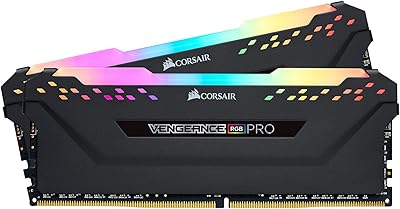
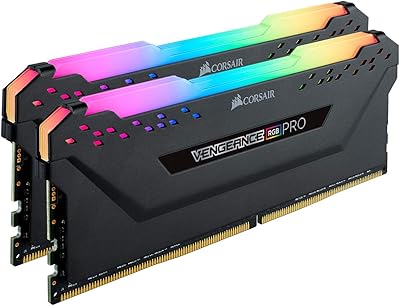
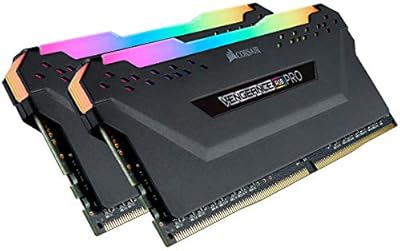
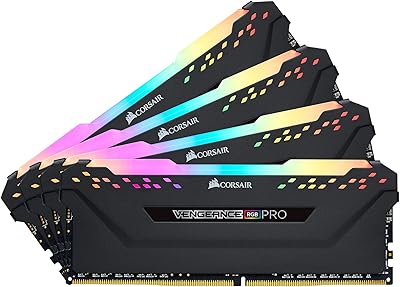
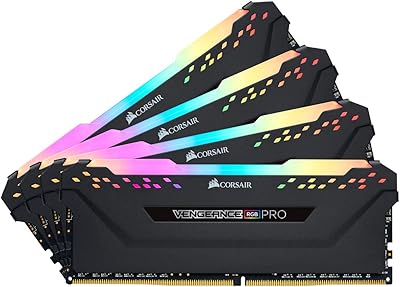
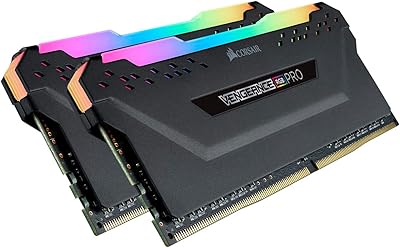
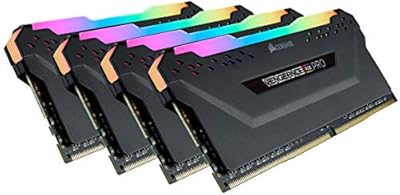
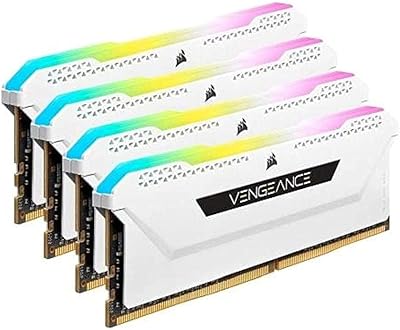
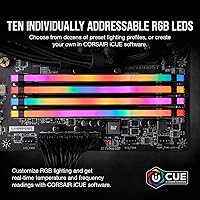
The Corsair Vengeance RGB Pro 16GB DDR4 RAM has been around long enough to build a genuine reputation among PC builders who want solid performance without stepping into enthusiast-tier pricing. Running at 3600MHz, it sits in a sweet spot that most modern Intel and AMD platforms handle comfortably, making it a practical choice rather than a purely aspirational one. The dual-channel 2x8GB configuration covers everyday multitasking, gaming, and light creative work without feeling like a compromise. And the RGB lighting — ten LEDs per module — is genuinely striking inside a windowed case, not just a checkbox feature tacked on for marketing purposes.

Features & Benefits

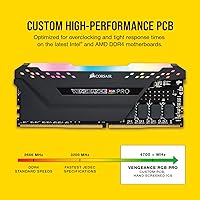
What makes this Corsair RGB kit worth considering isn't any single spec — it's how the package holds together. The 3600MHz speed comes with CL18 timings, which is slightly looser than premium alternatives, but the real-world difference in gaming frame rates is negligible for most users. The 1.35V operating voltage runs a touch below the DDR4 standard, contributing to better thermal stability during long sessions. There are no external cables to route for the lighting; power draws straight from the DIMM slot, which keeps cable management clean. The custom PCB targets signal integrity, and broad compatibility across Intel and AMD chipsets means setup headaches are rare.

Best For

This DDR4 memory kit makes the most sense for a few specific types of buyers. Ryzen platform builders will appreciate that 3600MHz aligns well with how AMD's memory controller operates, which can translate to noticeably snappier system responsiveness. Intel builders on Z490 or Z590 boards get the same simplicity through XMP — essentially a one-click BIOS profile that sets the correct speed automatically, no manual tuning required. First-time builders will find the absence of external RGB cables a genuine relief. Anyone already running Corsair peripherals can sync lighting across their entire setup through iCUE without much additional effort.

User Feedback

Across thousands of verified reviews, the Vengeance RGB Pro earns consistent praise — and the feedback is specific enough to feel credible. Most buyers highlight how straightforward XMP activation is, with the kit hitting its rated speed immediately after enabling the profile in BIOS. The lighting gets frequent compliments for being bright and smooth without flickering. That said, a recurring complaint involves occasional instability when XMP is enabled on certain budget B-series motherboards, affecting a small but vocal group. A few users also mention that iCUE can feel heavier than expected as a software package. Those indifferent to RGB note that non-lit alternatives offer comparable raw performance for less money.

Pros

  • XMP activation is straightforward, making rated-speed setup a one-BIOS-step process for beginners.
  • The 3600MHz speed tier hits a practical performance sweet spot for both Intel and AMD platforms.
  • Ten individually addressable RGB LEDs per module produce genuinely vibrant, smooth lighting effects.
  • No external RGB cables are needed — lighting power draws directly from the DIMM slot for a cleaner build.
  • Broad compatibility across Intel 300 through 500 series and AMD 300 through X570 reduces guesswork.
  • The 1.35V operating voltage runs slightly cooler than standard DDR4, aiding long-session thermal stability.
  • Long-term reliability reports from real buyers are largely positive with very few early-failure incidents.
  • The Vengeance RGB Pro integrates cleanly with iCUE for unified lighting control across a full Corsair setup.
  • Dual-channel configuration provides meaningful bandwidth gains over single-stick alternatives in everyday use.
  • The kit has a proven track record built over years of consistent real-world performance feedback.

Cons

  • 16GB total capacity may feel limiting within 1 to 2 years for heavier workloads or future game requirements.
  • CL18 latency is looser than competing kits at similar speeds, which matters in latency-sensitive benchmarks.
  • iCUE software can consume more CPU and RAM in the background than a lightweight system warrants.
  • XMP instability has been documented on select budget B-series boards, occasionally requiring manual timing fixes.
  • Buyers indifferent to RGB pay a visible price premium over functionally equivalent non-lit DDR4 kits.
  • The tall heatspreader profile can conflict with large tower CPU coolers, limiting compatibility in tight builds.
  • iCUE requires ongoing updates and occasional troubleshooting, which adds friction for set-and-forget users.
  • Only available in a 2x8GB split, so upgrading beyond 16GB later means replacing the entire kit.
  • RGB customization is locked to iCUE — users preferring competitor lighting ecosystems have no native control option.

Ratings

The Corsair Vengeance RGB Pro 16GB DDR4 RAM earns its reputation as one of the most consistently reviewed DDR4 kits on the market, and the scores below reflect what our AI found after parsing thousands of verified global purchases — actively filtering out incentivized, bot-generated, and low-effort submissions. The results are candid: this kit performs well in most real-world scenarios, but there are specific pain points that surface repeatedly and are worth knowing before you commit.

Performance at Rated Speed
88%
Most users report clean, stable operation at 3600MHz once XMP is enabled, with no manual tweaking required on mainstream Z-series Intel and X570 AMD boards. In gaming and everyday multitasking, the performance difference versus slower DDR4 kits is tangible enough to justify the speed tier.
The CL18 latency is a genuine compromise compared to tighter-timed kits at similar speeds, and latency-sensitive benchmarks do reflect this gap. Buyers chasing the absolute best bandwidth-per-dollar on a pure performance basis have faster alternatives available.
XMP Compatibility
83%
On supported Intel and high-tier AMD motherboards, enabling XMP is genuinely a one-step process — find the profile in BIOS, enable it, save, and the kit boots at 3600MHz without drama. Most buyers, including first-timers, report this working exactly as advertised the very first time.
A recurring complaint involves budget B-series motherboards, particularly from certain AMD vendors, where XMP at 3600MHz can cause boot loops or training failures that require either manual timing adjustments or running the kit at a lower speed like 3200MHz.
RGB Lighting Quality
91%
The ten individually addressable LEDs per module produce smooth, vibrant lighting with no visible flickering or hot spots, and the diffuser does a good job of blending colors across the heatspreader. Inside a windowed case, even at stock rainbow animation, this Corsair RGB kit draws consistent compliments from users who care about build aesthetics.
The lighting is purely cosmetic and contributes nothing to system performance, which is an obvious but important point for buyers considering whether the RGB premium is worth it. Users with closed cases or with no side panel window get zero visual benefit from the LEDs.
iCUE Software Experience
71%
29%
iCUE gives users a genuinely deep level of control — per-LED color mapping, animated effects, and ecosystem-wide sync with other Corsair peripherals like keyboards and AIO coolers. For users already embedded in the Corsair ecosystem, the unified control panel is legitimately useful and well-organized.
The software has a reputation for being resource-heavier than users expect, with background processes consuming more CPU and RAM than a lighting controller arguably should. Update cycles have occasionally introduced temporary bugs, and a small but vocal group finds the interface overengineered for what they actually want to do.
Motherboard Compatibility
86%
The stated compatibility list is broad and largely accurate — Intel 300 through 500 series, X299, and AMD platforms up through X570 are all covered. In practice, the Vengeance RGB Pro appears on QVL lists for many popular boards from ASUS, MSI, and Gigabyte, reducing the guesswork for buyers planning mainstream builds.
Compatibility is not universal, and users running niche or budget motherboards sometimes discover their board simply does not play well with this kit at rated speed. Checking the specific QVL for your motherboard before purchasing is strongly advisable, particularly for AMD B450 builds.
Build & Module Quality
93%
Long-term reliability feedback across thousands of reviews is overwhelmingly positive, with very few users reporting module failures, degradation over time, or physical damage under normal use. The heatspreader is solidly attached and the overall construction feels premium compared to bare-module budget alternatives.
The heatspreader height — 2 inches — can physically conflict with large tower CPU coolers that overhang the first DIMM slot, which is an installation constraint that catches some first-time builders off guard. This is a design reality rather than a defect, but it is worth verifying before purchasing.
Ease of Installation
89%
The cable-free RGB design removes a common frustration point in PC building — there is nothing to connect beyond seating the module in the slot. Most users report the physical installation taking under five minutes, with XMP setup in BIOS adding only another couple of minutes to the total process.
While physical installation is simple, new builders unfamiliar with BIOS navigation may not realize they need to enable XMP at all, and the kit running at 2133MHz by default can lead to confusion about whether the purchase was worth it until that step is completed.
Value for Money
74%
26%
For buyers who want the full package — reliable 3600MHz performance, premium aesthetics, iCUE integration, and Corsair's lifetime warranty backing — the pricing represents fair value relative to what you receive. The kit has held its value reasonably well considering its age in the market.
The RGB premium is real, and buyers who have no interest in lighting consistently note that equivalent non-RGB DDR4 kits offer the same raw memory performance for meaningfully less. If aesthetics are not a priority, this DDR4 memory kit is harder to recommend purely on performance-per-dollar terms.
Ryzen Platform Optimization
84%
AMD Ryzen processors tend to benefit noticeably from memory at or near 3600MHz due to how the chip's internal fabric clock relates to memory frequency, and this kit sits right in that range. Ryzen users who enable XMP and hit that frequency reliably report snappier everyday performance compared to running the same system at 3000MHz or below.
On first-generation Ryzen boards specifically, achieving 3600MHz can be inconsistent, and some users end up stable only at 3200MHz or lower. The benefit is most reliably realized on Ryzen 3000 and 5000 series with 400 or 500 series motherboards.
Thermal Performance
87%
The 1.35V operating voltage means this kit runs cooler than many performance DDR4 alternatives, and users running extended gaming sessions or productivity workloads rarely report any heat-related issues. The heatspreader aids passive dissipation effectively for a non-actively-cooled module.
In very tight cases with poor airflow, the heatspreader can retain enough warmth to be noticeable to the touch after long sessions, though no user feedback suggests this causes throttling or instability under normal circumstances.
Long-Term Reliability
92%
Across a large and aging review base — this kit has been on the market since 2019 — reports of failure or degradation remain rare. Corsair's lifetime warranty provides additional confidence, and the brand's RMA process receives generally positive feedback from the small number of users who have needed it.
A small cohort of users has reported one module in the pair failing while the other remains functional, which creates a dual-channel gap that can be disruptive. This appears to be an exception rather than a pattern, but no hardware is completely immune to individual unit variance.
Overclocking Headroom
77%
23%
Users who enjoy pushing memory beyond rated specs report that the screened ICs on this kit offer a reasonable amount of additional headroom, with some achieving stable operation at 3800MHz or higher with manual voltage and timing adjustments. For enthusiasts comfortable in BIOS, there is genuine room to experiment.
The CL18 baseline leaves less room to tighten timings while simultaneously pushing frequency compared to kits binned for tighter latency from the factory. Buyers specifically interested in aggressive manual overclocking may find purpose-built OC kits from G.Skill or Kingston a more rewarding starting point.
Aesthetic Design
90%
The heatspreader profile is clean and purposeful without being overdesigned, and the black colorway pairs well with the majority of contemporary PC builds regardless of theme. The lighting diffuser blends LED zones smoothly so the effect looks polished rather than cheaply segmented.
Color options for the Vengeance RGB Pro line are limited, so buyers building around a white or silver aesthetic will likely find the black heatspreader a visual mismatch and may need to look at alternative product lines for a better fit.

Suitable for:

The Corsair Vengeance RGB Pro 16GB DDR4 RAM is a strong fit for PC gamers and enthusiast builders who want a well-rounded memory kit that covers both performance and aesthetics without pushing into premium pricing territory. Ryzen platform builders in particular will find the 3600MHz speed class beneficial, as AMD's memory controller tends to respond well to this frequency, resulting in noticeably better system responsiveness compared to slower kits. Intel users on Z490 or Z590 boards get an equally smooth experience thanks to XMP support, which lets the kit configure itself to its rated speed automatically through a simple BIOS toggle — no manual tuning knowledge required. First-time builders will appreciate the cable-free RGB design, which removes one of the more fiddly steps in a new build. Anyone already invested in the Corsair iCUE ecosystem — keyboards, coolers, fans — can tie this kit into a unified lighting setup with minimal hassle, making it a natural fit for those who value a cohesive-looking system.

Not suitable for:

The Corsair Vengeance RGB Pro 16GB DDR4 RAM is not the right call for every buyer, and it is worth being upfront about where it falls short. If you are building a workstation or running memory-intensive applications like 3D rendering, simulation software, or large-scale video editing, 16GB is increasingly a limiting factor and a 32GB kit would serve you better from day one. Competitive or budget-focused buyers who have no interest in RGB lighting will find that comparable raw performance is available at a meaningfully lower cost from non-lit alternatives, making the premium feel harder to justify. Users pairing this kit with certain budget B-series motherboards should be aware that XMP instability has been reported in a subset of configurations, which can require manual timing adjustments that beginners may find frustrating. Finally, anyone sensitive to background software overhead may find iCUE — required to control the lighting — adds more to system resource usage than they would prefer.

Specifications

  • Capacity: This kit provides 16GB of total memory across two 8GB modules in a dual-channel configuration.
  • Memory Type: The modules use DDR4 SDRAM technology, the standard for mainstream desktop platforms released after 2014.
  • Speed: Rated at 3600MHz (PC4-28800), the kit operates at this frequency when XMP is enabled in the BIOS.
  • Latency: The primary timing is CL18, with full timing spec of 18-22-22-42 at the rated 3600MHz speed.
  • Voltage: Operating voltage is 1.35V, sitting slightly below the 1.4V–1.45V range common in higher-speed DDR4 kits.
  • RGB Lighting: Each module carries ten individually addressable RGB LEDs embedded along the top of the heatspreader.
  • Lighting Control: Lighting is managed through Corsair iCUE software, which enables per-LED color and animation customization.
  • Cable Requirement: No external RGB cables or adapters are needed; the lighting draws power directly from the DIMM slot.
  • Intel Support: The kit is compatible with Intel 300, 400, and 500 series chipsets, as well as Intel X299 platforms.
  • AMD Support: Supported AMD platforms include 300, 400, and 500 series chipsets, including X570 motherboards.
  • Form Factor: Both modules are standard DIMM form factor, designed for full-size ATX, Micro-ATX, and compatible ITX desktop motherboards.
  • Dimensions: Each module measures 5.44 inches long, 2 inches tall, and 0.3 inches wide including the heatspreader.
  • Weight: The total kit weight is 4.2 ounces, which is typical for a dual-module DDR4 kit with a full heatspreader.
  • PCB Design: Corsair uses a custom performance PCB intended to improve signal integrity and support stable long-term operation.
  • Color Option: This specific variant ships in black, with the heatspreader finishing consistent across both modules.
  • Model Number: The official model number is CMW16GX4M2D3600C18, which can be used to verify compatibility lists and QVL support.
  • XMP Support: The kit includes an Intel XMP 2.0 profile, enabling one-step speed configuration directly through motherboard BIOS settings.
  • Warranty: Corsair covers this kit with a limited lifetime warranty, which is standard across their Vengeance DDR4 product line.

Related Reviews

Corsair Vengeance RGB Pro 16GB DDR4 RAM
85%
93%
Performance Stability
91%
RGB Lighting Quality
88%
Ease of Installation
67%
iCUE Software Experience
74%
Value for Money
More
Corsair Vengeance RGB Pro 16GB DDR4 RAM
81%
88%
Memory Performance
71%
Compatibility
91%
RGB Lighting Quality
67%
iCUE Software Experience
93%
Installation Ease
More
Corsair Vengeance RGB RS 16GB DDR4 Desktop Memory
80%
83%
Value for Money
88%
RGB Lighting Quality
91%
Installation Ease
78%
Gaming Performance
92%
Stability & Reliability
More
Corsair Vengeance RGB Pro 64GB (4x16GB) DDR4 3200MHz
87%
92%
Performance
85%
RGB Customization
93%
Installation Ease
89%
Compatibility
88%
Overclocking Potential
More
Corsair Vengeance RGB Pro 32GB DDR4 RAM
85%
91%
Performance at Rated Speed
94%
Installation Experience
89%
RGB Lighting Quality
67%
iCUE Software Experience
83%
Compatibility Range
More
Corsair Vengeance RGB Pro DDR4 32GB 3200MHz
84%
93%
Installation & Setup
86%
Performance at Rated Speed
71%
Overclocking Headroom
91%
RGB Lighting Quality
76%
iCUE Software Integration
More
Corsair Vengeance RGB Pro 32GB DDR4 RAM
82%
93%
RGB Lighting Quality
82%
Raw Performance
71%
iCUE Software
74%
Value for Money
89%
Long-term Stability
More
Corsair Vengeance RGB Pro 32GB (2x16GB) DDR4 3000 MHz Memory
87%
89%
Performance
94%
RGB Lighting Customization
88%
Ease of Installation
87%
Overclocking Potential
90%
Compatibility with Intel and AMD Systems
More
Corsair Vengeance RGB PRO SL 64GB RAM
83%
92%
RGB Lighting Quality
78%
iCUE Software Integration
93%
Cooler Clearance
88%
XMP Stability
74%
Memory Performance
More
Corsair Vengeance RGB Pro 128GB DDR4 Memory
80%
88%
Memory Performance
91%
Stability & Reliability
93%
Build Quality
86%
RGB Lighting Quality
74%
iCUE Software Integration
More

FAQ

Yes, but it is straightforward. After installing the modules, you need to enter your BIOS and enable the XMP profile — it is usually a single toggle or dropdown option. Once that is done, the system will automatically apply the 3600MHz speed and the correct timings. If you leave XMP off, the kit will default to 2133MHz like any other DDR4 stick.

Yes, the Vengeance RGB Pro is officially compatible with AMD 300, 400, and 500 series motherboards, including X570. Ryzen processors also tend to respond well to 3600MHz specifically, as it aligns with how the CPU's internal memory controller operates, so this is actually a particularly good speed choice for AMD systems.

For most gaming scenarios, 16GB remains a practical and sufficient amount. The majority of current titles run comfortably within that ceiling, and the dual-channel configuration this kit provides helps with bandwidth-sensitive workloads. That said, if you regularly run a game alongside heavy background apps, stream, or plan to future-proof your build for several years, 32GB gives more headroom.

No external cables are required. The lighting draws power directly from the DIMM slot itself, so once the sticks are seated in your motherboard, the LEDs are powered automatically. This keeps cable routing clean and is particularly convenient for first-time builders who want the visual effect without extra complexity.

You need iCUE if you want to customize colors, animations, or sync the lighting with other Corsair devices. Without iCUE installed, the modules will still light up — typically cycling through a default rainbow animation — but you will have no control over the behavior. If you are not interested in customization, the default effect is still reasonably attractive.

Technically yes, but it is not recommended. Running a single module means the system operates in single-channel mode, which measurably reduces memory bandwidth. Since both sticks ship together as a matched pair from the factory, you are better off installing both from the start to get the dual-channel performance the kit is designed to deliver.

Possibly, but it is worth checking before you buy. The heatspreader on the Corsair Vengeance RGB Pro 16GB DDR4 RAM sits 2 inches tall, which is taller than low-profile alternatives. Some large tower coolers with wide bases overhang the first DIMM slot, which can cause a physical conflict. Check your cooler manufacturer's clearance specifications against that 2-inch height figure.

A small number of users have reported this, particularly on budget B-series motherboards that are less tolerant of XMP profiles at 3600MHz. If that happens, you have a few options: drop the XMP speed to 3200MHz, which most boards handle without issue, or manually adjust the voltage and timings slightly in BIOS. It is not common, but it is worth knowing this can occasionally require some light troubleshooting.

iCUE is a reasonably capable piece of software, but it is not particularly lightweight. On most modern systems with at least 16GB of RAM and a capable processor, the overhead is barely noticeable during gaming. On older or lower-spec systems, a handful of users have found it adds some background CPU and memory usage that they would rather avoid. It can be closed when not needed without affecting the RAM itself.

No. DDR4 and DDR5 are physically and electrically incompatible — the slot notch positions differ, so a DDR4 module cannot physically be inserted into a DDR5 motherboard slot. If your platform uses DDR5, you will need DDR5 memory. This kit is strictly for DDR4-compatible motherboards on both Intel and AMD platforms.

Where to Buy