Overview

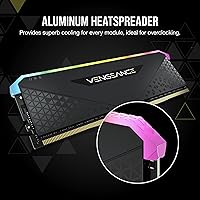
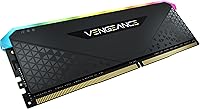
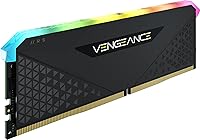
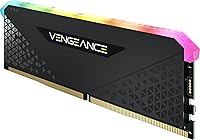
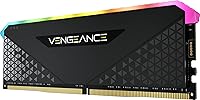
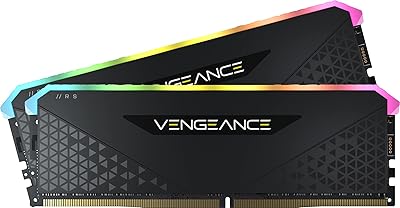
The Corsair Vengeance RGB RS 16GB DDR4 Desktop Memory is Corsair's answer to builders who want visible RGB flair without spending premium prices. Running at 3200MHz with CL16 timings, it hits the sweet spot for modern Intel and AMD platforms — fast enough for gaming and everyday multitasking without pushing into exotic territory. What sets it apart visually from standard heatspreader sticks is the panoramic light pipe that runs the full length of the module, distributing light more evenly than most competitors at this price. Released in late 2021, this DDR4 module remains a practical, relevant choice for anyone building a mainstream desktop today.
Features & Benefits

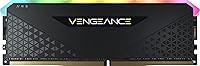
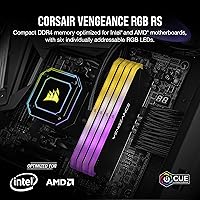
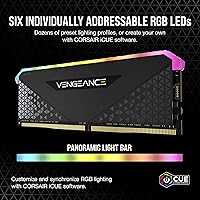
The Vengeance RGB RS packs six individually addressable LEDs beneath a full-length diffuser, and the effect is notably cleaner than the hot-spot glow you see on cheaper sticks — the light spreads evenly from end to end. Those LEDs tie into Corsair iCUE software, which lets you sync lighting across compatible peripherals; it is a capable tool, though it does add some overhead, so older systems might notice it. On the performance side, running at 1.35V keeps things cooler than standard DDR4 spec. The XMP profile loads the rated 3200MHz timings automatically, and tightly screened chips give casual overclockers a little breathing room if they want to experiment.

Best For

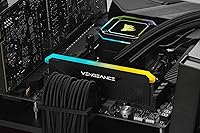
This Corsair RGB memory stick makes the most sense for first-time desktop builders who want a clean, lit setup without navigating complex configurations. It is also a natural pick for anyone stepping up from 8GB — drop it in, enable XMP, and you are done. AMD Ryzen systems and Intel 10th through 12th Gen platforms respond well to DDR4 3200, making it compatible with a wide range of current builds. Gamers and light content creators who already use iCUE-compatible gear will appreciate the unified lighting control. One note: a mid-tower with a windowed side panel really showcases the diffuser; in a closed case, the RGB goes entirely unseen.

User Feedback

Most buyers come away satisfied, with lighting consistency drawing particular praise — reviewers note it looks polished rather than cheap, which is not always guaranteed at this price point. Installation gets high marks too; XMP in the BIOS handles the heavy lifting. The criticism worth noting is that running a single stick means missing out on dual-channel bandwidth, so budgeting for a second module later is worth planning around. Running warm under sustained load is a real observation from some users, and iCUE has frustrated a few on lighter machines due to its system footprint. ITX builders should also verify clearance before buying. Still, the overall satisfaction rate stays high, with reliability cited repeatedly.

Pros

  • XMP profile auto-loads 3200MHz timings in BIOS — no manual tuning required for most builds.
  • The panoramic light pipe delivers even, consistent RGB glow rather than the patchy hot-spots common on budget sticks.
  • Running at 1.35V keeps the Vengeance RGB RS slightly cooler and more stable than standard DDR4 voltage spec.
  • Broad compatibility with both AMD Ryzen and Intel DDR4 platforms makes it a low-risk choice for most desktop builds.
  • Installation is genuinely plug-and-play — buyers with no prior build experience consistently report zero friction.
  • iCUE lighting sync works reliably with other Corsair peripherals for a unified aesthetic across your setup.
  • Tightly screened memory chips mean the rated speeds are stable, not theoretical marketing figures.
  • Strong reliability track record with very few reported failure or instability complaints across a large reviewer pool.
  • At its price tier, the combination of RGB quality and DDR4 3200 performance is difficult to match dollar-for-dollar.

Cons

  • Single-stick configuration means single-channel operation — a matched pair would deliver noticeably higher memory bandwidth.
  • iCUE software carries real background overhead that can frustrate users on older or resource-constrained machines.
  • The module runs noticeably warm under sustained heavy loads, which may concern users in poorly ventilated cases.
  • RGB lighting is completely wasted in a closed, non-windowed case — a non-RGB kit would save money in that scenario.
  • Buying one stick now and adding a second later risks compatibility mismatches if the exact model becomes hard to source.
  • ITX builders must verify case and cooler clearance carefully before purchasing, as height has caused fitment problems.
  • Overclocking headroom exists but is modest — do not buy this expecting significant frequency gains beyond rated spec.
  • iCUE is a love-it-or-hate-it application; users who dislike bloated software ecosystems will find it hard to avoid if they want lighting control.

Ratings

Scores for the Corsair Vengeance RGB RS 16GB DDR4 Desktop Memory were generated by AI after analyzing thousands of verified buyer reviews from global markets, with active filtering applied to remove spam, bot submissions, and incentivized feedback. The ratings below reflect a balanced picture drawn from real-world installation experiences, gaming sessions, and long-term daily use — not just first-impression impressions. Every score is calibrated against buyer expectations at this specific price tier, with both recurring strengths and genuine pain points transparently represented.
Value for Money
83%
At its price point, the Vengeance RGB RS delivers a combination of DDR4 3200MHz performance and quality RGB aesthetics that few competing modules match dollar-for-dollar. Builders on tighter budgets consistently note they did not have to sacrifice speed or visual appeal to stay within their component budget.
Buyers who compare it against matched dual-channel kits at a similar combined price point quickly realize the single-stick configuration leaves bandwidth on the table. For those planning a performance-first build from day one, the value argument weakens considerably.
RGB Lighting Quality
88%
The panoramic light pipe produces a steady, uniform glow from end to end that holds up well in windowed mid-tower cases — a noticeably cleaner output than the patchy hot-spots common on budget RGB sticks. Buyers regularly describe it as looking more expensive than it is when viewed through a glass side panel.
Six LEDs is a modest count by current standards, and very close inspection under certain lighting profiles reveals subtle brightness variation near the ends of the diffuser. Users coming from higher-end modules with denser LED arrays may find the effect less impactful in large or brightly lit cases.
Installation Ease
91%
Enabling XMP in the BIOS is genuinely all it takes to reach rated 3200MHz, a process that takes under a minute even for someone building their first PC. Across AMD Ryzen and mainstream Intel DDR4 boards, buyers report near-universal plug-and-play compatibility with no manual timing adjustments needed.
Getting iCUE set up for lighting control adds an extra step that the unboxing experience does not clearly communicate, and a handful of users found the initial peripheral sync process mildly confusing. The hardware installation itself is flawless; it is the software side that occasionally adds friction.
Gaming Performance
78%
22%
For the majority of current gaming titles, 3200MHz with CL16 timings sits comfortably in the practical performance sweet spot, delivering noticeably smoother load times and texture streaming compared to 8GB configurations. Most buyers upgrading from older or slower RAM report a tangible improvement in day-to-day gaming responsiveness.
Operating in single-channel mode is a real limitation for bandwidth-sensitive titles and for systems using integrated graphics, where dual-channel access makes a measurable difference. Buyers who run CPU-heavy simulation or strategy games with large asset pools are more likely to feel this constraint than casual gamers.
Stability & Reliability
92%
Long-term reliability is one of the strongest recurring themes across buyer feedback — very few reports of instability, crashes, or memory errors even after months of continuous use. The custom PCB and tightly screened chips appear to deliver on Corsair's quality control claims in practice, not just on paper.
A small number of buyers encountered initial instability when paired with budget B-series motherboards running loose BIOS revisions, typically resolved after a BIOS update. This is a rare edge case rather than a systemic issue, but it is worth noting for builders on entry-level board pairings.
Thermal Management
67%
33%
The 1.35V operating voltage does genuinely help keep temperatures lower than standard DDR4 spec under moderate workloads, and in well-ventilated cases with active airflow over the DIMM slots, thermals stay reasonable during typical gaming sessions.
Under sustained heavy workloads — long rendering jobs, extended gaming marathons — a single stick carrying the full memory load runs noticeably warm without a neighboring module to share the thermal distribution. Users in poorly ventilated cases or with passive airflow setups have flagged this as a genuine concern.
iCUE Software
62%
38%
For users already embedded in the Corsair ecosystem with iCUE-compatible keyboards, fans, or coolers, the cross-device lighting sync works reliably and offers genuinely granular control over effects and color profiles. The depth of customization available within iCUE is real and appreciated by enthusiast builders.
iCUE runs persistently in the background and carries measurable system overhead that frustrates users on older or mid-spec machines. Several buyers describe it as bloated relative to the actual lighting control they need, and a few report it causing minor conflicts with other system monitoring software.
Build & PCB Quality
86%
The black custom PCB feels solid and shows no flex during installation, and the light pipe housing sits firmly without any play or rattling. Buyers handling the module directly comment that it feels more substantial than similarly priced competitors.
The heatspreader is relatively minimal compared to premium DDR4 modules with thick aluminum fins, which some buyers feel looks slightly plain when the RGB is off. It is a functional trade-off rather than a defect, but aesthetics-focused builders may notice the difference.
Overclocking Headroom
61%
39%
Corsair's chip screening process does provide a degree of headroom above the rated 3200MHz, and some buyers comfortable in BIOS have reported stable results at modest frequency bumps. The quality of the underlying chips is genuinely better than what bargain-bin modules typically use.
This is not a module designed for serious overclocking, and expecting consistent gains beyond 3400MHz or 3600MHz is unrealistic for most chip samples. Buyers specifically shopping for overclocking potential would be better directed toward purpose-built enthusiast kits with tighter factory-tested headroom.
Platform Compatibility
89%
Verified compatibility across a wide range of AMD Ryzen 3000, 4000, and 5000 series boards, as well as Intel 10th, 11th, and 12th Gen DDR4 platforms, means buyers rarely encounter motherboard-level compatibility issues. This broad support makes it a reliable low-risk choice for most mainstream desktop builds.
A minority of buyers on non-standard or budget motherboards have needed to manually confirm QVL listings before purchasing, and DDR5 platform users are obviously excluded entirely. ITX builds require additional height clearance verification that adds a small but real pre-purchase research step.
Multitasking Performance
74%
26%
For everyday multitasking — browser tabs, background applications, light content work alongside gaming — 16GB at 3200MHz handles the load comfortably without bottlenecks. Users upgrading from 8GB configurations report a clear and immediate improvement when juggling multiple open applications.
Single-channel operation limits the memory bandwidth available for multithreaded workloads like video encoding, large file compilation, or running virtual machines, where a dual-channel setup with the same total capacity would perform meaningfully better. Power users pushing the system across multiple simultaneous demanding tasks will feel this ceiling.
Aesthetic Design
84%
The all-black PCB combined with the full-length diffuser creates a clean, cohesive look that works well in both RGB-heavy and minimalist builds. When the lighting is active, the module blends naturally into premium-looking builds without the garish plastic appearance that cheaper RGB sticks often carry.
Without RGB enabled, the module looks fairly utilitarian — the diffuser cap reads as plain translucent plastic rather than premium material. Buyers who want a striking dark aesthetic with lighting off may prefer modules with a more refined heatspreader finish.

Suitable for:

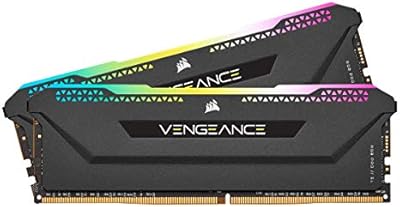
The Corsair Vengeance RGB RS 16GB DDR4 Desktop Memory is a strong fit for first-time builders and upgraders who want a reliable, visually appealing memory stick without overcomplicating their build. If you are coming from 8GB and just need a straightforward capacity bump, this single-stick approach keeps installation simple — drop it in the primary slot, enable XMP in the BIOS, and you are running at rated speed. It pairs naturally with AMD Ryzen and Intel 10th through 12th Gen platforms, where DDR4 3200MHz is well within the supported sweet spot and delivers tangible responsiveness gains for gaming and everyday workloads. Builders who already own Corsair iCUE-compatible peripherals — keyboards, fans, coolers — will get genuine value from the unified lighting sync, since the full-length diffuser produces a consistent, even glow that holds up well in a windowed mid-tower case. For anyone prioritizing performance-per-dollar on a mainstream DDR4 platform, this module competes honestly at its price tier.
Not suitable for:

Buyers chasing peak memory bandwidth should think carefully before going single-stick, because the Corsair Vengeance RGB RS 16GB DDR4 Desktop Memory by definition operates in single-channel mode out of the box, leaving measurable performance on the table compared to a matched dual-channel kit. Enthusiasts planning serious overclocking will find the headroom modest at best — the chips are screened well, but this is not a module engineered for pushing extreme frequencies, and expectations should be set accordingly. Users building in compact ITX cases need to verify physical clearance before purchasing, as the module's height has caused fitment issues for a small number of buyers. If you are on an older or lower-spec system, iCUE's background resource usage may be a genuine nuisance rather than a convenience, and the lighting benefit disappears entirely in a closed, opaque case. Anyone already planning to run two sticks from day one would be better served financially by buying a matched 2x8GB or 2x16GB kit upfront rather than treating this as a stepping stone.
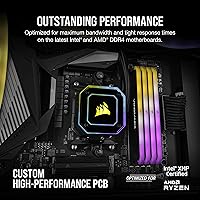
Specifications

  • Capacity: This module ships as a single 16GB DDR4 DIMM, providing 16GB of total system memory in one stick.
  • Memory Type: It uses DDR4 SDRAM technology, the standard for mainstream desktop platforms released between 2015 and the mid-2020s.
  • Speed: The rated operating speed is 3200MHz (PC4-25600), activated via XMP profile in a compatible motherboard BIOS.
  • Latency: Primary timings are CL16-20-20-38, which represent a reasonable balance between speed and stability at this frequency tier.
  • Voltage: The module operates at 1.35V, slightly below the DDR4 default of 1.5V, contributing to lower heat output during typical use.
  • RGB LEDs: Six individually addressable RGB LEDs are embedded beneath a full-length panoramic light pipe diffuser for uniform light distribution.
  • Lighting Design: The panoramic light pipe runs the entire length of the module, spreading LED output evenly rather than producing isolated bright spots.
  • Software: Lighting and effects are controlled through Corsair iCUE software, which also supports cross-device sync with compatible Corsair peripherals.
  • PCB: The module uses a custom performance PCB engineered for strong signal integrity to maintain stability at rated DDR4 3200MHz speeds.
  • Form Factor: Standard DIMM form factor designed exclusively for desktop motherboards; it is not compatible with laptop SO-DIMM slots.
  • Dimensions: The module measures 5.31″ in length, 1.77″ in height, and 0.28″ in width, which is taller than a standard low-profile DIMM.
  • Weight: Each stick weighs 1.62 ounces, consistent with a standard full-height DDR4 module including heatspreader.
  • PCB Color: The printed circuit board is black, which complements dark-themed builds and remains visible through the base of the light pipe.
  • Compatibility: Officially supported on AMD Ryzen DDR4 platforms and Intel 10th, 11th, and 12th Gen DDR4 motherboards.
  • Model Number: The official Corsair part number is CMG16GX4M1E3200C16, which should be used when searching for a matching second stick.

Related Reviews
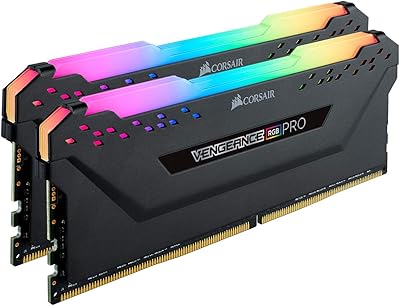
Corsair Vengeance RGB Pro 16GB DDR4 RAM
81%
88%
Memory Performance
71%
Compatibility
91%
RGB Lighting Quality
67%
iCUE Software Experience
93%
Installation Ease
More
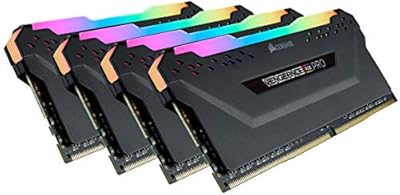
Corsair Vengeance RGB Pro 128GB DDR4 Memory
80%
88%
Memory Performance
91%
Stability & Reliability
93%
Build Quality
86%
RGB Lighting Quality
74%
iCUE Software Integration
More
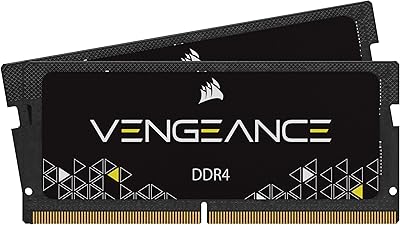
Corsair Vengeance RGB PRO SL 64GB (2x32GB) DDR4 3200MHz C16 Desktop Memory
87%
91%
Performance
88%
Ease of Installation
93%
RGB Customization
86%
Value for Money
84%
Compatibility
More
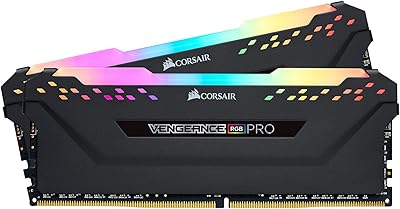
Corsair Vengeance 16GB DDR4 2933MHz Laptop RAM
81%
93%
Installation Ease
86%
Performance Uplift
71%
Compatibility Range
78%
Auto Speed Activation
91%
Stability & Reliability
More
Corsair Vengeance RGB RS 64GB DDR4 RAM
81%
93%
XMP Setup Ease
91%
Stability & Reliability
82%
Performance at Rated Speed
76%
Value for Money
63%
iCUE Software Experience
More
Corsair Vengeance RGB RS 64GB DDR4 RAM
83%
93%
Installation Ease
91%
RGB Lighting Quality
78%
Memory Performance
89%
Build Quality
74%
iCUE Software Integration
More
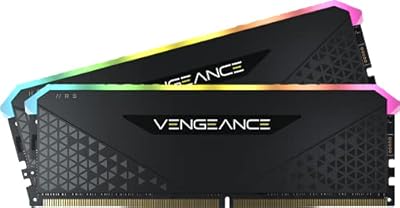
Corsair Vengeance RGB Pro 16GB DDR4 RAM
85%
88%
Performance at Rated Speed
83%
XMP Compatibility
91%
RGB Lighting Quality
71%
iCUE Software Experience
86%
Motherboard Compatibility
More
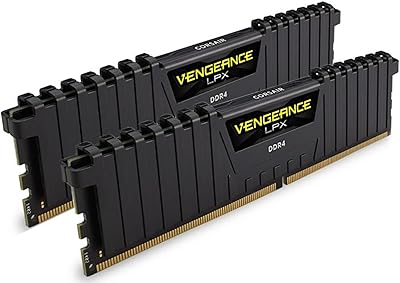
Corsair Vengeance 16GB DDR4 2400MHz SODIMM Memory
82%
74%
Compatibility
93%
Installation Experience
88%
Performance Gain
86%
Value for Money
91%
Long-Term Stability
More
Corsair Vengeance RGB Pro 16GB DDR4 RAM
85%
93%
Performance Stability
91%
RGB Lighting Quality
88%
Ease of Installation
67%
iCUE Software Experience
74%
Value for Money
More
Corsair Vengeance LPX 16GB DDR4 Desktop RAM
81%
93%
Ease of Installation
88%
Compatibility
84%
Value for Money
67%
Memory Speed & Performance
89%
Build Quality
More

FAQ

It will not hit 3200MHz automatically on most systems. By default, DDR4 boots at the JEDEC standard speed, which is typically 2133MHz or 2400MHz. You just need to go into your BIOS, find the XMP or DOCP setting depending on whether you are on Intel or AMD, and enable it. That one change loads the correct 3200MHz timings automatically, and you are done.

No, the LEDs will still light up without iCUE installed — most motherboards will display a default rainbow cycle through their own RGB firmware. However, if you want to customize colors, set specific effects, or sync lighting with other Corsair devices, iCUE is required. Just be aware that iCUE does run in the background and uses some system resources, which bothers some users more than others.

It works and most modern games run fine on 16GB, but a single stick does mean you are operating in single-channel mode rather than dual-channel. Dual-channel memory provides higher bandwidth, which can make a measurable difference in certain CPU-intensive games and in tasks like video editing. If budget allows, buying a matched pair upfront is the better long-term choice; running one stick now and adding a second later is a valid upgrade path, just make sure to match the exact model number.

Yes, it is listed as compatible with Intel DDR4 platforms including 12th Gen, provided your motherboard has DDR4 slots rather than DDR5. It is worth double-checking your board's QVL list for peace of mind, but in practice this module works reliably across a wide range of mainstream Intel DDR4 boards.

There is some headroom because Corsair uses tightly screened memory chips, so modest overclocking is possible. That said, this is not a module built for serious frequency chasing — do not expect to push it to 3600MHz or higher reliably. For most users, just running it at the rated XMP speed offers the best combination of stability and performance.

It may, but you need to check clearance carefully before buying. The module stands 1.77″ tall, which is a standard DDR4 height but can conflict with large CPU coolers or low-profile cooler brackets in tight ITX builds. A handful of buyers have flagged fitment issues in compact cases, so measuring available clearance above your DIMM slot is a smart step before ordering.

Full RGB control and effects are designed around Corsair iCUE. Some motherboards with broad RGB ecosystem support may detect the LEDs through their own software, but reliable cross-brand sync is not guaranteed. If you are heavily invested in a non-Corsair RGB ecosystem, you may find the lighting integration limited compared to using it within iCUE.

Some users have reported that it runs noticeably warm during extended gaming or rendering sessions, which is not unusual for a single DIMM handling the full memory load without a neighboring stick to share thermal output. In a well-ventilated case with reasonable airflow over the DIMM area, it should stay within safe operating limits. If your case runs hot generally, adding a case fan directed toward the memory area is a reasonable precaution.

It should, as long as you match the exact model number — CMG16GX4M1E3200C16 — so both sticks share the same chip binning and timings. Mixing different Corsair DDR4 kits can work but sometimes requires manual timing adjustments to achieve stability. Buying both sticks at the same time from the same batch is the most reliable approach if dual-channel is your goal.

Yes. Through iCUE you can set all LEDs to off, effectively making the module appear as a standard black DIMM. Without iCUE installed, the motherboard firmware may still cycle through colors by default, but most modern boards allow you to disable onboard RGB in BIOS settings as well.

Where to Buy