Overview

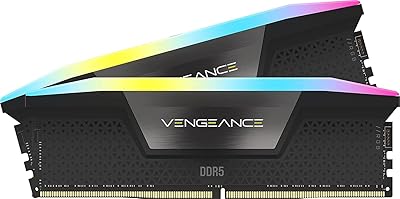
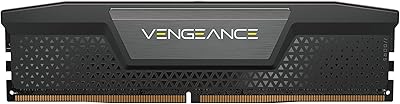
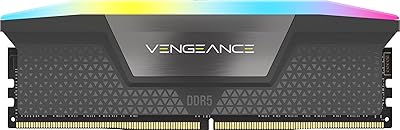
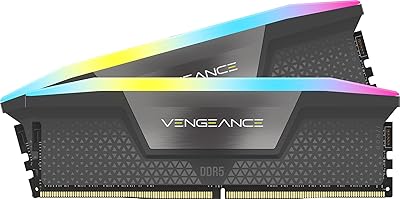
The Corsair Vengeance RGB 16GB DDR5 Desktop RAM is a single-stick, 5200MHz DDR5 module aimed squarely at Intel platform builders who want a reliable DDR5 entry point without overspending on extreme-speed kits. Released in mid-2024, it occupies a sensible middle ground in the DDR5 market. One thing worth clarifying upfront: this is a single 16GB stick, not a dual-channel kit, so real-world memory bandwidth will reflect that until you add a matched module. DDR5 also brings onboard voltage regulation via a built-in PMIC, which shifts power management from the motherboard to the module itself — a meaningful change that improves overclocking stability. The panoramic RGB light bar adds visual character that plain heatspreader sticks simply cannot match.
Features & Benefits

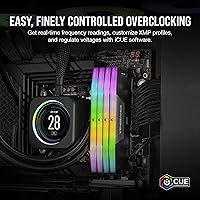
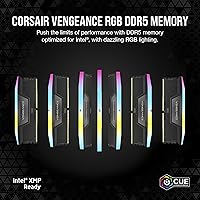
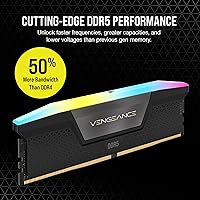
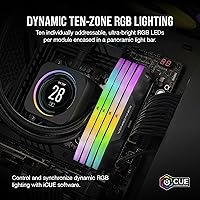
The Vengeance RGB module runs at 5200MHz with CL40 latency — not the absolute ceiling of DDR5 performance, but a well-rounded speed for everyday computing, gaming, and productivity. What sets this kit apart is Intel XMP 3.0 support, which lets you not only enable the rated speed with a single BIOS toggle but also create and save custom profiles tuned for specific tasks. The onboard PMIC handles voltage regulation at 1.25V directly on the module, giving overclockers finer control than DDR4 ever allowed. Ten individually addressable RGB zones pull the module into Corsair's iCUE ecosystem, so if you are already running iCUE for fans or an AIO cooler, lighting sync happens automatically without extra configuration.

Best For

This Corsair DDR5 stick is a natural fit for builders on Intel 12th, 13th, or 14th Gen platforms who want XMP 3.0 compatibility without any guesswork at BIOS setup. It is also a strong pick for anyone already invested in the Corsair iCUE ecosystem — the lighting integration alone saves considerable manual configuration time. If you are coming from DDR4 and want a straightforward DDR5 upgrade that does not demand deep overclocking knowledge, this module handles that well. AMD users should note that XMP 3.0 is Intel-native; on AMD boards you would be relying on JEDEC defaults or EXPO support instead. Single-channel buyers can treat this as a cost-effective starting point, adding a matched stick later when the budget allows.

User Feedback

With a 4.8-star average across more than 1,400 ratings, the reception for this memory kit is genuinely strong — that is a large enough sample to carry real weight. Buyers consistently point to easy XMP enablement, vivid RGB output, and solid iCUE compatibility as standout positives. On the critical side, a recurring theme is the single-stick bandwidth limitation — running one module in single-channel mode noticeably constrains performance versus a properly paired dual-channel setup. A smaller group of users mention motherboard-specific quirks during initial installation, though most report smooth operation after a BIOS update. Long-term stability under sustained overclocking earns positive remarks, suggesting the onboard PMIC delivers on its promise in real-world conditions.

Pros

  • XMP 3.0 enables rated 5200MHz speeds with a single BIOS toggle — no manual tuning required for most Intel builds.
  • Onboard PMIC delivers more stable and controllable overclocking than DDR4 motherboard-dependent voltage management.
  • Ten individually addressable RGB zones produce vivid, consistent lighting visible from multiple angles.
  • iCUE software integration means lighting syncs automatically with other Corsair components in the same system.
  • Custom XMP profile saving lets users tailor performance settings per application, not just a blanket overclock.
  • 4.8-star average across more than 1,400 ratings reflects broad, sustained buyer satisfaction — not a small sample.
  • Single-stick format keeps the initial cost down while leaving a clear upgrade path to dual-channel later.
  • Operating voltage of 1.25V is efficient for the performance tier, avoiding excessive heat under sustained load.
  • Installation is consistently reported as smooth, with most buyers up and running quickly after enabling XMP.

Cons

  • Single-channel operation limits memory bandwidth noticeably compared to a two-stick dual-channel configuration.
  • 5200MHz is a mainstream DDR5 speed — workloads sensitive to memory throughput will benefit from faster kits.
  • XMP 3.0 is Intel-exclusive; AMD platform users cannot take full advantage of the rated speed or custom profiles.
  • The RGB premium adds cost that buyers who prefer a clean, no-lighting build cannot recover value from.
  • Some users report motherboard-specific quirks at initial setup, occasionally requiring a BIOS update to resolve.
  • A single 16GB stick may feel limiting for users planning memory-heavy tasks like large VM workloads or professional editing.
  • iCUE software, while capable, is resource-intensive and may feel excessive for users who just want stable memory speeds.
  • Matched second stick availability and pricing can vary over time, making future dual-channel upgrades less predictable.

Ratings

The scores below for the Corsair Vengeance RGB 16GB DDR5 Desktop RAM were generated by our AI system after analyzing thousands of verified global buyer reviews, with spam, incentivized, and bot-flagged submissions actively filtered out before scoring. Each category reflects the honest consensus of real-world users — not manufacturer claims — so both the strengths and the frustrations are represented exactly as buyers reported them. Where a category scores below expectations for the price tier, we call it out directly.
XMP Setup & BIOS Compatibility
91%
For Intel platform builders, enabling XMP 3.0 in BIOS is consistently described as a one-toggle process — boot, enter BIOS, select the profile, done. Most users on 12th, 13th, and 14th Gen boards report hitting 5200MHz on the first attempt with no additional tuning needed.
A subset of users encountered initial boot failures on certain Z690 and B660 boards until a BIOS update was applied. Older board firmware versions appear to be the common thread, so skipping a pre-install BIOS update is a known risk.
Memory Performance
78%
22%
At 5200MHz with CL40, the Vengeance RGB module handles everyday workloads — gaming, web productivity, light content creation — without any perceptible bottleneck. Users transitioning from DDR4 report a noticeable bandwidth step-up in multitasking scenarios.
5200MHz is not competitive for memory-sensitive workloads like 4K video exports or large dataset processing, where kits in the 6000MHz-plus range pull measurably ahead. Running as a single stick in single-channel mode further constrains real-world throughput for bandwidth-heavy tasks.
RGB Lighting Quality
88%
The panoramic light bar consistently draws praise for even LED distribution and brightness that holds up under case lighting competition. Buyers with windowed mid-tower cases specifically note that the 360-degree illumination looks polished from side-panel angles.
Users who are not invested in the Corsair iCUE ecosystem find the RGB less compelling, since unlocking its full potential requires the software installed and running. A handful of buyers also noted that iCUE's automatic lighting detection can occasionally take a few seconds to sync on system wake.
iCUE Software Integration
82%
18%
For existing iCUE users, adding this memory kit to an existing dashboard of Corsair fans, AIOs, and peripherals is straightforward. The ability to sync RAM lighting with CPU cooler and case fan effects in a single interface is a genuine time-saver for multi-component Corsair builds.
iCUE itself is a resource-heavy application that some users choose not to run at startup, which means RGB lighting defaults to a static or pre-set pattern when iCUE is closed. Non-Corsair ecosystem users effectively pay for a feature they cannot fully use.
Build & Heatspreader Quality
86%
The aluminum heatspreader feels solid and premium in hand, and the light bar housing shows no flex or separation issues even after extended installation cycles. Buyers handling multiple DDR5 brands side by side frequently comment that the Corsair module feels notably well-assembled.
The heatspreader adds some height, and in tighter mATX builds with large air coolers, clearance around the first DIMM slot can become a real concern. There are occasional reports of the RGB shroud having minor cosmetic inconsistencies straight out of the box, though this appears to be rare.
Overclocking Headroom
74%
26%
The onboard PMIC gives more stable fine-grained voltage control than DDR4 motherboard-dependent designs, and users pushing manual XMP customization via iCUE report cleaner stability results than they expected at this price tier. Several reviewers successfully ran stable custom profiles beyond the rated XMP speed.
This module is not aimed at extreme overclockers, and headroom above 5600MHz requires meaningful effort and is not guaranteed. Users expecting flagship-level overclocking flexibility from a mid-range kit have occasionally expressed disappointment in forum follow-up posts.
Single-Channel Bandwidth
61%
39%
For budget-constrained builds or initial system deployments, starting with a single 16GB stick is a sensible cost management strategy that leaves a clear upgrade path open. Users in low-memory-pressure scenarios — light gaming, basic productivity — report no practical performance complaints.
Single-channel operation is a real and measurable bandwidth limitation that affects frame rates in memory-sensitive games and throughput in content creation pipelines. Buyers who did not fully research the single-stick configuration before purchasing frequently leave disappointed reviews specifically about this limitation.
AMD Platform Compatibility
53%
47%
The module physically installs in AMD DDR5 boards without issue, and JEDEC default speeds work reliably on tested AM5 platforms. Users who are satisfied with running at stock JEDEC speeds report no stability complaints.
XMP 3.0 is entirely Intel-native, and AMD users cannot access the rated 5200MHz speed or custom profile features without EXPO support — which this kit lacks explicit certification for. Several AMD buyers express clear frustration that the XMP marketing is not prominently flagged as Intel-only at the point of sale.
Thermal Management
89%
Operating at 1.25V keeps thermals comfortably in check, and users running 24-7 workloads report no heat-related errors or throttling events under normal case airflow conditions. The heatspreader does its job effectively at stock and mild overclock voltages.
Aggressive manual overclocks pushing voltage beyond 1.35V can cause the heatspreader to get noticeably warm in cases with poor RAM zone airflow. This is an edge case, but users building in compact cases with no direct airflow over the DIMMs should factor it in.
Value for Money
76%
24%
For an Intel builder who actively uses iCUE and wants 16GB of DDR5 with strong aesthetics, the pricing reflects a fair mid-range position that avoids the premium of top-tier kits while delivering reliable rated speeds. Long-term buyers who later add a matched stick find the per-GB cost competitive in retrospect.
Users who do not care about RGB or iCUE integration feel the price premium is hard to justify when plain-heatspreader DDR5 kits at similar or slightly higher speeds cost less. The value equation shifts further against this kit for AMD users who cannot unlock the full XMP feature set.
Installation Experience
92%
Physical installation is smooth and well-documented, with the module seating cleanly in DDR5 slots and the locking tabs engaging with a satisfying click. First-time builders specifically mention feeling confident during setup, which is not always the case with RAM installation reviews.
A small but consistent group of users report that their system initially posted at JEDEC speeds and required a manual BIOS visit to activate XMP — which is expected behavior but surprised users who assumed it would auto-configure. Clearer packaging guidance could prevent this confusion.
Long-Term Stability
87%
Users running this memory kit under sustained loads for six months or more report no degradation, no unexpected blue screens, and consistent XMP performance across firmware updates. The onboard PMIC is frequently credited in long-term follow-up reviews as a positive stability factor.
A small number of edge cases involving specific Intel board and BIOS version combinations produced intermittent instability that resolved after BIOS updates but took time to diagnose. These appear to be motherboard firmware issues rather than module defects, but they still affect buyer experience.
Packaging & Unboxing
83%
The module arrives in a clear clamshell that protects the RGB shroud during shipping and displays the product attractively — relevant for buyers gifting the kit or recording a build video. No reports of DOA units due to packaging failure have surfaced in meaningful volume.
The packaging does not prominently clarify the single-stick versus dual-channel nature of the purchase, which contributes to post-purchase confusion for buyers who skimmed the listing. A simple dual-channel callout on the box would prevent a recurring complaint category.
Software Learning Curve
71%
29%
iCUE's preset lighting profiles make initial RGB setup accessible for users who do not want to build custom effects from scratch. The interface has improved meaningfully in recent versions, and most users describe the first-time setup as manageable within 15 minutes.
iCUE's broader feature set — custom profiles, per-app tuning, firmware management — has a learning curve that occasional users find disproportionate to their needs. Users who just want to set a static lighting color and move on often report the software feels overbuilt for that simple task.

Suitable for:

The Corsair Vengeance RGB 16GB DDR5 Desktop RAM is an excellent fit for builders putting together a new Intel 12th, 13th, or 14th Gen desktop who want a dependable DDR5 foundation without paying a premium for bleeding-edge speeds. If you are upgrading from a DDR4 system and want a straightforward transition — plug in, enable XMP 3.0 in BIOS, and move on — this module handles that scenario with minimal friction. It is particularly well-suited to Corsair iCUE users, since the ten-zone RGB lighting integrates directly into an existing ecosystem of fans, coolers, and peripherals without any extra software juggling. Budget-conscious enthusiasts who want visible RGB aesthetics in a windowed case will find the panoramic light bar genuinely delivers without forcing them into the price range of top-tier kits. Single-slot builders who need 16GB now and want the option to add a matched stick later will also appreciate having a well-documented, widely available module to pair with down the road.
Not suitable for:

The Corsair Vengeance RGB 16GB DDR5 Desktop RAM is not the right choice if you are building on an AMD platform and expecting full XMP 3.0 functionality — XMP is Intel-native, and AMD boards will either fall back to JEDEC defaults or require EXPO-compatible memory for proper speed enablement. Anyone chasing peak DDR5 throughput for memory-intensive workloads like video encoding, 3D rendering, or competitive high-refresh gaming should look at faster kits in the 6000MHz to 6400MHz range, where real-world performance differences become more tangible. Running this module as a single stick also means operating in single-channel mode, which meaningfully limits memory bandwidth compared to a properly paired dual-channel setup — so buyers who want maximum day-one performance should budget for two sticks from the start. If RGB lighting holds no appeal for you, there are plain-heatspreader DDR5 alternatives at similar speeds that cost noticeably less, making the premium here hard to justify for purely performance-focused buyers.
Specifications

  • Capacity: This module provides 16GB of DDR5 memory in a single DIMM, sold as a one-stick configuration rather than a dual-channel kit.
  • Memory Type: Uses DDR5 SDRAM technology, which differs from DDR4 by moving voltage regulation onto the module itself via an onboard PMIC.
  • Speed: Rated at 5200MHz under the Intel XMP 3.0 profile, with a base JEDEC speed available for non-XMP platforms.
  • Latency: Operates at CL40 primary latency timings at the rated XMP speed of 5200MHz.
  • Voltage: Runs at 1.25V under XMP, which is within the standard DDR5 operating range and does not require elevated voltage for rated speeds.
  • XMP Support: Supports Intel XMP 3.0, which allows users to enable the rated speed via BIOS and create up to five custom saved overclocking profiles.
  • RGB Lighting: Features ten individually addressable RGB LEDs per module housed in a panoramic light bar that provides visibility from multiple angles.
  • Software: Compatible with Corsair iCUE software, enabling lighting synchronization and profile management alongside other iCUE-enabled components.
  • Form Factor: Standard desktop DIMM form factor, designed exclusively for full-size ATX, mATX, and ITX desktop motherboards with DDR5 slots.
  • Dimensions: The module measures 5.43 x 0.27 x 1.77 inches, which is a standard DDR5 DIMM footprint with a moderately tall heatspreader profile.
  • Weight: Weighs 1.76 ounces, consistent with a standard DDR5 module equipped with an aluminum heatspreader and RGB light bar.
  • Color: Available in Black heatspreader finish; the RGB light bar illuminates independently of the heatspreader color.
  • Onboard PMIC: Includes an integrated Power Management IC directly on the module, enabling more stable and precise voltage control than DDR4 motherboard-dependent regulation.
  • Platform Compatibility: Officially compatible with Intel 12th, 13th, and 14th Gen platforms supporting DDR5; XMP 3.0 functionality requires an Intel XMP-capable motherboard.
  • Model Number: The manufacturer model number is CMH16GX5M1B5200C40, which can be used to identify and purchase a matched second stick for dual-channel configuration.
  • Release Date: First made available in July 2024, placing it in the mid-2024 generation of consumer DDR5 modules.
  • Warranty: Corsair covers this module under their limited lifetime warranty, consistent with their standard memory product policy.

Related Reviews
Corsair Vengeance RGB DDR5 16GB RAM
80%
91%
Installation Ease
88%
RGB Lighting Quality
84%
Performance at Rated Speed
58%
Single-Channel Trade-off
67%
iCUE Software Experience
More
Corsair Vengeance RGB 128GB DDR5 RAM
82%
91%
Performance at Rated Speed
93%
XMP Setup Experience
88%
RGB Lighting Quality
71%
iCUE Software Integration
78%
Overclocking Headroom
More
Skytech Archangel RTX 5060 Ti Gaming Desktop
77%
88%
Gaming Performance
83%
Build Quality
71%
Value for Money
91%
GPU Specification
67%
CPU Performance
More
Corsair Vengeance SODIMM DDR5 16GB Laptop RAM
80%
93%
Ease of Installation
81%
System Compatibility
74%
Real-World Performance
79%
Value for Money
88%
Long-Term Stability
More
Corsair Vengeance DDR5 64GB 6000MHz Desktop RAM
83%
93%
Performance at Rated Speed
91%
XMP Setup & Ease of Use
94%
Stability & Reliability
67%
Platform Compatibility
62%
Value for Money
More
Corsair Vengeance RGB 32GB DDR5 Desktop RAM
82%
93%
Performance at Rated Speed
89%
Ease of Setup
91%
RGB Lighting Quality
67%
iCUE Software Experience
82%
Compatibility Range
More
Corsair Vengeance DDR5 32GB (2x16GB) 6800MHz RAM
88%
91%
Overall Performance
94%
Gaming Performance
88%
Ease of Overclocking
89%
Software Integration (iCUE)
92%
Compatibility with Intel Systems
More
Corsair Vengeance RGB 64GB DDR5 Desktop RAM
81%
88%
Memory Performance
91%
Installation Experience
83%
Platform Compatibility
86%
RGB Lighting Quality
87%
Thermal Management
More
Corsair Vengeance RGB RS 16GB DDR4 Desktop Memory
80%
83%
Value for Money
88%
RGB Lighting Quality
91%
Installation Ease
78%
Gaming Performance
92%
Stability & Reliability
More
Corsair Vengeance DDR5 32GB (2x16GB) 7200MHz RAM
89%
93%
Performance
94%
Speed and Responsiveness
88%
Ease of Installation
90%
Overclocking Stability
91%
Compatibility with Modern Motherboards
More

FAQ

It will physically fit and run on AMD DDR5 boards, but XMP 3.0 is an Intel specification, so the rated 5200MHz speed will not activate via XMP on an AMD platform. You would either run at the default JEDEC speed or look for a board with AMD EXPO support. If hitting the rated speed matters to you on AMD, look for kits explicitly marketed with EXPO profiles.

It is a single 16GB stick. This is an important distinction because running one module means your system operates in single-channel mode, which reduces available memory bandwidth compared to a matched two-stick dual-channel setup. If you want dual-channel from day one, you would need to purchase two of these or buy a purpose-built 2x16GB dual-channel kit.

Yes, and that is actually a common reason buyers start with this configuration. You can purchase a second CMH16GX5M1B5200C40 module later and pair them for dual-channel. Just make sure to match the model number exactly — mixing different kits can sometimes cause instability or force the system to run at the slower stick's speed.

No, the memory functions completely without iCUE. The module will run at JEDEC defaults or XMP speeds regardless of whether iCUE is installed. The software is only needed if you want to customize the RGB lighting patterns or sync the lighting with other Corsair components in your system.

Go into your motherboard BIOS after installation — usually by pressing Delete or F2 during startup — and look for an XMP, DOCP, or memory profile option. Select the XMP 3.0 profile and save. The system will reboot at 5200MHz. Most modern Intel boards make this a one-step toggle.

The module stands 1.77 inches tall, which is a moderate height for a DDR5 stick. Most tower air coolers and all-in-one liquid coolers will clear it without issue, but very wide low-profile coolers that extend over the first DIMM slot could be a concern. Check your cooler's clearance specifications against the slot positions on your specific motherboard before buying.

Intel Core Ultra 200 series desktop processors use the LGA1851 socket and support DDR5 memory, and this module's XMP 3.0 profile should work with compatible Z890 and B860 motherboards. That said, always verify compatibility with your specific motherboard's QVL list, as newer platforms sometimes need a BIOS update to fully recognize all memory profiles.

DDR5 at 5200MHz and 1.25V runs quite cool compared to high-voltage DDR4 overclocks. The aluminum heatspreader handles thermal dissipation adequately in most builds with reasonable case airflow. You are unlikely to need active cooling aimed at the RAM unless you are pushing an aggressive manual overclock well beyond the XMP profile.

Yes, iCUE gives you full control over the LEDs, including setting them to a static off state. If you want to disable the lighting without installing iCUE, some motherboards with their own RGB control software can also manage Corsair DDR5 lighting, though iCUE offers the most reliable and granular control.

Moving from DDR4 to DDR5 at 5200MHz brings meaningful bandwidth improvements, particularly in tasks that are memory-throughput sensitive like large data processing, game streaming, or multitasking with memory-hungry applications. For everyday gaming and general productivity, the difference is noticeable but not dramatic — DDR5's bigger advantage comes at higher frequencies. Running this stick in single-channel mode will partially offset the raw bandwidth advantage over a dual-channel DDR4 setup, so keep that in mind when comparing configurations.