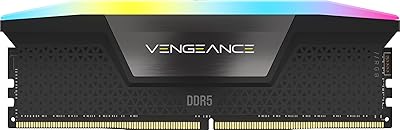
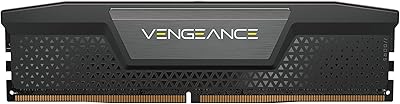
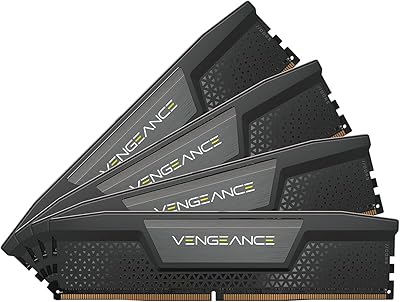
Overview

Corsair Vengeance RGB 128GB DDR5 RAM is a quad-channel kit built for users who have genuinely outgrown 64GB — think heavy workstation loads, not casual browsing or even most gaming. The 4x32GB configuration fills all four DIMM slots, meaning you are committing to this capacity for the long haul. DDR5 adoption has matured enough in 2024–2025 that pairing this high-capacity memory kit with a modern Intel platform makes real sense. Intel XMP 3.0 support and deep iCUE integration round out the package. That said, if your workload does not regularly push past 32 or 64GB, this is likely more RAM than you will ever realistically use.
Features & Benefits

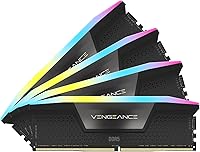
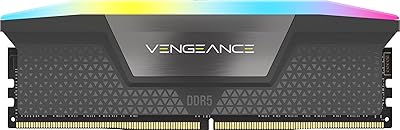
Running at 5600MHz with CL40 latency, this 128GB DDR5 kit delivers the kind of bandwidth that makes a tangible difference when handling large datasets, rendering timelines, or loading complex 3D scenes. Each module features ten addressable RGB zones behind a panoramic light bar — genuinely bright and consistent across viewing angles. Onboard voltage regulation makes overclocking more approachable; you tune through iCUE rather than digging through BIOS menus. The custom XMP 3.0 profiles let you save different memory presets per task, a practical feature for users switching between workloads throughout the day. Operating at just 1.25V, it also runs more efficiently than older DDR4 configurations under equivalent sustained loads.

Best For

This high-capacity memory kit makes the most sense for professionals whose workflows genuinely demand it — video editors juggling multi-layer 4K or 8K timelines, 3D artists with heavy scene files, or anyone running simulation and AI/ML tasks that consistently saturate 64GB. Intel platform builders on 13th and 14th Gen hardware get the most out of it, especially those already invested in Corsair peripherals wanting unified lighting control. If RGB cohesion across your build matters, the iCUE sync is a real plus. But be honest: most gamers, students, and general users will never approach filling 128GB of RAM, and this kit offers no noticeable benefit for everyday computing tasks.

User Feedback

Buyers of the Vengeance RGB DDR5 quad-channel set are largely satisfied, with the most consistent praise going to XMP activation reliability — most users report booting straight to rated speeds without fuss. The lighting earns frequent compliments for brightness and evenness across modules. On the downside, some buyers flag that iCUE software can feel resource-heavy, worth knowing if you prefer minimal background processes. A handful of reviews mention needing to verify compatibility with specific Z790 motherboard models before purchasing. Long-term stability reports are generally positive with no widespread thermal concerns raised. Overall, satisfaction skews high among workstation and enthusiast buyers, though the software overhead concern is legitimate and consistent enough to take seriously.

Pros

  • XMP 3.0 activation is largely plug-and-play, with most users booting to rated speeds on the first try.
  • 5600MHz bandwidth makes a tangible difference in memory-intensive workloads like video rendering and simulation.
  • Onboard voltage regulation makes overclocking more accessible without deep BIOS knowledge.
  • Ten individually addressable RGB zones per module produce bright, consistent lighting across the full kit.
  • Custom XMP profiles let power users save and switch memory presets based on the active workload.
  • Operating at 1.25V, the Vengeance RGB DDR5 quad-channel set runs notably more efficiently than equivalent DDR4 configurations.
  • The panoramic light bar design ensures good RGB visibility from multiple viewing angles inside a windowed case.
  • Long-term stability reports from workstation users are broadly positive with no widespread thermal complaints.
  • iCUE integration allows centralized control of lighting and overclocking alongside other Corsair devices.
  • Filling all four DIMM slots with 32GB modules future-proofs a workstation build for several years of heavy use.

Cons

  • iCUE software carries a noticeable background resource footprint that minimalist users will find frustrating.
  • Compatibility with specific Z790 motherboard models is not guaranteed and requires verification before purchasing.
  • Filling all four DIMM slots at once can complicate future upgrade paths, as there is no room to expand.
  • The price tier puts this kit well out of reach for anyone building a general-purpose or mid-range desktop.
  • AMD Ryzen platform users cannot assume full compatibility, limiting the audience to Intel-focused builds.
  • CL40 latency is not the tightest available at this speed, and enthusiasts chasing the best timings may want to compare alternatives.
  • 128GB is genuine overkill for gaming, office work, and most creative tasks below professional production level.
  • The kit requires a DDR5-capable motherboard, meaning it is not an option for users upgrading older Intel or AMD platforms.

Ratings

The Corsair Vengeance RGB 128GB DDR5 RAM has been scored by our AI system after analyzing verified global buyer reviews, with automated filters applied to remove incentivized, spam, and bot-generated feedback. Scores reflect the honest consensus of real workstation builders, content creators, and enthusiast PC users who purchased and used this high-capacity memory kit. Both the standout strengths and the recurring frustrations are factored transparently into every category below.

Performance at Rated Speed
91%
Users running video editing suites and 3D rendering software consistently report that enabling XMP and hitting 5600MHz is straightforward and delivers a noticeable improvement in task throughput versus slower DDR5 kits. Workstation builders in particular highlight how well it handles sustained parallel workloads without throttling.
CL40 latency is on the looser side for this speed tier, and buyers who prioritize tight timings over raw frequency may find competing kits offer a better balance. Those chasing the absolute best latency profile will need to look beyond this kit.
XMP Setup Experience
93%
The plug-and-play nature of XMP 3.0 activation is one of the most praised aspects across buyer feedback. The vast majority of users report hitting rated speeds on the very first boot after a single BIOS toggle, with no manual tuning required on mainstream Intel Z790 boards.
A smaller subset of users on less common Z790 variants encountered initial instability that required a BIOS update or manual voltage adjustment before XMP ran cleanly. It is not a widespread issue, but it is worth noting for buyers on niche or budget Intel DDR5 boards.
RGB Lighting Quality
88%
The ten-zone per-module addressable lighting draws frequent compliments for its brightness and consistency, especially when all four sticks are installed side by side in a windowed case. Color transitions are smooth, and the panoramic bar design means there are no dark spots or uneven hotspots visible from typical viewing angles.
RGB is purely aesthetic and contributes nothing to performance, which is worth stating plainly for buyers paying a premium partly for looks. A small number of users also noted that iCUE is essentially required to get anything beyond the default cycling pattern, which is a dependency not everyone wants.
iCUE Software Integration
71%
29%
For users already in the Corsair ecosystem, iCUE delivers genuinely useful centralized control over both lighting and memory overclocking profiles, removing the need to navigate BIOS menus for most tuning tasks. The ability to save per-task XMP profiles is a practical feature for professionals switching between workloads.
iCUE carries a well-documented reputation for being resource-heavy, and this comes up repeatedly in buyer feedback for this kit. Users running lean background processes or older secondary systems report it adds noticeable overhead, and a few described update cycles as disruptive to their workflow.
Overclocking Headroom
78%
22%
The onboard voltage regulation built into each module gives this kit a more stable foundation for pushing beyond XMP than boards relying solely on motherboard-side power delivery. Enthusiast users report moderate but consistent headroom above the 5600MHz baseline with minor tuning through iCUE.
This is not a kit aimed at extreme overclockers chasing frequency records, and the CL40 base timings leave less room for tightening latency while pushing speed. Users expecting DDR5 overclocking performance comparable to purpose-built OC-focused kits may come away underwhelmed.
Motherboard Compatibility
74%
26%
On the major Intel Z790 and Z690 boards from ASUS, MSI, and Gigabyte, compatibility is broadly solid, and most buyers report no friction getting the kit recognized and running at full spec. For users on well-supported mainstream platforms, this is a non-issue.
A recurring thread in user feedback involves compatibility verification being necessary on less common Z790 variants, with a handful of users reporting initial POST failures resolved only after firmware updates. AMD platform users are effectively excluded from the target audience entirely, which narrows the addressable buyer pool.
Build & Module Quality
89%
The physical construction of each module is consistently described as solid and premium-feeling, with no reported issues around flex, contact corrosion, or heat spreader adhesion over extended use. The black aluminum heat spreader finish looks clean and purposeful without being ostentatious.
The heat spreader design, while attractive, does not include any active thermal features, which means the kit relies entirely on case airflow for cooling under sustained OC loads. This is standard for consumer RAM but worth noting for users planning aggressive overclocks in poorly ventilated cases.
Value for Money
63%
37%
For the specific professional user who genuinely needs 128GB of fast DDR5 in a single kit, the pricing is defensible when weighed against the convenience of a matched quad-channel set with integrated RGB and XMP support. Workstation builders report it saves meaningful time compared to sourcing and validating individual modules.
For anyone outside that narrow professional use case, the cost is difficult to justify. Most buyers acknowledging buyer's remorse in reviews fall into the category of enthusiasts who wanted the largest kit available rather than users who actually needed it, which inflates perceived value dissatisfaction.
Thermal Performance
82%
18%
Under typical workstation loads, including sustained rendering and simulation tasks, users report stable temperatures without any thermal throttling events. The module dimensions and heat spreader surface area appear adequate for the power envelope at 1.25V under normal use.
There is limited community data on sustained thermal behavior under aggressive manual overclocks over long periods, which introduces some uncertainty for users planning to push the kit hard. A small number of reports mention modules running warm in compact cases with restricted airflow.
Long-term Stability
84%
The majority of buyers who have used this high-capacity memory kit for six months or more report no degradation in stability, no unexpected crashes, and consistent XMP behavior across system restarts. Corsair's lifetime warranty provides additional confidence for long-term ownership.
The sample size of long-term reviews is still relatively limited given the kit launched in mid-2023, so comprehensive multi-year reliability data is not yet available. A small number of users reported occasional memory errors detected via diagnostic tools, though these appear isolated rather than systemic.
Capacity Practicality
69%
31%
For the subset of users it targets — video editors, simulation engineers, AI workload runners — having 128GB available without swapping modules or managing virtual memory overflow is a genuine workflow improvement that justifies the commitment. These users rate this aspect highly with consistent specificity.
For everyone else, 128GB is simply inaccessible overkill, and the fact that it fills all four DIMM slots means there is no upgrade path from this point on the same board. Buyers who purchased it aspirationally rather than out of genuine need frequently express this regret in their reviews.
Aesthetic Design
86%
The combination of the matte black heat spreader and the full-length panoramic RGB bar creates a visually cohesive look that photographs well and complements most dark-themed builds. Users building showcase systems particularly appreciate how uniform the four sticks look when installed together.
There is no white colorway available in this specific 128GB configuration, which limits options for buyers building white or light-themed systems. The RGB-forward design also means the kit carries a slight visual bulk that purely minimalist builds may find out of place.
Installation Experience
92%
Physical installation is straightforward, and slot seating feedback is consistently described as positive with no reports of difficult-to-latch DIMM locks. Users across experience levels — from first-time builders to veteran system integrators — report clean, confident installation without force required.
Populating all four slots simultaneously can be tight depending on cooler overhang, and users with large tower air coolers should check DIMM clearance before purchasing. No installation issues specific to the modules themselves have been flagged, only case and cooler geometry concerns.

Suitable for:

The Corsair Vengeance RGB 128GB DDR5 RAM is purpose-built for users whose workloads genuinely push the limits of what 64GB can handle. Professional video editors working with multi-layer 4K or 8K timelines will notice a real difference when their editing software stops hunting for virtual memory. The same applies to 3D artists rendering complex scenes, engineers running simulation software, and AI or machine learning hobbyists training models locally. Intel platform builders on 13th or 14th Gen processors get the most out of the XMP 3.0 support, and those already using Corsair peripherals will appreciate how naturally this kit folds into the iCUE ecosystem for unified lighting and control. If you are building a high-end workstation and want a kit that covers your memory needs for years without compromise, this is a well-executed choice at this capacity tier.

Not suitable for:

The Corsair Vengeance RGB 128GB DDR5 RAM is straightforwardly the wrong choice for a large portion of buyers who might be tempted by the specs. Most gamers, even those running demanding titles, will see zero performance benefit over a well-tuned 32GB DDR5 kit, since games simply do not address anywhere near this much memory. Budget-conscious builders should look elsewhere entirely, as the cost premium here is only justifiable if your actual workload demands it. AMD Ryzen platform users should also note that this kit is optimized for Intel DDR5 motherboards, and compatibility cannot be assumed without research. Anyone who prefers a lightweight software environment may find iCUE's resource footprint annoying for daily use. If your current system sits comfortably under 32GB of memory usage, this high-capacity memory kit offers no practical return on the investment.

Specifications

  • Capacity: This kit provides 128GB of total memory across four 32GB DDR5 SDRAM modules.
  • Memory Type: Each module uses DDR5 SDRAM, the current-generation standard offering higher bandwidth and lower voltage than DDR4.
  • Speed: The kit is rated at 5600MHz, delivering strong throughput for memory-intensive workloads on compatible Intel platforms.
  • Latency: The CL40 primary latency timing is typical for high-capacity DDR5 kits operating at this frequency range.
  • Voltage: Each module operates at 1.25V, which is more power-efficient than the 1.35V commonly required by comparable DDR4 kits.
  • Form Factor: All four modules are standard full-size DIMMs designed exclusively for desktop motherboards with DDR5 slots.
  • RGB Zones: Each module contains ten individually addressable RGB LED zones housed within a panoramic light bar for wide-angle illumination.
  • Lighting Design: The panoramic light bar construction ensures consistent RGB brightness and color accuracy from multiple viewing angles.
  • Profile Support: Intel XMP 3.0 is supported, allowing users to create, save, and load custom memory profiles for different tasks via iCUE software.
  • Overclocking: Onboard voltage regulation is built into each module, enabling more stable and precise overclocking compared to motherboard-controlled methods.
  • Software: Full Corsair iCUE software compatibility allows centralized control of RGB lighting and memory overclocking settings from within Windows.
  • Platform: This kit is optimized for Intel DDR5 motherboards, including those based on Z690 and Z790 chipsets supporting 13th and 14th Gen processors.
  • Module Dimensions: Each individual module measures 5.43 x 0.27 x 1.77 inches, which is a standard DDR5 DIMM footprint.
  • Kit Weight: The full four-module kit weighs approximately 6.8 ounces in total.
  • Color: The modules are finished in black with the RGB light bar running the full length of the top edge.
  • Model Number: The official Corsair model identifier for this kit is CMH128GX5M4B5600C40.
  • Warranty: Corsair covers this kit under a limited lifetime warranty, consistent with their standard memory product policy.
  • Release Date: This kit was first made available in August 2023, positioned for the maturing Intel DDR5 platform ecosystem.

Related Reviews
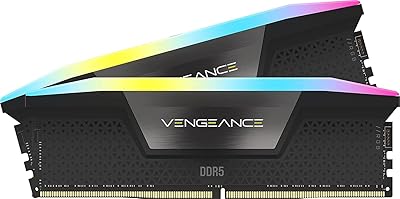
Corsair Vengeance RGB 16GB DDR5 Desktop RAM
79%
91%
XMP Setup & BIOS Compatibility
78%
Memory Performance
88%
RGB Lighting Quality
82%
iCUE Software Integration
86%
Build & Heatspreader Quality
More
Corsair Vengeance RGB DDR5 16GB RAM
80%
91%
Installation Ease
88%
RGB Lighting Quality
84%
Performance at Rated Speed
58%
Single-Channel Trade-off
67%
iCUE Software Experience
More
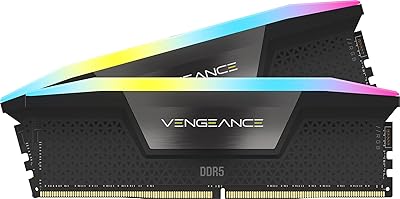
Corsair Vengeance RGB 32GB DDR5 Desktop RAM
82%
93%
Performance at Rated Speed
89%
Ease of Setup
91%
RGB Lighting Quality
67%
iCUE Software Experience
82%
Compatibility Range
More
Corsair Vengeance RGB 64GB DDR5 Desktop RAM
81%
88%
Memory Performance
91%
Installation Experience
83%
Platform Compatibility
86%
RGB Lighting Quality
87%
Thermal Management
More
Corsair Vengeance SODIMM DDR5 32GB Laptop RAM
80%
93%
Installation Ease
89%
Speed Detection & XMP
84%
Real-World Performance
76%
Platform Compatibility
67%
Latency & Timings
More
Corsair Vengeance RGB 32GB DDR5 Desktop RAM
79%
91%
XMP Setup & Ease of Use
84%
Performance at Rated Speed
88%
RGB Lighting Quality
76%
iCUE Software Integration
89%
Stability & Reliability
More
Corsair Vengeance DDR5 32GB (2x16GB) 7200MHz RAM
89%
93%
Performance
94%
Speed and Responsiveness
88%
Ease of Installation
90%
Overclocking Stability
91%
Compatibility with Modern Motherboards
More
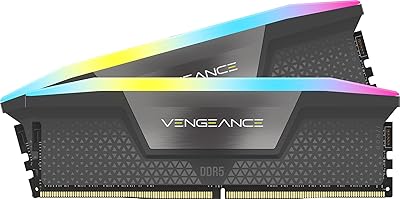
Corsair Vengeance RGB DDR5 32GB (2x16GB) 6200MHz
86%
92%
Performance
88%
RGB Lighting Customization
89%
Overclocking Support
85%
Build Quality
90%
Compatibility with Desktop PCs
More
Corsair Vengeance RGB DDR5 32GB (2x16GB) 6400MHz
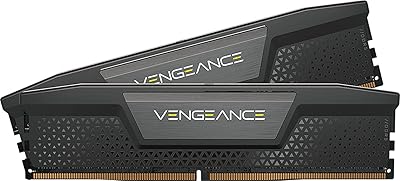
88%
91%
Performance for Gaming
94%
Overclocking Stability
88%
Ease of Setup
85%
RGB Lighting Customization
90%
Compatibility with Intel Systems
More
Corsair Vengeance DDR5 64GB 6000MHz Desktop RAM
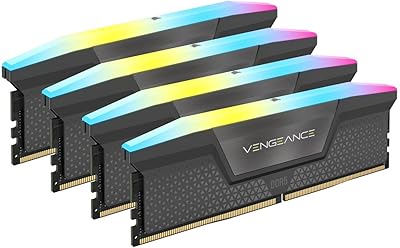
83%
93%
Performance at Rated Speed
91%
XMP Setup & Ease of Use
94%
Stability & Reliability
67%
Platform Compatibility
62%
Value for Money
More

FAQ

Not reliably. This kit is specifically optimized for Intel DDR5 motherboards and uses Intel XMP 3.0 profiles. AMD platforms use EXPO for memory overclocking, and while the modules may run at base DDR5 speeds, you cannot guarantee rated 5600MHz performance or full stability on a Ryzen build. Stick to kits explicitly validated for your AMD platform if that is your setup.

In most cases, you just need to enable XMP in your motherboard BIOS after installation. The vast majority of buyers report that enabling the XMP profile is all it takes to hit rated speeds on a first boot. If you run into instability, updating your motherboard firmware first is usually the fix.

Honest answer: it is overkill for most people. If you game, browse, stream, or do light creative work, you will likely never use more than 32GB. The Corsair Vengeance RGB 128GB DDR5 RAM makes genuine sense for professional video editors, 3D rendering workloads, simulation software, and anyone regularly running tasks that already max out 64GB. If that does not describe you, save your money.

Technically yes, but it is not recommended with this kit. DDR5 kits are tested and validated as matched sets, so mixing installation timings can affect stability. Also, filling all four slots at once is part of what enables the full quad-channel bandwidth this kit is designed for. If budget is a concern, consider a smaller matched kit upfront rather than buying half of this one.

Yes. The modules will still light up without iCUE installed, typically cycling through a default rainbow pattern. You only need iCUE if you want to customize the lighting, sync it with other Corsair devices, or use the software-based overclocking and XMP profile tools.

This is a legitimate concern and one that comes up regularly in user feedback. iCUE is a fairly heavy application that runs background processes and can add noticeable load on lower-spec systems. On a high-end workstation, it is generally not a problem, but if you prefer minimal background software, you can skip it and just use the default lighting mode or control the LEDs through supported motherboard software where available.

The modules stand 1.77 inches tall, which is a standard DDR5 height and should clear most air coolers without issue. That said, if you are running a particularly wide low-profile cooler that overhangs the DIMM slots, it is worth checking your cooler's clearance specs against that 1.77-inch height before purchasing.

A small number of users have flagged the need to check compatibility on specific Z790 models before installing. This is not a widespread problem, but it is worth verifying your motherboard's QVL (qualified vendor list) on the manufacturer's website before purchasing, especially if you are running a less common board variant. Major Z790 boards from ASUS, MSI, and Gigabyte generally have no issues.

Populating all four DIMM slots can put more strain on the memory controller and may require minor tuning on some motherboards to maintain stability at full speed. Most modern Intel Z790 boards handle it fine with XMP enabled, and the onboard voltage regulation on each module helps here. If you experience instability, a small manual voltage adjustment through iCUE or BIOS usually resolves it.

Users consistently rate the lighting as one of the standout visual features. The panoramic light bar runs the full length of each module, and with ten individually addressable zones per stick, color transitions are smooth and even rather than blotchy. Running four modules side by side in a windowed case produces a visually cohesive effect, particularly when synced through iCUE with other Corsair components.