Overview

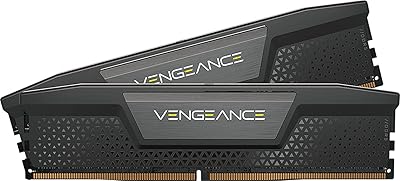
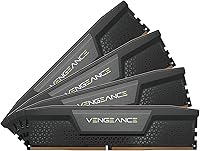
The Corsair Vengeance DDR5 64GB 6000MHz Desktop RAM is a serious kit built for builders who need capacity and speed without compromise. Running four 16GB sticks in a quad-channel arrangement means your CPU's memory controller gets fed data across all available channels simultaneously — a real advantage when pushing multi-threaded workloads. It targets Intel XMP 3.0 platforms specifically, making Z790 builds the natural home here. The iCUE software integration adds a layer of control you won't find on generic DDR5 kits, though it's far from mandatory. This is a premium purchase; if you're watching the budget closely, there are cheaper ways into DDR5.
Features & Benefits

The 6000MHz clock speed paired with CL36 timings hits what many consider the sweet spot for DDR5 — fast enough to reduce bottlenecks during rendering or large file operations, without pushing into the unstable territory that plagues overly aggressive kits. A key difference from DDR4 is the onboard PMIC — each stick manages its own voltage regulation rather than deferring to the motherboard, making overclocking more consistent and predictable. Through iCUE, you can save custom XMP profiles tailored to specific tasks, swapping between a conservative everyday profile and an aggressive production one. Operating at 1.35V keeps thermals manageable during prolonged sessions, and the sticks are low-profile, RGB-free — useful when airflow is a priority.

Best For

This DDR5 kit makes most sense for content creators and professionals who regularly tackle heavy multi-threaded workloads — 4K video timelines, dense Blender scenes, or large datasets that chew through system memory fast. Intel platform builders on 12th, 13th, or 14th Gen chips will get the most out of it; AMD users should look elsewhere, since this kit is explicitly tuned for Intel's XMP ecosystem. It also suits gamers who prioritize frame-time consistency over raw average framerates, as high-speed memory can reduce stuttering in CPU-bound scenarios. Those already managing Corsair hardware through iCUE will find the unified control a genuine convenience, not just a checkbox.

User Feedback

The 4.8-star average across over 1,500 verified ratings is hard to argue with. Most praise centers on how reliably XMP activates on Z790 boards with no manual BIOS tuning required — for most buyers, it just works at rated speed out of the box. Stability at 6000MHz gets repeated mention, which matters since plenty of competing kits stumble at this frequency. On the downside, iCUE's background resource usage draws occasional criticism; some builders skip it entirely and simply enable XMP through BIOS. A few AMD users report compatibility hiccups, reinforcing that this Corsair memory kit is purpose-built for Intel. Budget-conscious shoppers will find similar capacities from Crucial or G.Skill at lower price points.

Pros

  • XMP activation is genuinely plug-and-play on Z790 boards — most users never touch a BIOS setting.
  • Stability at 6000MHz is a recurring theme across hundreds of real-world user reports.
  • The 4x16GB configuration maximizes memory channel bandwidth on supported Intel platforms.
  • Onboard PMIC voltage regulation makes overclocking more predictable than DDR4-era motherboard control.
  • Low-profile, RGB-free design keeps airflow options open and suits compact or clean-aesthetic builds.
  • Custom XMP 3.0 profile saving lets you tailor memory behavior per workload without repeated BIOS visits.
  • 64GB capacity removes memory as a bottleneck for even the most demanding creative production workloads.
  • Thermal behavior at 1.35V stays manageable during long rendering or streaming sessions.
  • A 4.8-star consensus across over 1,500 ratings reflects strong, broad satisfaction across varied use cases.
  • For existing iCUE users, unified hardware monitoring across memory, cooling, and peripherals is a real convenience.

Cons

  • AMD platform compatibility is unreliable — this kit is not designed for AM5 or older AMD boards.
  • The price premium over comparable G.Skill or Crucial DDR5 kits is real and not always justified by performance alone.
  • iCUE software can consume background resources, which frustrates users who prefer minimal system overhead.
  • No RGB means builders wanting visual customization will need to look at other kits in the Corsair lineup.
  • At 64GB across four sticks, all DIMM slots are occupied, leaving zero room for future memory expansion.
  • A handful of users report initialization quirks on non-flagship Intel boards outside the Z790 ecosystem.
  • The software-enhanced overclocking features offer limited value to builders who are comfortable with manual BIOS tuning.
  • Kit pricing puts it firmly in enthusiast territory — entry-level or mid-range builds rarely need what it offers.

Ratings

The scores below reflect AI-driven analysis of verified worldwide buyer reviews for the Corsair Vengeance DDR5 64GB 6000MHz Desktop RAM, with spam, bot submissions, and incentivized feedback actively filtered out. Each category is scored independently to give you an honest picture of where this DDR5 kit genuinely excels and where real buyers have run into friction. Both the strengths and the trade-offs are represented transparently so you can make a confident, well-informed decision.

Performance at Rated Speed
93%
At 6000MHz with CL36 timings, this DDR5 kit consistently delivers the throughput that content creators and gamers are chasing — users rendering in DaVinci Resolve or Blender report noticeably shorter completion times compared to slower DDR5 alternatives. Stability at rated speed on Z790 boards is a repeated highlight across hundreds of reviews.
The performance gains are most visible in memory-intensive workloads; for light gaming or basic productivity tasks, the real-world difference over a 5200MHz kit is marginal and unlikely to justify the cost difference on its own.
XMP Setup & Ease of Use
91%
The vast majority of users report that enabling XMP 3.0 in BIOS is a one-step process on supported Intel boards — select the profile, save, reboot, and the kit is running at full speed. For builders who dread memory tuning, this reliability is a genuine selling point.
A small subset of users on non-flagship or older Intel boards experienced failed POST or required BIOS updates before XMP activated correctly, which can be frustrating during a fresh build where troubleshooting time is unwelcome.
Stability & Reliability
94%
Long-term stability under sustained workloads — extended renders, overnight encoding, multi-VM sessions — is one of the most praised aspects of this Corsair memory kit. The onboard PMIC handling voltage independently per stick contributes to consistency that motherboard-level regulation in DDR4 rarely matched.
A handful of edge-case reports involve intermittent stability issues on boards outside the validated Z790 ecosystem, which suggests the kit is less forgiving when pushed beyond its officially supported platform range.
Platform Compatibility
67%
33%
For Intel 12th, 13th, and 14th Gen builders on Z690 or Z790 boards, compatibility is broad and well-documented, with Corsair maintaining an active QVL. Most major board vendors have validated pairings with this DDR5 kit.
AMD users are largely left out — there is no EXPO certification, and achieving 6000MHz on AM5 boards is unreliable at best. Even within the Intel ecosystem, budget B-series and older H-series boards can produce headaches that Z790 users never encounter.
Value for Money
62%
38%
Buyers who prioritize proven stability, iCUE integration, and Corsair's lifetime warranty feel the premium is justified — particularly professionals for whom system downtime during a critical project is a real cost that cheap RAM can introduce.
Budget-conscious builders regularly note that comparable 64GB DDR5 kits from G.Skill Trident Z5 or Crucial Pro deliver similar benchmark results at a meaningfully lower price point, making the Vengeance DDR5 64GB a harder sell on pure spec-per-dollar grounds.
iCUE Software Experience
71%
29%
For users already managing Corsair peripherals, coolers, or fans through iCUE, having memory frequency, voltage, and XMP profiles visible in the same dashboard is a workflow convenience that no third-party app replicates. The real-time monitoring data is genuinely detailed.
iCUE's background resource footprint draws consistent criticism — some users report it consuming more CPU cycles than expected, and a portion of reviewers uninstall it entirely after setup, treating it as an unnecessary layer rather than a daily tool.
Build & Physical Quality
88%
The sticks feel solid and well-constructed, with a clean matte black finish that looks at home in professional or minimalist builds. The low-profile height clears most large air coolers without needing to check clearance charts obsessively.
The no-frills aesthetic, while practical, leaves buyers wanting visual customization with no option — there is no RGB variant in this specific configuration, so builders chasing a lit look need to consider a different Corsair line entirely.
Thermal Performance
86%
Operating at 1.35V, the sticks run at surprisingly modest temperatures even during prolonged rendering or gaming sessions in moderately ventilated cases. Users with open-air test benches report the sticks barely get warm under full load.
In very compact cases with limited airflow, a small number of users noted slightly elevated temperatures during extended all-core workloads, though none reported throttling or instability directly attributed to heat in normal desktop environments.
Installation Experience
92%
The sticks seat firmly with a satisfying click, and the tool-free DIMM installation process is straightforward even for builders doing their first DDR5 system. Slot labeling guidance in most Z790 manuals aligns cleanly with the four-stick configuration.
With all four DIMM slots populated from the start, there is zero room for incremental memory upgrades down the line — builders who like to start small and scale up will find this kit locks them into a fixed configuration from day one.
Multi-Channel Bandwidth
89%
Running four sticks across all available memory channels fully exploits the bandwidth potential of modern Intel platforms, which translates into real throughput gains during large file operations, data processing, and multi-threaded rendering pipelines.
The bandwidth advantage over a dual-stick 64GB configuration is measurable in benchmarks but less obvious in everyday tasks, meaning some users may be paying for channel width they only occasionally stress.
Overclocking Headroom
77%
23%
Users who enjoy pushing their hardware report the kit has reasonable headroom beyond its XMP 3.0 profile, with some achieving stable configurations above 6200MHz using iCUE and light voltage adjustments. The PMIC regulation makes incremental tuning more controlled than DDR4 ever was.
The CL36 timings leave less room to tighten latency compared to some competing kits at similar frequencies, and users chasing the absolute tightest sub-timings may find this Corsair memory kit less cooperative than purpose-built overclocking-focused alternatives.
Software-Free Usability
83%
For builders who want zero software overhead, this kit works perfectly well with XMP enabled through BIOS alone — no iCUE required, no background processes, no accounts. The hardware does exactly what it promises without any software dependency.
Without iCUE, you lose access to custom XMP profile saving and real-time monitoring, which are the main software-side differentiators over generic DDR5 kits. For software-free users, the value proposition narrows to brand trust and warranty rather than unique features.
Packaging & Unboxing
81%
19%
The kit arrives in protective retail packaging with each stick individually secured, and real buyers note the presentation feels appropriate for a premium product. Nothing arrives rattling loose or showing transit damage in the vast majority of reported experiences.
A small number of international buyers reported minor packaging damage upon arrival, though the sticks themselves were unaffected in nearly every case — more a logistics concern than a product quality issue.

Suitable for:

The Corsair Vengeance DDR5 64GB 6000MHz Desktop RAM is purpose-built for builders who genuinely need both capacity and speed working together — not just one or the other. Content creators juggling 4K timelines, 3D renders, or complex compositing projects will notice the difference that 64GB of fast, stable memory makes when projects stop hitting RAM ceilings mid-session. Gamers on Intel 12th, 13th, or 14th Gen platforms who care about frame-time consistency rather than just peak framerates will also find this DDR5 kit a strong fit, since high-frequency memory can meaningfully reduce CPU-bound stuttering. Power users who want to push performance without spending hours in BIOS menus will appreciate how reliably XMP activates at rated speeds, especially on Z790 boards. If you're already running Corsair hardware and managing it through iCUE, having your memory folded into the same dashboard is a genuine workflow convenience.

Not suitable for:

The Corsair Vengeance DDR5 64GB 6000MHz Desktop RAM is not the right choice for every builder, and being honest about that matters. AMD platform users — whether on AM5 or older — should look elsewhere; this kit is tuned specifically for Intel's XMP 3.0 ecosystem, and compatibility outside that lane is inconsistent at best. Builders on a tighter budget will find that comparable 64GB DDR5 kits from Crucial or G.Skill offer similar capacities at a lower entry price, making this Corsair memory kit harder to justify on cost alone if raw specifications are the only consideration. Minimalists who prefer lean, software-free systems may find iCUE's background footprint an unwanted trade-off, even if the software itself is technically optional. Anyone still on a DDR4 platform or running a non-Intel board without XMP 3.0 support simply will not get the full value this kit is designed to deliver.

Specifications

  • Capacity: This kit provides 64GB of total system memory across four individual 16GB DDR5 DIMM sticks.
  • Memory Type: Each stick uses DDR5 SDRAM, the current-generation memory standard offering higher bandwidth and lower idle power than DDR4.
  • Speed: The kit is rated to operate at 6000MHz, which represents a strong balance between outright throughput and timing stability for DDR5.
  • Latency: Primary timings are set at CL36-36-36-76, delivering tight response times relative to the high clock frequency.
  • Voltage: Each DIMM operates at 1.35V, managed independently through an onboard Power Management Integrated Circuit rather than the motherboard.
  • XMP Support: Full Intel XMP 3.0 support allows custom profile creation and saving directly through Corsair iCUE software.
  • Form Factor: Standard unbuffered DIMM format designed exclusively for desktop motherboards; not compatible with laptops or servers.
  • Compatibility: Officially validated for Intel 700 Series motherboards, with Z790 platforms being the primary and most reliable target.
  • Software: Optional Corsair iCUE software enables real-time frequency monitoring, voltage oversight, and per-profile XMP customization.
  • Dimensions: Each stick measures 5.31″ long, 1.38″ tall, and 0.28″ wide, qualifying as a low-profile design suitable for space-constrained builds.
  • Weight: The complete four-stick kit weighs approximately 5.3 oz in total.
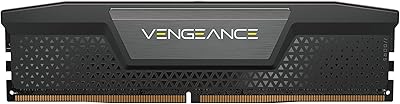
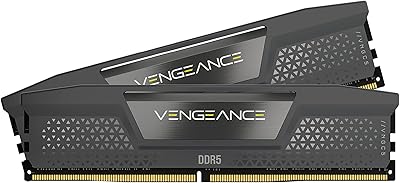
  • Color & Aesthetics: The sticks are finished in matte black with no RGB lighting, keeping the look clean and neutral.
  • Voltage Regulation: Onboard PMIC handles per-stick voltage control independently, improving overclocking consistency compared to motherboard-level DDR4 regulation.
  • Part Number: The official Corsair model identifier for this kit is CMK64GX5M4B6000C36.
  • Release Date: This kit was first made available in July 2023.
  • Market Rank: As of the time of review, the kit holds a top-60 position in Amazon's Computer Memory category.
  • Rating: It carries a 4.8-star average rating based on over 1,500 verified customer reviews.
  • Warranty: Corsair covers this kit with a limited lifetime warranty, which is standard for their Vengeance memory product line.

Related Reviews
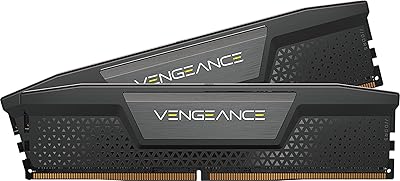
Corsair Vengeance DDR5 64GB Desktop RAM
81%
88%
Out-of-Box Setup
83%
Platform Compatibility
91%
Memory Performance
89%
Stability & Reliability
82%
Overclocking Headroom
More
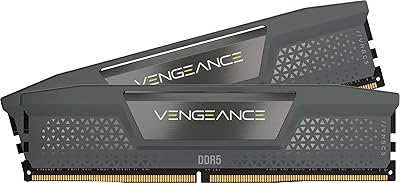
Corsair Vengeance DDR5 64GB Desktop Memory
81%
93%
Stability & Reliability
88%
XMP Setup Experience
81%
Real-World Performance
67%
Value for Money
79%
Compatibility
More
Corsair Vengeance DDR5 96GB 6000MHz
88%
94%
Performance
92%
Overclocking Capability
89%
Compatibility with Systems
90%
Build Quality
87%
Ease of Installation
More
Corsair Vengeance DDR5 64GB RAM
84%
91%
Out-of-Box Performance
83%
Overclocking Headroom
78%
Platform Compatibility
74%
Value for Money
69%
iCUE Software Integration
More
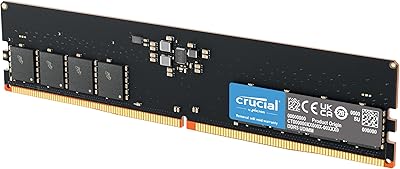
Corsair Vengeance DDR5 48GB Desktop RAM
83%
91%
Out-of-Box Compatibility
88%
Performance at Rated Speed
83%
Overclocking Headroom
86%
Capacity Value
93%
Physical Compatibility
More
Corsair Vengeance DDR5 32GB (2x16GB) 6800MHz RAM
88%
91%
Overall Performance
94%
Gaming Performance
88%
Ease of Overclocking
89%
Software Integration (iCUE)
92%
Compatibility with Intel Systems
More
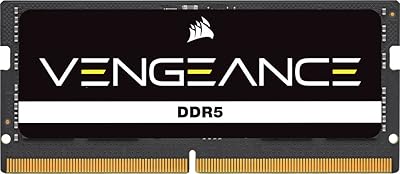
Crucial 64GB DDR5 5600MHz Desktop RAM
79%
93%
Reliability & Stability
81%
Compatibility
84%
Performance at Rated Speed
91%
Installation Experience
67%
Value for Money
More
Corsair Vengeance DDR5 32GB (2x16GB) 7200MHz RAM
89%
93%
Performance
94%
Speed and Responsiveness
88%
Ease of Installation
90%
Overclocking Stability
91%
Compatibility with Modern Motherboards
More
Corsair Vengeance RGB 32GB DDR5 Desktop RAM
82%
93%
Performance at Rated Speed
89%
Ease of Setup
91%
RGB Lighting Quality
67%
iCUE Software Experience
82%
Compatibility Range
More
Corsair Vengeance 32GB DDR5 Desktop RAM
81%
91%
XMP Stability
52%
AMD Compatibility
83%
Value for Money
94%
Cooler Clearance
86%
Build & Physical Quality
More

FAQ

Technically the sticks will seat physically, but this kit is tuned specifically for Intel XMP 3.0 and validated on Intel 700 Series boards. AMD platforms use EXPO profiles rather than XMP 3.0, and this kit does not carry official EXPO certification. You may get it running at base DDR5 speeds, but achieving rated 6000MHz reliably on an AM5 board is not guaranteed. If you're on AMD, look for a kit with explicit EXPO support.

No, iCUE is completely optional. You can activate XMP in your motherboard BIOS manually and the kit will run at its rated 6000MHz without any software installed. iCUE is useful if you want to create and save custom XMP profiles or monitor voltage and frequency in real time, but plenty of users skip it entirely and have zero issues.

For everyday gaming or general productivity, 32GB is usually plenty, and 64GB would be underutilized most of the time. Where 64GB genuinely earns its place is in workloads like 4K video editing with large project files, multi-track audio production, complex 3D scene rendering, or running virtual machines alongside other tasks. If those descriptions match how you use your PC, the headroom is real and noticeable.

On a supported Z790 board it is about as straightforward as memory setup gets. Enter your BIOS after installation, find the memory or XMP settings menu, select the XMP 3.0 profile, save, and reboot. Most users report the system immediately boots at 6000MHz without any additional tuning. Older or non-flagship Intel boards may need a firmware update first.

Mixing RAM kits is generally not recommended and can cause instability, especially with high-speed DDR5. If you want 64GB, this Corsair memory kit is best used as a complete four-stick replacement rather than an addition to existing memory. Different kits may have different ICs, timings, or voltage requirements that conflict with each other.

Z790 boards are the sweet spot, and most reputable Z790 motherboards from ASUS, MSI, Gigabyte, and ASRock should work well. Corsair publishes a QVL (Qualified Vendor List) on their website where you can check if your specific board model has been validated with this kit. It is worth checking before purchasing if you have any doubt.

Not at all — the absence of RGB is purely cosmetic. If anything, skipping RGB lighting simplifies the design and removes one potential point of software conflict. For builders prioritizing airflow over aesthetics, the low-profile, no-RGB design is a practical advantage, especially in tighter cases.

That depends on your priorities. If you want proven stability at 6000MHz, XMP 3.0 flexibility, and iCUE integration, the premium has a reasonable basis. If you are happy to manually tune timings or do not need the software ecosystem, kits from G.Skill or Crucial at lower price points can perform comparably. The Corsair kit charges for reliability, ecosystem fit, and the peace of mind that comes with a lifetime warranty.

Almost certainly yes. The sticks are only 1.38 inches tall, which is well below the height of most tower CPU coolers and should clear even fairly large air coolers without contact. That said, if you are using a very compact case with an unusually tight DIMM-to-cooler gap, measure your specific cooler's RAM clearance before assuming it is fine.

Corsair's lifetime warranty covers defective units, so a failed stick would be handled through an RMA claim directly with Corsair. Replacing just one stick from a matched quad-channel kit is technically possible but can affect stability since replacement sticks may differ slightly in binning. Corsair support is generally responsive, and in most cases they will work to match the replacement as closely as possible to the original kit.

Where to Buy