Overview

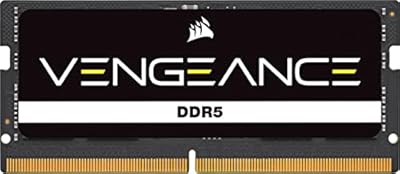
The Corsair Vengeance SODIMM DDR5 32GB Laptop RAM sits firmly in the mid-to-premium tier of laptop memory upgrades, targeting users who want a real performance jump without going overboard. DDR5 brings genuinely higher bandwidth and improved power efficiency compared to DDR4 — relevant for anyone running modern workloads that can actually saturate memory bandwidth, like video editing, large spreadsheets, or juggling dozens of browser tabs at once. Corsair's Vengeance lineup has long been a dependable choice for enthusiasts who want tested, consistent hardware. Running at 5600MHz in a single 32GB configuration, this module covers most upgrade needs well. Just keep expectations grounded — faster RAM helps, but it won't rescue a thermally throttled CPU.
Features & Benefits

Running at 5600MHz with CL48 timings, this DDR5 SODIMM module sits at the faster end of what most laptop platforms currently support. CL48 is admittedly looser than some competing kits, but for everyday and gaming workloads, the raw frequency advantage still wins out — latency differences at this scale rarely surface in real usage. Intel XMP support means the stick identifies and sets its rated speed automatically on compatible systems, skipping any BIOS fiddling entirely. Operating at just 1.1V, it draws less power than DDR4 equivalents, which genuinely matters on battery-powered devices. The single-module design also leaves your second SODIMM slot open, giving you a clear path to dual-channel expansion later.

Best For

This laptop RAM upgrade is a strong fit for owners of Intel 12th, 13th, or 14th Gen laptops, as well as AMD Ryzen 7000 series machines with user-accessible memory slots. Content creators juggling Premiere Pro timelines or running virtual machines will notice the headroom almost immediately — 32GB gives you room to breathe. Gamers stuck at 16GB and experiencing stutters in demanding titles should also see tangible gains. The single-slot approach is smart if you plan to add another stick for dual-channel later. That said, confirm your laptop's service manual first — not every machine has accessible SODIMM slots, and some ship with fully soldered memory.

User Feedback

Across a large pool of buyer reviews, this Corsair memory stick earns consistently high marks — the most common praise centers on hassle-free installation and the module being detected at its full rated speed without any manual configuration, which is genuinely useful for less technical users. On the flip side, a portion of reviewers flag the CL48 latency as a weak spot compared to tighter competing kits at similar frequencies — a fair point if you are benchmarking rather than just using the machine day-to-day. A handful also note that certain laptop models require compatibility checks beforehand, which is worth doing regardless of brand. Long-term reliability comments are largely positive, with users reporting stable performance under sustained, heavy workloads.

Pros

  • Runs at a strong 5600MHz frequency, which is near the top of what most current DDR5 laptop platforms support natively.
  • Intel XMP support means the module sets its rated speed automatically — no BIOS configuration needed.
  • A single 32GB stick is a genuinely practical choice, leaving the second slot free for a future capacity upgrade.
  • Operating voltage of 1.1V is lower than DDR4 equivalents, which can help with battery longevity on portable devices.
  • Broad compatibility across Intel and AMD DDR5 platforms makes this Corsair memory stick a flexible option.
  • Corsair backs the module with rigorous testing, and the large buyer base suggests consistent real-world reliability.
  • Installation requires only a screwdriver for most laptops, keeping the upgrade accessible to non-technical users.
  • Users report immediate plug-and-play speed detection on compatible systems without any manual tuning.
  • Long-term stability under sustained workloads — including video rendering and VM use — is well-documented by owners.

Cons

  • CL48 latency is on the looser side compared to some competing DDR5 SODIMM kits at the same frequency.
  • iCUE software integration is largely cosmetic on laptops — do not expect the monitoring depth you get on a desktop build.
  • Compatibility is not universal; some specific laptop models do not play well with this module, requiring research before buying.
  • Single-channel operation until a second stick is added means you are not getting maximum memory bandwidth out of the box.
  • DDR5 SODIMM availability and platform support still lag behind DDR4, limiting the pool of compatible machines.
  • No lower-latency variant is offered in this specific capacity and speed combination within the Vengeance SODIMM line.
  • Buyers with soldered RAM laptops will find this upgrade entirely irrelevant to their situation.
  • The price premium over DDR4 upgrades may be hard to justify for users with light, everyday workloads.

Ratings

The scores below reflect an AI-driven analysis of verified global buyer reviews for the Corsair Vengeance SODIMM DDR5 32GB Laptop RAM, with spam, bot activity, and incentivized feedback actively filtered out to protect accuracy. Each category is scored independently based on patterns across thousands of real-world experiences, and both the strengths and the frustrations buyers encountered are represented transparently.

Installation Ease
93%
Buyers consistently highlight how straightforward the physical swap is — remove the panel, seat the stick, close it back up. Most users report the entire process taking under ten minutes with nothing more than a screwdriver, and the module clicked into place without any fiddling or force.
A small but vocal group ran into confusion when their laptop did not immediately post at the rated speed, requiring a BIOS visit they did not anticipate. A handful of users also discovered mid-install that their specific model had soldered memory with no accessible slot, which is a research gap rather than a product fault.
Speed Detection & XMP
89%
On Intel XMP-compatible platforms, the automatic 5600MHz detection was almost universally praised — users booted up after installation and found the RAM already running at full rated speed with zero manual input. That kind of frictionless experience is genuinely appreciated by users who are not comfortable in BIOS menus.
On non-XMP platforms and some AMD laptops, a portion of users found the module defaulted to a lower JEDEC speed and needed manual BIOS intervention to unlock the rated frequency. A few users on older firmware versions also reported the XMP profile not being listed until a BIOS update was applied.
Real-World Performance
84%
Users upgrading from 16GB configurations report noticeably snappier multitasking — fewer dropped frames when streaming and editing simultaneously, faster project file load times in creative apps, and meaningfully reduced stuttering in open-world games that are known to hammer system memory. The jump to 32GB at this frequency is tangible for the right workloads.
Users coming from an already-adequate 32GB DDR4 setup reported more modest gains, which is expected but worth flagging. Those running primarily light workloads — document editing, video calls, casual browsing — noted little perceptible difference, reinforcing that the performance uplift is workload-dependent rather than universal.
Platform Compatibility
76%
24%
The module works reliably across a broad range of Intel 12th, 13th, and 14th Gen laptops, as well as many AMD Ryzen 7000 series machines, and buyers with mainstream gaming laptops from major OEMs reported smooth compatibility in the overwhelming majority of cases. Mini-PC and NUC users also reported positive results.
A recurring complaint involves specific laptop models — particularly certain business-class and thin-and-light machines — where the module either did not run at rated speed or triggered compatibility warnings. The burden falls on the buyer to verify support in advance, and a subset of users felt there was insufficient guidance available to do that confidently before purchasing.
Latency & Timings
67%
33%
For everyday productivity, gaming at 1080p and 1440p, and most creative applications, the CL48 timings at 5600MHz deliver perfectly adequate real-world throughput. Users who were not running controlled benchmarks reported no tangible sluggishness attributable to the looser timings.
Enthusiast buyers who compared this module against tighter CL40 or CL42 DDR5 SODIMM alternatives in benchmarks found measurable latency differences, with this Corsair memory stick landing behind in synthetic memory latency tests. For anyone optimizing for peak benchmark scores rather than practical use, the CL48 timing is a genuine trade-off worth considering.
Long-Term Stability
91%
Power users running sustained workloads — extended rendering sessions, overnight VM operations, continuous data processing — reported consistent stability over months of use with no unexpected crashes, memory errors, or performance degradation. Corsair's testing reputation appears to hold up in practice for this module.
A very small number of users reported instability at the rated 5600MHz speed on specific laptop and firmware combinations, requiring them to dial back to 5200MHz or 4800MHz for reliable operation. These cases appear to be edge cases tied to platform immaturity rather than module defects, but they do exist.
Power Efficiency
88%
Running at 1.1V, this DDR5 SODIMM module draws noticeably less power than DDR4 equivalents, and several users reported slightly improved battery endurance after the upgrade — particularly during moderate workloads where the CPU is not being pushed hard. For a component that runs continuously, that efficiency adds up over a workday.
The power efficiency advantage is real but subtle in practice; users expecting dramatic battery life improvements will likely be underwhelmed. The gains are most visible during idle and light workloads, and under full CPU and memory stress the difference narrows considerably.
Value for Money
78%
22%
At its price point, this laptop RAM upgrade delivers a credible combination of brand reliability, solid frequency, and a lifetime warranty — factors that cheaper no-name DDR5 SODIMMs do not reliably offer. For users who plan to keep their laptop for several more years, the cost-per-year argument holds up reasonably well.
Competing DDR5 SODIMM kits from other reputable brands occasionally offer tighter timings at similar or lower prices, which makes the value proposition less clear-cut for spec-conscious buyers. Users who primarily need the 32GB capacity rather than the speed headroom may find more budget-friendly options that serve them just as well.
Capacity Utility
86%
Moving to 32GB in a single stick is a practical decision for the majority of laptop users — it covers demanding creative workflows, heavy browser use, and modern AAA gaming without requiring a second stick, and the upgrade path to 64GB dual-channel later is clean and logical.
Users who already had 32GB installed in dual-channel configuration reported underwhelming gains, since the real bottleneck in those systems is often elsewhere. Single-channel operation at 32GB also means memory bandwidth is not maximized, which becomes relevant in bandwidth-sensitive workloads like video encoding.
Build & Reliability
92%
The physical module itself feels solid and well-manufactured, consistent with Corsair's broader hardware reputation. No meaningful volume of reviews flagged dead-on-arrival units or early failure reports, which is exactly what you want from a component that lives inside a closed chassis where replacement is inconvenient.
There is no heatspreader or thermal label to assess — not that one is needed for a SODIMM — so thermal performance under extreme sustained loads is entirely reliant on whatever airflow exists inside the laptop chassis, which varies widely by machine.
iCUE Software Integration
51%
49%
The module is technically iCUE compatible, and users who run Corsair desktop ecosystems alongside their laptop appreciated seeing the device recognized within the software. For those already embedded in the Corsair ecosystem, even limited recognition is a minor convenience.
In practice, iCUE functionality on laptops is significantly stripped down compared to desktop use — there is no RGB to control and monitoring depth is shallow. Several users felt the iCUE compatibility tag was misleading given how little it actually adds to the laptop experience, and some wished the specification was clearer about this limitation upfront.
Documentation & Guidance
63%
37%
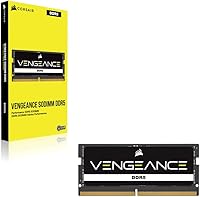
The physical packaging is clean and minimal, and for straightforward installations on common platforms, most users found the process intuitive enough without needing detailed instructions. XMP auto-detection also reduces the need for step-by-step guidance in the majority of cases.
Buyers who ran into compatibility issues or non-standard BIOS configurations found the included documentation unhelpful, and Corsair's compatibility checker tools are not exhaustive enough to cover every laptop variant. More than a few users felt they had to rely on third-party forums to troubleshoot scenarios that better documentation could have addressed.
Upgrade Path
87%
Choosing a single 32GB stick specifically to preserve the second SODIMM slot is a deliberate and smart design choice that many buyers explicitly called out as a reason for their purchase. The ability to double capacity to 64GB in dual-channel at a later date without replacing anything gives this configuration genuine long-term flexibility.
The dual-channel benefit only materializes if a second matching stick is purchased later, which adds future cost. Users who never upgrade the second slot will always be operating in single-channel mode, leaving some memory bandwidth on the table for the lifetime of the current configuration.

Suitable for:

The Corsair Vengeance SODIMM DDR5 32GB Laptop RAM is best suited for users who already own a DDR5-compatible laptop or mini-PC and want to push its performance closer to its ceiling without replacing the whole machine. Intel 12th, 13th, and 14th Gen laptop owners will get the most out of it, as will AMD Ryzen 7000 series users whose platforms fully support DDR5 SODIMM at this speed. Content creators running video editing software, large Lightroom catalogs, or multitasking across virtual machines will feel the difference almost immediately — 32GB in a single stick provides genuine headroom. Gamers who are currently sitting at 16GB and noticing frame pacing issues in memory-hungry titles should also find this a worthwhile step up. The single-module configuration is a smart choice for anyone thinking ahead, since it preserves a second slot for a future dual-channel upgrade. If you are comfortable removing a panel and swapping a stick, installation is genuinely straightforward.
Not suitable for:

The Corsair Vengeance SODIMM DDR5 32GB Laptop RAM is not the right purchase for everyone, and there are some important caveats to work through before buying. If your laptop shipped with soldered RAM — which is increasingly common in thin ultrabooks from major manufacturers — this module simply will not fit into the picture, regardless of how appealing the specs look. Users still on DDR4-based platforms should not expect this stick to work at all; DDR5 and DDR4 are physically and electrically incompatible. Buyers who are benchmarking obsessively and care deeply about tight CAS latency figures may also find competing kits with lower timings more attractive, even if the real-world gap is small for most tasks. If your primary workload is light — web browsing, email, streaming — and you already have 16GB, the upgrade may not produce a noticeable change in day-to-day feel. Finally, this is not an option for desktop builds; the SODIMM form factor is strictly for laptops, compact PCs, and Intel NUC-style systems.
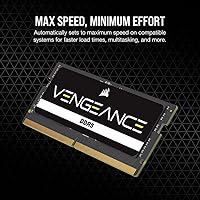
Specifications

  • Brand: Manufactured by Corsair, a well-established name in performance PC components with a long track record in memory hardware.
  • Model Number: The module's official part number is CMSX32GX5M1A5600C48, which can be used to verify exact compatibility with your system.
  • Capacity: Comes as a single 32GB module, covering most demanding laptop use cases while leaving a second slot open for future expansion.
  • Memory Type: Uses DDR5 SDRAM technology, which offers higher bandwidth and improved power efficiency compared to the previous DDR4 standard.
  • Form Factor: SODIMM form factor, the compact standard used in laptops, mini-PCs, and Intel NUC systems — not compatible with full-size desktop DIMM slots.
  • Clock Speed: Rated at 5600MHz, placing it toward the upper end of mainstream DDR5 SODIMM speeds currently supported by most consumer laptop platforms.
  • Latency: Operates at CL48 primary timings, which is on the looser side for DDR5 but typical for modules prioritizing high frequency over tight latency.
  • Voltage: Runs at 1.1V, which is lower than typical DDR4 SODIMM operating voltages and contributes to better power efficiency on battery-powered devices.
  • XMP Support: Supports Intel XMP, allowing compatible systems to automatically detect and apply the 5600MHz rated speed without requiring manual BIOS adjustments.
  • iCUE Compatible: Listed as compatible with Corsair's iCUE software, though active monitoring and control features are significantly more limited on laptops than on desktop builds.
  • Color: The module itself is finished in black, though as a SODIMM it sits inside the chassis and is not visible during normal laptop operation.
  • Dimensions: Measures 2.76 x 1.18 x 0.12 inches, consistent with the standard SODIMM physical specification used across the industry.
  • Weight: Weighs just 0.352 ounces, which adds no meaningful weight to any laptop or compact system it is installed in.
  • Compatible Devices: Designed for use in DDR5-compatible laptops, small-form-factor PCs, and Intel NUC kits from a wide range of manufacturers.
  • Series: Part of Corsair's Vengeance SODIMM DDR5 lineup, which targets performance-oriented laptop and compact PC upgrades rather than the budget segment.
  • Warranty: Corsair covers this module with a limited lifetime warranty, which is standard practice for the brand across its memory product lines.

Related Reviews
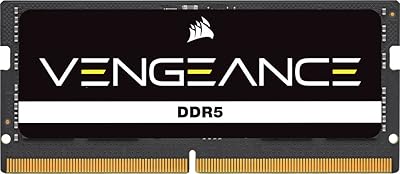
Corsair Vengeance 32GB DDR5 SODIMM RAM
84%
93%
Overall Reliability
91%
Installation Experience
88%
Speed & Auto-Configuration
84%
Real-World Performance Gain
79%
Compatibility Range
More
Corsair Vengeance DDR5 32GB (2x16GB) 6800MHz RAM
88%
91%
Overall Performance
94%
Gaming Performance
88%
Ease of Overclocking
89%
Software Integration (iCUE)
92%
Compatibility with Intel Systems
More
Corsair Vengeance DDR5 32GB (2x16GB) 7200MHz RAM
89%
93%
Performance
94%
Speed and Responsiveness
88%
Ease of Installation
90%
Overclocking Stability
91%
Compatibility with Modern Motherboards
More
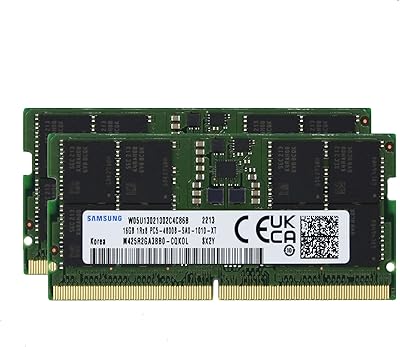
Samsung 32GB DDR5 4800MHz SODIMM Laptop RAM
79%
71%
Platform Compatibility
84%
Installation Ease
88%
Performance Stability
76%
Speed & Bandwidth
79%
Brand Trust & Chip Authenticity
More
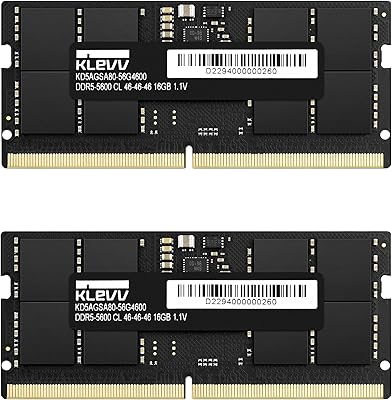
KLEVV DDR5 32GB (2x16GB) 5600MHz SODIMM Laptop RAM
88%
94%
Performance for Gaming
91%
Speed and Responsiveness
87%
Compatibility with Laptops
88%
Energy Efficiency
89%
System Stability
More
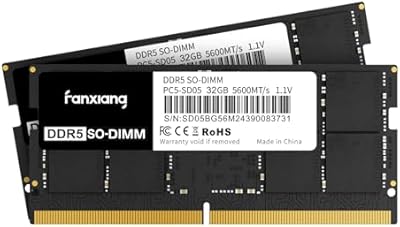
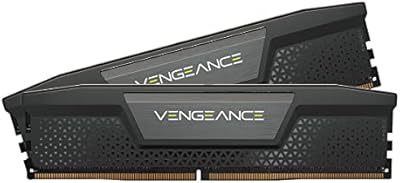
fanxiang SD05 64GB DDR5 SODIMM Laptop RAM
76%
91%
Value for Money
93%
Installation Ease
84%
Stability & Reliability
79%
Performance at Rated Speed
58%
Brand Trust & Reputation
More
Corsair Vengeance SODIMM DDR5 16GB Laptop RAM
80%
93%
Ease of Installation
81%
System Compatibility
74%
Real-World Performance
79%
Value for Money
88%
Long-Term Stability
More
Crucial 32GB DDR5 SODIMM Laptop RAM
83%
88%
Platform Compatibility
91%
Installation Experience
71%
Real-World Performance Gains
83%
Value for Money
93%
Long-Term Reliability
More
Corsair Vengeance 32GB DDR4 SODIMM Memory Kit
82%
62%
Compatibility Clarity
91%
Installation Ease
88%
Performance Uplift
93%
Long-Term Reliability
79%
Value for Money
More
Corsair Vengeance DDR5 32GB (2x16GB) 5200MHz
91%
94%
Performance for Gaming
91%
Ease of Installation
88%
Overclocking Stability
90%
Multitasking Performance
89%
Power Efficiency (1.25V)
More

FAQ

It works with both Intel and AMD platforms, provided your laptop actually uses DDR5 memory and has a user-accessible SODIMM slot. The XMP labeling refers to Intel's automatic speed profile standard, but AMD systems can typically still run the module — often at its rated speed or a compatible default. Just double-check your specific laptop model supports DDR5 and allows memory upgrades before ordering.

In most cases, no. On Intel systems with XMP support, the laptop detects the module and applies the 5600MHz profile automatically at boot. If your system does not support XMP or boots at a lower default speed, you may need to enter the BIOS and manually select the XMP profile — but for the majority of users, it is genuinely plug-and-play.

Two sticks running in dual-channel mode will generally give you more memory bandwidth than a single 32GB module, which runs in single-channel. That said, the practical difference in most everyday tasks, games, and creative workloads is modest. The smart move is to start with this single 32GB stick and add a matching second one later if you need both the extra capacity and the dual-channel boost.

If part of your RAM is soldered but you also have a free SODIMM slot, you can install this stick alongside the soldered memory. However, mixing DDR4 soldered RAM with a DDR5 SODIMM is not possible — they are electrically incompatible. You would need a laptop where the soldered memory is already DDR5 and a free DDR5 SODIMM slot is available.

The best approach is to look up your specific laptop model's service manual or check the manufacturer's support page — it will confirm whether the memory is soldered or socketed and how to access it. Many thin-and-light ultrabooks have moved to fully soldered RAM, so this is genuinely worth checking before you buy. Disassembly guide sites and YouTube tear-down videos for your exact model are also useful resources.

Honestly, for most real-world use cases, no. CL48 is looser than some competing DDR5 kits, but the 5600MHz frequency largely compensates in terms of actual throughput. You would only notice the latency difference if you were running synthetic benchmarks side by side with a tighter-timed kit. For gaming, creative work, or multitasking, the gap is not something most users will feel in practice.

Yes, as long as the NUC or mini-PC uses a DDR5 SODIMM slot, which several current Intel NUC and NUC-style systems do. Always verify the specific platform's memory specification first, since some compact systems have strict speed caps or require matched pairs.

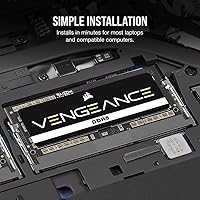
For most laptops, all you need is a small Phillips-head screwdriver to remove the back panel. The SODIMM slot itself uses a simple clip mechanism — you angle the module in, press it flat, and the clips snap it into place. If you have ever replaced a hard drive or added RAM to a laptop before, this will feel familiar. If you have not, there are clear video guides available for most laptop models.

That depends entirely on your laptop manufacturer and the region you are in. Some manufacturers explicitly allow user memory upgrades without voiding the warranty, while others do not. Check your warranty documentation or contact the manufacturer's support line directly before opening the chassis, particularly if your laptop is still under a short-term coverage period.

On XMP-compatible Intel platforms it typically locks in at 5600MHz automatically. On systems without XMP, it will often default to the JEDEC standard speed for DDR5 — usually around 4800MHz — until you manually select the XMP profile in the BIOS. Either way, the module is stable at both speeds; you just may need one extra step to unlock its full rated performance on non-XMP systems.

Where to Buy