Overview

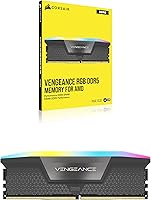
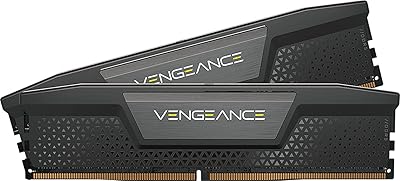
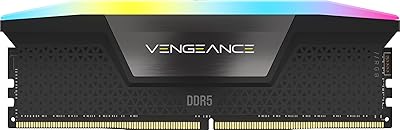
The Corsair Vengeance RGB DDR5 16GB RAM arrived in October 2024 as a single-module kit built for AMD and Intel desktop builders who want solid DDR5 performance without pushing into premium-kit territory. At 5600MHz with CL40 timings, it hits the mid-range DDR5 sweet spot — quick enough for gaming and productivity, priced below the tighter-latency competition. The gray colorway is understated, and the panoramic light bar wraps the module in a way that stays visible from multiple angles, not just head-on. Sitting at a 4.4-star average across nearly 340 ratings and ranked in the top 600 of Computer Memory, this Vengeance DDR5 stick carries real-world credibility.
Features & Benefits

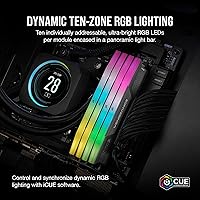
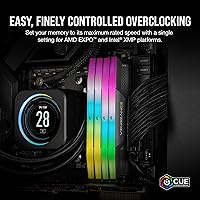
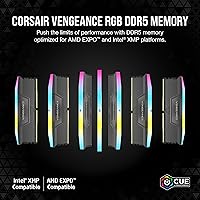
What makes this Corsair RGB memory module worth attention starts with ten-zone RGB lighting built into a panoramic bar that throws color evenly in all directions — relevant if you have a windowed case or open-frame build. For anyone interested in overclocking, the onboard voltage regulation module works with iCUE software to give you finer control than older motherboard-only approaches. In plain terms, the CL40-40-40-77 timings and 1.25V draw mean this stick is efficient and responsive without needing exotic cooling. Both AMD EXPO and Intel XMP 3.0 profiles are included, so faster speeds activate through BIOS in seconds. One honest caveat: running a single stick means single-channel operation, which lowers memory bandwidth compared to a matched 2x8GB pair.

Best For

This DDR5 kit slots in well for builders on AMD X670 or Intel 700-series platforms who want plug-and-play DDR5 with reliable EXPO and XMP support straight out of the box. If you are assembling a Corsair-centric build with iCUE-controlled lighting across fans, coolers, or keyboards, this is the natural memory pairing. The onboard voltage control also appeals to anyone who plans to push clocks slightly beyond stock. One underrated use case: buying a single 16GB stick intentionally to keep a DIMM slot open for a future upgrade — it is a reasonable strategy if 16GB covers your needs today. Less ideal for users who need maximum bandwidth now, particularly for memory-intensive workloads like video editing or simulation.

User Feedback

Across roughly 340 ratings, the sentiment around this Corsair RGB memory module is solidly positive, with most buyers highlighting how smoothly XMP and EXPO profiles activated — often on the very first boot. Lighting performance draws consistent praise, with users noting the color output stays even and vivid from multiple case angles. On the critical side, a portion of lower-star reviewers pointed to iCUE's setup process as a mild frustration, particularly around getting profiles to persist after restarts. A few buyers reported initial compatibility quirks tied to BIOS versions, though firmware updates typically resolved them. Long-term stability reports look healthy. The single-channel bandwidth limitation comes up occasionally, mostly from users who wish they had opted for a dual-module kit from the start.

Pros

  • AMD EXPO and Intel XMP 3.0 profiles activate in BIOS in seconds, requiring no manual tuning for most builders.
  • Ten-zone RGB lighting with a panoramic bar spreads color evenly, staying visible from multiple case angles — not just straight-on.
  • Onboard voltage regulation gives overclockers finer, more stable control than relying entirely on motherboard VRM.
  • 5600MHz at CL40 sits comfortably in the DDR5 mid-range sweet spot, balancing speed and value well.
  • The single-module format intentionally preserves a free DIMM slot for a straightforward future capacity upgrade.
  • Built by a well-established memory brand with a strong reliability track record and broad community support.
  • The gray colorway is clean and understated, pairing well with both dark and light-themed builds.
  • iCUE integration lets lighting sync across a full Corsair ecosystem without third-party workarounds.
  • Nearly 340 real-world ratings back up the stability claims, with most buyers reporting smooth long-term operation.

Cons

  • Single-channel operation meaningfully reduces memory bandwidth compared to a 2x8GB dual-channel kit at the same total capacity.
  • iCUE software requires installation and a motherboard USB header — an added step some minimalist builders would rather skip.
  • CL40 primary timings are not the tightest available at this speed grade; competing kits offer CL36 for demanding use cases.
  • A handful of users reported BIOS compatibility quirks that required firmware updates before the module ran at its rated speed.
  • iCUE can feel like overkill if you are not already invested in the Corsair lighting ecosystem.
  • 16GB on a single stick leaves less room to run dual-channel without buying a second module of the exact same spec.
  • The panoramic light bar adds height to the module, which may be a tight fit under large tower coolers with low clearance.
  • Persistent iCUE lighting profiles occasionally need re-saving after software updates, according to a subset of users.

Ratings

The scores below reflect an AI-driven analysis of verified global buyer reviews for the Corsair Vengeance RGB DDR5 16GB RAM, with spam, bot-submitted, and incentivized feedback actively filtered out before scoring. Each category captures both the recurring praise and the genuine frustrations that real users reported — nothing is glossed over. The result is a transparent, balanced picture of where this Vengeance DDR5 stick excels and where it asks for compromise.

Installation Ease
91%
Most buyers reported a genuinely smooth first-boot experience — slot it in, enable EXPO or XMP in BIOS, and the system posts at 5600MHz without any manual intervention. For builders who dread memory configuration, this near-instant setup was one of the most praised aspects across the review pool.
A subset of users on certain motherboards needed a BIOS update before the EXPO or XMP profile would activate reliably, adding an unexpected step to what should be a plug-and-play process. Those unfamiliar with flashing firmware found this friction disproportionately frustrating.
RGB Lighting Quality
88%
The ten-zone panoramic light bar delivers impressively even illumination across the full length of the module, with colors staying vivid and consistent from multiple case angles — a real advantage in open-frame or windowed builds. Users running full Corsair setups praised how well this Corsair RGB memory module synced with other iCUE-connected components.
Without iCUE installed, the module defaults to a rainbow cycle that some users found garish and could not turn off without software. The lighting also requires a functioning USB header on the motherboard, which creates complications for compact or budget boards with limited headers.
Performance at Rated Speed
84%
At 5600MHz with CL40 timings, this DDR5 kit handles everyday gaming, web browsing, and moderate content creation without any perceptible bottleneck. Frame pacing in modern titles felt smooth and consistent for the majority of users who reported their gaming experience after upgrading from DDR4.
CL40 is not the tightest latency available at this speed tier, and users comparing it against CL36 kits in memory-sensitive benchmarks noticed a measurable gap. For pure performance chasers, the timing trade-off at this price point is a legitimate concern.
Single-Channel Trade-off
58%
42%
The 1x16GB configuration is a deliberate strategic choice for builders who plan to expand later, and for light gaming or general desktop use, the real-world impact of single-channel operation is minimal. Users primarily doing web tasks, light gaming, and office work reported no noticeable issues.
In bandwidth-heavy scenarios — game streaming, video editing, or running multiple virtual machines — single-channel mode measurably underperforms a dual-channel 2x8GB setup. Several lower-star reviewers specifically flagged this after noticing performance gaps they did not expect, feeling the packaging did not make the trade-off clear enough.
iCUE Software Experience
67%
33%
For builders already inside the Corsair ecosystem, iCUE works well as a centralized hub — lighting profiles, voltage monitoring, and fan curves all in one place. Users who invested in a full Corsair build found the software integration genuinely useful rather than redundant.
First-time iCUE users frequently mentioned a steep learning curve and occasional profile persistence issues after software updates, where lighting settings reverted to defaults. The software also feels heavyweight for users who only want to set a static color on a single RAM module.
Compatibility Range
82%
18%
Covering both AMD X670-series and Intel 700-series platforms with dedicated EXPO and XMP 3.0 profiles, this DDR5 kit casts a wide net across the most popular current-generation desktop platforms. Most users found it on their motherboard's QVL list without needing to dig through obscure compatibility databases.
Compatibility outside of the officially listed AMD X670 and Intel 700-series boards is less predictable, and a handful of users on slightly older or budget-tier chipsets encountered stability issues that required downclocking the module. Corsair's QVL list, while helpful, does not cover every motherboard on the market.
Build & Thermal Quality
86%
The aluminum heat spreader keeps thermals well controlled even during extended gaming sessions, and the gray finish feels premium without being flashy. Users noted the module felt solid and well-constructed, with no flex or cheap plastic elements around the light bar housing.
The full-height DDR5 DIMM profile occasionally interferes with large tower coolers that have a wide heatsink base overhang close to the DIMM slots. A small number of users had to adjust cooler mounting or use a low-profile cooler alternative as a result.
Overclocking Headroom
73%
27%
The onboard voltage regulation module gives this Vengeance DDR5 stick a genuine edge over boards that rely entirely on motherboard VRM for memory overclocking, making fine-tuning through iCUE more stable than typical DDR4-era approaches. Enthusiast users who pushed beyond 5600MHz reported relatively clean results with minor voltage nudges.
The overclocking ceiling is not dramatically higher than the rated speed for most users, and those expecting to push well past 6000MHz with tight timings were often disappointed. The module is better described as overclock-friendly than overclock-optimized.
Value for Money
77%
23%
For a branded, RGB-equipped, single-module DDR5 kit with both EXPO and XMP support from a reputable manufacturer, the pricing sits in a reasonable position relative to the feature set. Buyers who prioritized brand reliability over raw specs felt the price was fair for what they received.
Shoppers who compared it against no-name or lesser-known DDR5 kits at similar speeds found the premium harder to justify on pure performance grounds alone. The RGB tax is real — buyers who do not care about lighting can find tighter-latency kits for similar or lower cost.
Long-Term Reliability
85%
The overwhelming majority of users in the review pool reported stable, error-free operation over months of daily use, which is consistent with Corsair's broader reputation for memory reliability. Very few early-failure reports surfaced relative to the total review count.
A small cluster of users did report instability that only appeared weeks after installation, particularly at elevated voltages during overclocking attempts. These cases appear edge-case rather than systemic, but they are worth noting for anyone planning to push the module hard over extended periods.
Aesthetics & Design
89%
The gray colorway strikes a balance that works across a wide variety of build themes — it does not clash with black, white, or neutral color schemes the way more polarizing memory designs sometimes do. The panoramic light bar looks genuinely polished in photos and in person.
Buyers building with a specific accent color in mind noted that the gray base sometimes muted the RGB effect compared to white-shelled alternatives, where lighting tends to pop more dramatically. Design appeal is inherently subjective, but this module leans understated rather than bold.
Packaging & Delivery
81%
19%
Users generally received the module in good condition with secure packaging that protected the DIMM during shipping, and Corsair's retail presentation feels appropriately premium for the brand tier. The packaging includes enough spec detail to confirm you have the right module at a glance.
A few buyers pointed out that the single-channel versus dual-channel distinction is not prominently communicated on the outer packaging, which led to some post-purchase confusion for less experienced builders. Better labeling around the 1x16GB configuration would reduce buyer mismatch.

Suitable for:

The Corsair Vengeance RGB DDR5 16GB RAM is a natural fit for desktop builders on AMD Ryzen 7000-series or Intel 13th and 14th-gen platforms who want a straightforward DDR5 upgrade without navigating complex manual overclocking. If you are assembling a Corsair-centric build where iCUE already manages your fans, cooler, or keyboard lighting, this Vengeance DDR5 stick slots into that ecosystem without friction. Gamers running modern titles at 1080p or 1440p who primarily need fast, stable memory rather than record-breaking bandwidth will find 5600MHz at CL40 more than adequate. It also suits builders who deliberately want a single DIMM installed now, preserving an open slot to double capacity later when prices or needs shift. Anyone who values a reputable brand, a clean aesthetic, and lighting that actually looks good from multiple angles inside a windowed case will appreciate what this DDR5 kit brings to the table.
Not suitable for:

The Corsair Vengeance RGB DDR5 16GB RAM is a harder sell for users whose workloads genuinely depend on high memory bandwidth — think video editors rendering 4K timelines, 3D artists running large scene files, or anyone doing heavy simulation or data processing. A single 16GB stick runs in single-channel mode, which measurably reduces bandwidth compared to a matched 2x8GB dual-channel configuration at the same total capacity; that gap is real and shows up in benchmarks. Buyers who want the absolute tightest latency for competitive gaming or professional tasks should look at kits with CL36 or lower timings, since CL40 is functional but not top of the class. If your case is compact or lacks a USB header on the motherboard, the iCUE RGB side of this DDR5 kit becomes less useful, since the software requires a header connection to sync lighting properly. Finally, system builders already committed to a non-Corsair lighting ecosystem may find the iCUE software layer an unnecessary complication rather than a benefit.

Specifications

  • Capacity: This module provides 16GB of total memory in a single DIMM configuration.
  • Memory Type: Uses DDR5 technology, the current-generation standard for modern AMD and Intel desktop platforms.
  • Speed: Rated at 5600MHz, placing it in the mid-range tier of the DDR5 performance spectrum.
  • Primary Timings: Operates at CL40-40-40-77, reflecting a balance between accessible pricing and responsive everyday performance.
  • Voltage: Runs at 1.25V, which is within the standard DDR5 operating range and contributes to stable thermals.
  • RGB Zones: Features ten individually addressable RGB LED zones distributed across the length of the module.
  • RGB Design: A panoramic light bar encases the LEDs, enabling vivid illumination visible from multiple viewing angles.
  • OC Profiles: Supports both AMD EXPO and Intel XMP 3.0 profiles for one-step speed activation via BIOS.
  • Compatibility: Officially validated for AMD X670-series and Intel 700-series desktop motherboards.
  • Software: Fully compatible with Corsair iCUE software for RGB customization and onboard voltage regulation control.
  • Form Factor: Standard desktop DIMM form factor; not compatible with laptops or small form factor SO-DIMM slots.
  • Dimensions: Measures 5.43″ long, 1.77″ tall, and 0.27″ wide, consistent with a full-height DDR5 DIMM.
  • Weight: Weighs 1.76 ounces, typical for a heat-spreader-equipped single DDR5 module.
  • Color: Ships in a gray finish that suits both dark and neutral-toned build aesthetics.
  • Model Number: Identified by the model code CMH16GX5M1B5600Z40, useful for verifying compatibility lists and warranty claims.
  • Release Date: First made available in October 2024, making it a current-generation product within the DDR5 lineup.
  • Voltage Regulation: Includes an onboard voltage regulation module for more precise overclocking control than motherboard-only VRM management.
  • BSR Ranking: Ranked #520 in the Computer Memory category on Amazon at time of review, indicating solid market traction.

Related Reviews
Corsair Vengeance RGB 16GB DDR5 Desktop RAM
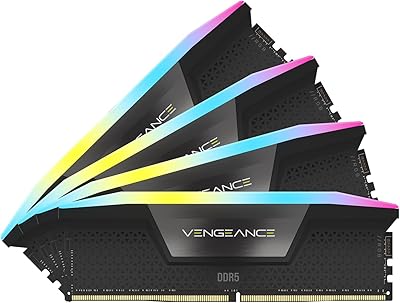
79%
91%
XMP Setup & BIOS Compatibility
78%
Memory Performance
88%
RGB Lighting Quality
82%
iCUE Software Integration
86%
Build & Heatspreader Quality
More
Corsair Vengeance RGB 128GB DDR5 RAM
82%
91%
Performance at Rated Speed
93%
XMP Setup Experience
88%
RGB Lighting Quality
71%
iCUE Software Integration
78%
Overclocking Headroom
More
Corsair Vengeance SODIMM DDR5 16GB Laptop RAM
80%
93%
Ease of Installation
81%
System Compatibility
74%
Real-World Performance
79%
Value for Money
88%
Long-Term Stability
More
Corsair Vengeance RGB DDR5 32GB (2x16GB) 6400MHz
88%
91%
Performance for Gaming
94%
Overclocking Stability
88%
Ease of Setup
85%
RGB Lighting Customization
90%
Compatibility with Intel Systems
More
Corsair Vengeance RGB DDR5 32GB (2x16GB) 6200MHz
86%
92%
Performance
88%
RGB Lighting Customization
89%
Overclocking Support
85%
Build Quality
90%
Compatibility with Desktop PCs
More
Corsair Vengeance RGB 32GB DDR5 Desktop RAM
79%
91%
XMP Setup & Ease of Use
84%
Performance at Rated Speed
88%
RGB Lighting Quality
76%
iCUE Software Integration
89%
Stability & Reliability
More
Corsair Vengeance SODIMM DDR5 32GB Laptop RAM
80%
93%
Installation Ease
89%
Speed Detection & XMP
84%
Real-World Performance
76%
Platform Compatibility
67%
Latency & Timings
More
Corsair Vengeance DDR5 64GB 6000MHz Desktop RAM
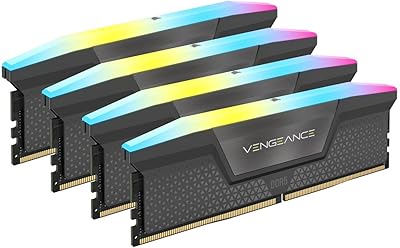
83%
93%
Performance at Rated Speed
91%
XMP Setup & Ease of Use
94%
Stability & Reliability
67%
Platform Compatibility
62%
Value for Money
More
Corsair Vengeance RGB 64GB DDR5 Desktop RAM
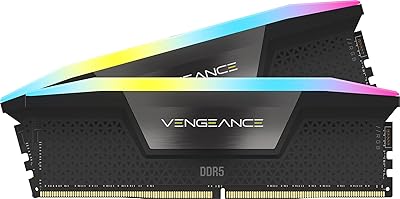
81%
88%
Memory Performance
91%
Installation Experience
83%
Platform Compatibility
86%
RGB Lighting Quality
87%
Thermal Management
More
Corsair Vengeance DDR5 32GB (2x16GB) 6800MHz RAM
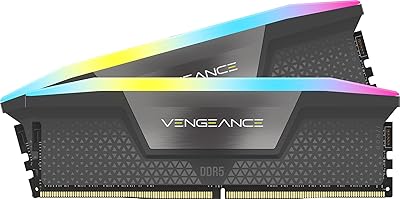
88%
91%
Overall Performance
94%
Gaming Performance
88%
Ease of Overclocking
89%
Software Integration (iCUE)
92%
Compatibility with Intel Systems
More

FAQ

Yes, this Vengeance DDR5 stick is validated for AMD X670-series motherboards and includes an EXPO profile, so you can enable the rated 5600MHz speed directly from your BIOS without any manual tuning. Just make sure your motherboard firmware is up to date for the smoothest experience.

No — the RAM works out of the box without software. iCUE is optional and only needed if you want to customize the RGB lighting or fine-tune voltage settings. That said, getting the full lighting sync experience across a Corsair ecosystem does require installing iCUE and having an available USB header on your motherboard.

For most gaming use cases, 16GB is still adequate, but the single-stick part matters. Running one module means your system operates in single-channel mode, which reduces memory bandwidth compared to a 2x8GB dual-channel setup. You will not notice it in typical gaming, but bandwidth-sensitive tasks like game streaming or multitasking heavy applications may show a small performance gap.

You can, but it requires some care. To get true dual-channel operation, you would need to add an identical module — same model, same speed, same timings. Mixing different sticks can work but is not guaranteed to run at the rated EXPO or XMP speed without manual configuration, and results vary by motherboard.

Yes, the LEDs will still illuminate without iCUE — they default to a rainbow cycle effect when the software is not present. You only need iCUE if you want to set a static color, sync with other Corsair devices, or customize the lighting pattern per zone.

The module stands 1.77″ tall, which is a standard DDR5 DIMM height. Most tower coolers clear this without issue, but if you have an especially wide heatsink with a low base overhang, it is worth checking your cooler manufacturer's RAM clearance spec before buying.

EXPO is AMD's memory overclocking standard used on Ryzen platforms, while XMP 3.0 is Intel's equivalent for 12th gen and newer. This Corsair RGB memory module includes profiles for both, so you simply enable the one that matches your platform in BIOS — there is no guesswork involved.

Yes, it supports Intel 700-series motherboards including Z790, and the XMP 3.0 profile will activate the 5600MHz speed through the BIOS. Compatibility with specific boards is worth cross-referencing on Corsair's QVL list if you are using a less common motherboard model.

If the system fails to POST or shows instability after enabling the profile, the safest step is to clear CMOS or reload BIOS defaults, which resets memory to the base JEDEC speed. This is a standard recovery process and does not damage the module. Updating your BIOS to the latest version often resolves activation issues.

DDR5 in general runs at lower voltage than DDR4, and this module at 1.25V stays well within comfortable thermal limits under normal operation. The aluminum heat spreader handles passive cooling adequately for stock and mild overclocking use. Active airflow from a nearby case fan is helpful but not required for most desktop setups.