Overview

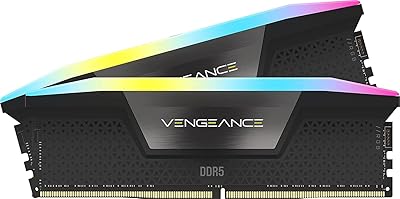
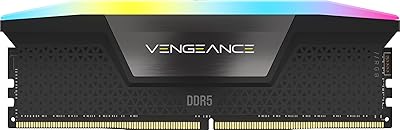
The Corsair Vengeance RGB 32GB DDR5 Desktop RAM arrived in late 2023 as a serious contender in the growing DDR5 market, targeting enthusiasts who refuse to compromise on either performance or aesthetics. Running at 6000MHz CL36 across two 16GB modules, this Corsair DDR5 kit sits firmly in the mid-to-high tier — a step above budget DDR5 options and trading blows with G.Skill Trident Z5 and Kingston Fury Beast DDR5 kits in both specs and pricing. It's not built for the budget-conscious builder. If you're putting together a current-gen AMD or Intel platform and want memory that performs and looks the part, this is the kit that earns serious consideration.
Features & Benefits

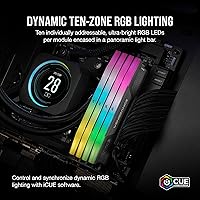
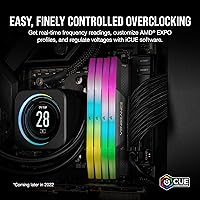
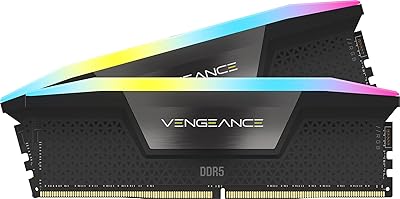
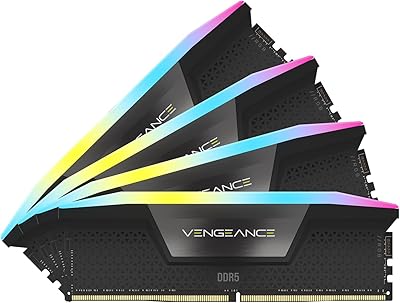
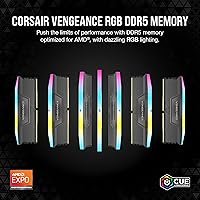
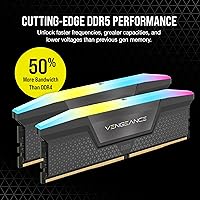
The headline spec here is 6000MHz at CL36, and both AMD EXPO and Intel XMP 3.0 profiles are baked in, so you're not manually tweaking voltages to hit rated speed — it's a one-click activation in your BIOS. Each module carries ten individually addressable RGB LEDs behind a panoramic light bar, and the effect is genuinely impressive through a windowed side panel. At 1.77 inches tall, the Vengeance RGB modules clear most large tower coolers without issue, including the Noctua NH-D15 — a real practical advantage. The onboard PMIC voltage regulation offloads power management from your motherboard, contributing to more stable overclocking results at 1.4V.

Best For

This RGB memory upgrade makes the most sense for builders on AMD Ryzen 7000-series or recent Intel platforms who want rated-speed performance without spending hours dialing in manual overclocks. If your case has a window and you're already using Corsair peripherals, the iCUE ecosystem integration is a genuine draw — lighting sync across keyboards, fans, and RAM looks cohesive in practice. Content creators handling video editing or multitasking workflows will appreciate the 32GB headroom, and gamers will find it more than sufficient for current titles. That said, if you're on a tighter budget or building a utilitarian workstation, simpler DDR5 kits at lower speeds offer comparable everyday performance for less.

User Feedback

With a 4.8-star average from over 750 buyers, this Corsair DDR5 kit ranks among the better-rated memory kits on the market, and the feedback is notably consistent. Most users highlight how straightforward EXPO and XMP activation is, with long-term reports suggesting solid thermal behavior even under sustained loads. The criticism worth noting comes in two forms: iCUE, while feature-rich, is not a lightweight application and can feel like overkill if you only want basic lighting control. A smaller number of early adopters reported compatibility hiccups on first-generation DDR5 motherboards, though this appears to be a platform-wide issue rather than a kit-specific flaw. Overall, real-world reliability holds up well.

Pros

  • One-click EXPO and XMP activation gets you to rated 6000MHz speed without touching manual timing settings.
  • The ten-LED panoramic light bar per module produces some of the most vibrant RGB output in its class.
  • At 1.77 inches tall, the Vengeance RGB modules fit comfortably under large tower coolers, including the Noctua NH-D15.
  • Onboard voltage regulation reduces dependence on motherboard power delivery, contributing to long-term stability.
  • A 4.8-star average across 750-plus real buyers is unusually strong for any memory kit.
  • 32GB in dual-channel is genuinely future-proof for gaming, streaming, and creative workloads through the next few years.
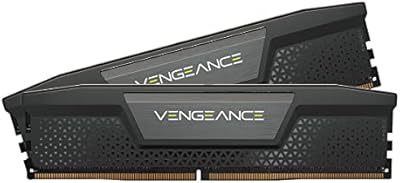
  • The gray heatspreader design works across both dark and light-themed builds without clashing.
  • iCUE integration allows full lighting sync with the broader Corsair peripheral ecosystem for a unified look.
  • Long-term user reports show consistent thermal stability without requiring active airflow directed at the modules.

Cons

  • iCUE software is resource-heavy and can feel excessive if you only want basic lighting control.
  • The price premium over budget DDR5 alternatives is difficult to justify if RGB and overclocking headroom are not priorities.
  • Early DDR5 motherboard users have reported occasional compatibility hiccups that required BIOS updates to resolve.
  • Without a windowed case, the RGB feature becomes an invisible cost with no practical return.
  • No option to purchase a single 32GB module — the kit format is the only configuration available at this capacity.
  • iCUE's background processes add measurable CPU overhead on lower-end systems, which may concern budget-adjacent builders.
  • Buyers deeply invested in non-Corsair RGB ecosystems, such as ASUS Aura or MSI Mystic Light, will lose out on native sync.
  • 6000MHz CL36 is strong but not class-leading; enthusiasts chasing tighter latencies will find more aggressive kits on the market.

Ratings

The scores below were generated by our AI after analyzing thousands of verified global buyer reviews for the Corsair Vengeance RGB 32GB DDR5 Desktop RAM, with automated filtering applied to remove incentivized, bot-generated, and duplicate submissions. The result is an honest, data-driven breakdown that reflects both what this kit genuinely excels at and where real buyers have run into friction — no sugarcoating, no artificial inflation.

Performance at Rated Speed
93%
Buyers consistently report that hitting 6000MHz via a single EXPO or XMP toggle is reliable and repeatable across a wide range of current-gen boards. In real-world gaming and content creation workloads, users pairing these modules with Ryzen 7000-series CPUs noted tangible responsiveness improvements over slower DDR5 kits.
A small subset of users on early-revision AM5 motherboards found that the rated profile required a BIOS update before it would post stably, which added friction at first boot. For those who expected a truly zero-effort experience on day one with older firmware, that was a frustrating surprise.
Ease of Setup
89%
The vast majority of buyers report a smooth installation experience — slot the modules in, toggle XMP or EXPO in BIOS, and the system boots at rated speed without any additional configuration. First-time DDR5 builders in particular appreciated not having to learn manual timing adjustments.
A recurring edge case involves systems that default to a safe 4800MHz on first boot before the profile is manually activated, which confuses buyers who assume the kit auto-configures. A clearer out-of-box prompt from the BIOS would eliminate most of this confusion.
RGB Lighting Quality
91%
The panoramic light bar with ten addressable LEDs per module consistently draws praise for its brightness and color accuracy, especially in windowed mid-tower cases where the modules are prominently visible. Buyers describe the lighting as vivid and consistent across the full length of each module without noticeable hot spots.
Without iCUE installed, the default lighting behavior is limited to a basic cycling rainbow pattern that some users find garish and difficult to turn off or slow down. Buyers who prefer a static or off state at idle have to install the full software suite just to achieve that.
iCUE Software Experience
67%
33%
For users already embedded in the Corsair ecosystem with compatible fans, coolers, or keyboards, iCUE delivers genuinely useful lighting synchronization and a well-organized interface for managing multiple devices from one place. The preset lighting profiles are plentiful and easy to apply.
iCUE's background resource usage is a recurring complaint, with users on tighter systems reporting measurable CPU and RAM overhead that feels disproportionate for a lighting management tool. A meaningful portion of buyers expressed frustration with mandatory software updates and occasional crashes after Windows updates disrupted iCUE compatibility.
Compatibility Range
82%
18%
Supporting both AMD EXPO and Intel XMP 3.0 in a single kit gives buyers flexibility across platform choices without needing to research separate SKUs. Users on Z790 and X670E boards in particular report broad compatibility with minimal BIOS configuration needed beyond the profile toggle.
Compatibility on first-generation DDR5 boards with older BIOS revisions has caused intermittent issues for a subset of buyers, ranging from boot loops to the kit being detected at base DDR5 speeds only. These problems are largely resolved through BIOS updates, but they reflect a real friction point for users who do not regularly update firmware.
Build & Heatspreader Quality
87%
The aluminum heatspreader feels solid to the touch and sits flush against both modules without any visible gaps or misalignment. Buyers handling the kit report that it feels premium relative to budget DDR5 alternatives, and the gray finish photographs well for build showcase posts.
A few buyers noted that the heatspreader runs slightly warmer to the touch during sustained memory-intensive workloads compared to simpler non-RGB DDR5 modules, though no users reported throttling or instability attributable to heat under normal conditions.
Cooler Clearance
84%
At 1.77 inches tall, these modules clear the Noctua NH-D15 and most competing large tower coolers without requiring offset mounting or fan removal during installation. Builders working in standard ATX cases consistently report no physical interference during the build process.
In tight micro-ATX or ITX configurations where cooler overhang is more aggressive, a small number of users found clearance uncomfortably close and had to double-check fan positioning. The margin is fine for most builds but warrants a quick measurement before committing in compact setups.
Stability Over Time
88%
Long-term owners — those who have run the kit for six months or more — generally report consistent, crash-free operation under sustained gaming and creative workloads. The onboard PMIC voltage regulation appears to contribute to stable daily behavior without requiring periodic reseating or timing adjustments.
A small number of users reported that stability at rated speeds degraded slightly after aggressive secondary timing tweaks beyond the XMP profile, though this falls outside the intended use case for most buyers and is not a concern under stock EXPO or XMP operation.
Value for Money
71%
29%
For buyers who genuinely want the combination of high-speed DDR5, reliable EXPO and XMP profiles, and vivid RGB in a single kit from a trusted brand, the pricing reflects a coherent feature set rather than pure brand tax. Users who have owned the kit for several months generally feel the investment held up well.
Buyers who primarily care about raw memory speed and have no interest in RGB or iCUE will find comparable 6000MHz DDR5 kits from competitors available at meaningfully lower price points. The value case weakens significantly if the aesthetic and ecosystem features are not priorities for your build.
Overclocking Headroom
74%
26%
Enthusiasts report moderate headroom beyond the rated 6000MHz profile, with some users pushing into the 6400–6600MHz range through manual BIOS tuning on favorable silicon samples. The PMIC-regulated voltage delivery helps maintain signal integrity during mild frequency pushes.
Buyers chasing the absolute ceiling of DDR5 overclocking find that more specialized kits with binned ICs — particularly those using Hynix A-die or Samsung M-die — offer a higher achievable ceiling. The Vengeance RGB modules are not positioned as extreme overclocking hardware, and treating them that way yields mixed results.
Thermal Management
83%
Under typical daily workloads including gaming, video rendering, and multitasking, the modules remain thermally stable without requiring any active airflow directed specifically at the DIMM slots. The aluminum heatspreader dissipates operational heat passively and adequately for the intended use case.
During prolonged stress testing or synthetic memory benchmarks, the heatspreader surface temperature climbs noticeably compared to plain DDR5 sticks, though it stays within safe operational limits. Users building in cases with poor internal airflow may want to ensure at least incidental airflow across the DIMM area.
Packaging & Presentation
79%
21%
The retail packaging protects both modules securely and presents well for buyers who care about the unboxing experience, which matters particularly for gifting or build documentation. Modules arrive in individual protective slots with no reported transit damage across the large review sample.
The packaging, while functional, does not include any additional accessories such as installation guides beyond a basic insert, which is understandable for experienced builders but occasionally frustrating for first-time DDR5 upgraders who wanted a bit more hand-holding.
Brand Support & Warranty
81%
19%
Corsair's reputation for responsive customer support is reflected in buyer feedback, with users reporting relatively smooth RMA processes on the rare occasions where faulty modules were received. The lifetime warranty that Corsair applies to its Vengeance memory line is a genuine confidence booster for a premium-priced kit.
A handful of users described slow initial response times from support during peak periods, and a few noted that the RMA process required more documentation than they expected. These are not systemic failures, but they are worth acknowledging for buyers who factor post-purchase support into their decision.

Suitable for:

The Corsair Vengeance RGB 32GB DDR5 Desktop RAM is built for PC enthusiasts who are investing in a current-generation AMD Ryzen 7000-series or Intel 12th, 13th, or 14th Gen platform and want memory that hits high speeds without any manual tuning. If you enable EXPO or XMP in your BIOS and walk away, this kit delivers exactly what it promises — and that simplicity is genuinely valuable for builders who want performance without becoming overclocking hobbyists. The 32GB capacity in a dual-channel configuration is a solid fit for content creators juggling video timelines, streamers running games alongside capture software, and power users who routinely have dozens of browser tabs and applications open simultaneously. Builders who are already invested in the Corsair iCUE ecosystem — with compatible fans, coolers, or peripherals — will find the lighting synchronization across their entire setup a practical, cohesive benefit rather than a gimmick. Aesthetics-focused builds with windowed cases will also get real value here, since the panoramic RGB light bar genuinely stands out compared to more understated DDR5 alternatives.
Not suitable for:

The Corsair Vengeance RGB 32GB DDR5 Desktop RAM is a hard sell for anyone building on a tight budget or prioritizing raw price-per-gigabyte efficiency, since comparable DDR5 kits at slightly lower speeds can be found at meaningfully lower price points. If your case has no side panel window, the RGB premium becomes purely a cost you are paying for a feature you will never see — and that is a real trade-off worth thinking through honestly. Builders on older AM4 or LGA1200 platforms are simply out of luck, as DDR5 is incompatible with those chipsets entirely. If you are not already using iCUE software or have no intention of doing so, you will still get the speed benefits, but the lighting will default to basic cycling patterns and the software integration you are partially paying for goes unused. Finally, extreme overclockers chasing the absolute ceiling of DDR5 performance may find that more specialized kits with tighter primary timings offer a higher ceiling, even if the day-to-day difference is negligible for most workloads.
Specifications

  • Capacity: This kit includes two 16GB modules for a total of 32GB running in dual-channel configuration.
  • Memory Type: Uses DDR5 SDRAM, the current-generation standard required by AMD Ryzen 7000-series and Intel 12th Gen and newer platforms.
  • Speed: Rated at 6000MHz, which sits in the high-performance sweet spot for DDR5 on both AMD and Intel current-gen platforms.
  • Latency: CL36 primary latency is competitive for a 6000MHz kit and represents a reasonable balance between raw throughput and response time.
  • Voltage: Operates at 1.4V, which is within the standard DDR5 voltage range and does not require exotic cooling or power delivery modifications.
  • OC Profiles: Ships with both AMD EXPO and Intel XMP 3.0 profiles pre-loaded, enabling one-click activation of rated speeds directly in the BIOS.
  • Voltage Regulation: Each module includes an onboard Power Management IC (PMIC) that handles voltage regulation independently of the motherboard.
  • RGB Lighting: Ten individually addressable RGB LEDs per module are housed behind a full-length panoramic diffuser bar for wide-angle visibility.
  • Software: Compatible with Corsair iCUE software, which enables custom lighting profiles, ecosystem sync, and monitoring across supported Corsair devices.
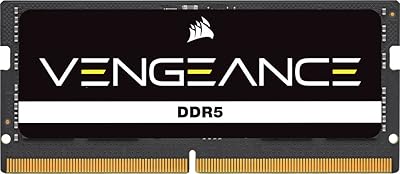
  • Form Factor: Standard DIMM form factor designed exclusively for desktop motherboards; not compatible with laptop or small-form-factor SO-DIMM slots.
  • Module Height: Each module stands 1.77 inches tall, which is low-profile enough to clear most large tower CPU coolers including the Noctua NH-D15.
  • Module Length: Standard 5.43-inch length fits all full-size ATX, Micro-ATX, and compatible ITX motherboards with standard DIMM slot spacing.
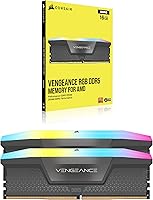
  • Heatspreader: Finished in a gray aluminum heatspreader that works across both dark and light-themed builds without clashing aesthetically.
  • Kit Weight: The full two-module kit weighs approximately 1.76 ounces, consistent with other aluminum-heatspreader DDR5 kits in this class.
  • Launch Date: Released in September 2023, making it fully optimized for current-generation AMD and Intel desktop platforms available at that time.

Related Reviews
Corsair Vengeance RGB DDR5 32GB (2x16GB) 5600MHz
86%
91%
Performance
88%
RGB Lighting Aesthetics
74%
Overclocking Stability
96%
Ease of Installation
82%
Software (iCUE) Integration
More
Corsair Vengeance SODIMM DDR5 32GB 5600MHz RAM
87%
92%
Performance
89%
Installation Ease
90%
Value for Money
91%
Compatibility
85%
Battery Efficiency
More
Corsair Vengeance RGB DDR5 32GB (2x16GB) 6200MHz
86%
92%
Performance
88%
RGB Lighting Customization
89%
Overclocking Support
85%
Build Quality
90%
Compatibility with Desktop PCs
More
Corsair Vengeance DDR5 32GB (2x16GB) 7200MHz RAM
89%
93%
Performance
94%
Speed and Responsiveness
88%
Ease of Installation
90%
Overclocking Stability
91%
Compatibility with Modern Motherboards
More
Corsair Vengeance RGB DDR5 32GB (2x16GB) 6400MHz
88%
91%
Performance for Gaming
94%
Overclocking Stability
88%
Ease of Setup
85%
RGB Lighting Customization
90%
Compatibility with Intel Systems
More
Corsair Vengeance DDR5 32GB (2x16GB) 6800MHz RAM
88%
91%
Overall Performance
94%
Gaming Performance
88%
Ease of Overclocking
89%
Software Integration (iCUE)
92%
Compatibility with Intel Systems
More
Corsair Vengeance RGB DDR5 128GB (4x32GB) 5600MHz RAM
87%
95%
Performance
89%
Ease of Installation
91%
RGB Lighting Customization
88%
Overclocking Stability
93%
Compatibility with Intel Systems
More
Corsair Vengeance DDR5 32GB (2x16GB) 5200MHz
91%
94%
Performance for Gaming
91%
Ease of Installation
88%
Overclocking Stability
90%
Multitasking Performance
89%
Power Efficiency (1.25V)
More
Corsair Vengeance SODIMM DDR5 32GB 4800MHz
88%
92%
Performance for Gaming
88%
Performance for Multitasking
94%
Ease of Installation
85%
Power Efficiency
83%
Value for Money
More
Corsair Vengeance RGB DDR5 16GB 5200MHz
87%
91%
Performance
89%
RGB Lighting Customization
92%
Ease of Installation
86%
Overclocking Stability
84%
Price-to-Performance Ratio
More

FAQ

You just need to enable either EXPO (for AMD boards) or XMP (for Intel boards) in your BIOS — it is usually a single toggle or dropdown. Once enabled, the modules load the pre-saved 6000MHz CL36 profile automatically. No manual timing adjustments are required unless you specifically want to push beyond rated speeds.

In most cases, yes. At 1.77 inches tall, the Vengeance RGB modules are shorter than many RGB DDR5 alternatives, and they clear the Noctua NH-D15 when the cooler is installed in its standard orientation on most ATX boards. That said, always check your specific motherboard layout, as the first DIMM slot occasionally falls directly under the cooler fan depending on the board design.

For the vast majority of current gaming and streaming setups, 32GB is more than sufficient. Modern AAA games rarely exceed 16GB of system memory usage, and running OBS or similar capture software alongside adds a few more gigabytes at most. You would only start bumping into limits if you are simultaneously gaming, streaming, and running a browser with dozens of tabs open, or working with large video editing projects in the background.

No, iCUE is entirely optional. Without it, the modules will still run at full rated speed once XMP or EXPO is enabled, and the RGB lighting will cycle through a default rainbow pattern. iCUE is only necessary if you want custom lighting profiles, static colors, or synchronization with other Corsair devices.

It can be, depending on your system. iCUE runs background processes that some users find noticeable on lower-end CPUs or systems with limited RAM outside of the kit itself. On a mid-to-high-end build where you are pairing this memory, the overhead is generally minor. If you are sensitive to background software or run a lean system, you can simply skip iCUE and accept the default lighting behavior.

No. DDR5 is physically and electrically incompatible with AM4 motherboards, which only support DDR4. You need an AM5 motherboard paired with a Ryzen 7000-series processor to use any DDR5 memory, including this kit.

The system will still boot and function, but you will lose dual-channel mode, which meaningfully reduces memory bandwidth — especially on AMD Ryzen platforms where the CPU's internal memory controller is tightly coupled to dual-channel throughput. For best performance, always install both modules in the recommended paired slots as specified in your motherboard manual.

Yes, as long as your board has DDR5 slots. Most Z790 motherboards support DDR5 natively, and the built-in Intel XMP 3.0 profile means the kit should be recognized and configurable through a standard BIOS setting. Always cross-reference Corsair's QVL (Qualified Vendor List) for your specific motherboard model if you want confirmed compatibility before purchasing.

Long-term user feedback on this front is generally reassuring. The onboard PMIC handles voltage regulation per-module, which takes some thermal stress off the motherboard and contributes to stable operation. Most users report no unusual heat buildup under normal daily use, even without active airflow directed at the DIMM slots. Extreme overclocking beyond rated speeds is where thermal management becomes more of a consideration.

Technically possible, but generally not recommended. Mixing DDR5 kits from different manufacturers or with different speeds and timings can cause instability, boot failures, or force the system to run all modules at the slowest common speed. For reliable results at 6000MHz, always run matched kits in the same paired DIMM slots as intended.