Overview

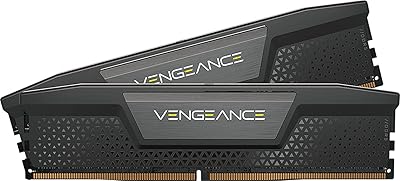
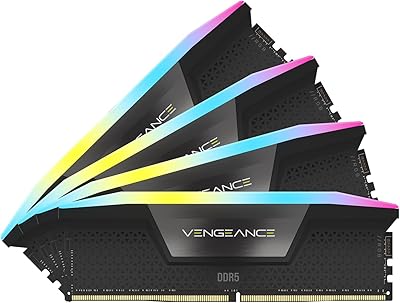
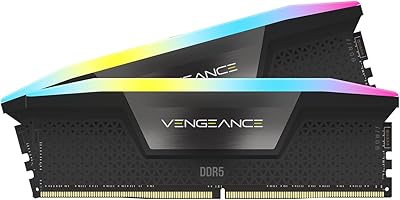
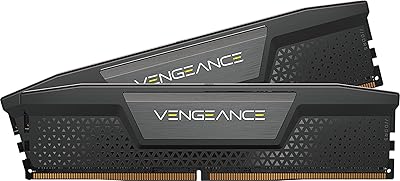
The Corsair Vengeance 96GB DDR5 Desktop RAM targets a specific kind of builder: one who has watched task manager RAM usage creep past 50GB and decided that 64GB just is not enough anymore. The 2x48GB dual-channel layout is a smart call — two sticks instead of four means a simpler installation, broader board compatibility, and two open slots for whatever comes next. For anyone primarily drawn to addressable RGB and stylized heatspreaders, this kit will disappoint. The aesthetic is purely functional: black, low-profile, and understated. That said, Corsair's reliability track record and XMP validation history give buyers real confidence, which matters when committing this level of spend to a memory upgrade.
Features & Benefits

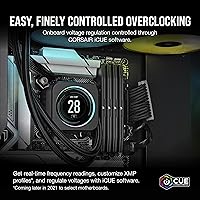
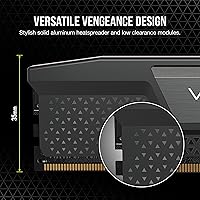
Running at 5200MHz with CL38 latency, this 96GB DDR5 kit hits a practical midpoint — not the fastest DDR5 available, but capable enough for 4K rendering, large dataset processing, and running virtual machines in parallel. Faster kits with tighter timings exist if you need them, though the real-world gap in most workflows is narrower than spec sheets imply. Intel XMP 3.0 support means one BIOS toggle gets you to rated speed immediately, with no manual tuning required. iCUE adds optional per-task frequency profiles, but the software is entirely skippable. A notable DDR5 architecture advantage is the onboard power management IC — voltage regulation lives on the module itself, making overclocking behavior more predictable. The low 1.38-inch profile also clears most large air coolers without issue.

Best For

This high-capacity RAM upgrade is built for content creators and developers working with uncompressed 4K or 8K footage, multi-layer 3D scenes, and heavy virtualization workloads. If you have ever had a compile job pause for disk swapping because 64GB ran dry, the practical difference here is immediately obvious. Intel 12th, 13th, and 14th Gen platform users are the direct target given the XMP 3.0 validation. The two-stick layout also matters for buyers who want remaining DIMM slots available for a future capacity bump without pulling everything out to rebalance. And for anyone running a clean, minimal build, the matte black no-RGB profile fits into almost any case without demanding attention.

User Feedback

Across more than 3,500 ratings, the Vengeance DDR5 memory holds a 4.7-star average — an unusually strong result for a kit at this capacity tier, where compatibility complaints often drag scores down. Buyers consistently cite plug-and-play XMP activation, stable long-term operation, and broad compatibility across major Intel boards. The recurring criticism is that DDR5-5200 CL38 is not the quickest option in the category — users chasing maximum throughput note that faster-binned alternatives exist, albeit at a noticeably higher cost. Reactions to iCUE split fairly evenly: some find the real-time monitoring genuinely useful, others remove it after one install because it feels too heavy for what they actually need. A small number of users have flagged BIOS-specific quirks, though these appear tied to particular motherboard revisions rather than a widespread problem.

Pros

  • XMP 3.0 activation requires a single BIOS toggle — no manual timing adjustments or voltage experimentation needed to hit rated speeds.
  • 96GB of installed capacity gives video editors, developers, and VM users genuine breathing room that 64GB kits cannot consistently provide.
  • The 2x48GB layout keeps two DIMM slots free, making a future capacity upgrade possible without discarding existing modules.
  • Onboard voltage regulation at the module level produces more stable overclocking behavior compared to older motherboard-controlled approaches.
  • The low 1.38-inch heatspreader profile clears nearly all large tower air coolers, removing a common installation headache in tighter cases.
  • Over 3,500 verified ratings averaging 4.7 stars reflect unusually consistent real-world reliability for a kit at this capacity tier.
  • iCUE software is completely optional — rated XMP speeds work out of the box without installing a single piece of additional software.
  • The understated matte black design fits into virtually any build without clashing with other components or demanding visual attention.
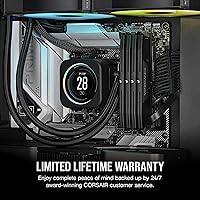
  • Corsair's limited lifetime warranty provides long-term coverage that is especially reassuring at this level of memory investment.
  • DDR5-5200 throughput handles demanding parallel workloads — rendering alongside active transcoding, or compiling while multiple VMs run — without obvious slowdown.

Cons

  • DDR5-5200 CL38 is a mid-tier DDR5 specification; buyers who prioritize peak bandwidth will find faster-binned kits available in the market.
  • Strictly limited to Intel DDR5 motherboards — AMD platform users and anyone still on DDR4 hardware cannot use this kit at all.
  • No RGB lighting makes the Vengeance DDR5 memory a non-starter for builders who want an illuminated or styled interior.
  • iCUE carries a heavyweight software footprint, and a meaningful share of users install it once and remove it shortly after.
  • The cost-per-GB is high at this capacity tier — buyers whose workloads fit within 64GB will pay noticeably less for comparable daily performance.
  • A small number of users have flagged BIOS-specific compatibility quirks on certain motherboard revisions, occasionally requiring firmware updates to resolve.
  • No higher-speed 96GB option exists within this product line, leaving bandwidth-focused users with few upgrade paths inside the same family.
  • The heatspreader design offers no visual distinction from far less expensive DDR5 modules, which may feel anticlimactic given the price tier.

Ratings

The scores below are generated by AI after analyzing thousands of verified global buyer reviews for the Corsair Vengeance 96GB DDR5 Desktop RAM, with spam, bot-generated submissions, and incentivized feedback actively filtered out before scoring. Both the genuine strengths that make this high-capacity RAM upgrade compelling for demanding workloads and the real pain points that matter to specific buyers are transparently reflected in every number. No category is inflated to protect brand perception — the scores represent the honest distribution of user experience across the board.

Memory Performance
79%
21%
At DDR5-5200, the Vengeance DDR5 memory handles demanding parallel workloads — rendering a scene while transcoding footage, or keeping active development environments running alongside multiple browser sessions — without creating obvious bottlenecks. Most power users find the throughput a meaningful step forward compared to DDR4 or entry-level DDR5-4800 kits.
CL38 latency places this kit in the middle of the DDR5 performance spectrum, not at the top. Buyers chasing maximum bandwidth for latency-sensitive applications or synthetic benchmarks will find faster-binned DDR5-6000 and DDR5-6400 kits available, with a measurable real-world throughput gap at higher frequency tiers.
Capacity Headroom
96%
Ninety-six gigabytes gives video editors, 3D artists, and VM-heavy developers a memory ceiling that 32GB or 64GB systems simply cannot match. Working across multi-layer Premiere Pro timelines or keeping four virtual machines running simultaneously stops feeling like a constant resource-juggling act when this much headroom is available.
For the majority of buyers — including most gamers and standard productivity users — 96GB represents capacity they will never realistically approach. The only meaningful downside is that it locks buyers into a higher price tier regardless of whether their actual day-to-day workloads justify the upgrade.
Platform Compatibility
85%
On Intel 12th, 13th, and 14th Gen DDR5 motherboards, this 96GB DDR5 kit has a strong and well-documented compatibility track record across a wide range of popular boards. XMP 3.0 is recognized reliably, and most verified buyers report reaching rated speed without any meaningful BIOS troubleshooting.
The Intel-only validation is a hard limit — AMD platform users cannot use this kit at all. A small share of buyers on older board revisions have also reported needing a BIOS firmware update before XMP 3.0 profiles become available, which introduces a minor but real setup hurdle.
Installation Experience
93%
The near-universal praise across verified reviews centers on how uncomplicated the setup is: seat the sticks in the correct paired slots, enable XMP in the BIOS, and the system configures itself to 5200MHz automatically. No manual timing entries, no voltage guesswork — it works exactly the way a premium kit should.
The small minority of setup difficulties reported trace back to outdated BIOS versions on specific motherboard revisions rather than anything inherent to the memory itself. Buyers on older boards should confirm their firmware is current before expecting a completely frictionless first boot experience.
Stability & Reliability
94%
A 4.7-star average sustained across more than 3,500 verified ratings is a genuinely difficult benchmark to maintain for a high-capacity RAM kit, where compatibility and stability complaints tend to accumulate over time. Long-term buyers consistently report no degradation, no unexplained crashes, and no problems emerging after months of heavy daily use.
The rare stability complaints that do surface appear tied to motherboard-specific quirks or edge-case BIOS configurations rather than the modules themselves. Even the most critical verified buyers tend to acknowledge the kit is solid and point to platform-side variables as the root cause of any issues encountered.
Value for Money
69%
31%
Within the 96GB DDR5 capacity tier, pricing is competitive relative to similarly specced alternatives from other premium brands, and the limited lifetime warranty adds genuine long-term value to the investment. Buyers who genuinely need this much memory find the cost reasonable compared to the workflow disruptions they were experiencing on 64GB.
The cost-per-GB at this capacity tier is substantially higher than mid-range 64GB DDR5 kits, and DDR5-5200 CL38 is not the fastest specification available at this price level. Buyers who could function comfortably on 64GB will find the performance-per-dollar argument for this upgrade difficult to make honestly.
Build Quality
81%
19%
The aluminum heatspreader feels solid with no flex or rattling between the module and spreader, and physical construction draws consistently positive remarks across the verified buyer pool. No reports of damaged modules from normal handling or careful installation stand out in the feedback at any meaningful frequency.
The heatspreader design is entirely functional with no premium finishing or visual differentiation, which can feel underwhelming given the price tier. There is no textured coating, branded accent detail, or surface treatment that signals quality at a glance — it is indistinguishable from far more affordable DDR5 options on looks alone.
Thermal Efficiency
87%
The onboard PMIC manages voltage regulation directly at the module level, keeping heat distribution more stable and controlled than motherboard-regulated designs from previous DDR4 generations. During extended rendering sessions or sustained VM uptime, module temperatures stay within comfortable operating ranges based on data reported by iCUE-monitored systems.
The plain aluminum heatspreader offers less total surface area for heat dissipation than the taller, finned designs found on performance-tier DDR5 kits. In poorly ventilated cases or high-ambient-temperature environments this becomes a marginal factor, though it rarely causes instability under normal workload conditions.
Software Integration
68%
32%
For users who do install iCUE, the real-time frequency and voltage monitoring is genuinely informative — particularly useful when stress-testing after overclocking or diagnosing system behavior during long compute jobs. The ability to store custom XMP profiles per application is a niche but practical feature that technically inclined users actively appreciate.
iCUE carries a resource footprint that a meaningful share of verified buyers install once and quietly remove. Many report the software feels disproportionate relative to what they actually need from it, and the fact that rated XMP operation works perfectly without it makes skipping the software an entirely defensible choice.
Physical Footprint
88%
At 1.38 inches tall, these modules clear the vast majority of popular large tower air coolers without requiring any repositioning or hardware swaps. Builders who have struggled with RAM clearance under tall cooler designs consistently highlight the low-profile height as a genuine practical benefit rather than just a spec sheet number.
The compact low-profile form factor means less total heatspreader surface area compared to taller premium memory modules. Builders who have already invested in coolers with generous RAM clearance headroom will find the compact design offers no additional installation benefit and leaves visible empty space above the modules.
Overclocking Potential
73%
27%
The PMIC-based voltage regulation provides a more stable overclocking foundation than motherboard-controlled memory from DDR4 generations, and XMP 3.0 supports storing multiple custom profiles for different use cases. For users willing to manually tune sub-timings, the architecture is meaningfully more accessible than older DDR4 overclocking workflows.
CL38 at DDR5-5200 does not leave obvious headroom for aggressive manual tightening, and pushing meaningfully lower timings requires substantial board-specific tuning effort with diminishing returns. Users expecting to reach DDR5-6000-class performance through overclocking should temper expectations — this kit is not positioned as a high-frequency binning candidate.
Aesthetics
62%
38%
The matte black profile is visually inoffensive and fits cleanly into virtually any build without clashing against other components or demanding attention. Builders running dark, minimal, or all-black interior themes will appreciate that the Vengeance DDR5 memory does not introduce any visual inconsistency into a cohesive build aesthetic.
There is no RGB, no accent lighting, no premium surface finish, and nothing that visually distinguishes this kit from budget DDR5 options inside a windowed case. Buyers building showcase systems or trying to match a lit, styled interior will find essentially no aesthetic contribution from these modules whatsoever.
Warranty Coverage
84%
Corsair's limited lifetime warranty is among the stronger coverage commitments available on a consumer DDR5 kit, with no expiration on defect coverage for as long as you own the product. At this investment level, verified buyers consistently reference the lifetime coverage as a meaningful factor in their purchase confidence.
Warranty claims require working through Corsair's RMA process, which some buyers find slower than expected during high-demand periods. The limited lifetime coverage applies specifically to manufacturing defects, meaning damage from improper installation or incompatible system configurations falls outside what Corsair will cover under the standard warranty terms.
Dual-Channel Config
89%
Running two matched 48GB modules in a proper dual-channel pair delivers the full memory bandwidth the platform supports, and avoids the signal integrity complications that four fully populated DIMM slots can introduce on some Intel motherboards. Verified buyers consistently report clean dual-channel recognition with no manual intervention required.
Using only two of four DIMM slots leaves half the memory slots empty, which some builders find visually unbalanced inside a windowed case. More practically, if one module fails the system reverts to single-channel operation until a replacement arrives — and sourcing a matching 48GB single module may not be straightforward.
Future Expandability
83%
Leaving two DIMM slots open is a tangible long-term planning advantage — if memory needs grow beyond 96GB in the future, adding a second matched pair becomes a straightforward upgrade path without discarding existing modules. For users building a workstation they intend to maintain across multiple years, this matters.
Expanding beyond 96GB in the future assumes that matching 48GB DDR5 modules remain readily available and reasonably priced as DDR5 product cycles evolve, which is not guaranteed. Four-slot DDR5 operation at higher frequencies also introduces stricter signal integrity requirements that not all motherboards handle without stability trade-offs.

Suitable for:

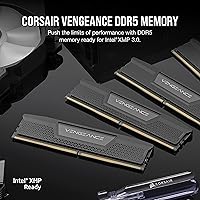
The Corsair Vengeance 96GB DDR5 Desktop RAM is the right call for power users who have genuinely outgrown 64GB and need headroom for workloads that actively consume memory rather than merely store it. Video editors cutting uncompressed 4K or 8K timelines, 3D artists managing multi-layer scenes with heavy texture maps, and developers who routinely keep several virtual machines running simultaneously will all notice the difference in a way that smaller incremental upgrades simply would not deliver. The 2x48GB dual-channel setup is a particularly smart fit for builders on Intel 12th, 13th, or 14th Gen platforms who want validated XMP 3.0 performance without wrestling with manual overclocking settings or stability testing. Using two sticks also keeps the remaining DIMM slots open for a future capacity expansion, which matters to anyone thinking beyond the current build. If your workflow regularly drives the OS into aggressive page filing, or forces you to close applications just to reclaim enough memory to keep going, this high-capacity RAM upgrade addresses that problem directly.
Not suitable for:

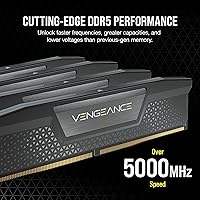
The Corsair Vengeance 96GB DDR5 Desktop RAM is a poor match for anyone still running an AMD platform or a motherboard that only supports DDR4, since the kit is built around Intel XMP 3.0 and physically cannot seat in a DDR4 slot. Mainstream users — including most gamers, casual creators, and standard productivity workers — will find 96GB far beyond what their workloads ever demand, and the same investment would likely have more impact spent on a faster GPU or additional NVMe storage. Buyers who care about in-case aesthetics should also look elsewhere: there is no RGB, no aggressive styling, and no visual payoff here. Those chasing absolute DDR5 performance should know upfront that DDR5-5200 with CL38 timings is a solid but mid-tier specification — faster-binned kits running at DDR5-6000 or above with tighter latency exist, and if bandwidth benchmarks matter to your use case, that distinction is worth investigating before committing. Budget-conscious shoppers who could function well on 64GB will also find the cost-per-GB jump hard to justify for everyday use.
Specifications

  • Capacity: Total installed capacity is 96GB, delivered as two matched 48GB modules in a single kit.
  • Memory Type: Uses fifth-generation DDR5 SDRAM technology, the current standard for modern high-performance desktop platforms.
  • Speed: Rated at 5200MHz when the Intel XMP 3.0 profile is enabled in a compatible motherboard BIOS.
  • Latency: Primary CAS latency is CL38 at the rated 5200MHz operating speed.
  • Operating Voltage: Runs at 1.25V under the XMP 3.0 profile, consistent with standard DDR5 power specifications.
  • Form Factor: Standard desktop DIMM form factor designed for full-size motherboards, and incompatible with laptop SO-DIMM or server memory slots.
  • Dimensions: Each module measures 5.31″ in length and 1.38″ in height, qualifying as a low-profile desktop DIMM.
  • Configuration: Ships as a 2x48GB matched pair intended for dual-channel installation across two DIMM slots.
  • XMP Standard: Supports Intel XMP 3.0, including the ability to create and save custom frequency profiles through Corsair iCUE software.
  • Onboard PMIC: Includes a Power Management Integrated Circuit mounted directly on each module, handling voltage regulation independently of the motherboard.
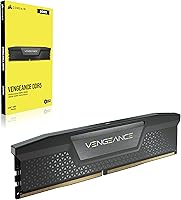
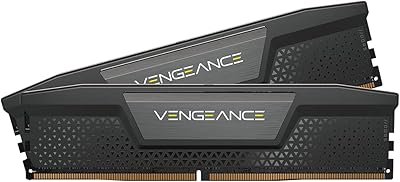
  • Aesthetics: Features a solid black aluminum heatspreader with no RGB lighting, LEDs, or programmable lighting effects.
  • Software: Compatible with Corsair iCUE software, which enables real-time voltage and frequency monitoring and custom XMP profile management, though installing it is not required for standard XMP operation.
  • Compatibility: Designed and validated for Intel DDR5 desktop motherboards supporting 12th, 13th, and 14th Gen processors, with no compatibility guarantee for AMD platforms or DDR4 systems.
  • Model Number: Official Corsair part number for this kit is CMK96GX5M2B5200C38.
  • Warranty: Covered by Corsair's limited lifetime warranty against manufacturing defects.
  • Kit Weight: The complete two-module kit has a listed item weight of 1.28 oz.
  • Availability: First made available for purchase in February 2023.

Related Reviews
Corsair Vengeance DDR5 96GB Memory Kit
81%
62%
Value for Money
83%
Performance at Rated Speed
88%
Stability & Reliability
91%
XMP Setup Experience
67%
Platform Compatibility
More
Corsair Vengeance DDR5 96GB 6000MHz
88%
94%
Performance
92%
Overclocking Capability
89%
Compatibility with Systems
90%
Build Quality
87%
Ease of Installation
More
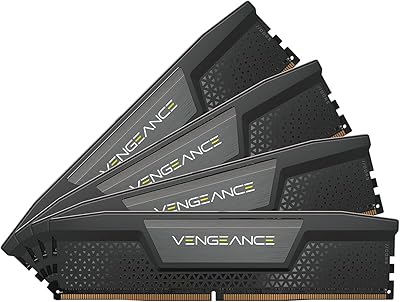
Corsair Vengeance DDR5 32GB (2x16GB) 6800MHz RAM
88%
91%
Overall Performance
94%
Gaming Performance
88%
Ease of Overclocking
89%
Software Integration (iCUE)
92%
Compatibility with Intel Systems
More
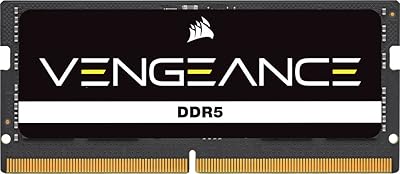
Corsair Vengeance DDR5 64GB 6000MHz Desktop RAM
83%
93%
Performance at Rated Speed
91%
XMP Setup & Ease of Use
94%
Stability & Reliability
67%
Platform Compatibility
62%
Value for Money
More
Corsair Vengeance DDR5 32GB (2x16GB) 7200MHz RAM
89%
93%
Performance
94%
Speed and Responsiveness
88%
Ease of Installation
90%
Overclocking Stability
91%
Compatibility with Modern Motherboards
More
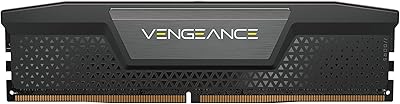
Corsair Vengeance SODIMM DDR5 32GB Laptop RAM
80%
93%
Installation Ease
89%
Speed Detection & XMP
84%
Real-World Performance
76%
Platform Compatibility
67%
Latency & Timings
More
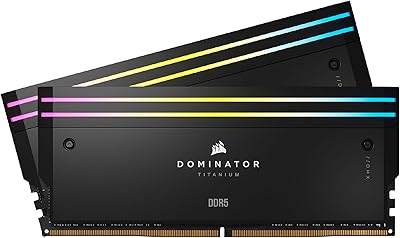
Corsair Dominator Titanium RGB 96GB DDR5 RAM
81%
93%
Performance at Rated Speed
91%
Capacity & Configuration
89%
XMP Setup Experience
88%
RGB Lighting Quality
94%
Build Quality
More
Corsair Vengeance RGB 96GB DDR5 Desktop RAM
79%
93%
XMP Setup Experience
91%
System Stability
88%
RGB Lighting Quality
63%
iCUE Software
74%
Value for Money
More
Corsair Vengeance DDR5 64GB Desktop Memory
81%
93%
Stability & Reliability
88%
XMP Setup Experience
81%
Real-World Performance
67%
Value for Money
79%
Compatibility
More
Corsair Dominator Titanium DDR5 96GB (2x48GB) 6600MHz RAM
89%
94%
Performance
91%
Build Quality
88%
Installation Ease
87%
RGB Customization
89%
Cooling Efficiency
More

FAQ

Unfortunately, no. This high-capacity RAM upgrade is built around Intel XMP 3.0, which is Intel's proprietary overclocking profile standard, and the kit is validated only for Intel DDR5 motherboards. AMD platforms use their own EXPO standard, and while some AMD boards technically accept DDR5 modules, Corsair has not validated this kit for AMD use, so reliable compatibility cannot be guaranteed.

No, iCUE is not required at all. Enabling XMP in your motherboard BIOS is all it takes to run the kit at 5200MHz with CL38 timings automatically applied. iCUE only becomes relevant if you want real-time monitoring of voltage and frequency, or if you want to save custom memory profiles for specific applications.

For everyday use — gaming, web browsing, general productivity — 96GB is well beyond what you need, and the same money would likely have more impact elsewhere in your build. The case for this kit is specific: video editors working with large uncompressed files, developers running multiple virtual machines in parallel, or 3D artists managing heavy scene data who are genuinely running into memory pressure today. If 64GB is not already causing you slowdowns or excessive page filing, the jump to 96GB is hard to justify on practical grounds.

Almost certainly yes — at 1.38 inches tall, these are low-profile by desktop RAM standards and clear nearly all popular large tower coolers. That said, clearance specs vary enough between cooler models that it is worth checking your specific cooler's published RAM clearance figure before ordering, just to be certain.

Yes, and that is exactly the intended installation method for a two-stick kit. On most Intel motherboards, the two modules should go into the paired slots designated for dual-channel operation — typically A2 and B2, but your board manual will confirm the correct slots. The two remaining slots stay empty and can be used later if you ever want to expand.

Yes, it is validated for Intel 12th, 13th, and 14th Gen platforms running on DDR5-compatible motherboards. As long as your board supports DDR5 and its BIOS recognizes XMP 3.0 profiles, reaching rated speed requires nothing more than a single BIOS setting change.

The modules will still function, but they will run at the default JEDEC DDR5 speed of 4800MHz rather than the rated 5200MHz. Nothing will be damaged, but you would be leaving performance on the table for no reason. Enabling XMP typically takes under a minute in the BIOS, and on major Intel boards this kit is almost always stable at its rated XMP speed.

It is not recommended, even when the specs look similar on paper. Different memory kits often have different sub-timings, memory ICs, or voltage tolerances under their heatspreaders, which can lead to instability or prevent the system from booting. The most reliable approach is to swap out your existing modules entirely and run the matched kit on its own.

Yes, it does more than just fill visual space. DDR5 modules operate at higher power density than DDR4, so the heatspreader plays a real role in conducting heat away from the memory chips during sustained workloads. RAM temperature is rarely a cause of instability under normal use, but the heatspreader here is a functional thermal component, not decorative metal.

The Vengeance DDR5 memory carries Corsair's limited lifetime warranty, which covers defects in materials and workmanship for as long as you own the product. If a module fails, the process typically involves submitting a support ticket with proof of purchase and working through Corsair's RMA system for a replacement. Corsair's warranty support has a generally solid reputation for responsiveness within the PC hardware community.