Overview

The Corsair Vengeance DDR5 96GB Memory Kit is the kind of purchase that makes sense only when 64GB genuinely is not enough anymore. That threshold is real for a growing number of users — large Premiere Pro timelines, complex Blender scenes, or heavily multitasked workstation sessions can push past 64GB faster than most people expect. The 2x48GB dual-channel configuration is a smart middle ground: enough headroom for today's most demanding workloads without jumping straight to 128GB. Running at 6800MHz, it sits comfortably in the upper tier of the DDR5 speed range. Launched in mid-2023, it arrived as DDR5 was stabilizing, and the platform support around it has matured into a well-understood option for enthusiast builds.
Features & Benefits

One of the more practical engineering choices here is the onboard voltage regulation (PMIC). Rather than relying on the motherboard to manage power delivery, each stick handles its own voltage internally — which translates to more consistent behavior during overclocking and less risk of instability from board-to-board variation. This 96GB DDR5 kit supports Intel XMP 3.0, essentially a pre-tested overclock profile you enable in the BIOS with a single toggle, no manual tuning required. CL40 at 6800MHz is competitive for this speed tier. The 1.4V operating voltage sits within standard DDR5 XMP range, and at just 1.38 inches tall, clearance conflicts with large air coolers are rarely an issue.

Best For

This high-capacity memory upgrade makes the most sense for users whose workloads actively consume large chunks of RAM. Video editors and 3D artists working in DaVinci Resolve, Blender, or Cinema 4D will find the extra headroom genuinely useful — not just theoretical. Developers spinning up multiple virtual machines or running large compile jobs will, too. The kit is built for Intel 12th, 13th, and 14th Gen platforms where XMP 3.0 is natively recognized. AMD users should note this kit carries no EXPO certification, making compatibility on AM5 boards less predictable. If you are building a high-end Intel workstation and already pushing against 64GB limits, this is a logical next step.

User Feedback

Based on roughly 100 ratings averaging 4.4 out of 5, the Vengeance DDR5 96GB draws broadly positive impressions — though the sample size is modest enough that the picture could shift as more buyers weigh in. Users on Z690 and Z790 boards consistently report smooth XMP enablement and stable long-term operation, with few mentions of DOA units or compatibility failures. The recurring critique is value: this kit commands a premium, and buyers who do not genuinely push past 64GB in their daily work often question whether the jump was worth it. A few users flag iCUE software overhead as unnecessary complexity when all they need is the speed profile. Overall, reliability feedback skews clearly positive.

Pros

  • 96GB of dual-channel DDR5 handles the most demanding content creation and development workloads without hitting a ceiling.
  • XMP 3.0 activation is a single BIOS toggle — no manual overclocking expertise needed to hit rated speeds.
  • Onboard voltage regulation reduces instability risks during sustained overclocking compared to motherboard-controlled power delivery.
  • At just 1.38 inches tall, the low-profile design clears even the bulkiest tower air coolers without conflict.
  • 6800MHz at CL40 is a competitive speed-to-latency ratio for a high-capacity DDR5 kit in this tier.
  • iCUE software provides real-time voltage and frequency monitoring, not just RGB lighting management.
  • Z690 and Z790 platform compatibility is reported as consistently smooth and stable by most users.
  • The 2x48GB dual-channel configuration maximizes bandwidth efficiency while keeping the slot count sensible.
  • Quality control complaints appear infrequent, suggesting solid manufacturing consistency for a premium-priced product.

Cons

  • Price-per-GB is significantly higher than mainstream 64GB DDR5 alternatives running at similar clock speeds.
  • No EXPO certification means AMD AM5 users cannot reliably count on hitting rated speeds without manual tuning.
  • With roughly 100 ratings total, the review pool is too small to draw confident long-term reliability conclusions.
  • iCUE adds background software overhead that users who prefer lean systems may find unnecessary.
  • The capacity delivers diminishing returns for anyone not regularly pushing past 64GB in active workloads.
  • Saving custom XMP 3.0 profiles requires iCUE, introducing a software dependency for users who want that flexibility.
  • A two-stick configuration means there is no incremental upgrade path — expanding capacity later requires replacing the full kit.
  • Available in black only, offering no aesthetic flexibility for builders working with a specific color scheme.

Ratings

The scores below were generated by AI after analyzing verified buyer feedback for the Corsair Vengeance DDR5 96GB Memory Kit from global e-commerce platforms, actively filtering out suspected spam, bot activity, and incentivized reviews to surface authentic user sentiment. Each category reflects real-world experience from actual buyers — professionals, enthusiasts, and everyday upgraders — and is designed to surface both where this kit genuinely excels and where it falls short. No score has been inflated to flatter the product: what you see here is a balanced synthesis of praise and frustration from people who own and use this high-capacity memory upgrade in demanding daily environments.

Value for Money
62%
38%
Users who actively work in RAM-intensive environments — video editors running multiple 4K streams, developers managing sprawling VM stacks — consistently report that the capacity pays off in reduced swap events and smoother sustained multitasking. For those buyers, the premium feels proportionate to the tangible productivity gains they experience day to day.
For everyone else, the price-per-GB is difficult to justify when competing 64GB DDR5 kits running at similar frequencies cost significantly less. Buyers who upgraded speculatively, without genuinely saturating a prior 64GB configuration, have noted feeling they overspent — particularly given there is no incremental expansion path once both slots are occupied.
Performance at Rated Speed
83%
At 6800MHz with CL40 timings, the Vengeance DDR5 96GB delivers bandwidth that meaningfully accelerates large sequential data operations — users compiling massive codebases or loading heavyweight project files in Premiere Pro report noticeably snappier response compared to slower DDR5 tiers. The speed-to-latency trade-off is well-balanced for a high-capacity workstation kit.
CL40 is not the tightest latency available at this frequency, and users running latency-sensitive workloads or competitive gaming benchmarks may notice this kit trailing tighter-timed alternatives. The gap rarely surfaces in real productivity use, but buyers chasing peak benchmark numbers will find better-binned kits at a comparable or lower price point.
Stability & Reliability
88%
Reports of instability or DOA units are relatively rare, which is reassuring for a high-frequency kit running at 1.4V under sustained load. Users on Z690 and Z790 boards describe months of trouble-free operation during prolonged Blender renders, overnight compile jobs, and continuous heavy multitasking without unexpected crashes or resets.
The current review count of around 100 ratings is still a modest sample for drawing firm long-term reliability conclusions. A small number of users reported initial boot issues before XMP was correctly configured — these typically resolve with a BIOS update rather than pointing to a defective unit, but the early experience can feel alarming if you are unfamiliar with DDR5 setup quirks.
XMP Setup Experience
91%
Across Intel Z690 and Z790 platforms, XMP 3.0 enablement is consistently described as painless — enter the BIOS, toggle the memory profile, save, and the kit boots at 6800MHz reliably on the first attempt. Users who had never manually configured RAM before found the process approachable, which is exactly what a pre-validated overclock profile should deliver.
On boards with older BIOS revisions, a handful of users encountered the kit defaulting to base JEDEC speeds even after enabling XMP, requiring a firmware update before the profile held correctly. The experience is also exclusively smooth on Intel; AMD users who attempt to run this kit on AM5 boards report inconsistent results that often demand manual timing adjustments to achieve stability.
Platform Compatibility
67%
33%
Within the Intel ecosystem, compatibility is genuinely broad — users across a wide range of Z690 and Z790 motherboards from ASUS, MSI, Gigabyte, and ASRock report no meaningful issues. The kit's presence on major board manufacturers QVL lists gives Intel platform buyers a solid baseline of confidence before purchasing.
The picture changes sharply on AMD. Without EXPO certification, AM5 users are essentially running an Intel-tuned profile on a platform that uses a different overclocking standard entirely, and results are mixed at best. This is a real limitation that narrows the addressable audience and catches some buyers off guard who assume all DDR5 compatibility is universal across platforms.
Build Quality
86%
The heatspreader feels solid and well-fitted, with no reports of it separating from the PCB or rattling loose during installation or system transport. Corsair's manufacturing consistency is evident here — users who have handled multiple Vengeance DDR5 sticks across different builds note a uniform, quality feel with no obvious variance between units in the same kit.
The matte black finish is clean but minimal, lacking the textured aluminum or premium design details found on some competing enthusiast kits. There is also no integrated temperature sensor for real-time per-stick thermal readout, which would have been a practical addition given the kit's workstation-oriented audience.
Thermal Management
84%
The onboard PMIC handles voltage delivery without concentrating excess heat directly onto the memory ICs, which contributes to stable operating temperatures even during extended rendering sessions or overnight compiles. Users in well-ventilated mid-tower and full-tower builds report no thermal throttling or heat-induced instability, even with adjacent CPU cores running at full load simultaneously.
In poorly ventilated enclosures or builds with restricted airflow near the DIMM slots, a few users noted the heatspreader becoming noticeably warm during prolonged high-throughput workloads. The passive-only cooling design places the burden on case airflow planning, which matters more than average in compact or thermally constrained build environments.
iCUE Software Experience
71%
29%
For users who engage with it, iCUE's real-time frequency and voltage monitoring is genuinely practical — confirming the kit holds 6800MHz under sustained load rather than dropping back adds operational confidence that basic BIOS readouts cannot match. The ability to save and switch custom XMP profiles is also a meaningful feature for workstation users toggling between rendering and general productivity modes.
iCUE carries a well-established reputation for background system overhead, and users who prefer lean environments find it intrusive even when configured for minimal startup impact. Multiple buyers noted the software feels heavier than its core functions warrant, and that Corsair could deliver the same monitoring utility in a significantly lighter-weight package.
Capacity Justification
74%
26%
For users whose workflows genuinely push past 64GB — large After Effects compositions, multi-layer 8K DaVinci Resolve projects, or developers running four or more virtual machines at once — the 96GB ceiling delivers breathing room that directly reduces interruptions and keeps tooling responsive at peak demand. It is a real upgrade for the right workload.
For a meaningful share of buyers who purchased speculatively, RAM usage monitors rarely show the upper 32GB being actively consumed in typical daily sessions. That idle capacity makes the premium harder to rationalize when well-regarded 64GB DDR5 alternatives would have served those workloads with identical results at a lower cost.
Overclocking Headroom
79%
21%
The onboard PMIC gives experienced enthusiasts more precise voltage control when pushing past the rated XMP frequency, and several users report stable operation above 6800MHz with measured voltage adjustments via iCUE. Removing inconsistent board-side power delivery from the equation lowers one of the more unpredictable variables in DDR5 overclocking attempts.
Chasing frequencies meaningfully beyond 6800MHz demands genuine BIOS confidence and patience with iCUE voltage tuning — this is not territory for casual experimenters. The CL40 base timings also leave less room for tightening at higher frequencies compared to kits built on better-binned ICs, which caps the ceiling for users pursuing extreme manual overclocks.
Cooler Clearance
93%
At 1.38 inches tall, this is one of the more clearance-friendly options in the DDR5 high-capacity category — users running large dual-tower air coolers like the Noctua NH-D15 or be quiet! Dark Rock Pro 4 report zero installation conflicts. The slim profile also simplifies cable management in tighter builds where taller sticks would create routing headaches.
The trade-off for the low-profile heatspreader is a modestly reduced surface area compared to taller, more aggressive designs used by some competing kits. In sustained extreme overclocking scenarios where passive thermal dissipation becomes a factor, taller heatspreaders offer a marginal edge — though for standard XMP operation this difference is practically irrelevant.
Dual-Channel Efficiency
87%
The 2x48GB arrangement fully populates a dual-channel configuration, which is the optimal setup for maximizing memory bandwidth on Intel DDR5 platforms. Users running parallel workloads — rendering in the background while actively editing in the foreground, or encoding video while running a browser-heavy research environment — benefit from the bandwidth ceiling that 6800MHz dual-channel provides.
Occupying both DIMM slots with a two-stick kit eliminates any incremental upgrade path — users who later determine they need 128GB or more must replace the entire kit rather than simply adding modules. This is a meaningful long-term constraint that deserves consideration during the original purchase decision, particularly in environments where capacity needs are still evolving.
Voltage Regulation
89%
The per-stick PMIC is a substantive engineering choice that separates this 96GB DDR5 kit from budget alternatives dependent entirely on motherboard power delivery. Enthusiasts and professionals who previously experienced instability with board-regulated DDR5 kits under heavy sustained load report noticeably more consistent behavior when per-module voltage control is handling the regulation independently.
The PMIC adds a layer of complexity when troubleshooting unexpected failures — not all system builders or IT technicians are immediately familiar with diagnosing per-module voltage regulation issues versus board-side problems. Most users will never encounter this scenario, but it is worth noting for managed IT environments where rapid spare-parts diagnosis is a priority.

Suitable for:

The Corsair Vengeance DDR5 96GB Memory Kit is purpose-built for users who have genuinely outgrown a 64GB configuration and need real working memory headroom to keep pace with their workloads. Video editors cutting 4K or 8K timelines in DaVinci Resolve, 3D artists running scene-heavy renders in Blender, and developers managing multiple virtual machines simultaneously are the clearest beneficiaries — these are the workflows where an extra 32GB translates into fewer memory swap events and more stable sustained multitasking. Software engineers working across large monorepo compiles or data scientists loading sizable datasets into active memory will also find the capacity genuinely useful rather than speculative. The kit is equally well-matched to anyone building or upgrading an Intel 12th, 13th, or 14th Gen workstation, where XMP 3.0 is natively recognized and enabling it is a straightforward single-toggle operation in the BIOS. Enthusiasts who want to push beyond stock XMP settings will also appreciate the onboard voltage regulation, which gives more precise and stable control than relying on the motherboard alone.

Not suitable for:

The Corsair Vengeance DDR5 96GB Memory Kit is not the right buy for anyone whose daily workload sits comfortably within 32GB or 64GB — and that describes the majority of PC users, including casual gamers, general-purpose home office workers, and even many enthusiast builders who have never come close to a RAM ceiling. Paying a substantial premium for capacity you will realistically never saturate is a straightforward way to overbuild a system without a measurable return. AMD platform users should approach with real caution: this kit carries Intel XMP 3.0 certification and no EXPO support, meaning performance on AM5 boards is not guaranteed to reach rated speeds and may require manual tuning with uncertain stability outcomes. Buyers prioritizing value will find better price-per-GB options among competing 64GB DDR5 kits running at comparable frequencies. Finally, if you have a strong aversion to background software, know that squeezing the most from iCUE's monitoring and voltage tools means accepting another application running on your system, even though basic XMP operation does not strictly require it.

Specifications

  • Capacity: Comes as a 2x48GB dual-channel kit totaling 96GB of DDR5 SDRAM.
  • Memory Type: Uses DDR5 SDRAM technology, the current-generation standard for high-performance desktop platforms.
  • Speed: Rated at 6800MHz when the XMP 3.0 profile is enabled in the system BIOS.
  • Latency: Runs CL40 primary timings at the rated 6800MHz XMP operating frequency.
  • Voltage: Operates at 1.4V under the XMP 3.0 profile, within accepted DDR5 XMP voltage norms.
  • XMP Support: Supports Intel XMP 3.0, including the creation and saving of custom performance profiles through iCUE software.
  • Voltage Reg.: Each module includes an onboard PMIC for self-regulated voltage delivery, independent of motherboard power management circuits.
  • Form Factor: Standard DIMM with a low-profile heatspreader measuring 5.31″ long, 1.38″ tall, and 0.28″ wide.
  • Weight: Each individual stick weighs approximately 1.28 ounces.
  • Color: Ships in a matte black finish with no integrated RGB lighting on this model.
  • Model Number: Official Corsair model identifier is CMK96GX5M2B6800C40.
  • Software: Compatible with CORSAIR iCUE for real-time voltage and frequency monitoring and custom XMP profile management.
  • Intel Platform: Validated for use with Intel 12th, 13th, and 14th Gen Core processors on DDR5-capable motherboards.
  • AMD Support: No AMD EXPO certification is included, so rated XMP speeds are not guaranteed on AM5 motherboards.
  • Release Date: First made available in August 2023.
  • Series: Part of the Corsair Vengeance DDR5 lineup, positioned as the brand's enthusiast-tier DDR5 family for desktop builds.

Related Reviews
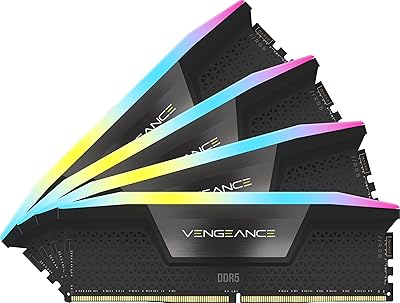
Corsair Vengeance RGB DDR5 96GB (4x24GB) 6400MHz CL32 Memory Kit
87%
94%
Performance
91%
Reliability
89%
Ease of Installation
93%
RGB Lighting Customization
90%
Overclocking Capability
More
Corsair Vengeance DDR5 96GB 6000MHz
88%
94%
Performance
92%
Overclocking Capability
89%
Compatibility with Systems
90%
Build Quality
87%
Ease of Installation
More
Crucial 96GB DDR5 5600MHz SODIMM Laptop RAM
82%
91%
Performance & Speed
93%
Workload Capacity
61%
Platform Compatibility
88%
Installation Ease
69%
Value for Money
More
Corsair Vengeance 32GB DDR5 4800MHz Desktop RAM
80%
93%
Installation Ease
89%
XMP Compatibility
91%
System Stability
82%
Value for Money
74%
Gaming Performance
More
Corsair Vengeance 96GB DDR5 Desktop RAM
82%
79%
Memory Performance
96%
Capacity Headroom
85%
Platform Compatibility
93%
Installation Experience
94%
Stability & Reliability
More
Mushkin Redline DDR5 5600 96GB Laptop Memory Kit
85%
93%
Performance Boost
88%
Value for Money
91%
Installation Ease
85%
Power Efficiency
90%
Stability
More
Corsair Vengeance RGB 96GB DDR5 Desktop RAM
79%
91%
Stability & Reliability
83%
Performance & Speed
64%
Value for Money
82%
XMP Compatibility
77%
Capacity Value
More
Corsair Vengeance RGB 96GB DDR5 Desktop RAM
79%
93%
XMP Setup Experience
91%
System Stability
88%
RGB Lighting Quality
63%
iCUE Software
74%
Value for Money
More
Corsair Vengeance LPX 32GB DDR4 Memory Kit
81%
93%
Installation Ease
91%
Physical Compatibility
86%
Platform Compatibility
94%
Reliability & Longevity
67%
Value for Money
More
Corsair Vengeance 32GB DDR4 SO-DIMM RAM
75%
71%
Compatibility Accuracy
89%
Installation Ease
86%
Multitasking Performance
78%
Value for Money
82%
Long-term Reliability
More

FAQ

The sticks will physically seat and boot on AM5 boards, but this kit is certified for Intel XMP 3.0 — not AMD EXPO. Hitting the rated 6800MHz on an AM5 platform is not guaranteed without manual tuning, and stability at those speeds can be inconsistent. If AMD is your platform, look for a kit that explicitly carries EXPO certification.

No. Enabling XMP 3.0 in your BIOS is all it takes to unlock the rated speed — no software installation required. iCUE becomes useful if you want real-time frequency and voltage monitoring, or if you plan to save custom XMP profiles for different workloads. For most users, a quick BIOS change is the only step needed.

Almost certainly yes. At 1.38 inches tall, this is a genuinely low-profile design that clears the vast majority of tower coolers on the market, including most large dual-tower models. If your cooler overhangs both DIMM slots, it is worth checking its clearance spec to confirm — but at this height, conflicts are uncommon.

For workloads that genuinely push memory hard — 4K or 8K video editing, heavy 3D rendering, or large virtual machine environments — the jump to 96GB is meaningful and reduces the pressure that causes slowdowns and disk swapping. For gaming, general productivity, or development work that comfortably fits within 32 to 64GB, the extra capacity delivers little real-world payoff. Be honest about your actual RAM usage before committing to the premium.

Restart your PC and enter the BIOS by pressing Delete or F2 during startup (the exact key varies by motherboard). Find the setting labeled XMP, DOCP, or Memory Profile and select the XMP 3.0 option. Save and exit — the system will run at 6800MHz from that point on. The whole process takes about two minutes and only needs to be done once.

It is not recommended. Mixing kits with different timings, voltages, or XMP profiles frequently causes the system to fall back to a lower base speed, and sometimes introduces outright instability. For the XMP 3.0 profile to run correctly, both sticks from this kit should be used together in the paired DIMM slots specified in your motherboard manual.

This 96GB DDR5 kit targets DDR5-capable Intel platforms — primarily Z690 and Z790 motherboards paired with 12th, 13th, or 14th Gen Intel Core processors. It will not work in any board that supports only DDR4. Checking your motherboard manufacturer's QVL (qualified vendor list) is always a smart move, though compatibility with major Z690 and Z790 boards is broadly reported as solid.

Yes, Corsair backs it with a limited lifetime warranty, which is standard across their Vengeance DDR5 series. If a module fails under normal operating conditions, Corsair's memory replacement process is generally straightforward. Keep your proof of purchase in a safe place, as it may be required when filing a warranty claim.

No. Like all XMP kits, these default to the base JEDEC DDR5 speed — typically 4800MHz — on the very first boot. You need to enable XMP 3.0 in the BIOS to unlock 6800MHz. It is a one-time setup step that takes a couple of minutes, but the rated speed will not activate on its own.

If your current workloads fit comfortably within 64GB, a 64GB DDR5 kit will give you better value per gigabyte with no noticeable performance difference day to day. The argument for stepping up to this high-capacity memory upgrade is strongest when your workloads are actively growing and you expect to need more headroom within the next year or two — replacing an entire kit later costs more than buying ahead of the curve. If 96GB still feels speculative rather than necessary, the savings on a 64GB kit are real and worth taking.