Overview

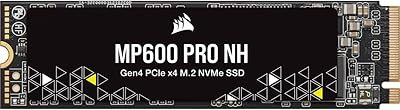
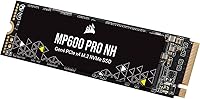
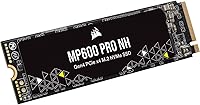
The Corsair MP600 PRO NH 4TB NVMe SSD is Corsair's answer for builders who need Gen4 performance but can't — or don't want to — stack a heatsink on top of their M.2 slot. Four terabytes in a single M.2 2280 slot is still a lot of storage for this class of drive, making it a compelling pick for anyone who wants speed and capacity without juggling multiple drives. It sits firmly in enthusiast territory, designed for those who push their systems hard. DirectStorage compatibility adds a genuinely useful forward-looking angle for PC gamers, meaning this heatsink-free Gen4 drive won't feel outdated anytime soon.
Features & Benefits

At its core, this 4TB NVMe drive runs on a PCIe Gen4 x4 interface, hitting up to 7,000MB/s sequential read and 6,500MB/s sequential write — numbers that translate to noticeably snappier boot times, faster file transfers, and quicker game loads compared to Gen3 drives. The high-density TLC NAND strikes a practical balance: it's not the fastest NAND type outright, but it holds up well under sustained workloads and keeps the cost-per-gigabyte reasonable at this capacity. A 6,000TBW endurance rating is genuinely impressive and signals that Corsair built this for longevity, not just peak benchmarks. Hardware encryption rounds out the package for users handling sensitive data, and the standard M.2 2280 form factor means it drops into virtually any modern desktop motherboard without fuss.

Best For

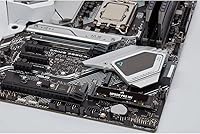
This heatsink-free Gen4 drive is a natural fit for builders whose motherboards already include integrated M.2 heatsinks — adding another heatsink on top would create clearance headaches, so the bare design is genuinely practical here. Content creators and video editors moving large RAW files or 4K footage will appreciate having both the throughput and the storage depth in a single drive. Compact ITX and mATX builders also benefit, since cramped cases leave little room for bulky drive accessories. Gamers eyeing DirectStorage titles can install this 4TB NVMe drive knowing it's ready. And if you're consolidating a pair of older, slower drives into one fast unit, 4TB of Gen4 storage makes that upgrade feel worthwhile.

User Feedback

Owners of this heatsink-free Gen4 drive tend to land in a fairly positive place overall, praising how cleanly it installs under motherboard-supplied covers without adding height. Real-world sequential speeds come close to spec under short bursts, though a few users note that sustained write performance dips more noticeably during prolonged large transfers — something to factor in if you work with huge media archives regularly. Thermal behavior is the most common concern: without a heatsink of its own, this 4TB NVMe drive can throttle in systems that lack adequate M.2 cooling. Long-term reliability reports from early buyers look solid so far. Most owners feel the storage-to-speed ratio justifies the investment, though budget-conscious buyers do mention that the asking price demands commitment.

Pros

  • Gen4 x4 speeds up to 7,000MB/s make a real difference when loading large games or transferring big media files.
  • 4TB in a single M.2 slot is genuinely convenient — one drive handles storage that used to require two.
  • The heatsink-free design is a practical advantage for motherboards with integrated M.2 covers.
  • A 6,000TBW endurance rating puts this well above average for long-term reliability under heavy use.
  • DirectStorage compatibility means this drive is ready for next-generation PC gaming workloads.
  • Hardware encryption adds meaningful data security without needing third-party software solutions.
  • The M.2 2280 form factor fits virtually every modern desktop motherboard on the market.
  • Early owners report solid day-to-day reliability with no widespread failure patterns emerging.
  • High-density TLC NAND keeps cost-per-gigabyte reasonable for a drive at this performance tier.

Cons

  • Without a heatsink, the drive can throttle under prolonged heavy writes if the system lacks adequate M.2 cooling.
  • Sustained sequential write performance drops noticeably during very long, continuous large-file transfers.
  • The premium price point makes it hard to justify for users who do not actively need 4TB or Gen4 speeds.
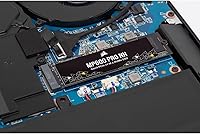
  • Strictly desktop-only — not compatible with most laptop or mini-PC M.2 configurations.
  • No heatsink is included, so buyers without motherboard coverage need to budget for a separate thermal solution.
  • TLC NAND can lag behind drives with larger DRAM caches when handling mixed random workloads at queue depth one.
  • At this price tier, a few competing drives offer slightly higher peak or sustained write benchmarks.

Ratings

The scores below reflect our AI-driven analysis of verified global buyer reviews for the Corsair MP600 PRO NH 4TB NVMe SSD, with spam, bot-generated, and incentivized submissions actively filtered out to ensure the ratings represent genuine ownership experiences. This heatsink-free Gen4 drive earns strong marks in several key areas, though real-world feedback also surfaces a handful of recurring pain points that prospective buyers should weigh carefully. Both the highlights and the trade-offs are reflected transparently across every category below.

Sequential Read Performance
91%
Users running large game installs or transferring multi-gigabyte project files consistently report that the drive feels noticeably faster than their previous Gen3 units, with boot times and file loads that genuinely impress. Benchmark results from owners closely mirror the rated 7,000MB/s ceiling under ideal thermal conditions.
A small number of users note that peak sequential read speeds are only sustained briefly before settling slightly lower, particularly in systems without robust M.2 cooling. The gap between advertised and real-world numbers is modest but worth setting expectations around.
Sustained Write Performance
71%
29%
For most everyday workloads — installing software, copying game folders, exporting moderate-length video projects — the Corsair MP600 PRO NH handles sustained writes without any obvious hesitation. Users doing back-to-back 50–100GB transfers generally report acceptable consistency.
During very long, uninterrupted write sessions such as duplicating a full 4TB backup or encoding massive media archives, the TLC NAND's write cache saturation becomes noticeable, with speeds dipping more sharply than competing drives with larger DRAM buffers. This is the most common technical complaint among power users.
Thermal Management
63%
37%
Builders who pair this drive with a motherboard M.2 heatsink cover and thermal pads report stable temperatures even under moderate sustained load. The no-heatsink design is genuinely appreciated in tight ITX builds where physical clearance is a hard constraint.
In systems without any M.2 cooling solution, this 4TB NVMe drive can reach temperatures that trigger thermal throttling during heavy workloads, which noticeably reduces real-world write speeds. Several buyers who did not check their motherboard's thermal coverage ahead of purchase were caught off guard by this behavior.
Storage Capacity
94%
Having 4TB available in a single M.2 slot is a practical win that users across gaming, video production, and general desktop use consistently praise. Many report eliminating a second drive entirely, which simplified cable management and freed up a SATA or PCIe slot for other components.
Formatted usable space lands closer to 3.6–3.7TB, which is standard across the industry but occasionally surprises buyers expecting the full advertised number. There are no credible workarounds for this, as it reflects how flash storage is universally measured versus how operating systems report capacity.
Build & Endurance
88%
The 6,000TBW endurance rating gives long-term confidence, especially for content creators and professionals who write heavily to their drives daily. Early adopters from the drive's 2022 launch have not surfaced widespread reliability concerns, which is an encouraging signal for a high-capacity TLC drive.
Because the drive is still relatively young in the market, multi-year reliability data beyond two to three years of heavy use is still accumulating. Buyers looking for a drive with a decade of field-proven longevity data may prefer more established models with longer track records.
Compatibility
89%
The standard M.2 2280 footprint means this drive drops into virtually any modern desktop motherboard without fuss. Users upgrading from older SATA or Gen3 NVMe setups consistently report a painless installation process requiring no adapters or bracket modifications.
Desktop-only compatibility is a genuine limitation for buyers who may eventually want to repurpose the drive in a laptop or use it in an external enclosure — neither scenario is supported. A small number of users also report needing a BIOS update on older Gen4-capable boards before the drive is detected correctly.
Value for Money
72%
28%
For buyers who genuinely need 4TB of Gen4 NVMe storage in a single slot, the price-per-gigabyte at this performance tier is reasonable relative to the competition. Enthusiasts consolidating multiple drives often find the total cost comparison more favorable once secondary drive costs are removed from the equation.
Buyers who do not fully utilize the Gen4 bandwidth — casual PC users, those on Gen3 boards, or anyone with modest storage needs — will feel the premium price acutely. A few reviewers explicitly note that a Gen3 alternative or a high-capacity SATA SSD would have served their actual workloads at a fraction of the investment.
Installation Experience
86%
The physical installation process is as simple as M.2 drives get — insert, press down, tighten one screw. Users across skill levels, from first-time builders to seasoned enthusiasts, report having the drive up and running within minutes of opening the package.
The drive ships with no accessories, documentation, or mounting hardware beyond the drive itself, which is standard but means novice builders need to source a standoff screw if their motherboard does not include one. A brief quick-start guide would be a welcome addition for less experienced users.
DirectStorage Readiness
82%
18%
Forward-looking buyers appreciate that this heatsink-free Gen4 drive already meets the hardware requirements for DirectStorage on Windows 11, positioning it well for games that adopt the API in the coming years. Enthusiasts building future-proof gaming rigs specifically call this out as a deciding factor.
In practice, DirectStorage-enabled games remain limited in number as of this writing, meaning the benefit is largely theoretical for most current buyers. Those purchasing primarily for today's gaming library will not see any tangible day-one advantage from this compatibility.
Hardware Encryption
79%
21%
For users who need at-rest data encryption — IT professionals, security-conscious creators, or small business users — having TCG Opal 2.0 hardware encryption built in is a genuine value-add that avoids the performance overhead of software-based alternatives like BitLocker in software mode.
Enabling and managing hardware encryption requires BIOS support and compatible software tools, which adds setup complexity that most home users will never navigate. There is essentially no practical benefit for the average buyer who has no specific encryption requirement.
Noise & Vibration
97%
As a solid-state drive with no moving parts, the Corsair MP600 PRO NH produces zero mechanical noise or vibration under any workload, which users upgrading from spinning hard drives or hybrid drives find immediately noticeable and pleasant in quieter builds.
There is genuinely nothing to criticize here from a noise standpoint. The only minor observation from a handful of users is that coil whine from the broader system can occasionally be mistakenly attributed to the drive during diagnosis, but the drive itself is entirely silent.
Software & Ecosystem
66%
34%
Corsair iCUE software provides drive health monitoring and basic performance telemetry for users who want to keep an eye on their drive's status over time. Buyers already invested in the Corsair ecosystem appreciate having all their hardware manageable through a single interface.
iCUE is not required to use the drive, but its presence invites criticism — several users report it as resource-heavy and occasionally prone to conflicts with other system monitoring tools. Buyers who prefer a lightweight or software-free setup may find the ecosystem layer more burden than benefit.
Packaging & Unboxing
74%
26%
The drive arrives in compact, no-frills packaging that keeps the unit secure without excessive plastic waste. Buyers who prioritize sustainability or minimal packaging appreciate that Corsair does not over-engineer the unboxing experience for a component that goes straight into a PC case.
The sparse packaging means there are no extras included — no mounting screw, no thermal pad, and no data migration software key. Competing drives at a similar price point sometimes include a migration tool license or basic thermal solution, making the bare-bones approach feel slightly underwhelming at the premium end of the market.

Suitable for:

The Corsair MP600 PRO NH 4TB NVMe SSD is a strong match for PC enthusiasts who have already invested in a motherboard with a built-in M.2 heatsink cover and want a high-capacity drive that slots in cleanly without clearance conflicts. Content creators — particularly video editors and photographers working with large RAW or 4K files — will genuinely benefit from having 4TB of Gen4 throughput in a single slot, reducing the need to manage multiple drives or external storage. Gamers who want to keep a large library installed and ready, especially with an eye toward DirectStorage-enabled titles, will find this heatsink-free Gen4 drive a practical long-term investment. Power users consolidating aging drives into one fast, high-endurance unit get real value from the 6,000TBW rating, which suggests years of reliable heavy use. Compact system builders in ITX or mATX cases where adding any accessory creates thermal or physical conflicts will also appreciate the bare, low-profile design.
Not suitable for:

The Corsair MP600 PRO NH 4TB NVMe SSD is not the right call for buyers whose motherboards lack any form of M.2 thermal solution, since running a high-performance Gen4 drive at this capacity without some cooling can lead to thermal throttling under sustained workloads. Casual users who primarily browse, stream, or handle light office tasks would be paying a significant premium for performance headroom they will rarely, if ever, use. Laptop upgraders should look elsewhere, as this is strictly a desktop internal drive and will not fit most notebook M.2 configurations. Budget-focused buyers who need large storage but are not bottlenecked by drive speed would be better served by a Gen3 drive or a high-capacity SATA SSD at a lower price point. Those specifically chasing the absolute fastest sustained write speeds in back-to-back large file transfers may find that TLC NAND at this capacity shows more performance dip than a drive using a larger DRAM cache or a different NAND configuration.
Specifications

  • Interface: Uses a PCIe Gen4 x4 NVMe interface, delivering significantly higher bandwidth than Gen3 drives for demanding read and write workloads.
  • Form Factor: Standard M.2 2280 form factor fits the vast majority of modern desktop motherboards without any adapter.
  • Capacity: Offers 4TB of usable flash storage, making it one of the higher-capacity single-slot Gen4 NVMe drives available for desktop builds.
  • Sequential Read: Rated for sequential read speeds of up to 7,000MB/s under optimal conditions using a PCIe Gen4-capable host system.
  • Sequential Write: Rated for sequential write speeds of up to 6,500MB/s, though sustained performance over very long transfers may vary depending on thermal conditions.
  • NAND Type: Built with high-density TLC (Triple-Level Cell) NAND, balancing storage density, endurance, and cost-per-gigabyte at this capacity tier.
  • Endurance: Rated for 6,000TBW (terabytes written), indicating a high endurance threshold suited for professional and heavy-use workloads over many years.
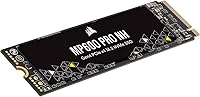
  • Heatsink: Ships without a heatsink by design, intended for use with motherboards that include integrated M.2 thermal covers or low-profile cooling solutions.
  • Encryption: Supports hardware-level encryption, allowing compatible systems to secure stored data without relying on software-based encryption tools.
  • DirectStorage: Fully compatible with Microsoft DirectStorage, enabling faster asset streaming in supported PC games on Windows 11 and newer platforms.
  • Installation: Designed for internal desktop installation only, inserting directly into an M.2 slot and secured with a single motherboard standoff screw.
  • Dimensions: Measures 3.15 x 0.87 x 0.12 inches, adhering precisely to the M.2 2280 standard and fitting flush in any compliant M.2 slot.
  • Weight: Weighs just 0.289 ounces, making it one of the lightest storage upgrades available for desktop systems.
  • Compatible Devices: Designed for desktop PC use; not intended for laptop, mini-PC, or external enclosure installations that require different M.2 configurations.
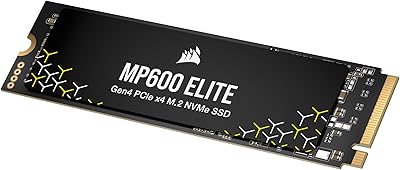
  • Color: Available in black, with a bare PCB finish that sits cleanly under motherboard heatsink covers without adding visual bulk.

Related Reviews

Corsair MP600 PRO NH 2TB NVMe SSD
82%
93%
Sequential Read Speed
89%
Sequential Write Speed
58%
Thermal Management
94%
Installation Experience
79%
Value for Money
More
Corsair MP600 PRO NH 8TB PCIe Gen4 x4 NVMe M.2 SSD
87%
92%
Performance
94%
Speed (Read/Write)
88%
Reliability
89%
Ease of Installation
91%
Capacity
More
Corsair MP600 PRO XT 2TB NVMe SSD
83%
94%
Sequential Read Speed
91%
Sustained Write Performance
93%
Thermal Management
88%
Build & Installation Quality
92%
Endurance & Longevity
More
Corsair MP600 Elite 4TB M.2 PCIe Gen4 NVMe SSD
89%
94%
Performance
93%
Speed for Gaming
96%
PS5 Compatibility
89%
Thermals (Cooling Performance)
91%
Durability
More
Corsair MP600 PRO LPX 2TB NVMe SSD
85%
93%
Read & Write Performance
96%
PS5 Compatibility
89%
Thermal Management
91%
Ease of Installation
71%
Value for Money
More
Corsair MP600 Elite 1TB NVMe SSD
82%
93%
Sequential Read Speed
87%
Sequential Write Speed
84%
Real-World Performance
67%
Thermal Management
88%
Value for Money
More
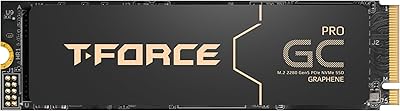
TEAMGROUP T-Force GC PRO 4TB Gen5 NVMe SSD
80%
88%
Sequential Speed Performance
83%
Thermal Management
81%
Sustained Write Consistency
67%
Compatibility & Setup Experience
74%
Value for Money
More
Oyen Digital Dash Pro 4TB NVMe SSD for PS5
88%
91%
Performance
88%
Installation Ease
94%
Speed & Load Times
83%
Thermal Management
90%
Build Quality
More
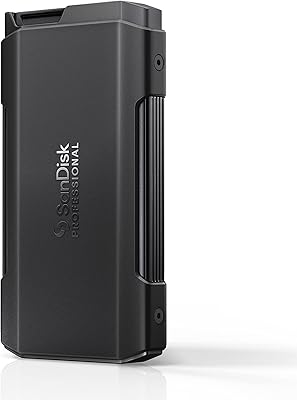
SanDisk Professional PRO-Blade Transport 4TB NVMe SSD
75%
91%
Transfer Speed
88%
Modular System Design
86%
Build Quality
62%
Value for Money
74%
Thermal Management
More
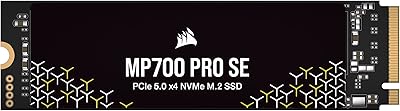
Corsair MP700 PRO 1TB NVMe SSD
76%
94%
Raw Read Performance
88%
Write Performance
61%
Thermal Management
69%
Value for Money
91%
Installation & Setup
More

FAQ

No, and that is intentional. The Corsair MP600 PRO NH is designed specifically for motherboards that already include an M.2 heatsink cover. If yours does not have one, you will want to pick up a third-party M.2 heatsink separately, since Gen4 drives at this capacity can get warm under load.

Yes, it will fit and function in a Gen3 M.2 slot, but you will only get Gen3 speeds — roughly half the rated maximum. If your board only supports Gen3, you are leaving a lot of the drive's performance on the table, so it may be worth considering whether the upgrade makes sense for your specific setup.

Like all flash storage, the formatted capacity will be slightly lower than the advertised 4TB due to how storage manufacturers calculate gigabytes versus how operating systems do. You can expect around 3.6 to 3.7TB of usable space once formatted, which is standard across the industry.

This is the main trade-off to be aware of. Without adequate cooling, the drive will throttle its speeds to protect itself from overheating during sustained heavy workloads. If your motherboard has an integrated M.2 cover with thermal pads, you will be fine. If not, adding a basic aftermarket heatsink is a worthwhile precaution, especially for prolonged file transfers.

Absolutely. In fact, it excels as a primary boot drive. Windows installation, startup times, and application loading all feel noticeably faster on a Gen4 NVMe drive compared to Gen3 or SATA SSDs. Many users run it as their sole drive rather than pairing it with a secondary storage drive.

No. Despite the M.2 2280 form factor matching what the PS5 accepts, the Corsair MP600 PRO NH 4TB NVMe SSD is rated for desktop PC use only. Corsair has separate PS5-compatible drives in their lineup; this particular model is not validated for console installation.
DirectStorage allows supported games to stream assets directly from the SSD to the GPU, bypassing the CPU bottleneck that older storage pipelines had. In practice, it means dramatically faster level load times and the ability to stream much more detailed assets on the fly in supported titles. It is a feature being adopted gradually, but having a compatible drive means you are ready when more games use it.

If you write 100GB of data every single day — which is heavy use for most people — it would take over 160 years to hit the 6,000TBW limit. For typical home users, even enthusiasts, the drive will almost certainly outlast relevance. Content creators doing constant heavy transfers are the ones who benefit most from knowing that number is as high as it is.

Yes, the drive supports TCG Opal 2.0 hardware encryption. To use it, you need to enable it through your system BIOS or a compatible encryption management tool. It is not active out of the box, so casual users do not need to worry about it unless they specifically need to secure their data at the hardware level.

It can be, with one caveat. The bare PCB design is actually a plus for tight ITX builds where clearance around the M.2 slot is limited. The concern is airflow — small cases can run warm, and without a heatsink, you want to ensure the M.2 slot gets at least some incidental airflow or has a thermal pad solution built into the board. In well-ventilated ITX cases paired with a board that has an M.2 cover, it works cleanly.