Overview

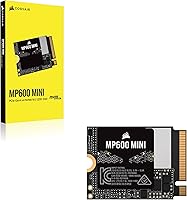
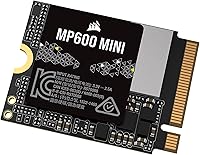
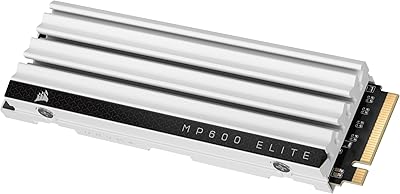
The Corsair MP600 MINI 1TB M.2 2230 SSD is built with a very specific buyer in mind — someone upgrading a handheld gaming device or an ultra-slim laptop, not a standard desktop rig. The number in that name matters more than most people realize: M.2 2230 refers to the drive's physical length, just 30mm long compared to the 80mm of a typical 2280 drive found in most laptops and PCs. Corsair has a solid reputation in PC hardware, earned over years of making memory, coolers, and storage products. This compact SSD sits at a mid-to-premium price, which makes sense if — and only if — the 2230 form factor is what your device specifically requires.
Features & Benefits

Running on a PCIe Gen4 x4 interface, the MP600 MINI is rated for up to 7,000MB/s sequential read and 6,200MB/s sequential write. Those are impressive spec-sheet numbers, but in real-world use on a Steam Deck or Surface, what you'll actually notice is faster game load times and a snappier system boot — not benchmark scores. The 3D TLC NAND is worth calling out: compared to cheaper QLC-based drives, TLC handles sustained writes better and tends to hold up longer under repeated use. The drive is also backward compatible with PCIe Gen3 slots, which broadens its usability. No heatsink is included, but in a handheld device running at relatively moderate thermal loads, that's rarely a problem in practice.

Best For

This 2230 NVMe drive is the right call for a narrow but enthusiastic group of buyers. Steam Deck owners running low on base storage will get the clearest benefit — 1TB opens up a meaningful game library without constant uninstalling. The same applies to ASUS ROG Ally and MSI Claw users facing the same storage crunch. Microsoft Surface owners needing an internal upgrade without sacrificing the slim chassis will also find this drive fits where standard drives simply won't. Small form factor PC builders who need a 2230 slot are another valid use case. If your device takes a standard 2280 drive, though, you'll find better value elsewhere — this compact SSD earns its price only when the size constraint is genuinely real.

User Feedback

Across more than 270 ratings, the MP600 MINI holds a 4.7-star average — and that consensus is earned. The most common praise centers on confirmed compatibility with the Steam Deck, with multiple buyers noting the drive installed and performed without issue. Real-world speed impressions are positive too, though predictably no one is clocking 7,000MB/s in handheld gaming; the improvements buyers describe are practical — faster load screens, smoother OS boot. On the downside, a handful of reviewers flag that installation can be daunting: opening a Steam Deck requires care, and you'll need to reinstall SteamOS from scratch afterward. A few users also mention comparing it to lesser-known 2230 drives and feeling the Corsair name justified the price premium for peace of mind.

Pros

  • Gen4 speeds bring noticeably faster game load times on Steam Deck and ROG Ally compared to base storage.
  • The 2230 form factor fits devices where standard 2280 drives physically cannot go.
  • 3D TLC NAND offers better long-term endurance than cheaper QLC alternatives in the same price range.
  • Backward compatibility with PCIe Gen3 slots makes this compact SSD usable across a wider range of devices.
  • At under 0.1 oz, it adds virtually no weight to a handheld gaming device.
  • Corsair's brand backing provides more confidence than no-name 2230 drives at similar price points.
  • A 4.7-star average across more than 270 verified ratings reflects a consistently positive ownership experience.
  • 1TB capacity is generous enough to hold a substantial game library without constant storage management.
  • Confirmed plug-and-play compatibility reported by multiple Steam Deck owners in user reviews.

Cons

  • Significantly pricier than lesser-known 2230 drives offering similar rated speeds — the Corsair name carries a cost.
  • Installing this drive in a Steam Deck requires full device disassembly and a fresh SteamOS reinstall, which intimidates many buyers.
  • No heatsink is included, which can matter during sustained heavy workloads in thermally tight enclosures.
  • Real-world sequential speeds in handheld devices rarely approach the advertised 7,000MB/s ceiling due to platform and thermal limits.
  • Buyers who don't specifically need a 2230 drive will get worse value here than from a standard 2280 Gen4 SSD.
  • Only available in a single color, which is a minor but genuine limitation for buyers with aesthetic preferences.
  • The drive comes with no cloning software or migration tools, so data transfer planning falls entirely on the buyer.
  • A relatively small review pool of around 270 ratings means edge-case reliability issues may not yet be fully represented.

Ratings

The Corsair MP600 MINI 1TB M.2 2230 SSD earned these scores after our AI system analyzed verified global buyer reviews, actively filtering out incentivized, bot-generated, and low-signal feedback to surface what real users consistently experienced. Ratings reflect both where this compact NVMe drive genuinely excels and where it falls short — no category has been softened or inflated. The result is a transparent, balanced picture of what you're actually buying.
Device Compatibility
93%
Buyers across the Steam Deck, ASUS ROG Ally, MSI Claw, and Microsoft Surface communities consistently confirm that this 2230 NVMe drive fits and functions exactly as advertised. The relief of dropping in a drive and having it detected immediately — without adapter workarounds — came up repeatedly in real user accounts.
A small number of buyers purchased without verifying their specific device revision, particularly with older Surface models, and found compatibility was not guaranteed across every variant. The 2230 size requirement is non-negotiable, and buyers who ignored that detail were left with an unusable drive.
Read/Write Performance
81%
19%
Users upgrading from factory-installed eMMC or base SATA drives in handheld devices noticed immediate, tangible improvements in game load times and system responsiveness. The Gen4 interface delivers a genuine step up over older drive technology in the same compact form factor.
Buyers benchmarking the drive on Steam Deck hardware quickly discovered that real-world throughput sits well below the rated 7,000MB/s ceiling due to platform thermal and controller constraints. Those expecting desktop-class sequential speeds in a handheld were routinely disappointed by the gap between spec sheet and reality.
Build & Form Factor
89%
The compact 2230 footprint is precisely engineered for devices where millimeters matter, and multiple buyers commented on how well the drive physically fit within the tight bays of their handhelds. At under a tenth of an ounce, it contributes nothing measurable to device weight.
The drive's minimalist construction means there is no heatsink or thermal pad included, which a handful of SFF desktop users noted as an oversight when running sustained read/write workloads in better-ventilated enclosures. For handheld gaming this is rarely a problem, but it limits versatility.
Value for Money
74%
26%
Buyers who specifically needed a 2230 drive and wanted the reliability of a known brand consistently felt the premium over no-name alternatives was justified — particularly when installing inside a device that costs several hundred dollars to replace. The TLC NAND choice reinforces the long-term value argument over cheaper QLC competitors.
For buyers who compared prices against equally rated but obscure 2230 drives, the Corsair name carries a noticeable cost premium that isn't always easy to rationalize on performance data alone. Several reviewers explicitly noted they paid more for peace of mind rather than measurably better speed.
Installation Experience
62%
38%
Technically confident buyers — those comfortable with small screwdrivers and online teardown guides — reported smooth installations on Steam Deck and Surface devices. The drive itself presented no compatibility headaches once physically seated; detection was immediate on first boot.
A recurring and genuine pain point is that installing this compact SSD in a Steam Deck requires full device disassembly and a complete SteamOS reinstall from a USB drive, which is a multi-hour process that caught many buyers off guard. Corsair provides no installation guide or migration software to ease the transition.
Endurance & Longevity
84%
The High-Density 3D TLC NAND gives this drive a meaningful edge over budget QLC alternatives in terms of sustainable write endurance, which matters for users who install and uninstall large game files repeatedly over months and years of daily use.
Corsair does not prominently publish a TBW (terabytes written) endurance rating in consumer-facing materials, which left some technically aware buyers frustrated when trying to compare long-term durability numbers against competing drives that do publish this figure.
Thermal Management
71%
29%
In handheld gaming scenarios — the drive's primary use case — thermal performance is adequate. Buyers running the drive in Steam Deck and ROG Ally units for extended gaming sessions did not widely report throttling issues under typical game-loading workloads.
Users who repurposed the drive in a compact desktop or NUC-style PC and ran sustained sequential write benchmarks noted temperature spikes that a heatsink would have mitigated. Without any included thermal solution, those buyers had to source one independently.
Brand Reliability
88%
Corsair's standing as a long-established PC hardware brand gave buyers a level of purchasing confidence that no-name 2230 competitors simply cannot match. The strong 4.7-star consensus across over 270 ratings — a meaningful sample for a niche form factor — reflects consistent quality control.
A few buyers noted that Corsair's customer support response times for storage products felt slower than expected compared to their experiences with Corsair peripherals or memory, which tempered enthusiasm slightly when post-purchase questions arose.
Packaging & Unboxing
67%
33%
The drive arrived safely in most reported cases, with adequate protection for such a small and lightweight component. Buyers generally received it in the condition expected from a reputable brand.
Multiple reviewers described the packaging as underwhelming for the price — a bare static bag inside a small box, with no mounting screw, no installation guide, and no bundled accessories. For a mid-to-premium priced drive, the unboxing experience felt more budget-tier than the product itself.
Software & Tooling
53%
47%
Buyers who only needed the drive to function as installed storage — particularly Steam Deck users running SteamOS — had no need for companion software and reported zero friction in that regard. The drive works without any driver installation on supported platforms.
Corsair does not bundle any SSD management utility, health monitoring tool, or data migration software with the drive. PC users on Windows who wanted to monitor drive health or clone an existing installation had to find third-party tools independently, which frustrated more than a few buyers.
Random Read/Write (4K)
78%
22%
For real-world tasks like launching games, opening large save files, and booting an OS, the drive's random access performance delivered a noticeably snappier experience compared to base storage on most compatible handhelds. This is the metric that matters most for everyday gaming use.
Buyers running heavy multitasking workloads or database-style access patterns on SFF desktop builds found that random write performance, while solid, did not fully match some competing Gen4 drives at similar price points when tested under sustained queue-depth loads.
Gen3 Backward Compatibility
82%
18%
Buyers with older Surface models or Gen3-only SFF systems appreciated that this compact SSD still functioned correctly and delivered a strong performance improvement over aging SATA drives, without requiring a platform upgrade to take advantage of the NVMe interface.
On Gen3 hosts, the drive's performance advantage narrows significantly compared to similarly priced Gen3-native 2230 drives. Buyers who cannot run a Gen4 controller should weigh whether the extra cost of a Gen4-rated drive is actually warranted for their specific device.
Stock & Availability
76%
24%
The drive maintained relatively stable availability on major retail platforms, which buyers noted as a practical advantage over some niche 2230 competitors that frequently go out of stock. Its ranking in the top 100 of Internal Solid State Drives suggests consistent retail presence.
Regional availability outside North America and Western Europe was inconsistently reported, with some international buyers noting inflated third-party seller pricing or extended shipping windows that reduced the overall value proposition for their purchases.

Suitable for:

The Corsair MP600 MINI 1TB M.2 2230 SSD is purpose-built for a specific kind of buyer, and if you fall into that category, it's a strong pick. Steam Deck owners running on a cramped 64GB or 256GB base drive will feel the biggest difference — 1TB gives you real breathing room for a full game library without constantly juggling installs. ASUS ROG Ally and MSI Claw users face the same storage pinch and will find this compact SSD fits their upgrade slot without compromise. Microsoft Surface owners looking to quietly boost internal storage — without swapping to a bulkier drive that physically won't fit — also land squarely in the target audience. Small form factor PC builders who specifically need a 2230-length drive rather than the more common 2280 will appreciate that Corsair brings Gen4 performance to that constrained size. Finally, if brand reliability matters to you and you'd rather pay a bit more than gamble on an unknown-brand drive inside an expensive handheld device, this drive makes that case well.
Not suitable for:

If your device uses a standard M.2 2280 slot — which covers the vast majority of laptops, desktops, and mid-tower builds — the Corsair MP600 MINI 1TB M.2 2230 SSD is simply not the right tool, and you'd be paying a premium for a size constraint you don't have. Budget-focused buyers who just need more storage and aren't locked into a 2230 slot will find comparable or better value from full-length Gen4 drives at lower prices. It's also worth being honest about the installation reality: dropping this drive into a Steam Deck requires careful physical disassembly and a full SteamOS reinstall from a USB drive, which is not a weekend project for everyone. If you're not comfortable with that process — or not willing to follow a detailed guide — the risk of a frustrating experience is real. Users expecting desktop-level sustained performance from this compact SSD in thermally constrained handhelds may also be disappointed; the lack of a heatsink and the tight enclosures of portable devices can limit peak sustained speeds under heavy workloads.
Specifications

  • Capacity: The drive offers 1TB of usable storage, providing ample space for a substantial library of games, applications, and files on compatible devices.
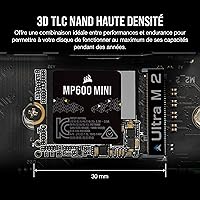
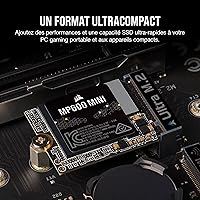
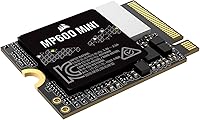
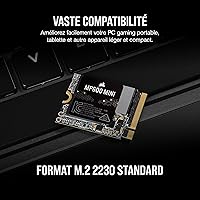
  • Form Factor: Built to the M.2 2230 standard, the drive measures just 30mm in length — significantly shorter than the 80mm 2280 drives found in most standard laptops and desktops.
  • Dimensions: Physical dimensions are 0.87″ x 1.18″ x 0.12″, making it one of the most compact high-performance NVMe drives available for consumer devices.
  • Weight: The drive weighs just 0.092 oz, adding a negligible amount of mass to any handheld or ultra-thin device it is installed in.
  • Interface: Uses a PCIe Gen4 x4 NVMe 1.4 interface, with full backward compatibility for devices running PCIe Gen3 slots.
  • Sequential Read: Rated for sequential read speeds of up to 7,000MB/s under optimal conditions using a compatible PCIe Gen4 host controller.
  • Sequential Write: Rated for sequential write speeds of up to 6,200MB/s, supporting fast file transfers and rapid game installation processes.
  • NAND Type: The drive uses High-Density 3D TLC (Triple-Level Cell) NAND flash, which balances write endurance and sustained performance more reliably than QLC-based alternatives.
  • Protocol: Operates on the NVMe 1.4 protocol, enabling low-latency command queuing and efficient data throughput across compatible host systems.
  • Compatibility: Officially compatible with Valve Steam Deck, ASUS ROG Ally, MSI Claw, and Microsoft Surface devices that accept the M.2 2230 form factor.
  • Heatsink: No heatsink is included in the box; in most handheld and thin-device installations, the enclosure's passive cooling is sufficient for typical workloads.
  • Color: Available exclusively in black, with a low-profile PCB design suited for enclosed device bays where aesthetics are not a primary concern.
  • Installation Type: Designed for internal installation only, requiring physical access to the device's M.2 2230 slot — typically via device disassembly.
  • Model Number: The official Corsair model identifier is CSSD-F1000GBMP600MNR2, useful for cross-referencing warranty claims, firmware updates, or retailer listings.
  • Backward Compatibility: The drive is backward compatible with PCIe Gen3 x4 slots, though maximum speeds will be capped at Gen3 bandwidth limits on older host controllers.
  • Brand: Manufactured by Corsair, a well-established PC hardware company with a broad product portfolio spanning memory, storage, cooling, and peripherals.
  • Avg. Rating: Holds an average rating of 4.7 out of 5 stars based on over 270 verified customer ratings on Amazon as of the time of review.

Related Reviews
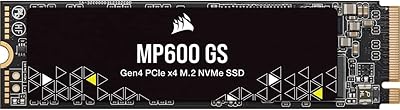
Corsair MP600 GS 1TB PCIe Gen4 NVMe M.2 SSD
87%
94%
Performance
91%
Speed (Read/Write)
88%
Installation & Setup
89%
Compatibility
72%
Thermal Management
More
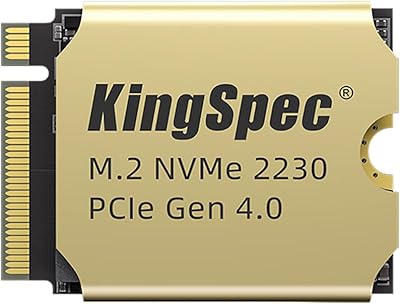
KingSpec XF-2230 1TB M.2 2230 SSD
77%
88%
Read/Write Performance
81%
Thermal Management
84%
Installation Experience
79%
Value for Money
63%
Brand Trust & Reputation
More
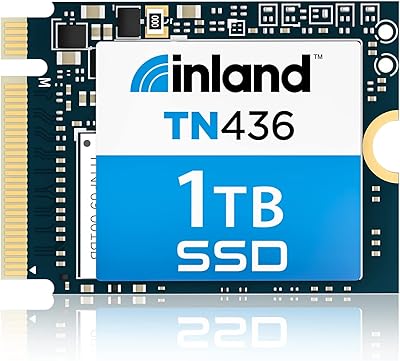
Inland TN436 1TB M.2 2230 NVMe SSD
84%
96%
Form Factor Fit
88%
Read/Write Performance
67%
Thermal Management
93%
Installation Experience
84%
Value for Money
More
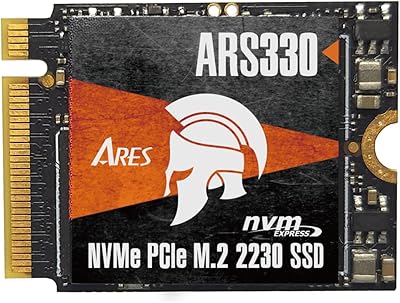
DATO ARS330 1TB M.2 2230 NVMe SSD
81%
83%
Sequential Read Speed
71%
Sustained Write Performance
88%
Thermal Management
91%
Form Factor Compatibility
86%
Value for Money
More
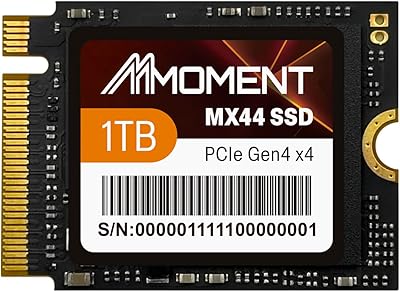
MMOMENT MX44 1TB M.2 2230 NVMe SSD
86%
92%
Performance
89%
Value for Money
95%
Ease of Installation
85%
Build Quality
87%
Durability (Dust/Water/Shock Resistance)
More
KingSpec NX 1TB M.2 2230 NVMe SSD
74%
88%
Read Performance
63%
Write Performance
94%
Form Factor Fit
86%
Installation Experience
89%
Value for Money
More
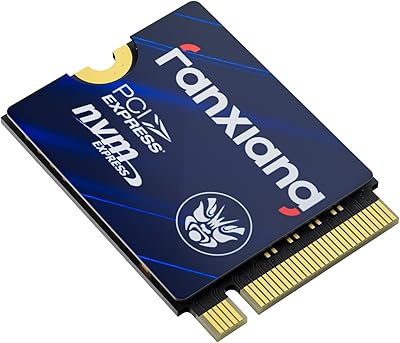
fanxiang S630 1TB M.2 2230 NVMe SSD
80%
88%
Read Speed Performance
74%
Write Speed Performance
81%
Device Compatibility
79%
Thermal Management
93%
Installation Experience
More
Timetec 1TB M.2 2230 NVMe SSD
78%
93%
Device Compatibility
88%
Installation Experience
84%
Read Performance
79%
Write Performance
62%
Thermal Management
More
Corsair MP700 PRO 1TB NVMe SSD
76%
94%
Raw Read Performance
88%
Write Performance
61%
Thermal Management
69%
Value for Money
91%
Installation & Setup
More
Dogfish M.2 2230 NVMe PCIe 4.0 1TB SSD
87%
94%
Performance
93%
Read Speed
91%
Write Speed
89%
Compatibility
88%
Ease of Installation
More

FAQ

Yes, the MP600 MINI is fully compatible with the Steam Deck's M.2 2230 slot. That said, installation is not a plug-and-play process — you'll need to open the back of the device using a small Phillips-head screwdriver, swap the drive, and then reinstall SteamOS from a USB drive. It's a manageable process if you follow a step-by-step guide, but it does take time and some patience.

The numbers in M.2 2230 refer to the drive's physical dimensions — 22mm wide and 30mm long. Most laptops and PCs use the longer M.2 2280 (80mm) standard. Handheld devices like the Steam Deck and Microsoft Surface use the shorter 2230 slot because of tight internal space constraints. Check your device's manual or a teardown guide online to confirm which size your slot accepts before buying.

Almost certainly not in everyday use. Those peak sequential read figures are benchmark scores measured under ideal conditions with a high-end desktop PCIe Gen4 controller. On a Steam Deck or similar handheld, thermal limits and the device's internal architecture cap real-world throughput well below that ceiling. What you will notice is faster game loading and a snappier system feel compared to the factory drive — which is what actually matters in daily use.

Yes, it does. The ROG Ally uses an M.2 2230 slot, and this drive is listed as compatible. Multiple buyers have confirmed successful installation. Like the Steam Deck, the ROG Ally requires physical disassembly to access the storage slot, so check a reliable teardown tutorial before you begin.

For handheld gaming devices, it's generally not an issue. The drive sits inside a compact chassis with naturally limited airflow anyway, and the workloads typical of portable gaming don't push sustained write speeds long enough to cause serious thermal throttling. If you're installing this in an SFF desktop that runs demanding workloads, you might want to monitor temperatures, but for its intended use case it's fine as-is.

TLC NAND stores three bits of data per cell, while QLC stores four. The extra bit density in QLC allows for lower manufacturing costs, but it comes with trade-offs — slower sustained write speeds and reduced long-term endurance under heavy write cycles. For a drive you plan to game on and use daily for years, TLC is the more durable and consistently performing choice.

Technically, yes — as long as your M.2 slot supports the 2230 length and a PCIe interface. However, most standard laptops and desktops are designed for the longer 2280 form factor, meaning the drive may not align properly with the mounting screw point. Functionally it could work, but you'd pay a premium for a compact size you don't actually need, when a standard 2280 drive would offer similar or better performance for less money.

No, Corsair does not bundle cloning or migration software with this drive. For Steam Deck installs, there is no practical way to clone the existing drive anyway — the recommended approach is a clean SteamOS reinstall via USB. For Surface or SFF PC installs, you'll need to source a separate cloning tool or perform a clean OS installation independently.

Yes. The drive uses NVMe 1.4 over PCIe Gen4 x4, but it will fall back to PCIe Gen3 speeds on older hardware. You won't hit the Gen4 performance ceiling, but you'll still get solid NVMe performance — considerably faster than SATA SSDs — which makes it a reasonable upgrade path even on Gen3 devices that happen to have a 2230 slot.

That's the honest question worth asking. The core justification comes down to three things: Corsair's brand accountability (established warranty support and firmware track record), the use of 3D TLC NAND rather than lower-grade QLC flash, and consistent quality control reflected in the strong rating across a meaningful sample of buyers. Budget 2230 drives can work fine, but with a device as expensive as a Steam Deck or Surface, many buyers reasonably prefer not to gamble on an unknown supplier for a component that's difficult to swap out if something goes wrong.

Where to Buy