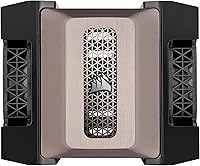
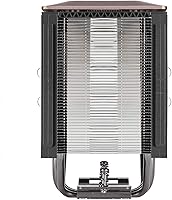
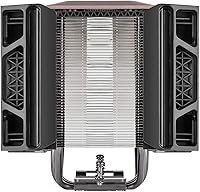
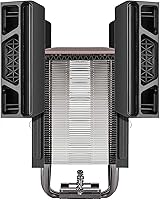
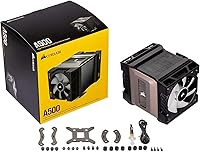
Overview

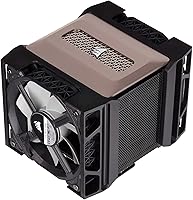
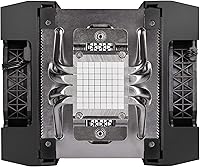
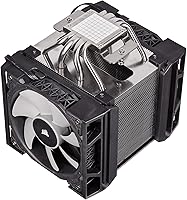
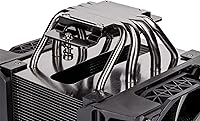
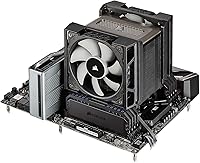
The Corsair A115 CPU Air Cooler is built for people putting together mid-to-high-end gaming rigs who want serious thermal headroom without dealing with pump noise or tubing. At its core sits a quad copper heat pipe design, which does most of the heavy lifting when it comes to pulling heat away from the chip. For anyone who has been on the fence about liquid cooling, this air cooler makes a solid case as a no-maintenance alternative. Corsair also ships it with thermal paste already applied to the base, which sounds minor but actually removes one of the more nerve-wracking steps for anyone building their first PC.

Features & Benefits

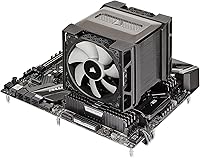
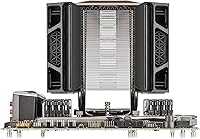
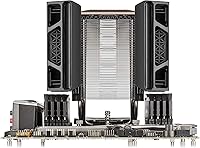
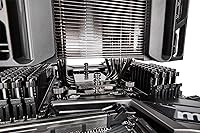
What stands out once you start using this tower cooler is the slide-and-lock fan mount, which lets you shift fan position up or down without fighting clips the entire time, particularly useful if you are running taller RAM kits. Two bundled fans with PWM control mean you can let things idle quietly during everyday browsing and ramp up automatically once a game or render job starts pushing temperatures higher. Corsair's holdfast mounting hardware also deserves credit, since it covers a wide range of Intel and AMD sockets without forcing you to hunt for extra brackets. Combine that with the copper-and-aluminum heat exchange setup and a footprint smaller than most flagship towers, and you get a cooler that fits in more cases than you might expect.

Best For

This air cooler makes the most sense for builders who want strong, dependable cooling but have no interest in pumps, fittings, or the occasional leak anxiety that comes with liquid setups. It is a particularly good match for mid-range to upper-mid-range CPUs, the kind that benefit from better thermals without needing the absolute ceiling that extreme overclockers chase. Anyone running tall RAM modules will appreciate the adjustable fan height, since clearance issues are a common headache with tower coolers in general. It also suits first-time builders well, given how straightforward the mounting process is compared to some of the more finicky air coolers on the market right now.

User Feedback

Owners tend to be pleasantly surprised by how quiet this tower cooler stays at idle, especially compared to what they expected from a cooler in this size class. A handful of users mention that the fan clips feel a bit fiddly the first time you install them, though most say it gets easier once you understand how the mechanism locks into place. On the thermal side, feedback is largely positive, with people reporting noticeably lower temperatures compared to stock coolers or budget alternatives they previously used. The most common gripe is the lack of RGB lighting, which some buyers feel is a missed touch given where this sits in Corsair's lineup, though build quality and fan performance still get consistent praise.

Pros

  • Keeps temperatures noticeably lower than stock or budget coolers in most real-world use
  • Runs quieter than expected at idle, which is great for everyday computer use
  • Pre-applied thermal paste removes a stressful step for nervous first-time builders
  • Slide-and-lock fan mount makes it easier to fit around tall RAM modules
  • Holdfast mounting system works across a wide range of Intel and AMD sockets
  • PWM-controlled fans let you balance quiet operation with stronger cooling under load
  • Compact footprint compared to flagship towers helps with case compatibility
  • Build quality and included fans get consistently positive remarks from owners
  • The Corsair A115 CPU Air Cooler avoids the maintenance headaches of liquid setups entirely

Cons

  • Fan clips can feel fiddly and unintuitive during the very first installation attempt
  • No RGB lighting, which may disappoint buyers wanting a flashier build
  • Not aimed at extreme overclockers needing maximum thermal headroom
  • Some users still need to double-check case clearance before buying
  • Noise level, while reasonable, is not whisper-quiet under sustained heavy load
  • Lacks the higher ceiling performance of larger dual-tower air coolers
  • Initial learning curve with the mounting hardware compared to simpler designs
  • No bundled software for fan curve customization beyond basic PWM behavior

Ratings

Our scores for the Corsair A115 CPU Air Cooler are generated by AI after analyzing verified user reviews from buyers worldwide, with spam, bot activity, and incentivized feedback filtered out before any scoring happens. The result is a transparent breakdown that reflects both what people genuinely love about this air cooler and the small frustrations that come up in real builds.

Cooling Performance
88%
Most owners report noticeably lower temperatures compared to stock coolers or basic budget units, especially during gaming sessions and sustained workloads. The quad heat pipe design seems to do its job well for mid-range to upper-mid-range CPUs without much drama.
A few enthusiasts chasing extreme overclocks feel the ceiling is a bit lower than larger flagship towers or dual-tower designs. It is not built for the absolute top end of thermal headroom, which shows up in occasional reviews from heavy overclockers.
Noise Level
84%
Buyers frequently mention being surprised at how low-noise this tower cooler stays during everyday tasks like browsing or light gaming. The PWM fans seem to idle down nicely when the system is not under heavy strain.
Under sustained heavy load, like long render jobs or extended gaming, the fans do ramp up and become more noticeable. It is not in the whisper-quiet category once things heat up, which a few users found slightly louder than expected.
Installation Ease
76%
24%
The holdfast mounting system and pre-applied thermal paste get consistent praise from first-time builders who appreciate not having to fumble with paste application or guess at bracket alignment. It removes a lot of the early-build anxiety for newcomers.
Several reviewers mention the fan clips feel fiddly during that first install, requiring a bit of patience to seat correctly. It is not the most beginner-proof mounting mechanism on the market, even if it gets easier with practice.
RAM Clearance
81%
19%
The slide-and-lock fan mount is a genuine problem-solver for builders running tall RAM kits, letting them reposition the fan up the tower instead of removing it entirely. This flexibility comes up often in feedback from people with taller memory modules.
Some users with particularly tall RAM heatsinks still report needing to experiment with fan placement to get a comfortable fit. It is not a universal fix for every memory kit on the market, especially unusually tall ones.
Build Quality
86%
Owners frequently describe the construction as feeling sturdier than expected for this size class, with the copper and aluminum combination holding up well over extended daily use. The included fans also get singled out as a step above typical bundled units.
A small number of reviewers note the plastic components on the fan mounting clips feel less premium than the metal heat pipe assembly. It is a minor inconsistency rather than a major durability concern, but it does stand out to detail-oriented buyers.
Socket Compatibility
89%
Coverage across a wide range of older and newer Intel and AMD sockets means most builders, even those upgrading older systems, find this air cooler fits without needing extra adapters. This broad compatibility comes up as a quiet but appreciated strength.
A few users building on very recent or niche socket types had to double-check compatibility lists carefully before purchasing. It is mostly a minor research step rather than an actual limitation in practice.
Aesthetics & Design
67%
33%
The all-black finish and clean tower silhouette fit nicely into more understated, performance-focused builds without clashing with most case interiors. Several users appreciate the subdued, professional look over flashier alternatives.
The lack of RGB lighting is a recurring complaint among buyers who wanted a bit more visual flair at this price tier. For showcase builds, it can feel plain compared to competitors offering customizable lighting.
Fan Performance
85%
PWM control on the bundled fans lets users dial in a comfortable balance between quiet idle behavior and stronger airflow under load, which shows up positively in feedback from daily gamers and streamers alike. The included fans are often called out as better than typical bundled options.
A handful of reviewers wish for finer manual control options beyond what the standard PWM curve offers. It is a small limitation for users who like to micromanage fan behavior through specialized software.
Value for Money
79%
21%
Considering the included fans, pre-applied paste, and broad socket support, many buyers feel this air cooler delivers solid performance without forcing extra purchases right away. It is frequently framed as a sensible step up from budget coolers.
Some price-conscious buyers feel the lack of RGB and the mid-tier cooling ceiling make it a tougher sell against competitors offering similar thermals with added lighting features. It is good value, but not a clear standout in every comparison.
Size & Case Fit
83%
Its footprint compared to larger flagship towers makes it easier to fit into a wider variety of mid-tower cases without major clearance headaches. Builders working with tighter case dimensions tend to appreciate this aspect specifically.
A few users with especially compact cases still had to measure carefully, since tower coolers of any size can occasionally clash with side panels or front radiator mounts. It is not guaranteed to fit every small form factor build.
Long-Term Reliability
82%
18%
Longer-term owners report consistent temperatures over months of use, with no major reports of fan failure or heat pipe degradation showing up in feedback. The build seems to hold its performance well beyond the initial install period.
Since this is a relatively newer entry compared to some long-standing competitors, very long-term data beyond a couple of years is still limited in available reviews. It is a minor uncertainty rather than a confirmed issue.

Suitable for:

The Corsair A115 CPU Air Cooler is a strong fit for anyone building a mid-to-high-end gaming PC who wants reliable thermal performance without the upkeep that comes with liquid cooling. It works especially well for first-time builders, since the holdfast mounting hardware and pre-applied paste cut down on the small mistakes that tend to happen during a first install. People running tall RAM kits will also benefit, as the adjustable fan mount sidesteps a clearance problem that trips up a lot of other tower coolers. If you are running a mid-range or upper-mid-range CPU and want quieter idle behavior with the ability to ramp up under load, this setup handles that balance well. It is also a sensible pick for anyone who simply prefers the lower long-term maintenance of air cooling over pumps and tubing.

Not suitable for:

Extreme overclockers chasing every last degree of headroom will likely want to look at larger flagship towers or custom liquid loops instead, since the Corsair A115 CPU Air Cooler is tuned more for solid, dependable performance than record-setting numbers. Anyone who installs hardware once and never wants to fuss with clip mechanisms might find the fan mounting process a little more involved than expected at first. Buyers who care about aesthetics and want RGB lighting as part of their build will be disappointed, since this cooler skips that feature entirely. People with extremely cramped cases should also double-check clearance, since even a compact tower cooler can run into tight fits depending on the motherboard layout. Finally, those who specifically want liquid cooling for its look or lower noise ceiling under heavy load should probably skip this one.

Specifications

  • Heat Pipes: The cooler uses four direct-contact copper heat pipes to draw heat away from the CPU.
  • Fan Mount: A slide-and-lock fan mount system allows variable mounting height for clearance around tall RAM.
  • Included Fans: Two PWM-controlled fans are bundled with the cooler for adjustable airflow.
  • Fan Speed: The included fans can spin up to a maximum of 2,400 RPM.
  • Noise Level: Rated noise output is approximately 36 dB under typical operation.
  • Mounting System: Corsair's holdfast retention system is used to secure the cooler to the motherboard.
  • Socket Compatibility: Supports Intel sockets LGA 1150, 1151, 1155, 1156, 1200, 2011, 2011-3, and 2066.
  • AMD Compatibility: Supports AMD sockets AM2, AM3, and AM4.
  • Thermal Paste: Thermal paste comes pre-applied to the cooler base in an optimized pattern.
  • Construction Materials: The cooler is built using a combination of aluminum fins and copper heat pipes.
  • Power Connector: Fans connect using a standard 4-pin power connector.
  • Operating Voltage: The cooling fans operate on a 12-volt power supply.
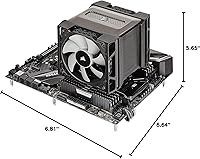
  • Dimensions: The cooler measures 6.81 inches by 5.65 inches by 6.64 inches.
  • Weight: The cooler weighs approximately 3.31 pounds.
  • Cooling Method: Heat dissipation relies on active fan-driven airflow through the heat pipe and fin array.

Related Reviews
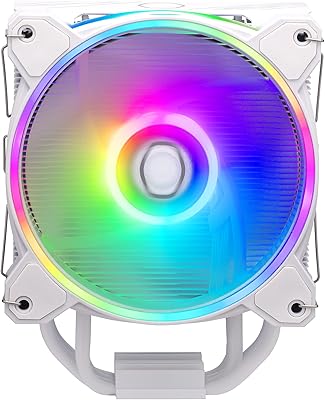
Cooler Master Hyper 212 Black CPU Cooler
79%
83%
Thermal Performance
79%
Noise Level
93%
Value for Money
76%
Installation Experience
81%
Build Quality
More
Cooler Master Hyper 212 Halo CPU Air Cooler
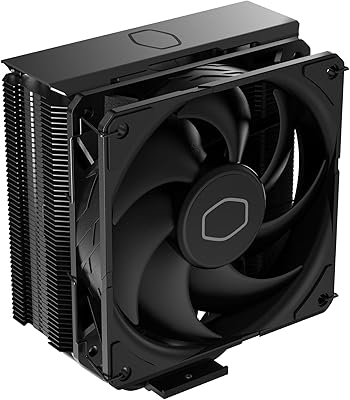
84%
88%
Cooling Performance
91%
Noise Level
85%
Ease of Installation
89%
Build Quality
80%
RGB Aesthetics
More
Cooler Master i70C Low-Profile CPU Cooler
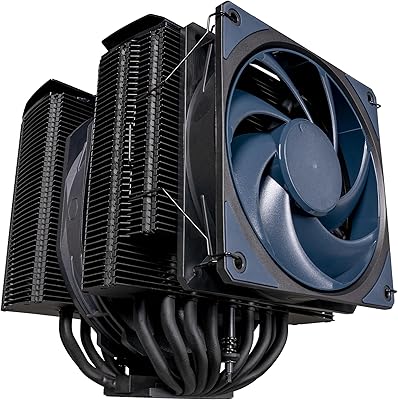
78%
72%
Thermal Performance
88%
Noise Level
93%
Form Factor & Fit
86%
Installation Ease
78%
ARGB Lighting
More
Cooler Master i71C RGB Low-Profile CPU Cooler
79%
67%
Thermal Performance
83%
Noise Level
74%
Build Quality
86%
Installation Ease
81%
RGB Lighting Quality
More
Cooler Master MasterAir MA824 Stealth CPU Cooler
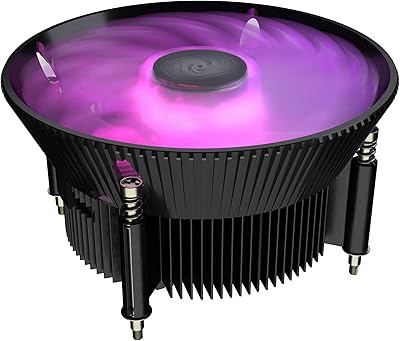
81%
88%
Thermal Performance
91%
Noise Level
93%
RAM Clearance
72%
Installation Experience
89%
Build Quality & Materials
More
Cooler Master Hyper 622 Halo Dual Tower CPU Cooler
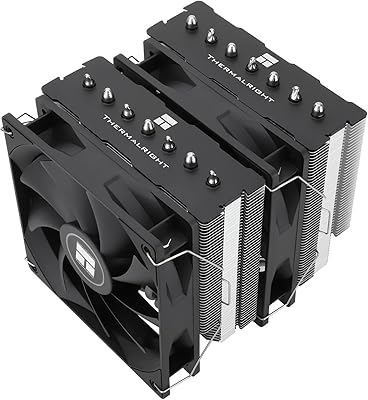
82%
83%
Thermal Performance
88%
Noise Level
89%
Ease of Installation
67%
RAM Clearance
86%
Build Quality
More
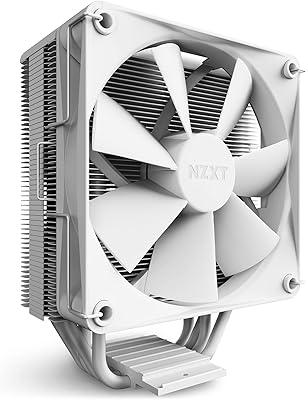
NZXT T120 CPU Air Cooler
82%
74%
Thermal Performance
88%
Noise Level
93%
Ease of Installation
91%
Aesthetics & Design
86%
Value for Money
More
Thermalright PS120SE CPU Air Cooler
80%
89%
Thermal Performance
86%
Noise Level
93%
Value for Money
74%
Build Quality
81%
Ease of Installation
More
Vetroo V5 CPU Air Cooler
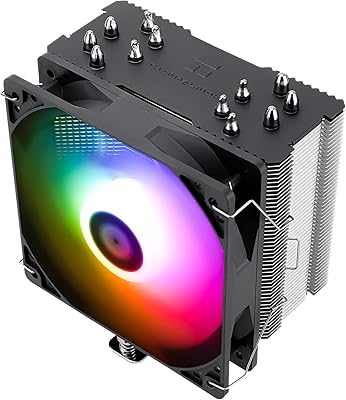
82%
73%
Thermal Performance
84%
Noise Level
91%
Value for Money
71%
Build Quality
88%
ARGB Lighting Quality
More
Thermalright SI-100 CPU Air Cooler
75%
74%
Thermal Performance
83%
Noise Level
81%
Build Quality
89%
Value for Money
67%
Installation Ease
More

FAQ

It has a more compact footprint than many flagship dual-tower coolers, so it fits in a fair number of mid-tower and some compact cases. That said, you should still check your case's clearance specs against the cooler's dimensions before buying, since tower coolers can be surprisingly tall.

Yes, that is actually one of its better features. The slide-and-lock fan mount lets you raise the fan position so it clears taller RAM heatsinks instead of forcing you to remove a fan entirely.

The pre-applied paste is genuinely solid for most users and saves you a step during install. Unless you are chasing very specific overclocking results, there is no real need to replace it right away.

At idle, this air cooler runs quieter than a lot of people expect for its size. Under heavier load, the fans do ramp up and become more audible, though it stays within a reasonable range for a cooler of this class rather than being silent.

It is fairly approachable, especially with the holdfast mounting system handling most of the alignment work. A few users do mention the fan clips feel a little fiddly the first time around, but it usually clicks once you understand how the mechanism locks.

It is aimed at mid-range to upper-mid-range CPUs that benefit from better thermals without needing the absolute highest-end cooling ceiling. If you are doing extreme overclocking, you might want to look at a larger flagship tower instead.

No, it does not include any RGB lighting. Some reviewers have mentioned this as a minor downside, but the cooler focuses purely on thermal performance rather than aesthetics.

Yes, the included fans use PWM control, so your motherboard can automatically adjust speed based on temperature, or you can set custom fan curves through your BIOS or fan control software.

Yes, this tower cooler supports a wide range of Intel sockets along with AMD's AM2, AM3, and AM4 sockets, so it covers most builds from the last several years.

Compressed air is your best friend here. Just blow out the fins and fan blades every few months, and if dust builds up heavily, you can remove the fans temporarily for a more thorough cleaning without disassembling the whole cooler.