
Overview

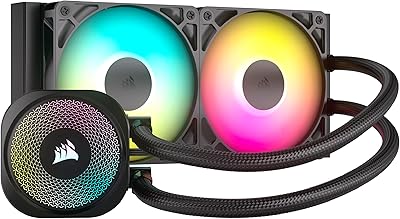
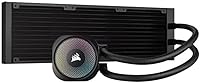
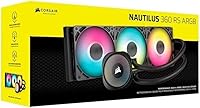
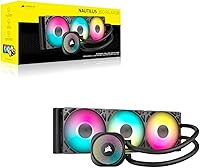
The Corsair Nautilus 360 RS ARGB 360mm AIO arrived in late 2024 and quickly climbed to the top of the water cooling charts — and honestly, it's not hard to see why. Corsair has a long track record of building reliable cooling hardware, and the Nautilus 360 leans into that reputation by keeping things focused: strong thermal performance, clean aesthetics, and no unnecessary extras. There's no LCD panel, no proprietary software required, and no bloat. It supports modern Intel and AMD sockets, making it a practical pick for most current builds. If you want capable liquid cooling without the fuss, this 360mm AIO makes a compelling case.

Features & Benefits

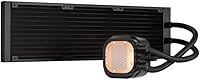
The cold plate is slightly convex — a deliberate design choice that improves surface contact with modern CPUs that have raised integrated heat spreaders. It also ships with pre-applied thermal paste in a thoughtful pattern, which saves a step and removes a common source of user error. The three RS120 ARGB fans use Magnetic Dome bearings and AirGuide technology, keeping noise down while maintaining solid static pressure. Better still, the fans daisy-chain together, so you're running only one PWM header and one ARGB header back to the motherboard — no hub, no extra controller. The pump is rated at a very quiet 20 dBA, though real-world results will vary depending on your case and fan curve settings.

Best For

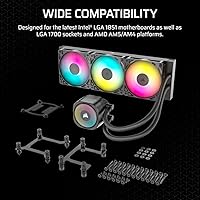
This Corsair cooler is a natural fit for builders who want serious 360mm performance without spending extra on LCD screens or proprietary control software. If you're on Intel LGA 1851 or LGA 1700, or building an AM5 or AM4 system, compatibility is a non-issue straight out of the box. The clean cable routing makes it especially appealing for windowed cases where a tangle of fan wires would ruin an otherwise tidy build. It's also a strong pick for first-time AIO installers — the pre-applied paste and straightforward bracket system remove a lot of the guesswork. Those who manage ARGB through motherboard software will appreciate how naturally it fits into existing setups without a separate app.

User Feedback

With over 3,000 ratings and a score of 4.6 out of 5, the Nautilus 360 is clearly landing well with buyers. The most repeated positives are quiet operation and how painless the install process is — the daisy-chain setup in particular gets consistent praise from people who've wrestled with cable chaos on other builds. Thermal results from community testers hold up well against competing 360mm options at a similar price point. That said, buyers coming from AIOs with built-in displays sometimes feel the absence of an LCD as a step down. A handful of users also flag tight radiator clearance in certain cases, so checking your chassis specs before purchasing is genuinely worth the extra minute.

Pros

  • Pre-applied thermal paste removes a common source of installation error for first-time builders.
  • Daisy-chain wiring cuts fan cables down to a single PWM and single ARGB header — a genuine time-saver.
  • The pump runs quietly enough that most users cannot hear it over typical ambient room noise.
  • Broad socket support covers the full range of current mainstream Intel and AMD platforms out of the box.
  • No proprietary software required — ARGB and fan control run entirely through your motherboard.
  • The 360mm radiator provides enough thermal headroom for high-TDP processors without thermal throttling.
  • Community benchmarks consistently place this 360mm AIO competitively against similarly priced alternatives.
  • The convex cold plate design improves contact with modern CPUs, translating to more consistent temperatures.
  • Over 3,000 verified ratings averaging 4.6 out of 5 reflects genuinely strong real-world satisfaction.
  • Clean, understated aesthetics work well in windowed builds without dominating the overall look.

Cons

  • No LCD display or head-unit screen — buyers who want live readouts need a different cooler entirely.
  • Motherboards without a 5V ARGB header will leave the lighting non-functional or static.
  • Pump speed cannot be manually adjusted, which limits fine-tuning options for advanced users.
  • Tight radiator clearance in compact mid-tower cases can make installation awkward or impossible.
  • The included fans, while capable, are not top-tier performers at maximum RPM for noise-sensitive setups.
  • No confirmed compatibility roadmap for future CPU sockets raises long-term platform longevity questions.
  • Solo installation on a top-mount radiator configuration is cumbersome — a second pair of hands helps significantly.
  • Some early units have been reported to produce intermittent pump noise in the first hours of use.

Ratings

The Corsair Nautilus 360 RS ARGB 360mm AIO has been scored by our AI engine after parsing thousands of verified global buyer reviews, with spam, bot submissions, and incentivized feedback actively filtered out. The result is an honest breakdown that reflects what real builders experience day-to-day — not just the highlights. Both the standout strengths and the genuine friction points are represented transparently in the scores below.

Thermal Performance
88%
Under sustained workloads, the Nautilus 360 keeps even high-TDP processors well within safe operating ranges, and community benchmark results consistently place it among the top performers in its price tier. Builders running modern Intel and AMD chips report stable temperatures during extended gaming sessions and productivity workloads alike.
A small gap exists between this cooler and the absolute top-tier 360mm options when pushing extreme overclocks, where a degree or two matters. Users with heavily overclocked flagship CPUs may eventually want more thermal headroom than this AIO provides.
Noise Level
91%
The pump runs at a genuinely quiet 20 dBA, and most buyers report barely noticing it even in quieter home office environments. The RS120 fans do a solid job maintaining low noise across typical fan curve profiles, which makes this a comfortable fit for anyone sensitive to system noise.
Real-world noise can vary meaningfully depending on case ventilation and how aggressively the fan curve is tuned. A few users running the fans at higher RPMs to chase lower temperatures found the noise more noticeable than expected from the rated specs.
Installation Experience
93%
The pre-applied thermal paste removes one of the most anxiety-inducing steps for first-time builders, and the mounting hardware is straightforward across both Intel and AMD platforms. The daisy-chain fan wiring is a standout feature here — connecting three fans to a single PWM and single ARGB header makes the install notably cleaner than most competitors.
A handful of users with smaller or unusually configured cases found the radiator dimensions left little margin for error during fitting. It is worth confirming radiator clearance in your specific chassis before committing, particularly in compact mid-tower builds.
Cable Management
92%
The daisy-chain design genuinely reduces wiring complexity, leaving builders with far fewer cables to route compared to AIOs that require individual headers for each fan. In windowed cases where aesthetics matter, this translates directly into a tidier finished build with minimal effort.
The daisy-chain approach works well when the motherboard header placement cooperates, but in some board layouts the single cable run can create an awkward routing path. It is a minor issue, but worth thinking through during planning if your header is positioned inconveniently.
Pump Quality & Reliability
87%
Corsair has a well-established track record with AIO pumps, and the Nautilus 360 continues that pattern — long-term reliability feedback from early adopters has been largely positive with very few reported failures. The pump operates consistently without the occasional grinding or gurgling that cheaper alternatives sometimes produce.
As with any closed-loop liquid cooler, the pump is not user-serviceable, so a failure down the line means replacing the entire unit. A small number of reviewers have noted intermittent pump noise during the first few hours of use before it settles, which can be unnerving even if it resolves itself.
ARGB Lighting
83%
The ARGB implementation works cleanly through a standard 5V motherboard header, which means it integrates naturally with existing RGB ecosystems — whether that is ASUS Aura, MSI Mystic Light, or Gigabyte RGB Fusion — without needing a separate app or controller. The fans produce a solid, uniform glow that looks polished in a windowed build.
There is no onboard lighting controller, so buyers without a 5V ARGB header on their motherboard will be stuck with static or no lighting. Users coming from AIOs with head-unit displays or more elaborate lighting zones may also find the look relatively understated.
Cold Plate Design
86%
The slightly convex copper cold plate is purpose-built to match the raised heat spreader profile found on modern Intel and AMD CPUs, which improves contact consistency compared to a fully flat plate. Combined with the factory-applied paste, it removes the guesswork around mounting pressure and paste spread.
The pre-applied paste, while convenient, cannot be customized — users who prefer high-performance aftermarket compounds will need to clean the plate and reapply, which adds a step the product was designed to eliminate. Some experienced builders may see this as a minor compromise.
Fan Performance
84%
The RS120 fans strike a practical balance between static pressure and airflow, making them effective at pushing air through a dense 360mm radiator without becoming the loudest component in the system. The Magnetic Dome bearings contribute to both the low noise floor and the long-term durability of the fans.
These are not the highest-performing fans Corsair offers, and enthusiasts who want maximum airflow or ultra-low noise may find themselves swapping them out for higher-tier alternatives. They are capable, but not best-in-class at the top of their RPM range.
Compatibility
89%
Supporting Intel LGA 1851 and LGA 1700 alongside AMD AM5 and AM4 means this cooler covers the overwhelming majority of current mainstream and enthusiast builds without needing an adapter kit or additional hardware. Corsair includes all required mounting hardware in the box.
Older Intel sockets like LGA 1200 and even earlier AMD platforms are not supported, which is expected but worth confirming if you are building on legacy hardware. There is no mention of future socket compatibility, so longevity across platform generations remains an open question.
Value for Money
86%
At its price point, the Nautilus 360 offers a strong combination of thermal performance, quiet operation, and clean wiring that would cost noticeably more if you were buying comparable fans and a separate lighting controller individually. The no-frills approach keeps the cost focused on what actually affects cooling.
Buyers who specifically want a built-in LCD display or advanced software integration will need to spend more on a different product, as this AIO deliberately omits those features. For that subset of buyers, the value calculation shifts depending on how much they value aesthetics over function.
Build Quality & Materials
85%
The aluminium and copper construction feels appropriately solid for the segment, and the radiator finish is clean without visible manufacturing inconsistencies based on the broad buyer sample. The overall fit and finish is in line with what you would expect from a Corsair product at this tier.
The tubing and pump housing are not premium-grade compared to higher-end AIOs, and some users note the aesthetic feels functional rather than flagship. It holds up well in practice, but close inspection reveals the cost-saving measures that keep the price where it is.
Software Independence
94%
One of the genuinely appreciated aspects of this cooler is that it requires absolutely no proprietary software to function fully — lighting and fan control run entirely through the motherboard's existing tools. For builders who are tired of managing multiple RGB applications, this is a real practical benefit.
The flip side of software independence is a lack of advanced pump control or firmware updates, which more sophisticated users sometimes want. If fine-grained pump speed adjustment is important to your build, you will not find that option here.
Ease of Mounting
91%
The bracket system is well-documented and the included hardware covers both AMD and Intel platforms without extra steps. Most builders report completing the full installation in under 30 minutes, including radiator mounting and cable routing.
The radiator weight means that mounting it solo in certain case orientations can be awkward, particularly on top mounts where holding the radiator and threading screws simultaneously requires some patience. Having a second pair of hands simplifies the process considerably.

Suitable for:

The Corsair Nautilus 360 RS ARGB 360mm AIO is built for builders who want serious liquid cooling performance without the overhead of proprietary software, LCD panels, or complicated wiring. It's a natural fit for anyone putting together a modern Intel or AMD system — particularly on LGA 1851, LGA 1700, AM5, or AM4 — who wants the job done cleanly and reliably. First-time AIO installers will find the pre-applied thermal paste and daisy-chain fan wiring genuinely reduce the number of things that can go wrong during a build. Anyone working in a windowed case where cable tidiness matters will also appreciate how much cleaner the interior looks compared to AIOs that require separate headers for every fan. If you already manage RGB lighting through your motherboard's software and want your cooler to slot right into that ecosystem, this Corsair cooler does exactly that without adding another app to the mix.

Not suitable for:

Buyers who specifically want a built-in LCD display for temperature readouts or custom graphics will need to look elsewhere — the Nautilus 360 deliberately omits that feature, and no firmware update will add it. If you are running an older platform like Intel LGA 1200 or pre-AM4 AMD hardware, compatibility is simply not there. Hardcore overclockers chasing the absolute ceiling on flagship CPUs may find that the top-tier 360mm competition offers a slight edge in sustained thermal performance under extreme loads. Anyone building in a compact case with tight radiator clearances should verify their chassis dimensions carefully before purchasing, as the fit can be snug enough to cause real installation frustration. And if fine-grained pump speed control or advanced monitoring integration matters to your workflow, the software-free design of the Nautilus 360 works against you here rather than for you.

Specifications

  • Radiator Size: The cooler uses a full 360mm radiator, providing substantial surface area to dissipate heat from high-TDP processors without thermal throttling.
  • Dimensions: The radiator measures 15.59 x 4.72 x 1.06 inches, so verifying clearance in your case before purchase is strongly recommended.
  • Weight: The complete assembly weighs 3.53 pounds, which is typical for a 360mm AIO and should be factored in for top-mount radiator installations.
  • Fans: Three RS120 ARGB 120mm fans are included, each using Magnetic Dome bearings and AirGuide technology for low-noise, high-static-pressure airflow.
  • Fan Connector: Fans connect via a 4-pin PWM daisy-chain configuration, allowing all three to run from a single motherboard fan header.
  • Pump Noise: The pump is rated at 20 dBA under normal operating conditions, making it one of the quieter pumps available at this radiator size.
  • Max System Noise: The full system, including fans at higher RPMs, is rated at a maximum of 36 dBA, though real-world levels depend on fan curve settings and case acoustics.
  • Cold Plate: The cold plate is convex copper with factory-applied thermal paste in an optimized pattern, designed to maximize contact with modern CPU heat spreaders.
  • ARGB Lighting: Lighting is delivered via a standard 5V 3-pin ARGB motherboard header, compatible with major RGB software ecosystems including ASUS Aura, MSI Mystic Light, and Gigabyte RGB Fusion.
  • Voltage: The cooler operates at 12V DC using a standard 4-pin power connector.
  • Power Draw: Total system power consumption is rated at 10 watt-hours, keeping energy overhead minimal even during sustained operation.
  • Materials: The radiator and structural components are constructed from aluminium and copper, balancing thermal conductivity with overall weight management.
  • Socket Support: Compatible sockets include Intel LGA 1851 and LGA 1700, as well as AMD AM5 and AM4, covering the full range of current mainstream and enthusiast platforms.
  • Model Number: The official model number is CW-9060093-WW, which is useful when searching for replacement parts, warranty claims, or firmware documentation.
  • Color: Available in black, with a clean understated finish that suits most windowed build aesthetics without drawing attention away from other components.
  • Cooling Method: This is a closed-loop liquid cooler (AIO), circulating coolant between the CPU cold plate and the 360mm radiator to transfer heat away from the processor.
  • Availability Date: The product was first made available in November 2024, making it a relatively recent addition to Corsair's AIO lineup with current-generation socket support baked in from launch.

Related Reviews
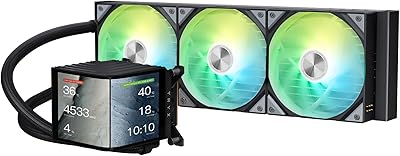
TRYX Panorama 360 ARGB 360mm AIO Cooler
86%
91%
Performance
89%
Cooling Efficiency
94%
Visual Appeal
85%
Noise Levels
77%
Ease of Installation
More
CORSAIR Nautilus 240 RS ARGB Liquid CPU Cooler
85%
89%
Cooling Performance
92%
Noise Level
85%
RGB Lighting
83%
Ease of Installation
90%
Build Quality
More
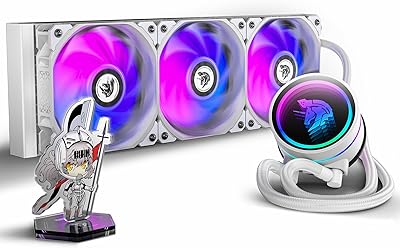
Montech HyperFlow ARGB 360 AIO Liquid Cooler
87%
90%
Cooling Performance
85%
Noise Level
92%
Ease of Installation
88%
Compatibility with Intel & AMD
91%
Warranty & Long-Term Reliability
More
ASUS ROG RYUJIN III 360 ARGB EXTREME AIO Cooler
86%
92%
Cooling Performance
89%
Build Quality
75%
Installation Ease
80%
Noise Levels
88%
Aesthetic Design
More
AsiaHorse WK-A360 ARGB AIO CPU Liquid Cooler 360mm
87%
94%
Cooling Performance
88%
Noise Levels (Under Load)
75%
RGB Aesthetics
90%
Installation Ease
92%
Build Quality
More
ASUS ROG RYUO III 360 ARGB AIO Liquid CPU Cooler
87%
94%
Cooling Performance
91%
RGB Customization
75%
Installation Ease
90%
Build Quality
88%
Noise Level
More
Lian Li Galahad II Lite 360mm ARGB AIO Liquid CPU Cooler
88%
94%
Cooling Performance
88%
RGB Customization
75%
Installation Ease
82%
Noise Levels
91%
Build Quality
More
ASUS ROG Strix LC III 360 ARGB LCD AIO Liquid Cooler
86%
91%
Cooling Performance
89%
Design & Aesthetics
87%
RGB Lighting Effects
90%
Noise Level
72%
Ease of Installation
More
Insta360 ONE RS Twin 360 Edition
87%
91%
Image Quality
94%
Stabilization Performance
89%
Ease of Use
68%
Battery Life
93%
Build Quality
More
upHere Liquid CPU Cooler 360mm AIO
86%
92%
Cooling Performance
88%
Noise Levels
90%
Installation Ease
85%
Aesthetic Appeal (RGB Lighting)
89%
Build Quality
More

FAQ

No, it does not. The Corsair Nautilus 360 RS ARGB 360mm AIO is designed to run entirely through your motherboard's headers — fan control goes through a standard 4-pin PWM connection and lighting runs off a 5V ARGB header. You can manage everything from your motherboard's existing software, whether that is ASUS Aura Sync, MSI Mystic Light, or similar. iCUE is optional, not required.

It comes with thermal paste pre-applied to the cold plate in a factory-optimized pattern, so you can mount it straight onto your CPU without any extra prep. If you prefer a specific aftermarket compound, you can wipe the plate clean and apply your own, but for most users the included paste performs just fine.

It depends on your specific case. The radiator is 15.59 x 4.72 x 1.06 inches, which is standard for 360mm AIOs, but clearance between the radiator and components like RAM or VRM heatsinks can be tight in some mid-towers. Check your case manufacturer's specs for maximum supported radiator thickness and length before buying — it only takes a minute and saves a lot of frustration.

Most users find it noticeably quiet in daily use. The pump is rated at 20 dBA, which is very low, and the RS120 fans are designed for quiet operation at moderate speeds. That said, if you push the fan curve aggressively to hit lower temperatures, noise goes up. At a balanced fan curve, the majority of users report not being bothered by it even in a quiet room.

Because the fans daisy-chain together, they share a single PWM signal and behave as one unit from the motherboard's perspective. You cannot independently control each fan's speed through the standard setup. For most use cases this is not a problem, but if you need per-fan speed control, you would need a fan controller in between.

Yes, LGA 1851 support is explicitly listed, which covers Intel's Core Ultra 200 series processors. All required mounting hardware for that socket is included in the box, so no additional adapter or kit is needed.

The fans will still spin and cool normally since they get their power from the 4-pin PWM connection. However, the ARGB lighting will not function without a 5V 3-pin header — it will likely default to off or a static color depending on how you connect it. If lighting matters to you, check your motherboard's header availability first.

The three fans link together in a chain, with a single cable running back to your motherboard's PWM fan header and one cable to the ARGB header. You are not running three separate cables for three fans — just two total connections for all fan functionality. It makes cable routing significantly cleaner, especially in builds where tidiness behind a glass panel matters.

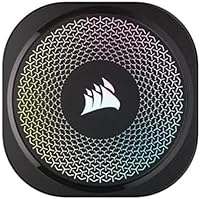
No, there is no display of any kind on this cooler. The pump head is clean and minimal. If a live temperature readout or custom graphic on the cooler head is important to you, this is not the right choice — but plenty of buyers specifically prefer the cleaner look without it.

Corsair typically covers their AIO coolers with a limited warranty — checking the current terms on Corsair's official support site will give you the most accurate and up-to-date coverage details for your region. Like all closed-loop AIOs, the pump is not user-serviceable, so a pump failure under warranty would typically result in a unit replacement through Corsair's support process.