Overview

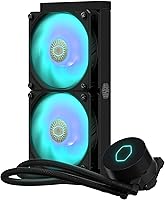
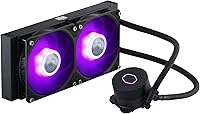
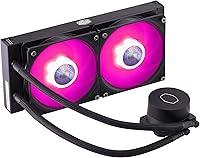
The Cooler Master MasterLiquid ML240L V2 AIO Cooler is a 240mm all-in-one liquid cooler aimed squarely at mainstream PC builders who want genuine thermal headroom without paying flagship prices. Compared to the original ML240L, this revision brings a Gen3 dual chamber pump that meaningfully improves coolant flow consistency, alongside refreshed ARGB aesthetics that make it a better fit for modern windowed builds. Socket support is genuinely broad — AMD AM5 and AM4 users are covered, as are Intel LGA1700 and LGA1200 platforms. It won't out-cool a 360mm unit or a high-end tower cooler, but for everyday gaming rigs and productivity builds, this AIO cooler holds its own comfortably.
Features & Benefits

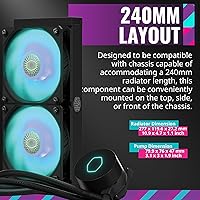
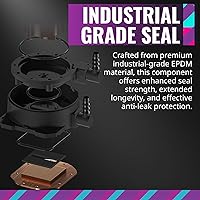
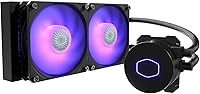
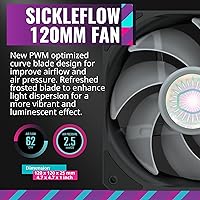
The dual chamber pump design is the headline upgrade here — by physically separating coolant from any trapped air, it maintains steadier flow rates and should outlast single-chamber alternatives. Paired with two 120mm SickleFlow fans that spin up to 1800 RPM, the radiator moves air quietly, with noise hovering around 15 dB at moderate loads. The tubing uses industrial-grade EPDM material, which resists heat and pressure breakdown far better than standard rubber. At 277 x 119.6 x 27.2mm, the radiator slots into most mid-tower cases without drama. ARGB lighting covers both the pump head and fans, syncing with major motherboard ecosystems through a 3-pin connector that keeps wiring manageable for builders of any experience level.

Best For

This 240mm liquid cooler is a natural pick for first-time AIO builders — the mounting hardware is well-labeled and installation is about as approachable as liquid cooling gets. Gamers running a mid-range Ryzen 5 or Core i5 will find it keeps temperatures noticeably lower than a typical tower air cooler, especially during extended sessions. If you are assembling a themed rig with a side window, the ARGB pump head and fans add visual cohesion without requiring a separate controller in most setups. One practical note: verify your case can fit a 240mm radiator before ordering, since clearance varies widely between enclosures. It is less suited to high-TDP workstation processors that demand prolonged heavy cooling.

User Feedback

Across nearly 12,000 reviews and a 4.6-out-of-5 overall rating, the ML240L V2 paints a consistent picture: most buyers walk away satisfied. Installation ease and well-documented mounting hardware come up repeatedly as genuine highlights, and the ARGB brightness earns praise for both color accuracy and intensity. Thermal results for mainstream gaming CPUs are rated solid, though no one is suggesting it outperforms coolers in a higher price bracket. The honest caveat: a notable share of reviewers mention a faint pump gurgle during the first few days of use, which typically fades as air purges from the loop. A smaller subset of longer-term owners has raised questions about pump longevity past two years — not a dealbreaker, but worth factoring in before committing.

Pros

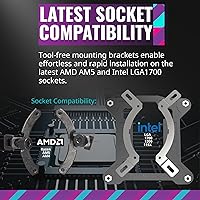
  • Broad socket support covers AMD AM5, AM4, and Intel LGA1700 out of the box, reducing compatibility headaches.
  • The Gen3 dual chamber pump delivers more consistent coolant flow than single-chamber designs found in cheaper alternatives.
  • Installation is approachable enough for first-time AIO builders, with clearly labeled brackets and pre-applied thermal paste.
  • ARGB lighting on both the pump head and fans syncs natively with all major motherboard RGB ecosystems.
  • EPDM tubing resists heat-related brittleness and holds its shape better than standard rubber over time.
  • SickleFlow 120mm fans run quietly at partial loads and ramp up smoothly under thermal demand.
  • The 240mm radiator size fits the majority of mid-tower cases in both top and front mount positions.
  • At its typical street price, this AIO cooler represents strong value against competing 240mm options in the same tier.
  • Nearly 12,000 verified reviews averaging 4.6 out of 5 reflects a genuinely broad and sustained buyer satisfaction.

Cons

  • Some units produce an audible pump gurgle during the first few days, which can alarm new owners even when harmless.
  • No standalone lighting controller is included, so ARGB customization is entirely dependent on motherboard software quality.
  • Pump longevity concerns from multi-year owners suggest it may not be the most durable long-term investment.
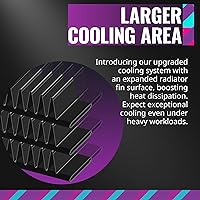
  • Radiator thickness and fin density fall short of premium-tier 240mm options, limiting peak thermal headroom.
  • Early production batches sometimes shipped without the Intel LGA1700 adapter kit, requiring a separate order to complete installation.
  • The fixed tubing length can complicate cable routing in cases where the pump head sits far from the radiator mount.
  • No dedicated fan control software means you rely on your motherboard BIOS or utility for PWM curve adjustments.
  • Buyers in micro-ATX or ITX builds face real clearance risks that are not always obvious from the product listing alone.

Ratings

The scores below for the Cooler Master MasterLiquid ML240L V2 AIO Cooler were generated by AI after analyzing thousands of verified global buyer reviews, with spam, bot submissions, and incentivized feedback actively filtered out. Each category reflects the honest consensus from real-world builders and gamers — strengths and pain points alike are represented without bias.
Thermal Performance
78%
22%
For mainstream CPUs under sustained gaming loads, this 240mm liquid cooler keeps temperatures meaningfully lower than most budget air coolers. Builders running mid-range Ryzen or Core processors report comfortable headroom even during extended sessions, which translates to better sustained boost clock behavior.
Enthusiasts pushing high-TDP processors or running CPU-intensive workloads for hours at a stretch may find the 240mm radiator reaches its ceiling faster than expected. It is not a replacement for a 360mm unit if you are regularly stressing a 12-core or higher chip.
Installation Experience
91%
The mounting hardware is one of the most consistently praised aspects across the review pool. Instructions are clear, bracket labeling is logical, and the process rarely takes more than 30 minutes even for first-time AIO builders tackling AMD AM5 or Intel LGA1700 systems.
A small number of users found the AM5 bracket required a separate accessory kit, which was not always bundled in earlier production runs. Checking for the correct kit before installation day can save a frustrating last-minute hold-up.
Pump Noise & Vibration
63%
37%
Under normal operating conditions, the pump runs quietly enough that it disappears into background system noise. Most users in moderately ventilated cases report no audible pump hum once the cooler has been running for a few days.
A notable share of buyers flag a gurgling or ticking sound from the pump head during the first 24 to 72 hours of use. While this typically settles as trapped air purges from the loop, it catches new owners off guard and has generated a disproportionate number of early negative reviews.
Fan Performance
82%
18%
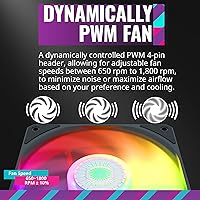
The dual SickleFlow 120mm PWM fans strike a reasonable balance between airflow and acoustic output, spinning quietly at partial load and ramping up smoothly when the system needs more cooling. At their top speed of 1800 RPM, they move enough air to keep the radiator effective without becoming distracting.
At maximum RPM under full thermal stress, the fans are audible — not loud, but present. Users in open-bench setups or very quiet rooms may notice the fan noise during demanding render jobs or long gaming sessions where the PWM curve peaks.
ARGB Lighting
88%
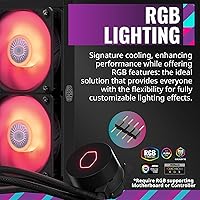
Both the pump head and the fans produce bright, well-saturated ARGB output that syncs reliably with Asus Aura, MSI Mystic Light, Gigabyte RGB Fusion, and ASRock Polychrome. Builders putting together themed windowed systems consistently rate the color accuracy and intensity as above average for the price tier.
The lighting customization depends entirely on your motherboard software, so users on boards with limited or buggy RGB implementations may find the experience inconsistent. There is no standalone controller included, which means no ARGB effects if your board lacks addressable headers.
Build Quality
76%
24%
The EPDM tubing feels robust and resists kinking during routing, and the pump head has a solid, weighty feel that does not suggest corners were cut. For a mid-range AIO, the physical construction holds up well in typical home PC environments.
Some long-term owners raise concerns about pump durability past the two-year mark, with a handful reporting performance degradation or failure outside the warranty window. The radiator fins are functional but not as tightly packed as those found on premium-tier competitors.
Radiator Compatibility
74%
26%
The 277 x 119.6 x 27.2mm radiator fits comfortably in the vast majority of mid-tower cases that support 240mm mounts, covering both top and front radiator positions in popular enclosures from Cooler Master, Fractal, and NZXT.
Compact ITX cases and some budget micro-ATX enclosures with restricted front clearance can make installation awkward or impossible. Buyers should always cross-reference their specific case radiator specs before purchasing rather than assuming 240mm compatibility is universal.
Socket Compatibility
93%
The breadth of platform support is genuinely impressive for a cooler at this price point. AMD builders on AM5, AM4, and even legacy AM3 platforms are covered, and Intel users from LGA1150 all the way up to LGA1700 and LGA2066 can mount this cooler without hunting for third-party brackets.
Intel LGA1700 support required a separate adapter kit in earlier shipping batches, which was not always clearly communicated at point of sale. Buyers upgrading to a 12th or 13th gen Intel platform should verify the kit is included or source it separately before installation.
Value for Money
84%
Relative to what competing 240mm AIOs offer at the same price, the ML240L V2 delivers a compelling package: a dual-chamber pump, ARGB fans, broad socket support, and reliable thermal performance for everyday builds. It represents a solid step up from air cooling without demanding a premium budget.
Shoppers who stretch slightly higher in budget will find 240mm AIOs with thicker radiators, stronger pump warranties, or better companion software. The value proposition is strong only when the price sits at its typical street level — at any significant premium it becomes harder to justify over alternatives.
Software & RGB Ecosystem
67%
33%
When paired with a compatible motherboard, ARGB sync works without additional software, which keeps the setup clean and avoids the cluttered desktop experience of proprietary lighting apps. Most major board vendors support the 3-pin ARGB header natively.
There is no dedicated Cooler Master software control for lighting or fan curves bundled with this cooler, which puts full control in the hands of your motherboard utility. Users whose boards have unreliable RGB software — or none at all — are left with static lighting or no lighting customization.
Pump Longevity
58%
42%
For the first two years of typical use, the pump performs consistently and most buyers report no degradation in cooling performance over that window. It is a reliable daily driver for builds that are not pushing extreme thermal loads.
A recurring theme among multi-year owners is premature pump wear or failure, which has surfaced often enough to warrant attention. The warranty period covers the most common failure window, but buyers planning to run the same cooler for three or more years should factor in the risk of eventual replacement.
Tubing Quality
79%
21%
The EPDM material used in the braided tubing resists heat-related brittleness and holds its shape under normal routing angles. Builders who have had cheaper AIO tubes crack or stiffen after a year tend to notice the improved material quality here.
The tubing length is fixed and cannot be extended, which can make cable management inside tighter cases more constrained. In chassis where the pump head sits far from the radiator mount, routing the tubes neatly requires some planning.
Unboxing & Packaging
72%
28%
Components are organized clearly in the box and the included thermal paste is pre-applied to the cold plate, which removes one variable for less experienced builders. The accessory bag is labeled by platform, which speeds up the installation process considerably.
The accessory count is high, and the small plastic components can be easy to misplace during unpacking. A few buyers have reported missing brackets or incorrect hardware included in the box, which required contacting Cooler Master support before they could complete the build.

Suitable for:

The Cooler Master MasterLiquid ML240L V2 AIO Cooler is an excellent fit for mainstream PC builders who want a meaningful thermal upgrade over stock or budget air coolers without committing to a high-end liquid cooling budget. First-time AIO installers will appreciate the clearly labeled mounting hardware and broad platform support, which covers AMD AM5, AM4, and Intel LGA1700 among many others — so it works across most current and recent-generation builds. Gamers running mid-range CPUs like a Ryzen 5 or Core i5 will find it keeps temperatures comfortably in check during long gaming sessions without the cooler becoming the loudest component in the case. Builders putting together a windowed or themed rig on a moderate budget will also get genuine value from the ARGB pump head and fans, which sync with major motherboard lighting ecosystems without requiring a separate controller. If your case supports a 240mm radiator — and most mid-tower enclosures do — this 240mm liquid cooler slots in without drama and delivers reliable daily performance.
Not suitable for:

The Cooler Master MasterLiquid ML240L V2 AIO Cooler is not the right tool for builders pushing high-core-count workstation processors or anyone who runs sustained CPU-intensive workloads — video encoding marathons, heavy 3D rendering, and similar tasks can push the 240mm radiator to its thermal ceiling faster than a 360mm alternative would. Enthusiasts who plan to overclock aggressively should also look elsewhere, since this cooler is tuned for steady everyday performance rather than sustained peak thermal dissipation. Buyers in very compact ITX cases with restricted radiator clearance will likely find the installation awkward or impossible, so checking case compatibility before ordering is essential. Anyone hoping for standalone RGB control or dedicated companion software will be disappointed — the lighting experience depends entirely on your motherboard utility, and boards with limited or unstable RGB software will produce inconsistent results. Finally, if you are planning to run the same cooler for three or more years without a backup plan, the reported pump longevity concerns from long-term owners are worth taking seriously before committing.
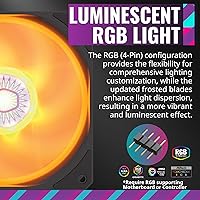
Specifications

  • Radiator Size: The radiator measures 277 x 119.6 x 27.2mm, making it a standard 240mm form factor compatible with most mid-tower cases.
  • Fan Size: Two 120mm SickleFlow PWM fans are included, each capable of spinning up to a maximum of 1800 RPM.
  • Fan Type: Both fans use an ARGB PWM design with refreshed blade geometry intended to balance airflow output with reduced operating noise.
  • Noise Level: At typical operating speeds, the system is rated at approximately 15 dB, placing it among the quieter options in its class under moderate loads.
  • Pump Design: The 3rd Generation dual chamber pump physically separates coolant from air to maintain more consistent flow and reduce wear over time.
  • Tubing Material: Industrial-grade EPDM rubber tubing is used throughout, offering stronger resistance to heat, pressure, and long-term degradation compared to standard PVC alternatives.
  • Lighting: ARGB lighting is integrated into both the pump head and the two included fans, with a 3-pin ARGB connector for motherboard sync.
  • Power Connector: The pump connects via a 3-pin connector, keeping wiring straightforward and compatible with standard motherboard fan headers.
  • Voltage: The system operates at 12V DC, in line with standard PC power supply specifications.
  • Wattage: Total system power draw is rated at 260W, which reflects the combined pump and dual-fan load under peak conditions.
  • AMD Compatibility: Supported AMD sockets include AM5, AM4, AM3+, AM2+, FM2+, and FM1, covering a wide range of current and legacy AMD platforms.
  • Intel Compatibility: Supported Intel sockets include LGA1700, LGA1200, LGA1151, LGA1150, LGA1155, LGA1156, LGA1366, LGA2066, LGA2011-v3, and LGA2011.
  • Weight: The complete cooler assembly weighs approximately 2.95 lbs, which is typical for a 240mm AIO with dual fans and radiator.
  • Model Number: The official model number is MLW-D24M-A18PC-R2, which can be used to verify compatibility and locate the correct replacement parts or accessories.
  • Cold Plate Material: The cold plate is made from copper, which provides efficient heat transfer from the CPU lid into the liquid cooling loop.
  • Thermal Paste: Thermal paste comes pre-applied to the cold plate at the factory, removing the need for buyers to apply their own compound before first installation.
  • Radiator Material: The radiator is constructed from aluminum, which offers an effective balance between heat dissipation capacity and overall system weight.
  • Warranty: Cooler Master provides a standard 2-year limited warranty on this AIO cooler, covering manufacturing defects under normal use conditions.

Related Reviews
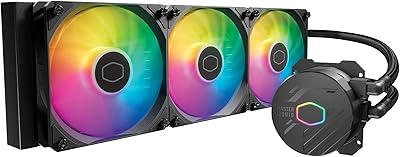
Cooler Master MasterLiquid 360L Core 360mm
82%
88%
Thermal Performance
74%
Pump Quality & Reliability
91%
Installation Experience
83%
Noise Level
86%
Value for Money
More
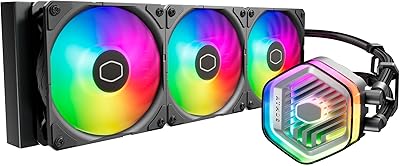
Cooler Master MasterLiquid Atmos 240 Liquid Cooler
82%
76%
Thermal Performance
88%
Noise Level
82%
Build Quality
84%
Pump Performance
91%
RGB & Lighting
More
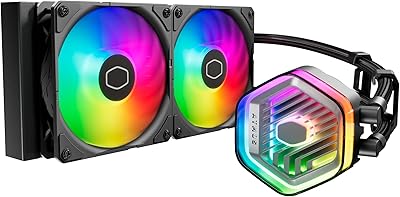
Cooler Master MasterLiquid Atmos 360 AIO Cooler
83%
88%
Thermal Performance
91%
Noise Level
83%
Build Quality
87%
Installation Experience
84%
RGB & Lighting Quality
More
Cooler Master Q300L V2 Micro-ATX Tower Case
77%
91%
Value for Money
83%
Airflow Performance
77%
Build Quality
81%
Tempered Glass Panel
72%
Cable Management
More
Cooler Master MWE Gold 750 V2 750W PSU
90%
95%
Energy Efficiency
89%
Noise Levels
91%
Modular Cable Management
92%
Build Quality
87%
Cooling Performance
More
Cooler Master MWE Gold 850 V2
80%
92%
Noise Level
89%
Cable Management
84%
Efficiency & Power Delivery
78%
Build Quality
61%
Warranty & Support
More
Cooler Master TD500 Mesh V2 ATX Mid-Tower Case
84%
91%
Cooling Performance
88%
Ease of Installation
84%
Build Quality
67%
Cable Management
92%
ARGB Lighting Customizability
More
Cooler Master MWE 750 Bronze V2 750W Power Supply
86%
89%
Energy Efficiency
86%
Build Quality
90%
Noise Level
88%
Installation Ease
80%
Cable Management
More
Cooler Master V8 GTS High Performance CPU Cooler
84%
90%
Cooling Performance
88%
Ease of Installation
65%
Fan Noise
92%
Build Quality
85%
Aesthetic Appeal (LED Lighting)
More
Cooler Master Hyper 212 Black CPU Cooler
79%
83%
Thermal Performance
79%
Noise Level
93%
Value for Money
76%
Installation Experience
81%
Build Quality
More

FAQ

Early production runs of the ML240L V2 did not always include the LGA1700 mounting kit in the box. Cooler Master made this adapter available as a separate Amazon listing. Before you build, check whether your specific box includes the LGA1700 bracket — if it does not, order the adapter kit in advance so you are not stuck waiting mid-build.

Yes, this is a known and fairly common break-in quirk. When the cooler is first installed, small air pockets can get trapped in the pump loop and cause a faint gurgling or ticking sound. In most cases it resolves on its own within 24 to 72 hours as the air works its way out. If the noise persists beyond a week, that is worth escalating with Cooler Master support.

The fans and pump head each use a 3-pin ARGB header, which is the standard addressable RGB connector found on most modern motherboards from Asus, MSI, Gigabyte, and ASRock. If your board has a 3-pin ARGB header and supports it in the manufacturer software — Aura Sync, Mystic Light, RGB Fusion, or Polychrome — you are good to go. There is no standalone controller included, so if your motherboard does not support ARGB headers natively, you will be stuck on static lighting.

It can manage high-end CPUs under light to moderate loads, but the 240mm radiator has real thermal limits under sustained full-load workloads on chips with very high TDP ratings. For a Ryzen 9 or Core i9 being used primarily for gaming it will be adequate, but if you are running long rendering jobs or heavy multithreaded workloads regularly, a 360mm AIO or a premium tower cooler would be a more comfortable fit.

No, this is a closed-loop AIO — it comes pre-filled and sealed from the factory. You do not add, drain, or maintain the coolant. The only prep step is confirming the pre-applied thermal paste on the cold plate is intact before mounting. If it looks disturbed, wipe the cold plate clean and apply a fresh pea-sized amount of quality thermal compound before seating it on the CPU.

Fan speed is managed through your motherboard BIOS or its companion software utility. The fans use PWM control, so you can set custom curves based on CPU temperature. There is no proprietary Cooler Master software for fan control with this cooler, which is not necessarily a drawback — most builder-friendly boards give you plenty of control through their own interface.

Yes, front mounting works fine and is actually preferred in many builds because it allows the fans to pull cooler ambient air directly through the radiator rather than the warm air that accumulates at the top of the case. Just make sure your case manual confirms it supports a 240mm radiator in the front position, as some enclosures have clearance restrictions near front-panel connectors or drive cages.

The ML240L V2 will generally outperform a single-tower air cooler like the Hyper 212 on sustained loads, particularly when the CPU boosts for extended periods. The thermal headroom is meaningfully larger, and it keeps peak temperatures lower during gaming sessions. The tradeoff is slightly more complex installation and a marginally higher failure risk long-term since there is a pump involved. For mid-range CPUs in a gaming PC, the AIO wins on thermals and aesthetics; for pure reliability over many years with minimal fuss, a premium dual-tower air cooler is a genuine alternative worth considering.

Being a closed-loop system, it requires no coolant top-ups or regular maintenance. General best practice is to keep your case reasonably dust-free so the radiator fins stay clear, which helps maintain airflow efficiency. Most users get two to three years of solid performance, though some long-term owners have reported pump degradation beyond that window. It is not a forever cooler for a permanent build, but for a typical PC refresh cycle of two to four years it should serve reliably under normal operating conditions.

Since this is a liquid cooler, traditional CPU clearance height is not the concern — what matters here is radiator mounting space, not the height above the motherboard. You need to confirm that your case has an open 240mm mounting position, either at the top, front, or side depending on your enclosure. Check your case specifications for supported radiator sizes and positions before ordering, as clearance varies quite a bit even among cases that nominally support 240mm radiators.

Where to Buy