
Overview

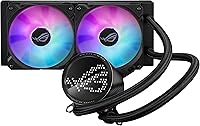
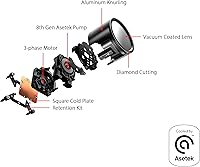
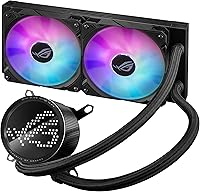
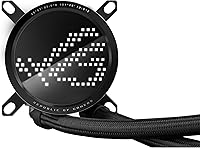
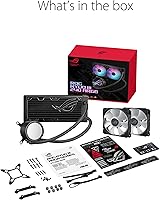
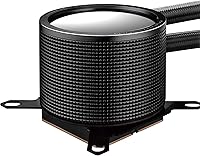
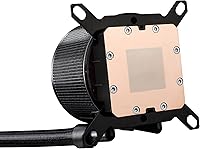
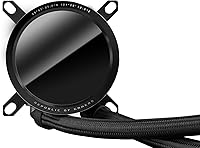
The ASUS ROG Ryuo III 240 ARGB Cooler sits near the top of ASUS's gaming lineup, and it shows the moment you take it out of the box. At its core is an 8th-generation Asetek pump built around a 3-phase motor, the kind of engineering that suggests ASUS wanted real performance credentials rather than just RGB flash. The headline feature, though, is the Anime Matrix display sitting right on the pump block, a mini-LED panel that turns an otherwise standard part into a personal little showcase. Socket support stretches across most current Intel and AMD platforms, so compatibility shouldn't be a concern for most builders. Given the price tag, this is clearly positioned as a flagship pick, not a budget one.

Features & Benefits

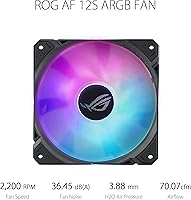
Most of what makes this AIO cooler worth a closer look comes down to a handful of well-chosen parts working together. The Asetek pump is rated for higher flow and lower impedance than older designs, which in practice should mean more consistent cooling under sustained load. The pair of ROG 12S ARGB fans are rated near 70 CFM, plenty for pulling heat through a 240mm radiator without straining. Build quality leans heavily on aluminum construction, finished with a vacuum-coated lens that gives the whole unit a glossy, almost jewelry-like sheen rather than a typical matte plastic look. Noise stays around 36 dB(A) even with fans capable of spinning up to 2200 RPM, and a generous 400mm tube length means awkward case layouts are rarely a dealbreaker for installation.

Best For

This liquid cooler makes the most sense for builders who want their rig to double as a centerpiece, not just a machine tucked under a desk. If your case has a tempered glass panel and you plan to show off the internals, the display alone justifies a lot of the cost. It also fits naturally into newer builds, covering current Intel sockets like LGA1700 and LGA1851 alongside AMD's AM4 and AM5 platforms, so socket compatibility won't be the limiting factor. Mid-range to upper-tier CPUs that need dependable thermal headroom, without jumping all the way to a 360mm radiator, are a good match here. And if you're already running other ASUS ROG gear, the aesthetic and software tie-ins make this an easy fit rather than a mismatched add-on.

User Feedback

Owners of the Ryuo III 240 tend to focus their praise on two things: how solid the build feels in hand, and how much personality the screen adds to an otherwise utilitarian part of the PC. Cooling performance generally earns positive marks too, holding its own against other 240mm units rather than just coasting on looks. The complaints that do show up are fairly consistent. A number of buyers mention that getting the display configured through Armoury Crate took more fiddling than expected, with occasional driver hiccups on first setup. Others feel the price runs a bit high next to coolers offering similar thermal results without the screen. Acoustically, most reports describe it as quiet at idle and only mildly noticeable under heavier loads, which lines up with its stated noise rating.

Pros

  • Anime Matrix display adds genuine personality most coolers simply don't offer
  • 8th-gen Asetek pump delivers dependable, consistent cooling under sustained load
  • Aluminum build with a vacuum-coated lens feels noticeably premium in hand
  • Stays fairly quiet even when fans ramp up under heavier workloads
  • Broad socket support means it works across most current Intel and AMD builds
  • 400mm tube length makes installation easier in awkward or larger cases
  • ROG 12S fans push solid airflow without excessive noise
  • Pairs naturally with other ASUS ROG components for a cohesive build aesthetic

Cons

  • Asking price runs noticeably higher than similarly performing 240mm coolers
  • Armoury Crate setup can be finicky, especially when first configuring the display
  • Visual centerpiece feature is wasted in cases without a side window
  • Some users report occasional driver hiccups when first installing the software
  • Not the strongest option for extreme overclocking compared to larger 360mm radiators
  • Premium styling adds cost that buyers uninterested in RGB won't appreciate
  • Software dependency means part of the experience hinges on ASUS's ecosystem reliability

Ratings

Our scores for the ASUS ROG Ryuo III 240 ARGB Cooler are generated by AI after analyzing thousands of verified user reviews from around the world, with spam, bots, and incentivized feedback filtered out before scoring begins. The goal is a transparent breakdown that reflects both what people genuinely love about this AIO cooler and where it tends to fall short in daily use.

Build Quality
89%
Owners consistently mention how solid and well-finished this liquid cooler feels straight out of the box, from the weighted pump block to the radiator fins. The vacuum-coated lens in particular gets called out as feeling closer to a premium accessory than a typical cooling component.
A handful of buyers note the tubing feels slightly stiffer than expected during initial routing, making tight bends in compact cases a bit more deliberate. It is not a dealbreaker, but it does require a little extra patience during install.
Cooling Performance
84%
For a 240mm unit, the Asetek pump and ROG 12S fans keep temperatures steady during extended gaming sessions and moderate overclocking, with several users comparing it favorably to similarly sized rivals. It handles mid-to-high-end CPUs without breaking a sweat under typical workloads.
Buyers pushing heavily overclocked or high-TDP chips sometimes find themselves wishing for the extra headroom a 360mm radiator would provide. It is competent rather than exceptional once you get into truly demanding thermal territory.
Anime Matrix Display
88%
This is the feature people talk about most, with users enjoying the ability to display custom animations, temps, or clock speeds right on the pump block during streaming setups or LAN parties. It adds a personal touch that most coolers simply cannot match.
A few reviewers feel the novelty wears off after the first few weeks once the initial customization phase is done. Visibility also depends heavily on case orientation, so builders without a clear sightline to the pump get less value from it.
Software Experience (Armoury Crate)
68%
32%
Once configured, the software lets users sync lighting and display content with other ROG components, creating a cohesive look across the whole build. Stat overlays and custom animation uploads are genuinely flexible for tinkerers who enjoy fine-tuning.
Initial setup is the most common complaint in user feedback, with several buyers describing driver hiccups or unresponsive menus the first time they tried to configure the display. It is workable, but not the plug-and-play experience some expected.
Value for Money
61%
39%
Buyers who specifically wanted the Anime Matrix display and ROG branding feel the price is justified, especially when paired with other ASUS ecosystem gear in a themed build. The included tubing length and fan quality add tangible extras beyond just the screen.
The most recurring criticism across reviews is that similarly performing 240mm coolers without the display cost noticeably less. Buyers focused purely on thermal performance per dollar often feel they're paying a premium for aesthetics rather than function.
Pump and Fan Noise
85%
At idle and during everyday browsing or light gaming, this AIO cooler stays close to silent, which users appreciate in quieter home office or bedroom setups. The 36 dB(A) rating tracks closely with real-world impressions.
Under sustained heavy load, fan noise becomes more noticeable as RPMs climb toward the 2200 ceiling, though most describe it as a mild hum rather than anything disruptive. Acoustic-sensitive users in very quiet rooms may still notice the difference.
Socket Compatibility
92%
Coverage across current Intel sockets like LGA1700 and LGA1851, plus AMD's AM4 and AM5, means most recent builds slot this in without needing extra brackets or workarounds. Builders upgrading platforms appreciate not having to second-guess fitment.
Older or niche socket types fall outside the supported list, so anyone running legacy hardware will need to look elsewhere. It is forward-focused rather than backward-compatible.
Installation Ease
79%
21%
The 400mm tube length gives noticeably more slack than shorter AIO designs, making it easier to route around obstructions or awkward pump placements in deeper cases. First-time builders find the included instructions clear enough to follow.
Mounting the radiator and aligning the backplate still takes some care, and a few users mention the longer tubes can feel slightly unwieldy in smaller cases during the initial fit. It rewards patience over speed.
Aesthetic Design
91%
The aluminum construction combined with the glossy vacuum-coated lens consistently draws compliments, especially in builds with a windowed side panel showing off the pump block. It looks distinctly more premium than standard AIO coolers on a shelf.
Builders running closed or non-windowed cases get little visual payoff for the extra design work, since the standout features stay hidden. The aesthetic investment only pays off with the right case setup.
Tubing Flexibility
84%
The extended 400mm length consistently gets praised for making installs in larger or unconventionally laid-out cases far less stressful, giving builders room to maneuver the pump block without straining the lines.
In smaller mid-tower builds, the extra length can mean more tubing to tuck away neatly, which some users find adds a bit of cable-management work during final assembly.
Long-Term Reliability
77%
23%
The 8th-gen Asetek pump and 3-phase motor design give users confidence in long-term durability, with many reporting stable performance well past the initial break-in period of ownership.
As with most AIO coolers, some buyers express general wariness about pump longevity over several years of continuous use, though this reflects category-wide concerns more than issues specific to this unit.
ROG Ecosystem Integration
86%
For buyers already running ASUS ROG motherboards or peripherals, lighting sync and unified software control make this liquid cooler feel like a natural extension of the build rather than a mismatched add-on.
Buyers outside the ROG ecosystem get less benefit from this integration, and relying on a single software suite for control can feel limiting compared to more universal RGB platforms.

Suitable for:

The ASUS ROG Ryuo III 240 ARGB Cooler makes the most sense for builders who treat their PC as something to show off rather than hide under a desk. Anyone with a tempered glass case and an eye for aesthetics will get real value out of the Anime Matrix display, since it turns a normally invisible component into a conversation piece. It's also a strong fit for people building on current platforms, covering both recent Intel sockets and AMD's AM4 and AM5 lineups without compatibility headaches. Gamers and enthusiasts running mid-to-high-end CPUs that need steady thermal headroom, but don't necessarily require a 360mm radiator, will find the cooling performance reassuring rather than just adequate. It's an especially natural choice for anyone already invested in the broader ASUS ROG ecosystem, where the styling and software tie-ins feel cohesive instead of bolted on.

Not suitable for:

Budget-conscious builders should think twice here, since the ASUS ROG Ryuo III 240 ARGB Cooler sits well above many 240mm coolers that deliver comparable thermal results without the extra display. Anyone who just wants straightforward, no-fuss cooling without fiddling with companion software may find the setup process more involved than expected, particularly when configuring the screen through Armoury Crate. Builders working in cases without a windowed side panel won't get much benefit from the headline feature, since the display's appeal is almost entirely visual. People prioritizing maximum cooling capacity for heavily overclocked or high-TDP chips might be better served by a 360mm option instead. And if you're not interested in RGB or customizable screens at all, much of what you'd be paying for here goes unused.

Specifications

  • Radiator Size: The radiator measures 279.5 x 120 x 30mm, fitting standard 240mm AIO mounting points.
  • Pump Type: Cooling relies on an 8th-generation Asetek pump built around a 3-phase motor for steady coolant circulation.
  • Display: An Anime Matrix mini-LED panel sits on the pump block and can show custom animations, system stats, or ROG-themed art.
  • Fans: Two ROG 12S ARGB fans handle airflow, each rated for up to 2200 RPM.
  • Fan Airflow: Each fan delivers approximately 70.7 CFM of airflow at maximum speed.
  • Static Pressure: The fans produce roughly 3.88 mmH2O of static pressure for pushing air through the radiator fins.
  • Noise Level: Acoustic output is rated at approximately 36.45 dB(A) under normal operation.
  • Materials: The radiator and housing use aluminum construction finished with a vacuum-coated lens over the display.
  • Tube Length: Tubing measures 400mm, giving extra flexibility for awkward pump placements in larger cases.
  • Intel Compatibility: Supported Intel sockets include LGA1851, LGA1700, LGA1200, and LGA115X.
  • AMD Compatibility: Supported AMD sockets include AM5 and AM4.
  • Power Connector: The unit uses a 3-pin power connector running on 12 volts and rated at 3 watts.
  • Lighting Control: ARGB lighting and the Anime Matrix display are managed through ASUS Armoury Crate software.
  • Cooling Method: The system combines liquid cooling through the radiator with active airflow from the included fans.
  • Intended Use: It is designed for desktop and server-grade systems requiring dedicated CPU cooling.
  • Brand: The cooler is manufactured by ASUS under its ROG gaming sub-brand.

Related Reviews
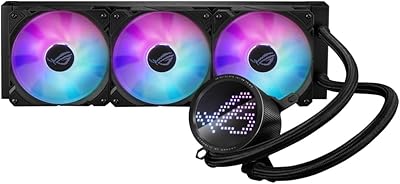
ASUS ROG RYUO III 360 ARGB AIO Liquid CPU Cooler
87%
94%
Cooling Performance
91%
RGB Customization
75%
Installation Ease
90%
Build Quality
88%
Noise Level
More
ASUS ROG Ryujin III 360 AIO Cooler
83%
93%
Cooling Performance
88%
Pump Quality & Reliability
87%
Fan Performance
74%
Noise Levels
91%
LCD Display Functionality
More
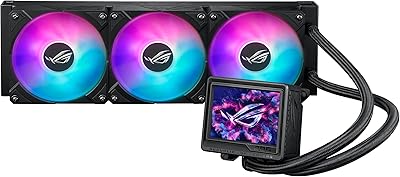
Asus ROG RYUO 240 RGB AIO Liquid CPU Cooler
84%
94%
Cooling Performance
88%
Noise Levels
73%
Ease of Installation
90%
RGB Lighting and Visual Appeal
85%
Build Quality and Durability
More
ASUS ROG Strix LC III 360 Cooler
82%
88%
Thermal Performance
79%
Noise Levels
84%
LCD Display
57%
Software Experience
92%
Build Quality
More
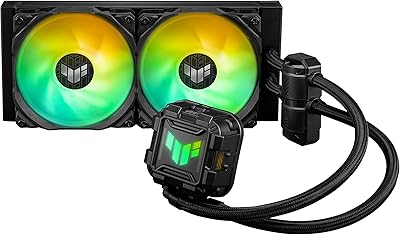
ASUS TUF Gaming LC II 240 ARGB AIO Cooler
80%
76%
Thermal Performance
81%
Noise Levels
74%
Build Quality
88%
Installation Experience
69%
Pump Reliability
More
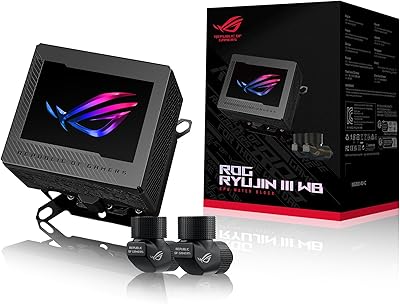
ASUS ROG Ryujin III WB Water Block
80%
88%
Cooling Performance
86%
VRM Thermal Management
78%
Display Quality & Customization
91%
Build Quality & Finish
85%
Fittings & Loop Compatibility
More
Corsair Nautilus 240 AIO Liquid CPU Cooler
85%
83%
Thermal Performance
91%
Noise Level
93%
Installation Ease
78%
Build Quality
88%
Value for Money
More
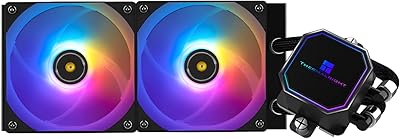
Thermalright Frozen Prism 240 AIO Liquid Cooler
80%
83%
Thermal Performance
91%
Value for Money
69%
Pump Quality & Acoustics
74%
Fan Performance & Noise
88%
Installation Experience
More
Thermalright Grand Vision 240 ARGB White CPU AIO Cooler
87%
91%
Cooling Performance
89%
Installation Ease
88%
ARGB Lighting Aesthetics
70%
Software Compatibility
85%
Noise Level
More
Thermalright Aqua Elite 240 V4 AIO Cooler
81%
78%
Thermal Performance
83%
Pump Quality & Reliability
81%
Fan Noise & Acoustics
89%
ARGB Lighting Quality
86%
Installation & Mounting
More

FAQ

Most mid-tower cases that support 240mm radiators in the top or front mount will work fine. Just double-check your case's radiator clearance specs, especially if you have tall RAM or thick fans already installed, since the combined radiator-and-fan stack does take up some depth.

Yes, AM5 is officially supported alongside AM4, so it should mount without needing a separate bracket kit. Just confirm your motherboard's backplate setup matches standard AM5 mounting before installing.

It's rated around 36 dB(A), which most people describe as a soft, steady hum rather than anything intrusive. It does get more noticeable as the fans ramp toward their 2200 RPM ceiling under heavy load, but it's not the kind of noise that dominates a room.

Yes, you'll need ASUS Armoury Crate to customize the animations, switch between system stats, or upload your own content. A handful of users mention initial setup can be a little fiddly, so it's worth updating the software before configuring the display for the first time.

Not really, though it is priced more like a flagship product. The cooling performance suits mid-to-high-end CPUs well, but if you're not interested in the display or RGB features, you could get similar thermal results from a simpler 240mm cooler for less money.

Yes, front-mounting is generally fine and is actually a common setup, especially if your case has limited top clearance. Just make sure your front panel has enough airflow and isn't overly restrictive, since that can affect how efficiently the radiator dissipates heat.

The tubes run 400mm long, which gives you decent flexibility for routing around larger cases or pump placements that aren't perfectly aligned with the radiator. It's longer than a lot of standard AIO tubing, so tight routing shouldn't be a major issue.

A 360mm radiator will generally edge it out in raw thermal headroom, especially for heavily overclocked or high-TDP chips. For most mainstream and upper-mid-range CPUs, though, this cooler holds its own and won't leave you wanting more.

It's somewhere in between honestly. It's genuinely fun to customize and can show real system stats like temps or clock speeds, but it's not going to change your cooling performance. Think of it as a nice personalization feature rather than a must-have functional tool.

It's manageable for a first-timer as long as you follow the included instructions step by step, particularly around backplate alignment for your specific socket. The longer tube length actually helps here, since it gives you more room to maneuver the pump block during mounting without straining the lines.