Overview

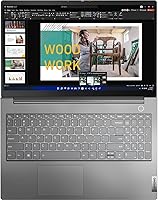
The Lenovo ThinkBook 15 Gen 4 Business Laptop sits in an interesting spot — it is not trying to compete with premium ultrabooks, but it brings enough substance to make mid-range buyers take notice. Built around an aluminum alloy chassis and carrying a MIL-STD-810H certification, this ThinkBook feels more durable than its price tier typically promises. It targets professionals, students, and small business users who want something that handles daily punishment without falling apart. One thing worth knowing upfront: this unit is sold by ist computers, not directly by Lenovo, and has been resealed following an internal upgrade. That is not a dealbreaker, but it deserves your attention before purchasing.

Features & Benefits

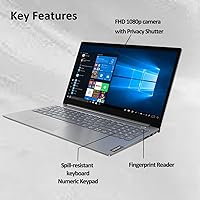
The i7-1255U processor has 10 cores and can reach up to 4.7GHz when pushed, so juggling browser tabs, spreadsheets, and a video call at the same time is not a problem. Paired with 16GB of DDR4 RAM and a 512GB NVMe SSD, the everyday experience stays quick and responsive. The 15.6-inch IPS anti-glare touchscreen looks solid indoors, though at 300 nits it will not impress you in bright outdoor conditions. Where the Gen 4 ThinkBook genuinely earns points is connectivity — Thunderbolt 4 support lets you drive up to three external 4K monitors simultaneously, a real advantage for anyone building a serious desk setup. The FHD webcam has a physical privacy shutter, and fingerprint login keeps access secure without extra software.

Best For

Lenovo's mid-range business laptop makes the most sense for people who need a dependable machine that can handle a full workday without babying it. Remote workers and hybrid professionals will appreciate the broad port selection — you are rarely hunting for a dongle. Windows 11 Pro ships out of the box, which matters for small business users who rely on BitLocker encryption or remote desktop access. Students in business or tech programs get a large screen, real processing headroom, and a numeric keypad that earns its keep during data entry. If you have been considering a ThinkPad but cannot justify the price jump, this ThinkBook delivers a similar work-focused experience at a noticeably lower cost.

User Feedback

Buyers consistently highlight the build quality and keyboard — the spill-resistant backlit layout draws praise from people who spend long hours typing. The port range, especially the Thunderbolt 4 and HDMI combination, comes up repeatedly as a practical strength. Battery life, though, is a genuine sticking point. At 45Wh, real-world use lands around five to six hours, meaning most users keep a charger nearby. The resealed unit disclosure has made some buyers hesitant, though those who received fully functioning machines tend to report no performance issues. Value for money is the most common overall sentiment — capable, well-built performance that undercuts many business-class rivals at a comparable specification level.

Pros

  • MIL-STD-810H certification gives this ThinkBook real durability credentials that most consumer laptops simply do not carry.
  • The aluminum chassis feels solid and looks professional without adding significant bulk or weight.
  • An i7-1255U with 10 cores handles multitasking, video calls, and light creative workloads without breaking a sweat.
  • Thunderbolt 4 support lets you build a serious multi-monitor desk setup with up to three 4K displays running simultaneously.
  • Windows 11 Pro ships standard, which is a genuine cost saver for small business and enterprise users.
  • The FHD webcam with a physical privacy shutter is a practical, well-implemented feature for anyone on frequent video calls.
  • Fingerprint login is fast, reliable, and removes the daily friction of typing passwords.
  • The backlit, spill-resistant keyboard with a full numeric pad is comfortable for long typing sessions and data entry work.
  • Wi-Fi 6 and Bluetooth 5.0 keep wireless performance current and reliable across modern networks.
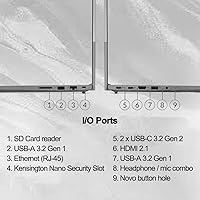
  • Port selection is genuinely broad — HDMI 2.1, USB-A, USB-C, RJ45, and Thunderbolt 4 cover nearly every connectivity scenario without dongles.

Cons

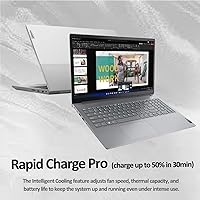
  • Battery life of roughly five to six hours means most users will need to keep a charger within reach throughout the workday.
  • At 300 nits, the display struggles in bright ambient light and is not comfortable for outdoor use.
  • This unit is sold resealed by a third-party seller, not factory-fresh from Lenovo, which may raise warranty and trust concerns for some buyers.
  • Integrated graphics rule out any meaningful gaming or GPU-accelerated video rendering workloads.
  • The 45Wh battery capacity is notably small compared to business laptops of a similar size and weight class.
  • No optical drive and no SD card slot limit media workflow options for photographers or legacy hardware users.
  • At 3.75 lbs it is portable, but not light enough to be comfortable carrying all day without a proper laptop bag.
  • DDR4 RAM rather than the faster DDR5 found in newer platforms may feel like a missed step for buyers focused on longevity.
  • Display color accuracy is not specified for professional creative standards, making it a poor choice for print or media production work.

Ratings

The scores below for the Lenovo ThinkBook 15 Gen 4 Business Laptop were generated by our AI rating engine after analyzing verified purchase reviews from buyers across North America, Europe, and Asia-Pacific, with spam, bot activity, and incentivized feedback actively filtered out. The results reflect a realistic cross-section of real-world experiences — not just the highlights. Where this machine earns genuine praise and where it consistently frustrates buyers are both captured transparently in the categories below.

Build Quality
88%
The aluminum alloy chassis earns consistent praise from users who have owned cheaper plastic-bodied laptops before — the difference in rigidity is immediately noticeable. The MIL-STD-810H certification is not just a marketing badge here; buyers report the machine surviving drops, bag compression, and travel knocks better than expected at this price tier.
A handful of users noted minor flex in the display lid under pressure, which is not uncommon for aluminum designs at this thickness. The hinge feels sturdy initially, but a small number of long-term owners flagged some loosening after six to twelve months of heavy daily use.
Performance
84%
The i7-1255U handles the kind of workloads most professionals actually run — browser-heavy multitasking, Teams or Zoom calls running alongside spreadsheets, light data work — without thermal throttling becoming a noticeable problem. Users upgrading from older dual-core machines consistently describe the jump in responsiveness as significant.
Under sustained heavy loads like compiling code or batch processing, the cooling system audibly ramps up and performance can dip slightly due to thermal limits. Users expecting workstation-grade output from a thin chassis will find the processor hits its ceiling faster than they might like.
Display Quality
71%
29%
For indoor office and home use, the 15.6″ IPS panel delivers a clean, sharp image with good viewing angles — most users are satisfied for document work, spreadsheets, and video calls. The anti-glare coating genuinely reduces eye strain during long sessions under artificial lighting.
At 300 nits, the display is underwhelming in bright rooms and essentially unusable in direct sunlight, which limits its usefulness for anyone who works outdoors or near large windows. Color accuracy is adequate but not calibrated, so creative professionals doing color-sensitive work report visible inaccuracies compared to reference monitors.
Battery Life
52%
48%
Under very light use — reading documents, note-taking, low-brightness settings — some users squeeze close to seven hours from the 45Wh cell. For short commutes or half-day work sessions with access to an outlet, the battery is manageable.
The 45Wh battery is a persistent complaint across reviews, with most users landing at five to six hours under realistic mixed-use conditions. It is noticeably below the eight to ten hour standard that comparable-sized business laptops often achieve, and users doing video calls or running heavier tasks report dropping to four hours or less.
Keyboard & Trackpad
83%
The keyboard is one of the most praised aspects of this ThinkBook — key travel is satisfying, the layout is logical, and the inclusion of a full numeric keypad is a genuine daily convenience for finance, accounting, and data entry work. Spill resistance gives users added confidence in casual environments.
The trackpad, while functional, receives mixed feedback — some users find it slightly small relative to the chassis size, and palm rejection occasionally misregisters during fast typing. It is not a dealbreaker, but users coming from premium ultrabooks will notice the difference.
Connectivity & Ports
91%
The port selection on this machine is one of its clearest strengths relative to competitors in the same tier — Thunderbolt 4, HDMI 2.1, two USB-A ports, USB-C, and a full RJ45 ethernet jack cover virtually every professional scenario without reaching for a dock or dongle. Users who connect to multi-monitor setups particularly value the three-display capability via Thunderbolt 4.
There is no SD card reader, which frustrates photographers and media professionals who expected one given the otherwise comprehensive port lineup. A small number of users also noted that the USB-A ports feel slightly loose after extended use with heavier peripherals plugged in frequently.
Webcam & Audio
76%
24%
The FHD 1080p webcam produces noticeably better video quality than the 720p cameras that still appear on many business laptops, and the physical privacy shutter is well-executed — it slides smoothly and provides genuine reassurance on calls. Remote workers consistently mention looking sharper in video meetings compared to their previous machines.
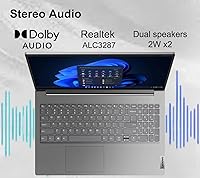
The built-in microphone picks up background noise more than users would like for professional calls without a headset. Speaker volume is adequate but audio quality is mediocre — it handles voice output fine but falls short for music or media consumption in a moderately noisy environment.
Security Features
86%
The fingerprint reader is fast, accurate, and saves real time for users who unlock their machine dozens of times daily. TPM 2.0 support means BitLocker encryption works out of the box with Windows 11 Pro, which small business owners and compliance-conscious professionals actively call out as a deciding purchase factor.
There is no IR camera for Windows Hello facial recognition, which some users expected at this specification level. The fingerprint reader, while reliable under normal conditions, has been reported to misread occasionally when fingers are slightly damp or cold.
Thermal Management
68%
32%
During typical office workloads — documents, email, web browsing, and video calls — the Gen 4 ThinkBook runs quietly and the palm rest stays cool. Most users never encounter intrusive fan noise during their normal working day.
Under sustained processor-heavy tasks, the fan noise rises to a level that users in quiet environments find distracting. The bottom of the chassis also gets noticeably warm during extended high-load sessions, which makes lap use uncomfortable.
Software & OS Experience
79%
21%
Windows 11 Pro arriving pre-installed is a practical plus — most business users can get up and running without purchasing an OS upgrade separately. Lenovo's software footprint is lighter than some competitors, with minimal bloatware reported by buyers.
Some users noted that Lenovo's pre-installed companion apps prompt updates frequently and can feel intrusive. A small number of buyers also reported needing to download several driver updates immediately after setup to resolve minor hardware recognition issues.
Value for Money
82%
18%
Buyers consistently describe this ThinkBook as delivering more hardware capability per dollar than most direct competitors — the combination of a 10-core i7, 16GB RAM, Thunderbolt 4, and a military-grade chassis at this price tier is difficult to replicate elsewhere. For budget-conscious professionals, the spec-to-cost ratio is one of the strongest arguments for this machine.
The resealed nature of the unit introduces hesitation for buyers who feel the price should reflect a factory-fresh purchase, and the short 45Wh battery life means some users factor in the cost of always carrying a charger. For buyers who prioritize long battery life or display quality, the value calculus is less convincing.
Portability
74%
26%
At 3.75 lbs and 0.74 inches thin, this ThinkBook is practical for daily bag carry — it slides into a standard laptop sleeve easily and does not feel punishing after a day of commuting. The compact bezel design keeps the overall footprint smaller than many other 15.6-inch machines.
Users who are accustomed to ultrabooks in the 2.5 to 3 lb range will notice the weight difference after a full day of carrying. It is not heavy for its class, but it is also not light enough to forget it is in your bag.
Wireless Performance
81%
19%
Wi-Fi 6 support keeps the connection stable and fast on compatible routers, which remote workers and home office users with modern networking equipment consistently appreciate. Bluetooth 5.0 pairs quickly with peripherals and holds a reliable connection across typical office distances.
On older Wi-Fi 5 networks, the performance advantage disappears and a few users reported occasional signal drops in environments with heavy wireless congestion. Bluetooth connectivity with some older audio peripherals has been flagged as occasionally unstable during initial pairing.
Seller Transparency
61%
39%
Buyers who researched the resealed disclosure before purchasing report that the machines arrived in fully functional condition with all advertised specifications confirmed. The one-year warranty from ist computers provides at least a baseline of post-purchase recourse if issues arise.
The fact that this unit has been opened and upgraded by a third-party seller rather than shipped directly from Lenovo creates a trust gap that genuinely concerns a portion of buyers — particularly those who later discover the disclosure buried in the product description. Several reviewers felt the resealed nature should be communicated more prominently upfront.

Suitable for:

The Lenovo ThinkBook 15 Gen 4 Business Laptop is a strong fit for professionals and students who need a dependable, capable machine without paying flagship prices. Remote workers and hybrid office employees will find the combination of Thunderbolt 4, a solid webcam with privacy shutter, and fingerprint login genuinely useful for day-to-day security and desk flexibility. Small business owners running Windows 11 Pro will appreciate built-in features like BitLocker encryption and remote desktop without needing to upgrade the OS separately. If you regularly work across multiple monitors, the ability to drive up to three external 4K displays simultaneously is a real productivity advantage that few laptops at this price tier can match. Students in business, engineering, or data-heavy programs also benefit from the large 15.6-inch screen, numeric keypad, and processing headroom that keeps multitasking from becoming a bottleneck.

Not suitable for:

Buyers who need all-day untethered battery life should look elsewhere — the 45Wh cell realistically delivers around five to six hours under normal workloads, which means a charger is a daily carry item rather than an occasional backup. The Lenovo ThinkBook 15 Gen 4 Business Laptop is also not the right choice for anyone who works frequently in bright outdoor environments, since the 300-nit display can wash out in direct sunlight. Creative professionals doing color-accurate photo or video editing will be limited by the integrated Intel Iris Xe graphics and the display's modest brightness ceiling. Buyers who are uncomfortable with the resealed unit nature of this listing — it has been opened and internally upgraded by the seller ist computers rather than shipped factory-sealed by Lenovo — may prefer sourcing directly from Lenovo or an authorized retail channel. It is also not a gaming machine in any meaningful sense, so anyone expecting to run modern titles should budget for a dedicated GPU instead.

Specifications

  • Processor: Powered by an Intel Core i7-1255U with 10 cores and 12 threads, running from a 1.7GHz base clock up to 4.7GHz turbo with 12MB of L3 cache.
  • Memory: 16GB of DDR4 RAM running at 3200MHz provides responsive multitasking for typical professional and student workloads.
  • Storage: A 512GB PCIe NVMe M.2 SSD handles both the operating system and user data with fast read and write speeds compared to traditional drives.
  • Display: 15.6″ FHD IPS anti-glare touchscreen with a 1920x1080 resolution and 300 nits of peak brightness for indoor use.
  • Graphics: Integrated Intel Iris Xe Graphics handles everyday visuals, light media editing, and driving multiple external displays without a discrete GPU.
  • Operating System: Ships with Windows 11 Professional 64-bit, including access to BitLocker encryption, remote desktop, and AI-assisted Copilot features.
  • Battery: Integrated 45Wh lithium-ion battery that delivers approximately five to six hours of real-world use under typical workloads.
  • Webcam: FHD 1080p front-facing camera with a built-in physical privacy shutter for secure video calls and conferencing.
  • Security: Includes a fingerprint reader for biometric login and TPM 2.0 for hardware-level data protection.
  • Connectivity: Full port lineup includes Thunderbolt 4, USB-C 3.2 Gen 2, two USB-A 3.2 Gen 1 ports, HDMI 2.1, RJ45 ethernet, and an audio combo jack.
  • Wireless: Intel Wi-Fi 6 AX201 with 802.11AX support and Bluetooth 5.0 for fast, reliable wireless networking and peripheral pairing.
  • Keyboard: Backlit, spill-resistant keyboard with a full numeric keypad and English US layout for comfortable extended typing sessions.
  • Multi-Monitor: Supports up to three external 4K displays simultaneously at 60Hz via Thunderbolt 4 and HDMI 2.1 outputs.
  • Durability: MIL-STD-810H military-grade certification covers resistance to shock, vibration, temperature extremes, and humidity.
  • Chassis: Aluminum alloy construction provides a rigid, professional build that resists flex better than typical plastic-bodied consumer laptops.
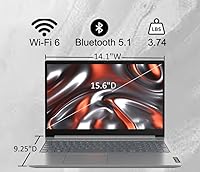
  • Dimensions: Measures 14.05 x 9.25 x 0.74 inches, keeping the footprint compact relative to its 15.6″ screen size.
  • Weight: Weighs 3.75 lbs, making it portable enough for daily commutes while still accommodating a full-size keyboard layout.
  • Seller Note: This unit is sold and fulfilled by ist computers, not directly by Lenovo; it has been resealed following an internal hardware upgrade prior to shipping.

Related Reviews
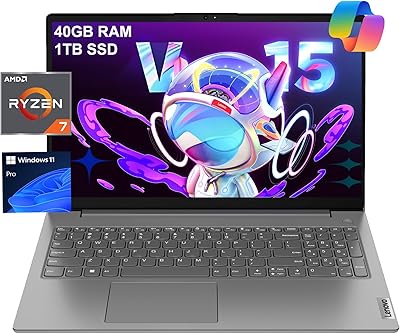
Lenovo V15 Gen 4 Business Laptop, 15.6″, AMD Ryzen 7 7730U, 40GB RAM, 1TB SSD
83%
91%
Performance
88%
Value for Money
90%
Build Quality and Durability
78%
Battery Life
85%
Display Quality
More
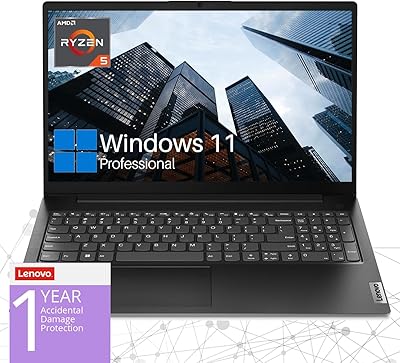
Lenovo V15 Gen 4 Business Laptop, AMD Ryzen 5 5500U, 16GB RAM, 1TB SSD
83%
89%
Value for Money
91%
Performance (Multitasking)
82%
Portability & Weight
74%
Battery Life
85%
Display Quality
More
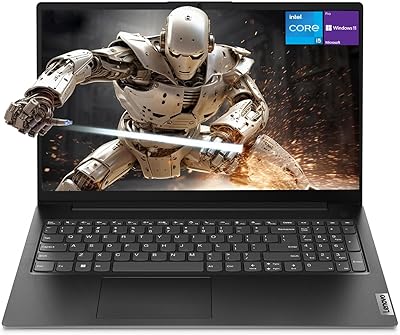
Lenovo V15 Gen 4 15.6″ Business Laptop

70%
83%
Performance & Speed
78%
Value for Money
76%
Build Quality
81%
Keyboard & Input
61%
Display Quality
More
Lenovo IdeaPad 1 Gen 7 15.6″ Laptop
72%
91%
Value for Money
78%
Multitasking Performance
88%
Storage & Speed
67%
Display Quality
63%
Touchscreen Usability
More
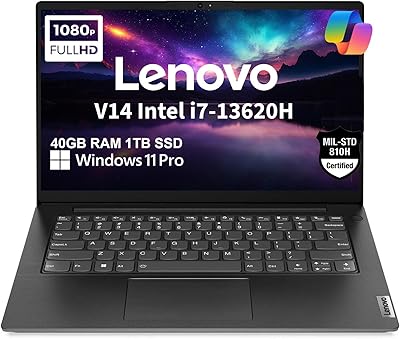
Lenovo V14 Gen 4 Business Laptop
74%
88%
Processing Performance
91%
RAM & Multitasking
86%
Storage Speed & Capacity
79%
Build Quality & Durability
62%
Display Quality
More
Lenovo ThinkPad E14 Gen 5 Business Laptop, 24GB RAM, 1TB SSD, AMD Ryzen 7 7730U
88%
92%
Performance
88%
Battery Life
90%
Display Quality
94%
Build Quality
84%
Portability
More
Lenovo ThinkPad E16 Gen 3 Business Laptop, Intel Core Ultra 7, 32GB RAM, 2TB SSD
88%
94%
Overall Performance
96%
Processing Speed
95%
Storage Capacity
89%
Display Quality
75%
Portability
More
Lenovo IdeaPad 3 15.6″ Laptop
70%
83%
Value for Money
67%
Performance
51%
Display Quality
54%
Battery Life
78%
Touchscreen
More
Lenovo V15 G2 15.6″ Business Laptop
66%
81%
Value for Money
52%
Performance
47%
Display Quality
74%
Build Quality
77%
Keyboard & Typing Experience
More
Lenovo V15 Business Laptop 32GB RAM 1TB SSD
84%
87%
Value for Money
82%
Performance for Everyday Use
91%
Battery Life
88%
Build Quality
85%
Portability
More

FAQ

It sits in a gray area. The Lenovo ThinkBook 15 Gen 4 Business Laptop is listed as brand new, but the seller, ist computers, discloses that it has been resealed after an internal upgrade — most commonly to install the RAM or SSD configuration advertised. It is not factory-sealed in the traditional sense, but it is not a used or refurbished unit either. If that distinction matters to you, it is worth factoring in before purchasing.

Expect around five to six hours under realistic conditions — browsing, documents, and occasional video calls. The 45Wh battery is on the smaller side for a 15-inch business laptop, so if you work long stretches away from a power outlet, you will want to keep the charger handy. Power-saving mode can stretch things a bit, but do not count on a full eight-hour workday unplugged.

Yes, and this is one of its strongest practical features. You can drive up to three external 4K displays at 60Hz simultaneously using the Thunderbolt 4 and HDMI 2.1 ports together. That kind of multi-monitor flexibility is genuinely rare at this price point and makes it a solid choice for anyone building a productive home or office desk setup.

The ThinkBook 15 Gen 4 does support RAM upgrades — it has at least one accessible SO-DIMM slot in addition to soldered memory, depending on the configuration. The M.2 SSD slot is also accessible for storage upgrades down the line. That said, opening the unit yourself may affect the seller warranty, so check with ist computers before doing anything internally.

It does. The FHD 1080p webcam produces a noticeably sharper image than the 720p cameras common on older business laptops, and the physical privacy shutter is a genuinely useful touch — you do not have to rely on software to know the camera is blocked. The i7 processor handles video conferencing apps like Zoom or Teams without throttling other tasks running in the background.

The listing includes a one-year manufacturer warranty from ist computers. Since this is not a direct Lenovo sale, the warranty path runs through the seller rather than Lenovo's standard support channels. It is worth saving your order confirmation and reaching out to ist computers directly if any issues arise within that first year.

For casual use it is fine, but professional creatives should temper expectations. The panel is not factory-calibrated for wide color gamut accuracy, and at 300 nits it is dimmer than displays designed for color-critical work. If precise color reproduction is important to your workflow, this ThinkBook is not the right tool for that job.

The Gen 4 ThinkBook borrows a lot from the ThinkPad playbook — MIL-STD durability certification, a business-grade keyboard, Windows 11 Pro, and solid connectivity — but it sits a step below in terms of keyboard feel refinement, display quality options, and long-term enterprise support. For most small business users and professionals, the gap is not practically significant, and the price difference makes this ThinkBook the more sensible choice.

Light to moderate use is manageable, but this is not a workstation-class machine. AutoCAD 2D drafting runs reasonably well, and Premiere can handle shorter timelines with moderate effects, but render times will be slow and complex 3D modeling will push the processor hard. For heavy creative or engineering workloads, you would want a laptop with a dedicated GPU.

Most users find it genuinely comfortable. The keys have decent travel and tactile feedback, the layout is standard and predictable, and the spill resistance adds peace of mind in practical settings. The full numeric keypad is a useful addition for anyone doing data entry or working with spreadsheets regularly. Backlit keys also make it easy to use in low-light environments without strain.

Where to Buy