

Overview
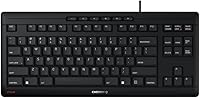
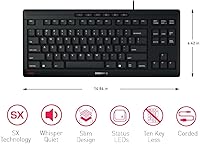
The Cherry Stream TKL Wired Keyboard comes from a brand with serious industry roots — Cherry has supplied switches to manufacturers worldwide for decades, and that heritage carries real weight. This tenkeyless keyboard sits in the budget-to-mid-range tier, targeting everyday typists who want a reliable, quiet desk companion rather than a flashy gaming peripheral. One thing worth clarifying upfront: the SX scissor mechanism inside is not a mechanical switch. It behaves more like a laptop keyboard — low-profile, flat in travel, and notably soft to press. If you know that going in, expectations tend to land in exactly the right place.
Features & Benefits
The 20 million actuation rating per key is the kind of spec that matters more over time than it does on day one, and Cherry's build quality generally backs it up. The standout quality in daily use is how quiet this office keyboard actually is — not just quieter than a clicky mechanical, but noticeably softer than most membrane boards too. Dropping the numpad brings your mouse hand closer in, which genuinely reduces shoulder strain over long sessions. Both USB-A and USB-C are supported, so adapter hunting is off the table. Status LEDs handle Caps Lock and Scroll Lock without any RGB distractions, keeping the look clean and professional.
Best For
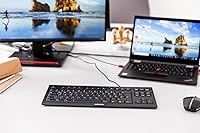
This tenkeyless keyboard makes the most sense for office and remote workers who type heavily all day and need to keep noise levels down. If you are coming from a laptop and find full-size desktop keyboards awkward, the low-profile keys will feel immediately familiar. The compact footprint also suits anyone working at a small desk — no numpad consuming real estate you were already short on. It is genuinely plug-and-play; no software, no configuration. Where it is less suited is high-volume data entry that depends on a numpad daily — that trade-off is worth thinking through carefully before committing.
User Feedback
With over 2,000 ratings averaging 4.5 stars, the Cherry Stream TKL has clearly landed well with most buyers. The recurring praise almost always centers on noise — people are genuinely surprised by how much quieter it is compared to whatever they replaced. Build quality and value come up frequently too. On the critical side, a handful of reviewers who expected a tactile or clicky mechanical feel were let down by the soft scissor action. A few mention the cable feeling slightly short for certain setups. Long-term keycap durability is harder to assess from early reviews, but it is worth monitoring if you type heavily for years.
Pros
- Remarkably quiet typing experience that works well in shared offices and during video calls.
- SX scissor switches rated for over 20 million actuations, suggesting solid long-term durability.
- Compact tenkeyless layout naturally positions the mouse hand closer, reducing shoulder and wrist strain.
- Plug-and-play setup with no drivers or software required — just connect and start typing.
- Supports both USB-A and USB-C, making it compatible with a wide range of systems.
- Low-profile keys feel familiar to laptop users and reduce finger fatigue on long typing sessions.
- Clean, professional appearance with no distracting RGB — suits most office environments.
- Backed by a brand with genuine industry credibility in keyboard switch manufacturing.
- Available in two neutral colorways that blend into most desk setups.
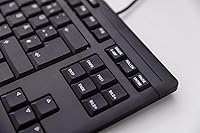
- Six dedicated office and media keys add useful shortcuts without cluttering the layout.
Cons
- No numpad means data entry tasks requiring frequent number input become noticeably more tedious.
- Scissor switches offer very little tactile feedback, which will disappoint anyone used to mechanical boards.
- The cable has been reported as slightly short for some desk configurations, limiting placement flexibility.
- No wireless option means cable management is always a factor, even on a minimal desk setup.
- Single-color status LEDs only — no per-key lighting or backlight for low-light environments.
- Keycap legend longevity under heavy daily use is unclear from shorter-term reviews.
- The lightweight build can feel less premium compared to heavier keyboards in a similar price range.
- Limited to PC compatibility, with no official Mac layout or function key remapping.
- No dedicated software means zero customization of media keys or key behavior.
- Pale Grey colorway may show grime and smudging more visibly over time than the Black variant.
Ratings
The scores below were generated by AI after analyzing thousands of verified global user reviews for the Cherry Stream TKL Wired Keyboard, with spam, bot submissions, and incentivized feedback actively filtered out. The results reflect a balanced picture — where this tenkeyless keyboard genuinely excels and where real buyers have run into frustrations. Both strengths and trade-offs are represented transparently so you can make a confident, informed decision.
Typing Noise Level
Typing Feel
Build Quality
Value for Money
Noise During Calls
Compactness & Desk Space
Connectivity & Compatibility
Ergonomics
Keycap Durability
Status Indicators
Setup & Plug-and-Play
Aesthetics & Design
Media & Shortcut Keys
Suitable for:
The Cherry Stream TKL Wired Keyboard was clearly designed with a specific kind of user in mind: someone who types a lot, works in a shared or noise-sensitive environment, and just wants a dependable keyboard that does its job without fuss. Office workers who share open-plan spaces will appreciate how the scissor switches keep keystrokes soft enough that colleagues nearby simply will not notice. Remote workers who take calls from their desk will find the same benefit — no distracting clatter audible through a microphone. If you are coming from a laptop and find tall mechanical keys jarring or tiring, the flat low-profile keycaps here will feel immediately natural. The compact tenkeyless layout is also a practical win for anyone with a smaller desk, a dual-monitor setup, or anyone who wants their mouse hand closer in to reduce shoulder strain over long workdays.
Not suitable for:
The Cherry Stream TKL Wired Keyboard is a poor match for anyone who relies heavily on a number pad for data entry, accounting work, or spreadsheet-heavy tasks — that is simply not what this form factor was built for, and no amount of adjustment changes that reality. Keyboard enthusiasts who specifically want tactile feedback or an audible click from their switches will find the scissor mechanism underwhelming; it is soft, flat, and quiet by design, which is a trade-off that does not suit every preference. Gamers looking for fast actuation, anti-ghosting, or customizable RGB backlighting should look elsewhere entirely — this office keyboard has none of those features and was never intended to. If wireless connectivity is a priority for a cleaner desk setup, this wired-only option will not satisfy. Those who prefer a heavier, more premium-feeling board may also find the lightweight 1.5-pound build less reassuring than expected.
Specifications
- Form Factor: 87% tenkeyless (TKL) layout with 87 keys, omitting the number pad for a more compact footprint.
- Switch Type: Cherry SX scissor mechanism, a low-profile scissor switch distinct from traditional mechanical switches.
- Actuation Life: Each key is rated for over 20 million actuations, indicating strong long-term durability for daily typing use.
- Connectivity: Wired only, with both USB-A and USB-C output options to support a range of modern and older host systems.
- Dimensions: The keyboard measures 14.84″ long by 6.42″ wide by 0.71″ tall, keeping the desk footprint notably small.
- Weight: At 1.5 pounds, this office keyboard is lightweight and straightforward to reposition or transport between workspaces.
- Layout: English US key layout with standard QWERTY arrangement and six dedicated office and media shortcut keys.
- Backlighting: No RGB lighting; single-color on-key status LEDs indicate Caps Lock, Num Lock, and Scroll Lock states only.
- Number Pad: No number pad is included, as the TKL form factor intentionally removes it to reduce overall keyboard width.
- Colors Available: Offered in two neutral colorways — Black and Pale Grey — to suit most professional desk environments.
- Compatible Devices: Designed for PC use; no official Mac layout or dedicated Mac function key mapping is provided.
- Key Profile: Low-profile flat keycaps with short travel distance, delivering a typing feel similar to most modern laptop keyboards.
- Media Keys: Six office and media function keys are built into the top row for common shortcuts without requiring extra software.
- Driver Requirement: Fully plug-and-play with no proprietary software, companion app, or driver installation needed on any compatible system.
- Model Number: The official manufacturer model number is JK-8600US-2, useful when searching for warranty support or replacement parts.
- Manufacturer: Made by CHERRY, a German-American company with a long-standing reputation as a keyboard switch supplier to the broader industry.
- First Available: This keyboard model was first listed for sale in March 2022, giving it a reasonable track record of user feedback to draw from.
- BSR Ranking: Ranked number 43 in the Computer Keyboards category on Amazon, reflecting consistently strong sales volume over time.
Related Reviews
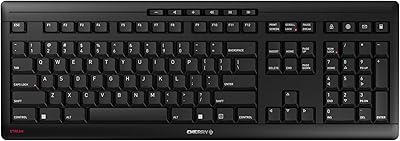
Cherry Stream JK-8550US-2 Wireless Keyboard
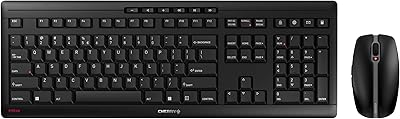
Cherry Stream Desktop
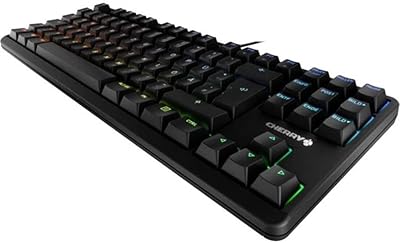
Cherry MX G80-3000N RGB Mechanical Keyboard TKL
KNOWSQT Wired Computer Keyboard
Evoluent EKB Compact Wired Keyboard
X9 Performance X9ERGOKEY Ergonomic Split Keyboard
Macally SLIMKEYCA Compact Wired Keyboard
X9 Performance X9BLKEYLP7CB Wired Keyboard and Mouse Combo
Atelus Full Size Retro Backlit Wired Keyboard