
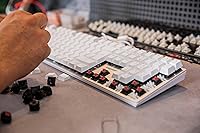
Overview
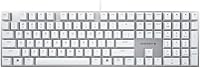
The Cherry KC 200 MX Mechanical Keyboard represents Cherry's push to modernize its beloved switch lineup for everyday office use. Cherry has been manufacturing switches in Germany for decades, so this office mechanical board carries genuine credibility — and the new MX2A generation it ships with is a real upgrade over the classic MX range, not just a marketing refresh. The full-size metal frame construction stands out at this price point, where most competitors still lean on all-plastic builds. Connectivity is straightforward USB-A with no wireless option, and LED lighting stays limited to white status indicators on the lock keys. Honest, practical, and built for daily work.
Features & Benefits
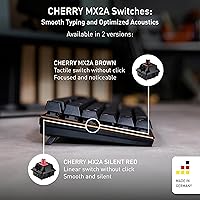
The MX2A Brown switches are the centerpiece here. Brown switches have always occupied a useful middle ground — tactile enough to confirm each keypress without the sharp click that irritates open-plan offices — and Cherry's revised MX2A version tightens up that feel noticeably compared to earlier MX Browns. The actuation feels crisper, and the overall sound profile is quieter and less hollow. Beyond the switches, the metal plate frame keeps the board from flexing under heavy typing, giving it a solidity that most keyboards at this price simply don't have. You get a full-size layout with a numpad and navigation cluster, plus plug-and-play USB-A — no software installation required. White lock-key LEDs are functional but nothing more.
Best For
This Cherry mechanical keyboard is an easy recommendation for office workers who type heavily throughout the day and want the tactile satisfaction of a mechanical board without drawing complaints from nearby colleagues. If you're coming from a membrane keyboard, the difference in key feel will be immediately obvious — and the Cherry name means you're getting switches with a long, proven track record. It's also a solid pick for anyone who wants a wired, no-fuss setup without managing batteries or Bluetooth pairing. Casual gamers who primarily work at a desk will find it capable, though it's worth being clear: this isn't a purpose-built gaming keyboard. The RGB crowd will need to look elsewhere; the lighting here is strictly utilitarian.
User Feedback
Most buyers who've spent real time with the KC 200 MX are positive, particularly about how the MX2A Browns feel during extended typing sessions — the tactile feedback is sharper and less mushy than what people recall from older MX Browns, and that improvement shows up consistently across reviews. The build quality also draws praise; the metal frame makes the board feel more substantial than its weight might suggest. Where criticism appears, it tends to cluster around two points: the lack of backlighting frustrates buyers who expected at least single-color LED illumination under the keys, and some find the keycap legends and font style a bit plain. Noise levels generally earn positive marks, with most users confirming the Browns are quiet enough for shared workspaces.
Pros
- MX2A Brown switches deliver a noticeably crisper, cleaner tactile feel compared to the previous MX Brown generation.
- Metal plate frame adds real structural rigidity — this board does not flex or creak under heavy use.
- Rated for 100 million keystrokes, making it one of the more durable options at this price.
- Quiet enough for shared office environments without sacrificing tactile feedback.
- Plug-and-play USB-A connection works instantly with no drivers or companion software needed.
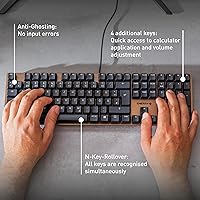
- Full-size layout with numpad and navigation cluster covers every key a productivity-focused user needs.
- Cherry's decades-long reputation for consistent switch quality backs every unit shipped.
- Switches are manufactured in Germany, which matters to buyers who care about production quality control.
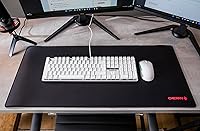
- Clean white colorway fits a professional desk setup without looking out of place.
Cons
- No backlighting under the keycaps at all — a real drawback for anyone who works in dim environments.
- Wired-only connectivity is limiting for users who prefer wireless or multi-device Bluetooth setups.
- Keycap legends and font styling are plain, with little visual personality for buyers who care about aesthetics.
- No hot-swap support means you cannot change switches without soldering.
- Full-size footprint takes up significant desk space and is not travel-friendly.
- No onboard macro keys or programmable layers for power users who rely on custom shortcuts.
- The office mechanical board lacks the gaming-specific features — like N-key rollover toggles or polling rate options — that some multi-use buyers may want.
- No included wrist rest, and the typing angle may require an external solution for extended sessions.
- Only compatible with PC; Mac users may encounter layout mismatches with certain modifier keys.
Ratings
The scores below reflect our AI-driven analysis of verified global user reviews for the Cherry KC 200 MX Mechanical Keyboard, with spam, bot-generated, and incentivized submissions actively filtered out before any scoring was applied. Real buyer experiences from daily office typists, work-from-home professionals, and occasional gamers all fed into these results. Both what users genuinely love and the frustrations that keep appearing across thousands of reviews are reflected here without sugarcoating.
Typing Feel
Build Quality
Acoustics
Switch Durability
Lighting
Value for Money
Keycap Quality
Office Suitability
Gaming Performance
Setup & Compatibility
Stabilizer Quality
Desk Presence & Aesthetics
Wrist & Ergonomics
Suitable for:
The Cherry KC 200 MX Mechanical Keyboard is built squarely for office professionals who spend the bulk of their day typing and want a tactile, responsive feel without the noise that comes with clicky switches. If you share a workspace — an open-plan office, a home office near family, or a co-working setup — the MX2A Brown switches hit a practical sweet spot: you get clear keypress feedback without the sharp sound that draws stares. Typists coming from membrane keyboards will notice the improvement in key feel almost immediately, and Cherry's German-engineered switches carry a service life rated at 100 million keystrokes, which means years of daily use before any meaningful wear. The metal plate frame also makes this a smart pick for anyone tired of flimsy plastic boards that flex and rattle — the build quality here punches above the price bracket. Wired USB-A users who value a plug-in-and-work setup with no software or pairing headaches will feel right at home.
Not suitable for:
The Cherry KC 200 MX Mechanical Keyboard is a poor fit for buyers who want modern lighting features — if RGB backlighting or even single-color key illumination is on your checklist, this board offers nothing beyond white lock-key status LEDs, which is a notable gap at its price point. Wireless users will also need to look elsewhere; the KC 200 MX is strictly wired, so if you run a clean desk setup or work across multiple devices with Bluetooth switching, it simply won't fit that workflow. Dedicated gaming enthusiasts looking for features like per-key macros, onboard memory, or N-key rollover marketing will find this office mechanical board underwhelming compared to gaming-focused alternatives in the same range. Those who prefer compact form factors — TKL, 75%, or 65% layouts — will find the full-size footprint too large for their desk or travel needs. Finally, if you were hoping for hot-swap switch support or any level of in-keyboard customization, the KC 200 MX is a conventional, fixed-switch board with no such provisions.
Specifications
- Switch Type: Equipped with Cherry MX2A Brown switches, offering a tactile bump without an audible click for quiet, responsive typing.
- Switch Origin: All MX2A switches are manufactured in Germany under Cherry's in-house production standards.
- Switch Lifespan: MX2A Brown switches are rated for a minimum of 100 million keystrokes before any degradation in input quality.
- Layout: Full-size layout including a dedicated numpad, function row, navigation cluster, and arrow keys.
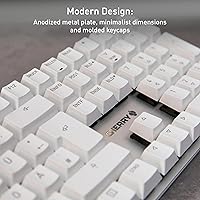
- Frame Material: The keyboard uses a metal plate frame for structural rigidity, reducing flex during heavy typing sessions.
- Dimensions: The board measures 16.93 x 4.76 x 1.54 inches, occupying a standard full-size footprint on the desk.
- Weight: The KC 200 MX weighs 1.83 pounds, giving it a solid, stable feel without being burdensome to reposition.
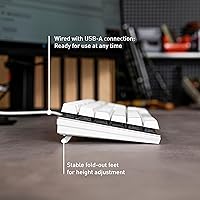
- Connectivity: Connects via a wired USB-A cable with plug-and-play compatibility — no drivers or software installation required.
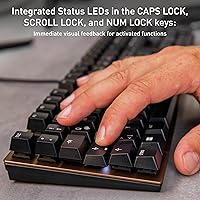
- LED Lighting: White LED indicators are present only on the Caps Lock, Scroll Lock, and Num Lock status keys; there is no key-level backlighting.
- Compatibility: Designed for use with PC systems; Mac users may encounter modifier key layout differences without remapping.
- Color: Available in White, providing a clean, professional appearance suitable for most modern desk setups.
- Model Number: The official model number is G80-3950LIBUS-1, which can be used to verify compatibility and locate manufacturer support.
- Brand: Manufactured by Cherry, a German company with decades of experience producing professional-grade mechanical switches and input devices.
- Release Date: First made available in October 2023, making it part of Cherry's updated MX2A product generation.
- In the Box: Each unit ships with the keyboard itself and a printed set of operating instructions; no extra keycaps or accessories are included.
- Wireless Support: This keyboard is wired-only and does not support Bluetooth or any other wireless connectivity option.
- Software Required: No companion software or firmware utility is required or available; the keyboard operates entirely without driver installation.
- Hot-Swap Support: The KC 200 MX uses a fixed soldered switch design and does not support tool-free hot-swappable switch replacement.
Related Reviews
Cherry MX G80-3000N RGB Mechanical Keyboard TKL

Logitech MX Mechanical
Das Keyboard 4 Professional Mechanical Keyboard
Cherry KW X ULP Mechanical Keyboard
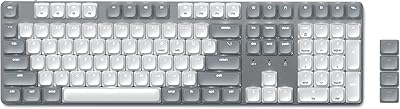
Satechi SM3 Full-Size Mechanical Keyboard
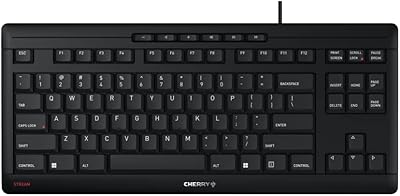
Cherry Stream TKL Wired Keyboard

Merdia Triple Mode 100-Key Wireless Mechanical Keyboard
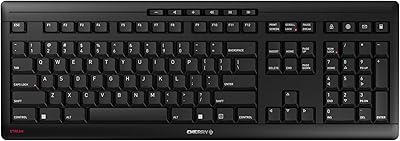
Cherry Stream JK-8550US-2 Wireless Keyboard
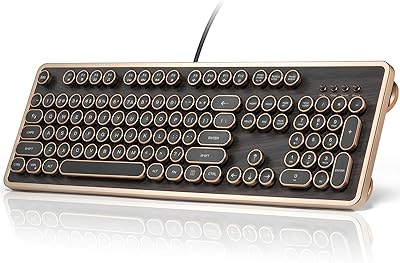
GLENCREAG RK104 Mechanical Keyboard