CalDigit TS5 Plus Thunderbolt 5 Dock



Overview
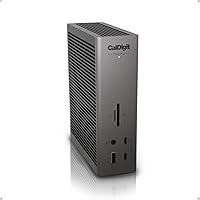
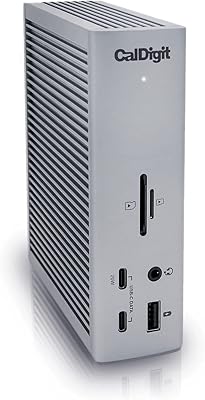
The CalDigit TS5 Plus Thunderbolt 5 Dock is CalDigit's follow-up to the widely praised TS4, arriving in March 2025 to meet the demands of M4 MacBook Pros and the first wave of Thunderbolt 5 Windows laptops. It's a professional-grade tool, priced accordingly — not something you buy because you need a few extra USB ports. Despite housing 20 ports in total, the vertical chassis stays remarkably compact on a desk. It does its best work when connected to a Thunderbolt 5 host; users on TB4 or USB4 machines will still benefit, but they'll see noticeably reduced performance across several key areas.
Features & Benefits
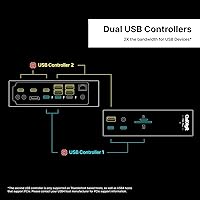
What makes the TS5 Plus stand out isn't just the port count — it's how those ports are managed. The three Thunderbolt 5 connections run at 80Gb/s each, and a feature called Bandwidth Boost can push up to 120Gb/s toward connected displays when you need it. Critically, the front and rear USB ports each sit behind independent controllers, meaning a fast external SSD on the front won't choke the drives plugged into the back. The dedicated 140W host charging handles even the most demanding laptops without a separate power brick. Toss in 10 Gigabit Ethernet, SD 4.0 card readers, and DisplayPort 2.1, and the feature set is hard to argue with.
Best For
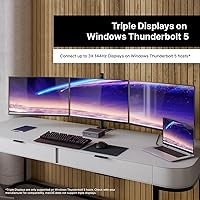
This Thunderbolt 5 dock was designed with a specific type of user in mind. If you're a video editor or photographer constantly moving large files between fast SSDs, a NAS, and camera card readers, the combination of 10GbE and SD 4.0 slots can dramatically cut down how long that work takes. MacBook Pro 16-inch M4 owners get the rarest thing in docking: a single cable that charges at the laptop's full rated power while connecting every peripheral on the desk. Windows users on TB5 hardware can drive triple 4K displays at high refresh rates. If you're running multiple fast USB devices at once and don't want to think about bandwidth limits, this dock is built for exactly that.
User Feedback
With 86 reviews and a 3.9 out of 5 rating at the time of writing, the picture is mixed but worth parsing carefully — CalDigit's flagship dock only launched in March 2025, so the sample size is still small. Enthusiastic buyers highlight the build quality and appreciate that the dual USB controller design actually delivers on its promise under real workloads. The criticism that shows up most often centers on firmware and driver friction with certain Windows TB5 hosts — not a dealbreaker for everyone, but worth knowing before you buy. A few users also mention fan noise under sustained heavy loads. No major reliability complaints yet, but it's early days for this hardware.
Pros
- Full 140W laptop charging means the most demanding MacBook Pros charge at maximum speed through a single cable.
- Independent front and rear USB controllers eliminate bandwidth competition when multiple fast drives run simultaneously.
- 10 Gigabit Ethernet is a rare and genuinely useful feature for NAS-dependent creative workflows.
- SD 4.0 and microSD 4.0 card readers ingest UHS-II footage faster than most standalone card readers.
- Bandwidth Boost allows the TS5 Plus to prioritize display throughput, keeping high-refresh monitors stutter-free.
- Windows TB5 users can drive triple 4K displays at high refresh rates — a configuration no TB4 dock supports.
- The compact vertical chassis houses 20 ports without dominating a desk or requiring extra surface area.
- CalDigit's track record with the TS4 gives the TS5 Plus credibility for long-term build quality and firmware support.
- The included braided Thunderbolt 5 cable is a meaningful inclusion, as TB5 cables carry real standalone cost.
- The 330W power supply handles the dock's full load with headroom, avoiding the throttling seen on underpowered competitors.
Cons
- Windows Thunderbolt 5 driver and firmware compatibility issues have frustrated a notable share of early buyers.
- On TB4 or TB3 hosts, you lose access to the headline features that make the premium price defensible.
- The fan is audible under heavy sustained loads — not loud, but noticeable enough to bother users in quiet spaces.
- One meter of included cable is too short for desk configurations where the laptop sits away from the dock.
- Ethernet only works on Thunderbolt or PCIe-capable USB4 hosts — non-compliant hosts lose the feature entirely.
- The review pool is still small given the March 2025 launch, making long-term reliability difficult to assess confidently.
- The steep price is only justifiable when the workflow genuinely uses TB5 bandwidth; casual users are overpaying.
- Some card readers have shown intermittent recognition delays after the host machine wakes from sleep.
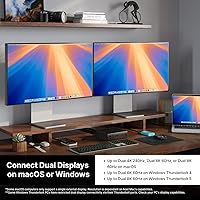
- Mac users are capped at dual displays regardless of the dock's capabilities due to macOS architectural limits.
- No USB-A to USB-C adapter is included, which is an oversight given how many professional peripherals still use USB-A.
Ratings
The CalDigit TS5 Plus Thunderbolt 5 Dock earned its scores after our AI systems analyzed verified buyer reviews from global markets, actively filtering out incentivized submissions and flagged bot activity to surface what real professionals actually experience day to day. The TS5 Plus impresses in several key areas but also carries genuine friction points that matter depending on your host hardware — and both sides are reflected transparently in the scores below.
Port Density & Layout
Thunderbolt 5 Performance
Dual USB Controller Design
Host Charging Power
10 Gigabit Ethernet
Display Configuration Flexibility
Card Reader Speed
Build Quality & Materials
Windows Compatibility
Thermal Management & Fan Noise
Setup & Driver Experience
Value for Money
Cable & Accessory Inclusion
Long-Term Reliability
Suitable for:
The CalDigit TS5 Plus Thunderbolt 5 Dock was built for professionals whose daily work genuinely pushes the limits of what a dock can do. Video editors and motion graphics artists who are constantly moving large project files between fast external drives, a NAS, and camera card readers will feel an immediate and tangible difference in how quickly their workflow moves. MacBook Pro 16-inch M4 owners in particular get a single-cable desk setup where the laptop charges at its full rated speed — no compromises, no separate power brick cluttering the desk. Windows users on Thunderbolt 5 laptops who want to drive three monitors simultaneously, or push high-refresh displays without stuttering, will find this dock one of the very few on the market capable of supporting that configuration. Small studios and home offices that have already invested in a 10 Gigabit Ethernet network infrastructure will also appreciate having a dock that can actually keep pace with that network rather than bottlenecking it. If your work demands simultaneous use of multiple fast USB storage devices, the independent front and rear USB controllers mean you can run them in parallel without one stealing bandwidth from the other.
Not suitable for:
The CalDigit TS5 Plus Thunderbolt 5 Dock is a poor fit for anyone whose laptop predates the current generation of Thunderbolt 5 hardware. Users on Thunderbolt 3 or Thunderbolt 4 machines will connect and get a functional dock, but they will not unlock the bandwidth-dependent features that justify the premium price — and a well-regarded TB4 dock at half the cost would serve them better. Buyers who are not comfortable navigating driver updates, firmware utilities, or occasional compatibility troubleshooting should also think carefully, especially on Windows, where the TB5 ecosystem is still maturing and some host and dock combinations require patience to stabilize. This is not the right dock for someone who just wants to add a few extra USB ports and charge their laptop — the feature set goes far beyond that need, and so does the price. If your desk setup involves a single display, light file transfers, and basic peripherals, the cost of this dock is difficult to rationalize no matter how good the hardware is. Buyers expecting completely silent operation under heavy sustained loads may also be disappointed, as the active cooling fan does become audible when the dock is working hard.
Specifications
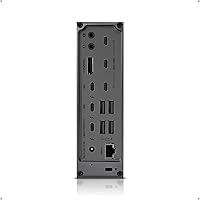
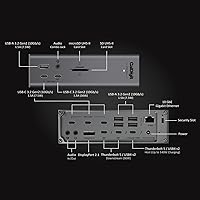
- Total Ports: The dock provides 20 ports in total across Thunderbolt, USB-A, USB-C, Ethernet, display output, audio, and card reader connections.
- Thunderbolt 5: Three Thunderbolt 5 ports operate at 80Gb/s each, with Bandwidth Boost capable of allocating up to 120Gb/s toward connected displays when needed.
- USB-A Ports: Five USB-A ports deliver 10Gb/s transfer speeds, split across front and rear positions for convenient access.
- USB-C Ports: Five USB-C ports operate at 10Gb/s, with one front-facing port providing up to 36W of dedicated power delivery for accessories.
- Host Charging: The dedicated host charging port delivers up to 140W of power delivery, sufficient for the 16-inch M4 MacBook Pro at its full rated charge speed.
- Power Supply: A 330W external power supply unit is included, providing sustained power headroom across all ports simultaneously.
- Ethernet: A single 10 Gigabit Ethernet port is included, backward compatible with 1GbE, 2.5GbE, and 5GbE networks; requires a Thunderbolt or PCIe-capable USB4 host.
- Display Output: Supports up to dual 8K 60Hz on compatible Macs, dual 8K 60Hz on Windows TB5 hosts, and triple 4K 144Hz on supported Windows Thunderbolt 5 systems.
- DisplayPort: One DisplayPort 2.1 output is included for connecting monitors that do not use Thunderbolt or USB-C connections directly.
- Card Readers: An SD 4.0 slot and a microSD 4.0 UHS-II slot are both included, supporting the fastest current-generation camera memory cards.
- USB Controllers: Dual independent 10Gb/s USB controllers manage front and rear USB ports separately, preventing bandwidth contention when multiple fast devices are connected.
- Audio Ports: Three audio ports are provided, covering standard headphone, microphone, and combined input/output configurations for desktop audio peripherals.
- Included Cable: A 1.0m braided Thunderbolt 5 cable is included in the box, rated for full 80Gb/s performance with compatible hosts.
- Dimensions: The dock measures 5.03″ in length, 1.85″ in width, and 6.1″ in height in its upright vertical orientation.
- Weight: The dock body weighs 8.9 ounces, not including the external 330W power supply unit.
- Color & Finish: The dock is offered in Space Black with a matte-finish chassis that resists surface fingerprints under typical handling.
- Compatibility: The dock is compatible with Thunderbolt 5, Thunderbolt 4, Thunderbolt 3, and USB4 host devices, though full-performance features require a Thunderbolt 5 or USB4 v2 host.
- Cooling System: Active cooling via an internal fan maintains stable performance under sustained high loads, with fan speed scaling to thermal demand.
- Launch Date: The dock was first made available in March 2025, positioning it alongside the first wave of consumer Thunderbolt 5 laptops and M4-series Macs.
- Manufacturer: Designed and manufactured by CalDigit, a company with an established track record in professional Thunderbolt docking solutions.
Related Reviews
CalDigit TS4 Thunderbolt 4 Dock
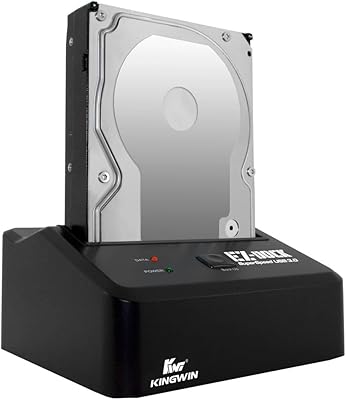
Kingwin EZD-2535U3 Hard Drive Docking Station
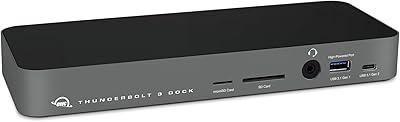
OWC 14-Port Thunderbolt Dock
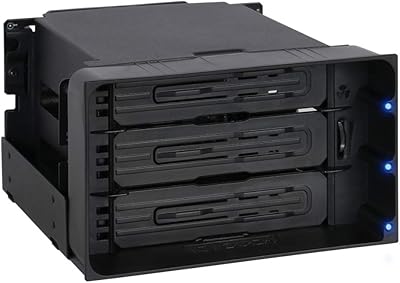
ICY DOCK flexiDOCK MB830SP-B 3-Bay 3.5 Inch SATA/SAS HDD Docking Enclosure

ICY DOCK ToughArmor MB998SP-B 8-Bay 2.5” SATA/SAS HDD/SSD Mobile Rack Enclosure for 5.25″ Bay
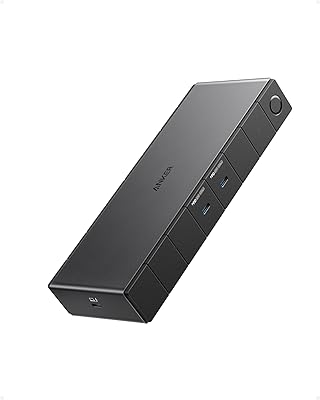
Anker 778 Thunderbolt 4 Docking Station
Orange Pi 5 Plus 16GB Single-Board Computer
Belkin Thunderbolt 3 Dock Pro Docking Station
Belkin Thunderbolt 3 Dock Mini