Overview

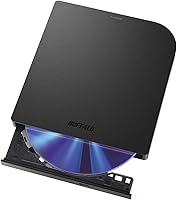
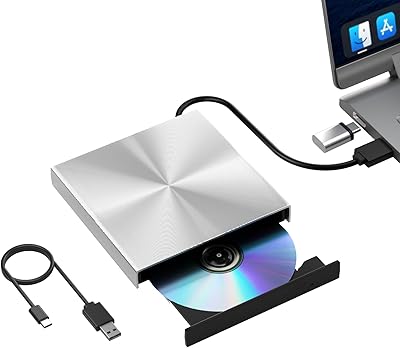
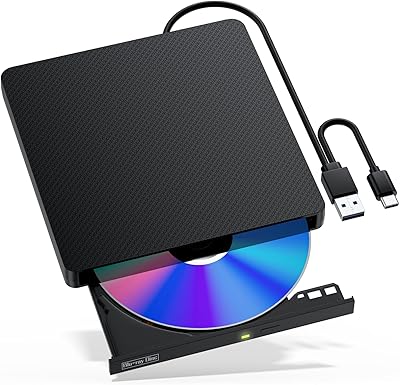
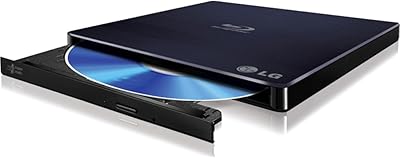
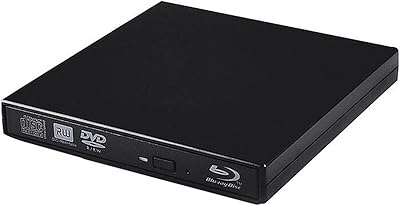
The Buffalo BRXL-PUS6U3B Portable Blu-ray Drive is a slim, bus-powered external optical drive built for laptop and desktop users who still have a legitimate need for physical media. Optical drives are a niche purchase these days, but if you own a Blu-ray collection, need to burn archival discs, or bought a modern laptop with no built-in drive, the gap is real. Buffalo covers both connection types here: a standard Type-A port plus a Type-C adapter included in the box, so you are not locked out by whatever ports your machine happens to have. A 2-year warranty with US-based support adds a layer of confidence that is easy to overlook but genuinely worth factoring into the buying decision at this price tier.
Features & Benefits

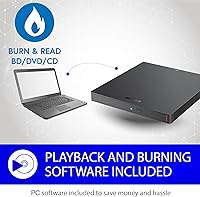
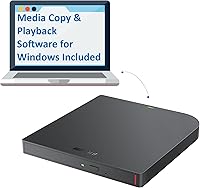
Speed-wise, this portable Blu-ray drive runs at 6x Blu-ray read and write, which is honest mid-range territory — fast enough for most home burning sessions but slower than bulkier desktop units. DVD handling steps up to 8x, and CDs fly through at 24x, so everyday disc tasks never feel sluggish. The body is only 0.6 inches thick and just over half a pound, meaning it actually fits in a laptop bag without taking over a compartment. No power brick required — it draws everything through USB. Windows users get CyberLink Media Suite bundled in, covering both playback and burning without hunting for third-party software. Mac users should note the software will not apply to them, though the drive itself works fine on macOS.

Best For

This external disc burner makes the most sense for a few specific types of buyers. If you own a sizable Blu-ray or DVD library and want to rip it to a hard drive, this handles that job without fuss. Travelers and remote workers who occasionally need optical access — but cannot justify lugging a desktop setup — will appreciate how little space it occupies in a bag. The M-DISC support is a genuine draw for anyone doing long-term archival work, whether that is a home user preserving family recordings or a small office backing up critical files on media built to outlast most conventional storage. Anyone replacing an old USB 2.0 drive will notice the speed and compatibility upgrade right away.

User Feedback

With 66 ratings averaging 4 out of 5 stars, the Buffalo optical drive lands in solidly positive — if not universally enthusiastic — territory. Buyers consistently highlight plug-and-play reliability and the compact build as standout strengths, particularly those upgrading from older or bulkier external drives. The dual-connector approach earns specific appreciation from users with newer USB-C-only laptops. On the critical side, some reviewers found the 6x Blu-ray speed underwhelming for large batch-burning jobs, and a handful of Mac users flagged that the bundled software is Windows-only, which caught them off guard. Value perception is generally favorable, though a minority felt the price sits slightly high for what is delivered. Overall, most buyers would recommend it for occasional to moderate use.

Pros

  • Genuinely compact at under 0.6 inches thick — fits in a laptop sleeve without bulk
  • No power adapter needed; the drive runs entirely off USB bus power
  • Includes both Type-A and Type-C connectivity in the box, covering virtually any modern laptop
  • Works on both Windows and macOS without driver installation headaches
  • M-DISC support is a rare and useful feature at this size and price tier
  • DVD and CD speeds are strong, making everyday non-Blu-ray disc tasks quick and painless
  • Two-year manufacturer warranty with US-based support is better than most competitors offer
  • CyberLink Media Suite covers Windows users for both playback and burning right out of the box
  • Consistent plug-and-play reliability reported across a wide range of machines
  • Light enough at 0.58 lbs to carry daily without noticing it in a bag

Cons

  • 6x Blu-ray write speed is modest and makes burning large discs noticeably slower than desktop alternatives
  • Mac users get no usable bundled software and must find third-party applications independently
  • Not ideal for high-volume disc burning sessions where turnaround time per disc matters
  • Some buyers feel the asking price is slightly steep relative to budget competitors in the same category
  • The included Type-C adapter rather than a native Type-C cable can feel like a half-measure on newer laptops
  • No indication of UHD Blu-ray playback support, which limits utility for 4K disc owners
  • Purely USB bus-powered design means performance can dip if connected to a low-output USB hub
  • Relatively small number of published reviews makes it harder to assess long-term durability with confidence

Ratings

The Buffalo BRXL-PUS6U3B Portable Blu-ray Drive scores below are generated by our AI review engine after analyzing verified global buyer feedback, with spam, incentivized, and bot-flagged submissions actively filtered out before scoring. Across categories ranging from portability to software experience, both the genuine strengths and the real frustrations buyers encountered are transparently reflected in each score. This is not a promotional summary — it is an honest aggregate of what real users experienced across a range of machines, operating systems, and use cases.
Portability
93%
Buyers who carry this drive in a laptop bag consistently describe it as one of the least intrusive accessories they own. At under 0.6 inches thick and barely over half a pound, it disappears into a sleeve or side pocket without adding meaningful bulk, which matters a lot on travel days.
A small number of users noted the drive feels slightly larger in footprint than they expected from photos, since the 5.8 x 5.4 inch surface area is closer to a paperback book than a phone-sized gadget. It is slim, but not tiny.
Plug-and-Play Setup
91%
The most consistently praised aspect across all platforms is how effortlessly this drive gets recognized by both Windows and macOS the moment it is plugged in. No driver hunting, no reboot required — users report being ready to use it within seconds of first connection, which is exactly what you want from a peripheral you pull out occasionally.
A handful of Mac users reported that the absence of bundled software left them confused about next steps after the drive was recognized, since the hardware works fine but the OS offers no built-in Blu-ray playback path. The setup is only truly turnkey on Windows.
Blu-ray Read Performance
72%
28%
For typical home use — ripping a movie, reading a disc to verify a backup, or loading data — the 6x read speed is entirely adequate. Users who use this drive a few times a week report no meaningful complaints about read reliability, and errors or failed reads are rarely mentioned.
Six times read speed is the floor of what most buyers expect at this price, not the ceiling, and users who compare it to desktop units feel the difference immediately when processing longer or denser discs. It is not slow enough to be a dealbreaker for occasional use, but high-volume users will notice the pace.
Blu-ray Write Performance
67%
33%
For burning a disc here and there — archiving a family video project, creating a backup copy of important files — the 6x write speed gets the job done without drama. Users doing light archival work report fully burned discs with no coasters, which speaks to write reliability even if not raw speed.
Burning a full 25GB single-layer Blu-ray disc can take 20 to 25 minutes at 6x, and users who planned to burn multiple discs in a session found the total time frustrating. This is the most cited performance limitation in negative reviews, and it is a real constraint for anyone with batch-burning needs.
DVD and CD Performance
88%
At 8x DVD and 24x CD, these two formats feel noticeably snappier than Blu-ray, and buyers who primarily use the drive for DVD ripping or CD burning report a smooth, fast experience. For anyone digitizing a legacy CD or DVD collection, this drive handles those tasks without holding you back.
There is little to criticize here relative to the category norms, though buyers who came from cheap USB 2.0 drives occasionally noted that the speed improvement, while real, was not as dramatic as they had hoped for DVDs specifically.
Build Quality
78%
22%
The drive feels solid in hand without being heavy, and the matte plastic shell resists minor scratches from bag contact reasonably well. Users who have owned it for several months consistently describe it as holding up without wobble, creaking, or any visible wear around the disc slot.
The plastic construction does not feel premium against metal-bodied alternatives, and a subset of buyers expressed mild concern about long-term durability given how thin the chassis is. It feels well-made for its weight class but would not survive a hard drop onto a hard floor.
Connectivity Flexibility
84%
Including both Type-A and Type-C compatibility in one package is a practical decision that saves buyers from discovering a port mismatch after unboxing. Users with newer USB-C-only laptops specifically called out the included adapter as a genuinely useful inclusion rather than an afterthought.
The Type-C solution is an adapter on a Type-A cable rather than a dedicated Type-C cable, which adds a small point of potential failure and a slightly inelegant connection on ultrabooks where the adapter sticks out noticeably. A native Type-C cable option would have been cleaner.
Mac Compatibility
63%
37%
The hardware side of Mac compatibility is solid — no drivers, no configuration, the drive mounts and reads discs without issue across recent macOS versions. Users who already owned a third-party Blu-ray player app had no complaints whatsoever about using this drive on their Macs.
The software gap is a real issue for Mac buyers who assumed the bundled CyberLink suite worked cross-platform. Buffalo does not make this limitation prominent enough before purchase, and multiple Mac users flagged it as a surprise they had to solve after the fact by spending extra on third-party software.
Windows Software Experience
81%
19%
CyberLink Media Suite covers both playback and disc burning competently, and Windows users generally appreciate not having to research third-party tools on day one. The software handles standard Blu-ray movies and data burning without meaningful issues for most users.
Some users found the CyberLink suite bloated or difficult to navigate compared to leaner alternatives, and a few reported minor activation hiccups during installation. It works, but it is not the most polished software experience relative to what power users might prefer.
M-DISC Support
87%
For the niche of buyers specifically seeking archival-grade storage, M-DISC support at this form factor and price is a genuine differentiator. Users archiving family photos, legal documents, or irreplaceable recordings found it reassuring that the drive can write to a format engineered for century-scale durability.
M-DISC media itself is expensive and not widely stocked in physical retail, so this feature has limited day-to-day utility for the average buyer. It is a meaningful bonus for archivists but essentially irrelevant to casual users.
Value for Money
69%
31%
Buyers who needed specifically a portable Blu-ray burner with M-DISC support, dual connectivity, and a manufacturer warranty generally felt the price was justified given how few portable drives meet all those criteria simultaneously. For that specific buyer, the value equation works.
Buyers who compared it to cheaper DVD-only drives, or who ended up needing to purchase separate Mac software on top of the drive cost, were more likely to feel the total outlay was high relative to what they got. The value rating depends heavily on how closely your needs match what this drive actually offers.
Noise and Heat
82%
18%
Under normal operation — reading a movie disc or burning a single Blu-ray — the drive stays reasonably quiet and does not get uncomfortably warm. Users who run it on a desk or lap for a full session report it is not distracting.
During sustained write operations, a small number of users noted the drive audibly spins up and generates enough warmth to be noticeable on a lap or bare table surface. It is within normal range for optical drives but worth knowing if you are sensitive to fan and disc noise in quiet environments.
Warranty and Support
86%
A two-year manufacturer warranty backed by a US-based support team is meaningfully better than what most competitors in this category offer, and buyers who have had to reach out to Buffalo generally describe the support experience as responsive and resolution-oriented.
The warranty terms apply to hardware defects and not to software or compatibility issues, which is where many buyer frustrations actually originate. Users with Mac software questions or UHD compatibility questions found the support scope narrower than they had hoped.

Suitable for:

The Buffalo BRXL-PUS6U3B Portable Blu-ray Drive is a strong fit for anyone whose modern laptop shipped without an optical drive but who still has a real, recurring need for physical media. That covers a wider range of people than you might expect: home users with shelves of Blu-ray or DVD movies they want to rip and preserve digitally, remote workers who occasionally receive project files or client deliverables on disc, and small office staff who need a reliable way to read or burn optical media without dedicating desk space to a full desktop drive. Travelers in particular will appreciate that the drive weighs under two-thirds of a pound and draws power straight from USB, making it genuinely easy to toss in a bag alongside a laptop. For anyone committed to long-term archival storage, the M-DISC compatibility is a practical bonus that most portable drives in this category do not offer. Mac and PC users alike can use the hardware without configuration headaches, and the two-year warranty with US-based support provides real peace of mind for a device in this category.

Not suitable for:

Buyers who need to burn through large volumes of Blu-ray discs quickly will find the 6x write speed a real constraint — this drive was designed for occasional to moderate personal use, not high-throughput production workflows where time per disc matters. The Buffalo BRXL-PUS6U3B Portable Blu-ray Drive is also not the right tool for Mac users who are counting on the bundled software, since CyberLink Media Suite only runs on Windows, leaving macOS users to source their own playback and burning applications. If you want a drive that doubles as a primary workstation peripheral running all day, the thermal and speed limitations of a portable form factor may frustrate you compared to a powered desktop unit. Power users who regularly back up 4K UHD Blu-ray discs should also verify software compatibility independently, as not all playback applications support UHD encryption at the consumer level. Finally, buyers looking for the absolute lowest price in the external optical drive category will find cheaper options, though usually without the warranty coverage or build quality that justifies the difference here.
Specifications

  • Brand: Manufactured by BUFFALO, a Japanese storage and networking hardware company with a long track record in optical drives and external storage.
  • Model: The specific model is the BRXL-PUS6U3B, part of the MediaStation BDXL Portable lineup.
  • Interface: Connects via USB 3.2 Gen 1, which delivers transfer speeds adequate for Blu-ray read and write operations without bottlenecking the drive.
  • Connector: Ships with a Type-A connector and includes a Type-C adapter in the box, giving it compatibility with both legacy and modern USB ports.
  • Blu-ray Speed: Reads and writes Blu-ray discs at up to 6x, which is standard for portable drives in this category.
  • DVD Speed: Reads and writes DVDs at up to 8x, covering the vast majority of DVD burning and ripping tasks at a comfortable pace.
  • CD Speed: Reads and writes CDs at up to 24x, making audio CD ripping and data disc creation relatively quick.
  • Dimensions: The unit measures 5.8 x 5.4 x 0.6 inches, keeping it thin enough to slide into most laptop sleeves or bag pockets.
  • Weight: At 0.58 lbs, the drive adds minimal load to a travel bag and is light enough to carry daily without inconvenience.
  • Power Source: Fully USB bus-powered with a maximum draw of 7.5W, requiring no external power adapter or wall outlet.
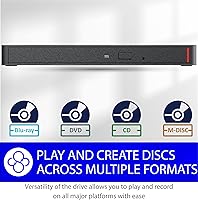
  • M-DISC Support: Supports M-DISC recording, a write-once optical format designed for long-term archival storage with exceptional resistance to heat, light, and humidity.
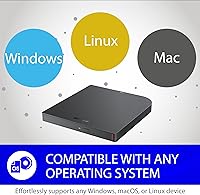
  • Compatible OS: Works with both Windows and macOS without requiring manual driver installation on either platform.
  • Bundled Software: Includes CyberLink Media Suite for Windows, covering Blu-ray playback and disc burning; no equivalent software bundle is provided for macOS users.
  • Warranty: Backed by a 2-year manufacturer warranty with support handled by a US-based team.
  • Origin: Manufactured in Thailand.
  • TAA Compliance: The standard retail model (BRXL-PUS6U3B) is not TAA compliant; a separate TAA-compliant variant (BRXL-PUS6U3B-TAA) exists for government and regulated procurement.

Related Reviews

NOLYTH Portable External Blu-ray Drive
71%
91%
Portability & Form Factor
88%
Plug-and-Play Setup
44%
Blu-ray Playback Software Experience
71%
Disc Read & Write Performance
67%
Build Quality & Materials
More
Wintale Portable External Blu-ray Drive

72%
91%
Ease of Setup
72%
Read Performance
69%
Write & Burn Reliability
44%
Software & Out-of-Box Readiness
61%
Build Quality
More
Yaeonku 50GB External Blu-ray Drive
70%
86%
Plug-and-Play Setup
78%
Blu-ray Read & Burn Performance
89%
Dual-Interface Connectivity
41%
Software & Playback Experience
83%
Compatibility Across Operating Systems
More
Verbatim 43889 Blu-ray RW Drive
86%
89%
Performance for Blu-ray Burning
93%
Ease of Setup
90%
Portability
80%
Compatibility with Operating Systems
85%
Write Speed (Blu-ray)
More
VSVABEFV External USB Blu-Ray Drive
82%
93%
Ease of Use
90%
Portability
65%
Write Speed
78%
Software Compatibility
88%
Compatibility with Operating Systems
More
NVOPERANG BD015 External Blu-ray Drive
72%
78%
Plug-and-Play Ease
61%
Blu-ray Playback Experience
84%
CD & DVD Performance
67%
Build Quality & Durability
81%
Connectivity & Compatibility
More
LG WP50NB40 External Blu-ray Writer
78%
93%
Portability & Form Factor
91%
Bus-Powered Convenience
89%
Plug-and-Play Setup
86%
Burn Quality & Reliability
78%
Blu-ray Playback Performance
More
Alphami USB-C External Blu-ray Drive
65%
78%
Ease of Setup
67%
Blu-ray Playback Quality
59%
Compatibility
54%
Portability
56%
Build Quality
More
Cloudtale Portable Slim External Blu-ray Drive

71%
91%
Ease of Setup
61%
Mac Compatibility
78%
Build Quality
74%
Read Performance
88%
Portability
More
Wbacon 7-in-1 External Blu-ray Drive
71%
67%
Disc Read Reliability
61%
Blu-ray Write Performance
84%
Connectivity & Port Variety
71%
Card Reader Utility
81%
Setup & Plug-and-Play Experience
More

FAQ

Yes, the hardware itself is plug-and-play on macOS — no driver installation needed. The catch is that the bundled CyberLink software is Windows-only, so Mac users will need a third-party application like Claquette, Burn, or Leawo Blu-ray Player for playback and burning tasks. It is a meaningful gap worth knowing about before you buy.

The drive can read commercial Blu-ray discs, but software-side decryption is what actually allows licensed movie playback. On Windows, the bundled CyberLink Media Suite handles this. On Mac, you will need a compatible third-party player that supports Blu-ray decryption, as macOS has no native Blu-ray playback support whatsoever.

Yes. The drive connects via a standard Type-A cable, and Buffalo includes a Type-A to Type-C adapter in the box. It is a simple passive adapter rather than a dedicated Type-C cable, but it gets the job done reliably for most users.

At 6x write speed, a single-layer 25GB Blu-ray disc typically takes roughly 20 to 25 minutes to burn from start to finish. That is in line with other portable Blu-ray drives but noticeably slower than full desktop units that run at 16x or higher. If you are planning to burn many discs in a single session, factor that time in.

Yes, the BRXL-PUS6U3B supports BDXL format discs, which includes triple-layer 100GB and quad-layer 128GB Blu-ray media. This makes it viable for high-capacity archival projects, especially when combined with M-DISC BDXL media for long-term storage.

In most cases, no. Both Windows 10 and 11 and recent versions of macOS recognize the drive automatically when you plug it in. Buffalo does not require proprietary drivers for basic operation. The CyberLink software installation is optional and only adds functionality on Windows.

It can work through a hub, but results vary depending on the hub quality. A powered USB hub is strongly recommended if you use one, since unpowered or low-output hubs may not deliver the full 7.5W the drive can draw, potentially causing read errors or unexpected disconnections during burns.

M-DISC is a write-once optical disc format that uses a rock-like inorganic recording layer instead of the dye used in standard discs, which makes it highly resistant to heat, UV light, and humidity. Manufacturers claim a lifespan of up to 1,000 years under proper storage conditions. Most casual users will never need it, but it is a genuinely useful feature for archiving documents, family photos, or any data you want preserved reliably for decades.

This is an area where you need to be careful. The drive hardware can physically read UHD Blu-ray discs, but whether you can actually play 4K UHD movies depends entirely on your software and system configuration. UHD playback requires AACS 2.0 decryption support, which only a handful of software players handle, and typically requires specific Intel or AMD CPU/GPU combinations with SGX or other protected content pathways. Treat UHD movie playback as unconfirmed unless you have verified your full system setup supports it.

Budget external drives in the sub-50-dollar range typically top out at DVD, lack Blu-ray support entirely, and often skip USB 3.0 or newer interfaces. This portable Blu-ray drive sits in a different tier: it handles all three disc formats, includes M-DISC support, uses a current USB standard, and comes with a two-year warranty. Whether that gap justifies the price difference depends entirely on whether you actually need Blu-ray capabilities — if you only use DVDs and CDs, a cheaper drive makes more sense.

Where to Buy