Overview

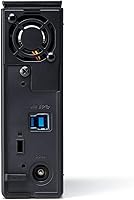
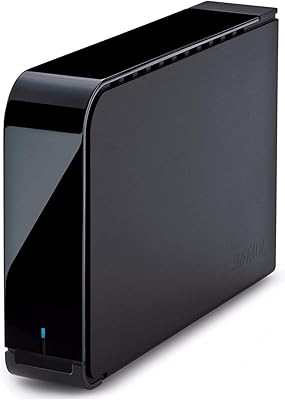
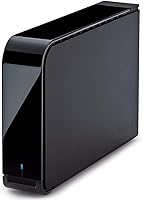
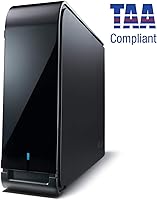
The Buffalo DriveStation Axis Velocity 4TB Hard Drive is Buffalo Technology's answer to users who want a desktop storage option that prioritizes speed without stepping into SSD territory. This desktop drive spins at 7200 RPM inside a clean matte black enclosure — a meaningful step up from the 5400 RPM drives that dominate this price range. It connects via USB 3.2 Gen 1 and works plug-and-play on Windows straight out of the box. Mac users will need to reformat it first, which is worth knowing before you plug it in. Buffalo ships it with their Backup Utility software for scheduled PC backups.
Features & Benefits

The 7200 RPM spindle is the standout spec here. In practical terms, it means faster file transfers when moving large batches of photos or video files compared to the slower 5400 RPM alternatives common in this category. The USB 3.2 Gen 1 interface, often labeled as USB 3.0, maxes out at 5 Gbps — enough to keep up with the drive's mechanical performance without becoming the bottleneck. For users with sensitive files, the optional 256-bit AES encryption handles security at the hardware level, so there's no performance hit from software-based solutions. The eco Manager tool quietly reduces idle power consumption, and Time Machine support is built in for Mac users after the initial format.

Best For

This Buffalo storage unit makes the most sense for people who need fast, local storage at the desktop level — not something to carry around, but something to keep plugged in and working hard. It fits home users managing large photo or video libraries, small offices running nightly backups, or anyone who's tired of cloud storage limits and monthly fees. Windows users get the most frictionless experience thanks to the bundled backup software. Mac users can absolutely use it, but they should expect to spend a few minutes formatting before anything else. If portability matters to you, look elsewhere. If raw capacity and speed at a fixed workstation is the priority, this desktop drive delivers.

User Feedback

With over 560 ratings and a 4.3-star average, the DriveStation Axis Velocity has earned a solid reputation among buyers who've put it through real use. Transfer speeds and easy Windows setup draw consistent praise. The longer-term impressions are mostly positive, with many reviewers returning after months to confirm the drive is still running without issues. That said, this is a 7200 RPM mechanical drive, and some users do notice it runs warmer and produces a low hum compared to slower alternatives — that's a physical reality of the speed, not a defect. The two-year warranty gets mixed reactions, with some buyers wishing it matched the three-year coverage offered by certain competitors.

Pros

  • The 7200 RPM spindle delivers noticeably faster transfers than typical budget desktop drives in the same price range.
  • Windows plug-and-play setup works immediately with no driver installation needed.
  • Bundled backup utility makes scheduling automated PC backups genuinely easy for non-technical users.
  • Optional 256-bit AES hardware encryption protects sensitive files without slowing down everyday read and write operations.
  • The eco Manager tool reduces idle power consumption, helpful for drives left running continuously.
  • Time Machine compatibility makes this Buffalo storage unit a practical Mac backup destination after a simple reformat.
  • 4TB of capacity handles large media libraries, project archives, and nightly backups without filling up quickly.
  • A 4.3-star average across more than 560 verified ratings signals consistent real-world satisfaction.
  • USB 3.2 Gen 1 ensures compatibility with a wide range of both modern and older systems.
  • Compact 3.5-inch footprint sits neatly on a desk without dominating the workspace.

Cons

  • Mac users must reformat before first use — it does not work plug-and-play on macOS out of the box.
  • The 7200 RPM mechanism produces an audible hum that noise-sensitive users will likely find distracting.
  • Two-year warranty coverage is shorter than the three-year protection some direct competitors offer at similar prices.
  • The bundled Windows backup software feels dated and lacks the polish of modern third-party backup tools.
  • The drive runs noticeably warm under sustained use, which may be a concern in poorly ventilated setups.
  • USB 3.2 Gen 1 caps real throughput at 5 Gbps, which becomes a bottleneck for very demanding workloads.
  • The eco Manager power-saving utility is not enabled by default and easy to overlook during initial setup.
  • No cache acceleration means sustained write performance can dip compared to cache-equipped alternatives.
  • The power adapter cable is bulky and contributes to desk cable clutter with no included management solution.

Ratings

The Buffalo DriveStation Axis Velocity 4TB Hard Drive scores below are generated by AI after analyzing verified buyer reviews worldwide, with spam, bot-submitted, and incentivized feedback actively filtered out. Based on hundreds of real-world impressions from home users, creative professionals, and small office setups, these ratings reflect both where this desktop drive genuinely delivers and where it falls short. Nothing is glossed over — the strengths and the friction points are both represented here.
Transfer Speed
83%
The 7200 RPM spindle makes a noticeable real-world difference when moving large batches of RAW photos or multi-gigabyte video project folders. Users consistently report faster drag-and-drop transfers compared to budget 5400 RPM drives they replaced, which is exactly the kind of day-to-day win that earns repeat praise.
The USB 3.2 Gen 1 interface caps throughput at 5 Gbps, so users pushing very large sequential workloads will eventually hit that ceiling. It is not a limitation unique to this drive, but anyone expecting USB 3.2 Gen 2 speeds will be disappointed.
Reliability & Longevity
81%
19%
A meaningful share of reviewers came back months after purchase to confirm the drive was still performing without issues, which is a strong signal for a mechanical HDD. Long-term backup drives that run quietly in the background for years are exactly what this unit seems built for.
As with any mechanical drive, a small but notable group of users reported early failures, and at 7200 RPM the wear profile is slightly more demanding than slower alternatives. Buffalo's two-year warranty provides some coverage, but it is shorter than some rivals offer.
Ease of Setup
86%
Windows users get a genuinely plug-and-play experience — connect the cable, and the drive appears immediately with no driver installation needed. The bundled Buffalo Backup Utility also makes scheduling automated backups straightforward, even for less technical users.
Mac users face an extra hurdle: the drive ships formatted for Windows and must be reformatted before Time Machine or general use on macOS. It is a simple process, but it catches buyers off guard who assumed cross-platform compatibility meant ready-to-use out of the box.
Build Quality
74%
26%
The matte black enclosure feels solid and sits stably on a desk without much vibration transfer. At just over two pounds, it has enough heft to suggest decent internal construction without being awkward to reposition.
The plastic casing, while functional, does not feel premium relative to metal-encased competitors. A few users noted the enclosure can feel warm after extended operation, which is expected for a 7200 RPM drive but still worth knowing if your workspace runs hot.
Noise Level
62%
38%
Under light use, the drive is relatively quiet and easy to tune out in a home office setting. Most users running it as a passive backup destination report the ambient sound is not disruptive during normal workdays.
At 7200 RPM, this desktop drive produces a low but audible hum and occasional seek noise that slower drives simply do not generate. Users in very quiet recording environments or open-plan offices flagged this as a genuine annoyance, and it is one of the more consistent criticisms across reviews.
Value for Money
77%
23%
For users who need fast local storage for media-heavy workflows and want to avoid ongoing cloud subscription fees, this Buffalo storage unit makes a compelling case. The combination of high spindle speed, encryption, and bundled software at this capacity tier is hard to replicate with a DIY setup.
The pricing sits at the higher end for a mechanical desktop drive without cache acceleration, and some buyers felt competitors offered comparable specs with longer warranties at similar prices. The value equation depends almost entirely on how much the 7200 RPM speed matters to your specific workload.
Backup Software
71%
29%
The included Buffalo Backup Utility handles scheduled, automatic backups on Windows without requiring any third-party tools. For users who have never set up a backup routine before, having a working solution pre-installed lowers the barrier significantly.
The software interface feels dated and lacks some of the polish users expect from modern backup tools. Mac users get Time Machine compatibility instead, which is more refined, but Windows users hoping for a feature-rich application may find the Buffalo utility underwhelming.
Hardware Encryption
78%
22%
The optional 256-bit AES hardware encryption is a genuine differentiator for users storing sensitive client files or personal records. Because it operates at the hardware level, there is no measurable slowdown during normal read and write operations, which is not always true of software encryption layers.
Encryption is opt-in rather than enabled by default, so users who forget to configure it before loading data may miss the benefit entirely. There is also limited documentation walking first-time users through the activation process, which has led to confusion in a handful of reviews.
Power Efficiency
73%
27%
The eco Manager utility actively reduces power draw during idle periods, which matters for drives left plugged in around the clock. Users running home servers or always-on backup stations appreciated the lower energy footprint over weeks of continuous use.
The eco Manager software is an optional install and not prominently featured during setup, so many users never activate it. Without it, the drive consumes the same power as any comparable 7200 RPM desktop HDD, which is not egregious but not optimized either.
Compatibility
79%
21%
The DriveStation Axis Velocity covers an impressively wide range of Windows versions, from XP through Windows 10, and works with Mac OS X 10.5 and later. That breadth means it is practical in mixed-OS households or small offices running older machines alongside newer ones.
The out-of-box Mac incompatibility remains the single biggest compatibility friction point. Users working exclusively in macOS ecosystems may find the extra formatting step an unnecessary inconvenience, particularly when some competing drives ship pre-formatted for broader compatibility.
Thermal Performance
61%
39%
Under typical backup workloads the drive maintains acceptable temperatures, and the enclosure design does allow some passive heat dissipation over extended periods. Users running it in well-ventilated desk setups rarely reported thermal-related problems.
In enclosed spaces or under sustained heavy writes, the drive runs noticeably warm. The 7200 RPM mechanism generates more heat than 5400 RPM alternatives by design, and a few users mentioned concern about placing it inside a cabinet or tight AV shelf.
Cable & Accessories
58%
42%
The included USB cable is long enough for most standard desk configurations and connects securely without feeling flimsy. Having everything in the box means buyers can get started immediately without a trip to buy additional accessories.
Only one cable is included, and the power adapter cable is not particularly compact, which can clutter a desk. Several reviewers wished Buffalo included a cable management solution or at least a shorter power cord option for tidier setups.
Warranty & Support
63%
37%
A two-year warranty from an established storage brand offers a reasonable baseline of protection for a product intended to safeguard important files. Buffalo's support channels are reachable and have resolved hardware replacement requests for verified defect cases.
Two years falls short of the three-year coverage offered by some direct competitors at a similar price point, and this gap comes up repeatedly in buyer comparisons. Users treating the drive as a long-term archive solution may feel underprotected beyond the warranty window.
Physical Footprint
76%
24%
The 3.5-inch desktop form factor strikes a good balance — large enough to house a full-capacity 4TB platter drive but compact enough to sit beside a monitor without dominating the desk. At under 7.5 inches long, it fits neatly into most home workstation layouts.
It is unambiguously a desk-bound device, and users who travel or move between workspaces will find no practical way to use it portably. Anyone who purchased it hoping for occasional on-the-go use quickly discovered it was not designed with that scenario in mind.

Suitable for:

The Buffalo DriveStation Axis Velocity 4TB Hard Drive is a strong fit for anyone who needs a fast, high-capacity storage solution anchored to a desk — not something to carry around, but something to rely on day after day. Windows users in particular get the most frictionless experience: plug it in, install the included backup utility, and scheduled backups run without any further configuration. Creative professionals who regularly move large files — RAW photo archives, video project folders, multi-track audio sessions — will notice the real-world speed advantage the 7200 RPM mechanism provides over the slower drives that dominate budget options. Small office environments running shared local backups or workstation-level archiving will also find the 4TB capacity and optional hardware encryption practically useful. Mac users can absolutely benefit too, provided they are comfortable doing a quick reformat before first use, after which Time Machine works without issue.

Not suitable for:

The Buffalo DriveStation Axis Velocity 4TB Hard Drive is the wrong choice for anyone who needs portable storage they can toss in a bag between locations — this is a 3.5-inch desktop unit that requires a power adapter, and it was never designed to move around. Users working in noise-sensitive environments like home recording studios or very quiet shared offices should also think carefully: the 7200 RPM mechanism produces a low but persistent hum and audible seek noise that slower alternatives simply do not. If you are a Mac user who wants something ready to use straight out of the box with zero extra steps, the mandatory reformatting will feel like an unnecessary friction point. Buyers who prioritize warranty coverage and are comparing long-term value against competitors offering three-year protection may find this desktop drive falls slightly short. Finally, anyone expecting SSD-level speeds should note that the USB 3.2 Gen 1 interface and mechanical platter design impose real throughput limits that no software or firmware can change.
Specifications

  • Capacity: The drive provides 4TB of usable mechanical storage, suitable for large media libraries, project archives, and ongoing backup routines.
  • Drive Type: This is a traditional mechanical hard disk drive (HDD) using spinning platters rather than flash memory.
  • Spindle Speed: The internal platters rotate at 7200 RPM, which is faster than the 5400 RPM standard found in most consumer-grade desktop drives.
  • Interface: Connectivity is handled via USB 3.2 Gen 1 (backward compatible with USB 3.0 and USB 2.0 ports), with a maximum theoretical throughput of 5 Gbps.
  • Form Factor: The drive uses a 3.5-inch internal mechanism housed in a compact external desktop enclosure requiring an AC power adapter.
  • Dimensions: The enclosure measures 7.44 inches long, 1.52 inches wide, and 4.83 inches tall.
  • Weight: The unit weighs 2.09 pounds, making it stable on a desk but not practical for portable use.
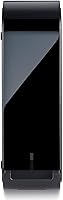
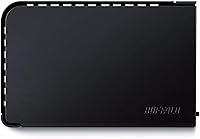
  • Color & Finish: The enclosure is finished in matte black plastic, designed to blend into standard home office and workstation environments.
  • Encryption: Optional 256-bit AES hardware encryption is available and operates at the hardware level, adding security without a software performance penalty.
  • Backup Software: Windows users receive the Buffalo Backup Utility for scheduled automated backups; Mac users can use the drive as a Time Machine destination after reformatting.
  • Power Management: The included eco Manager utility reduces the drive's power consumption during idle periods, useful for units left powered on continuously.
  • OS Compatibility: The drive supports Windows XP through Windows 10 (32-bit and 64-bit), multiple Windows Server editions, and Mac OS X 10.5 or later.
  • Mac Compatibility: Out-of-box use on macOS requires reformatting the drive, as it ships pre-formatted for Windows file systems.
  • Warranty: Buffalo covers this drive with a 2-year limited manufacturer warranty from the date of purchase.
  • Model Number: The official Buffalo model identifier for this unit is HD-LX4.0TU3.
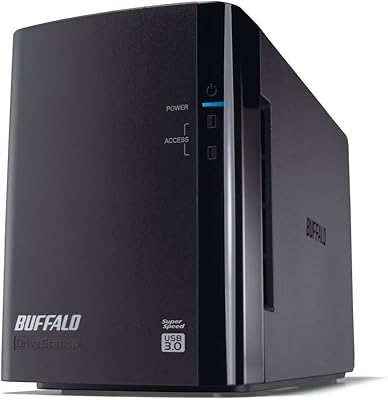
  • Number of Drives: The package includes one external hard drive unit; no RAID configuration or multi-drive enclosure is included.
  • USB Ports: The enclosure features one USB 3.2 Gen 1 port for host connection; no additional pass-through or hub ports are present.
  • Seller Rank: This drive holds a position of approximately #180 in the External Hard Drives category on Amazon, based on sales performance data.

Related Reviews

BUFFALO DriveStation 8TB Desktop External Hard Drive
85%
91%
Performance
88%
Data Security (Encryption)
94%
Ease of Setup
96%
Storage Capacity
85%
Compatibility with PC & Mac
More
BUFFALO DriveStation DDR 3TB External Hard Drive
86%
89%
Performance
91%
Data Transfer Speed
85%
Design & Build Quality
93%
Compatibility with Mac & PC
88%
Storage Capacity
More
Buffalo DriveStation Duo 8TB External Hard Drive
79%
91%
Ease of Setup
88%
RAID Reliability
93%
Data Redundancy & Protection
84%
Build Quality & Construction
61%
Drive Noise Level
More
G-Technology 4TB G-DRIVE Mobile USB-C Portable External Hard Drive
88%
88%
Performance
94%
Portability
91%
Build Quality
89%
Compatibility
95%
Setup & Installation
More
WD Gold 4TB Enterprise Hard Drive
86%
89%
Performance Under Load
93%
Reliability in 24/7 Environments
91%
RAID Compatibility
88%
Endurance and Lifespan
74%
Temperature Management
More
Seagate Exos 7E10 4TB Internal Hard Drive
75%
83%
Sustained Reliability
81%
Read/Write Performance
78%
Value for Money
89%
NAS Compatibility
61%
Vibration & Noise
More
Toshiba N300 4TB NAS Internal Hard Drive
79%
83%
Reliability & Longevity
91%
RAID Compatibility
88%
NAS Compatibility
79%
Sequential Performance
71%
Noise & Vibration
More
Seagate BarraCuda 4TB Internal Hard Drive
87%
86%
Performance
90%
Reliability
93%
Setup & Installation
95%
Storage Capacity
72%
Data Transfer Speed
More
WD Green WD40EZRX 4TB Internal Hard Drive
74%
83%
Value for Money
91%
Noise Level
57%
Read & Write Speed
78%
Reliability & Longevity
88%
Power Efficiency
More
LaCie d2 Professional 4TB External Hard Drive
80%
93%
Build Quality
84%
Transfer Speed
88%
Reliability & Longevity
81%
Noise & Vibration
72%
Thermal Management
More

FAQ

Not quite. The Buffalo DriveStation Axis Velocity 4TB Hard Drive ships formatted for Windows, so Mac users need to reformat it before it will work properly with macOS or Time Machine. It is a quick process using Disk Utility, but it is worth knowing upfront so you are not caught off guard.
It produces a low but noticeable hum because the platters spin at 7200 RPM, which is faster than most consumer desktop drives. You will probably hear it in a quiet room, especially during active read and write operations. It is not disruptive in a typical home office, but if you work in a recording studio or a very quiet shared space, the ambient noise may bother you.

Not without reformatting between uses, unfortunately. If you format it for Mac using HFS+ or APFS, it will not be writable on Windows without third-party software. If you want cross-platform compatibility, formatting it as exFAT during setup is the most practical approach, though that means skipping the Windows-only backup utility and Time Machine integration.

No, the 256-bit AES hardware encryption is optional and must be enabled manually. It does not activate automatically when you first plug the drive in. If data security is a priority for you, make sure to set it up before you start loading files onto the drive.

The drive will work, but the transfer speeds will be significantly slower since USB 2.0 maxes out at 480 Mbps rather than the 5 Gbps ceiling of USB 3.2 Gen 1. For occasional backups it will still function, but for moving large files regularly you will feel the bottleneck. A USB 3.0 or later port is strongly recommended to get the most out of this desktop drive.

It requires an AC power adapter. This is a 3.5-inch desktop drive, and 3.5-inch mechanisms draw more power than a USB port alone can supply. The adapter is included in the box, but it does mean you need a nearby wall outlet and accept a bit of extra cable management.

Once installed, it lets you schedule automatic backups to the drive at intervals you choose — daily, weekly, or at specific times. It is straightforward to configure and does not require much technical knowledge. That said, the interface is fairly basic compared to modern third-party backup tools, so power users may prefer something more feature-rich.

It does run warmer than a 5400 RPM drive under sustained workloads, which is a natural consequence of the faster spindle speed. Under typical home backup use it stays within safe operating temperatures, but if you plan to place it inside an enclosed cabinet or a tight shelf, make sure there is reasonable airflow around it to avoid heat buildup over time.

It depends on the codec and bitrate. For working with compressed 4K formats like H.264 or H.265, the drive is generally fast enough. For uncompressed or high-bitrate RAW 4K workflows, the USB 3.2 Gen 1 interface may become a bottleneck before the drive itself does. Serious video editors dealing with very high data rate footage would benefit more from an SSD or a NAS setup.

Honestly, two years is on the shorter end for desktop external drives — several competing brands offer three years at comparable price points, which is something worth factoring in if you plan to use this Buffalo storage unit as a long-term archive. The warranty covers manufacturing defects under normal use conditions, but it does not cover data recovery if the drive fails, so maintaining a separate backup of critical files is always a good idea regardless of warranty length.