



Overview

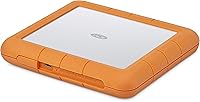
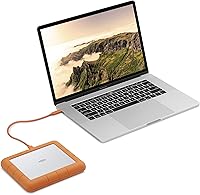
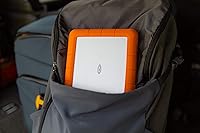
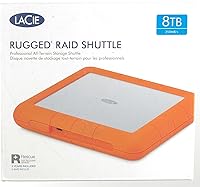
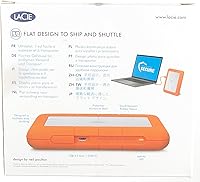
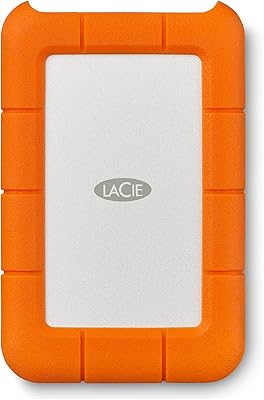
The LaCie Rugged RAID Shuttle 8TB Hard Drive sits at the top of LaCie's Rugged family — not just a tougher shell, but a fundamentally different device built around dual internal drives in a RAID configuration. What makes it genuinely unusual is the flat, envelope-slim chassis: at under three-quarters of an inch thick, it slides into a padded shipping envelope or the slim pocket of a camera bag without complaint. This is not a drive for casual users looking to back up vacation photos. The price puts it firmly in professional territory, and that is exactly the audience it was designed for — working creatives who need serious capacity and data redundancy in one portable unit.

Features & Benefits

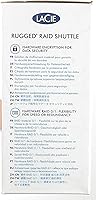
Think of RAID mode as a choice between speed and safety. In RAID 0, the two internal drives work in tandem to boost throughput — useful when you are offloading large video files under a deadline. Switch to RAID 1 for redundancy and the drive mirrors your data automatically, so a single-drive failure does not mean lost footage. The setup wizard handles the transition without requiring technical know-how. Beyond that, the hardware-level encryption means your data is protected at the drive itself, not dependent on software that could be bypassed or uninstalled. USB-C is the primary connection, though USB 3.0 backward compatibility keeps it usable with older rigs. The rugged casing handles drops and dust well, though extended sessions can run noticeably warm.

Best For

This rugged RAID drive is squarely aimed at working professionals — specifically those for whom losing a day of footage or a client deliverable is simply not an option. Location-based filmmakers and photographers will appreciate having 8TB of capacity alongside built-in redundancy without needing to carry a separate backup device. There is also a real argument for anyone who regularly ships raw footage to editors or production companies, since the drive's flat profile actually fits standard padded mailers. Cross-platform users get native Mac and PC compatibility out of the box. If your work involves sensitive client files and you need hardware-grade protection rather than relying on a software password layer, this portable RAID solution makes a compelling case.

User Feedback

Across thousands of ratings, the LaCie RAID Shuttle earns consistent praise for its build quality and durability in real field conditions — users report it surviving drops, rain exposure, and the general punishment of life on a film set. The RAID wizard gets decent marks for accessibility, though buyers without any prior RAID experience occasionally find the initial configuration less intuitive than the marketing implies. Heat during sustained transfers is a recurring complaint, particularly in RAID 0. A handful of reviewers have also flagged inconsistent USB-C cable quality in the box. Long-term reliability feedback is broadly positive through the one-to-two-year mark, though some users openly debate whether the cost is justified compared to simply pairing two standard Rugged drives separately.

Pros

  • RAID 1 mode mirrors data automatically, giving on-location shooters a real safety net against drive failure.
  • The flat form factor is genuinely unique — it fits padded shipping envelopes that no standard portable drive can match.
  • Hardware-level encryption protects sensitive files without relying on third-party software.
  • USB-C and USB 3.0 support keeps this rugged RAID drive compatible with both current and older setups.
  • 8TB of capacity in a sub-pound package is an impressive amount of storage to carry in a gear bag.
  • Drop, shock, dust, and water resistance holds up well in real field conditions according to long-term users.
  • Works natively with both Mac and PC out of the box, with no reformatting required.
  • Ranked among the top external hard drives on Amazon with thousands of verified ratings backing its reputation.
  • The RAID configuration wizard makes switching between performance and redundancy modes accessible without a manual.

Cons

  • Sustained transfers can generate noticeable heat, which some users find concerning during long editing sessions.
  • The price is steep — buyers should be honest with themselves about whether their workflow actually requires RAID.
  • Spinning-disk architecture means transfer speeds lag well behind portable SSDs, even in RAID 0 mode.
  • The bundled Adobe Creative Cloud access is only one month — experienced users should not factor it into the value equation.
  • Some reviewers report that the included USB-C cable underperforms or causes intermittent connectivity issues.
  • The RAID setup process, while wizard-guided, can trip up users with no prior RAID knowledge on first configuration.
  • At 2.12 pounds, this portable RAID solution is noticeably heavier than single-drive competitors in the same category.
  • Choosing the wrong RAID mode at setup requires a full reconfiguration, which wipes existing data on the drive.

Ratings

The scores below for the LaCie Rugged RAID Shuttle 8TB Hard Drive were generated by our AI rating engine after systematically analyzing thousands of verified global buyer reviews, with spam, bot-submitted, and incentivized feedback actively filtered out. Each category reflects a synthesis of real-world usage patterns — not manufacturer claims — so both the strengths and the friction points are represented honestly.

Build Quality
91%
Users consistently describe the physical construction as genuinely tough — not just marketing tough. Filmmakers and photographers report the drive surviving concrete drops, dusty construction sites, and unexpected rain without any functional issues. The rubberized orange bumper and solid chassis inspire real confidence when the drive is rattling around in a gear bag.
A small number of users report cosmetic wear on the bumper after extended heavy use, and a few have noted the seam between the rubber and chassis can collect grit over time. These are minor grievances that do not affect performance, but they are worth noting for buyers expecting pristine aesthetics after years in the field.
Data Redundancy
88%
For professionals who cannot afford to lose a shoot, RAID 1 mode delivers exactly what it promises: automatic, real-time mirroring across both internal drives. Users working in documentary and commercial video production describe genuine peace of mind knowing a single drive failure will not wipe out days of irreplaceable footage before they reach a backup destination.
Running in RAID 1 effectively halves the usable capacity to around 4TB, which surprises some buyers who expect the full 8TB to be available. The drive also does not protect against accidental deletion or physical loss of the entire unit, which some less-experienced buyers mistakenly assume RAID covers.
Thermal Management
52%
48%
Under light to moderate workloads — copying a few hundred gigabytes, offloading a day of stills — the drive stays reasonably comfortable. Users who treat it as a transfer hub rather than a continuously active working drive report fewer thermal complaints, and in cooler ambient environments the heat generation is much less pronounced.
Heat is the single most recurring criticism in long-form reviews. Users running extended RAID 0 transfers in warm climates or enclosed spaces describe the chassis becoming uncomfortably hot to the touch. A few users express concern about long-term drive health under sustained thermal load, and this is a legitimate worry with spinning-disk hardware.
Value for Money
61%
39%
For the specific buyer who needs portable RAID, hardware encryption, and rugged protection in a single flat enclosure, there is genuinely no direct equivalent at a lower price. Professionals who have priced out alternatives — carrying two separate Rugged drives plus an enclosure — acknowledge that the all-in-one convenience has measurable value for their workflow.
The price is a significant sticking point for a broad swath of reviewers. Many users openly question whether the cost is justified over simply purchasing two standard single-drive Rugged models separately. The one-month Adobe CC bundle does nothing to soften the blow for experienced subscribers, and buyers who do not need RAID will feel they are paying heavily for a feature they have no use for.
Ease of Setup
67%
33%
The RAID configuration wizard provides a meaningful assist for users with no prior experience setting up RAID systems. Most buyers who approach it with a basic understanding of what RAID 0 and RAID 1 mean report completing the initial configuration without needing to consult external resources, which is a genuine usability achievement for this product category.
Users who enter the wizard completely blind — expecting it to simply work like plugging in a standard external drive — frequently report confusion, particularly around the fact that the wizard formats the drive and that mode changes later require a full wipe. Customer support forums show a recurring pattern of first-time RAID users reformatting drives and losing data due to misunderstood prompts.
Transfer Performance
74%
26%
In RAID 0, real-world read speeds are noticeably faster than a single spinning portable drive, which makes a tangible difference when offloading large batches of 4K video files. Users who consistently use the USB-C connection on a modern laptop report respectable throughput that holds up well for a dual-spinning-disk configuration.
This is still a mechanical hard drive, and buyers expecting SSD-level speed will be disappointed regardless of RAID mode. Compared to current portable NVMe drives, the transfer ceiling is significantly lower, and in RAID 1 mode the speed advantage disappears entirely. Users with fast NVMe workflows may find the bottleneck frustrating.
Hardware Encryption
86%
The self-encrypting drive implementation earns strong marks from security-conscious professionals, particularly those handling sensitive client footage or proprietary commercial content. Because the encryption lives in the drive controller rather than in software, it remains active regardless of which computer the drive is connected to, which is exactly the protection model traveling creatives need.
A small number of users report that forgetting the password results in permanently inaccessible data with no recovery path, which is technically correct behavior for hardware encryption but comes as a shock to those who assumed there would be a manufacturer reset option. Clear documentation upfront about this risk would prevent considerable user frustration.
Portability
83%
The flat chassis is the most distinctive physical trait this portable RAID solution offers, and users who ship drives regularly to post-production clients treat it as a genuine workflow advantage. Fitting into a padded envelope is something no comparably specced competitor manages, and frequent shippers notice and appreciate the difference immediately.
At 2.12 pounds, this is not a light drive by portable standards, and users who carry it alongside camera bodies, lenses, and laptops feel the weight accumulate over a full shoot day. The thickness, while flat for a dual-drive device, still rules it out of ultra-slim bag pockets where a single-drive Rugged would fit without issue.
Connectivity
79%
21%
The combination of USB-C and USB 3.0 backward compatibility means the rugged RAID drive connects reliably to a wide range of laptops and desktops without the need for adapters in most real-world setups. Cross-platform connection with both Mac and PC without reformatting adds further flexibility for users who work across mixed environments.
Some users report that the included USB-C cable underperforms in sustained transfer scenarios, with a few experiencing intermittent disconnections that required switching to a third-party cable to resolve. This is an accessory-level issue rather than a port-level one, but it does affect the out-of-box experience for a meaningful subset of buyers.
Cable & Accessory Quality
58%
42%
The included cables cover the basic connectivity scenarios, and most casual users report no issues during initial setup and standard use. Having both USB-C and USB-A options in the box means buyers can connect immediately without sourcing additional accessories in most situations.
This is one of the most consistent pain points in critical reviews. Multiple users describe the bundled USB-C cable as the weakest component of the entire package — reporting connector wobble, signal dropouts, and build quality that feels mismatched to a premium-priced drive. For a product at this price point, accessory quality should not be a separate purchase consideration.
Cross-platform Use
84%
Out-of-box compatibility with macOS and Windows without reformatting is a practical advantage that users in mixed-platform studios genuinely appreciate. Photographers and editors who move between a Mac editing suite and a PC color grading station report that the LaCie RAID Shuttle transitions between systems without driver conflicts or mounting issues in most cases.
A small number of users on older Windows versions report needing to update drivers or troubleshoot recognition issues before the drive mounts correctly. Linux compatibility is not officially supported, which is a real limitation for users in technical or scientific fields who might otherwise find this drive appealing.
Long-term Reliability
77%
23%
The majority of users who post reviews at the one-to-two-year ownership mark report that the drive continues to perform without issues, and the brand reputation for durability holds up reasonably well in follow-up buyer commentary. RAID 1 users in particular feel more protected against the anxieties that come with long-term spinning-disk ownership.
A meaningful minority of users report drive failures or degraded performance beyond the two-year mark, which is not unusual for mechanical drives under regular professional use but is worth factoring in at this price point. A few users also express frustration that warranty support, while technically available, involves a time-consuming replacement process.
Capacity Usability
69%
31%
In RAID 0 mode, the full 8TB is available for storage, which is a meaningful amount of working space for video professionals managing large raw files. Users shooting in formats like RED or ARRI who need a portable home for daily project files find the capacity genuinely sufficient for week-long productions without offloading mid-shoot.
Choosing RAID 1 — the safer and more professionally defensible option for most users — immediately cuts usable storage to approximately 4TB, which at this price feels limiting. Users who expected 8TB of protected storage and did not realize RAID 1 halves the pool frequently express disappointment in reviews, suggesting the tradeoff is not communicated clearly enough pre-purchase.
Software & Firmware
72%
28%
The RAID management software handles mode switching and drive monitoring without requiring a steep learning curve for intermediate users. Firmware updates have addressed some early-generation issues, and users who keep the drive updated report a more stable experience than those running out-of-date firmware on older units.
The software ecosystem around this drive is functional rather than polished, and some users describe the interface as dated compared to competitor offerings. A handful of reviewers report that the software fails to install cleanly on certain system configurations, requiring manual troubleshooting before the RAID wizard becomes accessible.

Suitable for:

The LaCie Rugged RAID Shuttle 8TB Hard Drive was built for a specific kind of professional, and it earns its keep for that audience. If you shoot video or stills on location and regularly return with dozens of gigabytes — or hundreds — that need to be protected immediately, the ability to mirror your data in real time via RAID 1 is not a luxury, it is peace of mind you can actually rely on. Photographers and cinematographers who ship raw footage to post-production houses will find the flat chassis genuinely useful, since it slides into a padded envelope the way a standard portable drive simply cannot. Cross-platform creatives who bounce between Mac and PC workflows get native compatibility without the usual reformatting friction. Anyone handling sensitive client work — commercial shoots, legal footage, medical imaging — will appreciate that the encryption lives in the hardware itself, not in an app that could be lost, updated, or uninstalled.

Not suitable for:

If your storage needs are straightforward — backing up a laptop, archiving personal photos, or moving files between home and office — the LaCie Rugged RAID Shuttle 8TB Hard Drive is almost certainly more drive than you need, and the price will feel hard to justify. Budget-conscious buyers or students should look elsewhere; there are single-drive Rugged models and competing portable drives that offer solid durability at a fraction of the cost. Users who need the absolute fastest transfer speeds will also hit a ceiling here, since this is a spinning-disk RAID device, not an SSD — RAID 0 helps, but it will not compete with a portable NVMe drive for raw throughput. Those without any prior RAID experience should know going in that the setup wizard, while functional, is not quite as effortless as it is sometimes described, and a wrong configuration choice early on can create confusion. Finally, if you tend to run long, continuous transfer sessions in warm environments, the heat buildup reported by many users is worth factoring into your decision.

Specifications

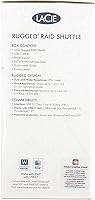
  • Total Capacity: The drive offers 8TB of total storage across two internal drives configured in either RAID 0 or RAID 1 mode.
  • Form Factor: Built on a 2.5-inch flat chassis that is unusually slim compared to most dual-drive portable enclosures.
  • Dimensions: The enclosure measures 3.9 x 2.6 x 0.7 inches, giving it a profile flat enough to fit inside standard padded shipping envelopes.
  • Weight: At 2.12 pounds, this is a noticeably heavier portable drive due to the dual-drive internal architecture.
  • Connectivity: Connects via USB-C as the primary interface, with full backward compatibility for USB 3.0 ports on older computers.
  • RAID Modes: Supports RAID 0 for combined performance throughput and RAID 1 for automatic real-time data mirroring and redundancy.
  • RAID Setup: A step-by-step software wizard guides users through RAID configuration without requiring prior technical knowledge of RAID systems.
  • Security: Equipped with a hardware-level self-encrypting drive system that protects data via password without relying on third-party software.
  • OS Compatibility: Works natively with both macOS and Windows PC systems straight out of the box without reformatting.
  • Durability Rating: Designed to resist drops, shock, dust, and water exposure, making it suitable for use in demanding field environments.
  • Internal Interface: The internal drives use a Serial ATA interface, which is standard for 2.5-inch spinning hard disk drives.
  • Included Bundle: Comes with a one-month complimentary subscription to the Adobe Creative Cloud All Apps Plan, covering apps like Premiere Pro and Lightroom.
  • Model Number: The official manufacturer model number is STHT8000800, which can be used to verify compatibility or check warranty status.
  • Retail Rating: Holds an average rating of 4.5 out of 5 stars from more than 8,050 verified Amazon customer ratings.
  • Category Rank: Ranked #7 in the External Hard Drives category on Amazon, reflecting sustained sales volume and buyer confidence.

Related Reviews
LaCie 2big RAID 8TB External Hard Drive
86%
92%
Performance
88%
Reliability
90%
Build Quality
85%
Ease of Use
91%
Data Transfer Speed
More
LaCie 2big RAID 36TB External Hard Drive
87%
93%
Performance
90%
Reliability
88%
Ease of Setup
95%
Capacity
92%
Data Redundancy
More
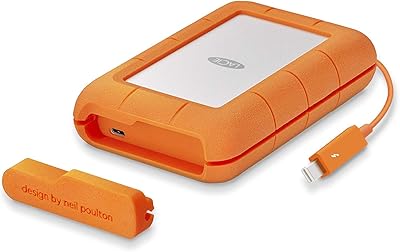
LaCie Rugged 2TB Portable Hard Drive
75%
93%
Build Quality
91%
Portability
58%
Transfer Speed
87%
Storage Capacity
76%
Value for Money
More
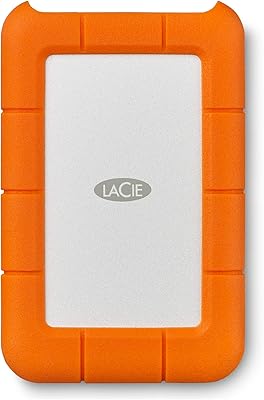
LaCie Rugged 4TB Thunderbolt Portable Hard Drive
81%
93%
Build Quality
91%
Durability & Drop Resistance
67%
Transfer Speed
88%
Connectivity & Compatibility
62%
Value for Money
More
LaCie Rugged Mini 1TB External Hard Drive

74%
93%
Build Quality
91%
Shock & Drop Resistance
52%
Transfer Speed
88%
Portability
61%
Mac Compatibility
More
SanDisk Professional 8TB G-Drive External Hard Drive
68%
83%
Transfer Speed
88%
Build Quality
58%
Reliability
91%
Mac Compatibility
41%
Windows Compatibility
More
Seagate BarraCuda ST8000DM004 8TB Internal Hard Drive
73%
93%
Storage Capacity Value
67%
Reliability & Longevity
61%
Read & Write Performance
89%
Installation & Compatibility
63%
Noise & Vibration
More
Seagate SkyHawk 8TB Surveillance Internal Hard Drive
80%
88%
Recording Reliability
84%
Workload Durability
91%
Installation Ease
79%
Multi-Drive Performance
82%
Drive Health Monitoring
More
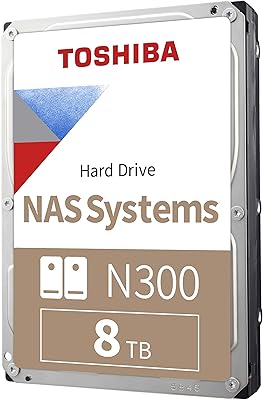
Toshiba N300 8TB NAS Hard Drive

80%
78%
Long-Term Reliability
81%
Noise & Vibration
93%
NAS Compatibility
83%
Read/Write Performance
86%
Value for Money
More
Seagate Expansion 8TB External Hard Drive
71%
91%
Value for Money
93%
Ease of Setup
94%
Storage Capacity
67%
Transfer Speed
72%
Build Quality
More

FAQ

You can switch between modes after the initial setup, but it is important to know that changing RAID configuration requires a full reformatting of the drive, which erases all existing data. So while flexibility is there, it is not something you want to do casually mid-project. Plan your RAID mode based on your primary use case before you start storing files.

RAID 1 mirrors your data across both internal drives simultaneously, so if one drive fails mechanically, your data survives on the other. What it does not protect against is accidental deletion, file corruption, ransomware, or physical loss of the entire device — for those risks, you still need a separate offsite or cloud backup.

It is genuine hardware-level encryption built into the drive controller itself, which is meaningfully more secure than software-based password protection. Even if someone removed the drives from the enclosure and placed them in another device, the data would remain inaccessible without the correct credentials.

Yes, the LaCie Rugged RAID Shuttle 8TB Hard Drive supports USB 3.0 in addition to USB-C, so it will work with standard USB-A ports using an appropriate cable. Keep in mind that USB-C typically delivers better sustained transfer performance, so if your machine supports it, that connection is preferable.

Heat is a real and frequently mentioned concern among users who run extended transfers, particularly in RAID 0 mode. The drive can become warm to the touch during sustained use, though most users report it stays within operating limits. If you are in a warm environment or plan to run hours-long transfers regularly, giving the drive some airflow and avoiding enclosed spaces like laptop bags during operation is a sensible precaution.

This rugged RAID drive ships compatible with both Mac and PC out of the box, so you should not need to reformat it before first use regardless of your operating system. If you plan to use it across both platforms simultaneously or need a specific file system for a workflow, it is worth confirming the format suits your needs before loading it with data.

Honestly, it depends on where you are in your creative workflow. If you are new to Adobe apps and were already considering a trial, the one-month All Apps access has real value. But for working professionals who already subscribe to Creative Cloud, it adds nothing practical — and it should not factor into your buying decision either way.

The flat form factor was specifically designed with this use case in mind — it fits inside standard padded envelopes, which most competing portable RAID drives cannot manage. The rugged casing handles shock and drops reasonably well, and the hardware encryption means your data stays protected even if the package is intercepted or mishandled. That said, using a padded envelope and tracking is still recommended.

The wizard is more approachable than configuring RAID manually, and for users who simply need to pick one mode and stick with it, the process is manageable. Where people run into trouble is when they are not sure which mode to choose, or they accidentally proceed through the wizard without understanding that their choice will format the drive. Reading a brief explanation of RAID 0 versus RAID 1 before starting the wizard is time well spent.

LaCie backs this portable RAID solution with a three-year limited warranty through Seagate, covering manufacturing defects and hardware failure under normal use conditions. It does not cover physical damage from misuse, water damage beyond the rated protection levels, or data recovery costs. Registering the product with LaCie after purchase is the recommended first step to ensure warranty eligibility.