Overview

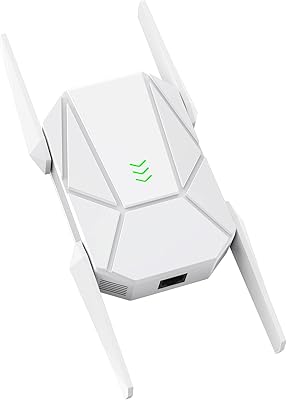
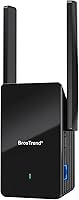
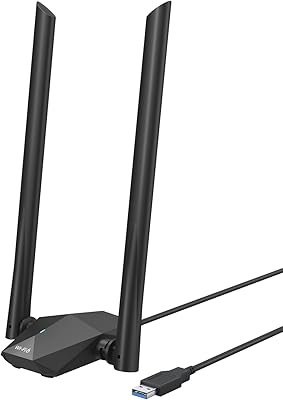
The BrosTrend AX1500 WiFi 6 Extender sits in a practical middle ground — not a budget throwaway, not a full mesh system, but a capable range booster for homes where one router simply can't cover every corner. Unlike the wall-plug extenders that crowd this category, this WiFi 6 extender uses a desktop form factor with two adjustable external antennas, giving it a more stable footprint and better signal directionality. The jump from WiFi 5 to WiFi 6 matters here: improved efficiency, less congestion across connected devices, and a Gigabit Ethernet port that most extenders at this price skip entirely. It's a thoughtful hardware package for a realistic problem.

Features & Benefits

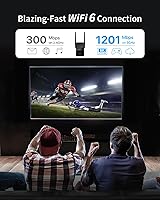
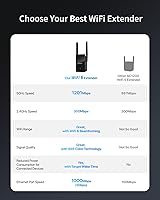
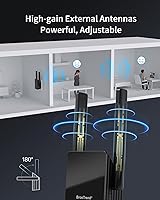
On the technical side, the dual-band setup delivers up to 1201Mbps on the 5GHz band — solid for streaming or video calls — while the 2.4GHz band handles smart home devices and longer-range connections at 300Mbps. Beamforming and BSS Color technology work together to focus the signal where it's needed and reduce interference from neighboring networks, which makes a real difference in dense apartments or busy households. The Target Wake Time feature is a quieter benefit: it allows connected devices to schedule when they communicate, preserving battery on phones and IoT gadgets. Rotating the antennas toward your dead zone, rather than leaving them vertical, noticeably improves results in practice.

Best For

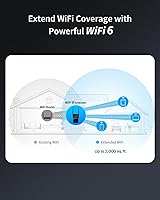
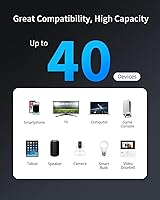
This range booster makes the most sense for renters or homeowners dealing with a single router that can't quite cover 1,500 to 2,000 square feet of living space. It's also a smart middle step for anyone who finds mesh systems overkill or too expensive but has outgrown their WiFi 5 extender. With support for up to 40 devices, it handles multi-device households well — think phones, tablets, smart speakers, and a gaming console all running simultaneously. Gamers and streamers in remote rooms will appreciate having a wired Ethernet fallback for a console or desktop. Setup is simple enough that networking know-how isn't required; WPS gets most people connected in minutes.

User Feedback

Across over 1,200 ratings, the BrosTrend unit holds a 4.0-star average — respectable, but worth examining honestly. Users consistently praise the noticeable speed improvement in previously dead zones and call the WPS setup refreshingly quick. The wired Ethernet port earns specific mentions from people who plugged in a smart TV or desktop and saw an immediate stability boost. On the other side, some users report needing to reboot the device occasionally after extended uptime. A handful of buyers in larger or multi-story homes found the 2,000 sq.ft estimate generous compared to real-world results. Long-term reliability appears solid for most, though a minority of reviews flag occasional drop-offs after several months of continuous use.

Pros

  • WiFi 6 efficiency means noticeably less congestion on busy home networks compared to older extenders.
  • The Gigabit Ethernet port is a genuine differentiator, letting you hardwire a TV, console, or desktop directly.
  • WPS pairing is quick and reliable — most users report being connected within a few minutes.
  • Supports up to 40 devices without obvious performance degradation under normal household loads.
  • Rotatable external antennas let you physically aim the signal toward your dead zone rather than hoping for the best.
  • BSS Color and Beamforming reduce interference in apartment buildings and dense neighborhoods.
  • Target Wake Time helps preserve battery life on smartphones and smart home gadgets connected to the network.
  • Desktop form factor is more stable and better ventilated than compact wall-plug extenders.
  • Works with any router brand, so there are no compatibility headaches when setting it up.
  • Priced at a level that makes the WiFi 6 upgrade accessible without overspending for modest coverage needs.

Cons

  • The 2,000 sq.ft coverage estimate is optimistic; thick walls or multi-story layouts will reduce real-world range noticeably.
  • The 2.4GHz band tops out at 300Mbps, which feels modest even for this price tier.
  • Some users report needing to manually reboot the unit after extended periods of continuous use.
  • Advanced configuration options in the Web UI are limited, leaving power users with little to work with.
  • As a traditional extender, it creates a separate network name by default, which can cause devices to not roam automatically.
  • Long-term reliability shows some variance in user reports, with a minority experiencing drop-offs after several months.
  • The desktop form factor requires a nearby outlet and surface space, which isn't always convenient to place optimally.
  • No mobile app for setup or monitoring — less convenient for users who prefer smartphone-based network management.

Ratings

Our AI-generated scores for the BrosTrend AX1500 WiFi 6 Extender were produced by analyzing thousands of verified global user reviews, with spam, bot-submitted, and incentivized feedback actively filtered out before scoring. Each category reflects the honest distribution of real buyer experiences — strengths are credited where earned, and recurring frustrations are weighted into the numbers transparently. The result is a balanced scorecard that helps you cut through marketing claims and understand exactly what owners actually live with day to day.

WiFi Coverage
72%
28%
In open-plan homes and single-floor apartments, most users report a meaningful improvement in previously dead zones, with devices connecting reliably in rooms that were unusable before. The rotatable antennas help buyers fine-tune coverage direction, which owners of older wall-plug extenders say makes a noticeable difference.
The 2,000 sq.ft claim draws consistent skepticism from users in multi-story homes or properties with thick concrete or brick walls, where real coverage lands noticeably short. Several reviewers in larger homes describe needing to reposition the unit multiple times before finding a workable sweet spot.
Wireless Speed
78%
22%
On the 5GHz band, users running 4K streams, video calls, and online gaming sessions report speeds that hold up well compared to what they experienced with their old WiFi 5 extenders. The WiFi 6 efficiency improvements are most felt in households where multiple family members are online simultaneously.
The 2.4GHz band's 300Mbps ceiling is a recurring complaint, particularly from buyers who expected more headroom for smart home hubs and older laptops that default to that frequency. A few users also note that speeds drop more than expected when the extender is placed at the outer edge of the router's range.
Wired Connectivity
89%
The Gigabit Ethernet port is one of the most consistently praised features across the review pool, with smart TV owners and desktop users calling it a practical differentiator that most competitors at this price skip. Buyers who hardwire a game console or work PC report rock-solid speeds without the latency spikes you get over a wireless hop.
There is only one Ethernet port, which limits wired connections to a single device unless you add a small switch behind it. A handful of users wished for at least two ports, particularly those running both a TV and a streaming box in the same entertainment setup.
Ease of Setup
86%
WPS pairing earns consistent praise for being quick and reliable — the majority of users report being fully connected in under five minutes without touching any settings. The Web UI provides a fallback for those whose routers don't support WPS, and most non-technical buyers describe the process as stress-free.
A small portion of users with older or ISP-locked routers hit snags during WPS pairing and had to rely on the Web UI, which some found less intuitive than expected. Instructions in the included documentation were described as thin by a few buyers who needed more hand-holding.
Build Quality
81%
19%
The desktop form factor with external antennas feels sturdier than the wall-plug alternatives, and owners note that it stays cool during extended use without the heat buildup that some compact extenders suffer from. The physical build is described as solid and functional for its price tier.
The plastic casing doesn't feel premium up close, and a few buyers mention that the antenna hinges feel slightly loose after repeated adjustments. It's not a durability concern for most, but it does reinforce that this is a mid-range device rather than a flagship product.
Long-Term Reliability
67%
33%
The majority of owners report consistent operation over the first several months, with the unit running in the background without requiring attention. For straightforward home setups with moderate traffic, it earns its keep as a set-and-forget device.
A recurring pattern in longer-term reviews involves occasional lockups or drop-offs after sustained uptime, requiring a manual reboot to restore connectivity. This doesn't affect all units equally, but it appears frequently enough in the review pool to factor meaningfully into the reliability score.
Device Capacity
82%
18%
Households running 25 to 35 connected devices — a realistic count for modern smart homes — report that this range booster handles the load without obvious slowdowns during peak usage hours. The WiFi 6 standard's improved multi-device handling gives it a tangible edge over older extenders in crowded network environments.
Users who pushed close to the 40-device limit, particularly with active streaming devices and gaming consoles running simultaneously, noticed some degradation in responsiveness. The theoretical maximum and the practical comfortable maximum are slightly different things here.
Router Compatibility
91%
Working with any router regardless of brand is one of the cleaner promises this range booster keeps — users across ISP-provided hardware, Netgear, Asus, TP-Link, and budget routers all report successful pairing without driver issues or firmware conflicts.
While hardware compatibility is broad, the absence of a dedicated companion app means that some deeper integrations available on branded ecosystems are simply off the table. Users moving from a mesh system occasionally note the experience feels a step backward in terms of network cohesion.
Value for Money
83%
At its price point, getting WiFi 6 support alongside a Gigabit Ethernet port is a combination that buyers consistently call out as good value, especially when comparing it to entry-level WiFi 6 extenders that lack the wired port. For users upgrading from a WiFi 5 device, the cost feels justified by the real performance difference.
Those who buy expecting mesh-level performance or enterprise-grade reliability may feel the value proposition erodes quickly. If you need something that handles truly demanding scenarios long-term, spending more on a proper mesh node starts to make more financial sense.
Advanced Configuration
53%
47%
The Web UI covers the basics — band selection, network naming, and signal strength monitoring — which is enough for the majority of buyers who simply want better coverage in a back room. Non-technical users rarely need more than what's provided.
Power users who want QoS controls, VLAN support, detailed traffic monitoring, or custom DNS options will find the configuration options frustratingly sparse. The Web UI feels designed for simplicity rather than flexibility, which is fine for casual users but a dead end for anyone with more advanced networking needs.
Antenna Performance
77%
23%
The 180-degree rotatable 5dBi antennas give users meaningful physical control over signal direction, and buyers who take the time to angle them toward their dead zone report better results than leaving them in a default upright position. This is a practical benefit most wall-plug extenders simply can't offer.
Signal penetration through dense materials like brick or reinforced concrete is still limited regardless of antenna positioning, which is a physics constraint rather than a product flaw but still disappoints buyers who overestimated what external antennas can do in those environments.
Network Roaming
58%
42%
For stationary devices — a desktop, a smart TV, a gaming console — the separate extended network works cleanly and connections stay stable once established. Users who primarily use the Ethernet port sidestep the roaming issue entirely.
Devices that move around the home, like smartphones and laptops, often need to manually switch between the main router network and the extended network, which frustrates users who expected transparent whole-home roaming. This is a structural limitation of traditional extenders rather than a flaw unique to this unit, but it catches buyers off guard.
Smart Home Compatibility
79%
21%
The 2.4GHz band coverage and support for up to 40 devices make it a practical addition for smart home-heavy households running thermostats, cameras, door locks, and bulbs that mostly use that frequency. Owners of Zigbee or Z-Wave hubs connected via Ethernet also praise the port for keeping those hubs reliably online.
Devices that require a single unified SSID for smart home app pairing — common with some budget WiFi-enabled appliances — can struggle when the extender creates a second network name. Users have to manually ensure their phones are on the right band during appliance setup, which adds a layer of friction.

Suitable for:

The BrosTrend AX1500 WiFi 6 Extender is a strong fit for anyone living in a single-floor home or apartment where one router leaves certain rooms with weak or inconsistent signal. It particularly shines in households running 20 or more connected devices — smart speakers, phones, tablets, streaming sticks — where an older WiFi 5 extender would start to buckle under the load. Renters who can't install additional network hardware will appreciate that this range booster simply plugs into a power outlet and pairs with any existing router in minutes. Gamers or streamers in a back bedroom or basement will find real value in the Gigabit Ethernet port, which lets them hardwire a console or PC directly rather than relying on a wireless hop. It's also a sensible upgrade path for people who want meaningfully better coverage without committing to the cost and complexity of a full mesh network system.

Not suitable for:

The BrosTrend AX1500 WiFi 6 Extender is not the right tool for covering very large homes, multi-story houses with thick concrete floors, or sprawling open-plan layouts beyond 2,000 square feet — the coverage claims assume fairly ideal conditions that many real homes don't meet. Network enthusiasts or IT-minded buyers who want granular control over VLANs, QoS settings, or advanced routing options will find the Web UI limiting and frustrating. This range booster also doesn't solve fundamental router placement problems; if your main router is badly positioned or underpowered, adding an extender will amplify a weak signal rather than fix the root issue. Users already invested in a mesh ecosystem from brands like Eero, Google, or Netgear Orbi would be better served adding a compatible mesh node than introducing a separate extender that creates a distinct network. Finally, anyone expecting WiFi 6E speeds or tri-band performance at this price point needs to recalibrate expectations — this is a dual-band device with practical, not premium-tier, throughput.

Specifications

  • WiFi Standard: This range booster operates on WiFi 6 (802.11ax), also backward compatible with 802.11a/b/g/n/ac devices.
  • Combined Speed: The dual-band AX1500 rating delivers a combined theoretical throughput of 1500Mbps across both frequency bands.
  • 5GHz Speed: The 5GHz band supports speeds up to 1201Mbps, suited for bandwidth-intensive tasks like 4K streaming and video calls.
  • 2.4GHz Speed: The 2.4GHz band operates at up to 300Mbps, primarily useful for smart home devices and longer-range connections.
  • Coverage Area: BrosTrend rates coverage at up to 2,000 sq.ft, though real-world results vary based on wall materials and home layout.
  • Device Capacity: The extender supports up to 40 simultaneous connected devices across both bands.
  • Ethernet Port: One Gigabit Ethernet port (1000Mbps) allows a direct wired connection for desktops, smart TVs, or game consoles.
  • Antenna Type: Two external high-gain 5dBi antennas are fully rotatable up to 180 degrees for directional signal optimization.
  • Key Technologies: Beamforming, BSS Color, and Target Wake Time (TWT) are supported to improve signal focus, reduce interference, and extend device battery life.
  • Setup Methods: The unit supports both WPS one-button pairing and a browser-based Web UI for more hands-on configuration.
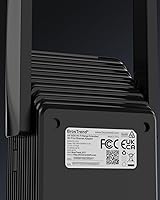
  • Form Factor: This is a desktop/tabletop unit measuring 2.6 x 3.5 x 8.4 inches, not a wall-plug style extender.
  • Weight: The unit weighs 8.1 ounces, making it light enough to reposition easily if needed.
  • Compatibility: Works with any WiFi router brand regardless of manufacturer, requiring no proprietary ecosystem.
  • Frequency Bands: Dual-band operation covers both 2.4GHz and 5GHz simultaneously without requiring manual band selection.
  • Manufacturer: The BrosTrend AX1500 WiFi 6 Extender is made by BrosTrend Technology LLC.

Related Reviews
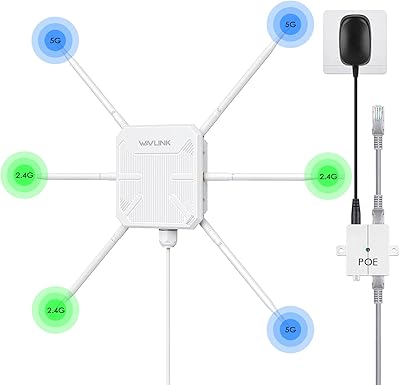
WAVLINK WN588HX3 WiFi 6 Outdoor Access Point
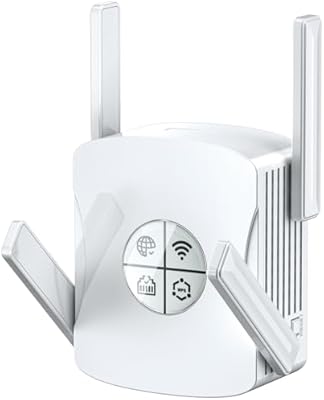
75%
83%
Outdoor Signal Range
91%
Build Quality & Weatherproofing
78%
Installation & Mounting
61%
Setup & Configuration Experience
86%
WiFi 6 Performance
More
Techtex WiFi 6 Dual-Band Range Extender
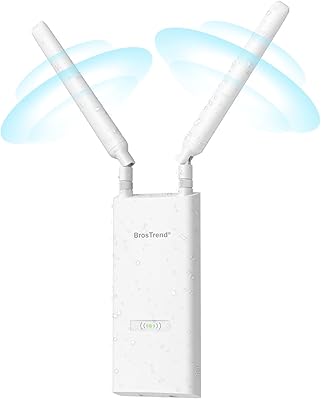
79%
83%
Coverage Range
91%
Setup Experience
67%
Real-World Speed
88%
Outdoor Durability
79%
Multi-Device Handling
More
Eboous AX3000 WiFi 6 Range Extender
77%
78%
Signal Range & Coverage
91%
Setup & Installation
83%
WiFi 6 Performance
74%
Mesh Integration
88%
Ethernet Port Utility
More
BrosTrend AC1200 Outdoor WiFi Extender
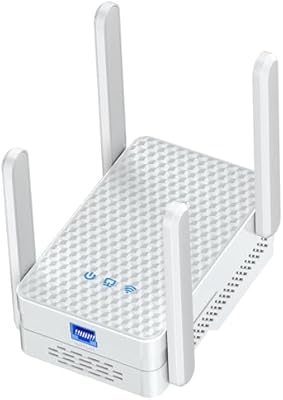
79%
91%
Weather Durability
74%
Signal Coverage
82%
Ease of Installation
78%
Value for Money
86%
Build Quality
More
WAVLINK WN573HX1 AX1800 Outdoor WiFi 6 Access Point
80%
92%
Weather Resistance & Durability
84%
WiFi Range & Signal Strength
81%
Installation & Setup
61%
Configuration Interface (UI/UX)
86%
WiFi 6 Performance & Speed
More
NETGEAR EAX12 WiFi 6 Range Extender
76%
91%
Ease of Setup
73%
WiFi Coverage
67%
Real-World Speed
69%
Router Compatibility
74%
Connection Stability
More
NETGEAR EAX17 WiFi 6 Range Extender
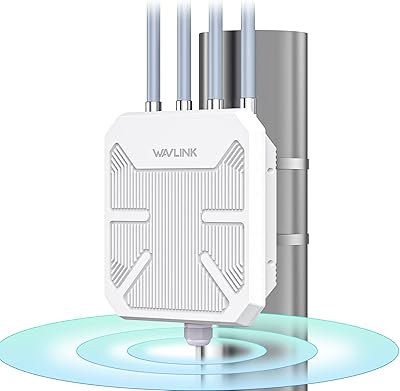
76%
88%
Ease of Setup
82%
Signal Coverage
71%
Real-World Speed Performance
78%
Device Handling Capacity
63%
Roaming & Handoff
More
BrosTrend AX3000 WiFi 6 Access Point
84%
87%
Performance
92%
Ease of Setup
85%
Signal Strength
90%
Device Support
80%
Build Quality
More
BrosTrend AX1800 WiFi 6 USB Adapter
70%
88%
Ease of Setup
74%
Wireless Speed Performance
79%
Range & Signal Penetration
63%
Driver Stability
41%
OS Compatibility
More
ZMISDRI M-AX05 AX1800 WiFi 6 Extender
75%
91%
Ease of Setup
63%
Coverage Range
74%
WiFi Speed Performance
88%
Gigabit Ethernet Port
69%
Latency & Gaming
More

FAQ

It works with any WiFi router regardless of brand — Netgear, TP-Link, Asus, ISP-provided routers, all of them. There is no proprietary pairing required. As long as your router broadcasts a WiFi signal, this range booster can pick it up and extend it.

Setup is straightforward for most people. The quickest method is WPS: press the WPS button on your router, then press the WPS button on this unit, and they pair within about two minutes. If your router doesn't support WPS or you want more control, you can log into the Web UI through a browser and configure it manually. Either way, it doesn't require any technical background.

Not automatically in the traditional sense. By default, this range booster creates its own extended network, which means your devices may need to manually connect to whichever signal is stronger depending on where you are. Some routers support band steering that can help, but if seamless whole-home roaming is a priority, a mesh system handles that more elegantly.

You can absolutely use the Gigabit Ethernet port to hardwire a device — a desktop PC, a smart TV, a game console, a NAS drive, anything with an Ethernet jack. It runs at up to 1000Mbps, so it won't bottleneck a wired connection. This is one of the more practical features of this unit compared to extenders that offer only wireless connectivity.

It depends heavily on your home. In an open-plan single-floor space with standard drywall, 2,000 sq.ft is achievable. But if you have thick concrete walls, multiple floors, or lots of obstructions between the extender and your devices, expect that number to drop noticeably. A good rule of thumb: place it roughly halfway between your router and your dead zone, not at the very edge of your router's signal.

Both, in the right conditions. Moving from a WiFi 5 extender to this WiFi 6 unit will improve efficiency, especially in homes with many connected devices. That said, the speeds you get through the extender will always be somewhat lower than what your main router delivers — that's the nature of all wireless extenders. The wired Ethernet port is the best way to get full-speed performance for stationary devices.

Yes, the 40-device capacity and WiFi 6's improved handling of multiple simultaneous connections make it well-suited for smart home-heavy setups. The 2.4GHz band is particularly useful here since most smart home devices operate on that frequency and prioritize range over speed.

For most users, it runs stably without intervention for weeks or months. A subset of users do report needing to restart the unit occasionally — typically after a power fluctuation or after very long continuous uptime. Setting a smart plug on a weekly reboot schedule is a simple workaround if you experience this. It's not universal, but worth knowing.

Technically yes — it will connect to whatever WiFi signal it detects, including a mesh node. However, mixing an extender into an existing mesh setup usually creates more problems than it solves, like inconsistent roaming and overlapping SSIDs. If you're already on a mesh system, adding another mesh node from the same brand is almost always the cleaner path.

Midway between your router and the area you want to cover is the standard advice, and it holds true here. You want the extender to receive a strong signal from your router so it has something good to rebroadcast. Placing it too far from the router means it extends a weak signal, which defeats the purpose. Also, try to avoid putting it inside cabinets or behind large appliances — the rotatable antennas work best when they have open air around them.