Geniatech KloudNote Mini 9.7″ E-Ink Tablet



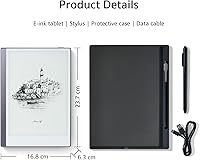

Overview
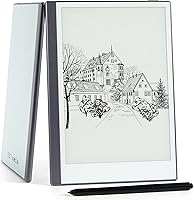
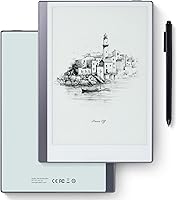
The Geniatech KloudNote Mini 9.7″ E-Ink Tablet enters a crowded but still niche market — Android-powered e-paper devices aimed at readers, note-takers, and light office users who have grown tired of staring at glowing LCD screens all day. Geniatech isn't a household name the way Boox or reMarkable is, so some skepticism is reasonable. What this e-ink tablet brings to the table, though, is a genuine paper-like display bundled with a stylus and protective case right out of the box. Android 8.1 is showing its age, and the 150dpi resolution won't impress anyone coming from a high-end device, but at this price point those trade-offs are worth understanding upfront.
Features & Benefits
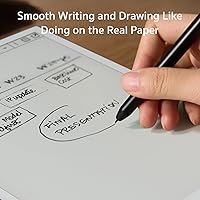
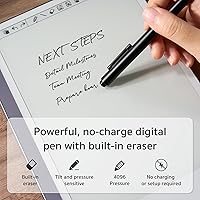
The display is where this digital notebook earns its keep. With no backlight and no screen flicker, long reading sessions feel noticeably less taxing on the eyes — something many users report after switching from conventional tablets. It's also sunlight-readable, which isn't something most screens can claim. The passive EMR stylus is a quiet highlight: no charging, no pairing, just pick it up and write, and flipping it over activates the built-in eraser just like a pencil. Thirty-nine built-in note templates cover everything from meeting grids to freeform sketching. Handwriting-to-text and voice-to-text conversion are genuinely useful for capturing information quickly. Cloud sync across multiple platforms means your notes stay accessible regardless of which device you reach for next, which is practical rather than just a checkbox feature.
Best For
This e-ink tablet makes the most sense for a specific kind of buyer. Students who fill notebooks during lectures will appreciate having a single device that handles annotations, sketches, and structured notes without the distraction of a full Android tablet. Anyone who spends hours reading documents, PDFs, or long-form articles and finds LCD screens uncomfortable will feel the difference quickly. Remote workers who need long battery life without hunting for outlets during back-to-back meetings will find the fit natural. It also suits casual artists who want to sketch or doodle with a pressure-sensitive stylus in a glare-free environment. Users already syncing files to Google Drive or Dropbox will slot this into their existing workflow without friction.
User Feedback
Buyer responses to the KloudNote Mini tend to follow a pattern common to e-ink devices: appreciation for eye comfort and battery endurance, paired with complaints about write lag. E-ink refresh rates are inherently slower than LCD, and some users find the delay between pen stroke and ink appearing noticeable enough to break focus. App compatibility is a recurring concern — Android 8.1 means some newer productivity and reading apps won't install, which is a real limitation worth knowing in advance. Build quality and the included case receive mostly positive remarks. Cloud sync reliability appears inconsistent for some users depending on app version. Stylus accuracy is generally praised, though a handful of buyers report minor inconsistency near the screen edges.
Pros
- The e-paper display is genuinely easier on the eyes during long reading or writing sessions, as widely reported by users.
- The passive EMR stylus requires no charging and the built-in eraser works exactly as you would expect — flip and erase.
- Thirty-nine built-in note templates mean you can start organizing meetings, sketches, or plans without setting anything up.
- Handwriting-to-text conversion is accurate enough to be a real time-saver for users capturing notes quickly.
- Battery life is a standout advantage — real-world endurance is strong even if it falls short of the maximum claim.
- Cloud sync support means notes and documents stay backed up and accessible across devices without manual transfers.
- The included stylus and protective case add genuine day-one value without requiring extra purchases.
- Sunlight readability makes this e-ink tablet usable outdoors where most tablets become nearly impossible to see.
- Voice-to-text recording conversion is a practical feature for users who prefer dictating over typing or writing.
- At this price tier, the overall package — display, accessories, and productivity features — represents solid value for the niche it serves.
Cons
- Android 8.1 locks out a growing number of modern apps, which is a concrete limitation that affects day-to-day usability.
- E-ink refresh lag is noticeable during writing and navigation, and some users find it disruptive enough to affect focus.
- The 150dpi resolution looks soft compared to contemporary tablets, making images and fine detail appear slightly fuzzy.
- Cloud sync reliability has been inconsistent for some buyers depending on app version and network conditions.
- Geniatech is a lesser-known brand with limited community support, which can make troubleshooting harder than with established competitors.
- Screen casting functionality works in theory but has received mixed feedback on stability in real-world use.
- A few users report stylus accuracy drops near the screen edges, which can be frustrating for precise annotation work.
- The 14.8-ounce weight is noticeable during one-handed reading sessions over extended periods.
- System update frequency and long-term software support are uncertain given the brand's lower market visibility.
- No front light or adjustable warmth means the KloudNote Mini is unusable in low-light conditions without external lighting.
Ratings
The scores below for the Geniatech KloudNote Mini 9.7″ E-Ink Tablet were generated by AI after analyzing verified purchase reviews from buyers worldwide, with spam, bot-submitted, and incentivized feedback actively filtered out. Each category reflects the honest spread of real user experiences — strengths are credited where earned, and recurring pain points are not softened or buried.
Display Quality
Stylus Performance
Battery Life
Software & App Compatibility
Note-Taking Experience
Build Quality
Cloud Sync Reliability
Handwriting-to-Text Conversion
Value for Money
Eye Comfort
Portability
Setup & Learning Curve
Screen Refresh Speed
Brand Support & Updates
Suitable for:
The Geniatech KloudNote Mini 9.7″ E-Ink Tablet is built for a specific kind of buyer, and when it lands in the right hands it genuinely delivers. Students who fill pages of handwritten notes during lectures will appreciate having a distraction-free digital notebook that doesn't tempt them with social media or notifications the way a standard Android tablet would. People who read for several hours a day — whether that's PDFs, long reports, or ebooks — and have started noticing eye fatigue with backlit screens will likely find the e-paper display a welcome change, as many users report the experience feels considerably less tiring over extended sessions. Remote workers and meeting-heavy professionals benefit from the long battery endurance and the ability to annotate documents or capture voice memos without worrying about finding a charger. Anyone already syncing files across Google Drive or Dropbox will find the cloud integration practical and easy to fold into an existing workflow.
Not suitable for:
The Geniatech KloudNote Mini 9.7″ E-Ink Tablet is not the right tool for buyers who want a versatile, all-purpose Android tablet. Android 8.1 is a real constraint — it is not just an abstract version number, it actively means that a growing number of apps, including some popular productivity and reading platforms, will simply refuse to install or run properly. If you rely on specific apps for your workflow, it is worth checking compatibility before committing. The 150dpi resolution, while acceptable for text and handwriting, looks noticeably soft compared to modern tablets, so anyone who watches video or cares about image sharpness will be disappointed. E-ink refresh lag is a structural characteristic of this display technology, not a defect, but buyers expecting the fluid responsiveness of an iPad or Android tablet will find stylus writing and general navigation feel sluggish by comparison. Anyone needing a full multimedia device, a primary communication hub, or the latest app ecosystem should look elsewhere.
Specifications
- Display: 9.7-inch E-Ink e-paper panel with no backlight and no screen flicker, remaining clearly visible in direct sunlight.
- Resolution: The screen renders at 1200x825 pixels, delivering a pixel density of 150dpi — adequate for text and handwriting but not sharp by modern tablet standards.
- Processor: Powered by an Allwinner A35 quad-core chip running at 1.5GHz, suited for note-taking and reading workloads rather than intensive multitasking.
- Storage: 32GB of internal memory is included, providing ample space for notes, documents, and locally stored ebooks.
- Operating System: Runs Android 8.1, which enables broad app access but limits compatibility with newer applications that require more recent Android versions.
- Battery: A 4100mAh lithium-ion battery powers the device, with a manufacturer-rated endurance of up to 40 hours of use per charge.
- Stylus: Includes a 4096-level pressure-sensitive EMR stylus that is entirely passive, requires no charging, and features a functional eraser on the reverse end.
- Connectivity: Supports both Wi-Fi and Bluetooth, enabling wireless cloud sync, file transfers, and peripheral connections.
- Dimensions: The device measures 9.84 x 6.89 x 0.04 inches, making it slim and close in footprint to a standard letter-size notepad.
- Weight: At 14.8 ounces, the tablet is light enough for daily carry but noticeable during extended one-handed reading sessions.
- Note Templates: Thirty-nine preset note templates are built into the system, covering use cases such as meeting records, planners, and freeform sketching grids.
- Handwriting-to-Text: An integrated handwriting recognition engine can convert handwritten notes into editable digital text directly on the device.
- Voice-to-Text: A built-in recording function captures audio and can convert voice recordings into text output using on-device speech recognition.
- Cloud Sync: The device supports synchronization with multiple cloud storage platforms, allowing notes and files to stay backed up and accessible across devices.
- Screen Casting: A screen casting feature allows the display to be mirrored to compatible external screens or projectors via wireless connection.
- In-Box Accessories: The package includes both the EMR stylus and a protective case, providing day-one usability without requiring additional purchases.
- Brand and Model: Manufactured by Geniatech under the KloudNote Mini product line, with the company offering periodic over-the-air system updates.
Related Reviews
Bigme B751C 7-Inch Color E-Ink Tablet
VIWOODS AiPaper 10.65″ AI E Ink Tablet
Samsung Galaxy Tab A 9.7-Inch 16GB Tablet
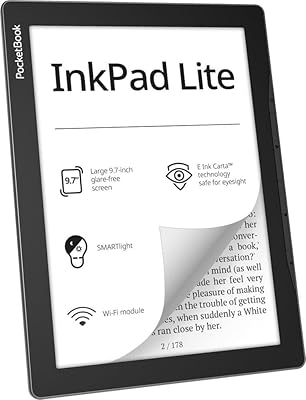
PocketBook InkPad Lite 9.7″ E-Reader
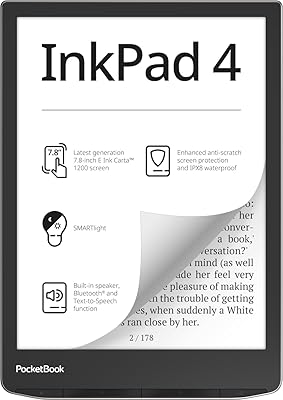
PocketBook InkPad 4 7.8-inch E-Reader
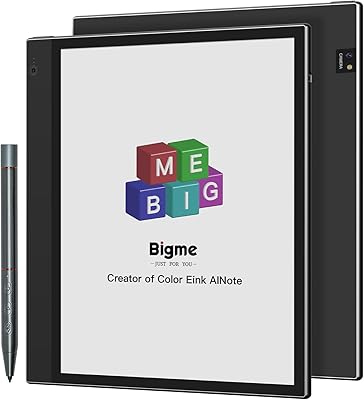
Bigme inkNote Color+ Lite 10.3″ E-ink Tablet
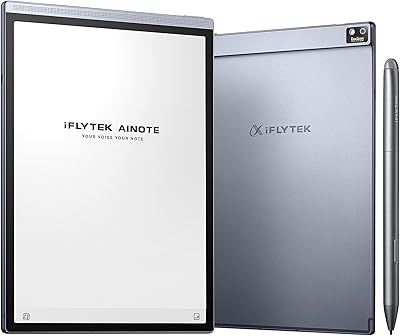
iFLYTEK AINOTE Air 2 E Ink Tablet
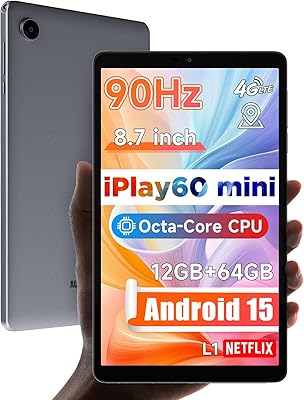
ALLDOCUBE iPlay 60 Mini 8.7-inch Tablet
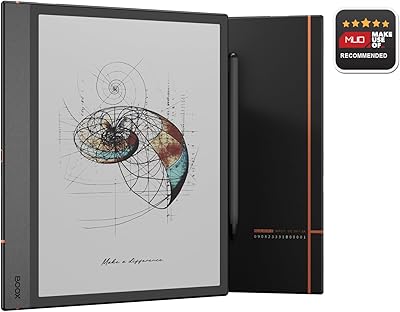
BOOX Note Air 4C 6GB/64GB