Overview

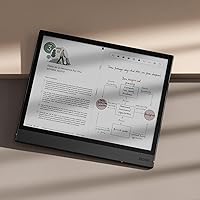
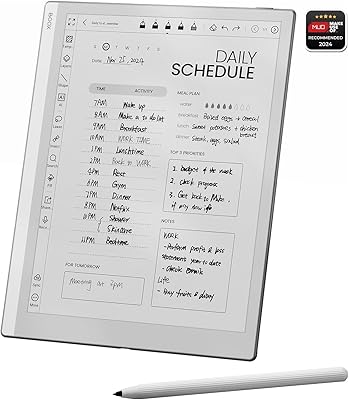
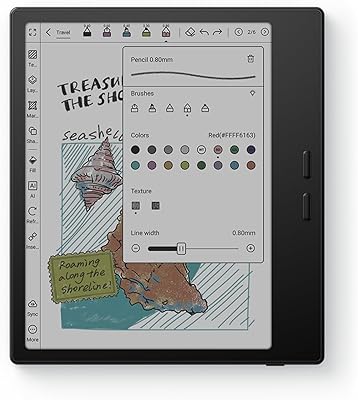
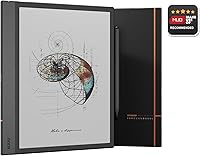
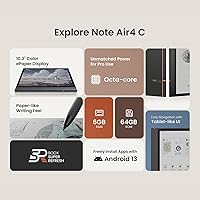
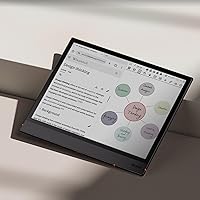
The BOOX Note Air 4C 6GB/64GB sits at the serious end of the E Ink tablet market — a color e-paper device built for readers and note-takers who want more than a monochrome screen. The defining feature is the Kaleido 3 display, which brings color to an otherwise grayscale category. Running Android 13, this color E Ink tablet opens the door to third-party apps, which most locked-down E Ink competitors simply cannot match. It competes directly with the reMarkable 2 and Kindle Scribe, but at a higher price. One thing to be clear about upfront: color E Ink is not a backlit LCD. Colors are softer, more pastel — and that is by design, not a flaw.
Features & Benefits

The 10.3″ screen delivers genuinely sharp black-and-white text at 300 ppi — crisp enough for dense academic PDFs or small-font novels. Color rendering drops to 150 ppi, which works well for illustrated content but will not wow anyone expecting tablet-quality vibrancy. The stylus offers 4,096 pressure levels, and writing on the glass surface feels closer to paper than most stylus-on-glass experiences — though a slight delay inherent to E Ink is something you adapt to quickly. Android 13 lets you install apps like Notion, Kindle, or even a browser, which is genuinely useful. The warm/cold front light makes late-night reading comfortable, and five refresh modes let you balance display quality against response speed depending on the task.

Best For

This color E Ink tablet makes the most sense for people who live inside PDFs. Think law students annotating case files, researchers marking up journal articles, or professionals reviewing contracts — anyone for whom color-coded highlights and handwritten margin notes are a daily workflow, not an occasional task. Comic readers and those who study from illustrated textbooks will appreciate the color advantage over monochrome alternatives. It also suits digital journalers who want the tactile feel of writing without the eye strain of an LCD screen at night. If you want an open Android environment rather than a walled garden, the Note Air 4C delivers that too — something its closest rivals do not.

User Feedback

Owners consistently praise the writing experience — the stylus feels natural, and text clarity for reading is excellent. Build quality gets high marks too; it feels sturdy and well-constructed for the price. The most common complaint, and an important one to address: colors look nothing like an iPad or Android tablet. They are accurate but muted, which disappoints buyers who did not research E Ink beforehand. Some users note that certain apps render strangely or feel laggy — this is a known E Ink quirk, not a device defect. Battery life draws mixed reactions under heavy mixed use. On value, opinions split: dedicated note-takers tend to feel it is worth it, while casual readers sometimes wonder if a simpler device would do.

Pros

  • Sharp 300 ppi black-and-white text makes long reading sessions genuinely comfortable on the eyes.
  • Color highlights in annotated PDFs are actually distinguishable, which is the whole point for students and researchers.
  • Android 13 lets you install your own apps — a rare and genuinely useful advantage in this category.
  • The stylus writing feel is closer to real paper than most digital alternatives in this price range.
  • Warm and cold front light tuning makes late-night reading sessions far easier on the eyes.
  • MicroSD expansion means your document and media library is not artificially capped by internal storage.
  • At under 6mm thick and 420g, this BOOX device is genuinely portable for daily bag carry.
  • Five refresh modes give experienced users real control over the speed-versus-display-quality tradeoff.
  • Build quality feels premium and durable — not a concern most users raise twice.
  • The fingerprint sensor on the power button is a small touch that makes unlocking fast and natural.

Cons

  • Color saturation is noticeably muted — do not buy this expecting anything close to LCD vibrancy.
  • Some third-party apps render poorly or feel sluggish due to E Ink refresh rate incompatibilities.
  • Heavy Android app usage significantly shortens battery life compared to pure reading mode.
  • The refresh mode system has a real learning curve that the out-of-box defaults do not flatten.
  • No 3.5mm headphone jack means wired audio requires a USB-C adapter — an annoying extra step.
  • Large scanned PDFs with dense image content can cause occasional lag during scrolling or zoom.
  • The BOOX software interface feels dated and receives software updates more slowly than buyers expect.
  • Single-handed use over long sessions becomes tiring due to the 10.3″ form factor and weight.
  • 64GB is the only internal storage option — fine for most, but limiting for heavy media users without a microSD card.
  • Buyers new to E Ink technology frequently underestimate how different the experience is from a conventional tablet.

Ratings

The BOOX Note Air 4C 6GB/64GB earns its scores from a rigorous AI analysis of verified global buyer reviews, with spam, bot submissions, and incentivized feedback actively filtered out before any score is calculated. What you see here reflects the honest consensus of real-world users — students, professionals, and dedicated readers — who put this color E Ink tablet through daily use. Both the standout strengths and the genuine frustrations are represented transparently, so you can make a confident buying decision.
Display Quality (B/W)
93%
For text-heavy reading and handwritten notes, the 300 ppi black-and-white rendering is outstanding. Reviewers consistently describe sharp, paper-like text clarity that holds up even in fine fonts, making long reading sessions comfortable and fatigue-free.
A small number of users noticed minor ghosting artifacts during rapid page turns, though switching to HD or Regal refresh mode largely resolves this. It is an E Ink trait rather than a device defect, but first-time E Ink buyers occasionally find it surprising.
Color Display Quality
67%
33%
For illustrated eBooks, color-coded PDF annotations, and comic panels, the Kaleido 3 screen adds genuine value over a monochrome alternative. Users who annotate with multiple highlight colors find the color differentiation clearly useful in real study workflows.
Colors are noticeably muted compared to any LCD or OLED screen — this is the fundamental reality of current color E Ink technology. Buyers expecting tablet-like vibrancy are frequently disappointed, and several reviews specifically mention that photos look washed out.
Writing & Stylus Experience
88%
Most users describe writing on the Note Air 4C as the closest digital experience to actual pen on paper they have found. The 4,096 pressure levels translate well into varied line weights, making it genuinely satisfying for journaling, sketching, and margin annotations.
There is a slight but perceptible input lag inherent to E Ink refresh rates, which some users — particularly fast writers — find distracting at first. It is not a flaw unique to this device, but buyers coming from iPad or tablet stylus experiences will need an adjustment period.
Build Quality & Design
91%
Owners repeatedly praise the slim, premium feel of the device in hand. At 5.8mm thin and with a flat cover-lens glass surface, it feels well-constructed and durable — more premium than several competing E Ink devices in the same category.
A few users note that the all-glass front surface is a fingerprint magnet, requiring frequent wiping during note-taking sessions. The lack of a physical page-turn button, which some competing readers include, is occasionally mentioned as a minor ergonomic miss for one-handed reading.
Android Openness & App Ecosystem
84%
Running Android 13 with access to third-party apps is a major differentiator in this category. Users successfully run Kindle, Notability alternatives, Notion, and web browsers — something the reMarkable 2 and Kindle Scribe simply cannot offer — making this a genuinely versatile productivity device.
Not every app behaves well on an E Ink screen. Refresh rate mismatches cause some apps to render with visual artifacts or feel sluggish, and a handful of users report that Google Play certification required extra setup steps. Power users adapt quickly; casual users may find this frustrating.
Refresh Modes & Navigation
79%
21%
Having five distinct refresh modes — including the Regal mode optimized for color E Ink — gives users real control over the speed-versus-quality tradeoff. Experienced users report that learning which mode to use for which task meaningfully improves the overall experience.
New users frequently find the refresh mode system confusing out of the box. The default settings do not always match the ideal mode for a given app, and the learning curve to optimize the display behavior is steeper than it should be for a device at this price point.
Battery Life
72%
28%
Under pure reading use with the front light at moderate brightness and Wi-Fi off, battery life is solid — many users report multi-day use between charges, which is the core promise of E Ink technology over LCD tablets.
Mixed workloads that combine active stylus note-taking, app usage, and Wi-Fi connectivity drain the 3,700mAh battery noticeably faster. Several reviewers note that heavy Android app usage narrows the battery advantage over a standard tablet considerably.
Front Light & Reading Comfort
89%
The warm-to-cold color temperature tuning is well-executed. Users who read late at night consistently praise the warm light setting for reducing eye strain, and the gradual adjustment range feels natural rather than abrupt — a small but meaningful quality-of-life detail.
At maximum brightness, a handful of users report slight uneven illumination near the edges of the screen. It is not severe enough to affect most reading scenarios, but perfectionists and those reading in complete darkness may notice it.
PDF Annotation & Document Handling
91%
This is where the Note Air 4C genuinely shines. Annotating multi-page PDFs with color highlights, handwritten notes, and bookmarks feels natural and organized. Law students, academics, and business professionals consistently cite this as the primary reason they chose this device over cheaper alternatives.
Very large PDF files — particularly scanned documents with high image density — can cause occasional lag when scrolling or zooming. It is not a constant issue, but users working with dense legal or medical documents occasionally encounter it during long annotation sessions.
Storage & Expandability
83%
64GB of internal storage comfortably holds thousands of eBooks, annotated PDFs, and note files without issue. The microSD card slot adds meaningful flexibility for users with large media libraries, a practical feature that some competing devices omit entirely.
There is no internal storage tier above 64GB, which may feel limiting for users who store large numbers of high-resolution comic files or want to load a significant offline app library. The microSD slot compensates, but it adds a small management overhead.
Connectivity & Peripherals
81%
19%
Bluetooth 5.1, Wi-Fi, and USB-C with OTG support cover most real-world connection needs. The fingerprint sensor on the power button works reliably and adds a convenience that feels appropriately premium for a device in this price category.
There is no 3.5mm headphone jack — audio output runs through the USB-C port or Bluetooth. Users who prefer wired headphones for listening to audiobooks while reading will need a USB-C adapter, which is a minor but occasionally mentioned annoyance.
Software & BOOX UI
76%
24%
BOOX's NeoReader app is well-regarded among frequent readers for its annotation tools and format compatibility. The built-in document organization and handwriting-to-text features work reliably for most standard workflows without needing a third-party replacement.
The broader BOOX UI layer receives mixed reviews — some users find it dated or counterintuitive compared to a standard Android launcher. Software update cadence has also drawn criticism, with some buyers feeling that bug fixes and feature additions arrive more slowly than expected.
Value for Money
68%
32%
For the specific audience this device targets — daily PDF annotators, avid colored-content readers, and open-Android E Ink enthusiasts — the feature set justifies the premium. Repeat BOOX users and those who replaced expensive paper printing workflows tend to feel the value proposition is strong.
For anyone outside that core audience, the price is hard to justify. Casual readers can get excellent monochrome E Ink performance for a fraction of the cost, and casual tablet users will find LCD alternatives more capable dollar-for-dollar. This is a specialist purchase, not a broadly accessible one.
Weight & Portability
77%
23%
At 420g and just under 6mm thick, the Note Air 4C is genuinely pocketable in a jacket or bag without the weight penalty of a standard tablet. Commuters and students who carry it daily report that the form factor holds up well over extended carry.
Compared to lighter E Ink readers in the 6-inch or 7-inch range, the 10.3″ format is less comfortable for single-handed use during long standing commutes. Users with smaller hands specifically note that prolonged one-handed holding causes fatigue.

Suitable for:

The BOOX Note Air 4C 6GB/64GB is purpose-built for people whose daily work revolves around reading and annotating documents — law students marking up case files, researchers cycling through journal articles, or professionals who live in PDFs and need color-coded highlights that actually mean something at a glance. If you consume illustrated content — comic collections, color-diagram textbooks, medical references — the Kaleido 3 screen gives you a meaningful advantage over any monochrome E Ink device in the same size class. Digital journalers and bullet-plan enthusiasts who want a writing surface that genuinely mimics paper, without the eye strain of staring at an LCD all evening, will find the stylus experience here hard to beat. The open Android 13 environment is a real differentiator for power users who refuse to be locked into a proprietary app ecosystem and want to run their own stack — Notion, Kindle, a custom PDF reader, whatever works for their workflow. Existing BOOX or Onyx users considering an upgrade to color will find the transition familiar and the improvement in annotated document clarity immediately noticeable.

Not suitable for:

The BOOX Note Air 4C 6GB/64GB is a poor fit for anyone who expects color to look anything like a conventional tablet screen — if your mental benchmark is an iPad or an Android LCD, you will be genuinely let down by how muted and pastel color E Ink renders in practice, and no amount of display settings will change that fundamental limitation. Casual readers who primarily want a straightforward eBook reader will find this device significantly over-engineered and overpriced for their needs — a basic Kindle Paperwhite handles plain text just as comfortably at a fraction of the investment. Users who depend heavily on apps designed for standard displays — streaming video, social media, or graphics-intensive tools — will run into real compatibility friction, since most of those apps were never built with E Ink refresh rates in mind. Anyone sensitive to input latency, such as illustrators or designers expecting stylus responsiveness comparable to an iPad Pro, will likely find the inherent E Ink delay frustrating rather than tolerable. Finally, buyers on a tight budget who are comparison-shopping against cheaper monochrome E Ink alternatives should weigh carefully whether the color addition alone justifies the premium — for pure reading without annotation, it often does not.
Specifications

  • Screen Size: The display measures 10.3″ diagonally, providing a comfortable writing and reading surface comparable to a standard letter-sized notepad.
  • Display Type: Uses a Kaleido 3 color E Ink panel built on Carta 1200 glass with a flat cover-lens for improved contrast and surface durability.
  • B/W Resolution: Black-and-white resolution is 2480 x 1860 pixels at 300 ppi, delivering sharp, paper-like text rendering for documents and eBooks.
  • Color Resolution: Color resolution is 1240 x 930 pixels at 150 ppi, suitable for illustrated content and color-coded PDF annotations.
  • Processor: Powered by an Octa-core CPU paired with a BSR (Black and White Software Rendering) co-processor optimized for E Ink display performance.
  • RAM & Storage: Equipped with 6GB of RAM and 64GB of internal storage, with a microSD card slot for expandable capacity.
  • Stylus Input: Supports BOOX stylus input with 4,096 levels of pressure sensitivity plus capacitive touch for flexible writing and navigation.
  • Operating System: Runs Android 13, enabling access to Google Play and third-party app installation beyond the built-in BOOX software ecosystem.
  • Front Light: Features a built-in front light with CTM (Color Temperature Management) supporting adjustable warm and cold light modes for eye-comfortable reading.
  • Battery: Houses a 3,700mAh lithium-ion polymer battery; endurance varies significantly depending on whether the device is used for passive reading or active Android app use.
  • Connectivity: Supports dual-band Wi-Fi and Bluetooth 5.1 for wireless connectivity, file transfers, and peripheral pairing such as keyboards or headphones.
  • USB & OTG: USB-C port supports both data transfer and OTG functionality, and can also be used as an audio output jack with a compatible adapter.
  • Dimensions: The device measures 226 x 193 x 5.8 mm (approximately 8.9″ x 7.6″ x 0.23″), making it slim enough to carry in most standard bags.
  • Weight: Weighs approximately 420g (14.8 oz), which is manageable for desk use but noticeable during extended single-handed holding.
  • Security: The power button incorporates a fingerprint sensor for quick biometric unlock without needing to enter a PIN or password.
  • Audio: Includes built-in dual speakers and a built-in microphone, enabling audio playback and voice recording without external accessories.
  • Sensors: Features a G-sensor for automatic screen orientation rotation based on how the device is held.
  • Refresh Modes: Offers five selectable refresh modes — HD, Balanced, Fast, Ultrafast, and Regal — allowing users to balance display quality against response speed for different content types.
  • Document Formats: Natively supports a wide range of document formats including PDF, EPUB, EPUB3, MOBI, AZW3, DOCX, DJVU, CBR, CBZ, TXT, RTF, HTML, and several others.
  • Warranty: BOOX products typically include a standard one-year manufacturer warranty covering hardware defects; display spots under 0.5mm in diameter are considered within normal E Ink industry tolerances.

Related Reviews

Wainyok P10S Kids Tablet 6GB + 64GB
84%
92%
Value for Money
89%
Durability
85%
Battery Life
78%
Display Quality
84%
Performance
More
BOOX Tablet Go 10.3 64GB
85%
93%
Display Quality
88%
Portability/Weight
85%
Battery Life
78%
Performance/Speed
89%
Build Quality
More
Tophorse NOTE-1 AI Voice Recorder 64GB
79%
83%
Transcription Accuracy
67%
App Experience
88%
Value for Money
81%
Battery Life
72%
Build Quality & Design
More
BOOX Go Color 7 Gen II
79%
91%
Display Quality (B&W)
67%
Display Quality (Color)
84%
Build Quality & Design
72%
Performance & Responsiveness
58%
Stylus Experience
More
Eonon E46A12S 6GB/64GB Android 13 Car Stereo
85%
91%
Performance & Responsiveness
88%
Display Quality
87%
Touchscreen Accuracy
90%
Audio Clarity & EQ
74%
Installation Ease
More
CALLSKY-NOTE Cpad 8 Kids Tablet 8-inch 64GB
87%
91%
Value for Money
88%
Build Quality/Durability
92%
Ease of Setup
89%
Educational App Experience
83%
Screen Quality
More
aiprotablet K12 10-inch Android 14 Tablet, 6GB RAM, 64GB Storage
82%
85%
Performance
88%
Battery Life
76%
Display Quality
92%
Value for Money
80%
Build Quality
More
ITMEIPC T-10 Android Tablet 10.1-inch, 6GB RAM, 64GB Storage
80%
91%
Value for Money
85%
Display Quality
74%
Battery Life
78%
Build Quality
88%
Performance for Light Use
More
Eonon M3BLX6S Car Stereo for Mazda 3 2010-2013, 6GB RAM, 64GB Storage
84%
88%
Performance
91%
Display Quality
85%
Wireless Connectivity
84%
Sound Quality
65%
Ease of Installation
More
YUHUO Compressed Air Duster 360000 RPM Electric Air Duster
86%
88%
Performance & Power
91%
Ease of Use
85%
Battery Life
93%
Portability & Size
67%
Noise Level
More

FAQ

Yes, you can install the Kindle app from Google Play just like you would on any Android device. It runs reasonably well, though you may want to set the refresh mode to Balanced for smoother page turns. The reading experience is solid once you dial in the settings.

This is the most important thing to understand before buying: color on E Ink looks nothing like an LCD or OLED screen. Think of it as a high-quality color newspaper print rather than a vibrant display — colors are real and distinguishable, but they are soft and muted. For annotations and illustrated documents it is genuinely useful, but for photos or video it will feel underwhelming if you are comparing to a standard tablet.

BOOX does include a stylus with the Note Air 4C, though it is worth checking the current package contents at the time of purchase as bundle inclusions can occasionally change. The stylus supports 4,096 pressure levels and works without Bluetooth pairing or charging.

Yes, Android 13 allows sideloading APK files directly, so you are not restricted to the Play Store. This is one of the genuine advantages the BOOX Note Air 4C 6GB/64GB holds over locked-down competitors like the reMarkable 2 or Kindle Scribe, which do not allow third-party app installation at all.

Ghosting is when a faint trace of a previous page or image lingers on the screen before fully refreshing — it is a characteristic of E Ink technology, not a defect specific to this device. On this tablet, switching to HD or Regal refresh mode significantly reduces ghosting for static content. Most users adapt to it quickly and find it stops being noticeable after a few days of regular use.

Pure reading with Wi-Fi off and moderate front light brightness can get you several days on a single charge. However, if you are actively taking notes, using Android apps, and keeping Wi-Fi on, expect to charge every day or two. Battery life is notably shorter in mixed-use scenarios than the E Ink reputation might suggest.

Absolutely. Once your documents, eBooks, and apps are loaded, the device works perfectly offline. Wi-Fi is only needed for downloading new content, syncing cloud services, or using web-based apps. For offline PDF annotation and reading, you do not need a connection at all.

Yes, Bluetooth 5.1 means you can pair standard Bluetooth keyboards, which works well if you want to use the Note Air 4C as a light writing or note-drafting device. The USB-C OTG support also allows wired accessories if you prefer that approach.

The screen uses a glass cover-lens with a flat surface, which is more durable and scratch-resistant than the plastic film surfaces found on some competing E Ink devices. That said, using a compatible screen protector is still a reasonable precaution given the price of the device.

The writing feel on the reMarkable 2 is often described as slightly more paper-like due to its textured surface, and its software is more focused and refined for pure note-taking. However, the Note Air 4C offers color, an open Android ecosystem, and far broader document format support — making it more versatile overall. If you only take handwritten notes and want the simplest possible experience, the reMarkable 2 is competitive; if you annotate PDFs, read varied content, and want app flexibility, this BOOX device has a clear edge.