Overview

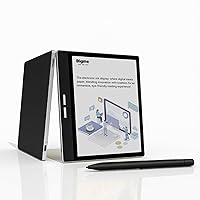
The Bigme B751C 7-Inch Color E-Ink Tablet enters a market where most e-readers still serve up shades of gray, and it does so with a clear pitch: color annotations, open Android, and a bundled stylus and case right out of the box. Sitting in the mid-to-upper tier of color e-ink devices, it competes directly with the Onyx Boox Tab Mini C and similar open-platform readers. Unlike locked-down Kindles or Kobos, Android 11 openness means you can install the apps you already use. That bundled accessory package adds real value — you are not hunting for a compatible pen separately. For readers and note-takers who want something beyond a one-trick e-reader, this color e-ink tablet makes a credible case.
Features & Benefits

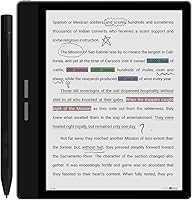
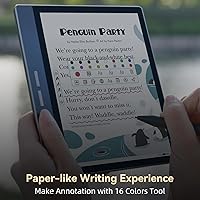
The Kaleido 3 display is the centerpiece here, and it helps to have calibrated expectations going in. Colors are real and noticeably better than first-generation color e-ink, but they are not tablet-vivid — think pastel fidelity rather than OLED pop. For annotating PDFs with color highlights or flipping through manga, it works well. The 7-inch, 1264x1680 panel hits a sweet spot between portable and comfortable for sustained reading. Writing with the capacitive pen on the glass surface feels smooth, with minimal lag — better than many rivals at this price tier. Bigme's ghosting reduction algorithm keeps page transitions cleaner during web browsing. The 64 GB of storage, expandable via TF card, combined with Android 11 sideloading, means Kindle, Libby, and most reading apps install without fuss.

Best For

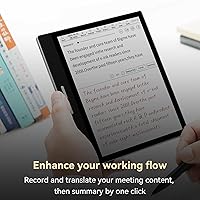
This color e-ink tablet is a natural fit for PDF-heavy workflows — students marking up lecture notes or professionals color-coding contracts will appreciate not staring at a backlit screen all day. Comic and manga readers get a genuinely improved experience over grayscale e-ink, even if colors stay on the muted side. If you regularly attend meetings and want to capture notes by hand and have them converted to text, the transcription features are practical rather than gimmicky. Battery life runs long enough for a full day of mixed use, which LCD-based Android tablets rarely match. Those switching from paper notebooks will find the stylus-first design intuitive. Just know that heavy video streaming or gaming is not where the B751C shines — it is a focused tool, not a general-purpose tablet.

User Feedback

Buyers who have spent time with Bigme's 7-inch note-taker tend to highlight the writing experience and the value of getting a case and stylus included — those savings are appreciated at this price point. Color rendering for annotated PDFs and lighter comics earns consistent praise. On the critical side, Kaleido 3 saturation limits come up often; people expecting smartphone-level color come away disappointed. The 2.09-pound weight is mentioned regularly — it is noticeably heavier than a standard e-reader, which some find tiring during longer sessions. Android app compatibility gets mixed reviews depending on which apps you need. Build quality feedback is mostly positive, though a handful of buyers mention early stylus wear. Customer support responsiveness from Bigme draws varied responses, worth keeping in mind for a less-established brand.

Pros

  • Color-coded PDF annotation on an e-ink screen dramatically reduces eye strain compared to LCD alternatives.
  • The bundled stylus and case add real out-of-box value — no extra purchases needed to get started.
  • Android 11 lets you sideload Kindle, Libby, and other reading apps without any platform restrictions.
  • Handwriting-to-text and voice-to-text transcription make the B751C a practical meeting and study companion.
  • 64 GB of onboard storage plus a TF card slot means running out of space is rarely a concern.
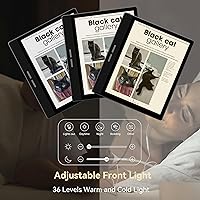
  • The 36-level warm and cold light adjustment makes late-night reading genuinely comfortable.
  • Bigme's ghosting reduction keeps page transitions cleaner than many color e-ink competitors during comic reading.
  • Battery life easily spans a full day of mixed use — something no LCD tablet at this tier can match.
  • The 7-inch form factor balances portability with enough screen space for comfortable document reading and writing.

Cons

  • Kaleido 3 color saturation is noticeably muted — do not expect anything close to tablet-level color vibrancy.
  • At 2.09 pounds, this color e-ink tablet is heavy enough to cause hand fatigue during long one-handed reading sessions.
  • Video playback and fast-scrolling web pages remain sluggish due to inherent e-ink refresh rate limitations.
  • Some third-party Android apps render poorly or require manual configuration to work acceptably on the e-ink display.
  • Regional Play Store access can require extra setup steps that less tech-savvy buyers may find tedious.
  • Stylus tip wear after extended heavy use has been flagged by some buyers, adding a long-term replacement cost.
  • Customer support quality varies by region, and Bigme's warranty service outside major markets is inconsistent.
  • Firmware stability at launch required immediate updates before some core features worked reliably out of the box.

Ratings

The Bigme B751C 7-Inch Color E-Ink Tablet scores below are generated by AI after analyzing verified buyer reviews from global markets, with spam, bot-submitted, and incentivized feedback actively filtered out. Ratings reflect the full spectrum of real ownership experiences — the genuine strengths that keep buyers satisfied and the friction points that cause frustration. Nothing has been smoothed over.
Color Display Quality
72%
28%
For a color e-ink panel, the Kaleido 3 screen performs noticeably better than its predecessors, making color-coded PDF annotations and lighter manga genuinely readable. Buyers who use it primarily for note-taking and document review report that the color differentiation is sufficient for practical daily use without eye fatigue.
Anyone expecting tablet-level color saturation will be disappointed. Kaleido 3 still produces pastel-toned, muted hues rather than vivid color, and bright sunlight can wash out the already-limited contrast. It is a meaningful step forward for e-ink, but it is not a replacement for an LCD if color fidelity matters to you.
Writing & Stylus Experience
84%
The capacitive pen on the glass panel feels genuinely smooth during handwriting sessions, with low enough latency that most users stop noticing the slight delay after a few minutes. Students annotating lecture PDFs and professionals sketching quick diagrams both praise how natural the pressure response feels compared to competing stylus-based e-ink devices.
A handful of buyers have noted early tip wear on the included stylus after several months of heavy daily use, which means replacement costs become a consideration. The glass surface, while smooth, does not replicate the slight friction of paper as convincingly as some Onyx Boox models with textured screen options.
Note-Taking & Annotation Features
81%
19%
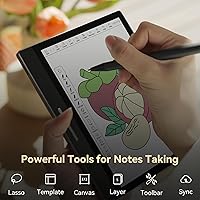
The combination of lasso, erase, and highlight tools alongside handwriting-to-text conversion makes this a genuinely capable digital notebook. Meeting users who transcribe spoken notes via voice-to-text appreciate how the summarization feature compresses long sessions into clean, usable text without much manual cleanup.
Android app compatibility introduces some inconsistency — not every third-party note-taking app behaves perfectly, and the native software occasionally requires firmware updates to smooth out UI quirks. OCR accuracy on messier handwriting gets mixed reviews, which matters if you plan to rely heavily on text conversion.
Portability & Form Factor
69%
31%
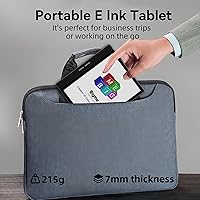
The 7-inch size hits a reasonable middle ground — large enough for comfortable PDF reading and annotation, compact enough to fit in a bag without taking over the space. The slim 0.28-inch profile means it slides into most sleeves and bags without bulk.
At 2.09 pounds, this color e-ink tablet is noticeably heavier than standard e-readers, and some buyers mention hand fatigue during sessions longer than an hour when holding it one-handed. Compared to a Kindle or Kobo, the weight difference is tangible, especially for commuters who read standing up.
Battery Life
78%
22%
E-ink's inherent low power draw means the B751C comfortably handles a full day of mixed reading and note-taking on a single charge. Users who keep the display refresh rate conservative and Wi-Fi off when not needed report multi-day battery spans, which no LCD tablet at this tier can match.
Heavier use — browser sessions, voice transcription running continuously, or higher refresh rates for comic reading — drains the battery faster than the spec sheet implies. A few buyers have reported that battery degradation becomes noticeable after roughly a year of frequent daily charging cycles.
Android Ecosystem & App Compatibility
73%
27%
Android 11 means you can sideload Kindle, Libby, Moon Reader, and most reading apps without any workarounds, which is a real advantage over closed e-reader platforms. The TF card slot adds further flexibility for users who want to expand storage for large comic libraries or audiobook collections.
Not every Android app is optimized for e-ink refresh rates, and some apps display with odd rendering behavior or sluggish UI response until manually configured. The Play Store situation, depending on region and firmware version, can require extra setup steps that less tech-savvy buyers find frustrating.
Display Resolution & Sharpness
77%
23%
At 1264x1680 pixels across 7 inches, text rendering is crisp enough for extended reading sessions without strain. Academic papers and formatted EPUBs look clean, and the resolution holds up well for standard web content and document viewing.
The effective PPI for color content is lower than for grayscale due to how Kaleido 3 panels subdivide pixels for color reproduction, so colored text and fine illustrated detail are softer than the raw resolution number suggests. Side-by-side with a grayscale e-ink display at the same resolution, text sharpness is visibly different.
Build Quality & Durability
74%
26%
The overall chassis feels reasonably solid for the price tier, and the included case provides meaningful protection that budget accessories often lack. Most buyers report no structural issues after several months of regular use, which suggests Bigme has invested adequately in the physical build.
Bigme is a smaller brand without the quality-assurance track record of Onyx or Kobo, and a minority of buyers have reported minor cosmetic inconsistencies or slightly uneven bezels out of the box. Long-term durability data is still limited given the product launched in early 2024.
Screen Lighting
79%
21%
The 36-level warm and cold light adjustment gives meaningful control over reading comfort across different environments and times of day. Night reading with the warm light dialed up is genuinely comfortable, reducing the harshness that cooler light temperatures can cause during evening sessions.
At maximum brightness, the front light is adequate but not class-leading — buyers who read frequently in brightly lit offices or direct sunlight may find it insufficient without screen reflectivity adjustments. Some users note that the cold light at higher intensities feels slightly uneven toward the edges of the panel.
Value for Money
71%
29%
Getting a case and stylus bundled with the device removes two common post-purchase expenses, which makes the overall cost feel more reasonable when calculated as a complete kit. For buyers who specifically need a color e-ink note-taker with an open Android environment, the feature set at this price is competitive.
At its asking price, the B751C sits in direct competition with more established devices that have more mature firmware and wider community support. Buyers who compare it closely against the Onyx Boox Tab Mini C often feel the value proposition depends heavily on how much the color display matters to their specific use case.
Ghosting & Refresh Performance
68%
32%
Bigme's proprietary ghosting reduction algorithm does make a visible difference during comic reading and web browsing compared to color e-ink devices without similar processing. Page turns in most reading apps feel acceptably clean for the category.
Video content and fast-scrolling web pages remain noticeably laggy, which is an inherent limitation of e-ink technology rather than a specific failure of this device, but worth stating clearly. Buyers expecting smooth video playback will be let down regardless of how the algorithm performs.
Setup & Out-of-Box Experience
66%
34%
Initial setup is reasonably straightforward for anyone comfortable with Android devices, and the included accessories mean you can start reading and writing within a few minutes of unboxing. The bundled case attaches securely and does not feel like an afterthought.
Region-specific Play Store access and occasional prompts to sideload APKs can confuse buyers who expect a plug-and-play experience similar to Kindle. Some users have also reported that initial firmware versions required immediate updates before core features worked reliably.
Customer Support & Brand Trust
58%
42%
Bigme has been responsive to firmware update requests and has pushed meaningful software improvements since launch, suggesting the company is actively invested in the product rather than abandoning it post-release.
As a smaller, less-established brand, Bigme's support infrastructure does not match the reliability of Kobo or Amazon. Response times and resolution quality vary noticeably by region, and warranty service outside of major markets is an open question that potential buyers should research before purchasing.

Suitable for:

The Bigme B751C 7-Inch Color E-Ink Tablet is a strong match for students and working professionals who spend significant time annotating PDFs, color-coding notes, or reviewing documents — and who want to do that without the eye fatigue that comes from staring at a backlit LCD screen for hours. Manga and comic readers who have been waiting for a portable color e-ink experience will find the Kaleido 3 display a genuine upgrade over grayscale, even if they need to temper expectations about saturation levels. People who attend frequent meetings and want a device that can capture handwritten notes and convert them to searchable text will get practical daily value from the transcription features. If you are moving away from paper notebooks and want a stylus-first device that runs real Android apps — Kindle, Libby, your preferred PDF reader — rather than a walled-garden system, this color e-ink tablet fits that transition well. The bundled case and stylus also mean you can get started immediately without hunting for compatible accessories.
Not suitable for:

The Bigme B751C 7-Inch Color E-Ink Tablet is not the right tool for buyers whose primary expectation is rich, vivid color — Kaleido 3 produces muted, pastel-range hues, and anyone comparing it to a phone or tablet display will find it underwhelming in that department. It is also a poor fit for media consumption: video playback is sluggish due to e-ink refresh constraints, and the device is not designed for streaming or gaming use. At 2.09 pounds, it is noticeably heavier than conventional e-readers, so commuters or travelers who read one-handed for long stretches may find it tiring over time. Buyers who want a completely plug-and-play experience with zero setup friction may be frustrated by the Android app configuration, regional Play Store limitations, and the occasional firmware update required to stabilize features. Finally, shoppers who prioritize long-term brand support and established warranty infrastructure should be aware that Bigme is a smaller company, and its after-sales support network is not on the same level as Kobo or Amazon.
Specifications

  • Screen Size: The display measures 7 inches diagonally, providing enough reading surface for PDFs and comics without making the device unwieldy.
  • Display Type: Kaleido 3 color e-ink panel delivers color rendering with reduced ghosting compared to earlier generations of color e-ink technology.
  • Resolution: The screen runs at 1264x1680 pixels, producing crisp text for reading and adequate detail for illustrated content and annotated documents.
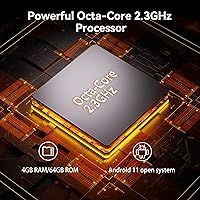
  • Processor: A MediaTek processor running at 2.3 GHz handles app loading, handwriting recognition, and Android multitasking with acceptable responsiveness for e-ink use cases.
  • RAM: 4 GB of DDR3 SDRAM supports smooth operation across Android apps, note-taking tools, and background processes without significant slowdown.
  • Storage: 64 GB of onboard flash memory provides ample space for large PDF libraries, comic collections, and sideloaded apps.
  • Expandable Storage: A TF card slot allows storage expansion beyond the built-in 64 GB for users with extensive digital libraries.
  • Operating System: Android 11 provides an open platform that supports sideloading third-party apps including Kindle, Libby, Moon Reader, and other reading and productivity tools.
  • Wireless: 802.11g Wi-Fi connectivity handles app downloads, cloud syncing, and web browsing, though it does not support newer Wi-Fi standards.
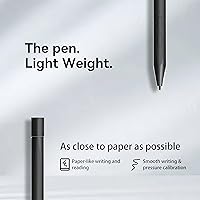
  • Stylus: A capacitive pen is included in the box and works on the glass panel surface to support handwriting, annotation, sketching, and navigation.
  • Lighting: A built-in front light offers 36 adjustable levels across a warm-to-cold color temperature range for comfortable reading in varied lighting environments.
  • Weight: The device weighs 2.09 pounds, which is noticeably heavier than most dedicated e-readers and worth considering for long reading sessions.
  • Dimensions: Physical measurements are 6.14 x 5.35 x 0.28 inches, keeping the profile thin despite the added hardware required for color e-ink and Android functionality.
  • Battery: A built-in lithium polymer battery powers the device, and e-ink's low refresh energy consumption enables extended use between charges compared to LCD tablets.
  • Camera: A 2 MP rear camera is present on the device, though it is not a primary feature for the intended reading and note-taking audience.
  • OCR Support: Optical character recognition is supported, allowing handwritten or printed text in documents and images to be converted into searchable, editable digital text.
  • Voice to Text: Built-in voice-to-text transcription captures spoken words and meeting audio and converts them into written notes with one-touch summarization support.
  • Included Accessories: A protective case and capacitive stylus are both included in the retail package, covering the two most common post-purchase add-on needs.

Related Reviews
Geniatech KloudNote Mini 9.7″ E-Ink Tablet
68%
74%
Display Quality
81%
Stylus Performance
78%
Battery Life
41%
Software & App Compatibility
79%
Note-Taking Experience
More
Bigme inkNote Color+ Lite 10.3″ E-ink Tablet
72%
83%
Display Clarity
61%
Color Reproduction
81%
Note-Taking Experience
88%
Build Quality
58%
Software & App Compatibility
More
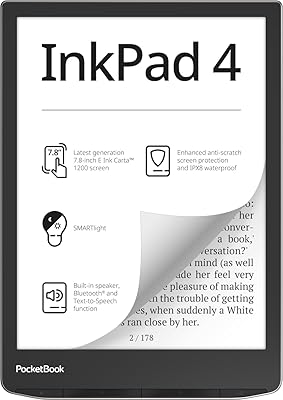
PocketBook InkPad 4 7.8-inch E-Ink Reader
86%
91%
Display Quality
88%
Battery Life
89%
Build Quality & Durability
75%
Audio Performance
94%
File Support
More
iFLYTEK AINOTE Air 2 E Ink Tablet
76%
88%
Writing Experience
83%
AI Transcription Accuracy
86%
Display Quality
91%
Portability & Design
79%
Multilingual Support
More
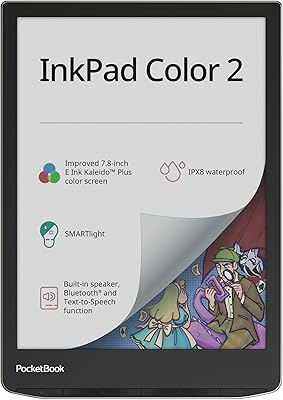
PocketBook InkPad Color 2 E-Reader
79%
71%
Color Screen Quality
88%
Greyscale Readability
93%
Format Compatibility
62%
Software & UI
79%
Audio Performance
More
PRITOM P7 7-Inch Android Tablet
67%
74%
Value for Money
51%
Performance
66%
Display Quality
71%
Battery Life
53%
Build Quality
More
WUIUHOU WUQ2 7-inch Android Tablet
63%
72%
Value for Money
88%
Portability
67%
Display Quality
41%
RAM & Performance
81%
Storage Flexibility
More
ATOZEE Q8K 7-inch 32GB Kids Tablet
71%
88%
Value for Money
91%
Ease of Setup
57%
Display Quality
83%
Parental Controls
74%
Build Quality & Durability
More
YosaToo KIDS712 Kids Tablet 7-inch 32GB
84%
89%
Value for Money
85%
Battery Life
92%
Parental Controls
88%
Build Quality/Durability
75%
Display Quality
More
ATOZEE CP80K Kids Tablet 7-inch 32GB
84%
91%
Parental Control Features
88%
Educational Content & Apps
85%
Screen Quality & Eye Protection
82%
Battery Life
89%
Build Quality & Durability
More

FAQ

It is genuinely usable, but you need the right expectations. The Kaleido 3 panel produces real color — enough to make color-coded annotations meaningful and manga readable — but the saturation is muted compared to any LCD or OLED screen. Think soft, pastel-range color rather than vibrant tablet color. For reading and note-taking, it works well. For anything where vivid color matters, it will disappoint.

Yes, and this is one of the stronger selling points. Because the B751C runs Android 11, you can sideload APKs directly without needing to root the device or use workarounds. Kindle, Libby, Moon Reader, and most popular reading apps install and run without major issues, though some may need minor display settings adjustments to look their best on an e-ink screen.

Most users describe it as smooth and low-latency, which is accurate — it is one of the better stylus experiences in this category. The glass surface is slightly more slippery than paper, so it does not have the slight friction drag you get with physical writing. Some competitors offer textured screen protectors that simulate paper feel more closely, which is worth knowing if that tactile detail matters to you.

It depends on how you read. At 2.09 pounds, it is noticeably heavier than a standard Kindle or Kobo, and holding it one-handed for more than 30 to 45 minutes can become tiring for some people. If you mostly read with the device resting on a desk, your lap, or propped up in the included case, the weight becomes a non-issue. It is worth factoring in if you commute standing up or read in bed.

Better than any grayscale e-reader, yes. Color panels and artwork come through clearly enough to be enjoyable, and Bigme's ghosting reduction keeps page transitions cleaner than older color e-ink devices during fast scrolling. Full-color graphic novels look reasonably good. Just keep in mind that rich, highly saturated artwork will look softer and less punchy than it would on a tablet screen.

Replacement tips for capacitive pens in this category are generally available from third-party accessory sellers, though Bigme-specific replacements may require ordering directly from the brand or through their retail channels. A small number of buyers have noted tip wear after months of heavy daily use, so it is worth having a spare on hand if you write extensively.

For normal use — downloading ebooks, syncing notes to cloud services, light web browsing — the 802.11g Wi-Fi is perfectly adequate. It is an older standard that does not support the faster throughput of Wi-Fi 5 or Wi-Fi 6, so large file transfers or streaming will be slower than on a modern tablet. For the intended use cases of this device, it is not a practical limitation.

Onyx Boox has a more mature software ecosystem with a longer track record of firmware refinement and a larger user community. Bigme is a smaller brand and the B751C is a relatively newer product, so the software has improved meaningfully since launch but still has occasional rough edges around app compatibility and UI polish. If firmware maturity and community support are priorities, Onyx currently has the edge.

Yes, and the voice-to-text feature is one of the more practical aspects of this color e-ink tablet. It transcribes spoken audio into written notes and includes a one-touch summarization tool that condenses longer recordings into key points. Accuracy is solid for clear speech in quieter environments, though background noise or heavy accents can affect transcription quality as with any voice recognition system.

The retail box includes the device, a protective case, and a capacitive stylus, which covers the three things most buyers would otherwise need to purchase separately. You will still need to provide your own USB-C charging cable and adapter if you need a spare. Beyond that, most buyers report being able to start using the device productively within a few minutes of opening the box.

Where to Buy