Overview

The Bigme inkNote Color+ Lite 10.3″ E-ink Tablet sits in a genuinely small but growing corner of the market — color e-ink devices serious enough to replace paper notebooks and dedicated e-readers in one package. Unlike the locked-down Kindle ecosystem or the note-focused reMarkable 2, this color e-ink tablet runs Android 11 openly, meaning you can install your own apps and shape the experience around your workflow. The 10.3-inch canvas hits a practical balance — large enough for annotating dense PDFs without feeling like you are carrying a laptop. This is not an impulse purchase; the premium price signals a tool built for people who already know exactly what they need.
Features & Benefits

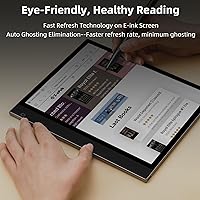
The Kaleido color e-ink panel is the centerpiece, and it helps to go in with calibrated expectations. Colors are real — reds, blues, greens — but they sit closer to muted watercolor than an LCD display. Text, though, is genuinely crisp; the 300 PPI black-and-white rendering is sharp enough for comfortable long reading sessions. The 36-level front lighting with adjustable warm and cool tones makes a real difference across different environments and times of day. An active stylus comes in the box, and handwriting response is fluid enough for practical note-taking. Add 64GB of onboard storage, a TF card slot for expansion, dual speakers, and four noise-cancelling microphones, and the inkNote Color+ Lite covers a surprisingly broad range of daily tasks.

Best For

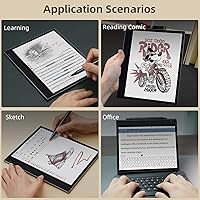
This Bigme reader is not trying to be everything to everyone. Students who spend hours marking up research papers or annotating journal articles will find the large screen and included stylus genuinely useful — especially with color highlighting that makes different annotation layers visually distinct at a glance. Comic readers and illustrated non-fiction fans get actual color rendering that a standard e-reader simply cannot offer. Professionals wanting a distraction-reduced Android device — app access without a glowing LCD tugging at their attention — will also feel at home here. If you have ever wanted to sideload apps freely onto an e-reader, this color e-ink tablet was essentially built with you in mind.

User Feedback

Buyers tend to land in similar places pretty consistently. Build quality and stylus feel earn genuine praise — this does not feel like a budget device in hand, and readers switching from backlit tablets regularly compliment the text clarity. On the other side, the weight comes up often; at just under 3.75 pounds, one-handed reading for extended periods gets tiring, and that is a fair criticism worth weighing. Color saturation draws mixed reactions, particularly from buyers arriving with LCD-level expectations. Some users also report occasional friction with Android app compatibility, and battery life under heavy stylus use can fall shorter than the 4000 mAh figure might suggest — something active note-takers should factor in.

Pros

  • Color e-ink display brings real, usable color to annotation and illustrated reading without LCD eye strain.
  • The included stylus feels responsive and accurate enough for everyday handwriting and PDF markup.
  • Open Android 11 means you can sideload apps and customize the experience to your actual workflow.
  • 64GB of internal storage plus a TF card slot gives heavy users serious room to grow.
  • Adjustable warm and cool front lighting makes reading comfortable across different times of day.
  • Build quality feels premium and sturdy — this color e-ink tablet does not feel fragile in hand.
  • The 10.3-inch screen is large enough for full-page PDF viewing without constant zooming.
  • Quad noise-cancelling microphones make voice notes and audio recording genuinely practical.
  • Color highlighting in notes creates visual organization that grayscale devices simply cannot replicate.

Cons

  • At nearly 3.75 pounds, the inkNote Color+ Lite becomes tiring to hold one-handed for extended reading sessions.
  • Color saturation on the Kaleido panel is noticeably muted — do not expect anything close to LCD vibrancy.
  • Some Android apps do not behave well on e-ink refresh rates, requiring manual adjustments or workarounds.
  • Battery life drops faster than expected during heavy stylus use or active app sessions.
  • Software polish is inconsistent — occasional bugs and UI quirks require more tolerance than a mainstream device.
  • The premium price is hard to justify if your needs are primarily basic reading rather than active note-taking.
  • Google Play access and app compatibility can be hit or miss depending on the apps you rely on.
  • The relatively thick bezel and overall footprint make one-bag travel with this Bigme reader less convenient than smaller alternatives.

Ratings

The scores below for the Bigme inkNote Color+ Lite 10.3″ E-ink Tablet were produced by our AI rating engine after processing verified buyer reviews from global markets, with spam, bot activity, and incentivized feedback actively filtered out before analysis. Every category reflects the honest distribution of real user sentiment — strengths are credited where earned, and recurring frustrations are scored accordingly. This is not a promotional summary; it is what actual owners report after weeks and months of daily use.
Display Clarity
83%
For reading text, the 300 PPI black-and-white rendering draws consistent praise from users who switched from lower-resolution e-readers. Academic users annotating dense research papers and students working through textbooks report that extended reading sessions feel noticeably less fatiguing than on backlit LCD screens.
Color rendering is the dividing line in user feedback — buyers who understood Kaleido panel limitations beforehand rate it positively, while those expecting LCD-like vibrancy feel let down. Color PPI is meaningfully lower than the black-and-white figure, and this shows most clearly on detailed illustrations or color-heavy comics.
Color Reproduction
61%
39%
For its category, color e-ink has genuinely improved, and users reading manga with color chapters or illustrated reference books note that the inkNote Color+ Lite does a respectable job of distinguishing hues and making color annotation layers visually useful in day-to-day note organization.
Saturation is the most commonly cited disappointment across user reviews — colors look washed out compared to any modern tablet, and images that look rich on a phone appear flat and muted here. Buyers using this primarily for color-heavy graphic novels or design review work tend to feel the color rendering falls short of justifying the premium.
Note-Taking Experience
81%
19%
The bundled stylus earns genuinely positive feedback from students and professionals who annotate PDFs daily, with most users describing the handwriting response as fluid and accurate enough for practical use without visible lag during normal writing speed. Color highlighting across multiple annotation layers is a feature that grayscale devices simply cannot replicate.
Some users report that stylus pressure sensitivity feels less nuanced than dedicated note-taking devices like the reMarkable 2, and a small number of buyers note occasional palm rejection issues during extended writing sessions. The writing experience is good, but not class-leading for users whose primary purpose is pure handwriting fidelity.
Build Quality
88%
Physical construction is one of the most consistently praised aspects across buyer reviews — users repeatedly describe the device as feeling solid, well-assembled, and premium in a way that justifies its positioning as a professional tool rather than a budget gadget. The slim 0.27-inch profile impresses buyers who expect a chunkier device at this weight class.
A small portion of users have noted that the device shows fingerprint smudging on the rear panel more readily than expected for a device at this price point. There are also occasional mentions of the screen being slightly recessed in a way that can make edge-based stylus strokes feel slightly inconsistent near the bezel.
Software & App Compatibility
58%
42%
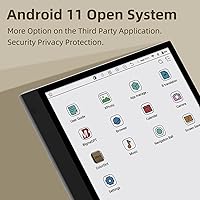
Android 11 openness is a genuine differentiator that power users deeply appreciate — the ability to sideload apps, configure custom launchers, and run a wide range of productivity tools without ecosystem lock-in puts this Bigme reader ahead of closed platforms like Kindle or reMarkable for flexibility-focused buyers.
Software polish is the most frequently cited frustration in user feedback, with buyers reporting inconsistent app behavior, occasional UI bugs in the default launcher, and variability in how well mainstream Android apps handle the e-ink refresh rate without manual tweaking. Google Play access works for many users but is not seamless out of the box.
Battery Life
67%
33%
In light reading mode with Wi-Fi off and a static display, the 4000 mAh battery behaves like a capable e-reader and users report multi-day endurance under those conditions, which is broadly in line with expectations for a 10.3-inch e-ink device used primarily for reading long-form content.
Battery performance drops significantly during active Android use, frequent stylus annotation, or sessions with Wi-Fi enabled, and several users describe needing to charge daily during intensive work periods. The gap between best-case and real-world battery life is wider than many buyers anticipate based on the listed capacity.
Portability & Weight
52%
48%
The slim physical profile and large screen size do offer a reasonable desk or lap experience for users who treat this color e-ink tablet as a stationary productivity tool rather than a commuter device, and the included cover adds protection without significantly impacting the overall form factor.
At 3.72 pounds, this is a heavy device by any e-reader standard, and one-handed reading for extended periods is genuinely uncomfortable for most users — this is a recurring and emphatic complaint in long-term ownership reviews. Commuters and users who planned to read in bed frequently report that the weight was underestimated before purchase.
Front Lighting
84%
The 36-level warm and cool lighting system earns strong user satisfaction, particularly from night readers who value the ability to switch to a very dim warm tone in the evening without disturbing sleep quality. Users working across different lighting environments throughout the day appreciate having fine-grained control rather than a coarse three-step adjustment.
A small number of users report slight lighting uniformity issues near the edges of the panel at very low brightness settings, which is a minor but noticeable issue for users who read in completely dark environments. The warm-to-cool range itself is well-regarded, but the light distribution is not perfectly even across the full screen surface.
Audio Quality
63%
37%
For audiobook playback and podcast listening, the dual speakers perform adequately for a device in this category, and users who use the inkNote Color+ Lite as part of a study routine appreciate being able to listen to lecture recordings or language audio without reaching for separate speakers.
Speaker volume headroom is limited, and in any environment with ambient noise the audio output feels underpowered for its physical size. The quad microphones receive more positive feedback than the speakers, but voice recording quality in noisy environments still falls short of what dedicated recording tools deliver.
Storage & Expandability
87%
64GB of internal storage handles large PDF libraries, e-book collections, and annotated notebooks comfortably for most users, and the TF card slot means heavy users are not artificially capped — buyers who store thousands of documents or audio files locally report no real storage anxiety with this setup.
A small number of users note that the effective available storage after the operating system and preinstalled apps is somewhat less than the full 64GB figure, which is standard for Android devices but can still catch first-time buyers off guard when setting up large libraries from day one.
Value for Money
59%
41%
For the specific buyer who needs color e-ink, open Android, a large annotation-friendly screen, and an included stylus in a single device, the inkNote Color+ Lite represents a reasonable consolidated value compared to buying a grayscale note-taking tablet and a separate color e-reader individually.
Casual readers who primarily want a simple e-reader or buyers expecting color quality closer to a tablet feel the pricing is difficult to justify, especially when similarly priced competitors like the Boox Tab Ultra C offer a more polished software experience. The value equation is highly dependent on how precisely your use case matches the device's strengths.
Stylus Precision
76%
24%
Day-to-day handwriting and PDF markup tasks are handled well by the included stylus, and users writing lecture notes or filling in structured planners report that the experience is smooth and consistent enough to replace paper notebooks for practical purposes without significant adjustment time.
Compared to purpose-built writing tablets or higher-end stylus systems, pressure sensitivity gradations feel limited, which matters most to users who want natural brush-like variation in their sketches or calligraphy. Artists and illustrators with high expectations for stylus nuance tend to rate this aspect lower than note-takers do.
Screen Refresh Rate
71%
29%
For reading and standard note-taking, the e-ink refresh behavior is well-optimized and does not create frustrating ghosting during normal page turns or handwriting, which is a baseline requirement that this color e-ink tablet generally meets for its intended use cases.
Switching into app-heavy Android workflows reveals the inherent limitations of e-ink refresh technology — scrolling through web pages, navigating dense app menus, or watching any motion-heavy content produces visible ghosting and lag that requires enabling aggressive refresh modes, which in turn reduces battery life more quickly.

Suitable for:

The Bigme inkNote Color+ Lite 10.3″ E-ink Tablet was built for a specific kind of power user, and if you fall into that group, it is hard to find a closer match. Students and academics who live inside PDF-heavy workflows will appreciate the large screen paired with an included stylus — color annotation layers make it genuinely easier to organize complex material without printing a single page. Readers who regularly pick up illustrated non-fiction, manga, or graphic novels will also find real value here, since color e-ink actually renders those formats meaningfully better than any grayscale device can. Planners, bullet journalers, and anyone who wants structured color-coded notes in a distraction-reduced environment will feel right at home. Professionals who want Android app flexibility without the eye strain or notification pull of an LCD screen are exactly the audience this device was designed around.
Not suitable for:

The Bigme inkNote Color+ Lite 10.3″ E-ink Tablet is a poor fit for casual readers who just want a simple, lightweight device to finish novels on the couch. At close to 3.75 pounds, sustained one-handed reading becomes uncomfortable quickly — this is a desk and lap device, not a commuter companion. Buyers expecting color quality comparable to an iPad or Android tablet will be disappointed; Kaleido e-ink panels render color in a way that is pleasant and functional, but the saturation simply cannot compete with LCD or OLED. If your primary use case is media consumption — streaming video, browsing social feeds, or playing games — a standard Android tablet will serve you far better at a lower price. Users who rely on a tightly curated app ecosystem and expect everything to work out of the box may also hit friction, since Android compatibility on e-ink hardware still requires some patience and occasional workarounds.
Specifications

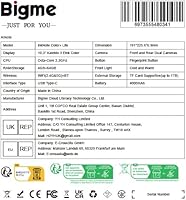
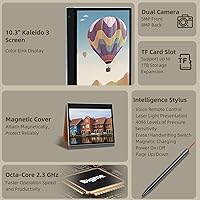
  • Display: The device uses a 10.3″ Kaleido color e-ink panel capable of rendering both full color and sharp black-and-white content on the same screen.
  • Resolution: Black-and-white text renders at 2480 x 1860 pixels with a pixel density of 300 PPI, while color content renders at a lower effective PPI typical of Kaleido technology.
  • Front Lighting: An integrated front light system offers 36 adjustable levels across a warm-to-cool color temperature range for comfortable reading in varied lighting conditions.
  • Processor: The device is powered by a MediaTek processor paired with 4GB of RAM for handling Android apps and note-taking tasks.
  • Storage: Internal flash storage sits at 64GB, with a TF card slot available for additional capacity expansion.
  • Operating System: The tablet ships with Android 11, allowing users to install third-party apps and customize the software experience beyond the default launcher.
  • Battery: A 4000 mAh lithium polymer battery powers the device, with actual runtime varying significantly based on usage intensity and screen refresh activity.
  • Connectivity: Wi-Fi support covers 802.11a/b/g/n/ac/ax standards, enabling fast wireless connections on both 2.4GHz and 5GHz networks.
  • Stylus: An active stylus pen is included in the box, designed for handwriting, sketching, and PDF annotation directly on the e-ink surface.
  • Audio Output: Two built-in speakers deliver 0.7W of audio output each, suitable for audiobook playback and light media consumption.
  • Microphones: Four noise-cancelling microphones are integrated into the device for voice note recording and hands-free audio input.
  • Camera: An integrated camera is built into the device, though its primary utility is document scanning rather than photography.
  • Dimensions: The physical footprint measures 8.88 x 7.52 x 0.27 inches, keeping the profile notably slim despite the large screen size.
  • Weight: The device weighs 3.72 pounds, which is on the heavier side for an e-ink tablet and is better suited to desk or lap use than extended one-handed reading.
  • Included Accessories: The package includes the active stylus and a protective cover, adding practical value without requiring immediate additional purchases.
  • Release Date: The inkNote Color+ Lite was first made available in May 2023, positioning it among the earlier generation of consumer-focused color e-ink tablets.

Related Reviews
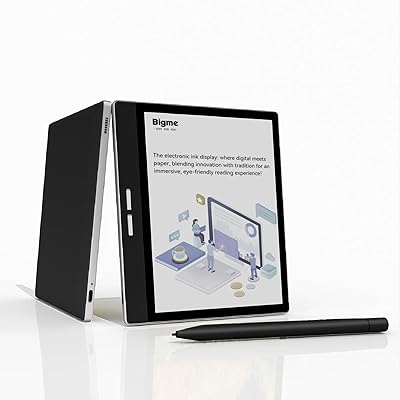
Bigme B751C 7-Inch Color E-Ink Tablet
73%
72%
Color Display Quality
84%
Writing & Stylus Experience
81%
Note-Taking & Annotation Features
69%
Portability & Form Factor
78%
Battery Life
More
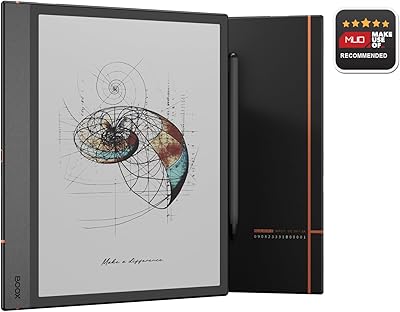
BOOX Note Air 4C 6GB/64GB
81%
93%
Display Quality (B/W)
67%
Color Display Quality
88%
Writing & Stylus Experience
91%
Build Quality & Design
84%
Android Openness & App Ecosystem
More
BOOX Go 10.3 E Ink Tablet
79%
91%
Screen Quality
88%
Writing & Annotation
93%
Eye Comfort
74%
App Ecosystem
86%
Build Quality
More
PRITOM TAB 10 Lite 32GB Kids Tablet
72%
83%
Build Quality & Durability
58%
Display Quality
61%
Performance & Speed
74%
Battery Life
77%
Parental Controls
More
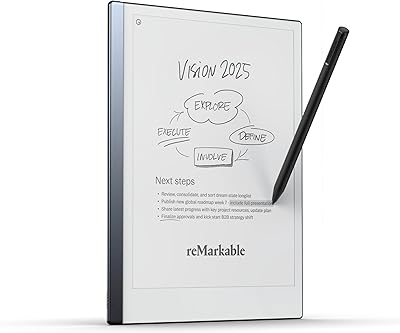
reMarkable 2 10.3-inch Paper Tablet
85%
94%
Tactile Writing Feel
92%
Build Quality & Design
97%
Distraction-Free Experience
89%
Battery Longevity
76%
Software Organization
More
PocketBook InkPad Color 3 7.8″ E-Reader
75%
76%
Display Quality
83%
Battery Life
93%
Format Compatibility
88%
Build Quality
91%
Waterproofing
More
VIWOODS AiPaper 10.65″ AI E Ink Tablet
78%
88%
Writing Feel & Pen Response
91%
Display Quality
86%
Build Quality & Portability
67%
Software & Android Ecosystem
62%
AI Note Features
More
Dynamic Color Co Circa Color Tattoo Ink Set 1oz - 12 Colors
90%
91%
Color Vibrancy
88%
Blendability
94%
Application Smoothness
89%
Longevity of Results
92%
Pigment Intensity
More
Geniatech KloudNote Mini 9.7″ E-Ink Tablet
68%
74%
Display Quality
81%
Stylus Performance
78%
Battery Life
41%
Software & App Compatibility
79%
Note-Taking Experience
More
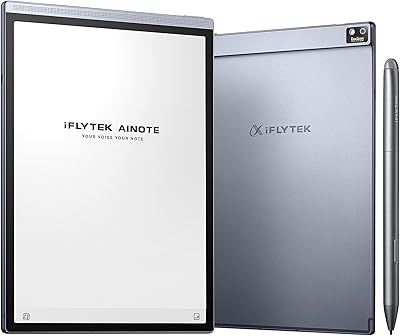
iFLYTEK AINOTE Air 2 E Ink Tablet
76%
88%
Writing Experience
83%
AI Transcription Accuracy
86%
Display Quality
91%
Portability & Design
79%
Multilingual Support
More

FAQ

Honest answer: no, it is not like an iPad or Android tablet display. Colors are real and distinguishable — you will see reds, blues, and greens clearly — but the saturation is noticeably softer and more muted. Think of it like a well-printed color page rather than a glowing screen. For annotation, comics, or illustrated books, it works well; for watching videos or viewing photos, it will feel flat compared to LCD.

The active stylus comes included in the box, so there is no extra purchase needed. Whether it requires charging depends on the specific stylus type Bigme includes — some active pens use a small internal battery or AAAA battery, so it is worth checking the included documentation when you unbox it.

Yes, running Android 11 means you have the flexibility to sideload apps or access the Google Play Store if you set it up. Kindle and similar reading apps can run on this color e-ink tablet, though performance and screen refresh behavior may differ slightly from what you are used to on a standard Android device. Most users report that common reading apps work well with a little tweaking.

It is actually one of the more compelling use cases for this device. Color e-ink makes manga and comics significantly more enjoyable than grayscale screens, and the 10.3-inch display gives you enough real estate to read at a comfortable size. Color saturation is not vibrant enough to replace a tablet for full-color graphic novels, but for manga with light color or illustrated chapters, it holds up well.

At 3.72 pounds, this is not a light device by any measure. Holding it one-handed for more than 15 to 20 minutes will likely tire your wrist. Most users find it works best propped on a lap, a pillow, or a stand. If bedtime reading in a reclined position is your primary use, the weight is a genuine consideration worth taking seriously.

The 4000 mAh battery provides reasonable endurance for light reading where the screen refreshes infrequently, which is where e-ink devices traditionally shine. Under heavier use — active stylus annotation, running Android apps, or frequent page refreshes — battery drain picks up noticeably. Planning to charge daily or every other day during intensive use is a realistic expectation.

The Boox Tab Ultra C is the closest competitor and offers a similarly open Android experience with color e-ink, though at a higher price point with a built-in camera lens. The reMarkable 2, by contrast, is a locked-down grayscale device focused purely on handwriting with no color and no app flexibility. If color and Android openness matter to you, the inkNote Color+ Lite sits in a compelling middle position on price compared to the Boox.

Yes, there is a TF card slot built into the device, so you can expand storage beyond the included 64GB. This is particularly useful if you plan to store large PDF libraries, e-book collections, or audio files locally on the device.

The four built-in noise-cancelling microphones make voice note recording a practical feature, and audio quality for that purpose is generally well-regarded. Video calls are technically possible given the camera and microphones, but the e-ink display refresh rate is not designed for smooth video — it will look choppy on your end during a call. For voice-only meetings or dictation, it works better.

Yes, and this is one of the areas where the device genuinely delivers. The 36-level adjustment range lets you dial the brightness down very low for dark environments, and switching to a warmer tone in the evenings reduces the blue light that can interfere with sleep. Compared to a fixed-brightness e-reader, the flexibility here is a real practical improvement.