Overview

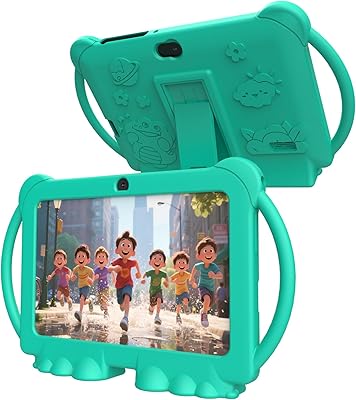
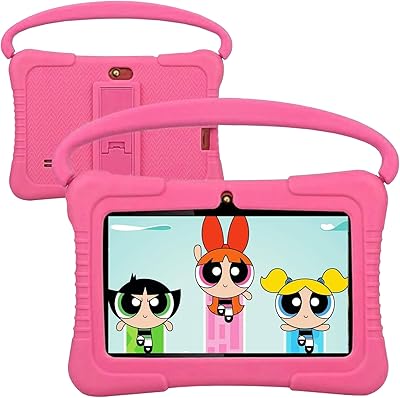
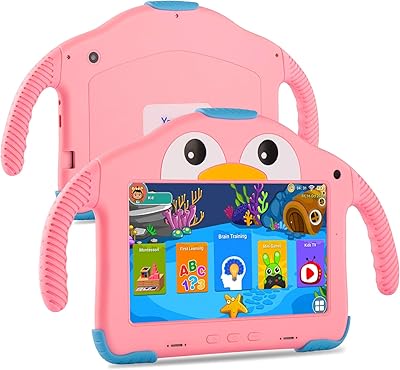
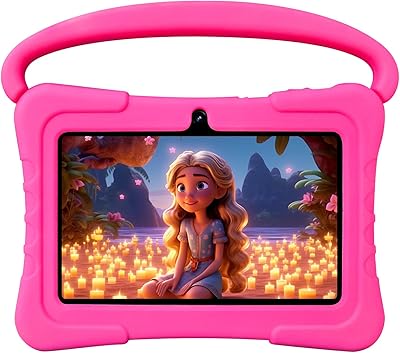
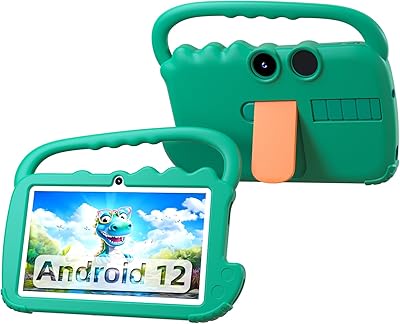
The BISAIKASOW M102 7-inch Kids Android Tablet entered a market packed with established names like Amazon Fire Kids and LeapFrog, so it starts with something to prove. What immediately separates it from cheap toy tablets is its GMS-certified Android 13 — that means real Google Play access, not some curated app store with fifty titles and a dead end. Kids can actually use YouTube Kids, Netflix, and Disney+. The duck-themed silicone case adds a bit of charm that generic rugged covers never bother with. An unfamiliar brand warrants honest scrutiny, but the specs on paper are hard to dismiss at this price point.
Features & Benefits

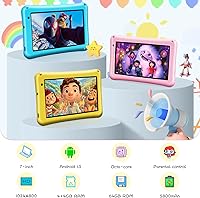
The M102 runs on a Qualcomm octa-core chip backed by 8GB of RAM — which sounds like overkill for a kids tablet, but it means apps launch quickly and switching between a reading app and a YouTube video doesn't involve frustrated waiting. Storage starts at 64GB and expands to 256GB via microSD, which parents of offline-video-hoarders will appreciate. The 5800mAh battery genuinely holds up through a full day of mixed use. Cameras are functional — kids will take a thousand silly selfies — but don't expect image quality worth keeping. The built-in parental controls let you set screen time limits and approve apps without needing a third-party solution.

Best For

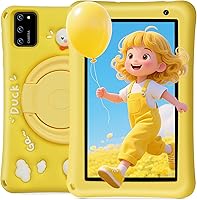
This Android tablet for children hits a specific sweet spot: best suited for kids roughly between three and eight years old whose parents want a real Android device without the premium brand price tag. The open Google Play access is a significant advantage over locked-down competitors — your child isn't trapped in a walled garden with limited options. The included drop-proof case means younger kids can handle it without parental anxiety at every fumble. It also makes a genuinely appealing gift; the cheerful yellow finish and duck-design back are far more interesting than plain alternatives. Budget-conscious families who want flexibility rather than a single-purpose toy will find the most value here.

User Feedback

Parents who have picked up the M102 tend to highlight two things: easy initial setup and how quickly kids took to the duck case — some adults admitted the case won them over too. Performance gets consistent praise for the price, with no major complaints about lag during everyday use. Where opinions split is on the display; for video-heavy kids, the 1024x600 resolution starts to feel limiting on a 7-inch screen. Battery life mostly meets expectations, though heavy users occasionally note it doesn't stretch quite as far as advertised. A few buyers flagged uncertainty about long-term brand support, which is a fair concern with lesser-known manufacturers and worth factoring into your decision.

Pros

  • Full Google Play access means kids get real apps, not a stripped-down toy app library.
  • The octa-core processor and 8GB RAM deliver noticeably smooth performance for the price.
  • 64GB of storage expandable to 256GB via microSD handles even aggressive offline video downloads.
  • The 5800mAh battery comfortably covers a full day of mixed usage without mid-day charging panic.
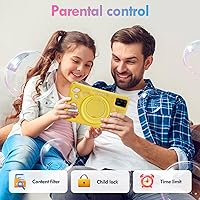
  • Built-in parental controls let you manage screen time and app approvals without a paid third-party app.
  • The duck-themed silicone case genuinely stands out and kids respond well to it.
  • Lightweight at under nine ounces, so younger children can hold it comfortably for extended periods.
  • GMS certification means updates and app compatibility stay in line with mainstream Android devices.
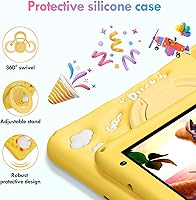
  • The 360-degree adjustable stand adds real convenience for hands-free viewing at home or on the go.
  • At its price point, the overall hardware bundle — case included — represents solid value for a first kids tablet.

Cons

  • The 1024x600 display resolution feels underwhelming during HD video playback on a 7-inch screen.
  • BISAIKASOW is a relatively unknown brand with limited visibility into long-term support or warranty reliability.
  • Camera quality is basic — fine for silly selfies, but photos are not worth keeping or sharing.
  • The advertised battery figure can be optimistic under heavy, continuous streaming conditions.
  • Brand obscurity may make resale value or spare parts availability difficult down the road.
  • No cellular connectivity option, so the M102 is entirely dependent on Wi-Fi availability.
  • Parental control depth may feel limited compared to dedicated family platforms like Amazon Kids+.
  • The duck-theme case, while charming, may not appeal to older or more style-conscious children.
  • Software update cadence from a lesser-known manufacturer is uncertain and hard to predict.
  • Customer support responsiveness is difficult to verify given the brand has minimal public track record.

Ratings

Our editorial team used AI-assisted analysis to evaluate thousands of verified global user reviews for the BISAIKASOW M102 7-inch Kids Android Tablet, actively filtering out incentivized, bot-generated, and duplicate submissions to surface what real parents actually experienced. The scores below reflect a transparent picture of where this Android tablet for children genuinely delivers and where it falls short — no spin, no brand favoritism. Both the wins and the frustrations are baked into every number you see here.

Value for Money
88%
For parents who balk at paying premium prices for a device a six-year-old might drop in a cereal bowl, the M102 punches well above its weight. Full Android 13 with Google Play access, a case included in the box, and genuinely capable hardware make the asking price feel like a reasonable bet rather than a gamble.
A small segment of buyers felt the value equation weakens if the device needs replacing within a year due to brand support uncertainty. Compared to Amazon Fire Kids, which comes with a worry-free replacement guarantee, the lack of any meaningful warranty backstop is a real gap.
Performance & Speed
79%
21%
Most parents reported that app launches feel snappy and that switching between a reading app and a YouTube Kids video happens without the frustrating lag you find on cheaper tablets. The octa-core chip paired with 8GB of RAM genuinely handles the everyday workload of a young child without complaint.
Performance headroom narrows when running more demanding games or when multiple apps are left open simultaneously. A handful of users noted occasional stuttering during graphics-heavier titles, suggesting this is optimized for light-to-moderate use rather than intensive play sessions.
Battery Life
74%
26%
Under typical mixed conditions — some streaming, some app use, some idle time — the 5800mAh battery comfortably gets through a full school day and into the evening. Parents who use it as a road-trip companion reported it lasting the duration of long drives without needing a top-up.
The all-day claim starts to crack when kids are streaming continuously at higher brightness settings, with some users reporting the battery draining faster than expected under those conditions. The advertised figure reflects light use; heavy video sessions tell a different story.
Display Quality
61%
39%
The auto-brightness adjustment works reliably in varied lighting conditions, and the screen is perfectly legible for educational apps, e-books, and basic video content. For a young child doing learning activities, the display does its job without causing obvious strain.
At 1024x600 pixels on a 7-inch panel, the resolution is the M102's most consistently criticized feature — parents accustomed to modern smartphone screens will notice the softness immediately, particularly during HD video. Kids watching animated content for extended sessions are getting a noticeably lower quality picture than entry-level Amazon or Samsung alternatives at similar prices.
Durability & Drop Protection
76%
24%
The included silicone case covers the corners and back meaningfully, and parents reported surviving the inevitable drops from tables, couches, and bunk beds without cracked screens. The rubberized grip also reduces the chance of fumbles in the first place, which younger kids especially benefit from.
The case is solid for everyday accidents but not a substitute for a purpose-built rugged shell. A few users described damage after particularly hard or edge-on drops, and the case design means the screen itself has no protective lip to prevent face-down impact damage.
Parental Controls
72%
28%
Android 13 includes capable native parental control tools via Google Family Link, letting caregivers approve app downloads remotely, set daily screen time schedules, and monitor usage habits from their own device. Parents who took time to configure it properly found it genuinely useful for keeping kids within safe boundaries.
The setup process is not immediately intuitive for parents who are not already comfortable with Android, and a few users found the Family Link configuration buried and confusing compared to the simpler dashboards on Amazon Fire Kids. Those expecting plug-and-play content filtering will need patience.
App Ecosystem
86%
GMS certification is the real differentiator here — kids can access YouTube Kids, Netflix, Disney+, Khan Academy Kids, and the full Google Play Store rather than a curated subset of titles. Parents appreciated not feeling trapped inside a proprietary ecosystem with limited options.
The openness that makes this appealing also means parental oversight requires more active management compared to curated platforms. Without careful setup, kids can wander further than intended, which puts more of the content-control burden squarely on the caregiver.
Camera Usability
58%
42%
Kids had fun with both cameras — the front-facing option works reliably for video calls with grandparents, and the rear camera captures enough detail for simple photo activities and scanning QR codes in educational apps. For the target age group, the cameras serve their purpose.
Photo quality is mediocre at best, with noticeable softness, poor low-light performance, and color reproduction that falls well short of any modern smartphone. Parents hoping to use this as a creative photography tool for slightly older kids will be disappointed quickly.
Build Quality
69%
31%
The tablet itself feels reasonably solid for the price tier — there is no excessive flex in the chassis and the buttons have a satisfying click to them. First impressions from unboxing were generally positive, with parents noting it does not feel as cheap as feared.
Longer-term build confidence is harder to assess given the brand is relatively new to market, and some users questioned how well the device would hold up past the one-year mark. The plastic construction is functional but clearly not in the same league as pricier alternatives.
Storage & Expandability
83%
Starting at 64GB is genuinely practical — enough headroom for a solid app library, offline video downloads, and a collection of photos without immediately needing an upgrade. The microSD expansion up to 256GB removes the storage ceiling as a concern for growing families.
Users who did not know to purchase a microSD card separately found themselves managing storage sooner than expected once large apps and downloaded shows accumulated. The expansion slot is a great feature, but the card is not included, which catches some buyers off guard.
Ease of Setup
81%
19%
Standard Android 13 setup is familiar to anyone who has configured an Android phone, and the out-of-box experience gets kids to the home screen quickly. Pre-loaded educational apps via the iwawa platform mean there is something to do immediately without downloading anything.
Configuring parental controls and Family Link properly adds meaningful setup time that first-time Android parents did not always anticipate. A dedicated getting-started guide tailored specifically to setting up child safety features would reduce frustration for less tech-comfortable caregivers.
Portability
84%
At under nine ounces and with a slim profile, the M102 travels well — it fits easily into a backpack pocket or tote bag without adding meaningful bulk. Kids in the target age range can hold it comfortably for extended periods without hand fatigue.
The case, while protective, adds some bulk compared to using the naked tablet. A small number of parents found the combined weight slightly heavier than expected for the youngest users, particularly toddlers holding it unsupported for long stretches.
Brand Trust & Support
47%
53%
The device itself delivered on its advertised hardware specifications for the majority of buyers, which at least confirms the product listing is not misleading. GMS certification adds a layer of third-party validation that provides some baseline confidence.
BISAIKASOW has minimal brand history and limited visibility into customer support responsiveness, warranty claims, or long-term software update commitments. This is the single biggest hesitation point for cautious buyers — there is no established track record to lean on if something goes wrong after the return window closes.
Screen Size Suitability
77%
23%
Seven inches hits a natural sweet spot for children between three and eight — large enough to see content clearly without overwhelming small hands or young eyes during extended use. Educational apps and e-books in particular render at a comfortable reading size.
Parents of children on the older end of the target range, or those transitioning from a larger household tablet, found the screen started to feel confining for certain activities. It is a deliberate size choice that works best for the youngest users rather than the full age spectrum claimed.
Design & Aesthetics
82%
18%
The duck-themed case back genuinely delighted kids at unboxing, and the yellow color option gave the M102 more visual personality than the typical black or blue slab you get from competitors. As a gift item, presentation landed well across multiple user reports.
The design appeal skews toward younger children, and kids around seven or eight may already find the duck motif babyish. There is currently limited color or case variety available, so buyers who want a different look have no alternatives within this product line.

Suitable for:

The BISAIKASOW M102 7-inch Kids Android Tablet is a strong fit for parents who want to hand their young child a real Android device without spending significantly more on a brand-name alternative. Kids roughly between three and eight years old are the sweet spot — old enough to navigate apps independently, young enough that the built-in parental controls and durable case feel genuinely useful rather than overkill. Families who stream YouTube Kids, Disney+, or Netflix will appreciate that this runs the full Google Play ecosystem rather than a locked-down toy OS with a handful of apps. The 360-degree adjustable stand and all-day battery make it practical for road trips, waiting rooms, and dinner-table distractions. It also shines as a gift — the cheerful yellow finish and duck-themed case make an impression that a plain black tablet simply cannot.
Not suitable for:

The BISAIKASOW M102 7-inch Kids Android Tablet is probably not the right call if you are expecting tablet longevity beyond a couple of years or strong manufacturer support when something goes wrong. Parents of older kids — say, nine and up — who want a tablet for homework, creative projects, or heavier multitasking will quickly find the 7-inch, 1024x600 display limiting for sustained use. If your child watches a lot of high-definition video content, the resolution will noticeably disappoint compared to even modestly pricier options. Buyers who place a high value on established brand warranties, proven after-sales service, or long software update cycles should look toward Amazon, Samsung, or Lenovo instead. This is also not ideal for children prone to extremely rough handling, since even a solid silicone case has limits.
Specifications

  • Screen Size: The display measures 7 inches diagonally, offering a compact but usable viewing area suitable for younger children.
  • Resolution: The screen renders at 1024x600 pixels, which covers everyday apps and video adequately but is not a high-definition panel by modern standards.
  • Operating System: Runs Android 13 out of the box, with GMS certification enabling full access to the Google Play Store and associated services.
  • Processor: Powered by a Qualcomm octa-core CPU designed to handle light-to-moderate multitasking without noticeable slowdown during typical kids' usage.
  • RAM: Equipped with 8GB of RAM, which keeps app switching responsive and reduces loading delays during everyday use.
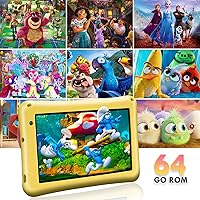
  • Storage: Comes with 64GB of internal storage, expandable up to 256GB via a microSD card for additional apps, games, and offline media.
  • Battery: Houses a 5800mAh non-removable battery intended to support a full day of mixed use including video streaming and app activity.
  • Front Camera: Includes a 5MP front-facing camera suitable for video calls and casual self-portraits, though image quality is basic.
  • Rear Camera: Features an 8MP rear camera that captures photos and short videos at a functional level appropriate for child use.
  • Wireless: Supports 802.11ac, 802.11n, and 802.11g Wi-Fi standards, ensuring compatibility with most modern home routers.
  • Dimensions: The tablet body measures 7.36 x 4.17 x 0.35 inches, making it slim enough for small hands to grip without strain.
  • Weight: Weighs 8.8 ounces without the case, which is light enough for younger children to hold during extended use.
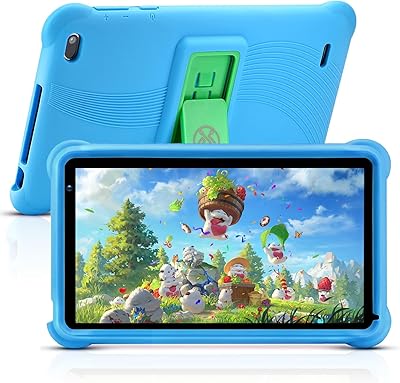
  • Protective Case: Includes a shockproof silicone case with a duck-themed textured back designed to absorb impact from everyday drops.
  • Stand: The included case features a 360-degree adjustable stand that props the tablet at multiple viewing angles for hands-free use.
  • Parental Controls: Built-in Android 13 parental control tools allow caregivers to set screen time limits, approve or restrict apps, and manage content access.
  • GMS Certification: The device is Google Mobile Services certified, confirming it meets Google standards for app compatibility and security.
  • Connectivity: Wi-Fi only — there is no cellular or SIM card option, so an active wireless network is required for internet access.
  • Color: Available in yellow with the duck-themed protective case included in the box at purchase.

Related Reviews

PEICHENG PCQ8 Kids Tablet 7-inch Android 12, 32GB
84%
84%
Performance & Speed
91%
Durability & Build Quality
88%
Parental Control Functionality
74%
Display Quality
90%
Storage & Expandability
More
qunyiCO Y7 Kids Tablet 7-inch Android 11, 32GB
84%
92%
Value for Money
88%
Durability
85%
Ease of Use
80%
Performance
89%
Parental Controls
More
ATOZEE CP80K Kids Tablet 7-inch 32GB
84%
91%
Parental Control Features
88%
Educational Content & Apps
85%
Screen Quality & Eye Protection
82%
Battery Life
89%
Build Quality & Durability
More
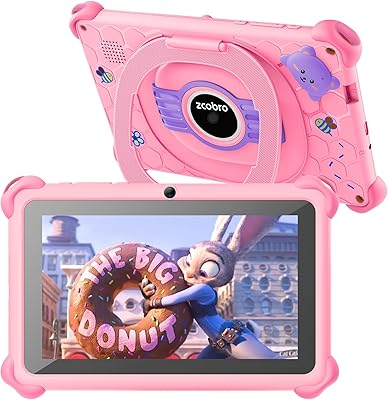
Zcobro KIDS710 Kids Tablet 7-inch, 32GB
82%
90%
Value for Money
82%
Battery Life
94%
Parental Controls & Safety Features
78%
Educational Content & App Variety
86%
Build Quality & Durability
More
NEWISION K7 7-inch Kids Tablet 32GB
84%
88%
Build Quality & Durability
94%
Parental Controls
90%
Educational Value
63%
Battery Life
80%
Display Quality
More
ZZB ZZBAT70K Kids Tablet 7-inch, 32GB
84%
90%
Value for Money
88%
Durability
93%
Parental Controls
85%
Display Quality
80%
Battery Life
More
Aheadthink AHQ82K 7-inch 32GB Kids Android Tablet
70%
83%
Value for Money
78%
Parental Controls
81%
Ease of Setup
62%
Display Quality
71%
Performance & Speed
More
YosaToo KIDS712 Kids Tablet 7-inch 32GB
84%
89%
Value for Money
85%
Battery Life
92%
Parental Controls
88%
Build Quality/Durability
75%
Display Quality
More
ATOZEE Q8K 7-inch 32GB Kids Tablet
71%
88%
Value for Money
91%
Ease of Setup
57%
Display Quality
83%
Parental Controls
74%
Build Quality & Durability
More
YosaToo ZIDS701 7-inch Kids Tablet
67%
83%
Value for Money
86%
Parental Controls
74%
Durability
51%
Display Quality
62%
Performance & Speed
More

FAQ

Yes, the M102 is GMS certified, which means it has full access to the Google Play Store. Your child can download apps like YouTube Kids, Netflix, Disney+, and thousands of educational titles — it behaves like any standard Android device in that regard.

Android 13 includes built-in parental control features under the Family Link setup, which lets you approve or block specific apps, set daily screen time limits, and monitor usage remotely from your own phone. It takes a few minutes to configure but is fairly straightforward once you follow the on-screen prompts.

The silicone case provides a decent buffer against typical tumbles — a drop from table height onto a hard floor should be fine in most cases. That said, no case at this price point is indestructible; drops onto sharp corners or from significant height are a different story. Think of it as solid everyday protection, not armor.

The main difference is openness versus control. The Amazon Fire Kids runs a heavily customized OS with a curated app store, plus it comes with a one-year worry-free guarantee and a subscription option for kids content. The M102 runs full Android 13, so your child gets the entire Google Play ecosystem — more flexibility, but also more parental setup required on your end. Neither is objectively better; it depends on whether you want an open platform or a more locked-down, managed experience.

For most kids' typical usage — a mix of streaming, light gaming, and educational apps — the 5800mAh battery holds up through a solid school day and then some. Heavy continuous streaming will drain it faster than the headline suggests, but it is genuinely above average for this price tier. Charging overnight keeps it ready each morning without issue.

Seven inches is actually a pretty natural fit for younger kids in the three-to-eight age range. It is compact enough for small hands to hold without fatigue, but large enough that app buttons and video content are easy to see. If she will primarily be watching videos for long stretches, you might eventually want something larger, but for this age it works well.

Absolutely — the tablet supports microSD cards up to 256GB, which is plenty of headroom for downloaded shows, offline games, and educational app data. The card slot is easy to access and the tablet recognizes additional storage automatically once inserted.

The BISAIKASOW M102 7-inch Kids Android Tablet comes from a smaller manufacturer without the brand recognition of Amazon or Samsung, which is a fair thing to factor in. The hardware itself appears well-assembled for the price, and the GMS certification adds a baseline of software reliability. The honest concern is longer-term: warranty support and software update cadence from lesser-known brands can be inconsistent, so it is wise to treat this as a short-to-medium term device rather than a multi-year investment.
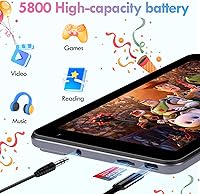
It comes pre-loaded with the iwawa platform, which includes a curated collection of educational games and learning tools aimed at young children. Beyond that, you have the full Google Play Store to download whatever additional apps suit your child's age and interests — including free options like Khan Academy Kids and Google Read Along.

The 360-degree adjustable stand built into the case is reasonably stable on flat surfaces and handles light nudges without collapsing. It works well for hands-free video watching or video calls at a desk or table. It is not designed for uneven surfaces, but for typical home use it does the job without much fuss.