Overview

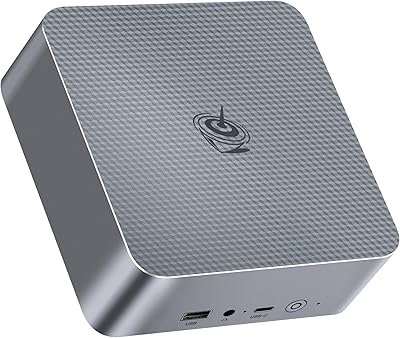
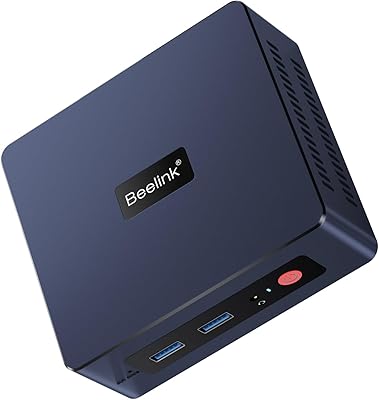
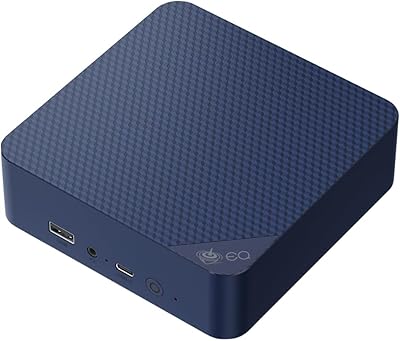
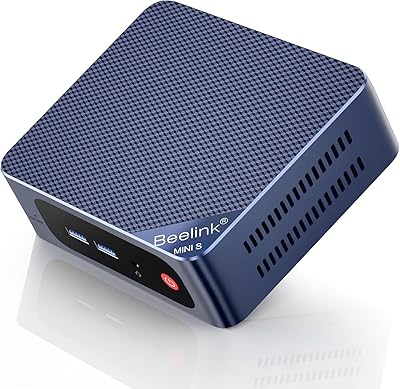
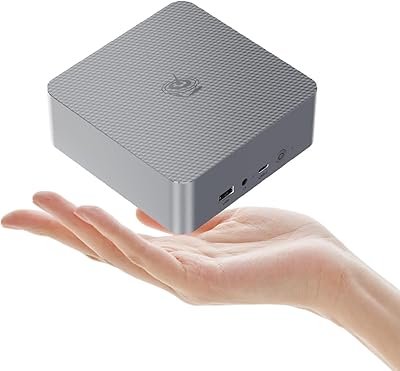
The Beelink EQI12 Mini PC (i3-1220P, 16GB/500GB) is a compact desktop replacement aimed squarely at home users, remote workers, and light creative professionals who want real performance without a tower taking over their desk. Intel's 12th Gen Core i3-1220P marks a meaningful step forward from older mini PC generations — the hybrid core architecture alone makes everyday responsiveness noticeably sharper. The unit itself fits in the palm of your hand, and the built-in 85W power supply eliminates the external adapter most competitors still bundle. Set expectations correctly: this is a capable everyday workhorse, not a rendering powerhouse. At its mid-range price, it holds its ground well against similarly specced competition.
Features & Benefits

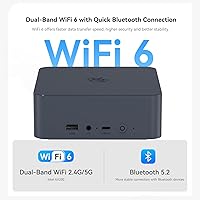
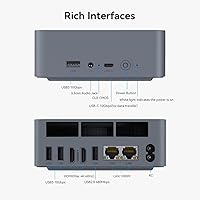
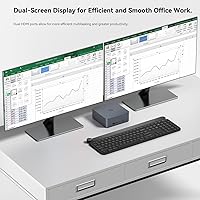
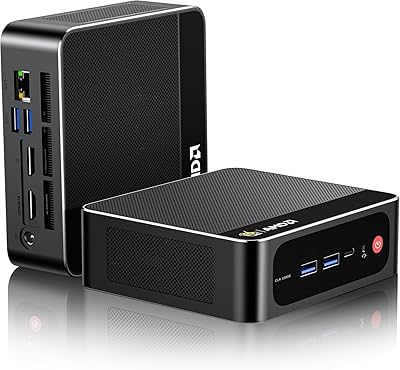
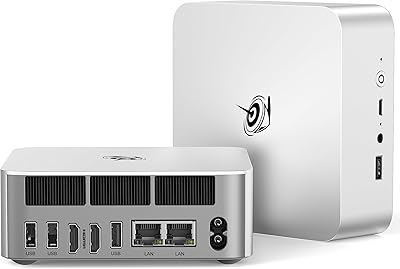
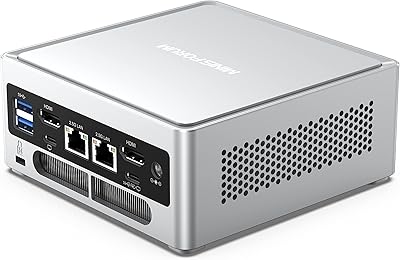
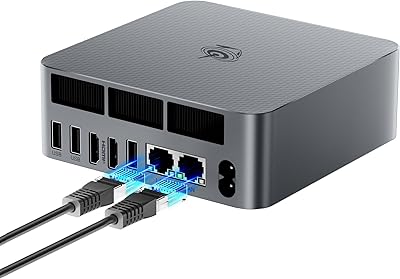
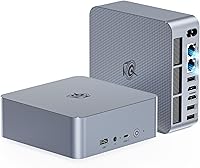
The i3-1220P splits its ten cores between performance and efficiency tasks, which keeps the machine snappy under mixed workloads without the chip constantly running at full tilt. Backed by 16GB of dual-channel DDR4 and a PCIe 4.0 NVMe drive, boot times are quick and application launches feel immediate rather than sluggish. Both HDMI ports independently push 4K at 60Hz, making a genuine dual-monitor 4K setup entirely practical. Connectivity coverage is thorough — WiFi 6, Bluetooth 5.2, and two Gigabit Ethernet ports enable network segmentation that home lab users will appreciate. The vapor chamber cooling keeps operating noise around 32dB under load, quiet enough for a shared office or living room without second thoughts.

Best For

This mini PC makes the most sense for home office workers who need a clean, compact setup and enough horsepower to run productivity suites, video calls, and light creative apps simultaneously. Anyone running a two-monitor desk will find the dual 4K HDMI output a genuine practical advantage rather than a rarely-used footnote. IT professionals and home lab enthusiasts benefit from the dual Ethernet alongside Wake-on-LAN, PXE boot, and Auto Power On support — features that push it toward light server duty. It also slots neatly into a living room media center role, given its quiet operation. Those upgrading from 8th or 10th Gen Intel systems will feel the performance difference immediately.

User Feedback

Buyers consistently point to fast boot times, quiet fan noise, and a build quality that feels solid relative to the price bracket. The dual-LAN setup earns specific praise from home lab and small business users who rely on network segmentation. On the critical side, some reviewers report thermal throttling during prolonged heavy workloads — worth factoring in if sustained CPU-intensive tasks are part of your daily routine. A recurring mention involves RAM speed: a handful of users noticed the system reporting lower speeds than the listed specification. Customer support feedback is mostly positive, though response times appear inconsistent. Packaging arrives well-protected according to most shipping reports.

Pros

  • Boots to the Windows desktop in well under 20 seconds thanks to the fast NVMe drive.
  • Dual 4K HDMI outputs work reliably out of the box — no driver wrestling required.
  • The built-in power supply means a single cable powers everything, keeping the desk genuinely tidy.
  • Dual Ethernet is rare at this price and useful for anyone needing network segmentation.
  • Fan noise stays near-inaudible during typical daily tasks — comfortable in shared or quiet spaces.
  • RAM is user-upgradeable up to 64GB with two accessible slots, extending the machine's useful life.
  • Windows 11 Pro is included, adding remote desktop and business deployment value over Home editions.
  • The EQI12 fits in a palm and weighs under two pounds, making relocation or travel genuinely easy.
  • WiFi 6 delivers stable, fast wireless that holds up well in congested home network environments.
  • Wake-on-LAN and PXE boot support make it a credible lightweight server for home lab use.

Cons

  • Thermal throttling under sustained heavy CPU workloads has been reported by a meaningful share of buyers.
  • Integrated graphics cap out quickly — modern or GPU-intensive games are simply not realistic on this machine.
  • Some users detect RAM running below the advertised speed spec straight out of the box.
  • The USB-C port is data-only — no video output or Thunderbolt capability despite the modern connector.
  • Enabling Auto Power On requires emailing Beelink for a configuration file rather than a simple firmware toggle.
  • Customer support response times are inconsistent, with some buyers waiting longer than expected for resolutions.
  • 500GB fills up faster than expected for users storing video projects, game libraries, or large media collections.
  • No DisplayPort output limits compatibility with certain professional monitors and KVM switch configurations.
  • The proprietary power connector makes cable replacement harder than a standard barrel-plug alternative.
  • Plastic shell picks up fingerprints easily and offers no meaningful protection against drops or rough handling.

Ratings

The Beelink EQI12 Mini PC (i3-1220P, 16GB/500GB) has been scored using an AI-driven analysis of verified buyer reviews collected globally, with spam, bot-generated, and incentivized submissions actively filtered out before scoring. Each category reflects the honest distribution of real user experiences — strengths are credited where earned, and recurring frustrations are not glossed over. The result is a transparent picture of where this mini PC genuinely delivers and where it falls short of expectations.
Everyday Performance
84%
For the workloads this machine is built around — browser tabs, office suites, video calls, and light photo editing — it handles the day without hesitation. The hybrid core architecture keeps things moving during multitasking, and users consistently report snappy responsiveness during typical work sessions.
Push it into sustained CPU-heavy tasks like extended video exports or running virtual machines and the performance ceiling becomes apparent. Thermal throttling under prolonged load has been reported by a notable share of users, causing noticeable slowdowns during longer intensive sessions.
Boot & Load Speed
89%
The PCIe 4.0 NVMe drive makes a tangible difference in daily use — cold boots to the Windows desktop typically land under 15 seconds according to multiple buyers. Application launches and file transfers feel genuinely fast rather than merely adequate for this price range.
A small subset of users noted that after extended uptime or heavy background processes, load speeds feel less consistent. The 500GB capacity also fills up faster than expected for users storing media libraries, pushing them to add external storage sooner than anticipated.
Thermal Management & Cooling
71%
29%
For everyday office tasks and media playback, the vapor chamber cooling keeps temperatures well controlled and the fan stays nearly inaudible. Users running the EQI12 in living rooms or quiet offices report it rarely becomes distracting even during moderate workloads.
Sustained CPU loads tell a different story — several reviewers documented throttling behavior after extended high-demand tasks, suggesting the cooling system prioritizes silence over peak sustained output. In warmer ambient environments, this trade-off becomes more pronounced.
Display & Dual Monitor Support
86%
Two full HDMI outputs each capable of 4K at 60Hz is a genuine differentiator for a machine this size. Home office users running dual monitors report that the setup works reliably out of the box with no driver headaches, and 4K media playback looks sharp on both screens.
There is no DisplayPort output, which limits compatibility with certain professional monitors or KVM switches that expect DP. Users hoping to drive three displays will hit a hard wall, and HDR support is limited given the integrated GPU constraints.
Build Quality & Design
82%
18%
The all-black enclosure feels solid and well-assembled — buyers frequently comment that it does not feel cheap despite the compact dimensions. At under two pounds with no external power brick, it is genuinely portable in a way that most desktop replacements are not.
The plastic shell shows fingerprints easily and a few users noted minor flex near the port openings. It is not ruggedized in any meaningful sense, so it is not a machine to toss in a bag without a protective sleeve.
Noise Level
88%
Around 32dB during typical use puts the EQI12 firmly in the near-silent category for everyday tasks. Users in shared workspaces and living rooms specifically call out how non-intrusive the fan noise is compared to older compact desktops they replaced.
Fan ramp-up under sustained load is audible, and a handful of users found the pitch — rather than the volume — to be slightly irritating during longer intensive sessions. It is still quiet by most standards, but the silence is not unconditional.
Connectivity & Ports
83%
The dual Gigabit Ethernet is the standout feature here for IT and home lab users — network segmentation between internal and external traffic is a practical capability that most consumer mini PCs skip entirely. WiFi 6 performance also earns consistent praise for stable, fast wireless.
The single USB-C port is data-only with no Thunderbolt or video output, which limits its utility for users expecting a more versatile Type-C experience. USB 2.0 presence feels dated at this price point, even if it is just one port.
RAM & Expandability
78%
22%
16GB in dual-channel configuration handles multitasking comfortably, and the two open SODIMM slots mean upgrading to 32GB or beyond is straightforward. Users who have performed upgrades report the process is accessible even without prior PC building experience.
A recurring complaint involves the system reporting RAM running below the advertised 3200MHz specification in certain configurations. It is not universal, but enough buyers have flagged it that it warrants attention before assuming full-speed operation out of the box.
Graphics & Media Playback
67%
33%
4K video playback in streaming apps and local media players runs without issue, and the integrated Intel UHD graphics handle casual image editing and light design work acceptably. For a media center or basic content consumption role, it does the job reliably.
Gaming ambitions beyond older or less demanding titles will hit the integrated GPU ceiling quickly. Titles like Genshin Impact are playable only at lower settings, and anything GPU-intensive from recent years is not a realistic use case for this machine.
Power Supply & Cable Management
91%
The built-in 85W power supply is a legitimately useful design choice — one cable in, everything runs, and the desk stays tidy. Users switching from mini PCs with external power bricks consistently mention this as a quality-of-life improvement they did not expect to appreciate so much.
The proprietary power connector means a lost or damaged cable is harder to replace than a standard barrel plug. A few buyers in regions with less common adapters flagged availability concerns, though this appears to be a minor edge case.
Value for Money
81%
19%
Against comparable 12th Gen Intel mini PCs with similar RAM and SSD configurations, the EQI12 sits at a competitive price point and bundles Windows 11 Pro rather than Home. The dual-LAN and vapor chamber cooling are features that typically cost more elsewhere.
Users expecting flagship-tier performance at mid-range pricing will feel the gap. The integrated graphics and throttling under load are the main sticking points that prevent the value equation from being more straightforward.
Software & OS Experience
77%
23%
Windows 11 Pro arrives pre-installed and mostly clean, with buyers noting the out-of-box experience is relatively free of bloatware compared to some competing brands. The Pro license adds genuine utility for remote desktop and business deployment scenarios.
Some users report that driver updates required manual intervention shortly after setup, and Windows 11 compatibility quirks with older peripherals created friction for a portion of buyers. The OS experience is adequate but not polished enough to be a selling point.
Server & Advanced Feature Support
85%
Wake-on-LAN, PXE boot, RTC wake, and Auto Power On support are features that home lab and small business users actively searched for at this price tier and are satisfied to find present. The dual-LAN makes it a credible lightweight server or router companion.
Auto Power On setup requires contacting Beelink support for a configuration file, which is an unnecessary friction point that a firmware toggle should handle natively. Response time from support for this request has been inconsistent based on user reports.
Customer Support
68%
32%
When support interactions go well, buyers report helpful and technically knowledgeable responses. Lifetime technical support is a meaningful commitment that gives some buyers added confidence purchasing a lesser-known brand over a tier-one manufacturer.
Response consistency is the weak link — wait times and resolution quality vary enough that several reviewers flagged it as unpredictable. The requirement to email a barcode photo just to enable Auto Power On is a friction point that appears repeatedly in critical feedback.
Packaging & Unboxing
79%
21%
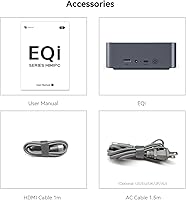
The unit arrives well-protected in the majority of reported cases, with adequate foam padding and included accessories covering the essentials. Most buyers found everything needed to get started in the box without immediate additional purchases.
A small number of buyers received units with minor cosmetic scuffs suggesting handling issues at the warehouse level. The included HDMI cables are functional but basic quality, and users with long cable runs may want to source better replacements.

Suitable for:

The Beelink EQI12 Mini PC (i3-1220P, 16GB/500GB) is a strong fit for home office workers who spend their days in productivity apps, video conferencing, and browser-heavy workflows and simply want a fast, quiet machine that does not dominate their desk. If you are running a dual-monitor setup and want genuine 4K output on both screens without investing in a full tower, this is one of the more practical ways to get there at this price tier. IT administrators and home lab enthusiasts will find the dual Ethernet and server-friendly features — Wake-on-LAN, PXE boot, Auto Power On — genuinely useful rather than marketing checkbox items. It also works well as a living room media PC; the near-silent fan and clean 4K playback make it easy to tuck behind a TV without drawing attention. Anyone upgrading from an older 8th or 10th Gen Intel compact desktop will notice the performance difference in everyday use fairly quickly.
Not suitable for:

If your workload regularly includes GPU-accelerated tasks, 3D rendering, serious video production, or modern gaming above casual titles, the EQI12 is the wrong tool — integrated graphics have a hard ceiling that no amount of RAM or fast storage can work around. Users who need sustained CPU performance for extended periods, such as compiling large codebases or running persistent simulation workloads, should be aware that thermal throttling has been reported under prolonged high-load conditions. The single USB-C port carries data only and lacks Thunderbolt, which is a real limitation for professionals who rely on high-bandwidth peripherals or external GPU enclosures. Those who depend on predictable, fast customer support should also weigh the inconsistent service response times that a portion of buyers have flagged. Finally, if 500GB of internal storage will not comfortably hold your working files and media library, factor in the cost of an additional drive before committing.

Specifications

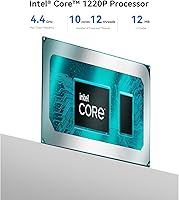
  • Processor: Intel Core i3-1220P (12th Gen) with 10 cores and 12 threads, boosting up to 4.4GHz across a mix of Performance and Efficiency cores.
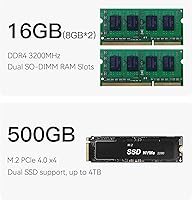
  • RAM: 16GB DDR4 dual-channel memory running at 3200MHz, installed across two SODIMM slots and expandable up to 64GB.
  • Storage: 500GB M.2 2280 NVMe SSD using a PCIe 4.0 x4 interface, with a second M.2 slot supporting up to 2TB for additional storage expansion.
  • Graphics: Intel UHD Graphics (integrated), running at up to 1.10GHz and sharing system memory, capable of 4K decode and dual 4K display output.
  • Display Output: Two HDMI 2.0 ports, each independently supporting up to 4K resolution at 60Hz for a true dual 4K monitor configuration.
  • Wireless: Intel AX200 WiFi 6 module supporting 2.4GHz and 5GHz bands, paired with Bluetooth 5.2 for peripheral connectivity.
  • Ethernet: Two independent Gigabit Ethernet ports enabling wired network redundancy or physical separation of internal and external network traffic.
  • USB Ports: Three USB 3.0 Type-A ports, one USB 2.0 Type-A port, and one USB-C port (data transfer only, no video or Thunderbolt).
  • Audio: One 3.5mm combo audio jack supporting both headphone output and microphone input.
  • Cooling System: MSC 2.0 vapor chamber technology combined with a variable-speed silent fan, dedicated SSD heatsink, and dustproof chassis design.
  • Noise Level: Operating noise measures approximately 32dB during typical everyday workloads, keeping the unit near-inaudible in quiet environments.
  • Power Supply: An 85W power supply is built directly into the chassis, requiring only a single power cable with no external adapter brick.
  • Dimensions: The unit measures 4.96 x 4.96 x 1.74 inches, making it small enough to mount behind a monitor or sit discreetly on a desk.
  • Weight: The complete unit weighs 2.09 pounds, light enough to carry in a bag for flexible between-location use.
  • Operating System: Windows 11 Pro comes pre-installed and activated, including remote desktop functionality and enhanced business management features.
  • Remote Management: Supports Wake-on-LAN, PXE boot, RTC Wake scheduling, and Auto Power On for remote or server-style deployment scenarios.
  • Certifications: Carries FCC, CE, and RoHS certifications, confirming compliance with North American, European, and environmental safety standards.
  • Warranty & Support: Beelink provides lifetime technical support with 24-hour, 7-day-a-week service availability for hardware and software assistance.
  • Color & Finish: Matte black plastic enclosure with a uniform finish across all panels and a low-profile rectangular form factor.
  • Memory Type: DDR4 SDRAM in a dual-channel configuration, with both slots accessible for user upgrades without voiding support.

Related Reviews

Beelink EQi12 Mini PC (i5-1235U, 16GB, 500GB)
80%
83%
Processing Performance
67%
Thermal Management
79%
RAM & Expandability
86%
Storage Speed & Flexibility
88%
Display Output
More
Beelink Mini S12 Pro (N100, 16GB, 500GB)
83%
83%
Everyday Performance
91%
Value for Money
76%
Build Quality & Design
84%
Thermal Management & Noise
88%
Connectivity & Ports
More
Beelink SER3 Mini PC, AMD Ryzen 3 3200U, 16GB RAM, 500GB SSD
84%
85%
Performance
92%
Value for Money
88%
Build Quality
94%
Compact Design
90%
Ease of Setup
More
Beelink SEI Mini PC (Ryzen 5500U, 16GB/500GB)
81%
84%
Everyday Performance
61%
RAM Configuration
91%
Display & Multi-Monitor Support
73%
Cooling & Thermal Management
88%
Networking
More
Beelink EQi13 Pro (32GB/500GB)
83%
88%
Processing Performance
91%
Memory & Multitasking
86%
Storage Speed & Expandability
74%
Thermal Management & Noise
93%
Networking Capabilities
More
Beelink EQ14 Mini PC (N150, 16GB, 1TB)
74%
74%
Everyday Performance
61%
RAM & Memory Configuration
83%
Storage & Expandability
91%
Connectivity & Networking
79%
Display Output
More
Beelink Mini S13 Pro N150 16GB/500GB
82%
83%
Everyday Performance
78%
Build Quality & Design
61%
Thermal Management
86%
RAM & Multitasking
74%
Storage Speed & Expandability
More
Beelink EQR6 Mini PC, AMD Ryzen 5 6600U, 32GB RAM, 500GB SSD
85%
88%
Performance
91%
Build Quality
92%
Value for Money
85%
Connectivity
73%
Ease of Setup
More
MINISFORUM NAB6 Lite Mini PC Core i5-12600H 16GB RAM 500GB SSD
85%
92%
Performance
87%
Value for Money
88%
Build Quality
90%
Network Connectivity
89%
Multi-Display Setup
More
Beelink SER5 MAX (24GB / 500GB)
81%
91%
Everyday Performance
88%
RAM & Memory Headroom
74%
Storage Performance
93%
Multi-Monitor & Display Output
69%
Thermal Management
More

FAQ

Both HDMI ports on the EQI12 support 4K at 60Hz independently, so a true dual 4K setup works without compromise. You do not need any adapters — just plug two 4K displays directly into the two HDMI ports and you are ready to go.

The memory is not soldered. The Beelink EQI12 Mini PC (i3-1220P, 16GB/500GB) has two standard SODIMM slots, and upgrading to 32GB or even 64GB is a straightforward process accessible to most users. Just make sure you use DDR4 SODIMMs rated for 3200MHz to match the existing configuration.
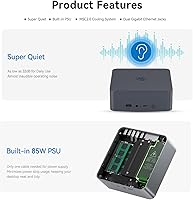
Under everyday tasks like web browsing, video calls, and document work, the fan is genuinely near-inaudible — most users describe it as a very faint hum at most. It does spin up under heavier loads, but even then it stays well below the level of most laptop fans. A shared bedroom office should not be a problem.

Older and less demanding games like League of Legends run fine at moderate settings. The integrated Intel UHD graphics have real limits though, so do not expect playable frame rates in anything GPU-intensive released in the last few years. Think of gaming as a bonus feature rather than a core capability of this machine.

The dual Ethernet is particularly useful if you want to keep your home or office network physically separated — for example, running a trusted internal network on one port and an external or guest network on the other. Home lab users, small business setups, and anyone using this mini PC as a lightweight server or router companion will find it genuinely practical rather than a novelty.

It has come up enough to be worth checking. Some users report their system registering the RAM at a speed below the rated 3200MHz after setup. It is not universal, but if accurate memory speed matters for your workload, it is worth verifying through a tool like CPU-Z shortly after you first boot the machine.

Unfortunately, no. The USB-C port on this mini PC is limited to data transfer only — it does not carry a video signal and is not Thunderbolt-capable. If you need USB-C display output, this is a genuine limitation to factor into your decision. Stick with the two HDMI ports for display connections.

Beelink handles Auto Power On through a BIOS configuration file rather than a toggle you can flip yourself. You need to contact their support team, send them the barcode from the bottom of the unit, and they will email you the corresponding tutorial and file. It works once you have it, but the process is more hands-on than it should be for a feature this common.

Windows 11 Pro is included and comes pre-activated with a genuine license. Pro adds useful features over Home, including Remote Desktop Host capability, BitLocker encryption, and better domain join support — all relevant if you are using this in a small business or IT environment.

The 85W power supply is integrated inside the chassis itself, so there is no external brick at all — just a standard power cable that plugs directly into the unit. This is genuinely different from many competing mini PCs that still ship with a separate adapter sitting on the floor or behind the desk. It keeps the setup noticeably cleaner.